




Ever wondered how Netflix knows which movie to recommend next? How does Swiggy update your order status in real time? How does a website verify your login credentials before giving you access?
So features like these work because of backend systems, and Node.js plays a major role in it.
If you already know JavaScript, Node.js lets you apply that knowledge to APIs, databases, authentication systems, real-time applications, and other backend services.
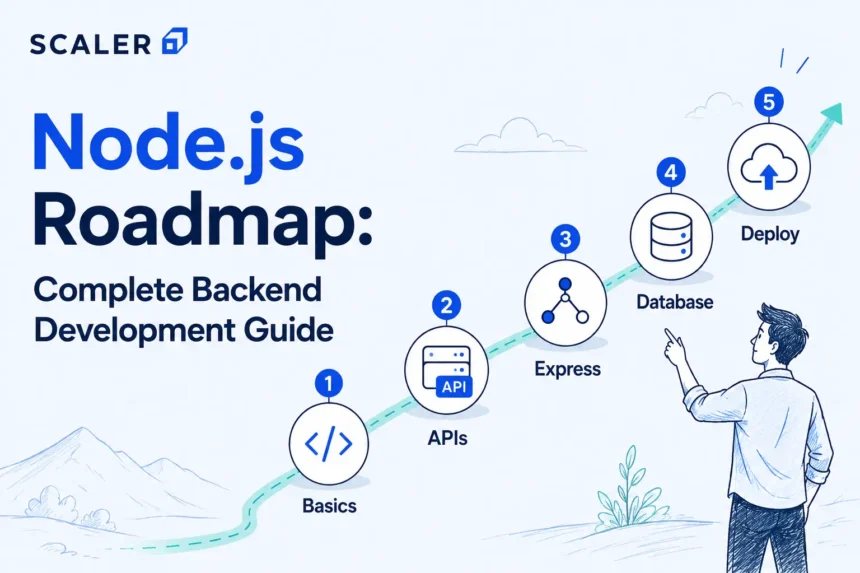
In this roadmap, we’ll go through the complete Node.js learning journey, from fundamentals to advanced backend concepts. Whether you’re exploring free resources or considering a Node JS course, this guide will help you understand the skills needed to become backend or full-stack ready.
You can also use this guide as a Node JS full course roadmap that explains what to learn at each stage of your Learn Node.js backend development journey.
Why Learn Node.js for Backend Development?
Most backend applications need to perform a similar set of tasks: accept requests, validate data, talk to databases, authenticate users, and return responses. Node.js gives you the tools to build all of these using JavaScript.
As you learn Node.js, you’ll work on APIs, and databases such as MongoDB or PostgreSQL, implementing login systems, handling file uploads, and connecting different services together. These are the same types of problems you’ll encounter when building backend applications of your own.
Another advantage is that you can focus on learning backend development itself rather than learning backend development and a new programming language at the same time. If you’re already familiar with JavaScript, then learning Node.js will be fairly easy for you.
To learn node js tutorial, check out this: Node JS Tutorial
What Should You Know Before Learning Node.js?
As you’ll begin to study Node.js, there’s one main prerequisite that you need to know JavaScript. Functions, objects, promises, async/await syntax, modules, and error handling are some topics that are seen everywhere in Node.js, and having familiarity with them will make our path easier.
Most Node js tutorials for beginners assume a basic understanding of JavaScript, so strengthening those fundamentals first can make learning much easier.
Apart from this, HTTP, JSON, Git, npm, and basic command line are also helpful. The advantage is that there’s no requirement for system design, cloud, or other advanced backend concepts before starting.
You’ll be ready to start learning Node.js if you can:
- Write and understand basic JavaScript code
- Work with promises and async/await
- Understand HTTP requests and responses
- Use Git and the command line for basic tasks
- Read and work with JSON data
You can check out this tutorial for a deeper understanding: What is Node.js?
Stage 1 – Understand Node.js Fundamentals Before Frameworks
Before jumping into Express.js or backend projects, you should get familiar with Node.js itself.
At this stage, focus on:
- Installing Node.js and running JavaScript outside the browser
- npm and package.json
- CommonJS and ES modules
- Working with built-in Node.js modules
- File system operations
- Asynchronous programming
- Callbacks, Promises, and async/await
- The event loop and non-blocking I/O
Since it’s the very beginning point of the stage, try to understand enough to read, debug, and build Node.js applications confidently before adding frameworks such as Express.js on top.
Stage 2 – Build Your First Node.js Server
In this phase, your learning should cover how to create a Node.js application, run scripts, make use of the HTTP module built into Node.js, use environment variables, and return JSON data.
| Command | Purpose |
| npm init | Create a new Node.js project |
| npm install | Install project dependencies |
| node app.js | Run a Node.js application |
| npm run dev | Start the development server |
This stage also introduces the basics of APIs and client-server communication, which become the foundation for building REST APIs later on.
Stage 3 – Learn Express.js for Real Backend APIs
After building a basic server with Node.js, your next step should be to explore Express.js. which is used in almost any project on a Node js backend as it saves lots of time by getting rid of redundant operations.
At this point, you should start dealing with routes, route params, query params, middleware, controllers, and error handling. All that comprises the base of practically any backend application, from a tiny CRUD API to a big production app.
Here is how they both are different in use:
| Node.js | Express.js |
| A runtime that runs JavaScript outside the browser | Framework built on top of Node.js |
| Provides the core backend environment | Simplifies routing, middleware, and API development |
| More setup required | Faster development with less boilerplate |
| Can build servers and APIs | Commonly used for production APIs |
One thing that you should keep in mind is that you should practice enough with Node.js to understand its working thoroughly, then move to Express.js when you’re ready to build APIs.
To learn more about express js tutorial in detail, check this: ExpressJS Tutorial
Stage 4 – Build REST APIs with Node.js and Express
From here on, you’ll get a good understanding of how to build route structure, make use of HTTP methods, send back JSON data, validate incoming data, deal with errors, and create CRUD (create/read/update/delete) operations for things like user data, products, posts, tasks, or orders.
| Method | Purpose | Common Status Codes |
| GET | Retrieve data | 200 OK, 404 Not Found |
| POST | Create new data | 201 Created, 400 Bad Request |
| PUT/PATCH | Update existing data | 200 OK, 404 Not Found |
| DELETE | Remove data | 200 OK 204 No Content |
By the end of this stage, you should be able to build a Node js REST API that is workable.
Check this link to learn about node js rest api in detail:
Stage 5 – Add Databases to Your Node.js Backend
Up to this point, any data created by your application shows up only while it’s running. A database solves that by giving your application a place to store and retrieve information whenever it’s needed.
Here you will learn everything about SQL and NoSQL databases, work with MongoDB, PostgreSQL, or any other database system, and get acquainted with the basics of working with databases, like creating schemas, making queries for CRUD operations and indexes, and using ORMs/ODMs like Prisma, Sequelize, and Mongoose.
A project that is frequently assigned during these classes is implementing a REST API that is connected to a database, implements validation, and works with CRUD operations.
It is also important for you to understand the difference between SQL and NoSQL; here is a glimpse of it:
| SQL | NoSQL |
| Structured tables and relationships | Flexible document-based data |
| PostgreSQL, MySQL | MongoDB |
| Good for complex relationships | Good for flexible schemas |
| Fixed schema | Dynamic schema |
You can also check out the Full Stack Developer Course and Data Structures and Algorithms Course if you want to have a more structured learning experience.
Stage 6 – Add Authentication, Authorization, and Security
Now that you’ll be able to implement an API that is able to save and read data, the next step is controlling who can access it.
During this phase, you’ll learn about password hashing, JSON Web Tokens, sessions, cookies, role-based access, middleware, input validation, CORS, rate limiting, and environment variable protection. JWTs are widely used in APIs, while sessions are used in regular web applications.
This is also the point where you have to start implementing good security practices. Common security pitfalls include saving passwords unhashed, leaking secrets, and validating client input.
Stage 7 – Test, Debug, and Document Node.js APIs
By this stage, you’ll have APIs that can create, update, and retrieve data. The next step is making sure they behave as expected when different requests, inputs, and edge cases are thrown at them.
Focus on learning:
- Unit testing and integration testing
- Jest and Supertest
- API testing with Postman
- Logging and debugging techniques
- Error handling and response validation
- API documentation with tools such as Swagger
Testing and documentation are often overlooked by beginners, but they’re the first things someone notices when reviewing a project. A well-tested API with clear documentation is easier to understand, easier to maintain, and far more useful than one that only works during a demo.
Stage 8 – Deploy Node.js Applications
Now, you’ll be introduced to topics like environment variables, process managers, deployment tools, basic concepts of Docker, continuous integration and delivery, logging, monitoring, and hosting databases. You will also get to know how to distinguish between running the app on a local machine and for production.
Before deploying your Node.js app, make sure you:
- Store secrets and credentials in environment variables
- Handle errors and logging properly
- Test all API endpoints
- Configure the production database correctly
- Add basic monitoring and health checks
- Keep dependencies and packages up to date
Stage 9 – Learn Advanced Node.js and Backend Architecture
After building a few database-backed APIs, you’ll start running into problems that don’t appear in beginner projects. Large file uploads take time to process, repeated database queries slow down applications, and handling thousands of requests requires a different approach than handling hundreds.
At this stage, focus on:
- Streams and buffers
- Worker threads and clustering
- Caching with Redis
- Queues and background jobs
- File uploads and storage
- WebSockets and real-time communication
- Rate limiting
- Performance monitoring and optimization
- Microservices fundamentals
These topics will typically help you make applications faster, more reliable, and easier to scale. They’re also common in system design discussions and backend engineering interviews.
Node.js Learning Path by Career Goal
| Learner Type | What to Focus on First | Project to Build | What to Learn Next |
| Student / Fresher | JavaScript fundamentals, Node.js basics, Express.js | Notes API or Task Manager API | Databases, Git, DSA |
| Frontend Developer | HTTP, REST APIs, Express.js, Authentication | Frontend + Node.js backend project | Full-stack architecture |
| Full-Stack Aspirant | Express.js, MongoDB/PostgreSQL, Authentication, Deployment | MERN-style application | Testing, deployment, system design |
| Backend Developer | API design, databases, security, testing | Production-style REST API | Caching, queues, system design |
| MERN Learner | Node.js, Express.js, and MongoDB integration | Complete MERN application | Deployment and backend architecture |
| Interview-Focused Learner | Node.js internals, Event Loop, APIs, DSA | Backend project with documentation and tests | System design and interview preparation |
| Working Professional | Backend architecture, deployment, scalability | Production-ready backend service | Advanced system design and cloud concepts |
You don’t necessarily need a structured course to learn Node.js. There are plenty of free resources available, and many developers have learned the basics that way. That said, once projects start becoming more involved, having a roadmap, projects, and some guidance can save a lot of trial and error.
Where you go after Node.js is really up to you. Some people enjoy building complete applications and end up moving toward full-stack development. Others find themselves more interested in APIs, databases, system design, and backend engineering. Either way, the Node.js fundamentals you’re learning now won’t go to waste.
And if you are leaning into learning to become a full-stack developer, then do check out this Full Stack Developer Program.
Best Node.js Projects to Build for Backend Development
Start with smaller projects that can help you be a bit smoother with requests, routing, and working with external APIs. A simple HTTP server, notes API, weather API wrapper, or command-line application works well at this stage.
Once you’re done with the basics, move on to projects that involve databases and authentication. A blog API, authentication service, file upload application, inventory management system, or CRUD API using MongoDB or PostgreSQL will introduce many of the tools and patterns commonly used in backend development.
For advanced practice, try building a real-time chat application, payment integration, background job processor, microservices-based application, or a complete backend API with testing, monitoring, and deployment.
One thing you should remember: a few well-finished projects are usually more valuable than a long list of incomplete ones. If a project has documentation, testing, deployment, and a clean codebase, it gives a much better picture of your skills, so do limited projects, but do them right.
Common Mistakes Beginners Make While Learning Node.js
The most common mistakes made by beginners include jumping into Express.js without grasping fundamental skills of asynchronous JavaScript like callbacks, promises, and async/await methods. The other mistake is being familiar with web application development frameworks before gaining knowledge about Node.js, HTTP, and their related topics.
Among other common mistakes, we can mention avoiding any input validation and failing to provide proper error handling, exposing sensitive information in the application, and ignoring database design. These aspects might be insignificant for small applications, but often become critical flaws as the application expands.
Additionally, one should not limit themselves to merely creating an API that works,s as there is also a need for testing and deployment in addition to API documentation.
The final mistake is spending too much time memorizing Node.js interview questions instead of building projects. You can most certainly do the practice and use the interview questions for practice, which turn out incredibly well for sure.
How Long Does It Take to Learn Node.js?
Those who are aware of the JavaScript programming language will be able to learn basic Node.js in about a month or two. Likely, API creation using Express.js, working with the database, authentication, and deployment might also take a couple of more weeks of practice.
It normally takes between two and three months for any person to master backend application development and deployment. Interviews, system designs, and advanced backend skills generally demand further practical experience.
A front-end developer is expected to have a good command of JavaScript. Therefore, they are able to learn Node.js quickly.
Free Node.js Tutorial vs Structured Backend Course – What Should You Choose?
There’s nothing wrong with starting your Node.js journey through free tutorials. In fact, that’s how many developers learn the basics, build their first APIs, and get comfortable with databases and authentication.
The question usually comes up a little later. Once projects become larger and topics like deployment, system design, testing, and interview preparation start appearing, learning everything in the right order can become more difficult.
If you’re someone who enjoys figuring things out independently, free resources can take you surprisingly far. On the other hand, if you’re looking for a clear roadmap, regular projects, mentorship, or interview-focused preparation, a structured backend program can help you with it.
Read These Important Roadmaps: More Paths to Career Success
FAQs
1. What is the best Node.js roadmap for backend development?
The Node.js roadmap includes JavaScript fundamentals, followed by Node.js basics, Express.js, REST APIs, databases, authentication, testing, deployment, and advanced backend concepts.
2. Is Node.js a frontend or backend?
Node.js is primarily used for backend development. It allows developers to run JavaScript outside the browser and build APIs, backend services, and server-side applications.
3. How do I start learning Node.js as a beginner?
Start by strengthening your JavaScript fundamentals, especially promises, async/await, and modules. Then move on to Node.js basics, Express.js, and REST APIs.
4. What should I know before learning Node.js?
A basic understanding of JavaScript, HTTP, JSON, Git, npm, and the command line is usually enough to get started with Node.js.
5. How long does it take to learn Node.js?
Most learners can understand the basics of Node.js within a few weeks and become comfortable building backend applications in around 2-3 months with regular practice.
6. Should I learn JavaScript before Node.js?
Yes. Since Node.js runs JavaScript outside the browser, a solid understanding of JavaScript fundamentals makes learning Node.js much easier.
7. Should I learn Node.js before Express.js?
Yes. Learning Node.js fundamentals first helps you understand how backend applications work before using frameworks like Express.js.
8. What is the difference between Node.js and Express.js?
Node.js is a runtime that allows JavaScript to run outside the browser, while Express.js is a framework built on top of Node.js that simplifies backend and API development.
9. How do I create a REST API in Node.js?
Most developers use Express.js to create REST APIs. The process usually involves creating routes, handling requests and responses, connecting to a database, and implementing CRUD operations.
10. Is Node.js good for backend development?
Yes. Node.js is widely used for APIs, real-time applications, microservices, and full-stack development because of its performance and large ecosystem.
11. Which database should I use with Node.js?
Both SQL and NoSQL databases work well with Node.js. Popular choices include PostgreSQL, MySQL, and MongoDB.
12. What Node.js projects should I build for my resume?
Good projects include CRUD APIs, authentication systems, blog APIs, e-commerce backends, real-time chat applications, and production-ready APIs with testing and deployment.
13. Is a free Node.js course enough?
Free tutorials are usually enough for learning Node.js fundamentals and building small projects. Structured programs become more useful for advanced projects, interview preparation, and career-focused learning.
14. Do I need DSA for Node.js backend jobs?
For many backend roles, especially at larger companies, DSA is important because interviews often test problem-solving skills alongside backend development knowledge.
15. What are the most important Node.js interview topics?
Many Node JS interview questions and answers focus on topics such as the event loop, asynchronous programming, Express.js, REST APIs, authentication, databases, and deployment.
16. What should I learn after Node.js?
After Node.js, most learners move on to databases, system design, caching, queues, Docker, cloud deployment, and advanced backend architecture.
