




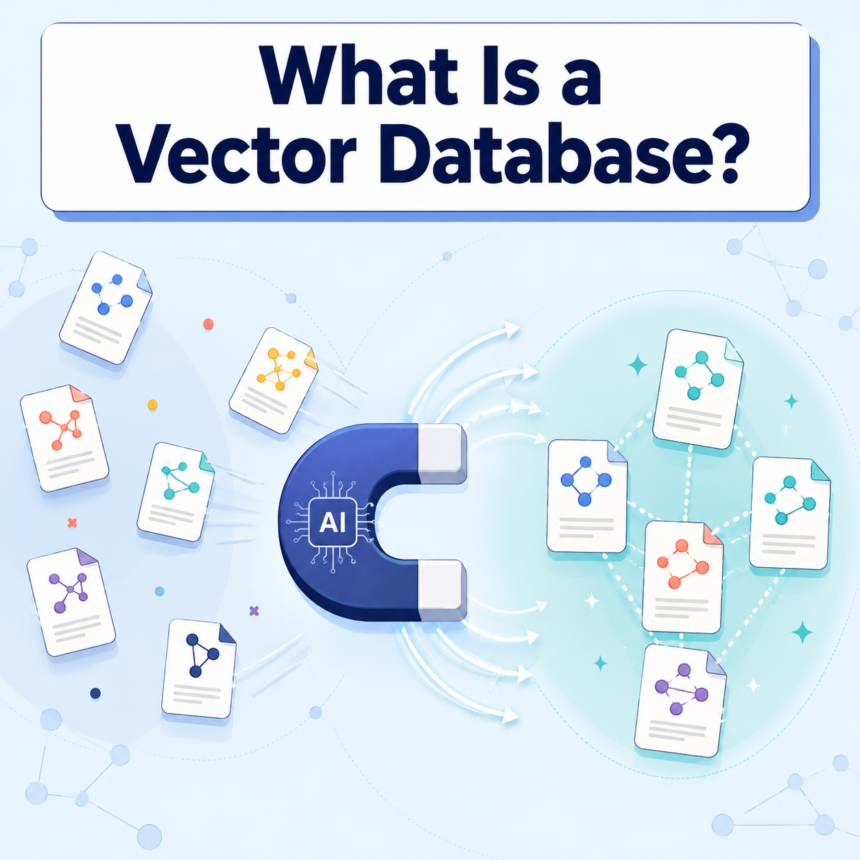
What is a vector database? At its core, a vector database is a specialised database built to store, index, and search high-dimensional numerical vectors, arrays of numbers that represent the meaning of data like text, images, or audio, rather than the raw data itself.
Every modern GenAI application you’ve used, a chatbot that answers questions about your company’s documents, a semantic search bar that understands what you meant rather than the exact words you typed, a recommendation engine that suggests genuinely similar products, relies on a vector database behind the scenes. Understanding what is a vector database, and why it exists as a distinct category from the relational databases you may already know, is foundational to building any serious AI-powered application in 2026.
In short: a vector database doesn’t store ‘John, age 34, Bengaluru’ the way a SQL table would. It stores a list of numbers, say, 768 or 1536 of them, that captures the semantic essence of a piece of text, image, or audio clip, and it’s built specifically to find the nearest matching vectors to any given query, fast, even across billions of entries.
Why Traditional Databases Can’t Do This Job
To understand what is a vector database, it helps to understand what it replaces. A traditional relational database (like PostgreSQL or MySQL) is built around exact and range-based matching, WHERE age > 30, WHERE city = ‘Bengaluru’. This works perfectly for structured, well-defined queries.
But it breaks down completely for a question like: ‘find me documents that mean roughly the same thing as this paragraph.’ There is no exact match to look for, no WHERE clause captures ‘similar meaning.’ A vector database solves exactly this problem by representing meaning as position in high-dimensional space, where similar concepts sit close together geometrically, and ‘search’ becomes a matter of finding the nearest neighbours to a query point.
Transform Your Career
Choose from our industry-leading programs designed for career success
Modern Software and AI Engineering Program
Master full-stack development with AI integration


 +1000 more
Modern Data Science and ML with specialisation in AI
Advanced data science techniques with AI specialization
+1000 more
Advanced AIML with Specialisation in Agentic AI
Deep dive into AIML with focus on Agentic systems
+1000 more
DevOps, Cloud & AI Platform Engineering
Build and manage AI-powered cloud infrastructure
+1000 more
AI Engineering Advanced Certification by IIT-Roorkee
Premier AI engineering certification from IIT-Roorkee

| Dimension | Traditional Database | Vector Database |
| Query type | Exact match, range, joins | Similarity / nearest neighbour search |
| Data representation | Rows and columns | High-dimensional numerical vectors (embeddings) |
| Core question answered | ‘What matches exactly?’ | ‘What means roughly the same thing?’ |
| Indexing approach | B-trees, hash indexes | HNSW, IVF, and other approximate nearest neighbour structures |
| Typical use case | Transactional records, reporting | Semantic search, RAG, recommendations, similarity matching |
What Is a Vector, Really? Embeddings Explained
Before going further into what is a vector database, it’s worth being precise about what a ‘vector’ actually is in this context. A vector is simply an ordered list of numbers, for example, [0.021, -0.184, 0.552, …], typically with hundreds or thousands of dimensions.
These vectors are called embeddings, and they’re generated by machine learning models (like OpenAI’s text-embedding-3, Cohere’s embed models, or open-source options like BGE and E5) that are trained to map similar concepts to nearby points in this high-dimensional space. Two sentences with similar meaning, even if they share almost no words in common, will produce embedding vectors that sit close together.
Simplified illustration of embedding generation
text_1 = “The cat sat on the mat”
text_2 = “A feline was resting on the rug”
text_3 = “Stock markets rallied today”
embedding_1 = embed(text_1) # e.g. [0.12, -0.05, 0.88, …]
embedding_2 = embed(text_2) # e.g. [0.14, -0.03, 0.85, …] <- close to embedding_1
embedding_3 = embed(text_3) # e.g. [-0.60, 0.71, -0.02, …] <- far from both
Even though text_1 and text_2 share almost no exact words, their embeddings land close together because they mean similar things. This is the entire foundation a vector database is built to exploit: store millions of these embeddings, and let you efficiently ask ‘which stored vectors are closest to this new query vector?’
How a Vector Database Works: Step by Step
Understanding how a vector database works end to end makes the rest of this guide, indexing, architecture, and use cases, much easier to follow. Here’s the full pipeline:
- Ingest raw data, text documents, product descriptions, images, or audio clips are collected as the source content.
- Generate embeddings, an embedding model converts each piece of content into a numerical vector capturing its semantic meaning.
- Store vectors with metadata, the vector database stores each embedding alongside metadata (like the original text, a document ID, or a timestamp) and indexes it for fast retrieval.
- Index vectors for search, the database builds a specialised index structure (covered in detail in Section 5) so that searching doesn’t require comparing the query against every single stored vector.
- Query time: embed the search vector, when a user searches, their query text is converted into a vector using the same embedding model.
- Similarity search, the vector database compares this search vector against its indexed vectors and returns the closest matches, typically ranked by cosine similarity or Euclidean distance.
- Return results with metadata, the original content (not just the vector) is returned to the application, ready to display or feed into an LLM for RAG.
This entire process, from raw content to embeddings to indexed storage to fast similarity search, is what a vector database automates and optimises. Doing this manually with a traditional database, computing similarity against every row for every query, would be computationally infeasible at any real scale.
Indexing Vectors: The Algorithms That Make Search Fast
Indexing vectors is the single most important technical concept behind how any vector database achieves fast search at scale. Without an index, finding the nearest neighbours to a query vector would require comparing it against every stored vector, a ‘brute-force’ search that becomes impossibly slow once you have millions of entries.
Instead, vector databases use Approximate Nearest Neighbour (ANN) algorithms for indexing vectors, trading a small amount of accuracy for massive gains in speed. Here are the indexing approaches you’ll encounter most often:
| Indexing Algorithm | How It Works | Trade-off |
| HNSW (Hierarchical Navigable Small World) | Builds a multi-layer graph where each vector connects to its nearest neighbours, enabling fast graph traversal | Excellent speed and accuracy; higher memory usage |
| IVF (Inverted File Index) | Clusters vectors into groups (via k-means) and searches only the most relevant clusters | Faster indexing, lower memory; slightly less accurate than HNSW |
| PQ (Product Quantization) | Compresses vectors into smaller representations to reduce memory footprint | Massive memory savings; some accuracy loss, often combined with IVF |
| Flat (Brute Force) | Compares the query against every vector directly, no index structure | Perfect accuracy; only feasible for small datasets (thousands, not millions) |
Why this matters practically:
When indexing vectors for a production vector database, HNSW is the default choice for most teams because it balances speed and accuracy well. IVF with PQ becomes attractive once you’re dealing with hundreds of millions of vectors and memory cost becomes a real constraint.
The choice of indexing vectors strategy directly affects three things every engineer building on a vector database needs to reason about: query latency, recall (how often the true nearest neighbours are actually returned), and memory or storage cost. Nearly every vector db lets you tune this trade-off explicitly.
Learn How Modern AI Systems Retrieve Information Efficiently
Building scalable AI applications isn’t just about choosing the right LLM. Understanding embeddings, indexing vectors, and efficient retrieval is essential for creating fast, accurate RAG pipelines and semantic search systems. Explore Now
Vector Database Architecture
A production vector database architecture typically includes several distinct layers working together:
- Ingestion layer: accepts raw vectors (often via an API) along with associated metadata, and queues them for indexing
- Storage layer: persists vectors and metadata, often using a combination of in-memory structures for speed and disk-based storage for durability
- Indexing layer: builds and maintains the ANN index (HNSW, IVF, etc.) that powers fast similarity search
- Query engine: accepts a search vector, applies the index, and returns ranked nearest-neighbour results, often supporting metadata filters alongside the similarity search
- Distribution/sharding layer: in production-scale deployments, splits the vector index across multiple nodes for horizontal scalability
Most modern vector database offerings also support hybrid search, combining vector similarity with traditional keyword or metadata filtering in a single query, like ‘find documents similar to this query, but only from the last 30 days, and only in the Finance category.’ This hybrid capability is increasingly a baseline expectation, not a differentiator, among serious vector db products.



Key Players: Comparing the Top Vector DB Options
The vector db landscape has matured significantly, with options ranging from fully managed cloud services to open-source, self-hosted engines, to vector extensions bolted onto existing databases you may already run. Here’s how the major players compare:
| Vector Database | Type | Best For | Notable Feature |
| Pinecone | Fully managed (cloud) | Teams wanting zero infra management | Simple API, strong production reliability |
| Weaviate | Open-source + managed | Teams wanting hybrid search out of the box | Built-in modules for embeddings and hybrid search |
| Milvus | Open-source | Large-scale, self-hosted deployments | Highly scalable, supports multiple index types |
| Qdrant | Open-source + managed | Teams wanting a fast, Rust-based engine | Strong filtering performance alongside vector search |
| Chroma | Open-source | Prototyping and small-to-medium RAG apps | Extremely simple to set up locally for development |
| pgvector | PostgreSQL extension | Teams already running Postgres | Adds vector search to an existing relational database |
| Redis (with vector search) | In-memory extension | Teams needing very low-latency lookups | Combines caching infrastructure with vector search |
For teams just getting started, pgvector is often the pragmatic first vector db choice if you’re already running PostgreSQL, it avoids adding a new piece of infrastructure. For teams building GenAI products at meaningful scale, Pinecone and Milvus are the two most commonly cited production choices, with Weaviate and Qdrant close behind for their hybrid search capabilities.
Vector Database Example Walkthroughs
Seeing a vector database example in code makes the abstract concepts from earlier sections concrete. Here are two common patterns.
Vector Database Example: Storing and Querying with Pinecone
from pinecone import Pinecone

pc = Pinecone(api_key="YOUR_API_KEY")

index = pc.Index("product-search")

# Store a vector with metadata

index.upsert(vectors=[

{

     "id": "product-123",

     "values": [0.12, -0.05, 0.88, ...],  # 1536-dim embedding

     "metadata": {"name": "Wireless Headphones", "category": "Electronics"}

}

])

# Search for similar products

results = index.query(

vector=search_vector,   # embedding of the user's query

top_k=5,

include_metadata=True

)
Vector Database Example: Local Prototyping with Chroma
import chromadb

client = chromadb.Client()

collection = client.create_collection("docs")

collection.add(

documents=["Our refund policy allows returns within 30 days."],

ids=["doc-1"]

)

# Chroma embeds the query automatically and searches

results = collection.query(

query_texts=["How long do I have to return a product?"],

n_results=3

)
Both examples follow the same underlying pattern described in Section 4: embed content, store it, then embed a query and search for the nearest matches. This vector database example pattern, upsert, then query, is nearly universal across every major vector db product, even though the exact API syntax differs.
Scaler Placement Report and Statistics
Scaler learners achieved 2.5x salary growth with average post-Scaler CTC reaching ₹23L.
 Google
 Amazon
 Microsoft
 Flipkart
 Adobe
1200+ more
Adobe
1200+ more
Real-World Use Cases of Vector Databases
Understanding what is a vector database used for in production helps clarify when you actually need one versus when a simpler solution suffices.
| Use Case | How the Vector Database Is Used |
| RAG (Retrieval-Augmented Generation) | Stores document embeddings so an LLM can retrieve relevant context before answering a question |
| Semantic search | Powers search bars that understand intent and meaning, not just keyword matching |
| Recommendation systems | Finds products, articles, or media similar to what a user has previously engaged with |
| Image and video similarity search | Finds visually similar images by comparing embeddings from vision models |
| Fraud and anomaly detection | Identifies transactions or behaviour patterns that deviate from typical embedding clusters |
| Deduplication | Detects near-duplicate records (e.g., customer entries) even when exact text differs |
| Chatbot memory | Stores past conversation embeddings so an AI assistant can recall relevant prior context |
RAG is by far the dominant reason teams are adopting a vector database in 2026, nearly every company building an internal AI assistant, customer support bot, or document Q&A system relies on a vector database as the retrieval layer that grounds LLM responses in real, verifiable content.
How to Choose a Vector Database for Your Project
With so many vector db options available, choosing the right one depends on a handful of practical questions:
- Scale: Are you indexing thousands of vectors (any option works) or hundreds of millions (favour Milvus, Pinecone, or Qdrant with tuned indexing)?
- Hosting preference: Do you want a fully managed service (Pinecone) or full control via self-hosting (Milvus, Qdrant, Weaviate)?
- Existing infrastructure: Already running PostgreSQL or Redis? pgvector or Redis's vector search may avoid adding a new system entirely.
- Hybrid search needs: If you need to combine vector similarity with keyword or metadata filters heavily, prioritise Weaviate or Qdrant, which are built with this as a first-class feature.
- Budget: Open-source, self-hosted options (Milvus, Qdrant, Chroma) avoid per-query costs but require your own infrastructure and ops time.
Most teams building their first RAG application prototype with Chroma or pgvector for speed of setup, then migrate to Pinecone, Milvus, or Qdrant once they need production-grade scale, reliability guarantees, and more sophisticated indexing vectors configuration.
Common Pitfalls When Working With Vector Databases
Teams new to vector databases consistently run into the same handful of mistakes:
- Using the wrong distance metric: cosine similarity, Euclidean distance, and dot product are not interchangeable, the embedding model you use often dictates which metric is correct
- Mismatched embedding models between ingestion and query time: if you switch embedding models, previously stored vectors become incompatible and must be re-embedded
- Over-indexing too early: tuning HNSW parameters or choosing complex indexing vectors strategies before you have a real sense of your data scale wastes engineering time
- Ignoring metadata filtering: pure vector similarity search without filters often returns technically 'similar' but practically irrelevant results, combine with metadata filters where possible
- Not chunking documents appropriately: embedding an entire long document as one vector loses granularity; most RAG use cases split content into smaller passages before embedding
Ready to Build Production-Grade RAG and Search Systems?
Scaler's Data Science & ML Program covers vector databases, embeddings, and RAG architecture hands-on, with real projects and 1:1 mentorship from engineers building GenAI systems in production. Explore the Program
Scaler Alumni and Their Success Stories
FAQs
Q1. What is a vector database used for?
What is a vector database used for: primarily semantic search, RAG-based AI applications, recommendation systems, and similarity search across text, images, or audio.
Q2. How does a vector database differ from a regular database?
A vector database searches by similarity between numerical embeddings, while a regular database matches exact values, the two solve fundamentally different query problems.
Q3. What is a good vector database example for beginners to try?
Chroma is a great vector database example for beginners, it runs locally with minimal setup and automatically handles embedding generation for quick prototyping.
Q4. What algorithms are used for indexing vectors?
The most common algorithms for indexing vectors are HNSW (graph-based, fast and accurate) and IVF (cluster-based, more memory-efficient at large scale).
Q5. Which vector db should I choose for a production RAG application?
For production RAG, Pinecone (managed) or Milvus and Qdrant (self-hosted) are the most commonly used vector db options, depending on your scale and hosting preferences.
Q6. How is a search vector generated for a query?
A search vector is generated by passing the user's query text through the same embedding model used to index the stored data, ensuring both vectors exist in the same semantic space.
