




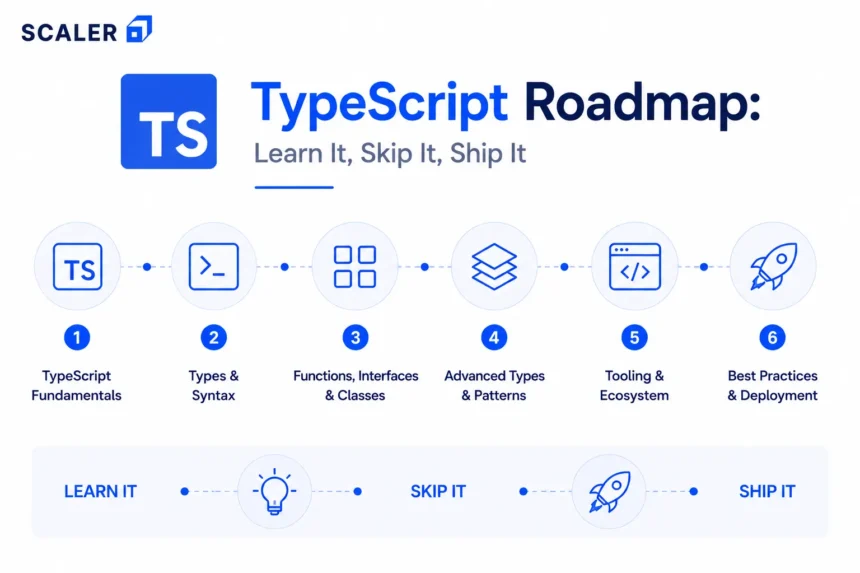
At some point, most JavaScript developers start noticing the same things and it often begins with a function that expected a string but got passed a number. Or even, a property name got renamed but one file missed the update in its entirety. And then, an API response had a shape nobody documented and eventually missed. The answer to all these scenarios is simple, it is TypeScript.
This roadmap is for JavaScript developers who want to move from ‘I know TypeScript exists’ to ‘I actually use it in projects.’ It covers what JavaScript you need first, which TypeScript concepts to learn in what order, when generics make sense, and how to apply TypeScript in React, Node.js, and real projects.
One thing before you begin: TypeScript is not a different language. It is JavaScript with types on top. The compiler catches mistakes before the browser does. At runtime, it is all JavaScript. Start with the free TypeScript Tutorial if you want structured reference material alongside this guide.
The TypeScript Learning Roadmap at a Glance
| Stage | What you are doing | What you can do after |
| 0 | Understand why TypeScript exists | Explain what TypeScript adds to JavaScript |
| 1 | Check JavaScript readiness | Know which JS gaps to close before starting TS |
| 2 | Set up TypeScript | Compile .ts files, configure tsconfig.json, use strict mode |
| 3 | Learn basic types | Annotate any JavaScript function, object, or array |
| 4 | Model real data | Write interfaces, type aliases, unions, and API response types |
| 5 | Use narrowing and type guards | Handle loading/success/error states without runtime bugs |
| 6 | Learn generics | Write reusable typed functions, hooks, and API helpers |
| 7 | Move into advanced TS | Use utility types, mapped types, and conditional types |
| 8 | Apply TS in React and Node.js | Type props, hooks, Express routes, DTOs, and API contracts |
| 9 | Build projects and prep for interviews | Prove TypeScript knowledge through code, not definitions |
Why Must You Learn TypeScript After JavaScript?
Well, mostly because JavaScript will let you do almost anything but will effectively forget to warn you when you are about to do something wrong. Which can work for the scripts that are short and can be edited/redone. For a React app with 40 components, or a Node.js service with a dozen API endpoints, such trouble gets expensive.
TypeScript solves this by adding static typing. The editor catches type mismatches before the code runs, refactoring becomes less terrifying, and API contracts become things you can enforce instead of hope for. In 2026, TypeScript is standard across frontend, backend, and full-stack development. Most React codebases use it. Most Node.js APIs use it. The question is not whether to learn it, but rather, it is when you must learn it.
What JavaScript Should You Know Before TypeScript?
TypeScript builds on JavaScript, for the latter is actually the foundation. If the JavaScript underneath is shaky, TypeScript will feel like it is adding problems rather than solving them. Here is the actual checklist:
• Functions: regular, arrow, callback, and higher-order. TypeScript’s biggest job is typing these.
• Objects and arrays: structure, destructuring, nested objects. You will model these constantly.
• ES6+ syntax: const/let, template literals, spread/rest, optional chaining.
• Promises and async/await: TypeScript types asynchronous code too.
• Modules: import and export. TypeScript projects use these everywhere.
• Classes: how they work, inheritance, access modifiers. TypeScript extends the class system significantly.
You do not need to be a JavaScript expert. But if you are still fuzzy on promises or modules, spend time there first. TypeScript will still be here.
→ Full JavaScript learning path
Stage 1: What Actually Changes While Moving from JS to TypeScript
JavaScript is dynamically typed which means that type errors show up at runtime, often in production. TypeScript is statically typed aka the types are checked at compile time, in your editor, before the code runs.
| JavaScript | TypeScript | |
| Typing | Dynamic — resolved at runtime | Static — checked at compile time |
| Error detection | Runtime (sometimes in production) | Compile time (in your editor) |
| File extension | .js | .ts or .tsx for JSX |
| Runs in browser/Node | Directly | Compiled to JavaScript first via tsc |
| Refactoring | Rename something and hope nothing breaks | Compiler tells you every place that breaks |
| Team collaboration | Function contracts are implicit | Function signatures are explicit and enforced |
TypeScript compiles down to JavaScript. There is no TypeScript running in browsers or Node.js, the types exist only to help you while writing. This also means you can migrate gradually, file by file, without converting everything at once.
Stage 2: Setting Up Your First TypeScript Project
This takes roughly about ten minutes.
npm install -g typescript
tsc –init
The second command creates a tsconfig.json. The settings that matter early:
• target: the JavaScript version to compile to. ES2020 or later is fine.
• strict: set this to true. It enables checks that make TypeScript actually useful.
• outDir: where compiled JavaScript files go.
• rootDir: where your TypeScript source files live.
About strict mode, because beginners sometimes turn it off when they hit errors they do not understand. One should not do that. The errors are TypeScript telling you something real. VS Code gives you TypeScript support immediately: red underlines, hover type info, autocomplete. Write something wrong and the editor tells you before you even save.
→ TypeScript setup and tsconfig reference
Stage 3: Learning Basic Types by Annotating JavaScript
The fastest way to learn TypeScript types is to take JavaScript you already understand and add types to it. Not write new TypeScript from scratch, rather annotate the existing code.
| Type | What it covers | Example |
| string, number, boolean | Primitive values | let name: string = ‘Alice’ |
| string[] | Array of strings | let tags: string[] = [‘ts’, ‘js’] |
| object type | Inline object shape | let user: { name: string; age: number } |
| function | Parameter and return types | function greet(name: string): string |
| optional (?) | Property may be absent | let bio?: string |
| any | Opt out of type checking | Avoid unless absolutely necessary |
| unknown | Unknown type — must narrow before use | Better than any for API responses |
| never | Value that should never occur | Exhaustive checks in switch statements |
The any type deserves a specific warning. Using it everywhere is like unplugging the smoke detector because it keeps beeping. The beeping is the point to be focused on, here. Use unknown instead when a value genuinely has an uncertain type as it forces you to check before using.
Type inference is also worth knowing early because TypeScript often figures out the type without you writing it. For example, let age = 30 already knows age is a number. This way you can annotate where TypeScript cannot infer, or where being explicit makes the code clearer.
Stage 4: Modelling Real App Data with Interfaces and Type Aliases
Typing primitives is fine, but typing the shape of actual application data, from users, products, API responses, form state, is where TypeScript starts paying off.
| Interface | Type alias | |
| Syntax | interface User { name: string } | type User = { name: string } |
| Extending | interface Admin extends User { role: string } | type Admin = User & { role: string } |
| Non-object types | No — only objects and functions | Yes — unions, primitives, tuples |
| Declaration merging | Yes | No |
| Which to use | Object shapes and class contracts | Unions, computed types, non-object aliases |
The interface vs type alias debate is one of those TypeScript arguments people have very confidently with very little practical consequence. Using interfaces for object shapes, type aliases for everything else, is the key here.
interface Product {
id: number;
name: string;
description?: string; // optional
readonly createdAt: Date; // cannot be reassigned
}
type ApiResponse<T> = {
data: T;
status: number;
message: string;
}
That second example uses a generic, covered properly in Stage 6. For now, just notice that T is a placeholder for whatever data type the response carries.
Stage 5: Getting to Know: Unions, Narrowing, and Type Guards
Union types let a value be one of several types. More usefully, they let you model the real states your application has, whether it be a request that is loading, succeeded, or failed; a user that is logged in or not.
type RequestState =
| { status: 'loading' }
| { status: 'success'; data: User[] }
| { status: 'error'; message: string }
This is a discriminated union. When you write if (state.status === ‘success’), TypeScript knows data is available. When you write if (state.status === ‘error’), it knows message is available. No casting, no runtime guessing.
Some of the common narrowing patterns are typeof checks for primitives, in checks for property existence, instanceof for class instances, and custom type guards (functions returning ‘value is SomeType’). Strict null checks mean null and undefined are not secretly valid for every type and so, you have to handle them explicitly. This might seem annoying for about five minutes, but then it is genuinely useful.
Stage 6: Learning Generics Once You Understand Basic Types
The problem generics solve is that when you want to write a function that works with multiple types but still want to preserve type safety. Without generics, your options are any (lose types) or duplicate the function for every type (lose sanity).
// Without generics
function first(arr: any[]): any { return arr[0]; }
// With generics — type is preserved
function first<T>(arr: T[]): T { return arr[0]; }
When you call first([‘a’, ‘b’, ‘c’]), TypeScript infers T as string. When you call first([1, 2, 3]), it knows the return type is number. You will know you are ready for generics when you notice yourself writing the same typed function twice for different types.
| Generic use case | What it does | Example |
| Generic function | Works with any type while preserving it | function wrap<T>(val: T): T[] |
| Generic interface | Reusable typed data shape | interface Response<T> { data: T; ok: boolean } |
| Generic class | Typed data structure | class Stack<T> { private items: T[] = [] } |
| Constraints | Limit which types are valid | function getLength<T extends { length: number }>(val: T) |
| Default generic type | Fallback when type not provided | type Box<T = string> = { value: T } |
→ Generics in TypeScript with practical examples
Stage 7: The Advanced TypeScript Concepts
This is where TypeScript gets genuinely powerful and also where it looks like a different language if you encounter it without context. These are for larger codebases, shared type utilities, and library code, not the usual day one stuff.
| Concept | What it solves | Quick example |
| keyof | Union of all keys of a type | keyof User => ‘id’ | ‘name’ | ’email’ |
| typeof | Infer a type from a value | type Config = typeof defaultConfig |
| Indexed access | Type of a specific property | User[‘name’] => string |
| Mapped types | Transform all properties of a type | { [K in keyof T]?: T[K] } (Partial pattern) |
| Conditional types | Type depends on a condition | T extends string ? ‘yes’ : ‘no’ |
| Utility types | Built-in type transformations | Partial<T>, Pick<T, K>, Omit<T, K>, Record<K, V> |
| Template literal types | String manipulation at type level | type EventName = `on${string}` |
Utility types are the ones you use constantly and they are Partial, Required, Pick, Omit, Record, ReturnType. You do not need to build these from scratch rather knowing they exist and when to reach for them matters more than knowing their implementations. The rest (mapped types, conditional types, infer) are useful in library code and monorepos. You can learn them when you encounter a problem they would solve.
→ Advanced TypeScript covered in the free tutorial
Stage 8: TypeScript in React and Node.js
React and TypeScript fit together well. Here, props become contracts, state has a shape and the compiler tells you when a component is missing a required prop, the kind of thing you otherwise find out at 10pm on a Friday.
| Usage | What to type | Why it matters |
| Component props | Interface or type for the prop shape | Missing or wrong props are caught at compile time |
| useState | Generic type for state | useState<User | null>(null) knows what null vs User means |
| Event handlers | React event types | React.ChangeEvent<HTMLInputElement> for input onChange |
| API responses | Type the data before rendering | No accessing undefined fields on loading state |
| Express routes | Typed req.params, req.body, res | Wrong parameter types caught before deployment |
| DTOs | Interface on request body | Accepting malformed fields silently becomes a compile error |
| Shared types | Types imported by both frontend and backend | API contract changes break both sides simultaneously |
The shared types point is worth emphasising. In a full-stack TypeScript project, API types can live in a shared package imported by both React and Node.js. When the API changes shape, both sides find out immediately, instead of when it is in production.
Setup for Node.js TypeScript differs slightly. Here, you need ts-node for development, a tsconfig targeting Node, and @types/node for built-in type definitions. It isn’t exactly complicated, but worth knowing upfront.
→ Full Stack Developer Course for React + Node + TypeScript together
Several TypeScript Projects Worth Building
Reading about types and actually using TypeScript in a project are different things. The concepts stick when you fight through them in real code. As always, practical implementation over theory justification.
| Level | Project | What it actually practices |
| Beginner | Type-annotate an existing JS project | Basic types, interfaces, function signatures |
| Beginner | Typed API response mapper | Interfaces, unknown, type assertions, optional chaining |
| Beginner | Small TypeScript utility function library | Generics, constraints, reusable typed helpers |
| Intermediate | React dashboard with typed API data | Component props, useState, useEffect, API types |
| Intermediate | Form-heavy React app with validation | Event types, discriminated unions, controlled components |
| Intermediate | Typed Express REST API | Route types, DTOs, service layer, response types |
| Advanced | Full-stack app with shared types package | Shared type contracts, frontend-backend alignment |
| Advanced | Type-safe generic API client | Generic fetch wrapper, conditional response types |
→ Full Stack Developer Course for guided project-based learning
The Ultimate TypeScript Learning Path by Career Goals
| Who you are | Focus first | Build this | Go here |
| JS beginner | Close JS gaps, then TS basics and setup | Annotate an existing JS project | scaler.com/topics/javascript/ |
| Frontend developer | Props, state, events, forms with React + TS | Typed React dashboard | scaler.com/topics/react/ |
| React developer | Hooks, context, API types, generic components | React app with full type coverage | scaler.com/blog/front-end-developer-roadmap/ |
| Backend developer | Express types, DTOs, service layers | Typed REST API with Express | scaler.com/topics/nodejs/ |
| Full-stack learner | Shared types, React + Node, full project | Full-stack TS app with shared type package | scaler.com/courses/full-stack-developer/ |
| Interview prep | TS vs JS, generics, utility types, type guards | Real project to discuss in interviews | scaler.com/topics/typescript/ |
& TypeScript Interview Prep
TypeScript interviews test whether you understand types or just know the syntax. These questions usually fall into three categories: conceptual (what is X and why), practical (how would you type Y), and code reasoning (what does this code do and what would TypeScript say about it).
Topics that come up most often:
• TypeScript vs JavaScript:- what TypeScript adds, what happens at runtime.
• any vs unknown:- why unknown is safer, what you have to do before using it.
• interface vs type alias:- actual differences, when to use each.
• Generics:- what problem they solve, constraints, a practical example.
• Type guards and narrowing:- typeof, in, instanceof, discriminated unions.
• Utility types:- Partial, Required, Pick, Omit, Record, ReturnType.
• TypeScript in React or Node:- how you typed a real project.
That last one carries the most weight. Being able to say ‘I built a typed REST API and here is how I handled DTOs and shared types’ is a better answer than a theoretical description of interfaces.
The Usual Mistakes People Make When Learning TypeScript
• Starting before JavaScript is solid. TypeScript errors on top of JavaScript confusion is a rough combination.
• Using any everywhere. (and suddenly you have defeated the purpose)
• Turning off strict mode when it gets uncomfortable because in reality, those errors are usually correct.
• Learning generics before interfaces and unions make sense (they will take time still).
• Thinking types are runtime validation, except types disappear at compile time. They are not runtime checks.
• Manually annotating everything instead of letting TypeScript infer. If it already knows the type, you do not need to write it.
• Not building anything. TypeScript does not click from reading. It clicks from the error at line 47 that you spend forty minutes understanding.
How Long Does It Take to Learn TypeScript?
| Learning milestone | Realistic timeline | Notes |
| JavaScript revision (if needed) | 1–2 weeks | Skip if JS fundamentals are already solid |
| Setup, basic types, function signatures | 1–2 weeks | Goes fast with a JS background |
| Interfaces, unions, narrowing, type guards | 2–3 weeks | Where most concepts click through projects |
| Generics and utility types | 3–6 weeks | Takes time to recognise where to apply them |
| React or Node.js with TypeScript | 4–8 weeks | Framework-specific patterns need practice |
| Advanced TS in real codebases | Ongoing | Mapped and conditional types come with use |
JavaScript developers move through the early stages quickly because to them, the concepts are familiar. People usually slowdown is generics and advanced types, and that is completely expected. Those concepts need real use cases to make sense. The timeline also assumes you are building things, not just reading about them.
→ Full Stack Developer Course for structured React + Node.js + TypeScript path
Ultimate Distinction: Free TypeScript Learning vs a Structured Course
| Free tutorials | Structured full-stack course | |
| Best for | TS basics, syntax, setup, small projects | React + Node + TS as one integrated path |
| Cost | Free | Paid, with mentorship and placement support |
| Projects | Usually isolated exercises | Real-world, portfolio-ready, full-stack |
| Coverage | TypeScript in isolation | TS integrated with React, Node, APIs, testing |
| Interview prep | Self-directed | Structured with real project references |
Free resources are genuinely good for TypeScript basics. Scaler’s free TypeScript Tutorial at scaler.com/topics/typescript/ covers setup, types, interfaces, generics, and more without paying for anything.
Where free learning runs short is when the goal is TypeScript inside a real React or Node.js project, with a portfolio piece that holds up in interviews. TypeScript alone is a skill upgrade. TypeScript with React, Node.js, shared types, and real projects is a career-ready full-stack path.
→ Scaler’s Full Stack Developer Course
Want to hear from people who have already made the switch? Read what our alumni have to say about how the course shaped their journey: Scaler Reviews
Read These Important Roadmaps: More Paths to Career Success
Frequently Asked Questions aka the FAQs
What is the best TypeScript roadmap for JavaScript developers?
Confirm JavaScript fundamentals first, then move through TypeScript setup, basic types, interfaces and unions, narrowing, generics, and utility types. Apply TypeScript in React or Node.js once the core concepts are clear.
Can I learn TypeScript without knowing JavaScript?
Technically yes. Practically, no. TypeScript is JavaScript with types. If you do not understand the JavaScript underneath, the types will not make sense and the errors will be incomprehensible. Learn JavaScript first.
How much JavaScript should I know before TypeScript?
Functions, objects, arrays, destructuring, ES6+ syntax, promises, async/await, modules, and classes. You do not need to be an expert, but those concepts should feel familiar, not foreign.
What is the difference between TypeScript and JavaScript?
TypeScript adds static typing to JavaScript. Types are checked at compile time, not runtime. TypeScript compiles to JavaScript, and there is no TypeScript running in browsers or Node.js. The types exist only while you are writing code.
Is TypeScript difficult for beginners?
With solid JavaScript, basics are not hard. Setup, basic types, interfaces, and unions come quickly. Generics and advanced types take longer but only cause they need real use cases to make sense.
Should I learn TypeScript before React?
Not necessarily. Learning React in JavaScript first is completely reasonable. Many developers add TypeScript to their React skills after getting comfortable with React itself.
What are generics in TypeScript?
Type parameters that let you write functions, interfaces, and classes that work with multiple types while preserving type information. Instead of any (which loses types) or duplicating functions (tedious), generics give you a reusable typed solution.
Can TypeScript be used with Node.js?
Yes! Typed request bodies, typed service layers, typed environment config, and shared types between frontend and backend. Setup requires ts-node for development and @types/node for built-in type definitions.
What TypeScript projects should I build?
Start by annotating an existing JavaScript project. Then build a React component with typed props and state, a typed REST API with Express, and a full-stack project with shared type definitions. Those three cover the practical range that matters in interviews.
What TypeScript interview questions should I prepare?
TypeScript vs JavaScript, any vs unknown, interface vs type alias, generics, type guards, utility types, strict mode, and how you used TypeScript in a real project. The last one carries the most weight in technical interviews.
Is a free TypeScript course enough?
For syntax, types, and setup, yes! For production-ready React or Node.js projects with a portfolio worth showing in interviews, a structured course with real projects makes a meaningful difference.
