




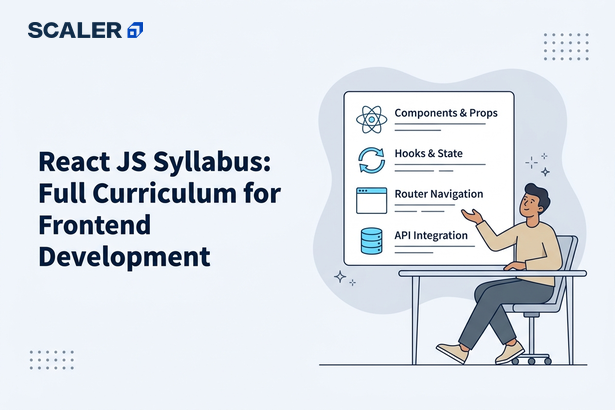
React is one of the most popular frontend libraries today, and there’s no shortage of tutorials, courses, and YouTube videos to learn it.
So, a React JS syllabus can help bring some structure to the learning process. You might start with components and JSX, spend some time learning hooks, and then wonder what comes next. Should React Router be the next priority? When does Redux become relevant? And how much testing should you learn before focusing on projects?
Having a roadmap makes it easier to answer these questions and study React concepts in a logical order.
This guide walks through the key topics in a React JS syllabus, from the fundamentals to more advanced concepts.
What is ReactJS and Why Learn It in 2026?
Exploring frontend development means you’ll encounter React eventually. It makes modern web apps that update on the fly without refreshing the entire page.
React’s popularity stems from how it handles growing UI complexity. Instead of battling through huge, hard-to-handle codebases, it allows breaking stuff down into reusable pieces called components.
Still one of the top technologies for front-end even after years around, learning React is a great idea whether you’re going for a front-end role, full-stack work, or simply want to improve your app-building skills.
Prerequisites Before Starting the React JS Syllabus
A common error beginners make is diving into React without being familiar with JavaScript. While React isn’t that tough, grasping its parts like state, hooks, and component logic is easier when ES6 is second nature.
We don’t recommend starting with React until you are clear with HTML, CSS, and let/const, arrow functions, destructuring, promises, and modules. Plus, having a grip on how the DOM works is key since React tackles many issues tied to manual UI updates.
Also, having Node.js and npm set up is super helpful. As most React projects tap into the JavaScript dev world, getting to know the tools early on stops a lot of headaches down the road.
Complete React JS Syllabus – Module by Module
| No. | Module | Topics covered | Outcome |
|---|---|---|---|
| 1 | React Fundamentals & JSX | What React is, virtual DOM, JSX syntax, rendering, and project setup (Vite/CRA) | Render a first component |
| 2 | Components, Props & Composition | Functional components, props, composition, reusability | Build reusable UI blocks |
| 3 | State, Events & Conditional Rendering | useState, event handling, conditional & list rendering, keys | Build an interactive UI |
| 4 | React Hooks | useState, useEffect, useRef, custom hooks, rules of hooks | Manage state & side effects |
| 5 | Forms & Controlled Components | Controlled inputs, validation, and form handling | Handle user input |
| 6 | Routing with React Router | Routes, links, params, nested & protected routes | Build multi-page SPAs |
| 7 | State Management | Context API, prop drilling, Redux / Redux Toolkit | Manage app-wide state |
| 8 | API Integration & Data Fetching | fetch/axios, async data, loading & error states | Connect to back ends |
| 9 | Performance Optimization | Memoization, lazy loading, code splitting, React. memo | Ship fast apps |
| 10 | Testing & Deployment | React Testing Library, Jest basics, build & deploy (Vercel/Netlify) | Test & launch |
We will now begin with a module-wise explanation in detail –
Module 1: React Fundamentals & JSX
This module covers the core concepts that every React developer should know before moving on to state management, routing, and APIs.
Topics to Learn –
- What React is and how it works
- JSX syntax
- Components and rendering
- Virtual DOM
- Setting up React with Vite
Resources –
Many beginners spend too much time trying to understand every detail of the Virtual DOM. At this stage, focus on understanding its purpose and how React uses it to update the UI efficiently.
Module 2: Components, Props & Composition
React applications are built using components. In this module, you’ll learn how to create reusable components, pass data using props, and combine smaller components to build larger interfaces.
Topics to Learn
- Functional components
- Reusable UI components
- Props and data passing
- Children props
- Component composition
- Organizing components in a React project
Resources
If you’re building the same UI element more than once, it’s usually a sign that it should be turned into a reusable component. For example, a product card, navigation bar, or user profile card can all be created once and reused throughout an application.
Module 3: State, Events & Conditional Rendering
Up until now, your components have mostly been displaying information. In this module, you’ll learn how to update what users see based on their actions and changes in data.
Topics to Learn
- State and the useState hook
- Event handling
- Conditional rendering
- Rendering lists
- Keys in React lists
- Updating state
Resources
- React Official Document – Managing State
- React Official Document – Responding to Events
- State in ReactJS
Also, State refers to data that can change over time. For example, a shopping cart count, form input value, or dark mode toggle can all be managed using state.
Module 4: React Hooks
Hooks are functions that let you add state, side effects, and other React features to functional components. This module covers the hooks you’ll use most often and introduces custom hooks for reusing logic across components.
Topics to Learn
- useState
- useEffect
- useRef
- Custom Hooks
- Rules of Hooks
- Side effects in React
Resources
- React Official Documentation – Hooks
- React.dev Learn Section
- React Hooks – Scaler Topics
Focus on useState and useEffect first. These two hooks cover most of the state management and data-fetching scenarios you’ll encounter in beginner projects.
Module 5: Forms & Controlled Components
This module covers handling user input in React, including form state, validation, and form submissions using controlled components.
Topics to Learn
- Controlled components
- Handling form inputs
- Managing form state
- Form validation
- Form submission
- Working with multiple input fields
Resources
Controlled components keep form data in React state rather than the DOM. While this adds a little more code, it makes validation, error handling, and form submissions much easier to manage.
Module 6: Routing with React Router
This module covers navigation in React applications, including route creation, URL parameters, nested routes, and route protection.
Topics to Learn
- Setting up React Router
- Creating routes
- Navigation with Links
- URL parameters
- Nested routes
- Protected routes
Resources
Protected routes are commonly used to restrict access to pages such as dashboards, profile settings, and admin panels unless a user is authenticated.
Module 7: State Management
This module covers managing shared data across components using the Context API and Redux Toolkit. You’ll also learn when local component state is enough and when a dedicated state management solution should be used.
Topics to Learn
- Context API
- Prop drilling
- Redux fundamentals
- Redux Toolkit
- Global state management
- State management best practices
Resources – Redux Toolkit Document & Context API
Not every React application needs Redux. For smaller projects, local state and the Context API are often enough.
Module 8: API Integration & Data Fetching
Most React applications fetch data from external sources such as APIs, databases, or third-party services. This module covers data fetching, asynchronous operations, and handling different request states.
Topics to Learn
- Fetch API
- Axios
- GET and POST requests
- Async/await
- Loading and error states
- Working with API responses
Resources – React: Effects and Data Fetching & Axios Document
Focus on understanding loading, success, and error states. Most data-fetching workflows in React applications follow this pattern.
Module 9: Performance Optimization
This module covers techniques for improving React application performance and reducing unnecessary re-renders.
Topics to Learn
- React.memo
- Memoization with useMemo
- Memoization with useCallback
- Lazy loading
- Code splitting
- React DevTools Profiler
Resources
You don’t have to optimize too early. Focus on building functional applications first, then learn how to identify and fix performance bottlenecks when they appear.
Module 10: Testing & Deployment
This module covers testing React applications and deploying them to production using modern hosting platforms.
Topics to Learn
- React Testing Library
- Jest fundamentals
- Component testing
- User interaction testing
- Deploying with Vercel
- Deploying with Netlify
Resources
Deploy your projects as you build them. A live project link makes it easier to showcase your work in portfolios, resumes, and job applications.
Suggested Learning Timeline – Beginner vs. Experienced
The time it takes to finish this React syllabus is different for each person. It really depends on how much you know about JavaScript and how many hours you can study each week. If you are already good at JavaScript you will probably get through the React syllabus quickly. If you are just starting out, it will take you a lot longer to finish the React syllabus.
| Module | Beginner (8 – 10 hrs/week) | Experienced JavaScript Developer (8 – 10 hrs/week) |
| React Fundamentals & JSX | 1 week | 2 – 3 days |
| Components, Props & Composition | 1 week | 2 – 3 days |
| State, Events & Conditional Rendering | 1 – 2 weeks | 3 – 4 days |
| React Hooks | 1 – 2 weeks | 4 – 5 days |
| Forms & Controlled Components | 1 week | 2 – 3 days |
| Routing with React Router | 1 week | 2 – 3 days |
| State Management | 1 – 2 weeks | 4 – 5 days |
| API Integration & Data Fetching | 1 week | 2 – 3 days |
| Performance Optimization | 1 week | 2 – 3 days |
| Testing & Deployment | 1 week | 2 – 3 days |
Most beginners take around 10 – 14 weeks to complete this React roadmap. If you’re already familiar with JavaScript, you can often finish it in 5 – 7 weeks. What matters is consistently building projects as you learn.
You can use this timeline as a React JS roadmap, adjusting your own pace based on what you know coming in and how much time you’ve got to study.
Hands-On Projects to Build Alongside the Syllabus
The quickest way to learn React is by building projects as you follow the lessons. Each project teaches new ideas and gets harder, letting you use what you learn in real situations.
Here are some project ideas –
| Project | Difficulty | Key Concepts Covered |
| To-Do List App | Beginner | Components, props, state, event handling |
| Weather App | Beginner–Intermediate | API integration, useEffect, load, and error states |
| E-Commerce Cart | Intermediate | Routing, forms, state management, and conditional rendering |
| Expense Tracker Dashboard | Intermediate | CRUD operations, charts, component architecture |
| Admin Dashboard with Authentication | Advanced | Authentication, protected routes, API integration, project structure |
- The To-Do List App is perfect for grasping React basics like components, state updates, and user interactions.
- Weather App introduces using external APIs and handling async data.
- The E-Commerce Cart project lets you put routing, forms, and state management to use in something more realistic.
- Expense Tracker Dashboards is a great project for learning how to organize bigger apps and visualize data.
- Admin Dashboard with Authentication brings together routing, APIs, auth, and real-world project structure.
You can look for more such ideas and implement them on projects that can work, so your portfolio keeps building till you finish learning.
React JS Skills Checklist
Use this checklist to evaluate your progress through the React JS syllabus. If you can confidently complete most of these tasks, you’re likely ready to start building production-ready React applications.
- Create and render React components
- .Write JSX confidently
- Pass data using props
- Manage state with useState
- Handle user events and form inputs
- Render lists and use keys correctly
- Use useEffect for side effects and data fetching
- Build forms and perform basic validation
- Create navigation using React Router
- Work with Context API or Redux Toolkit
- Fetch and display data from external APIs
- Handle loading and error states
- Improve performance using lazy loading or React.memo
- Test React components using React Testing Library
- Deploy a React application using Vercel or Netlify
How to Learn React JS the Right Way
React makes more sense when you don’t split topics into different chapters. Components, state, hooks, routing, and APIs? Usually, you pick these up all together as you build apps, not one by one on their own.
Learning’s better when you grab a new concept and put it straight to work in a tiny project. Start with components and props to design a basic UI. Add state and event handling to make it interact with users. Fetching data or reacting to user actions makes hook concepts clearer. By the end, you need routing and state management since you already saw why you’d want to use them, not just learned them in theory.
Also, keep in mind that lots of React projects don’t require Redux or fancy optimization tricks right away. Newbies often invest too much time learning these tools without knowing the exact issues these were meant to fix.
It doesn’t matter if you use tutorials, docs, or sign up for a React JS course, what counts is understanding the complete React JS course content and building enough projects that show you how these pieces fit together in something real-world.
Explore These Course Syllabus
FAQs
1. Is React hard to learn?
If you already know JavaScript, React is pretty easy to learn. Actually, JavaScript is generally perceived by newcomers as more difficult than React.
2. How long does it take to complete a React syllabus?
Most learners require 2 – 3 months of consistent practice to get the basics right and create a few projects.
3. Do I need to learn JavaScript before React?
React relies heavily on modern javascript stuff like functions, objects, arrays, ys, and ES6 syntax. That’s another reason it’s super important to know JavaScript well.
4. Is React still in demand in 2026?
React is still a great choice in frontend tech and often appears in role requirements for front-end and full-stack developers.
5. Is React a library or a framework?
React is a library that helps with user interface stuff, but you will need extra tools for managing routing, states, and other parts of the app.
