




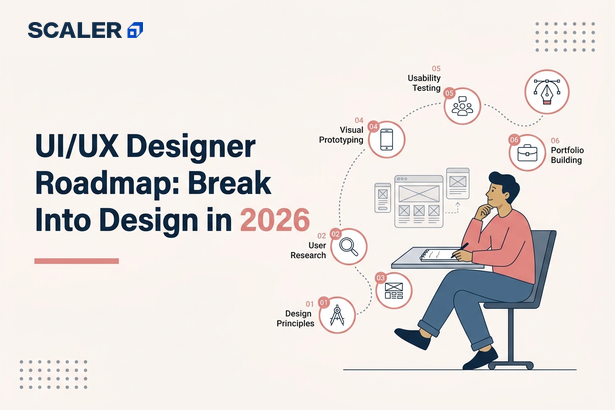
Searching for a UI UX roadmap will leave you realizing that there is no lack of guidance out there. For instance, you might be asked to start with Figma, or you might be encouraged to conduct UX research and still others say that your portfolio is more important than any other thing. And if you’re thinking amidst all this, where to start? Then all you need to do is stick to a plan that starts right off the base level knowledge you already have.
Most often, new designers tend to immediately dive into Figma, recreate popular app screens, and gather design inspirations, not knowing why those designs are great. Learning design tools is necessary but at the same time is not the most significant part of being a successful UI/UX designer. The thing that the employer will value more is how you reason.
You won’t have to master all aspects of UI/UX design before you begin working on projects. Start from the basics, practice making wireframes and visual design, learn how to conduct research and testing by designers, and put everything into perspective by means of portfolio case studies. Every step is based on the previous one; therefore, you develop skills and make projects that will help you attract recruiters’ attention.
Transform Your Career
Choose from our industry-leading programs designed for career success
Modern Software and AI Engineering Program
Master full-stack development with AI integration


 +1000 more
AI Forward Deployed Engineer with Specialisation in AI applications
Build and deploy AI solutions for real-world business problems
+1000 more
Modern Data Science and ML with specialisation in AI
Advanced data science techniques with AI specialization
+1000 more
Advanced AIML with Specialisation in Agentic AI
Deep dive into AIML with focus on Agentic systems
+1000 more
DevOps, Cloud & AI Platform Engineering
Build and manage AI-powered cloud infrastructure
+1000 more
AI Engineering Advanced Certification by IIT-Roorkee
Premier AI engineering certification from IIT-Roorkee

UX vs UI: What You’re Actually Signing Up For
The biggest myth associated with UI/UX design is that the terms UI and UX stand for the same concept. Although they are interlinked, there is a big difference between the two. Recognizing the difference from the very beginning will allow you to determine which skill set is more important in this case.
UX or User Experience relates to how a product operates. UX designers’ primary task is to get to know the users, learn what problems they face, design user journey maps, create wireframes, test different concepts, and improve the whole experience.
UI (User Interface) refers to how the product is visually represented. The tasks of the UI designers include designing interfaces with regard to such areas as visual hierarchy, typography, colors, spacing, icons, buttons, and other interactive design elements.
But in India, UI/UX Designer jobs tend to include both these aspects. It is expected from designers that they conduct user research, create wireframes, design high fidelity interfaces using tools such as Figma, create interactive prototypes, and work with developers to realize the designed interfaces.
| UX Design | UI Design |
| Focuses on how a product works | Focuses on how a product looks and feels |
| User research and interviews | Colors, typography, and visual design |
| User flows and information architecture | Layouts, icons, and component design |
| Wireframes and usability testing | High-fidelity mockups and design systems |
| Solves user problems | Creates visually engaging interfaces |
If you’re wondering how to become a UI/UX designer, the answer isn’t choosing between UI and UX. Start by learning the fundamentals of both. As you gain experience, you’ll naturally discover whether you enjoy research and problem-solving more or prefer creating polished visual interfaces, allowing you to specialize later in your career.
To learn more about UX principles, explore the Nielsen Norman Group
The Roadmap at a Glance: 5 Phases to Hireable
UI/UX designing is better learned through skill development in a progressive manner. You should focus on moving through these five stages one after another. This will lead you towards developing your portfolio, which will help you get UI/UX design internships and jobs.
| Phase | Timeline | What You’ll Learn | Milestone |
| Phase 1: Design Foundations | Weeks 1-4 | Design principles, typography, color theory, layouts, UX basics, and accessibility | Redesign a simple mobile app screen using design fundamentals |
| Phase 2: Master Figma | Weeks 4-8 | Figma interface, Auto Layout, components, design systems, responsive layouts, and prototyping | Design a complete multi-screen mobile or web interface |
| Phase 3: Learn the UX Process | Weeks 8-14 | User research, personas, user journeys, information architecture, wireframing, usability testing, and iteration | Complete an end-to-end UX case study from research to prototype |
| Phase 4: Build Three Portfolio Case Studies | Weeks 14-24 | Solve real design problems, document your process, and present your design decisions | Publish three detailed case studies on your portfolio |
| Phase 5: Portfolio & Job Hunt | Weeks 24-36 | Portfolio presentation, resume, interview preparation, networking, and freelancing basics | Apply confidently for internships and junior UI/UX designer roles |
If you consistently follow this UI/UX designer roadmap, you’ll be able to create a portfolio suitable for the job within 6 to 9 months of studying part-time. The time frame might differ for each individual, but choosing to work on projects rather than accumulating certifications will prove beneficial.
Phase 1: Design Foundations
Any good UI/UX designer begins with the same knowledge, but not how to use Figma; it is about how designs function. Most young designers get carried away copying designs of applications without grasping the basics of good design. Therefore, they find it easy to copy but hard to design.
This is where you start developing your design eye. You will get to learn the visual concepts of design which make interfaces usable and visually appealing. These fundamentals will affect every single design decision you make regardless of what you may be designing.
Focus on these core concepts:
- Typography – Learn how font choice, size, weight, and spacing improve readability and establish visual hierarchy.
- Color Theory – Understand color harmony, contrast, accessibility, and how color influences user perception.
- Spacing and Layout – Use grids, alignment, whitespace, and consistent spacing to create clean, organized interfaces.
- Visual Hierarchy – Guide users’ attention by using size, color, contrast, and positioning effectively.
- Design Thinking – Learn how to identify user problems, generate ideas, and design solutions that address real needs instead of assumptions.
- Accessibility Basics – Understand contrast ratios, readable typography, keyboard navigation, and inclusive design practices.
In addition to learning these concepts, form a routine of analyzing quality design on a daily basis. Choose any app or website that you use daily and try to figure out what makes this interface user-friendly. Pay attention to the usage of typography, the visual separation of buttons, the effect of spacing on legibility, and the organization of information.
Phase 2: Master Figma (and Its AI Helpers)
Now that you know the basics of design, it’s time for you to get familiar with the tool that you will be using on a daily basis as a UI/UX designer. Figma for UI/UX has become the industry standard for designing interfaces, prototyping, collaboration, and handoff to the developers. While you must be proficient with this tool, remember that it does not make you a designer; your problem-solving skills do.
In this phase, concentrate on learning the tools you will need to use frequently rather than trying to learn all the features of the software. The objective is to design effectively and consistently in your projects.
Spend time practicing these core Figma skills:
- Frames and Layouts – Organize screens and build responsive layouts using frames.
- Auto Layout – Create flexible designs that automatically adapt when content changes.
- Components and Variants – Build reusable buttons, cards, navigation bars, and other UI elements to maintain consistency.
- Design Systems – Learn to organize colors, typography, spacing, and reusable components into a scalable system.
- Interactive Prototyping – Connect screens and simulate user flows to test interactions before development.
- Developer Handoff – Understand how developers inspect designs, access measurements, and use design specifications during implementation.
The use of AI tools and plug-ins can help increase your efficiency as well. Tools that create wireframes, interface copy, icons, or layouts should be helpful when trying to explore options but should not take the place of your design judgment. Using AI technology can help make you more efficient, but it is still the job of the designer to understand user needs and design solutions.
By the time that you conclude this phase, you should have been able to learn how to design your interface entirely using Figma, designing interactive prototypes, and making use of components to do things in an efficient manner. You can apply all of these in the following phase when studying UX design.

Free Courses by top Scaler instructors
Phase 3: The UX Process End to End
It seems to be a common misconception among beginners that UI/UX design is about using Figma and making appealing screens. However, visual design appears at a relatively late stage. Before choosing a color scheme, fonts, or layout, designers have to comprehend their audience and the issues to solve, which is precisely what UX design entails.
It typically starts off with user research wherein the designer engages in interviews, questionnaires, or even competitor analysis to learn about the requirements of the users. This way of proceeding helps avoid assumptions while ensuring that every design decision is made based on user input.
The next stage is to develop personas, which are fictitious representations of the product’s potential users. The personas will help the designers keep the focus of the project on the needs of the users. After defining the users, the designers will structure the content using information architecture.
Once the structure is set, the next step involves creating user flows to visualize the actions the users will go through in accomplishing the tasks at hand, such as registering, making payments, or booking an appointment. From the flows, designers can create the wireframes, which are the layouts that pay attention to the functional aspect of the app without having any designs.
Usability testing is the stage where you learn if your design works. You will not make any assumptions; you will see your actual users working with your prototype and note the places where they experience problems or feel hesitant and confused. Feedback from the user will help you identify any usability problems, which is totally fine because sometimes you need to go back to earlier stages.
One of the biggest lessons you’ll learn about the UX design process is that it isn’t linear. You will go back and forth between doing research, wireframing, prototyping, and testing to gain insight into things that you were previously unaware of. This is expected behavior. Perfecting your design in one go isn’t what UX Design is all about.
Phase 4: Build 3 Portfolio Case Studies
Your portfolio will be the most critical aspect of your job application for a UI/UX designer. Employers will not base their hiring decision upon certificates or the amount of design software that you have experience using. Instead, they will assess how you go about solving problems, how you defend your choices, and how you learn from user feedback. A strong portfolio demonstrates all of these qualities.
Instead of creating dozens of random screens, focus on building three well-documented case studies that showcase different aspects of your design thinking.
For the first project for the portfolio, you can consider redesigning an app or website that you feel has problems with usability. It is not enough to just make changes to the look of the app or site; you need to identify the problem areas and back up your choices with research.
The second assignment will involve coming up with an original product idea. Choose a problem that exists in the world today, such as students struggling with assignments, difficulties in traveling within your community, or accessibility to medical care in your city.
For your third project, see if you can work with a real stakeholder, whether it’s a local business, club, startup, or nonprofit. Working for a real client gives you practice in requirement gathering, constraint-based designing, feedback and iteration, all from someone else’s perspective all skills equally valued by employers as design skills.
Regardless of the project, every UI/UX portfolio case study should tell a complete story. Make sure you include:
- The problem you wanted to solve
- User research and key insights
- Your design decisions and why you made them
- Wireframes, prototypes, and design iterations
- The final solution and the outcome
Once you have finished creating your case studies, you will then be able to post them online on websites such as Behance and Dribbble, along with setting up an easy-to-navigate portfolio website that enables recruiters to access your design work. It is not required for you to become a front-end developer; however, having even a little knowledge of HTML and CSS will go a long way in ensuring that you can talk to the developer about the implementation of your designs.
If you’re new to front-end basics, these HTML and CSS projects are a great place to start: Top 15 Projects to Practice HTML and CSS Skills for Beginners.
Scaler Placement Report and Statistics
Scaler learners achieved 2.5x salary growth with average post-Scaler CTC reaching ₹23L.
 Google
 Amazon
 Microsoft
 Flipkart
 Adobe
1200+ more
Adobe
1200+ more
Phase 5: The Job Hunt: Roles, Salaries & Interviews
When your portfolio is developed, it’s time for the applications. Do not wait until you are “100% ready”. It often happens that designers find their internships or junior jobs when they are still studying. You have to work on your portfolio while job hunting.
The market for UI/UX designer jobs in India includes product startups, agencies, Global Capability Centres (GCCs), and large enterprises. Although each company requires different skills from its employees, generally speaking, the most sought-after skill in entry-level positions is the ability to know the full design cycle, be able to coordinate with developers, and justify your designs.
Here's what the hiring landscape typically looks like:
| Employer Type | What You'll Work On |
| Product Companies & Startups | End-to-end product design, user research, rapid iteration, and close collaboration with product and engineering teams. |
| Design Agencies | Multiple client projects across different industries, helping you build experience quickly. |
| Global Capability Centres (GCCs) | Enterprise products, design systems, accessibility, and collaboration with global teams. |
| Large Enterprises | Internal platforms, business applications, and long-term product improvements. |
Before applying, make sure you can confidently answer questions like:
- Why did you choose this solution over other alternatives?
- How did your research influence your design decisions?
- What changes did you make after usability testing?
- If you had more time, what would you improve?
Entry-level UI/UX designer salaries in India vary depending on the company, location, and portfolio quality. Product companies and GCCs generally offer higher compensation than agencies, while strong case studies and internship experience can significantly improve your chances of securing better opportunities.
Remember that your first job isn't about building the perfect portfolio; it's about proving that you can solve real user problems, communicate your ideas clearly, and continue learning on the job. Those qualities will take you much further than mastering every design trend or plugin.
Where UI/UX Careers Go From Here
Getting your first UI/UX job is only the beginning. As you gain experience, you'll naturally discover which parts of the design process you enjoy the most. Some designers continue building products end to end, while others specialize in research, design systems, or even transition into product management. Your UI/UX career path doesn't have to follow a single direction.
One of the most common growth paths is becoming a Senior UI/UX Designer or Senior Product Designer, where you'll take ownership of larger features, mentor junior designers, and work closely with product managers and engineers to shape product strategy.
If you're passionate about consistency and scalability, you can specialize in Design Systems. These designers create reusable components, design guidelines, and documentation that help teams build products faster while maintaining a consistent user experience.
If understanding user behavior is what interests you most, consider moving into UX Research. This role focuses on conducting interviews, usability testing, surveys, and data analysis to help teams make evidence-based design decisions.
Some designers eventually transition into Product Management, where they define product strategy, prioritize features, and work across design, engineering, and business teams. If that career path interests you, check out this Product Manager Roadmap to understand the skills you'll need Product Manager Roadmap 2026
Another growing path is becoming a designer who codes. You don't need to become a software engineer, but learning basic HTML, CSS, and front-end development can make collaboration with developers much easier and help you build interactive prototypes with greater confidence. If you'd like to explore that direction, this Front-End Developer Roadmap can help you get started.
AI is also changing the way designers work, but it's changing the workflow more than the profession itself. Tools can generate layouts, write UI copy, and create design variations in seconds, allowing designers to work faster. However, understanding user needs, making thoughtful design decisions, and balancing business goals with usability still require human judgment. Rather than replacing designers, AI is becoming another tool that helps them focus on higher-value work.
No matter which direction you choose, the strongest designers continue learning long after landing their first job. The tools will change, design trends will evolve, and AI will keep improving, but the ability to understand users and solve real problems will always remain the foundation of a successful design career.
Scaler Alumni and Their Success Stories
Read These Important Roadmaps: More Paths to Career Success
FAQs
Q1. How do I become a UI/UX designer with no experience?
Start by learning design fundamentals and Figma, then practice the complete UX process through self-initiated projects. Build three strong portfolio case studies: a redesign, an original concept, and a real client or nonprofit project, as your portfolio matters more than prior experience for entry-level roles.
Q2. Do I need a degree to become a UI/UX designer?
No. UI/UX hiring is largely portfolio-driven, and many successful designers come from non-design backgrounds. What matters most is your ability to solve problems and communicate your design process.
Q3. What is the difference between UI and UX design?
UX focuses on how a product works through research, user flows, wireframes, and testing, while UI focuses on how the product looks and feels through visual design, typography, color, and interactions. In India, most entry-level roles combine both responsibilities.
Q4. Which tools should a UI/UX designer learn first?
Start with Figma, as it's the industry-standard design tool. Once you're comfortable with the basics, explore prototyping features and AI-powered tools that can speed up your workflow. Remember, tools are important, but your design process and portfolio matter much more.
Q5. Is UI/UX design a good career in India in 2026?
Yes. Demand remains strong across product companies, startups, design agencies, and Global Capability Centres (GCCs). While AI is changing how designers work, it still relies on human creativity, research, and design judgment to create meaningful user experiences.
Q6. How long does it take to become a UI/UX designer?
With consistent part-time learning, most beginners can build a job-ready portfolio in 6–9 months. Spend most of that time working on portfolio case studies, as they're often the deciding factor during interviews.
