




Have you ever set up a “simple” automation, thinking it would save time, only to realize a few weeks later that half your workflow now depends on whether one AI step runs properly or not?
A form submission updates the CRM, AI drafts the response, Slack sends an alert, approvals get triggered, meeting notes are summarized, tickets are classified automatically, and suddenly the workflow becomes much bigger than the original task itself.
The automation itself also starts becoming more operational once AI enters the workflow. A setup that once saved a few manual steps can now end up handling support replies, lead qualification, approvals, routing, CRM actions, meeting summaries, and internal workflows across different teams.
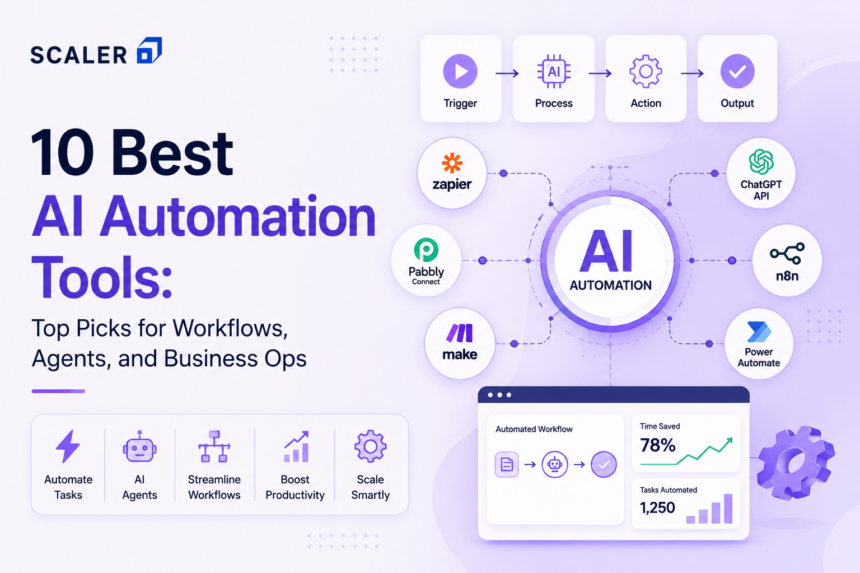
In this guide, we’re comparing the best AI automation tools across different workflow needs, including no-code AI automation tools, enterprise AI automation platforms, AI workflow automation tools for business operations, developer-first orchestration platforms, and AI agent tools.
Quick Picks: Best AI Automation Tools by Use Case
Here are the best AI automation tools based on different business needs and workflow requirements for a quick review.
- Best Overall: Zapier
- Best Visual Workflow Builder: Make
- Best for Technical Teams & Self-Hosting: n8n
- Best for Enterprise UI Automation: UiPath
- Best for Microsoft Ecosystem: Microsoft Copilot Studio + Power Automate
- Best for Enterprise AI Orchestration: Workato
- Best AI-First Data Workflow Tool: Gumloop
- Best for Developers & API Automation: Pipedream
- Best for SMB AI Agent Assistants: Lindy
- Best for Enterprise Agent Governance: Boomi AgentStudio
Transform Your Career
Choose from our industry-leading programs designed for career success
Modern Software and AI Engineering Program
Master full-stack development with AI integration


 +1000 more
Modern Data Science and ML with specialisation in AI
Advanced data science techniques with AI specialization
+1000 more
Advanced AIML with Specialisation in Agentic AI
Deep dive into AIML with focus on Agentic systems
+1000 more
DevOps, Cloud & AI Platform Engineering
Build and manage AI-powered cloud infrastructure
+1000 more
AI Engineering Advanced Certification by IIT-Roorkee
Premier AI engineering certification from IIT-Roorkee

AI Automation Tools Comparison Table
Before diving deeper into each platform, here’s a quick comparison of the top AI automation platforms based on workflow capabilities, audience, and deployment fit.
| No. | Tool | Key Coverage | Best for | Deployment / Fit |
| 1 | Zapier | AI automation, app integrations, AI agents, forms, tables, chatbots | SMBs, operations teams, cross-functional teams | Cloud / easiest adoption |
| 2 | Make | Visual orchestration, AI agents, multi-step workflows, data transforms | Startups, ops teams, power users | Cloud / strong workflow control |
| 3 | n8n | AI workflows, custom logic, multi-agent workflows, self-hosting | Developers, technical teams | Self-hosted or cloud |
| 4 | UiPath | RPA, AI agents, orchestration, enterprise automation | Large enterprises | Enterprise / governed |
| 5 | Microsoft Copilot Studio + Power Automate | Custom AI agents, workflow automation, Microsoft 365 integration | IT teams, Microsoft organizations | Cloud / Microsoft ecosystem |
| 6 | Workato | AI orchestration, enterprise integrations, governance, automation recipes | Mid-market and enterprise teams | Enterprise/cloud |
| 7 | Gumloop | AI agents, multi-agent workflows, data analysis, CRM workflows | AI-focused growth teams | Cloud / AI-first |
| 8 | Pipedream | API orchestration, AI workflows, code-based automation | Developers, product teams | Cloud / API-first |
| 9 | Lindy | AI assistants, no-code agents, workflow templates | Founders, SMBs, GTM teams | Cloud / fast setup |
| 10 | Boomi Agent Studio | AI governance, orchestration, lifecycle management | Large enterprises | Enterprise / governed multi-age |
Part 1 - Easiest and Most Popular AI Automation Tools
1) Zapier (Best Overall for Cross-Team AI Orchestration)
Zapier automates repetitive work happening across business apps like Gmail, Slack, HubSpot, Notion, Airtable, Shopify, and Zendesk.
Instead of manually updating CRMs, assigning tickets, sending follow-ups, moving data between tools, or notifying teams separately, Zapier handles these actions automatically inside the same workflow. That simplicity is a big reason why it became one of the most widely used AI automation tools among operations, sales, support, and marketing teams.
A lot of companies use Zapier for:
- CRM automation
- lead routing
- AI-powered support workflows
- approval chains
- meeting summaries
- ecommerce notifications
- internal operations
Zapier works especially well for teams that want fast automation without depending heavily on engineering support. The limitations usually start appearing when workflows become too dependent on custom backend logic, internal infrastructure, or advanced multi-step branching.
Key highlights:
- 9000+ app integrations
- AI agents and chatbot support
- No-code workflow builder
- Multi-step workflow automation
- Built-in tables, forms, and interfaces
- Strong cross-team automation capabilities
- Beginner-friendly setup and templates
2) Make (Best for Visual Workflow Building and Transparent Logic)
Make is a no-code AI automation platform that helps businesses connect apps, APIs, AI models, and databases into automated workflows using a visual drag-and-drop builder.
It is best suited for:
- Marketing and operations teams
- Agencies managing multi-client workflows
- E-commerce businesses
- Startups building automations without developers
- Teams experimenting with AI agents and AI orchestration
The platform is widely used for:
- Lead routing and CRM automation
- AI-powered content workflows
- Customer support ticket handling
- Data syncing across apps
- Approval and onboarding workflows
- AI-based data enrichment and categorization
You can count on workflow visualization with Make. Users can see every step, condition, and data movement inside a workflow, making it easier to manage complex automations compared to traditional automation tools.
Make also supports AI agents, allowing businesses to build workflows that can make decisions dynamically instead of following only fixed rules. This makes it useful for AI-assisted operations, support automation, and multi-step business processes.
Key highlights of Make:
- 3000+ integrations
- No-code workflow builder
- AI agent support
- Webhooks and API support
- Multi-step workflow automation
- Enterprise security features, including SOC 2 and SSO support
Compared to more technical AI workflow automation tools, Make is often preferred for its ease of use while still offering advanced automation capabilities.



Part 2 - Best for Technical Teams and Custom Control
3) n8n (Best for Self-Hosting and Technical Flexibility)
n8n is an AI workflow automation tool designed for teams that need more flexibility, custom logic, and developer-level control over automations. Unlike many no-code platforms, n8n combines visual workflow building with the ability to add custom code, APIs, and self-hosted infrastructure.
It is best suited for:
- Technical teams and developers
- Startups building AI-powered products
- Businesses needing self-hosted automation
- Teams handling sensitive internal data
- Companies building advanced AI agent workflows
n8n is commonly used for:
- AI agent orchestration
- LLM and chatbot workflows
- Internal business process automation
- Data pipelines and API integrations
- CRM and database automation
- Multi-app workflow orchestration
And specifically, if you are looking for self-hosting, then n8n can help with that. Businesses can run workflows on their own servers for greater control, customization, and data privacy, making it popular among teams looking for enterprise AI automation platforms without vendor lock-in.
The platform also supports AI-focused workflows through integrations with models like OpenAI, vector databases, LangChain, and custom APIs. This makes n8n one of the strongest AI orchestration tools for building agentic workflows and backend AI systems.
Key highlights:
- Open-source platform
- Self-hosting support
- Visual workflow builder with custom code support
- AI agent and LLM integrations
- Webhooks and API automation
- Strong developer flexibility
- Large community-driven ecosystem
But if you had to compare Make to n8n, n8n offers deeper technical customization and infrastructure control, though it generally has a steeper learning curve for non-technical users.
4) Pipedream (Best for Developers and API-First AI Automation)
Pipedream is an AI automation platform built for developers who want to automate APIs, backend workflows, and AI-powered processes without managing infrastructure. It combines workflow automation with serverless execution, making it useful for handling real-time events and custom integrations.
It is best suited for:
- Developers and engineering teams
- SaaS startups
- API-heavy businesses
- Teams building AI-powered backend workflows
- Companies needing fast workflow deployment without server management
Pipedream is commonly used for:
- API orchestration
- AI workflow automation
- Webhook automation
- Backend event processing
- Internal tool automation
- Connecting AI models with business systems
Pipedream has a developer-first workflow environment. Users can combine prebuilt integrations with custom Node.js, Python, Go, or Bash code inside the same workflow, making it more flexible than traditional no-code AI automation tools. It also supports integrations with AI models and services from companies like OpenAI, allowing teams to build AI agents, content workflows, and intelligent automation pipelines directly inside backend systems.
Key highlights:
- 2500+ integrations
- Serverless workflow execution
- Built-in coding support
- API and webhook automation
- AI model integrations
- Fast deployment and scaling
- Developer-friendly architecture
One thing you need to keep in mind is that Pipedream is more developer-oriented and better suited for API-heavy automation workflows rather than purely visual no-code automation.

Free Courses by top Scaler instructors
Part 3 - Best Enterprise Platforms
5) UiPath (Best for Enterprise Agentic Automation and UI-Level Workflows)
UiPath is one of the leading enterprise AI automation platforms focused on robotic process automation (RPA), AI agents, and large-scale business workflow automation. It helps companies automate repetitive tasks across software systems without requiring major infrastructure changes.
It is best suited for:
- Large enterprises
- Banking and finance teams
- Healthcare organizations
- IT and operations departments
- Businesses automating repetitive manual workflows
UiPath is commonly used for:
- Invoice and document processing
- Customer support automation
- HR and employee onboarding
- Data extraction and reporting
- Enterprise workflow orchestration
- AI-powered process automation
One of UiPath’s biggest strengths is its combination of RPA and AI. Businesses can automate rule-based tasks while also adding AI models for document understanding, decision-making, and intelligent workflow handling.
The platform also supports AI agents and orchestration capabilities through tools like UiPath Autopilot and AI Center, making it useful for enterprise-grade AI workflow automation and agentic systems.
Key highlights:
- Enterprise-grade RPA platform
- AI agent and orchestration support
- Low-code automation builder
- Strong security and compliance features
- Process mining and analytics
- Cloud and on-premise deployment options
- Large enterprise ecosystem and partner network
UiPath is more enterprise-focused and better suited for organizations managing large-scale operational automation across departments.
6) Microsoft Copilot Studio + Power Automate (Best for Microsoft-First Organizations)
Microsoft Copilot Studio and Power Automate work best for organizations already using Microsoft 365, Dynamics, Teams, Outlook, SharePoint, and the broader Power Platform ecosystem daily.
The platform supports AI workflow automation through custom AI agents, approvals, internal workflows, task automation, and natural-language workflow creation directly inside Microsoft environments.
It is best used for:
- internal support workflows
- employee help desks
- approval systems
- Microsoft 365 automation
- HR and procurement workflows
- ticketing workflows
- enterprise productivity automation
For companies already operating heavily inside Microsoft systems, the setup usually feels much more connected compared to introducing separate third-party AI automation tools.
Key highlights:
- Deep Microsoft 365 integration
- AI agent and Copilot support
- Natural-language workflow creation
- Enterprise security and compliance features
- Teams, Outlook, and SharePoint automation
- Low-code workflow builder
- Strong internal operations automation capabilities
You can also create an HR or procurement support agent that answers employee questions, opens tickets, and completes repetitive internal workflows automatically.
7) Workato (Best for Enterprise Orchestration and Traceability)
Workato is an enterprise AI automation platform that helps businesses connect applications, data, and workflows across departments through low-code automation. It is widely used by enterprises for large-scale integration and operational automation.
It is best suited for:
- Enterprise operations teams
- IT and business automation departments
- Finance and HR teams
- Companies managing complex SaaS ecosystems
- Businesses needing secure cross-platform automation
Workato is commonly used for:
- CRM and ERP automation
- Employee onboarding workflows
- Finance and invoice automation
- AI-powered business process automation
- Cross-department workflow orchestration
- Enterprise app integrations
Workato is best known for its enterprise integration. The platform supports automation across thousands of business applications while maintaining governance, compliance, and centralized workflow management.
Workato has also expanded into AI orchestration and AI agents, allowing businesses to automate decision-making, workflow routing, and operational tasks using generative AI capabilities.
Key highlights:
- Low-code enterprise automation platform
- AI agent and orchestration support
- Large library of enterprise integrations
- Strong governance and security controls
- Cloud-native architecture
- Enterprise-scale workflow automation
- Real-time data and app synchronization
8) Boomi AgentStudio (Best for Enterprise Agent Governance and Multi-Agent Control)
Boomi AgentStudio is built for enterprises managing multiple AI agents, integrations, systems, and workflows across different departments or vendors.
The platform focuses heavily on AI agent governance, orchestration, monitoring, lifecycle management, and interoperability, which makes it more suited for enterprise AI automation than lightweight no-code automation tools.
Boomi AgentStudio is commonly used for:
- enterprise AI orchestration
- multi-agent management
- AI governance
- enterprise integrations
- workflow monitoring
- lifecycle management
- large-scale automation systems
This platform can particularly come in use for enterprises already dealing with complex operational environments rather than smaller teams looking for simple workflow automation.
Key highlights:
- Enterprise AI agent governance
- Multi-agent orchestration support
- Workflow monitoring and lifecycle management
- Enterprise-grade integrations
- Compliance and governance controls
- Cross-system interoperability
- Built for large-scale enterprise automation environments
What you can do with it is Map AI agent ownership, monitoring, approvals, and governance rules before rolling out automations across multiple business units.
Part 4 - Best AI-First Agent Builders and Specialized Workflow Tools
9) Gumloop (Best for AI-First Data and Operations Workflows)
Gumloop is an AI-native automation platform built for creating AI agents and intelligent workflows without coding. Unlike traditional automation tools that mainly move data between apps, Gumloop focuses on workflows that can reason, classify, summarize, and make decisions using AI models.
It is best suited for:
- Marketing and operations teams
- Startups building AI-powered workflows
- Businesses automating repetitive knowledge work
- Non-technical teams experimenting with AI agents
- Companies want no-code AI automation tools
Gumloop is commonly used for:
- AI-powered lead enrichment
- Web scraping and research automation
- Personalized outreach workflows
- Content research and SEO automation
- AI-based document processing
- Multi-step AI agent workflows
One of Gumloop’s biggest strengths is its AI-first workflow design. Users can combine LLMs like OpenAI’s ChatGPT, Claude, and other models directly into workflows using a visual drag-and-drop canvas. The platform also includes “Gummie,” an AI assistant that can help generate workflows from plain language instructions.
Key highlights:
- No-code AI workflow builder
- AI agent creation support
- Built-in AI assistant for workflow generation
- Web scraping and enrichment tools
- Multi-LLM integrations
- Visual workflow orchestration
- Enterprise workflow monitoring tools
Also, Gumloop has gained traction among teams at companies like Shopify, Instacart, and Webflow, and recently raised a $50M Series B led by Benchmark, adding credibility in the AI automation space.
10) Lindy (Best for SMB AI Assistants and Fast Team Automation)
Lindy is an AI automation platform focused on building AI assistants that can handle business tasks, communication workflows, scheduling, research, and operational processes with minimal manual input.
It is best suited for:
- Founders and solo operators
- Sales and customer support teams
- Operations managers
- Small businesses automating admin work
- Teams are looking for AI assistants instead of traditional workflows
Lindy is commonly used for:
- Email drafting and follow-ups
- Meeting scheduling and summaries
- CRM updates
- Customer support automation
- Research and lead qualification
- AI-powered task management
One of Lindy’s biggest strengths is its AI agent-style experience. Instead of building complex backend workflows manually, users can create AI assistants that perform tasks across tools like Gmail, Slack, Notion, HubSpot, and calendars.
The platform focuses heavily on natural-language automation, making it easier for non-technical users to automate work without configuring highly technical workflows.
Key highlights:
- AI assistant and agent workflows
- No-code automation setup
- Email and meeting automation
- CRM and productivity tool integrations
- Natural-language task creation
- Multi-step AI task handling
- Business-focused workflow templates
How to Choose the Right AI Automation Tool
The best AI automation tools are not always the ones with the most features. The right choice usually depends on your team size, technical expertise, workflow complexity, and the systems you already use daily.
For smaller teams or startups, no-code AI automation tools like Make, Zapier, or Lindy are often easier to adopt because they require minimal technical setup and help automate repetitive business tasks quickly.
If your workflows involve APIs, backend systems, custom logic, or AI agent orchestration, platforms like n8n or Pipedream provide more flexibility and developer control.
For enterprises handling large-scale operations, governance, compliance, and multi-department automation, enterprise AI automation platforms like UiPath, Workato, Microsoft Power Automate, or Boomi AgentStudio are usually more suitable.
Before choosing an AI workflow automation tool, consider:
- Whether your team needs no-code or developer-focused automation
- The number of apps and integrations required
- AI agent and orchestration capabilities
- Security, compliance, and self-hosting requirements
- Workflow complexity and scalability
- Ease of maintenance and monitoring
- Pricing as automation volume increases
Many businesses also start with one workflow first, such as lead routing, support automation, reporting, or approvals, before expanding into broader AI business automation systems across teams.
Scaler Placement Report and Statistics
Scaler learners achieved 2.5x salary growth with average post-Scaler CTC reaching ₹23L.
 Google
 Amazon
 Microsoft
 Flipkart
 Adobe
1200+ more
Adobe
1200+ more
Common Ways Businesses Use AI Automation Tools
Once you can identify the right AI automation tool for your needs, then naturally you would want to know “what should we automate first?”
Here are some ways you can use AI automation to your absolute benefit:
1. Lead Management Automation
Capture leads from forms or ads, qualify them using AI, update CRMs automatically, and notify sales teams instantly.
Example: Demo form submission > AI qualifies lead > CRM updates > Sales rep gets notified.
2. Customer Support Automation
Route tickets, summarize conversations, categorize issues, and generate responses automatically.
Example: Support email arrives > AI identifies issue type > Ticket routes to the correct team.
3. AI Content and Marketing Workflows
Generate content drafts, repurpose blogs into social posts, and automate approvals or publishing workflows.
Example: Blog added to Notion > AI creates social content > Approved posts get scheduled.
4. E-commerce and Operations Automation
Automate inventory alerts, order updates, abandoned cart reminders, and vendor communication.
Example: Stock runs low > Vendor notification triggers automatically.
5. HR and Internal Workflow Automation
Handle onboarding, approvals, employee support, and procurement workflows more efficiently.
Example: New employee joins > Accounts and onboarding documents get created automatically.
6. AI Research and Data Enrichment
Monitor competitors, scrape websites, summarize insights, and enrich business data using AI.
Example: AI tracks competitor pricing > Sends summarized updates to the strategy team.
7. AI Agent Workflows
Use AI agents to manage multi-step tasks involving reasoning and decision-making.
Example: AI agent reviews customer request > Drafts response > Updates systems automatically.
Scaler Alumni and Their Success Stories
Frequently Asked Questions About AI Automation Tools
1. What are AI automation tools?
AI automation tools are platforms that automate repetitive business tasks using artificial intelligence, workflows, integrations, and AI agents. These tools can connect apps, process data, make decisions, generate responses, and manage workflows across teams without constant manual input.
Modern AI workflow automation tools are commonly used for customer support, lead management, content operations, reporting, onboarding, approvals, and internal business automation.
2. Which AI automation tool is best for beginners?
For beginners, tools like Zapier, Make, and Lindy are usually the easiest to adopt because they offer no-code workflow builders, templates, and simple integrations.
Zapier is often considered the best AI automation tool for beginners due to its user-friendly setup and large integration ecosystem, while Make provides more visual workflow control for users who want slightly deeper automation capabilities.
3. Which AI automation platform is best for enterprise workflows?
Enterprise AI automation platforms like UiPath, Workato, Microsoft Power Automate, and Boomi AgentStudio are better suited for large-scale workflows involving governance, compliance, security, and cross-department automation.
These platforms are commonly used by enterprises for AI orchestration, robotic process automation (RPA), approval systems, internal operations, and multi-agent workflow management.
4. What is the difference between AI agents and workflow automation?
Traditional workflow automation follows predefined rules and triggers. AI agents, on the other hand, can reason, analyze context, make decisions, and complete multi-step tasks dynamically.
For example:
- Workflow automation: “If a support ticket mentions billing, send it to finance.”
- AI agent: Reads the ticket, understands urgency, checks customer history, drafts a response, and decides whether escalation is needed.
Many modern AI automation tools now combine both workflow automation and AI agents inside the same platform.
5. Which tool is best for self-hosting AI workflows?
n8n is one of the best AI workflow automation tools for self-hosting because it allows businesses to run workflows on their own infrastructure while supporting custom APIs, AI agents, and advanced workflow logic.
Self-hosting is especially useful for organizations handling sensitive data, internal systems, or compliance-heavy workflows.
6. Which AI automation tool is best for Microsoft users?
Microsoft Copilot Studio and Power Automate are usually the best options for organizations already using Microsoft 365, Teams, Outlook, Dynamics, and SharePoint.
The platform integrates deeply with the Microsoft ecosystem and supports AI agents, approvals, internal workflows, and enterprise productivity automation directly within Microsoft environments.
7. Do AI automation tools replace RPA?
Not completely. Robotic Process Automation (RPA) mainly focuses on automating repetitive rule-based tasks, especially inside legacy systems and desktop interfaces.
AI automation tools extend beyond RPA by adding AI agents, decision-making, language understanding, workflow orchestration, and integrations across cloud applications. Many enterprise platforms like UiPath now combine both RPA and AI automation capabilities together.
8. What should I look for before choosing an AI automation platform?
Before choosing an AI automation platform, businesses should evaluate:
- Ease of use and learning curve
- No-code vs developer-focused workflows
- AI agent and orchestration capabilities
- Integration support
- Security and compliance requirements
- Self-hosting availability
- Workflow scalability
- Pricing as automation usage grows
The best AI automation software ultimately depends on your workflow complexity, technical resources, and the systems your team already uses daily.
