




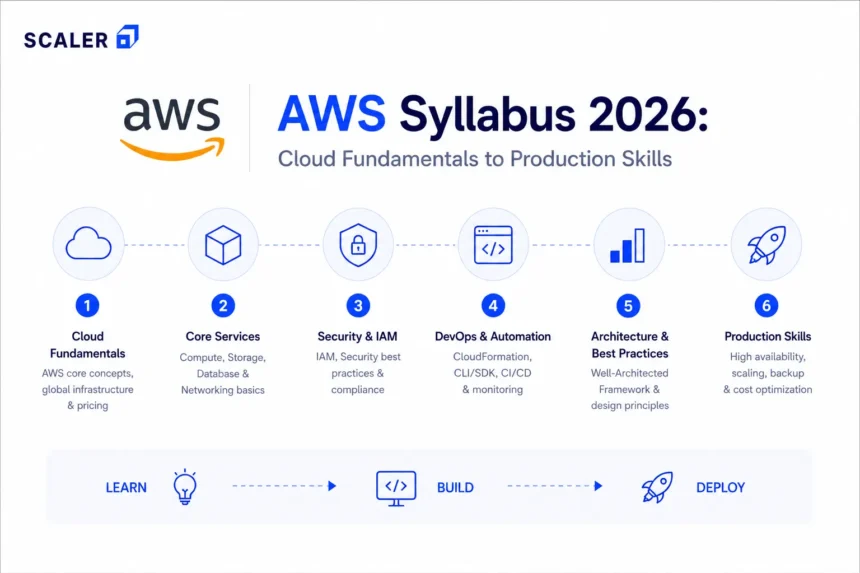
Most people searching for an AWS syllabus are trying to do one of two things that lie between figuring out if a course they found is worth paying for, or mapping out what they actually need to learn before starting one. Here, both situations and decisions are reasonable. Except a list of AWS service names does not answer either question.
This breakdown covers what a complete AWS course syllabus should include, module by module from cloud fundamentals, IAM, EC2, S3, VPC, databases, serverless, monitoring, DevOps, and architecture. It also covers which modules matter for which goals, whether it be certification prep, cloud job readiness, DevOps roles, backend development, or just getting comfortable with AWS for the first time.
One honest note before we begin, “knowing what a service is and knowing how to use it are different things.” A solid AWS syllabus produces the second. You can start with the free AWS course at before committing to anything longer.
The AWS Course Syllabus at a Glance
| Module | Topics covered | Hands-on output | Who it is for |
| 1 — Cloud Fundamentals | Cloud models, AWS infrastructure, shared responsibility, pricing | Explain what cloud is and where AWS fits | Everyone, no exceptions |
| 2 — IAM and Account Setup | Users, groups, roles, policies, MFA, least privilege | Create a secure IAM setup from scratch | Everyone, no exceptions |
| 3 — Compute (EC2) | EC2, AMIs, instance types, Auto Scaling, Load Balancing | Launch and host a web app on EC2 | Developers, admins, cloud aspirants |
| 4 — Storage (S3, EBS, EFS) | S3, EBS, EFS, backups, lifecycle policies, storage classes | Host a static site on S3 | Beginners and developers |
| 5 — Networking (VPC) | VPC, subnets, route tables, NAT, NACLs, security groups | Build a VPC with public and private subnets | Cloud/DevOps aspirants |
| 6 — Databases (RDS, DynamoDB) | RDS, DynamoDB, read replicas, Multi-AZ, snapshots | Connect an EC2 app to RDS | Backend/data learners |
| 7 — Serverless (Lambda) | Lambda, API Gateway, event triggers, IAM permissions | Build a serverless API | Developers and automation learners |
| 8 — Monitoring and Security | CloudWatch, CloudTrail, AWS Config, billing alerts, encryption | Set up alarms and audit trails | Production-focused learners |
| 9 — DevOps on AWS | CodePipeline, CodeBuild, ECS/EKS, Docker, Terraform basics | Deploy a Dockerized app via pipeline | DevOps/cloud career aspirants |
| 10 — Architecture and Projects | Well-Architected Framework, HA, DR, cost optimization, capstone | Design and present a production-style AWS architecture | Career-focused learners |
What Should a Complete AWS Syllabus Include? (Hypothetically?)
A syllabus that stops at EC2 and S3 is a beginner orientation, and not a course. A complete AWS course syllabus, one that actually prepares you for a job or certification, needs to cover cloud foundations, identity and access management, core compute and storage services, networking, databases, serverless, monitoring, security, and at minimum an introduction to DevOps and deployment automation.
Here, one must know that labs are not optional. A course with ten modules of theory and two labs at the end is not going to prepare anyone for an actual cloud role. Every major module should have a hands-on component, something you deploy, configure, break, and fix. As always, practical hands on is a necessity rather than a theoretical implementation one read about in a summary.
→ Scaler’s free AWS course covers all core modules with labs
→ AWS Tutorial with topic-by-topic depth
AWS Course Prerequisites: What Should You Know as You Begin?
The good news is that advanced coding is not required to start AWS. The honest news on the other hand is that, some foundational knowledge genuinely helps, and skipping it makes the networking and security modules much harder than they need to be.
Here is what actually matters before starting:
• Basic networking, which means, IP addresses, ports, what DNS is, how HTTP requests travel. VPC will not make sense without this.
• Linux and command line and not at the expert level, but enough to navigate directories, run commands, and read error output. Most AWS work happens in terminals.
• Git basics are needed before CI/CD and deployment pipeline modules. Free Git Tutorial at scaler.com/topics/git/.
• How web apps work, what a server is, what a database does, what an API is. You will be deploying these things.
• Cloud vocabulary, if ‘region’, ‘availability zone’, and ‘load balancer’ are new terms, read the Cloud Computing Tutorial at scaler.com/topics/cloud-computing/ first.
DevOps-specific modules (Module 9 onward) benefit from Docker and Kubernetes familiarity. Those are not day-one requirements, but learners who want to reach cloud engineer or DevOps roles should absolutely plan on covering them.
→ Need a stronger development foundation first?
Module 1: Starting with Cloud Computing and AWS Fundamentals
Every AWS course starts here and for good reason. Jumping into EC2 without understanding what cloud computing is, how AWS infrastructure is organized, or what the shared responsibility model means leads to misunderstandings that will persist through the entire course. And well, shaky foundations aren’t the best ones to build structures upon.
The topics that this module should cover will range from cloud computing models (IaaS, PaaS, SaaS), public vs private vs hybrid cloud, AWS global infrastructure (Regions, Availability Zones, edge locations), the AWS shared responsibility model, to basic pricing concepts (pay-as-you-go, reserved, spot).
The shared responsibility model is especially worth it, because AWS is responsible for the security of the cloud (hardware, data centres, global infrastructure). You are responsible for security in the cloud (what you deploy, how you configure it, who has access). That distinction comes up constantly in real cloud work and specifically, in certification exams.
→ Cloud Computing Tutorial for absolute beginners
→ Start the free AWS course from Module 1
Module 2: With AWS Account Setup, IAM, and Security Basics
IAM is where AWS beginners make their most expensive mistakes and by not expensive as in financially catastrophic (though that can happen too if billing alerts are skipped), but expensive in terms of security posture and bad habits that are hard to unlearn.
This module should cover creating an AWS account safely, disabling root account for daily use, setting up MFA, creating IAM users, groups, and roles, writing and attaching IAM policies, understanding least privilege, and setting billing alerts so a forgotten EC2 instance does not quietly cost money for three months.
Three beginner mistakes this module should explicitly teach are as follows; first, using the root account for daily work (it should be locked away after setup); second, attaching AdministratorAccess to every IAM user (least privilege exists for a reason); and third, ignoring billing alerts until a charge shows up.
The need of the hour, a hands-on lab, where you create an IAM user with specific permissions, enable MFA on the root account, and set a billing alert.
→ AWS Tutorial — IAM and security basics — scaler.com/topics/aws/
Module 3: Computing Services with EC2, AMIs, Load Balancing, Auto Scaling
EC2 is where most people feel like they are finally doing real cloud work because suddenly you are launching virtual machines, SSHing into them, configuring software, and serving something to the internet. It feels tangible in a way that IAM policies do not.
The topics in this module would be, EC2 instance types and when they matter, AMIs (Amazon Machine Images), key pairs, security groups for inbound/outbound rules, Elastic Load Balancing across multiple instances, and Auto Scaling groups that adjust capacity based on demand.
For beginners here, the launch, stop, terminate, configure security groups, understand stopping vs terminating, are important. For architect-level, the placement groups, instance store vs EBS, Auto Scaling policies and triggers are necessary.
Yet another hands-on lab here, where you launch an EC2 instance, install a web server, configure a security group to allow HTTP traffic, and access the app from a browser.
→ Scaler’s free AWS course covers EC2 with hands-on labs
Module 4: The Storage aka S3, EBS, EFS, and Backup Policies
AWS has more storage options than most beginners truly expect. There is S3 is for objects (files, images, backups, static websites); EBS is a block storage attached to a single EC2 instance, you can think of it as a hard drive for your server; and finally, EFS is a managed file system that multiple instances can mount simultaneously.
S3 Glacier is cheap, slow archival storage for compliance and long-term backups.
S3 storage classes, i.e. Standard, Intelligent-Tiering, Standard-IA, Glacier, matter for cost. Lifecycle policies automate moving objects between classes based on age.
A hands-on lab here would be to create an S3 bucket, enable static website hosting, upload files, configure a bucket policy for public access, and set up a lifecycle rule to transition objects to cheaper storage after 30 days.
Module 5: AWS Networking with VPC, Subnets, and Security Groups
VPC is where AWS truly achieves the seriousness. It is also the module where most beginners hit a wall, because networking concepts that were abstract before, such as subnets, route tables, NAT, etc. suddenly need to be configured in a real system.
A VPC is your own isolated network inside AWS. Inside it you have public subnets for internet-facing resources, private subnets for everything that should not be directly reachable, route tables to control where traffic goes, an internet gateway for public access, and a NAT gateway so private resources can initiate outbound connections.
The topics this module should cover range from CIDR notation and IP planning, public vs private subnet design, route tables, internet gateway setup, NAT gateway for private subnets, network ACLs (subnet-level firewall rules), to security groups (instance-level rules). VPC peering basics are useful to touch on even if not required for beginners. Extra preparation doesn’t really hurt.
This is the module that separates learners who understand AWS from learners who just know service names.
Another hands-on lab, build a VPC with a public subnet (for the web server) and a private subnet (for the database), configure route tables and an internet gateway, and verify connectivity.
→ DevOps Tutorial for networking and infrastructure context
Module 6: Databases on AWS: RDS, DynamoDB, and Basics
AWS manages databases so you do not have to install, patch, or back them up yourself. RDS (Relational Database Service) supports MySQL, PostgreSQL, MariaDB, Oracle, and SQL Server. DynamoDB is AWS’s NoSQL option which is fully managed, fast, and scales horizontally without much configuration.
The topics here would be creating RDS instances, choosing database engines, configuring Multi-AZ for high availability, setting up read replicas for read-heavy workloads, taking and restoring snapshots, DynamoDB tables and basic operations, and backup retention.
A hands-on lab is to create an RDS MySQL instance in a private subnet, connect to it from an EC2 instance, and verify the application can read and write data.
A must note thing: Redshift, Glue, and Athena belong in an advanced or data-engineering curriculum, not the core beginner AWS syllabus.
Module 7: Serverless — Lambda, API Gateway, and Event-Driven Architecture
Lambda lets you run code without managing servers. You write a function, define what triggers it (an HTTP request, a file upload to S3, a message in a queue), and AWS handles everything else, from scaling, to patching, to infrastructure. You pay only for the time your code runs.
Topics here are usually, Lambda runtimes, event triggers (API Gateway, S3, SQS, CloudWatch Events), IAM execution roles, environment variables, CloudWatch Logs, cold starts, and API Gateway integration.
Functions wake up, do something, and disappear. Efficient and cheap for the right use cases. Also harder to debug, which is why CloudWatch Logs belong in this module, not the next one.
Hands-on lab, build a serverless API that accepts HTTP requests via API Gateway, processes them in Lambda, and returns a response. Add CloudWatch Logs to see what is happening inside the function.
→ AWS Tutorial covers Lambda and serverless in depth
Module 8: Monitoring, Logging, Billing, and Cost Management
Cost and monitoring are treated as optional advanced topics in a surprising number of AWS courses. But in fact, they are not. An EC2 instance left running over a long weekend costs money. A Lambda function in an infinite retry loop costs a lot of money. A misconfigured S3 bucket generating 10 million GET requests costs money nobody really planned for.
Thus, the topics: CloudWatch metrics, dashboards, alarms, and log groups; CloudTrail for API audit logging; AWS Config for compliance; Cost Explorer and budget alerts; tagging for cost allocation.
Hands-on lab: create a CloudWatch alarm that fires when EC2 CPU usage exceeds 80%, set up a billing alert for a monthly budget threshold, and review CloudTrail logs to see recent activity.
→ DevOps Tutorial for monitoring and observability context
Module 9: DevOps on AWS with CI/CD, Docker, ECS, EKS, Terraform
This module is where the AWS syllabus transitions from ‘using cloud services’ to ‘building production-grade deployment workflows.’ It is not beginner material but it is where the job market is for cloud engineers and DevOps roles.
We have AWS CodePipeline for orchestrating deployment pipelines, CodeBuild for building and testing code, CodeDeploy for deploying to EC2 or ECS, GitHub Actions integration, Docker containerization on ECS (Elastic Container Service), EKS (Elastic Kubernetes Service) overview, and Terraform basics for infrastructure as code, here.
Hands-on lab: build a CI/CD pipeline that pulls code from GitHub, runs a build in CodeBuild, and deploys a Dockerized application to ECS using CodePipeline.
→ DevOps course syllabus for CI/CD, Kubernetes, and Terraform
→ Docker Tutorial before tackling ECS/EKS
→ Kubernetes Tutorial before EKS
→ Scaler’s DevOps, Cloud & AI Platform Engineering course for structured career path
Module 10: AWS Architecture, Well-Architected Framework, and Capstone Projects
The final module is less about new services and more about how everything works together, reliable, secure, cost-efficient systems under real-world conditions.
The Well-Architected Framework’s five pillars, which are, operational excellence, security, reliability, performance efficiency, and cost optimization, are what Solutions Architect exams test against and what senior engineers actually use when reviewing designs.
Topics: multi-tier application design, high availability and fault tolerance, disaster recovery strategies (backup and restore, pilot light, warm standby, multi-site), cost optimization through right-sizing and Reserved Instances, and capstone project design.
Capstone project ideas for a strong AWS syllabus:
• Three-tier web application: frontend on S3/CloudFront, backend on EC2 with Auto Scaling and Load Balancing, RDS database in a private subnet.
• Serverless API: Lambda functions behind API Gateway, DynamoDB for persistence, CloudWatch for monitoring.
• CI/CD pipeline: code commit to production deployment in one automated workflow.
• Secure VPC architecture: public and private subnets, NAT gateway, NACLs, security groups with least-privilege rules.
• Observability dashboard: CloudWatch metrics, alarms, and log analysis for a running application.
→ Scaler’s DevOps, Cloud & AI Platform Engineering course includes production-grade AWS projects
AWS Syllabus by Learning Goal
| Who you are | Must-cover modules | Can defer for now | Go here |
| Absolute beginner | Modules 1–4 | Modules 7–10 | scaler.com/topics/course/aws-free-course/ |
| Backend developer | Modules 1–6, Lambda basics | Terraform, EKS | scaler.com/topics/aws/ |
| DevOps aspirant | All 10 modules | Nothing — work through everything | scaler.com/devops-course/ |
| Cloud architect | Modules 1–8, 10 (Well-Architected) | CodePipeline details | scaler.com/topics/aws/ |
| Data engineer | Modules 1–6, plus Glue/Redshift/Athena | CI/CD specifics | scaler.com/data-science-course/ |
| Working professional switching roles | Full syllabus with capstone project | Nothing | scaler.com/devops-course/ |
AWS Certification Syllabus Mapping
This is not official exam documentation, see aws.amazon.com/certification for that, but this table maps syllabus modules to each certification track.
| Certification | Level | Modules most relevant | Focus areas |
| AWS Cloud Practitioner | Foundational | Modules 1–2, plus overview of 3–8 | Cloud concepts, billing, shared responsibility, basic services |
| Solutions Architect Associate | Associate | Modules 1–8 and 10 | VPC design, compute, storage, databases, HA/DR, Well-Architected |
| Developer Associate | Associate | Modules 1–7, CI/CD basics | Lambda, API Gateway, DynamoDB, deployment, serverless patterns |
| DevOps Engineer Professional | Professional | All 10 modules | CI/CD, IaC, monitoring, security, automation, ECS/EKS |
Cloud Practitioner tests awareness, not configuration ability. Solutions Architect Associate requires hands-on understanding, which means VPC design, storage decisions, and architecture trade-offs feature heavily.
→ Free AWS course aligns with Cloud Practitioner and associate fundamentals
Hands-on Labs and Projects Every AWS Syllabus Should Include
A syllabus without labs is a reading list. These are the hands-on components that separate a course worth paying for from one that is not.
| Level | Lab / Project | What it actually builds |
| Beginner | Secure IAM setup | Root account protection, MFA, least-privilege user and role |
| Beginner | EC2 web server | Launch instance, configure security group, install and serve a web app |
| Beginner | S3 static website | Bucket creation, website hosting, bucket policy, lifecycle rules |
| Beginner | Billing alerts | CloudWatch billing alarm, budget threshold notification |
| Intermediate | VPC from scratch | Custom VPC, public/private subnets, NAT gateway, route tables |
| Intermediate | EC2 + RDS app | Backend server connected to a managed relational database in a private subnet |
| Intermediate | Serverless API | Lambda function, API Gateway trigger, CloudWatch logging |
| Intermediate | CloudWatch monitoring | Metrics dashboard, alarms, log group analysis |
| Advanced | CI/CD pipeline | CodePipeline + CodeBuild + CodeDeploy automating a full deployment |
| Advanced | Dockerized app on ECS | Container registry, ECS cluster, task definition, service |
| Advanced | Capstone architecture | Multi-tier or serverless app combining compute, storage, networking, monitoring |
→ Scaler’s free AWS course includes beginner and intermediate labs
→ Advanced labs and production projects
AWS Course Duration, Fees, and Free vs Structured Learning
| Free learning | Structured course | |
| Best for | Cloud basics, service awareness, certification fundamentals | Production projects, CI/CD, Kubernetes, Terraform, career transition |
| Typical duration | Self-paced, weeks to months | 3–6 months with structured curriculum |
| Labs | Varies — some free courses have strong labs, others do not | Should have labs for every major module |
| Projects | Usually limited | Real-world, portfolio-ready, career-demonstrable |
| Certification prep | Good for Cloud Practitioner, partial for Associate | Good for all levels with structured coverage |
| Career support | None | Mentorship, placement support in structured programs |
Free AWS learning is a legitimate starting point. Scaler’s free AWS course at scaler.com/topics/course/aws-free-course/ covers cloud fundamentals through serverless with labs and a certificate, without paying for anything. For Cloud Practitioner prep or a general AWS foundation, that is often enough.
Where free learning runs short is when the goal is a cloud engineering or DevOps role that requires production-grade projects, Terraform, Kubernetes, observability, and interview preparation. That level of depth needs a structured program with real projects.
On fees, the course prices vary widely based on what is included, based on metrics such as delivery mode, project complexity, mentorship access, placement assistance, and certification exam support. A cheap course with no labs is not a bargain offer.
→ Scaler’s DevOps, Cloud & AI Platform Engineering course
AWS Interview Readiness: What to Revise After the Syllabus
AWS interviews for cloud and DevOps roles generally mix conceptual questions with scenario-based ones. Memorising service definitions is not enough. Interviewers want to see that you can reason about trade-offs and design decisions.
Topics that come up most often:
• IAM — roles vs users, how policies attach, when to use instance profiles vs access keys.
• EC2 — instance types and when they matter, difference between stopping and terminating, Auto Scaling trigger conditions.
• S3 — storage classes and cost trade-offs, how bucket policies work, difference between ACLs and bucket policies.
• VPC — public vs private subnets, NAT gateway, security groups vs NACLs.
• RDS — Multi-AZ vs read replicas (different purposes: HA vs read scaling), backup and restore options.
• Lambda — cold starts, execution role permissions, error handling and retry behavior.
• CloudWatch vs CloudTrail — metrics and monitoring vs API audit logging. These get confused constantly.
• Scenario questions — ‘app is slow under load, what do you check?’, ‘design a highly available three-tier architecture.’
Interview prep happens after labs and projects, not instead of them. Saying ‘I built a VPC with public and private subnets connected to RDS’ beats having to recite a definition every time.
→ AWS Tutorial for service-level depth — scaler.com/topics/aws/
Want to hear from people who have already made the switch? Read what our alumni have to say about how the course shaped their cloud and DevOps journey.
Explore These Course Syllabus
Frequently Asked Questions
What is included in a complete AWS syllabus?
Cloud fundamentals, IAM, EC2, S3, VPC, RDS, Lambda, CloudWatch, CI/CD tools, and the Well-Architected Framework. Plus hands-on labs for each module and a capstone project.
What is the syllabus of an AWS course for beginners?
Beginners should start with cloud computing concepts, AWS global infrastructure, IAM basics, EC2, S3, and basic networking. Modules 1 through 5 in this breakdown are the beginner core. Lambda and monitoring can follow once those are solid.
Is coding required to learn AWS?
Not for cloud fundamentals, IAM, EC2, S3, and VPC. Scripting (Python, Bash) becomes useful for Lambda, automation, and DevOps modules. For cloud architect paths, heavy coding is not required. For DevOps and platform engineering roles, scripting comfort helps a lot.
How long does it take to complete an AWS syllabus?
A beginner covering Modules 1 through 7 with labs typically takes 6 to 10 weeks at consistent pace. The full syllabus including DevOps modules and capstone projects runs 3 to 5 months. Certification-focused learners often compress the timeline with dedicated study.
What is the AWS Cloud Practitioner syllabus?
Cloud concepts, AWS global infrastructure, shared responsibility model, billing and pricing, core services overview (EC2, S3, RDS, Lambda, VPC), security basics, and support plans. It is a foundational awareness exam, not a hands-on configuration exam. Modules 1 and 2 plus service overviews from Modules 3 through 7 cover most of it.
What is the AWS Solutions Architect Associate syllabus?
All core services in depth, plus high availability design, disaster recovery patterns, cost optimization, the Well-Architected Framework, and architecture scenario questions. Modules 1 through 8 and 10 in this breakdown map to it.
What is included in an AWS DevOps course syllabus?
Everything in the core syllabus plus CI/CD (CodePipeline, CodeBuild, CodeDeploy), Docker, ECS and EKS, Terraform or CloudFormation, observability, and security automation. Module 9 is the entry point.
Is a free AWS course enough for beginners?
For cloud fundamentals, IAM, EC2, S3, VPC, and Lambda, yes! For production DevOps skills, Kubernetes, and career-transition readiness, a structured program with real projects makes the difference.
Which AWS services should every beginner learn first?
IAM (before anything else), EC2, S3, VPC, and CloudWatch. These five show up in almost every AWS architecture. Everything else builds on understanding these well.
Should I learn AWS before Docker and Kubernetes?
AWS basics, yes! Core services like EC2, S3, VPC, and IAM do not require Docker or Kubernetes knowledge. When you reach Module 9 (DevOps on AWS, ECS, EKS), Docker and Kubernetes basics become genuinely necessary. Free tutorials at scaler.com/topics/docker/ and scaler.com/topics/kubernetes/ cover what you need.
What should I learn after AWS basics?
Terraform, Docker, Kubernetes, CI/CD pipelines, and observability with CloudWatch and Prometheus/Grafana. That combination covers most cloud engineering and DevOps job requirements.
