




If you have looked up on the web about how to become an Android developer, you will definitely have come across several different views about what you need to do. Should you learn Java or Kotlin? Is XML still something that you should learn, or should you begin with Jetpack Compose? Is Flutter necessary? There is so much information available online that you will find yourself spending more time deciding which roadmap to follow than developing applications.
The best thing about 2026 is that there are no such confusions about how to get started with learning anymore. Kotlin, Jetpack Compose, and MVVM are the main things that one should learn while becoming an Android Developer in 2026. What you need to do now is to focus on learning all these things systematically and practically by building your own apps.
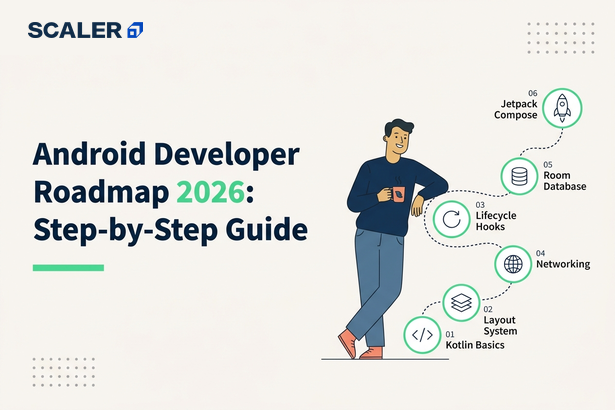
With this Android development roadmap, you have a plan. The first thing you’ll learn is Kotlin basics. You will know how Android applications work. This is followed by the creation of aesthetically pleasing and up-to-date UIs using Jetpack Compose, handling the architecture and the data, and deploying your apps to the Google Play Store, along with building a portfolio that would help you shine during the Android Developer interview. No matter whether you are just getting started or making a switch from Java, this Android Development roadmap will make it easier for beginners like you.
Android Development in 2026: The Defaults Are Settled
For someone just getting started on Android development, there’s no need to waste several weeks comparing the different technologies available today. The contemporary Android development landscape has already matured, and there is one obvious way forward. Rather than learning about all of the different frameworks and old guides available, stick to what works now.
| Learn This | Why It’s the Default in 2026 |
| Kotlin | Google’s official language for Android development. It’s concise, safer than Java, and the preferred choice for new Android apps. |
| Jetpack Compose | Google’s modern UI toolkit that simplifies Android UI development and is now the recommended approach for building new interfaces. |
| MVVM Architecture | Separates UI, business logic, and data, making apps easier to build, test, and maintain as they grow. |
This is the plan. Start by learning Kotlin, build your user interfaces with Jetpack Compose, and structure your apps using MVVM. You will run into Java and XML in old Android code, but they won’t form the core of your learning process for 2026. Knowing the latest technologies first makes understanding the old stuff much easier.
The rest of this roadmap is going to help you in such a manner that you will be spending less time on research and more time making actual Android apps.
Curious to know about the skill set, duties, and prospects in Android app development? Explore this detailed guide on Android Developers.
The 6 Phase Roadmap at a Glance
Learning how to create an Android application is much easier when there is a defined path. Instead of jumping between tutorials, frameworks, and architecture, it would be more ideal to focus on one success after another. This structured approach makes Android development for beginners much easier because it focuses on building one practical skill at a time instead of trying to learn everything at once.
| Phase | Timeline | What You’ll Learn | Milestone |
| Phase 1: Kotlin Fundamentals | Weeks 1 – 6 | Kotlin syntax, OOP, collections, null safety, and coroutines basics | Build small Kotlin console applications and become comfortable with the language |
| Phase 2: Android Fundamentals | Weeks 6 – 10 | Android Studio, activities, app lifecycle, resources, and navigation | Build and run your first Android app |
| Phase 3: UI with Jetpack Compose | Weeks 10 – 16 | Composables, layouts, state management, Material 3, and navigation | Create a fully functional multi-screen app using Jetpack Compose |
| Phase 4: Architecture & Data | Weeks 16 – 22 | MVVM, ViewModel, Room, Retrofit, Coroutines, and Flow | Build a production-style app with local storage and API integration |
| Phase 5: Build & Publish Two Real Apps | Weeks 22 – 30 | Portfolio projects, Play Console, app signing, and release management | Publish two Android apps on the Google Play Store |
| Phase 6: Portfolio, Interviews & Career Paths | Weeks 30 – 36 | GitHub, resume, Android interviews, and career preparation | Create a job-ready portfolio and start applying for Android developer roles |
It is crucial to proceed from the previous step, rather than advance without any knowledge gained from it. Begin by gaining an understanding of the Kotlin programming language before proceeding with Android APIs, and understand Android basics before proceeding with Jetpack Compose.
Phase 1: Kotlin Fundamentals (Weeks 1 – 6)
All Android applications are built using Kotlin at present time. This stage can be seen as the Kotlin roadmap, as it provides the fundamentals of the language that you will be utilizing in your Android programming journey ahead. As Google has declared Kotlin as the primary language for Android development, it automatically becomes the go-to language when developing any new application. It should be noted that there is no need for you to learn everything about the language in order to proceed.
| Topic | Why It Matters |
| Kotlin Syntax | Learn variables, functions, loops, conditionals, and classes, the building blocks of every Android app. |
| Null Safety | One of Kotlin’s biggest advantages is helping you write safer code and avoid common runtime errors like NullPointerException. |
| Object-Oriented Programming (OOP) | Understand classes, objects, inheritance, interfaces, and abstraction, which form the foundation of Android architecture. |
| Collections | Work with lists, sets, maps, and higher-order functions to manage and process data efficiently. |
| Coroutines (Introduction) | Learn the basics of asynchronous programming so your apps can perform tasks like network requests without freezing the UI |
Coming from Java? Here’s What Changes
You do not start from zero if you have experience in using Java. All basic programming notions are relevant to Kotlin, including variables, loops, OOP, collections, and exception handling. What you need to understand is just a new approach to programming in terms of syntax.
Null safety, data classes, extension functions, smart casts, and concise syntax will attract your attention immediately. Just pay attention to these Kotlin-specific notions and forget about the programming basics.
For those who have no experience in programming at all, Scaler offers a free Java tutorial where you will learn all the things you expect to know about OOP while learning Kotlin.
At the end of this step, you will feel comfortable programming in Kotlin, handling collections, and understanding OOP basics. Then, having learned the language well enough, you can move on to creating an Android app.
To understand how Kotlin is used specifically in Android development, check out: Basic Android Elements in Kotlin.
Learn More: Free Java Course with Certificate Online [2026]
Phase 2: Android Fundamentals (Weeks 6 – 10)
When you’re comfortable with Kotlin, it’s time to understand how Android apps actually work. This phase introduces the core building blocks of Android development and helps you become familiar with the tools, project structure, and application lifecycle. By the end of these four weeks, you should be able to build, run, and debug a simple Android app from scratch.
| Topic | Why It Matters |
| Android Studio | The official IDE for Android development, providing everything you need to write, test, debug, and publish Android apps. |
| Activities & Intents | Activities represent app screens, while intents allow different screens and apps to communicate with each other. |
| Android Manifest | Defines your app’s components, permissions, and configuration before it runs. |
| Resources | Learn how Android manages layouts, strings, images, colors, and other assets separately from your code. |
| Activity Lifecycle | Understand lifecycle methods such as onCreate(), onStart(), and onDestroy(), so your app behaves correctly as users interact with it. |
In addition, as you learn about these concepts, you will become well-versed in the use of Android Studio, its emulator, or an actual phone, how to read Logcat, and how to debug some common problems. Early understanding of the Android lifecycle will definitely save you hundreds of hours when you are working on developing complex apps in the future.
During this phase of the learning process, you will have to develop your very first working Android application. It is not required for the application to be complicated in any way – a plain application with several activities and user interaction would be enough. After you have gathered enough experience with the basics of Android, you can try developing a UI with Jetpack Compose.
If you’d like a deeper understanding of Android’s core concepts before building your first app, you can start with this Android Tutorial.
Phase 3: UI with Jetpack Compose (Weeks 10 – 16)
Since we have covered the basics of Android now, it’s time to develop modern user interfaces. Jetpack Compose is an interface development library offered by Google for Android applications, where there is no need to write most of the layouts in XML files. The user interfaces will be developed with the help of Kotlin code.
This phase serves as your Jetpack Compose roadmap, helping you progress from basic composables to building complete, production-ready user interfaces.
| Topic | Why It Matters |
| Composables | Learn how reusable UI components are created and combined to build Android screens. |
| State Management | Understand how Compose updates the UI automatically when your app’s data changes. |
| Layouts & Modifiers | Arrange UI elements, control spacing, sizing, and alignment, and customize component behaviour. |
| Material 3 | Build modern Android interfaces using Google’s latest design system and ready-made UI components. |
| Navigation | Move between multiple screens while passing data and maintaining a smooth user experience. |
As you work through this phase, you’ll start building apps that look and behave like modern Android applications. Focus on creating reusable UI components instead of hardcoding screens, as this makes your code easier to maintain and scale.
Will you still come across XML Views? Of course, but only in legacy applications. Many current applications have XML-based layouts, which makes it important to know how it works. However, if one starts learning Android OS in 2026, Jetpack Compose is the major thing you are going to learn, while XML will be learned along the way.
During this phase, you will be able to develop an Android application with multiple windows using Jetpack Compose, manage UI state effectively, and create reactive interfaces using Material 3.
Phase 4: Architecture & Data (Weeks 16–22)
With the growth of your applications, managing all the code in one place starts to become challenging. This is where the concept of architecture comes into play. In this stage, you will learn how to architect your application, data management, and how to connect it to local databases and APIs.
| Topic | Why It Matters |
| MVVM & ViewModel | Separates the UI from business logic, making your app easier to maintain, test, and scale. |
| Coroutines & Flow | Handle background tasks and asynchronous data streams without blocking the UI. |
| Room Database | Store and manage local data, so your app can work even without an internet connection. |
| Retrofit | Fetch data from REST APIs and integrate external services into your Android apps. |
| Dependency Injection (Basics) | Manage object creation efficiently, making your code cleaner, more modular, and easier to test. |
Using all of these pieces together will help you start creating apps that are similar to production-level Android applications. For instance, Retrofit will help you get data from an API, Room will help you save the data locally, ViewModels will help you manage your application’s UI state, and Coroutines will help you work in the background without impacting the user experience.
The goal of this stage is to create an application with MVVM architecture that gets the data from the API using Retrofit, saves the data locally using Room, and updates your application’s UI using Coroutines and Flow. This is the type of architecture you will see in most modern Android applications.
By the end of this phase, you’ll be ready to move beyond practice projects and start building portfolio-worthy applications that can be published on the Google Play Store.
Phase 5: Build & Publish Two Real Apps (Weeks 22 – 30)
Now you know the basic skills needed for the creation of Android applications. Your next task would be to prove the skills you have learned by developing some actual projects. Rather than making several unfinished apps, try making two fully developed applications that reflect various facets of Android development. This will be the beginning of your portfolio.
| Project / Task | Why It Matters |
| Build an API-Driven App | Demonstrates networking, API integration with Retrofit, MVVM architecture, and modern UI development. |
| Build an Offline-First App | Shows your ability to work with Room, local storage, data persistence, and offline user experiences. |
| Publish on Google Play Console | Learn the end-to-end process of preparing and releasing an Android app for real users. |
| App Signing | Secure your application with the required signing keys before publishing. |
| Release Checklist | Test your app, fix bugs, optimize performance, prepare store listings, and ensure everything is ready for production. |
The aim is not to develop large-scale applications that feature many different functionalities. The idea is to work towards developing high-quality apps that have clean code, responsiveness in UI, and correct architecture, along with good UX. Hiring companies will care much less about an unfinished side project on your machine than about having an app launched on Google Play.
At the end of this stage, you should be able to publish two Android applications: one that consumes data through an API and another that operates fully offline. During the course of development of these applications, you will learn all the essentials related to the Android application publishing process.
These published apps will become the strongest part of your portfolio and prepare you for Android developer interviews in the final phase.
Once you’ve learned the fundamentals, building real-world projects is the best way to strengthen your portfolio and gain practical experience. You can take some recommendations from these Top Trending Android Project Ideas & Topics.
Phase 6: Portfolio, Interviews & Career Paths
Creating apps for Android is just one step in the process; you now need to present yourself in a manner that will allow an employer to assess you. Creating an excellent portfolio, backed up by your apps and a healthy GitHub account, shows your expertise more than any courses you have completed. You should also be preparing for technical interviews and choosing an Android career path that matches your interests.
| Focus Area | Why It Matters |
| GitHub Portfolio | Showcase clean code, project structure, documentation, and version control practices. |
| Published Apps | Demonstrate that you can build, test, and release complete Android applications. |
| Interview Preparation | Revise Android lifecycle, Kotlin, coroutines, MVVM architecture, Room, Retrofit, and Jetpack Compose. |
| Salary Expectations | Understand current Android developer salary trends and the skills employers value most. |
| Career Paths | Explore opportunities in product companies, software agencies, startups, freelance development, or indie app publishing. |
A strong portfolio should include your published Play Store apps, GitHub repositories, clear README files, screenshots, and a short description explaining the problem each app solves and the technologies you used. Employers want to see how you approach architecture, debugging, and problem-solving, not just that you can build an interface. Together, these Android developer skills demonstrate that you’re ready to build, maintain, and scale modern Android applications in a professional environment.
As you prepare for interviews, focus on the concepts you’ve used throughout this roadmap rather than memorizing answers. Be ready to explain the Android activity lifecycle, how coroutines improve responsiveness, why MVVM is widely adopted, and how Room and Retrofit work together in a real application. These topics are commonly discussed during Android developer interviews because they reflect day-to-day development.
If you’re planning to expand beyond Android and explore app development as a whole, this roadmap is a great next step. App Development Roadmap 2026: 6 Month Plan
What About Flutter and Kotlin Multiplatform?
If your goal is Android development, you might wonder whether you should learn native Android, Flutter, or Kotlin Multiplatform (KMP). The answer depends on the kind of apps you want to build and the roles you’re targeting. Each option has its strengths, and choosing the right one is easier when you understand where it fits best.
| Feature | Native Android (Kotlin) | Flutter | Kotlin Multiplatform (KMP) |
| Primary Language | Kotlin | Dart | Kotlin |
| Best For | Android-first apps and Android developer roles | Cross-platform apps for Android and iOS | Sharing business logic across Android and iOS while keeping native UIs |
| Performance | Excellent | Very good | Excellent (native UI) |
| Job Market (India) | Strong demand across product companies, startups, and agencies | Strong and growing for cross-platform development | Emerging, with adoption increasing in larger organizations |
| Learning Curve | Moderate | Moderate | Moderate to Advanced |
| Choose This If… | You want to become a dedicated Android developer | You want to build and maintain one codebase for multiple platforms | You already know Android and want to expand into cross-platform development |
If you’re just starting your journey, native Android with Kotlin is still the best place to begin. It helps you understand Android architecture, lifecycle management, UI development, and platform-specific APIs in depth. Those fundamentals make it much easier to learn Flutter or Kotlin Multiplatform later if your career or projects require them.
If your goal is to build apps for both Android and iOS from day one, Flutter offers a mature cross-platform ecosystem with strong industry adoption. Kotlin Multiplatform, meanwhile, is gaining momentum for teams that want to share business logic while still delivering fully native user experiences on each platform.
Read More: Flutter vs. React Native: Which is Better in 2026?
There’s no single “best” framework, only the one that matches your goals. Native Android offers the deepest platform knowledge, Flutter excels at rapid cross-platform development, and Kotlin Multiplatform provides a balanced approach for teams invested in the Kotlin ecosystem.
Whichever stack you choose, engineering depth decides your ceiling. Explore Scaler’s Software Development Program
Read These Important Roadmaps: More Paths to Career Success
FAQs
Q1. Should I learn Java or Kotlin for Android in 2026?
Kotlin should be your first choice. It’s Google’s official language for Android development and the preferred option for building new Android apps. Learning Java is still useful for maintaining legacy codebases, but it’s no longer the recommended starting point for beginners.
Q2. Should I learn XML Views or Jetpack Compose?
Start with Jetpack Compose. It’s Google’s modern UI toolkit and the default choice for new Android applications. That said, it’s worth learning to read XML layouts because many existing Android projects still use the traditional View system.
Q3. How long does it take to become an Android developer?
With consistent learning and hands-on practice, you can reach a publishable-app level in 6–8 months. Building a strong portfolio and becoming job-ready typically takes 8–12 months, depending on how regularly you build projects and improve your skills.
Q4. Do I need a high-end laptop for Android development?
Not necessarily, but Android Studio benefits from modern hardware. 16 GB RAM is the recommended minimum for a smooth development experience, especially if you use the Android Emulator. If you have 8 GB of RAM, testing your apps on a physical Android device instead of an emulator can improve performance.
Q5. Is Android development still a good career in 2026?
Yes. Android continues to dominate the smartphone market in India, creating demand for developers across product companies, startups, software agencies, and indie app publishing. While cross-platform frameworks are growing in popularity, native Android development remains a valuable and in-demand skill.
Q6. Can I learn Android development for free?
Yes. Google’s official Android and Kotlin documentation, along with many community resources, is available free of cost. However, structured learning, mentorship, and project-based guidance can help you progress faster, especially when you move into app architecture, publishing, and interview preparation.
