




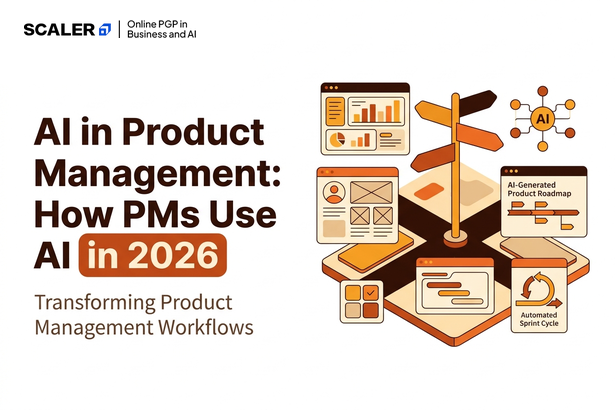
Most product managers today aren’t waiting for permission to use AI. They’re already using it weekly, sometimes daily, to move faster through research, prioritization and writing. What’s changed isn’t whether PMs use AI. It’s how deeply it’s woven into the actual product lifecycle now, from the first user interview to the release notes that ship months later.
This guide walks through exactly how PMs are using AI in 2026: stage by stage across the product lifecycle, the tools that support each stage, real use cases you can copy, the skills you need to use AI well, and where human judgement still has to lead.
What Is AI in Product Management?
AI in product management means using AI tools as a co-pilot across the tasks a PM already does, not as a replacement for the PM’s judgement. Think of it less as automation and more as acceleration.
A few things this looks like in practice:
- Synthesizing dozens of user interviews into patterns in minutes instead of days
- Drafting a first version of a PRD or roadmap that a PM then refines
- Scoring and ranking feature requests using consistent criteria at scale
- Turning raw analytics into a clear summary a stakeholder can actually act on
What doesn’t change: deciding what problem is worth solving, negotiating trade-offs with stakeholders, and owning the strategic bets behind a roadmap. AI can inform these decisions. It can’t make them for you.
If you’re mapping out where AI fits into a broader PM career path, this is a useful next read: Product Manager Roadmap. And if you want a structured way to build both product and AI fluency together, Scaler’s online PGP in Business and AI is designed around exactly that combination.
Why AI Matters for Product Managers in 2026
The honest reason AI matters right now: it’s changing what “fast” and “good” look like in product work, and PMs who haven’t adapted are starting to feel the gap.
A few forces driving this:
- Speed pressure is rising. Teams that use AI to compress research and documentation time are shipping decisions faster, and that pace is becoming the new baseline expectation, not a competitive edge.
- Scale is easier now. Synthesizing 50 user interviews used to take a week. AI-assisted synthesis can get you a solid first pass in hours, freeing up time for the analysis that actually needs human judgement.
- PM skills are being repriced. Reports tracking the future of work have flagged AI and data fluency as some of the fastest-rising priorities for business roles, product management included, ahead of many traditional PM competencies.
This doesn’t mean the fundamentals of product management matter less. It means AI fluency has become a genuine differentiator layered on top of those fundamentals. For a closer look at why this specific skill combination matters for professionals broadly, read this: AI for Business Course: Why Professionals Need Business AI Skills.
How PMs Use AI Across the Product Lifecycle
Here’s the core of how this actually plays out, stage by stage.
| Lifecycle Stage | How AI Helps | Example |
| Discovery & Research | Synthesizes interviews, surveys and support tickets into themes | Feed 40 user interview transcripts to an AI tool and get a ranked list of recurring pain points |
| Prioritization | Scores and ranks features using consistent, repeatable criteria | Ask AI to score a backlog against impact, effort and strategic fit, then sanity-check the output yourself |
| Roadmapping | Drafts a first-pass roadmap structure based on inputs and constraints | Generate a draft quarterly roadmap from your prioritized backlog, then adjust for real-world dependencies |
| PRDs & Documentation | Produces a first draft of specs, PRDs and requirement docs | Turn a rough feature idea and a few bullet points into a structured PRD draft in minutes |
| Design Handoff | Summarizes requirements into a format designers and engineers can act on quickly | Convert a PRD into a concise one-page brief for a design kickoff |
| Delivery & Comms | Drafts release notes, changelogs and stakeholder updates | Generate release notes from a list of shipped tickets, then edit for tone and accuracy |
| Analytics | Summarizes dashboards and flags anomalies in plain language | Ask AI to summarize a week’s product analytics and highlight what actually needs attention |
A pattern worth noticing: AI is strongest at the first-draft, high-volume parts of each stage. The PM’s real value shows up in the editing, the judgement calls, and the parts that need context AI simply doesn’t have.
If you want to build a habit of using AI this way across your own workflow, Scaler’s full course catalogue is worth browsing for structured options.
AI Tools for Product Managers
Tools for PMs generally fall into two layers, based on the job they’re actually doing.
Productivity and writing tools help you draft, structure and polish written output faster:
- PRD and documentation drafting, turning bullet points into structured specs
- Roadmap and slide drafting, generating a first-pass structure to refine
- Release notes and changelog generation from a list of completed tickets
- Meeting notes and follow-up summaries from recorded calls or transcripts
Research and analysis tools help you make sense of large volumes of information:
- Interview and survey synthesis, turning raw transcripts into themes and patterns
- Competitive analysis, summarizing competitor feature sets and positioning
- Analytics summarization, turning dashboards into plain-language takeaways
- Backlog scoring, applying consistent prioritization criteria across large lists
For a broader, vendor-neutral look at tools across both layers, these are good next reads: AI Tools for Business and AI Tools.
Real AI Use Cases in Product Management (Examples)
Abstract categories are easier to apply once you see them as concrete, repeatable tasks. Here are a few worth trying directly.
- Synthesize 50 interviews into themes. Paste or upload interview transcripts and ask for the top recurring pain points, grouped by frequency and severity. Review the output against your own notes before trusting it fully.
- Score feature requests with consistent signals. Feed your backlog into an AI tool along with your prioritization criteria (impact, effort, strategic fit) and ask it to rank items. Use this as a starting point for a prioritization discussion, not the final word.
- Draft a quarterly roadmap. Give AI your prioritized backlog, team capacity and key constraints, and ask for a draft roadmap structure. Expect to adjust it significantly once real dependencies and stakeholder input come in.
- Auto-generate release notes. Provide a list of shipped tickets and ask for release notes in a specific tone (technical, customer-facing, executive summary). Edit for accuracy since AI can occasionally overstate what actually changed.
- Summarize a week of analytics. Ask AI to review your dashboard data and flag anything unusual or worth a closer look, rather than manually scanning every chart yourself.
For more depth on using AI specifically for data-heavy PM tasks like analytics summarization, this is a useful read: AI Tools for Data Analysis.
Using AI as a PM vs Managing AI Products
This distinction trips people up constantly, so it’s worth being explicit about it.
Using AI as a PM means applying AI tools to speed up your own product management work, synthesizing research, drafting docs, prioritizing a backlog. This applies to any PM, regardless of what kind of product they’re building. A PM working on a logistics app and a PM working on a fintech dashboard can both use AI this way.
Managing AI products means being the PM responsible for a product that is itself powered by AI or ML, a recommendation engine, a chatbot, a predictive feature. This is a different (and often more technical) job, requiring you to understand model behaviour, evaluation metrics, and the specific risks that come with shipping AI-driven features, like hallucinations or bias in outputs.
You can do one without the other. Plenty of PMs use AI tools daily without ever managing an AI-powered feature, and plenty of AI product managers work on ML features without necessarily using generative AI tools heavily in their own workflow. Knowing which conversation you’re actually having, in an interview, a job description, or a team discussion, avoids a lot of confusion.
For a broader look at building AI judgement as a leader more generally, read this: AI for Managers.
Skills PMs Need to Work Effectively with AI
A few specific, learnable skills separate PMs who use AI well from PMs who either avoid it or over-rely on it.
- Prompting and iteration. Asking AI tools clear, specific questions and refining your request when the first output falls short, closer to writing a good brief than writing code.
- Data literacy. Enough comfort with data to sanity-check what an AI tool is telling you, especially when it’s summarizing analytics or scoring a backlog.
- Evaluation and judgement. The ability to spot when an AI output sounds confident but is actually shaky, incomplete, or missing important context only you have.
- Ethics and bias awareness. Knowing that AI outputs can reflect biased training data, particularly risky in areas like feature prioritization tied to user segments, or synthesis that might overweight louder voices in your research.
Mapped to the lifecycle: prompting and data literacy matter most during discovery and analytics, while evaluation and ethics matter most during prioritization and any AI-powered feature decisions. For a foundational grounding in how AI applies to business more broadly, this is worth a read: Artificial Intelligence in Business.
Challenges & Responsible AI in Product Management
AI speeds things up, but it introduces real risks a PM needs to actively manage rather than ignore.
- Hallucinations. AI tools can generate confident-sounding but inaccurate summaries, especially when synthesizing large or messy input. Always spot-check outputs against source material before sharing them onward.
- Data privacy. User interview data, customer feedback and internal analytics often contain sensitive information. Know what’s safe to feed into an external AI tool and what isn’t, before you paste anything in.
- Over-reliance. Leaning on AI for every prioritization call or roadmap draft without applying your own judgement can quietly erode the strategic thinking that’s actually your job to bring.
- Bias in outputs. AI-assisted synthesis or scoring can unintentionally amplify patterns in the input data, overrepresenting more vocal user segments or missing edge cases that a human reviewer would have caught.
- Loss of nuance in synthesis. Summarizing 50 interviews into five themes is useful, but it can flatten contradictions and edge cases that actually matter. A frustrated power user’s outlier complaint can get buried under the majority pattern, even when it points to a real problem worth solving.
- Stakeholder trust and transparency. If a roadmap, PRD or prioritization score was AI-assisted, stakeholders often assume it’s entirely your own analysis. Being upfront about where AI helped, and where you applied your own judgement, keeps trust intact if something in the output turns out to be wrong.
- Inconsistent outputs across attempts. The same prompt can produce noticeably different results on different days or with minor rewording. Treating any single AI output as final, rather than one draft among several possible ones, can lead to decisions built on shakier ground than they appear.
- Skill erosion over time. Relying on AI for synthesis, scoring or drafting without occasionally doing the work manually can dull the underlying judgement those tasks were building in the first place. Periodically doing a task the old way is a useful check on whether you’re still sharp enough to catch AI’s mistakes.
- Vendor and data lock-in risks. Feeding proprietary product data, user research or roadmaps into third-party AI tools can create dependencies or exposure you don’t fully control, particularly if a tool’s data retention or training policies change without much notice. Reading the fine print before adopting a new tool at scale is worth the ten minutes it takes.
Global research tracking AI’s broader societal and business impact, including ongoing work from Stanford’s AI Index, consistently flags governance and responsible use as areas where practice lags well behind adoption. Staying deliberately cautious here, rather than assuming every output is safe to act on, is part of doing the job well. For more on building this judgement as a leader, read this: AI for Managers.
How to Start Using AI as a Product Manager
If you haven’t built this into your workflow yet, here’s a simple way to start without overhauling your workflow overnight.
- Pick one lifecycle stage. Don’t try to AI-ify your entire workflow at once. Start with the stage that eats the most of your time right now, often research synthesis or documentation.
- Try one tool for two weeks. Commit to using a single AI tool consistently for that one task, rather than sampling five tools once each and drawing conclusions too early.
- Measure the time actually saved. Be honest about whether it genuinely sped things up, or whether the editing and fact-checking ate up the time you thought you saved.
- Expand deliberately. Once one use case is working well, move to the next lifecycle stage, rather than trying to change everything at once.
If you want a more structured path that builds both product management fundamentals and AI fluency together, these are worth exploring: Product Manager Roadmap and Scaler’s online PGP in Business and AI. For real examples of where this combination leads career-wise, read this: Career Opportunities After a PGP in Business and AI.
Frequently Asked Questions
What is AI in product management?
It’s the use of AI tools to assist across the product lifecycle, research synthesis, prioritization, roadmapping, documentation and analytics, while the PM keeps ownership of judgement and strategy.
How do product managers use AI in 2026?
Most commonly for user-research synthesis, feature scoring, roadmap drafting, PRDs and competitive analysis. See the lifecycle table above for a full stage-by-stage breakdown.
Which AI tools do product managers use?
Broadly, a productivity layer for writing and documentation, and a research layer for synthesis and pattern-finding. See the tools section above for specific examples grouped by job-to-be-done.
Will AI replace product managers?
No. AI speeds up specific tasks, but product judgement, strategic trade-offs and stakeholder management remain fundamentally human skills that AI can inform but not replace.
What’s the difference between using AI as a PM and being an AI product manager? Using AI as a PM means applying AI tools to your own product management work. Being an AI product manager means owning a product that is itself powered by AI or ML. See the dedicated section above for the full distinction.
What skills do PMs need to work with AI?
Prompting and iteration, data literacy, critical evaluation of outputs, and awareness of ethics and bias. See the skills section above for how these map to different lifecycle stages.
