




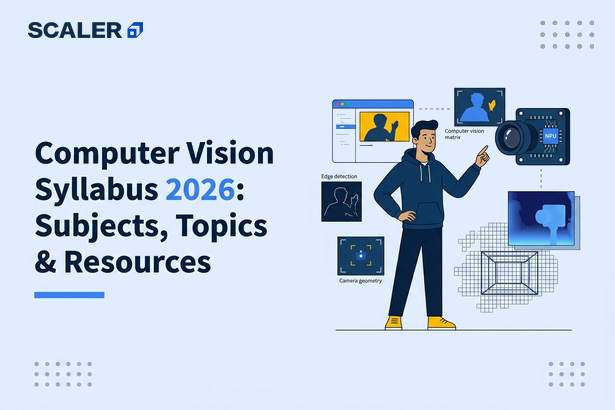
Computer vision turns pixels, video frames and spatial signals into information a system can use. A warehouse camera may identify a missing label. A quality-inspection system may flag a surface defect. A document workflow may extract fields from a scan. A road-safety product may detect a vehicle, while a medical imaging workflow may help a trained professional review a region of interest. The model is only one part of each solution: data quality, image rights, annotation, evaluation, latency, monitoring and human decisions matter just as much.
This computer vision syllabus for 2026 gives a structured view of the subjects, practical skills and projects behind those systems. It starts with programming, mathematics and image fundamentals, then covers classical image processing, convolutional neural networks, detection, segmentation, video understanding, vision transformers, deployment and responsible use. A 24-week roadmap shows one practical order in which to learn them.
The goal is not to memorise every architecture. It is to learn how to frame a visual problem, prepare reliable data, establish a baseline, measure the right outcome and ship a system whose limitations are understood.
Computer vision syllabus: what will you learn?
A complete computer vision syllabus teaches you to represent images numerically, manipulate and inspect them, train models for visual tasks, evaluate errors and integrate a model into a usable workflow. You should finish with a portfolio project that includes a data statement, a reproducible training process, task-appropriate metrics, error analysis and a documented deployment plan.
| Learning area | Core subjects and topics | Practical outcome |
| Computing foundations | Python, arrays, files, functions, dataframes, Git, testing and APIs | Load, validate and transform image datasets reproducibly |
| Mathematical foundations | Linear algebra, calculus intuition, probability, statistics and optimisation | Explain tensors, gradients, loss functions and uncertainty |
| Image fundamentals | Pixels, colour spaces, channels, resolution, histograms, geometry and transforms | Inspect images and choose safe pre-processing steps |
| Classical vision | Filtering, edges, morphology, thresholding, contours, features and geometry | Build transparent rules or baselines for simple visual tasks |
| Deep learning | Neural networks, CNNs, transfer learning, regularisation and augmentation | Train and compare image classifiers |
| Recognition tasks | Classification, localisation, object detection, segmentation and keypoints | Match a model formulation and metric to a business problem |
| Modern vision | Vision transformers, self-supervision, multimodal models and generative vision | Evaluate a modern approach without losing task controls |
| Production and governance | Inference, APIs, model versioning, monitoring, privacy, bias and safety | Deliver an observable, reviewable vision workflow |
Transform Your Career
Choose from our industry-leading programs designed for career success
Modern Software and AI Engineering Program
Master full-stack development with AI integration


 +1000 more
AI Forward Deployed Engineer with Specialisation in AI applications
Build and deploy AI solutions for real-world business problems
+1000 more
Modern Data Science and ML with specialisation in AI
Advanced data science techniques with AI specialization
+1000 more
Advanced AIML with Specialisation in Agentic AI
Deep dive into AIML with focus on Agentic systems
+1000 more
DevOps, Cloud & AI Platform Engineering
Build and manage AI-powered cloud infrastructure
+1000 more
AI Engineering Advanced Certification by IIT-Roorkee
Premier AI engineering certification from IIT-Roorkee

What are the prerequisites for learning computer vision?
You do not need advanced research experience before starting, but you do need a usable foundation. Build it steadily instead of jumping straight to a pretrained detector or a visual chatbot.
Python and data-handling skills
Python is the usual starting language because the vision ecosystem includes image libraries, numerical arrays, deep-learning frameworks and deployment tools. Learn variables, functions, modules, classes at a basic level, lists, dictionaries, file paths, exceptions, virtual environments and package management. You should also be comfortable reading CSV or JSON annotations, joining records by ID and using Git to track changes.
A structured Python learning guide can help you develop those basics. In vision work, the details are practical: an incorrect relative path can silently remove part of a dataset, a changed random seed can alter a split and a missing file can create an inaccurate training count. Write checks for these conditions rather than assuming that a training run means the data is correct.
Mathematics for visual models
Learn enough linear algebra to work with vectors, matrices, tensors, dot products, matrix multiplication, shape and dimension. Learn probability and statistics to reason about sampling, distributions, class imbalance, confidence intervals and uncertainty. Learn calculus conceptually through derivatives, gradients and gradient descent. You do not have to derive every backpropagation equation before training a model, but you should understand why a loss changes weights and why learning rate affects training behaviour.
Geometry is particularly useful in computer vision. Learn coordinates, distance, scale, rotation, perspective and affine or projective transforms. A bounding box, a segmentation mask, a camera view and an augmented image all depend on consistent spatial coordinates.
Machine-learning foundations
Understand supervised, unsupervised and self-supervised learning; features and labels; train, validation and test splits; overfitting; data leakage; regularisation; loss functions; optimisation; and baselines. A vision model can look impressive while leaking labels through backgrounds, watermarks, timestamps or duplicate images. Machine-learning fundamentals help you identify that kind of false success.
Before complex vision models, learn the logic of a classification problem. What is one example? What is its target? What happens when classes are imbalanced? Which mistake costs more? How will the system behave on a new camera, lighting condition or location? These questions decide whether the model is genuinely useful.
Which core subjects are included in a computer vision syllabus?
1. Digital images, pixels and colour spaces
An image is commonly stored as a grid of numeric values. A grayscale image typically has one intensity channel; a colour image often has red, green and blue channels. Computer vision systems may also use depth, infrared, thermal, hyperspectral or multi-camera inputs. Learn shape conventions, data types, normalisation, bit depth, resolution, aspect ratio and the difference between image storage and model input.
Colour spaces serve different purposes. RGB is common for display and model inputs. Grayscale reduces colour information to intensity. HSV can separate hue from brightness, which can make a colour-based rule easier to express. Convert deliberately and document the conversion: a model trained on one channel order can fail if production supplies another.
Explore image histograms, brightness, contrast and saturation. These are not only technical terms. A dataset collected in bright daylight may have a substantially different intensity distribution from images captured in a dim warehouse. Distribution shift often begins with simple visual properties.
2. Image processing and transformations
Image processing modifies an image to improve interpretation, standardise inputs or extract useful signals. Topics include resizing, cropping, padding, interpolation, normalisation, thresholding, denoising, blurring, sharpening and histogram operations. Every transformation makes an assumption. For example, aggressive downscaling may remove a tiny defect; excessive smoothing can erase an edge a model needs.
Learn geometric transformations such as translation, scaling, rotation, flipping, affine transforms and perspective correction. Then learn image augmentation, which produces varied training examples. Useful augmentations can improve robustness to expected real-world variation. Unsafe augmentations can alter labels or create conditions the actual system will never see. A vertically flipped road-sign image, for example, may not be an appropriate training example for the deployed task.
3. Filtering, edges and morphology
Classical vision remains valuable for simple, explainable tasks and for building intuition. Study convolution filters, kernels, Gaussian blur, median filtering, Sobel-style gradients, edge detection, thresholding, connected components, erosion, dilation, opening and closing. These operations can isolate a high-contrast object, count items on a controlled conveyor or clean a binary mask.
Do not regard classical methods as obsolete. They can be faster, easier to validate and more appropriate than deep learning when an environment is controlled and the rule is stable. They also help you understand what a convolutional neural network learns automatically at a higher level of complexity.
4. Feature extraction and matching
Before end-to-end deep learning became widespread, many systems used engineered visual features. Learn the idea of corner detection, keypoints, descriptors, feature matching, homography and image stitching. The important lesson is correspondence: how do you decide whether two patches depict the same visual point or object under scale, rotation or viewpoint changes?
Feature matching still has practical uses in image alignment, panorama creation, document registration, tracking and visual localisation. It also reinforces the geometric thinking needed for multi-view and augmented-reality problems.
5. Neural-network fundamentals
A neural network maps inputs through layers of weighted operations and nonlinear activations to make a prediction. Learn neurons, layers, activation functions, logits, probabilities, softmax, loss functions, batch size, epochs, gradients, backpropagation, optimisers, learning-rate schedules and regularisation.
For a classification model, distinguish the predicted probability from a guarantee of correctness. A model can be confidently wrong when it sees unfamiliar data. Learn to examine calibration, uncertainty and class-specific failures before exposing a prediction to a user or automated workflow.
6. Convolutional neural networks
Convolutional neural networks, or CNNs, apply learnable filters across image regions. Study convolution, channels, kernels, stride, padding, receptive fields, pooling, feature maps, batch normalisation, dropout and residual connections. You should understand how these choices affect feature resolution, memory use and the ability to recognise small versus large patterns.
Begin with an image classifier on a small, legally usable dataset. Inspect examples from each class, establish a simple baseline and visualise training and validation loss. Then examine images the model gets wrong. This practical loop teaches more than a long list of architecture names.
7. Transfer learning and fine-tuning
Transfer learning starts with a model pretrained on a broad visual corpus, then adapts it to a new task. It can reduce data and compute requirements, particularly when your dataset is modest. Learn when to freeze layers, when to fine-tune, how to choose image size, how to set a conservative learning rate and how to avoid overfitting a small dataset.
Pretraining is not a permission slip. The source model may have different visual domains, labels or demographic coverage from your task. Evaluate on representative examples, maintain an untouched test set and document what the system was not designed to identify.
8. Object localisation and detection
Image classification tells you what is in an image. Object localisation also predicts where a target lies. Object detection finds multiple objects, often with bounding boxes, categories and confidence scores. Learn bounding-box formats, intersection over union, non-maximum suppression, anchor-based and anchor-free concepts, class imbalance and small-object challenges.
Detection metrics need care. Mean average precision gives a useful summary, but it can hide poor results for a rare class, tiny object or difficult lighting condition. Report per-class outcomes and inspect both missed objects and false alarms. In many operations, a false negative and a false positive do not have the same cost.
9. Semantic, instance and panoptic segmentation
Segmentation predicts labels at pixel level. Semantic segmentation assigns a category to each pixel, such as road, sky or background. Instance segmentation separates different objects of the same category. Panoptic segmentation combines scene categories and countable instances. Learn masks, masks-versus-boxes annotations, overlap metrics, boundary errors and annotation ambiguity.
Segmentation supports tasks such as surface-area measurement, scene understanding, defect boundaries and image editing. It also raises annotation costs: a detailed mask takes more effort than a category label. Match the annotation detail to the actual decision. If a workflow only needs to know whether a defect exists, a full pixel mask may not be necessary.
10. Pose estimation, tracking and video understanding
Video adds time, motion and throughput constraints. Learn frames, frame rate, optical flow at a conceptual level, object tracking, track identity, temporal windows, action recognition and event detection. A detector applied independently to each frame may flicker or count the same item repeatedly; tracking helps connect predictions through time.
For video projects, define exactly what an event means and how quickly it must be detected. Evaluate by scenario, sequence and event, not only by individual frame. Consider occlusion, camera movement, motion blur, dropped frames and whether a human needs to review a clip before acting.

Free Courses by top Scaler instructors
11. Vision transformers, self-supervision and multimodal models
Vision transformers process images as collections of patches and use attention to model relationships. Learn the high-level role of patch embeddings, positional information, attention, pretraining and computational trade-offs. CNNs and transformers are both useful families; choose through task evidence, resource constraints and evaluation, not trend alone.
Self-supervised learning can learn visual representations from unlabelled data through pretext or contrastive objectives. It is valuable where labels are expensive, but it does not remove the need for careful downstream evaluation. Multimodal systems combine image and text for retrieval, captioning, visual question answering or document understanding. They can produce fluent descriptions that are not grounded in the image, so build task-specific checks and abstention paths.
12. Generative vision and image synthesis
Generative models can create, edit, enhance or transform images. Study the difference between discriminative tasks, which predict a label or location, and generative tasks, which model or produce visual content. Learn basic concepts behind diffusion, latent representations, conditioning, inpainting and synthetic data.
Use synthetic images thoughtfully. They can supplement rare examples, help prototype a workflow or protect access to sensitive visual data in some cases. They can also reproduce unrealistic textures, omit rare conditions or introduce systematic artefacts. Keep synthetic and real data provenance clear, and test on representative real-world data before making a deployment decision.
How is a computer vision syllabus organised semester by semester?
A semester-style structure helps you pace learning from foundations to applied delivery. It is a guide, not a requirement to wait for a calendar term before building projects.
| Stage | Subjects and topics | Practical milestone |
| Foundation | Python, arrays, image files, image statistics, linear algebra, probability and Git | A script that audits image paths, labels, dimensions, duplicates and class balance |
| Core vision | Colour spaces, transformations, filtering, thresholding, morphology, contours and features | A classical image-processing pipeline with visual before-and-after outputs |
| Deep learning | Neural networks, CNNs, optimisation, augmentation, transfer learning and classification metrics | A reproducible image classifier with baseline comparison and error analysis |
| Recognition | Detection, localisation, segmentation, keypoints, tracking and video evaluation | A detection or segmentation prototype with per-class and scenario reporting |
| Advanced practice | Vision transformers, self-supervision, multimodal systems, generative vision and optimisation | A constrained advanced experiment with a clear claim and holdout evaluation |
| Production practice | APIs, batch inference, testing, model registry, drift, privacy, bias, security and human review | A documented end-to-end project with monitoring and rollback considerations |
What should you learn about computer vision data?
Data quality is a core subject, not a preliminary chore. A model receives the patterns present in the collection and annotation process. If every positive example has the same background, camera or watermark, the model may learn that shortcut instead of the intended object.
Dataset design and collection
Write a data statement before training. Identify the task, unit of observation, source, ownership or permission, time period, camera or device conditions, labels, intended users, exclusions and potential risks. Collect variation that resembles the deployment environment: viewpoint, scale, lighting, background, location, device, product version and image quality.
Avoid splitting near-duplicate frames or images from the same object across training and test sets. That can make a benchmark look excellent while performance on genuinely unseen objects is weak. Split by the unit that matters in real life, such as location, patient, manufacturing batch, video or time period, where appropriate and lawful.
Annotation quality
Annotations are training material and ground truth for evaluation. Define each class, box, mask or keypoint in a written guideline. Include positive examples, negative examples, edge cases and a procedure for unclear images. Measure agreement between reviewers where possible, adjudicate disagreements and version the guideline when definitions change.
A weak model sometimes reflects an unclear instruction rather than an architectural flaw. Read disagreement cases before relabelling blindly or increasing model capacity. If humans cannot reliably distinguish two categories from the available image, a vision model may not be able to either.
Data augmentation and leakage
Augmentation should represent plausible variation and preserve the target. Apply geometric transforms consistently to images, boxes, masks and keypoints. Make sure validation and test examples are never augmented in a way that changes their evaluation meaning. Track the augmentation recipe in configuration so an experiment can be reproduced.
Leakage can occur through file names, annotation order, timestamps, backgrounds, pixels outside a crop or images captured in sequence. Test for it deliberately. Review random samples, train a simple model on metadata alone and create a held-out split from a different source or time period when possible.
Scaler Placement Report and Statistics
Scaler learners achieved 2.5x salary growth with average post-Scaler CTC reaching ₹23L.
 Google
 Amazon
 Microsoft
 Flipkart
 Adobe
1200+ more
Adobe
1200+ more
Which metrics matter for computer vision projects?
The best metric follows the decision, not the model family. Start with a simple measure, then add slices and review criteria that expose the errors stakeholders care about.
| Vision task | Common measures | Important diagnostic view |
| Image classification | Accuracy, precision, recall, F1, ROC or precision-recall curves and calibration | Confusion matrix by class, location, camera and lighting |
| Object detection | Average precision, recall, intersection-over-union thresholds and false positives per image | Small versus large objects, distance, occlusion and per-class misses |
| Segmentation | Intersection over union, Dice-style overlap, boundary quality and per-class results | Thin structures, boundaries, rare regions and annotation disagreement |
| Keypoints or pose | Keypoint distance or correctness thresholds and temporal stability | Occlusion, viewpoint and missing or swapped joints |
| Tracking or video events | Track continuity, identity switches, event recall, false alarms and time to detect | Motion blur, camera shake, crowding and long sequences |
| Generative or multimodal system | Task completion, factual grounding, human preference, format validity, latency and safety | Unsupported descriptions, sensitive outputs and prompt-induced failures |
Always retain a test set that was not used to choose architectures, thresholds or augmentations. If you repeatedly tune against the test score, it becomes another validation set and stops being an honest estimate. For consequential workflows, add a review protocol and define what happens when confidence is low, no object is found or an input falls outside the known domain.
What tools are used in computer vision?
Tools evolve quickly. Prioritise transferable concepts and use official documentation to understand the behaviour of the tools you adopt.
| Capability | Common tools or concepts | What to practise |
| Image I/O and processing | Array operations, image libraries and OpenCV documentation | Load images safely, convert colour spaces and save auditable transformations |
| Deep learning | Tensors, data loaders, automatic differentiation and PyTorch tutorials | Train a small experiment, control seeds and inspect model inputs and outputs |
| Alternative framework workflow | Model training, serving and TensorFlow guides | Follow one complete, reproducible training and evaluation loop |
| Labelling and curation | Annotation interfaces, label guidelines, review queues and dataset versions | Improve an annotation guideline using real disagreement cases |
| Experiment management | Configuration, run tracking, artefacts, data versions and model versions | Reproduce a prior result from a clean environment |
| Deployment | APIs, containers, queues, batch inference, logging and monitoring | Handle invalid inputs, timeouts, inference failures and model rollback |
Avoid learning a tool as a button sequence. For every library call, ask what shape, type, colour order, coordinate convention or default transformation it expects. Small mismatches between training and inference are a common cause of silent production failure.
What is a practical 24-week computer vision learning roadmap?
This roadmap assumes roughly eight to ten hours a week and can be extended for beginners. The work should produce tangible artefacts each month: a clean repository, a dataset note, an evaluation report and a demonstration.
Weeks 1 to 4: programming, images and data inspection
- Refresh Python, arrays, file paths, JSON or CSV labels, plotting, functions and Git.
- Load image folders and annotations, then create a dataset audit for counts, dimensions, aspect ratios, modes, broken files, duplicates and class balance.
- Learn RGB, grayscale, HSV, image resizing, cropping, normalisation and histograms.
- Write a data statement with source, permissions, intended task, label definitions and known gaps.
Milestone: a reproducible notebook or script that verifies a dataset before any model training, with visual samples from every label and split.
Weeks 5 to 8: classical image processing and baseline reasoning
- Practise filters, thresholding, edges, morphology, contours and simple geometry.
- Build one controlled-environment rule, such as counting high-contrast objects or identifying a clear boundary.
- Learn train, validation and test splitting, leakage risks, accuracy, precision, recall and F1.
- Build a basic image-classification baseline and document where it fails.
Milestone: a report that compares a classical or simple baseline with your first learned model and explains errors with images rather than scores alone.
Weeks 9 to 12: CNNs, transfer learning and classification quality
- Study convolutions, pooling, receptive fields, loss functions, optimisers, regularisation and augmentation.
- Train a CNN classifier, inspect loss curves and compare at least two controlled experiments.
- Use transfer learning with a pretrained model and compare it fairly with the baseline.
- Add per-class metrics, calibration checks and slices for lighting, size, source or another meaningful condition.
Milestone: a versioned classifier with configuration, seed, data split, metric report, error gallery and written limitations.
Weeks 13 to 16: detection and segmentation
- Learn boxes, masks, intersection over union, non-maximum suppression and annotation formats.
- Train or adapt a detector for a bounded category task, or build a segmentation experiment if pixel boundaries matter.
- Evaluate per class and by object size, occlusion or image quality.
- Decide an operating threshold using the relative cost of misses and false alarms, then show the trade-off.
Milestone: a detection or segmentation project that includes scenario-level error analysis, not only a headline average-precision number.
Weeks 17 to 20: video, modern vision and multimodal concepts
- Learn tracking, temporal windows, event definitions and frame-versus-sequence evaluation.
- Explore vision transformers, self-supervised representations or an image-text retrieval task at a conceptual and practical level.
- Test distribution shift with images from a different time, device, environment or carefully justified source.
- Analyse latency, memory, model size and failure handling for a prospective deployment.
Milestone: an advanced experiment with a narrowly stated claim, a holdout comparison and clear evidence of what did not improve.
Weeks 21 to 24: deployment, governance and portfolio story
- Package an approved model as a batch workflow or API with input validation and meaningful errors.
- Record model, data and configuration versions; log predictions safely; set up a feedback or review path.
- Write a model or system card covering intended use, data, metrics, limitations, privacy, bias and rollback.
- Create a concise demo that begins with the user problem, shows evidence, names failure cases and explains the human role.
Milestone: an end-to-end portfolio project with a repository, README, data statement, evaluation report, short demo and honest limitations.
Which computer vision projects should you add to a portfolio?
Choose projects with a specific user problem and a responsible data source. Do not use images of people, private places or sensitive documents without a lawful and ethical basis. Public datasets, generated assets and your own authorised images can be suitable starting points.
| Project | Skills demonstrated | Evidence to include |
| Visual quality-check classifier | Data curation, classification, augmentation and threshold selection | Defect examples, confusion matrix, lighting slices and reviewer fallback |
| Document-image processing workflow | Image correction, layout regions, text handoff and structured validation | Sample inputs, redaction approach, field-level review and schema errors |
| Safety-equipment detector | Detection, boxes, scenario evaluation and false-alarm analysis | Distance and occlusion slices, threshold rationale and review queue |
| Plant or product image recogniser | Transfer learning, class imbalance and calibration | Label guideline, error gallery and images outside the training domain |
| Traffic or inventory video event prototype | Detection, tracking, event logic and latency analysis | Short authorised clips, event metrics, identity-switch review and privacy note |
| Accessible scene-description assistant | Multimodal evaluation, grounding and safe phrasing | Human rubric, unsupported-description cases and user-control design |
The best project is not necessarily the largest. A carefully evaluated two-class inspection task can show stronger judgement than a broad system with unclear data, no baseline and no explanation of failure. Aim for one polished primary project and one smaller exploration that reveals a different task family.
How do you deploy a computer vision model responsibly?
Deployment changes the question from "Can the model score well on a dataset?" to "Can people rely on this component in a variable workflow?" Begin with the interface contract. Specify accepted file types, image dimensions, orientation, timeouts, output schema, confidence semantics, failure messages and what happens when the system cannot process an input.
Run the same preprocessing in training and production. Version the model, label map, preprocessing recipe, threshold and data snapshot. Monitor input dimensions, colours, device source, latency, prediction distributions, confidence, error rates and human overrides. These signals can reveal drift even before labelled ground truth arrives.
Design a human-review path for uncertain, high-impact or out-of-distribution inputs. Never present an unverified visual model as an independent decision maker in safety-critical, legal, medical, financial or access-control settings. The required safeguards depend on the context, but transparent limits, escalation and auditability should be part of the system design from the beginning.
How should you study computer vision efficiently?
Use a repeating learning cycle:
- Read the concept. Understand the task, inputs, outputs and assumptions before copying code.
- Run a small baseline. Make the simplest pipeline work on a limited dataset.
- Measure and inspect. Save metrics, predictions and representative successes and failures.
- Change one variable. Alter one augmentation, model, split, threshold or learning setting at a time.
- Document the conclusion. State what changed, whether it improved the relevant metric and which risks remain.
A well-rounded data science and machine learning programme can provide a structured path across Python, statistics, machine learning and applied projects. Whether you study independently or through a programme, plan time for the slow parts: data review, annotation checks, metric interpretation and writing clear documentation.
How do you choose a computer vision course or syllabus?
Use course titles with caution. A curriculum that lists current models but omits data quality, evaluation and ethics may be less useful than one with fewer buzzwords and stronger practice. Ask the following questions before enrolling or committing your time:
- Does it teach Python, arrays and data handling before model APIs?
- Are classification, detection and segmentation distinguished clearly?
- Will you work with datasets, labels, train-validation-test splits and task-specific metrics?
- Does it include error analysis, distribution shift, privacy, bias and responsible deployment?
- Can you complete and explain a project with code, documentation and evaluation evidence?
- Are tools taught alongside concepts so you can adapt when a library changes?
What are common mistakes while learning computer vision?
- Training before inspecting data: Broken labels, duplicates and leakage can produce misleading results.
- Using accuracy alone: Accuracy can hide poor recall on a rare class or unsafe performance under certain conditions.
- Treating augmentation as automatically helpful: An unrealistic transform can make a model less relevant to deployment.
- Choosing an architecture before defining the task: A classifier cannot supply the locations a detection workflow needs.
- Using a benchmark split repeatedly: Continuous tuning on the test set turns it into a validation set.
- Ignoring compute and latency: A highly accurate model may still be unusable at the intended device or response time.
- Forgetting data rights and privacy: Images may reveal people, locations, screens or documents even when that was not the intended focus.
Scaler Alumni and Their Success Stories
Explore These Course Syllabus
Frequently asked questions
What subjects are included in a computer vision syllabus?
A strong computer vision syllabus includes Python, linear algebra, probability, machine-learning foundations, image processing, filters, feature extraction, neural networks, CNNs, transfer learning, classification, detection, segmentation, video analysis, vision transformers, deployment and responsible AI. It should also cover datasets, annotation quality, evaluation metrics, error analysis, privacy and portfolio projects with reproducible evidence.
Do I need mathematics to learn computer vision?
You need practical foundations in linear algebra, probability, statistics and calculus intuition, but you do not need to master every proof before building projects. Learn tensors, dimensions, gradients, loss functions, sampling and basic geometry while applying them to images. Return to the mathematics as a model behaviour raises a question you want to answer.
Should I learn image processing before deep learning?
Yes. Basic image processing teaches pixels, channels, colour spaces, transformations, filters, edges and geometry. These concepts help you diagnose data and preprocessing problems when working with CNNs or transformers. Classical methods are also useful in controlled environments where a transparent rule is sufficient, faster and easier to validate than a deep model.
What is the difference between image classification, object detection and segmentation?
Image classification assigns one or more labels to an entire image. Object detection identifies object categories and approximate locations, usually with bounding boxes. Segmentation labels pixels and can show an exact region or separate individual objects. Choose the task from the decision needed: a category, a location, a count, a boundary or a measurement.
How long does it take to learn computer vision?
With steady part-time practice, a focused 24-week plan can build foundations and produce a credible project. The timeline changes with your Python, mathematics and machine-learning background, plus the complexity of your chosen task. Prioritise repeatable data work, evaluation and error analysis over trying to cover every architecture or library within a fixed deadline.
Which projects are best for a computer vision portfolio?
Choose a bounded problem using public, generated or authorised imagery, such as quality inspection, document-image processing, an object detector or a small video-event prototype. Show the dataset source, labels, baseline, metrics, error gallery, limitations and deployment plan. A small project with transparent evidence is more valuable than a large demo with unclear data and evaluation.
Are vision transformers better than CNNs?
Not automatically. Both model families can perform well, and the better choice depends on data size, visual domain, resource limits, latency, pretraining options and evaluation results. Start with a suitable baseline, test fairly on representative holdout data and compare operational trade-offs. Architecture popularity should not replace task-specific evidence or failure analysis.
