




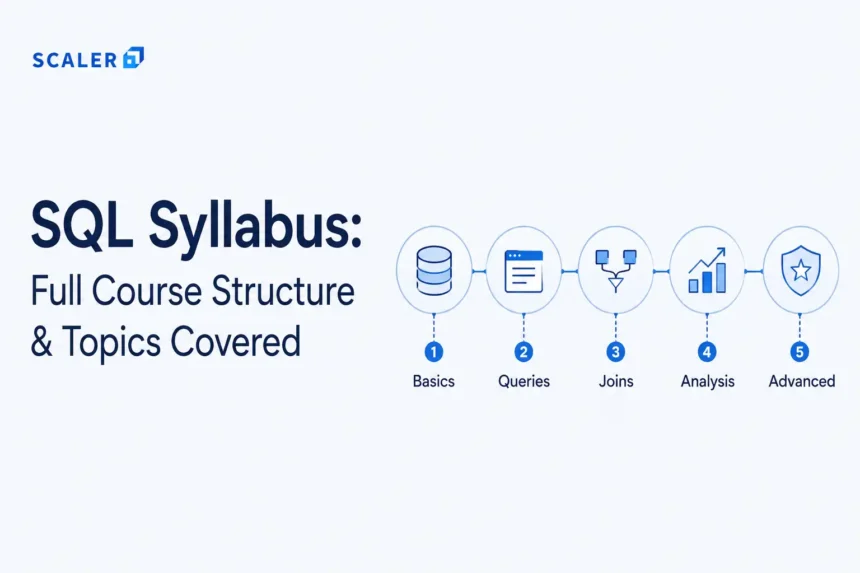
One of the important elements that runs many services and applications online is SQL. Regardless of whether you are buying something, checking your website analytics, booking a place, or even surfing any social networking site, SQL is used to get these done. And precisely because of this, SQL remains one of the most sought-after skills in data analysis, backend development, business intelligence, and software engineering.
And we also understand that, as a beginner, it gets hard to map out what to learn and how. The way an ideal SQL course would go about doing this is to gradually and progressively lead you through SQL all the way from the fundamentals to the intricate world of SQL window functions, SQL optimizations, reporting, and database design.
This guide will cover a SQL full course roadmap.
If you’re just getting started, a dedicated SQL tutorial can help you with your learning: SQL Tutorial.
What Is SQL and Why Is It Important?
Structured Query Language (SQL) is simply the language for working with databases. Whenever an application requires storing user information, ordering, creating reports, or fetching data, SQL is often used to store, retrieve, and manage this data.
The first reason why a lot of people start learning SQL is that it has various uses in multiple positions in the IT field. Data analysts will use SQL when creating their reports and dashboards, backend engineers use SQL when managing databases of their applications, and full-stack developers use SQL when developing complete web applications. SQL is often used in testing processes, business intelligence tasks, and during technical interviews.
Transform Your Career
Choose from our industry-leading programs designed for career success
Modern Software and AI Engineering Program
Master full-stack development with AI integration


 +1000 more
Modern Data Science and ML with specialisation in AI
Advanced data science techniques with AI specialization
+1000 more
Advanced AIML with Specialisation in Agentic AI
Deep dive into AIML with focus on Agentic systems
+1000 more
DevOps, Cloud & AI Platform Engineering
Build and manage AI-powered cloud infrastructure
+1000 more
AI Engineering Advanced Certification by IIT-Roorkee
Premier AI engineering certification from IIT-Roorkee

Another problem that arises for beginners while learning SQL is confusing between SQL itself, databases, and DBMS systems. The easiest way to think about all of these three concepts would be to say that databases store data, DBMS manages it, and SQL interacts with it.
Among other technologies in the programming world, SQL is relatively friendly towards beginners since learners can start writing their first queries from very early stages of studying.
Understanding basic DBMS concepts makes SQL easier to learn. You can check out this DBMS Tutorial for further learning.
Who Should Learn SQL?
SQL is one of those skills that is useful in a lot of tech careers sooner or later. Whether you want to work with data, applications, dashboards, testing, or backend systems, SQL usually ends up being part of the job. Here are some examples:
| Role | SQL in Use |
| Students & Freshers | Helps build database and interview fundamentals |
| Data Analysts | Used for reports, dashboards, and data analysis |
| Backend Developers | Helps manage application databases and APIs |
| Full-Stack Developers | Used for handling data across applications |
| BI & Reporting Learners | Useful for dashboards and reporting workflows |
| Product Analysts | Helps analyze user and product data |
| QA Engineers | Used for testing and validating database records |
| Interview Candidates | Commonly asked in technical interviews |
Learners interested in analytics usually continue toward data visualization and reporting, while backend and full-stack developers use SQL heavily with APIs and databases in real-world applications.
To learn about data science skills, you can check this: Data Science & ML Course with AI Specialization.
Prerequisites Before Starting the SQL Syllabus
One of the best things about SQL is that learners don’t have to be great programmers before they start learning the language. It requires only basic computer skills and knowledge of how tables and spreadsheets work. Logical thinking is also important when learning SQL.
Programming may be useful in the future, but it is not required for beginner-level SQL. Basic DBMS knowledge is also not required at first because it can be learned gradually along with SQL knowledge.
You are ready to learn SQL if you can:
- Interpret data in rows and columns
- Use spreadsheet software such as Excel or Google Sheets with ease
- Have fundamental computer literacy skills
- Enjoy analytical thought processes
Complete SQL Syllabus at a Glance
The following SQL course syllabus provides a structured overview of the topics typically covered in beginner-to-advanced SQL learning paths.
| Module | Topics Covered | What You Will Learn |
| Module 1: SQL & Database Fundamentals | Databases, RDBMS, tables, rows, columns, schema, primary keys, foreign keys | Understand how relational databases work |
| Module 2: SQL Commands | DDL, DML, DQL, DCL, TCL, CREATE, INSERT, UPDATE, DELETE, SELECT | Learn how SQL commands are organized and used |
| Module 3: Basic SQL Queries | SELECT, WHERE, ORDER BY, DISTINCT, LIMIT, aliases, filtering | Write and execute basic SQL queries |
| Module 4: Aggregation & Grouping | COUNT, SUM, AVG, MIN, MAX, GROUP BY, HAVING | Create reports and summary-based queries |
| Module 5: SQL Joins | Inner Join, Left Join, Right Join, Full Join, Self Join | Combine and query data from multiple tables |
| Module 6: Subqueries & CTEs | Nested queries, correlated subqueries, EXISTS, WITH clauses | Solve layered and intermediate SQL problems |
| Module 7: SQL Functions | String functions, date functions, aggregate functions, CASE | Clean, transform, and analyze data |
| Module 8: Advanced SQL | Window functions, views, indexes, transactions, optimization basics | Work with advanced analytics and database operations |
| Module 9: Database Design | ER models, normalization, constraints, relationships | Design structured relational databases |
| Module 10: Projects & Interview Prep | SQL projects, reporting queries, interview questions, optimization | Build practical SQL skills and prepare for interviews |
Module 1 – SQL and Relational Database Fundamentals
This is the module that gives learners an idea about how relational databases operate. Before delving into queries and joins, it is necessary to have some knowledge about how data is organized and linked within a database.
Most SQL problems become easier once you understand how tables relate to each other. This introduces core database concepts such as tables, rows, columns, schemas, primary keys, foreign keys, relationships, and constraints, which form the foundation of relational databases.
At this stage, you’ll also encounter popular relational database systems such as MySQL, PostgreSQL, SQL Server, and Oracle.
Module 2 – SQL Commands: DDL, DML, DQL, DCL, and TCL
After understanding databases and tables, learners move toward SQL commands used for creating, managing, retrieving, and modifying data. Now you’ll be able to write queries with commands like CREATE, INSERT, UPDATE, DELETE, and SELECT. Here’s what they do:
| Command Category | Purpose | Common Commands | When It Is Used |
| DDL (Data Definition Language) | Defines database structure | CREATE, ALTER, DROP, TRUNCATE | Creating or modifying tables |
| DML(Data Manipulation Language) | Modifies table data | INSERT, UPDATE, DELETE | Managing records |
| DQL (Data Query Language) | Retrieves data | SELECT | Fetching data from tables |
| DCL (Data Control Language) | Controls access permissions | GRANT, REVOKE | Managing user permissions |
| TCL(Transaction Control Language) | Manages transactions | COMMIT, ROLLBACK, SAVEPOINT | Handling transaction changes |
Most beginner practice in this module involves creating tables, inserting records, updating data, and running simple SQL queries.
Want to practice SQL commands? You can start with this SQL Command Practice.

Free Courses by top Scaler instructors
Module 3 – Basic SQL Queries and Filtering
This is generally the level at which you can start formulating SQL queries and processing actual data in tables. Most people tend to start with basic SELECT queries before moving forward to advanced topics like filters, sortings, and record retrieval from databases.
Concepts covered in this unit include SELECT, FROM, WHERE, ORDER BY, LIMIT/TOP, DISTINCT, aliases, comparison operators, logical operators, LIKE, IN, BETWEEN, and NULL.
Some beginner-level SQL query examples usually include:
— Fetch all employee records
SELECT * FROM employees;
— Filter employees with a salary above 50,000
SELECT * FROM employees
WHERE salary > 50000;
— Sort products by price
SELECT * FROM products
ORDER BY price DESC;
— Find unique departments
SELECT DISTINCT department
FROM employees;
— Find employees in specific departments
SELECT * FROM employees
WHERE department IN (‘Sales’, ‘Marketing’);
These examples are basically some of the most common SQL query patterns used in databases. As you progress further, they combine filtering, sorting, grouping, and joins to solve more complex business and analytics problems.
Module 4 – Aggregation, Grouping, and Reporting Queries
After gaining proficiency with fundamental SQL commands, the next level in learning the programming language involves gaining skills in summarizing and analyzing data. This is the module during which the learner begins to realize practical uses of SQL in reporting and analytics.
The functions in focus in the current module include such basic functions as COUNT, SUM, AVG, MIN, and MAX, and also GROUP BY and HAVING statements. It typically involves the use of such statements in generating summary tables and reports from databases.
These aggregate functions in SQL are commonly used to summarize large datasets and generate reports for analytics and business decision-making.
During this module, we often carry out tasks related to calculating the number of sales made, the average salary of employees, the total number of customers, the number of products grouped into categories, and other such tasks.
Module 5 – SQL Joins with Examples
It is one of the key topics in SQL, since in real life, databases do not contain information in one table but store it in several tables. It is when people comprehend how different sets of data relate to each other.
One of the most often-tested concepts in SQL is joins, since it is unlikely that all database information will be kept in one table alone in the real world. This course aims to help students know how to perform joins correctly and not fall into traps like duplicate records.
All practice cases in this module include tables named customers, orders, and products. People mostly create queries to select customers’ orders, merge the product set with the sales set, join several tables, and create reports based on relevant datasets.
To learn more about joins, you can check out: SQL JOINS
Module 6 – Subqueries, Nested Queries, and CTEs
After learning about joins and filters, learners move towards creating more complex SQL statements using sub-queries and CTEs.
This module will deal with scalar sub-queries, correlated sub-queries, EXISTS/ NOT EXISTS, IN using sub-queries, and WITH statements or CTEs. We will know when to use join operations, sub-queries, and CTEs.
The major application of this is filtering records by using nested queries and simplifying complex SQL queries using CTEs.
Module 7 – SQL Functions for Data Cleaning and Analysis
After getting acquainted with querying, your next step would be learning about the various methods of transforming and analyzing data through the use of SQL functions.
This module covers various types of SQL functions, such as string functions, date functions, numeric functions, aggregate functions, the CASE statement, COALESCE, and NULLIF functions.
These functions are commonly used when cleaning data, formatting data, dealing with missing data, calculating, and generating reports. At this point, your practice will include name formatting, date extraction, replacing NULLs, summing up, and analysis of sales/employees’ data.
Scaler Placement Report and Statistics
Scaler learners achieved 2.5x salary growth with average post-Scaler CTC reaching ₹23L.
 Google
 Amazon
 Microsoft
 Flipkart
 Adobe
1200+ more
Adobe
1200+ more
Module 8 - Advanced SQL: Window Functions, Views, Indexes, and Transactions
It's here that SQL will become much more interesting for you!
Some of the topics for this module include: row_number(), rank(), dense_rank(), lead(), lag(), running totals, views, indexes, transactions, ACID properties, committing, and rolling back transactions.
SQL becomes much more analytical and backend-focused from here. Some of the common tasks done at this level of SQL include things such as ranking rows, working with datasets for comparisons, calculating running totals, speeding up slow queries, and managing transactions.
Many SQL interview questions that seem difficult at first become much easier once you understand window functions.
Module 9 - SQL for Data Analysis, Backend Development, and BI
So this stage is quite important; here you will have to see what kind of practices you should take in accordance with your goal. Data analysts mainly use SQL for reporting and dashboards, backend developers use it for application databases and APIs, while BI professionals use SQL for preparing dashboard-ready datasets.
| Role | SQL Topics to Prioritize | Project Idea | You can learn through |
| Data Analyst | Aggregations, joins, functions, window functions | Sales or analytics dashboard | Data Science Course |
| Backend Developer | Database design, joins, transactions, optimization | E-commerce backend database | Full Stack Developer Course |
| BI & Reporting Learner | Reporting queries, filtering, and dashboard datasets | Business reporting dashboard | Backend Roadmap |
SQL Projects and Practice Labs
SQL projects are crucial as they provide beginners an opportunity to apply knowledge about how databases and queries work in practical use cases rather than syntax practices alone.
Common beginner-level SQL projects include student databases, library management systems, and employee databases. They emphasize knowledge about tables, queries, filters, and joins.
In the intermediate level, common SQL projects include e-commerce sales analysis, customer order systems, HR analytics, and movie databases. Here, the use of joins, aggregations, reports, and functions becomes more emphasized.
At advanced levels, SQL projects typically center around analytical dashboard databases, cohort analysis, churn analysis, and backend schemas of applications. This is the level where SQL skills are highly applied to reporting and optimization needs.
SQL Interview Preparation: What to Revise from the Syllabus
SQL interviews primarily test the ability of the candidate to write SQL queries and solve database-related problems using actual data sets.
Freshers are tested based on joins, filtering, grouping, aggregates, subqueries, constraints, and basic knowledge of normalization. Data analyst positions are more concerned about reporting queries and window functions.
Backend development interviews involve topics like joins, indexing, transaction management, performance tuning, and database design principles. Advanced concepts related to queries, CTE, etc., are also tested for experienced candidates.
You can check out these SQL Interview Questions for a deeper understanding and practice.
How Long Does It Take to Complete the SQL Syllabus?
Learning SQL queries for the beginner level can normally be completed in about one week through continuous practice. Learning SQL queries that are complex, such as joining tables, using functions, the GROUP BY clause, and subqueries, takes around two to five weeks, while learning more complex topics takes six to eight weeks.
Normally, learning how to solve SQL problems or even preparing for interviews requires about two to three months. The best approach to learning SQL is through query solving and practical data sets rather than learning only theoretically.
Free SQL Course vs Structured Program - What Should You Choose?
Basic SQL can easily be learned through free SQL tutorial programs because most basic SQL involves things like writing SQL queries, filtering, joining, SQL functions, etc. Free SQL tutorial programs would be perfect for students or people learning SQL for the first time.
A good SQL tutorial for beginners typically focuses on query fundamentals, filtering, joins, and hands-on practice before introducing advanced concepts such as window functions and query optimization.
Most people can learn SQL syntax from free resources. The harder part is building enough projects and query-solving experience to use SQL confidently at work.
| Learning Option | Best For | Main Focus |
| Free SQL Tutorials | Beginners and self-learners | SQL syntax, commands, and query practice |
| Structured Programs | Career-focused learners | Projects, mentorship, interviews, and real-world applications |
Scaler Alumni and Their Success Stories
Explore These Course Syllabus
FAQs
1. What is the complete SQL syllabus for beginners?
A complete SQL syllabus for beginners usually starts with database fundamentals, tables, and SQL commands before moving toward queries, filtering, joins, functions, subqueries, and window functions. Most SQL courses also include projects, reporting queries, and interview preparation at later stages.
2. What topics are covered in an SQL course?
An SQL course usually covers databases, tables, SQL commands, queries, filtering, joins, functions, subqueries, CTEs, window functions, database design, transactions, and SQL projects. Advanced courses may also include query optimization and interview preparation.
3. How do I start learning SQL from scratch?
The best way to start learning SQL from scratch is by first understanding databases and tables, and then practicing basic SQL queries like SELECT, WHERE, INSERT, and JOIN. Consistent hands-on query practice with small datasets usually helps much more than only reading theory.
4. Is SQL easy for beginners?
Yes, SQL is generally considered beginner-friendly compared to many programming technologies. Most beginners can start writing simple queries and working with data within a few days of practice.
5. How long does it take to learn SQL?
You can learn basic SQL in a few weeks with regular practice. But getting comfortable with joins, subqueries, projects, and interview-level SQL usually takes a couple of months of consistent hands-on work.
6. What are the prerequisites for learning SQL?
SQL does not have any significant prerequisites. Knowledge about computers, ability to understand tables and spreadsheets, and logical reasoning are all that is required. Programming skills can help further down the road, but it is not essential at the beginner level of SQL knowledge.
7. What are the most important SQL commands?
Some of the most important SQL commands include SELECT, INSERT, UPDATE, DELETE, CREATE, ALTER, DROP, WHERE, GROUP BY, and JOIN. These commands are commonly used for retrieving, managing, filtering, and organizing data inside databases.
8. What are DDL, DML, DQL, DCL, and TCL commands in SQL?
DDL, DML, DQL, DCL, and TCL are different categories of SQL commands based on what they do. DDL commands are used to create or modify database structures, DML commands handle inserting or updating data, DQL commands fetch data, DCL commands manage permissions, and TCL commands control transactions inside the database.
9. What are joins in SQL?
In SQL, joins are utilized to join two or more tables by combining data from different tables based on common columns. The purpose of joining tables is to facilitate data retrieval that is stored in different tables, which explains the reason why joins are widely used in relational databases.
10. What are window functions in SQL?
Window functions in SQL are used when you want to perform calculations across multiple rows without actually grouping the data. They are commonly used for ranking, running totals, row comparisons, and analytics-related queries. Functions like ROW_NUMBER, RANK, LEAD, and LAG are some of the most commonly used window functions.
11. Is SQL required for data analyst jobs?
Yes, SQL is regarded as one of the most crucial skill sets for the role of data analyst. The task of data analysts requires the usage of SQL on a daily basis for purposes such as data extraction, data filtering, report generation, trend analysis, and preparing data for dashboards.
12. Is SQL useful for backend development?
Yes, SQL is very useful for backend development because most backend applications work with databases. Backend developers use SQL for storing user data, handling authentication systems, managing transactions, building APIs, and fetching data from databases efficiently.
13. What SQL projects should I build?
Simple projects, such as creating databases for students, employees, and libraries, can be done by beginners. Some of the good intermediate projects may involve the analysis of e-commerce sales, customer order management systems, and HR analytics. Some of the advanced SQL projects typically involve data analytics and dashboard creation, among others.
Examples of advanced SQL projects are analytics dashboards, cohort analysis, and churn analysis.
14. Is a free SQL course enough?
Yes, free SQL courses are usually enough for learning SQL basics like queries, joins, filtering, and functions. But if your goal is backend development, data analytics, projects, or interview preparation, structured learning and hands-on practice can help a lot more.
15. What should I learn after SQL?
After learning SQL, what you need to study next will vary depending on your professional ambition. Typically, the next step for a data analyst is to learn Power BI, Excel, Python, and data visualization, whereas backend and full stack developers can further their studies on APIs, backend frameworks, and databases.
16. What SQL topics are important for interviews?
Some of the most important SQL interview topics include joins, GROUP BY, aggregate functions, subqueries, window functions, normalization, indexes, transactions, and query optimization. Interviewers also often ask candidates to solve practical SQL query problems using real-world datasets.
