




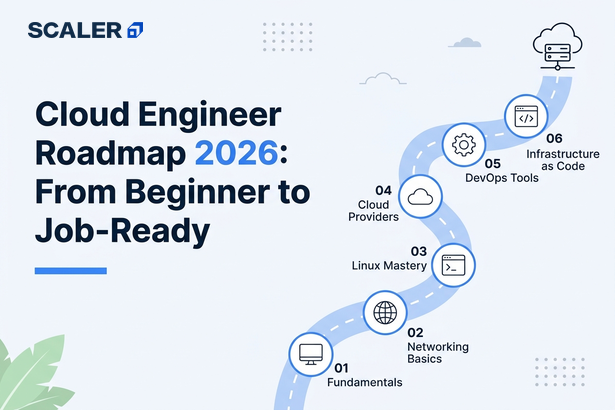
Cloud Engineering as a career has growing potential in 2026. According to Economic Times, cloud computing is projected to account for approximately 8% of India’s GDP, which is around $380 billion, creating an estimated 14 million direct and indirect jobs.
If you’re planning to explore this field, it’s important to stay up to date with the skills, tools, and practices that companies expect from cloud engineers today. To help you get started, we have put together this cloud engineering roadmap, where we’ll walk you through the topics you need to learn, suggest relevant certifications, explain the career progression, and give you an idea of the salary ranges across different stages of the career.
A cloud engineer makes sure an organization’s applications, services, and data can run effectively on cloud platforms such as AWS, Azure, or Google Cloud.
What is a cloud engineer, and what do they do?
A cloud engineer is responsible for building, managing, and maintaining the cloud infrastructure that applications and websites run on. Their role involves setting up cloud servers, storage, databases, and networking services on platforms such as AWS, Azure, or Google Cloud, ensuring that systems are secure, reliable, and available to users at all times. They deploy applications, monitor performance, automate repetitive tasks using tools and scripts, troubleshoot technical issues, and optimize cloud resources to improve efficiency and control costs. To put it into perspective, software developers create the application itself, and cloud engineers ensure that the infrastructure behind it can support users smoothly, securely, and at scale.
Need help to get started? Check out our DevOps Course Online with AI & Cloud to explore further.
Transform Your Career
Choose from our industry-leading programs designed for career success
Modern Software and AI Engineering Program
Master full-stack development with AI integration


 +1000 more
Modern Data Science and ML with specialisation in AI
Advanced data science techniques with AI specialization
+1000 more
Advanced AIML with Specialisation in Agentic AI
Deep dive into AIML with focus on Agentic systems
+1000 more
DevOps, Cloud & AI Platform Engineering
Build and manage AI-powered cloud infrastructure
+1000 more
AI Engineering Advanced Certification by IIT-Roorkee
Premier AI engineering certification from IIT-Roorkee

Cloud Engineer Roadmap 2026 at a Glance
If you're wondering how to become a cloud engineer in 2026, the roadmap below provides a high-level view of the skills, tools, and projects you'll encounter at each stage of your learning journey.
| Phase | What You'll Learn | Key Tools & Technologies | Suggested Project |
| Phase 1: Foundations | Linux, networking, DNS, HTTP/HTTPS, Python scripting | Linux, SSH, Python, Networking Tools | Linux monitoring and automation script |
| Phase 2: Start Working with a Cloud Platform | Compute, storage, networking, IAM, databases, cloud architecture | AWS / Azure / GCP | Deploy a web application connected to a managed database |
| Phase 3: Infrastructure as Code & Automation | Infrastructure provisioning, version control, CI/CD | Terraform, CloudFormation, Git, GitHub Actions/Jenkins | Deploy cloud infrastructure using Terraform |
| Phase 4: Containers & Orchestration | Containerization, Kubernetes, application deployment, and scaling | Docker, Kubernetes, Container Registries | Containerize and deploy an application on Kubernetes |
| Phase 5: Cloud Security, Monitoring & Cost Optimization | Security, observability, troubleshooting, scaling,and cost control | IAM, CloudWatch, Azure Monitor, Logging Tools | Configure monitoring, alerts, and cost controls for an application |
| Phase 6: Build a Cloud Project Portfolio | End-to-end cloud solutions and real-world deployments | Cloud Platform, Terraform, Docker, Kubernetes, CI/CD Tools | Build a production-style cloud application combining infrastructure, automation, security, and monitoring |
Following this cloud computing roadmap will help you progress from foundational concepts to production-ready cloud engineering skills while building a portfolio that demonstrates practical experience to employers.
Also Check Out: Modern Software & AI Engineering Course
Phase 1: Foundations - Linux, Networking & Programming
Difficulty Level: Beginner
Recommended Timeline: 4 - 8 Weeks
We have seen many learners being eager to start with AWS, Azure, or GCP, but as interesting as it sounds, your familiarity with fundamentals and cloud engineer skills matters most here. Use this phase to understand how servers are managed, how applications communicate, and how routine tasks are automated. Don't worry about covering Linux, networking, or Python exhaustively. Instead, focus on the concepts you'll encounter repeatedly throughout your cloud journey: SSH, permissions, DNS, HTTP/HTTPS, IP addressing, APIs, and automation.
Focus Areas
- Linux fundamentals
- TCP/IP and networking basics
- DNS and HTTP/HTTPS
- Python scripting and automation
Recommended Practice
- Set up a Linux virtual machine and use it regularly.
- Access systems through SSH and perform basic administrative tasks.
- Explore how DNS lookups and HTTP requests work.
- Build small Python scripts that interact with files, APIs, or system information.
Wondering where to Start? Begin your journey with Cloud Computing Tutorial for free!
For more such accessible resources with certification, check out: Free Programming and Coding Courses.
Phase 2: Start Working with a Cloud Platform (AWS, Azure, or GCP)
Difficulty Level: Beginner - Intermediate
Recommended Timeline: 6 - 10 Weeks
From now on, the cloud concepts will start becoming more tangible. Pick one cloud platform and spend time understanding how applications are deployed, connected, secured, and monitored within that ecosystem. Many learners start with aws for beginners resources because of AWS's large market share and extensive learning ecosystem, but the same principle applies to Azure and GCP: focus on the core building blocks rather than trying to learn every service. By the end of this phase, you should be able to navigate the cloud console, deploy resources, and understand how different services work together.
If you’re planning to go ahead with aws, check out the AWS Syllabus 2026 for a detailed guide.
Focus Areas
- Compute services
- Storage services
- Cloud networking
- Identity and Access Management (IAM)
- Managed databases
- Load Balancers
- Cloud architecture fundamentals
Recommended Practice
- Launch and manage virtual machines.
- Store and retrieve data using cloud storage services.
- Configure networks, subnets, and security rules.
- Create users, roles, and permissions using IAM.
- Deploy a simple web application and connect it to a managed database.
Want a little more guidance along the way? Our DevOps Course Online with AI & Cloud gives you access to mentors, hands-on projects, and a structured curriculum to help you learn with confidence!
Phase 3: Infrastructure as Code & Automation
Difficulty Level: Intermediate
Recommended Timeline: 4 - 6 Weeks
By this stage, manually creating resources through the cloud console starts becoming inefficient. Use this phase to learn how infrastructure is deployed and managed through code. Start with Terraform, learn how changes are tracked using Git, and understand how CI/CD pipelines automate testing and deployments.
Many of the skills covered in this phase also form a core part of modern DevOps workflows. You can also read the DevOps Roadmap to learn more.
The example below creates an AWS EC2 instance using Terraform:
resource "aws_instance" "web_server" {
ami = "ami-12345678"
instance_type = "t2.micro"
tags = {
Name = "WebServer"
}
}
This configuration creates an AWS EC2 instance using Terraform. As you start working with larger environments, defining infrastructure through code becomes much easier than manually creating and configuring resources every time.
If you're learning AWS, you should definitely explore how Infrastructure as Code, automation, and CI/CD fit into AWS DevOps workflows: AWS DevOps.

Focus Areas
- Terraform
- CloudFormation
- Git and version control
- Automation scripting
- CI/CD fundamentals
Recommended Practice
- Provision cloud resources using Terraform.
- Store infrastructure code in a Git repository.
- Create reusable infrastructure templates.
- Automate deployments using a CI/CD pipeline.
- Update and redeploy environments through code instead of manual changes.
Phase 4: Containers & Orchestration (Docker and Kubernetes)
Difficulty Level: Intermediate
Recommended Timeline: 4 - 8 Weeks
Most newer applications are no longer deployed directly on virtual machines. Instead, they are packaged into containers and managed through orchestration platforms such as Kubernetes. In this phase, learn how applications are containerized, how container images are built and stored, and how Kubernetes handles deployment, scaling, networking, and availability across multiple environments. Focus on understanding the lifecycle of an application from development to deployment.
Containers have become a standard part of modern application deployment, and Kubernetes has emerged as the leading orchestration platform. CNCF's Annual Survey consistently shows that many organizations use Kubernetes to manage containerized applications, which is why docker and kubernetes are so important.
Focus Areas
- Docker and Kubernetes
- Container images and registries
- Deployments and services
- Container networking
Recommended Practice
- Containerize a simple application using Docker.
- Build and publish container images to a registry.
- Run multi-container applications locally.
- Deploy applications to a Kubernetes cluster.
- Scale and update workloads without downtime.
Phase 5: Cloud Security, Monitoring & Cost Optimization
Difficulty Level: Intermediate
Recommended Timeline: 3 - 5 Weeks
This phase focuses on the operational side of cloud engineering. Along with monitoring, troubleshooting, scaling, backups, and cost management, you'll also cover cloud security basics, including how users, services, and resources are granted access within a cloud environment. These are everyday responsibilities in cloud engineering roles.
Focus Areas
- IAM best practices
- Monitoring and logging
- Incident troubleshooting
- Scaling strategies
- Backup & Disaster Recovery
- Cost optimization
Recommended Practice
- Apply least-privilege access using IAM roles and policies.
- Configure monitoring dashboards, logs, and alerts.
- Investigate common application and infrastructure issues.
- Test scaling strategies under different workloads.
- Identify and remove unnecessary cloud resources to reduce costs.
If you'd like to learn these concepts through guided projects and hands-on practice, you can explore our DevOps Course Online with AI & Cloud.
Phase 6: Build a Cloud Project Portfolio
Difficulty Level: Intermediate - Advanced
Recommended Timeline: Throughout the Journey
By now, you should be spending as much time building as learning. Rather than creating random projects, work through a progression of cloud computing projects that build on one another and showcase different skills. Each project should demonstrate a specific capability, from deploying applications and managing infrastructure to automation, security, and monitoring.
Read More: Cloud Computing Syllabus
Recommended Project Ladder
Project 1: Static Website Hosting
Start with a static website hosted on the cloud. This is a relatively simple project and a good way to work with storage services, DNS, and content delivery networks for the first time.
Project 2: Cloud-Native Web Application
Next, deploy a web application connected to a managed database. This adds application hosting, databases, and networking to the mix.
Project 3: Infrastructure as Code Deployment
Take the same application and provision its infrastructure using Terraform or CloudFormation instead of configuring resources manually.
Project 4: Containerized Application
Package the application using Docker and deploy it on Kubernetes. At this stage, the focus shifts to how applications are packaged, deployed, and scaled.
Project 5: End-to-End Cloud Solution
Finally, bring everything together into a single project that includes infrastructure provisioning, deployment automation, monitoring, security, and CI/CD.
Need more practice? Our free Topics courses cover many of the tools and concepts discussed throughout this roadmap, along with additional examples and learning resources.
Scaler Placement Report and Statistics
Scaler learners achieved 2.5x salary growth with average post-Scaler CTC reaching ₹23L.
 Google
 Amazon
 Microsoft
 Flipkart
 Adobe
1200+ more
Adobe
1200+ more
Certifications: Which Cloud Cert to Take First?
We know it's tempting to start collecting certifications as soon as you begin learning, and there's nothing wrong with that. Just remember that cloud engineering is a hands-on field. The certification might help you understand the concepts, but the real learning happens when you start deploying services, configuring resources, fixing mistakes, and building projects on your own.
If you're working towards a certification, try to pair it with practice wherever possible. The goal isn't just to pass the exam, it's to be able to apply those concepts when you're building and managing cloud environments.
These are some cloud engineer certifications you should consider:
- Beginner: AWS Certified Cloud Practitioner or Azure Fundamentals (AZ-900)
- Intermediate: AWS Solutions Architect Associate (SAA-C03) or Azure Administrator (AZ-104)
- Advanced: Security, DevOps, or Solutions Architecture certifications based on your interests and career goals
Career Path & Salary for Cloud Engineers in India
Cloud engineering offers multiple growth paths depending on your interests. Many professionals start in support, systems administration, or infrastructure roles before moving into cloud-focused positions.
A typical cloud engineer career path looks like:
- Cloud Support Associate
- Junior Cloud Engineer
- Cloud Engineer
- Senior Cloud Engineer
- Cloud Architect or DevOps Engineer
Cloud Engineer Salary in India
Salaries vary based on skills, cloud platform expertise, certifications, projects, and location. However, a typical cloud engineer salary progression looks like:
| Role | Estimated Salary Range |
| Junior Cloud Engineer (0 - 2 years) | ₹3 - 6 LPA |
| Cloud Engineer (2 - 5 years) | ₹4 - 10.3 LPA |
| Senior Cloud Engineer (5 - 8 years) | ₹8 - 19.2 LPA |
| Cloud Architect / Lead Engineer (8+ years) | ₹10 - 30 LPA+ |
These figures can be significantly higher in product companies, global capability centres (GCCs), and organizations with large-scale cloud infrastructure requirements. Recent salary data from major salary platforms places the average cloud engineer salary in India around ₹7.5 - 10.5 LPA, depending on experience and location.
Also check out: DevOps Engineer Salaries in India
How to Get Your First Cloud Engineer Job
Job descriptions can look intimidating when you're starting out, especially when they mention a long list of tools, platforms, and technologies. Don't get too caught up in checking every box. Most employers hiring for entry-level roles are looking for strong fundamentals, practical experience, and the ability to learn.
Before applying, make sure you can confidently explain the projects you've built, the decisions you've made, and the challenges you've worked through.
- Keep your GitHub profile organized and up to date.
- Document the projects you've built and the decisions behind them.
- Participate in cloud and DevOps communities.
- Contribute to open-source projects when possible.
- Practice troubleshooting common cloud and infrastructure issues.
- Revise Linux, networking, and cloud fundamentals before interviews.
If you're unsure whether you're ready, start applying anyway. You'll learn a lot from the process itself, and every interview helps you understand what employers are looking for and where you can improve.
Scaler Alumni and Their Success Stories
Read These Important Roadmaps: More Paths to Career Success
FAQs
Q1. How long does it take to become a cloud engineer?
The timeline depends on your background and the amount of time you can dedicate to learning. If you already have experience with Linux, networking, or system administration, you may be job-ready within 4 - 6 months of focused study. For complete beginners, it usually takes 6 - 12 months to build the foundational knowledge, hands-on experience, and project portfolio needed for entry-level cloud engineering roles.
Q2. Do I need to know coding to be a cloud engineer?
Not at the same level as a software engineer, but basic programming skills are important. Most cloud engineers use scripting languages such as Python or Bash to automate repetitive tasks, manage infrastructure, and work with APIs. Focus on automation, file handling, and scripting rather than advanced software development concepts.
Q3. Which cloud platform should I learn first - AWS, Azure, or GCP?
All three platforms are widely used, but AWS currently has the largest market share and learning ecosystem. Azure is particularly popular among enterprises that rely on Microsoft technologies, while GCP is often used in data, analytics, and cloud-native environments. Rather than learning all three at once, choose one platform, build strong fundamentals, and then expand to others as needed.
Q4. Is an AWS certification enough to get hired?
No. Certifications can help validate your knowledge, but employers typically look for hands-on experience as well. Building cloud projects, working with Infrastructure as Code tools such as Terraform, deploying applications, and demonstrating practical problem-solving skills often carry more weight than a certification alone.
Q5. Can I become a cloud engineer without a CS degree?
Yes. Many cloud engineers come from non-computer science backgrounds, including networking, technical support, system administration, and other IT roles. However, you'll need to demonstrate your skills through projects, certifications, GitHub repositories, and practical experience to compensate for the lack of a formal CS degree.
Q6. What's the difference between a cloud engineer and a DevOps engineer?
The two roles overlap significantly, but their primary focus is different. Cloud engineers are typically responsible for designing, deploying, securing, and managing cloud infrastructure. DevOps engineers focus on improving how software is built, tested, deployed, and operated through automation, CI/CD pipelines, and platform engineering practices. In smaller organizations, the responsibilities of both roles are often combined.
