


Alter Column Type in PostgreSQL
Build an AI-First Career, Master the Complete Skillset
Choose from our industry-leading programs designed for career success
Modern Software and AI Engineering Program
Master full-stack development with AI integration


 +1000 more
Modern Data Science and ML with specialisation in AI
Advanced data science techniques with AI specialization
+1000 moreAdvanced AIML with Specialisation in Agentic AI
Deep dive into AIML with focus on Agentic systems
+1000 moreDevOps, Cloud & AI Platform Engineering
Build and manage AI-powered cloud infrastructure
+1000 moreAI Engineering Advanced Certification by IIT-Roorkee
Premier AI engineering certification from IIT-Roorkee

AI Forward Deployed Engineer Program
Full-stack engineering, production AI and client-facing consulting
+1000 moreOverview
ALTER TABLE AND ALTER COLUMN along with TYPE or SET DATA TYPE is used to alter column datatype in PostgreSQL. Along with the ALTER TABLE command, we can also use multiple ALTER COLUMN for altering the data type of multiple columns of a table by writing a single command.
How to Alter Column Type in PostgreSQL?
We can alter column datatype in PostgreSQL by using the SET or SET DATA TYPE clause along with the ALTER TABLE and ALTER COLUMN clauses. We can also alter column type in PostgreSQL by using the pgAdmim.
using the ALTER TABLE statement in PostgreSQL
The ALTER TABLE ALTER COLUMN command is used to alter column datatype in PostgreSQL.
Syntax:
Syntax to Alter Column Type in PostgreSQL using the ALTER TABLE statement is given below:
Let us understand the clauses used in the above syntax:
- First, we will write the ALTER TABLE clause, which specifies that we want to alter the table.
- After that, we will write the name of the table whose column data type we want to modify.
- Next, the ALTER COLUMN clause is written which specifies that we want to alter the column.
- In place of columnName, we will write the name of the column whose data type we want to change.
- Next write the new data type of the column after writing TYPE or SET DATA TYPE.
Example: Let us create a table STUDENT by writing the query given below:
Now we will insert some data into the table:
Now we will execute SELECT query to check the data type of every column of the table. Query:
Output:
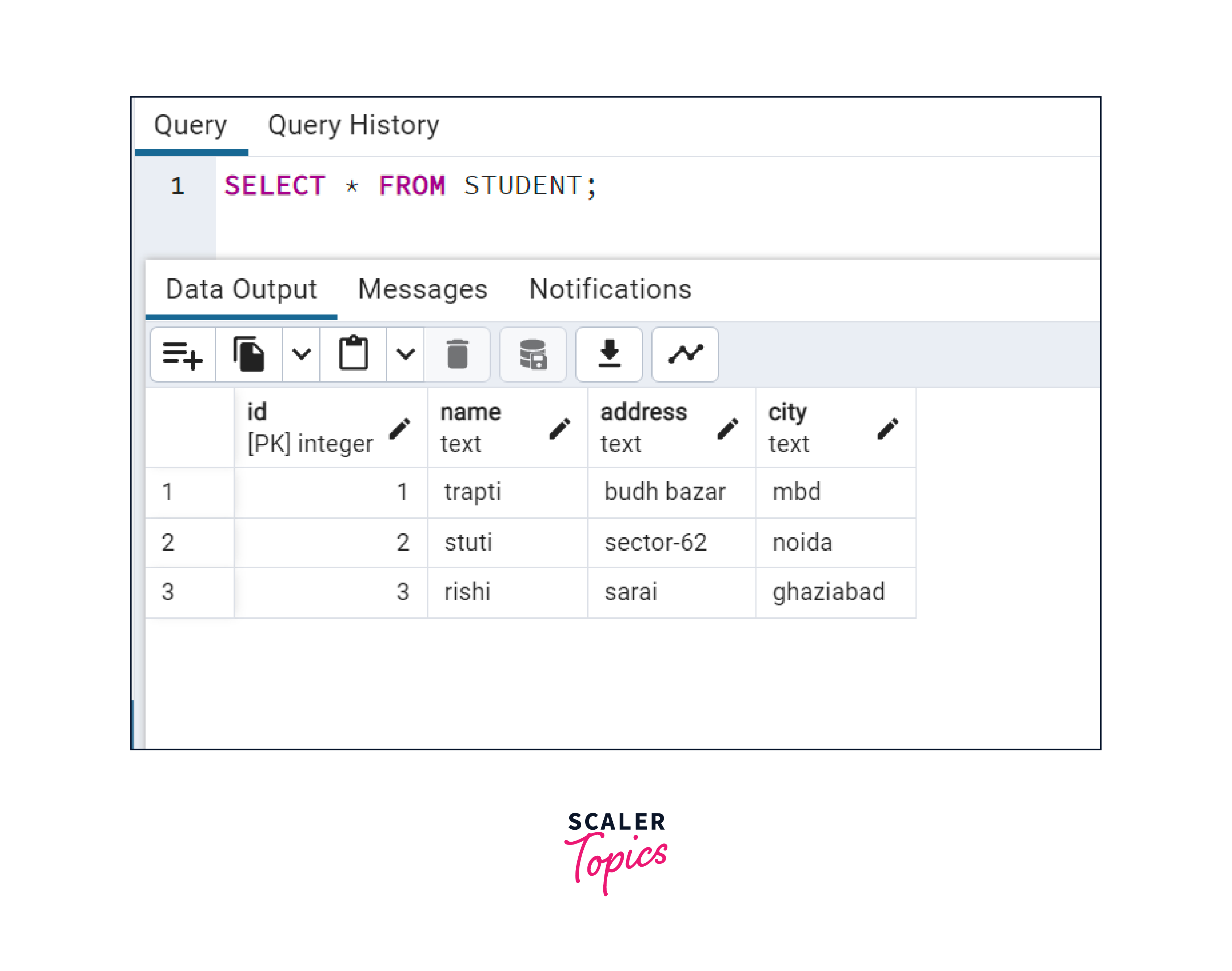
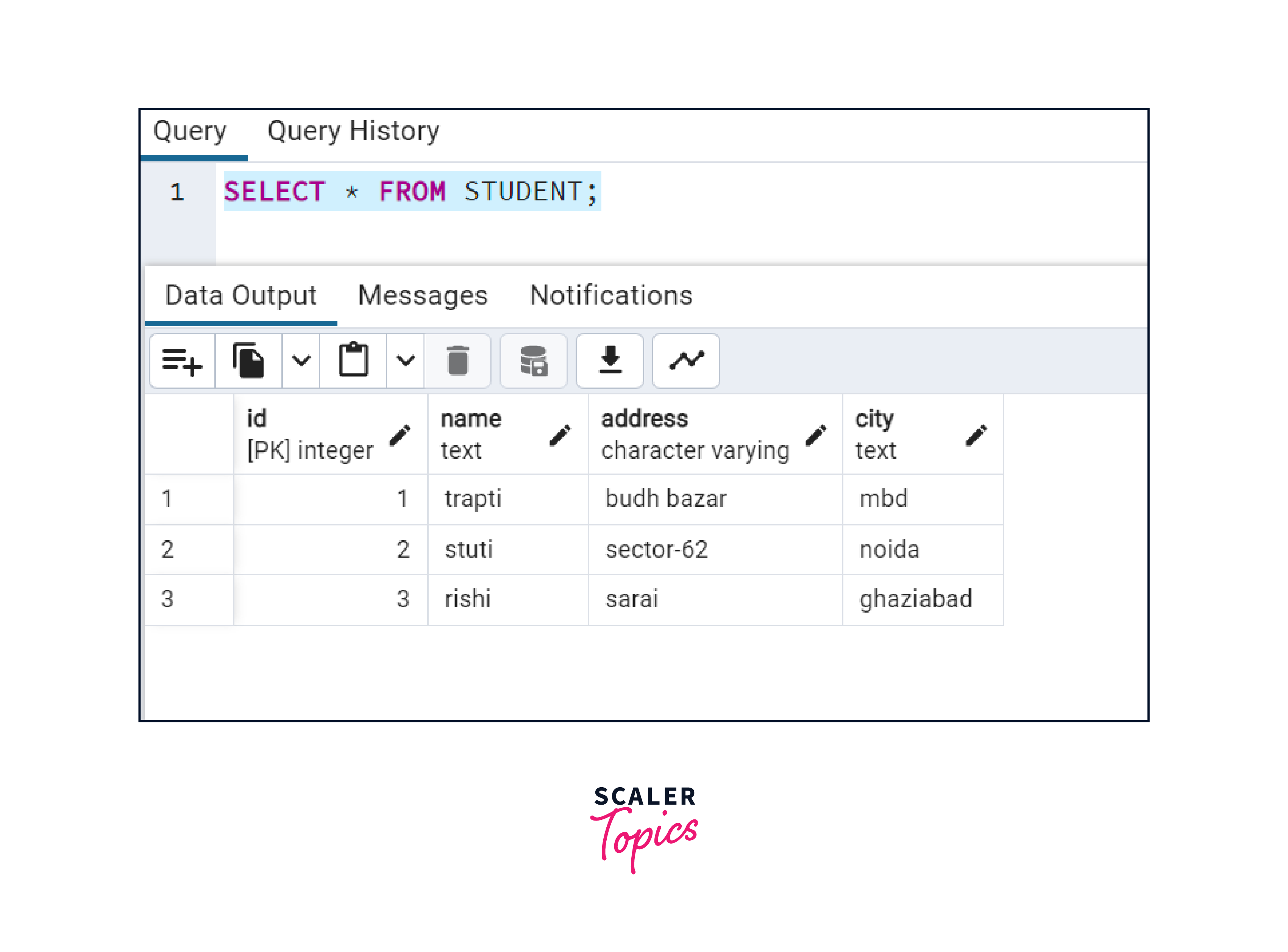
Suppose we want to change the data type of the address column of the student table to varchar, then we have to write the command given below:
Now after executing ALTER command, if we will try to access the data Of the table, then we can verify that the data type of column address is changed into varchar. Query:
Output:
How Scaler Transformed Careers in Different Fields
Scaler learners achieved 2.5x salary growth with average post-Scaler CTC reaching ₹23L.
 Google
 Amazon
 Microsoft
 Flipkart
 Adobe1200+ more
Alter Column Type using pgAdmim
Method 1: We can modify the name, data type and constraints of columns of the table using pgAdmin also. For that right click on the name of the table and select the properties. Now the popup will open, select the columns tab and then modify the name, data type and NOT NULL constraints for the column by clicking on the icon of the edit button given for every column of the table.
Example:
- Suppose we want to change the data type of the column of the Student table, Go to the tables section and right-click on Student.
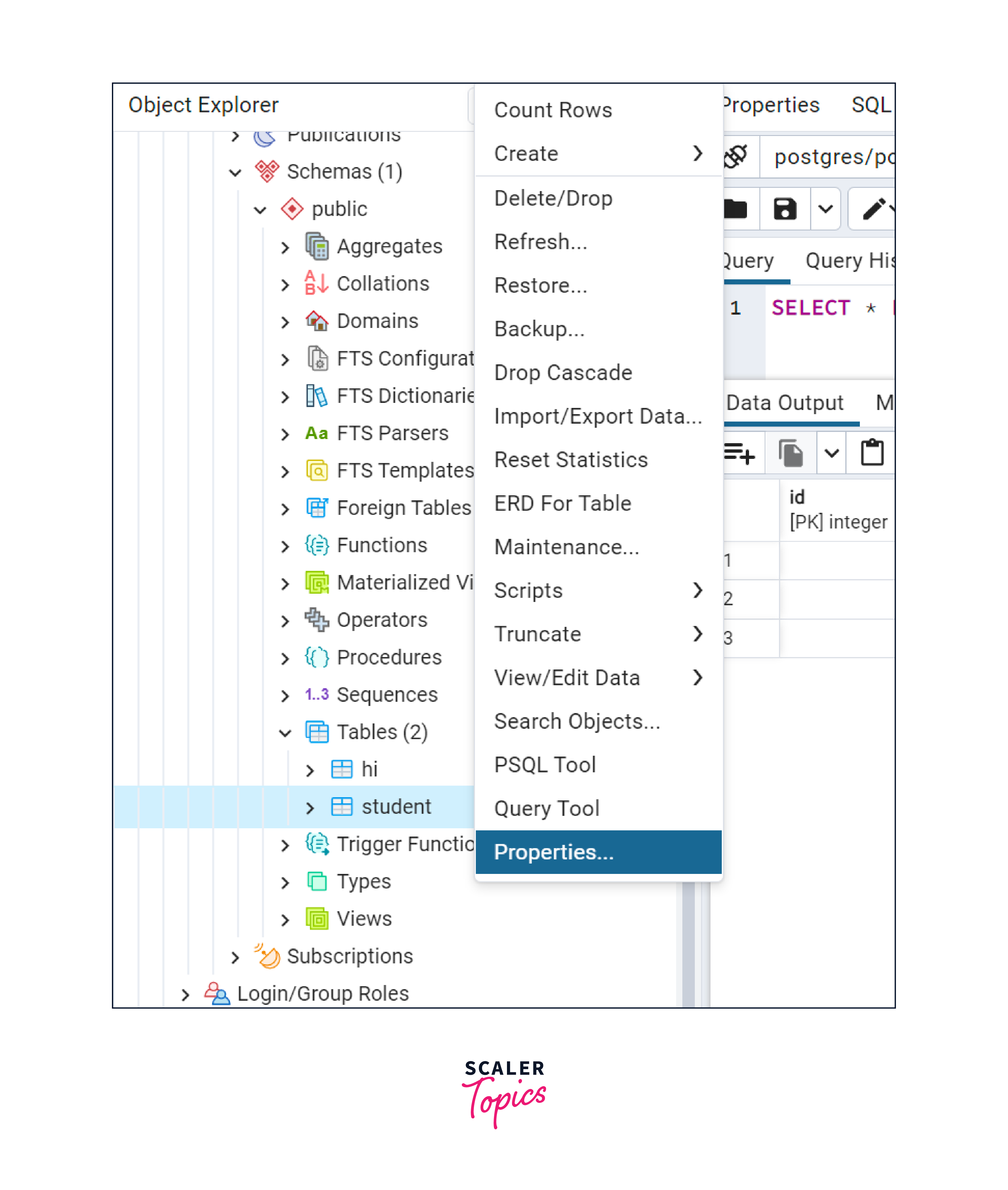
- Now select the properties option. After that, a pop-up will be displayed on our screen, as shown below.
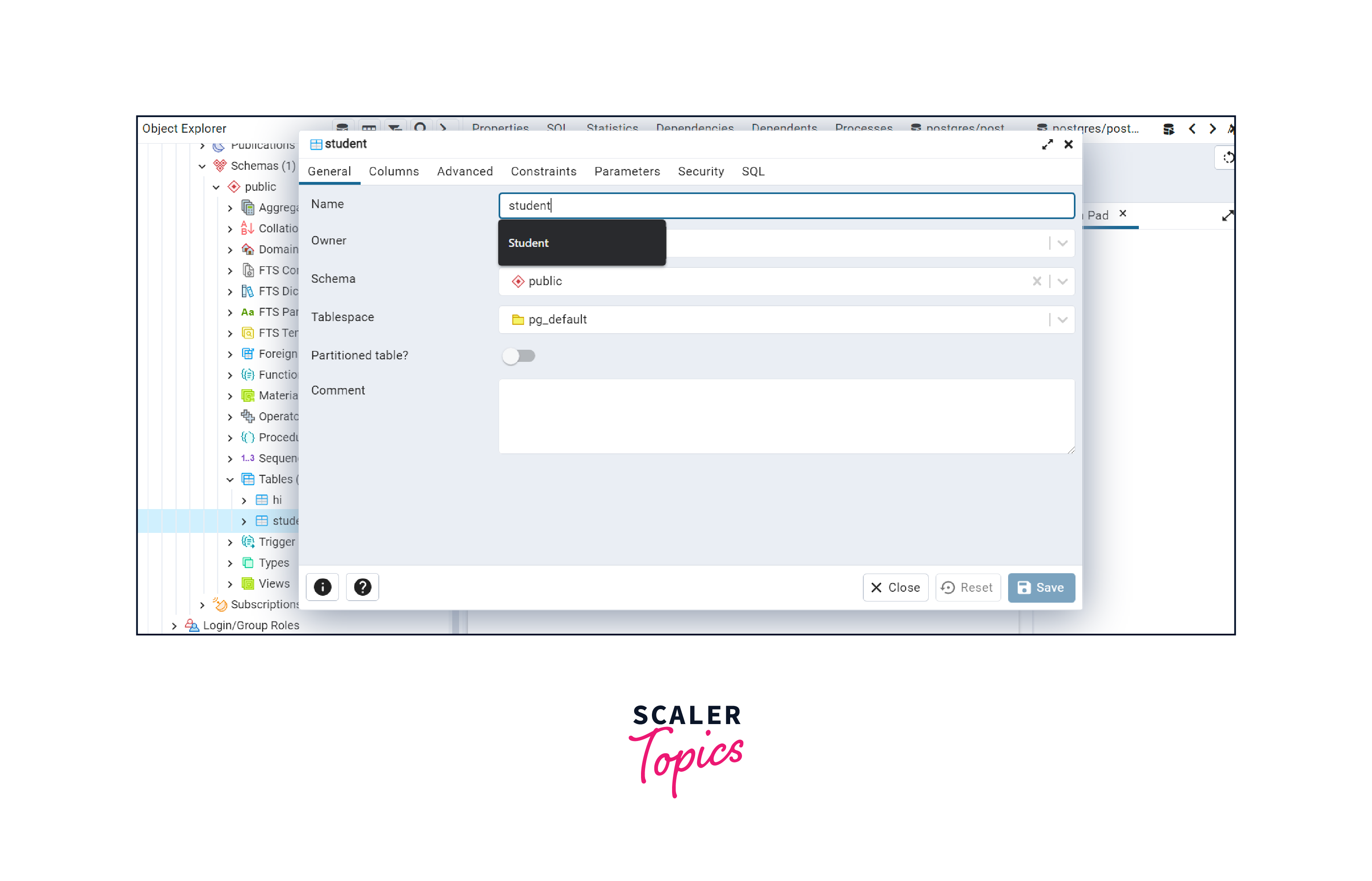
- Go to the columns tab and change the data type of the column by clicking on the edit icon as shown below in the figure.
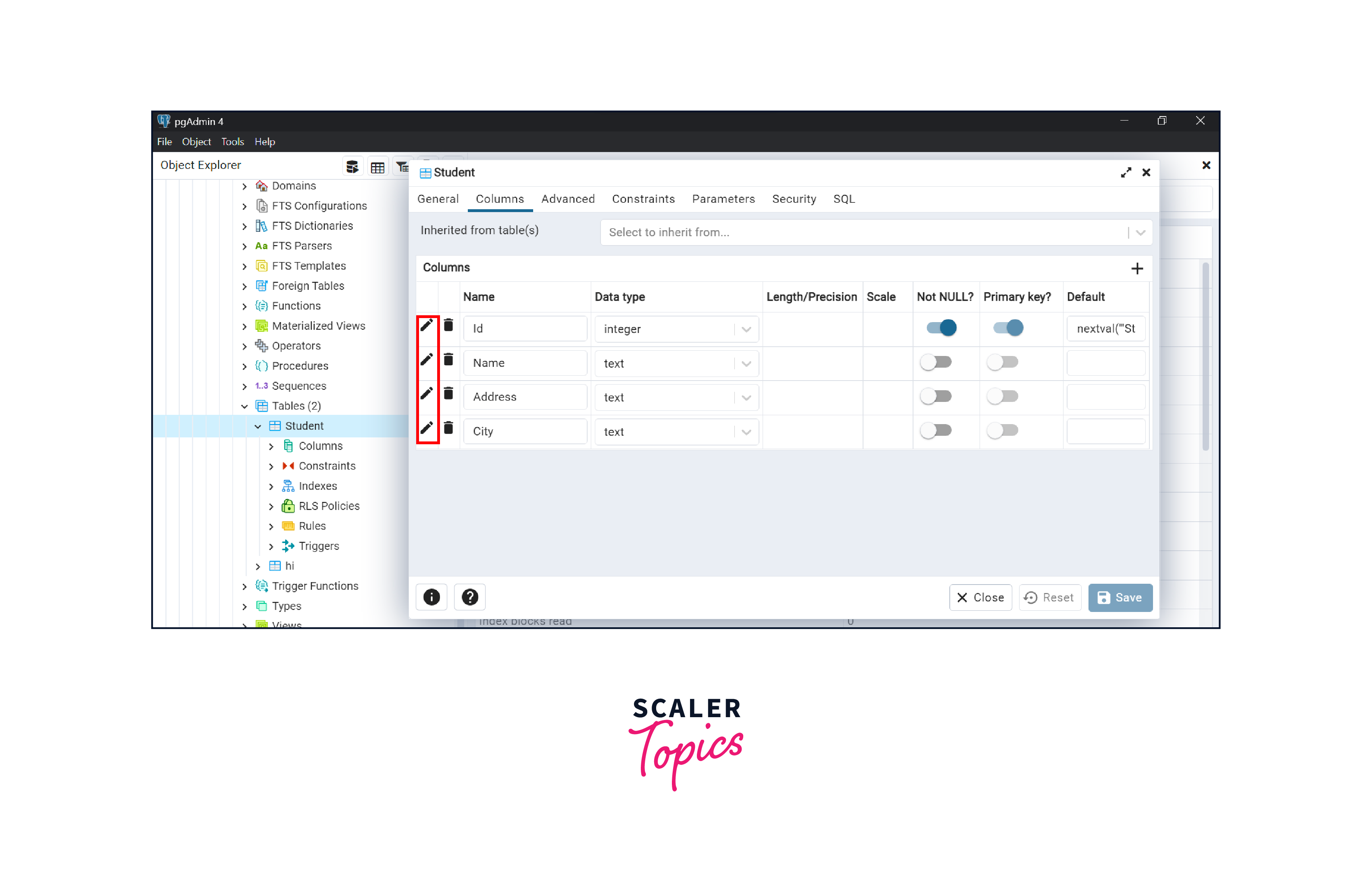
- Suppose we want to modify the data type of the name column, so we will click the edit icon available at the left of name.
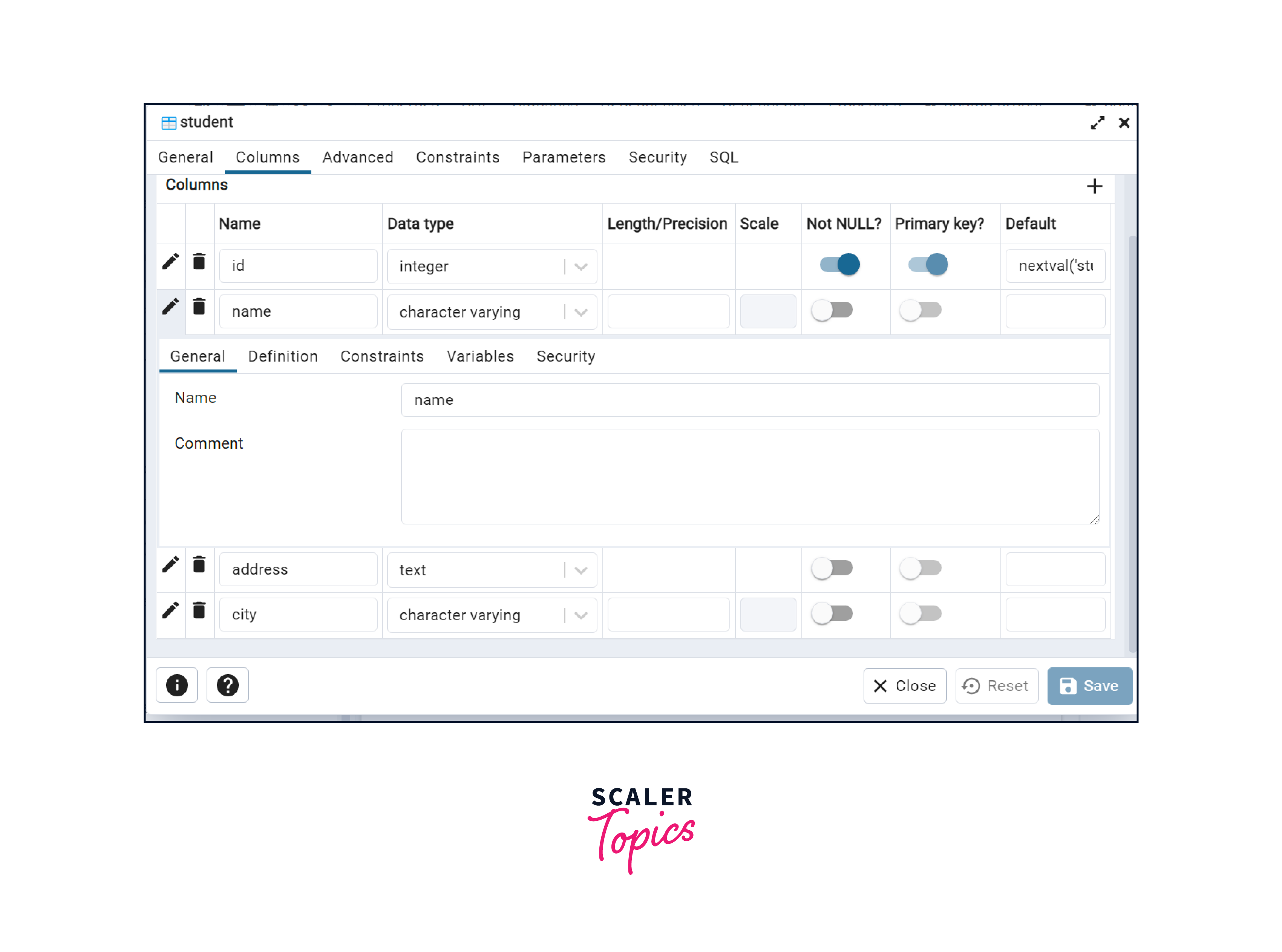
- Now go tothe definition tab and select the new data type for the column from the dropdown that appears after clicking on the previous data type.
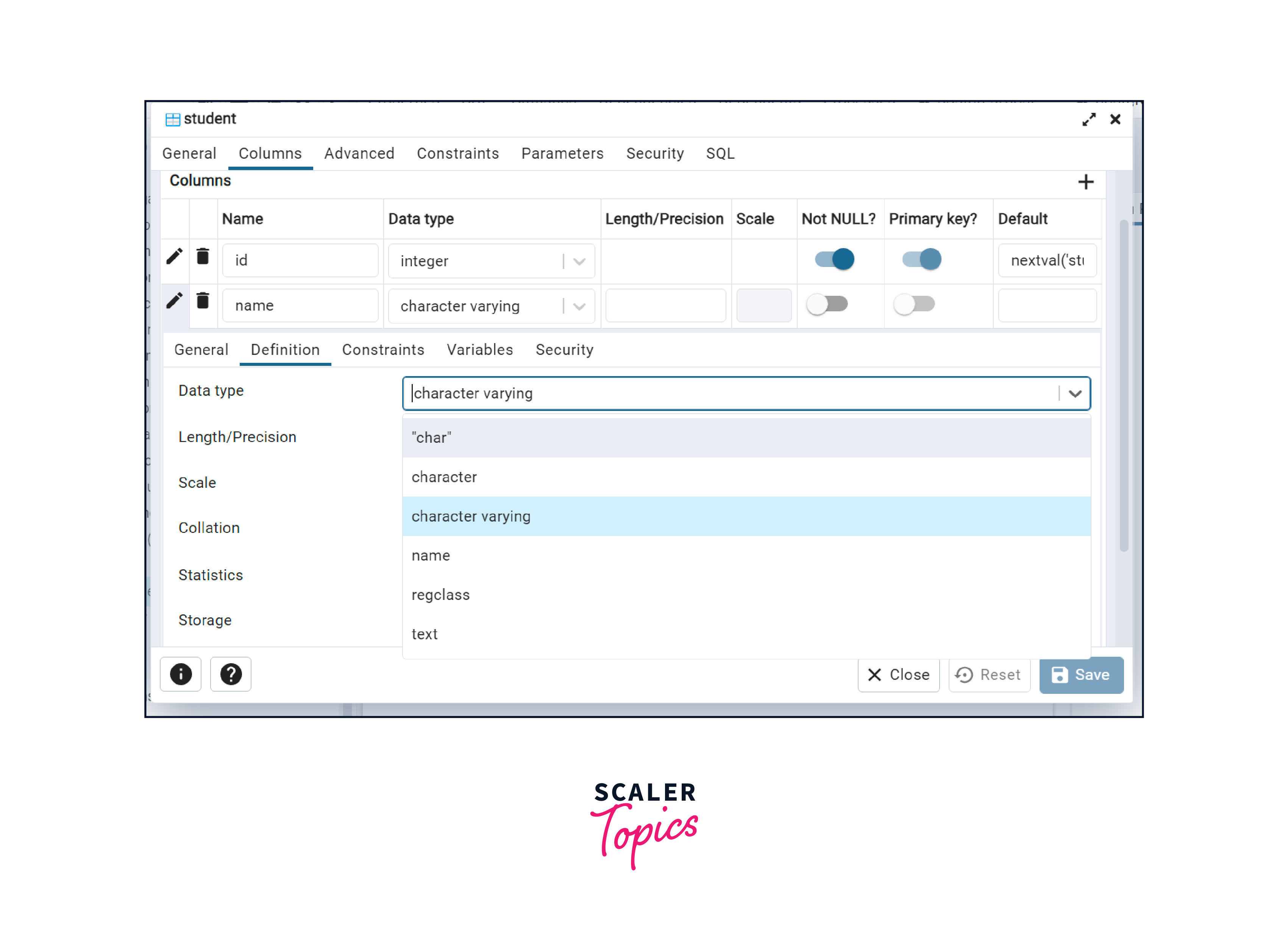
- After selecting the data type, click on the save button to save the modifications. Now your column data type is altered.
Method 2:
- You can also alter the column Type in pgAdmin by right-clicking on the column whose data type you want to alter.
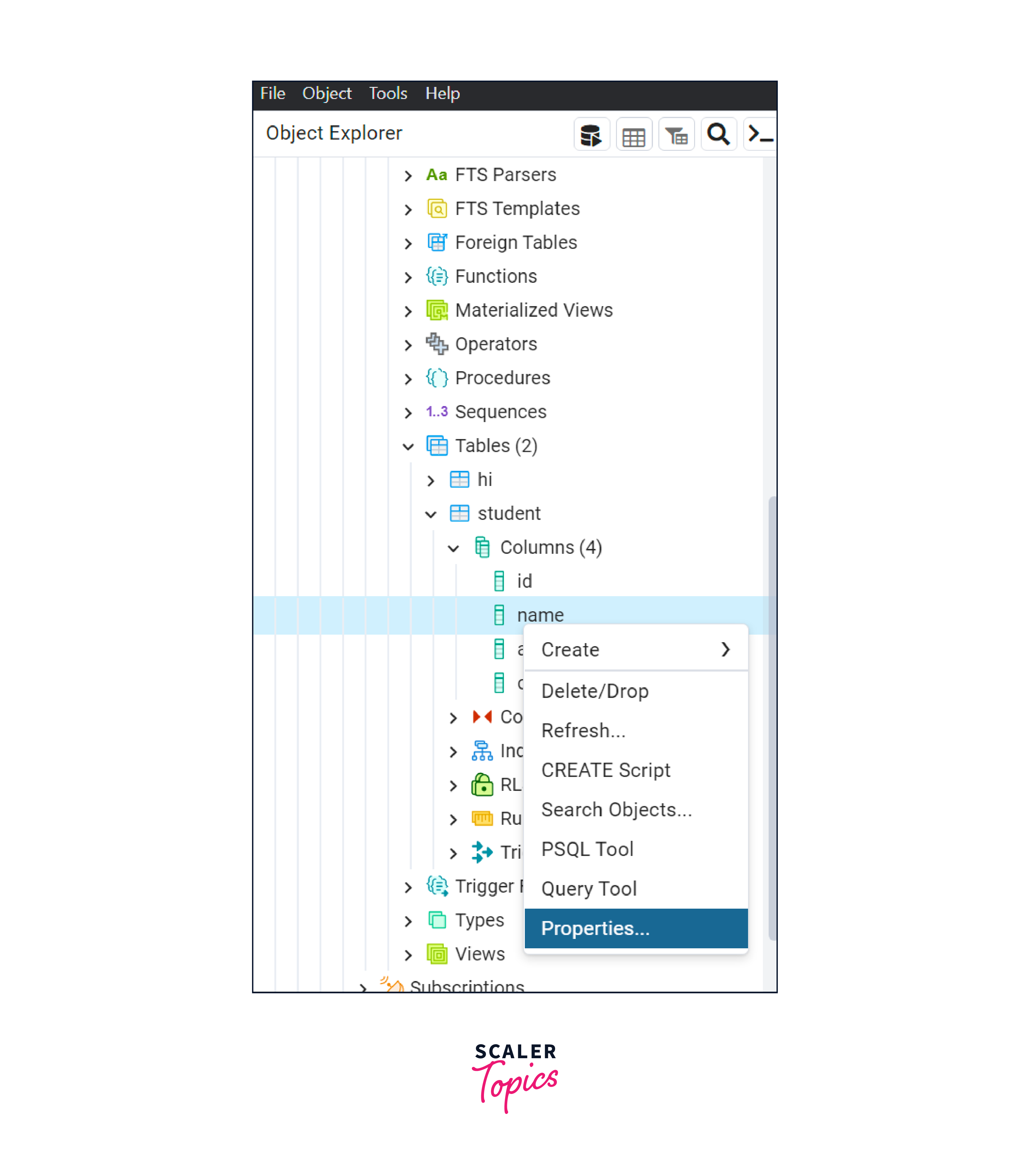
- And then go to properties. After that popup will open.
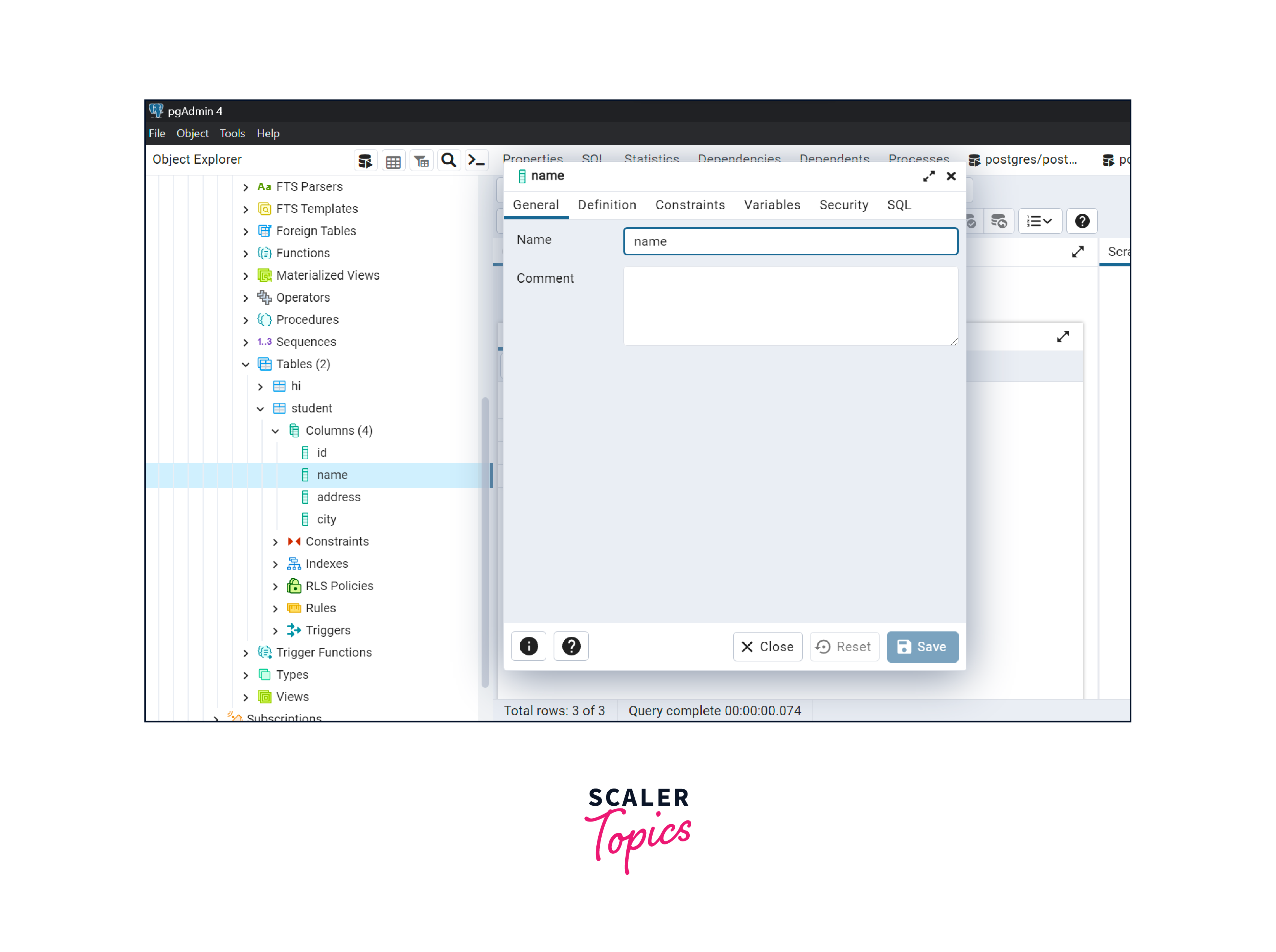
- Open the definition tab and alter the column type by selecting data type from the dropdown shown for the data type, as shown in the below figure.
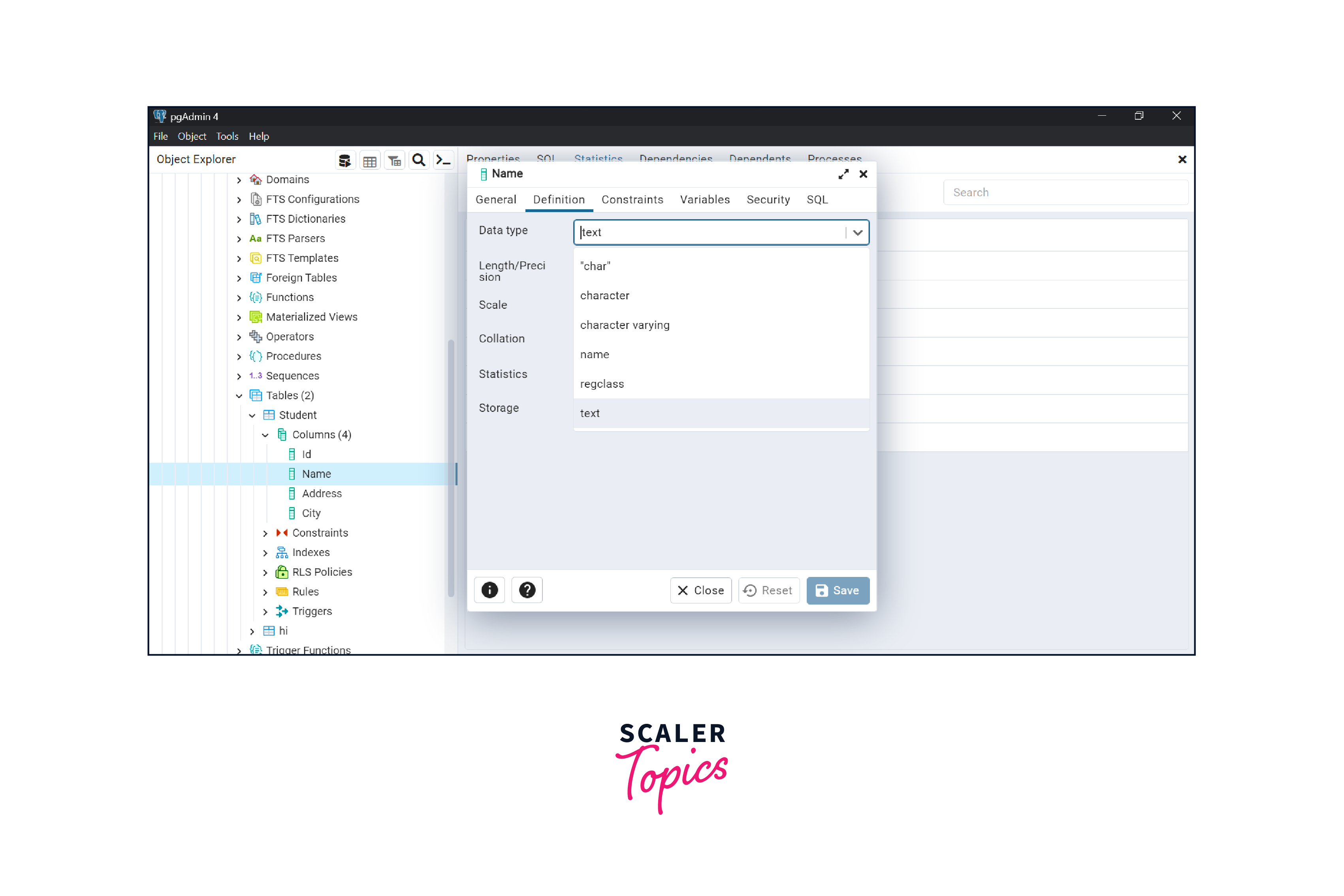
- After selecting data type click on the save button.
How to Alter Multiple Column Types in PostgreSQL?
Multiple ALTER COLUMN along with the ALTER TABLE command is used to modify the data type of multiple columns of the table.
Syntax:
The syntax for altering multiple Column Type in PostgreSQL is given below:
Example: Let us create a table STUDENT by writing the query given below:
Now we will insert some data into the table:
Now we will execute SELECT query to check the data type of every column of the table. Query:
Output:
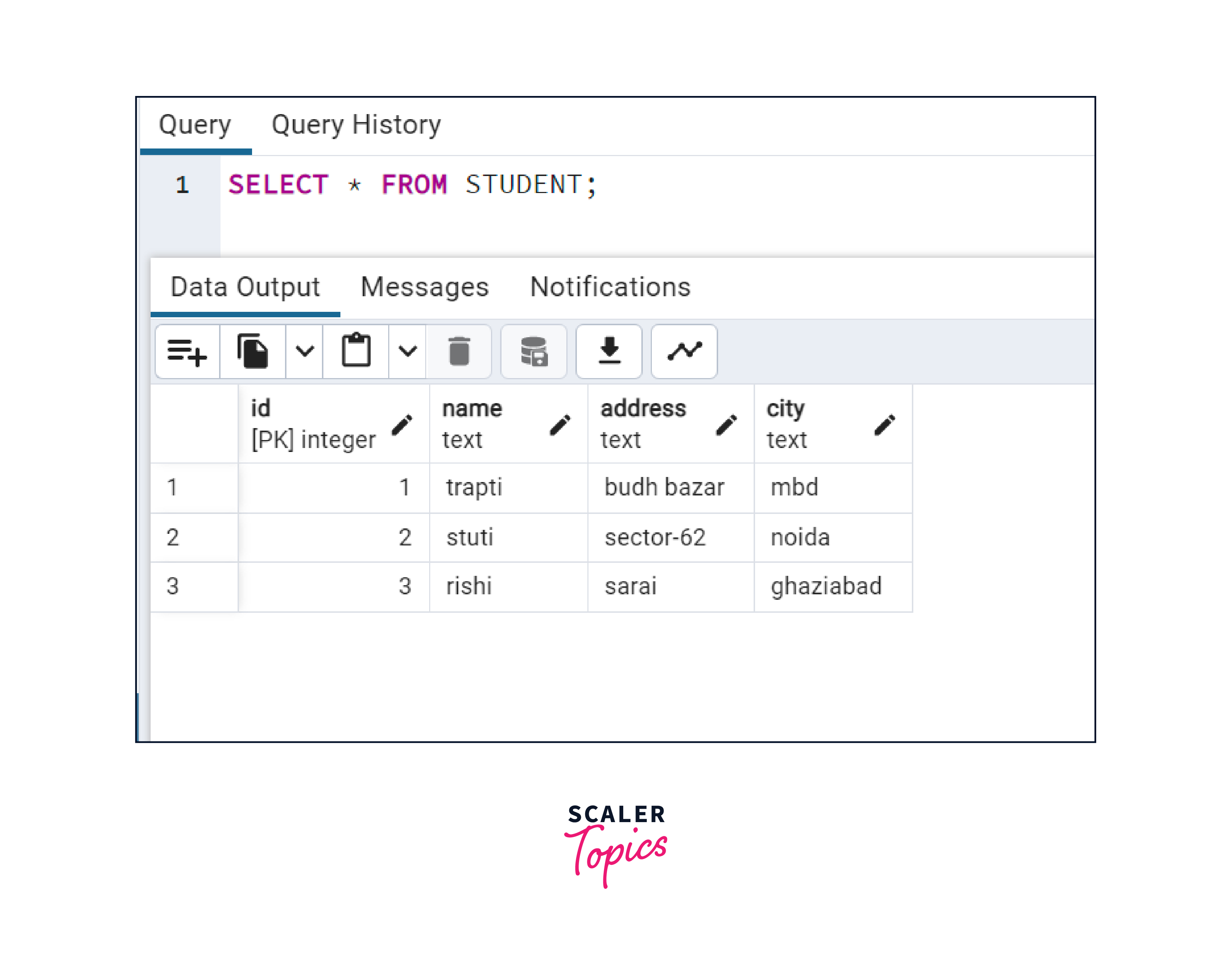
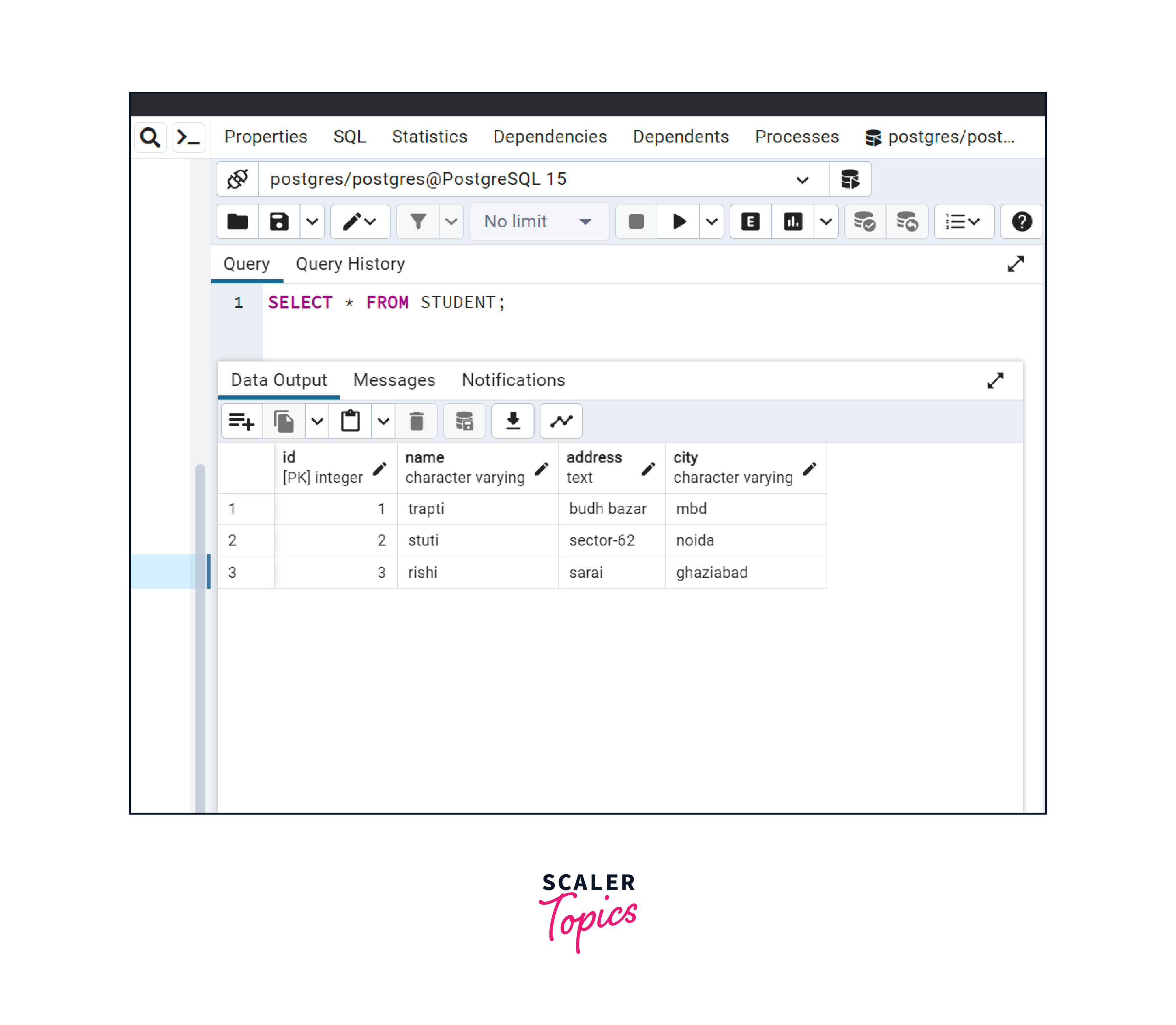
Suppose we want to change the data type to varchar for the name and city column of the student table, then we have to write the command given below:
Now after executing ALTER command, if we will try to access the data Of the table, then we can verify that the data type of columns name and city is changed into varchar. Query:
Output:
Turn Learning into Career Growth
Conclusion
- ALTER TABLE AND ALTER COLUMN along with TYPE or SET DATA TYPE is used to alter column datatype in PostgreSQL.
- We can also multiple column datatype in PostgreSQL by using single ALTER TABLE command and multiple ALTER COLUMN.
- We can also alter column datatype in PostgreSQL by using pgAdmin.
- In pgAdmin, we have two approaches to alter the data type of a column.




