


How to Create Automatic Image Slider in HTML CSS?
 FREE
FREE

Overview:-
We are going to build an automatic image slider using HTML, CSS, and Javascript in this article. We will be going through a step-by-step process for creating an automatic image slider and the process will be beginner-friendly.
Build an AI-First Career, Master the Complete Skillset
Choose from our industry-leading programs designed for career success
Modern Software and AI Engineering Program
Master full-stack development with AI integration


 +1000 more
Modern Data Science and ML with specialisation in AI
Advanced data science techniques with AI specialization
+1000 moreAdvanced AIML with Specialisation in Agentic AI
Deep dive into AIML with focus on Agentic systems
+1000 moreDevOps, Cloud & AI Platform Engineering
Build and manage AI-powered cloud infrastructure
+1000 moreAI Engineering Advanced Certification by IIT-Roorkee
Premier AI engineering certification from IIT-Roorkee

AI Forward Deployed Engineer Program
Full-stack engineering, production AI and client-facing consulting
+1000 morePre-requisites:-
Beginner-level knowledge in HTML, CSS, and Javascript is required. You can also refer to articles in scaler topics,such as HTML - HTML Tutorial CSS - CSS Tutorial Javascript - Javascript Tutorial
What We are Going to Create?
 The approach used here to create an automatic image slider, is at the first single image is hardcoded in HTML, and using Javascript, we are dynamically changing the images and with CSS we are styling the slider and now, we will see the step-by-step process to build the automatic image slider using HTML, CSS, and Javascript.
Steps to Create an Automatic Image Slider Using HTML, CSS, and, Javascript:-
Step 1: Create a HTML Document
Create an index.html file. Link the external stylesheet (CSS File) and Script file (Javascript File) inside the HTML Document.
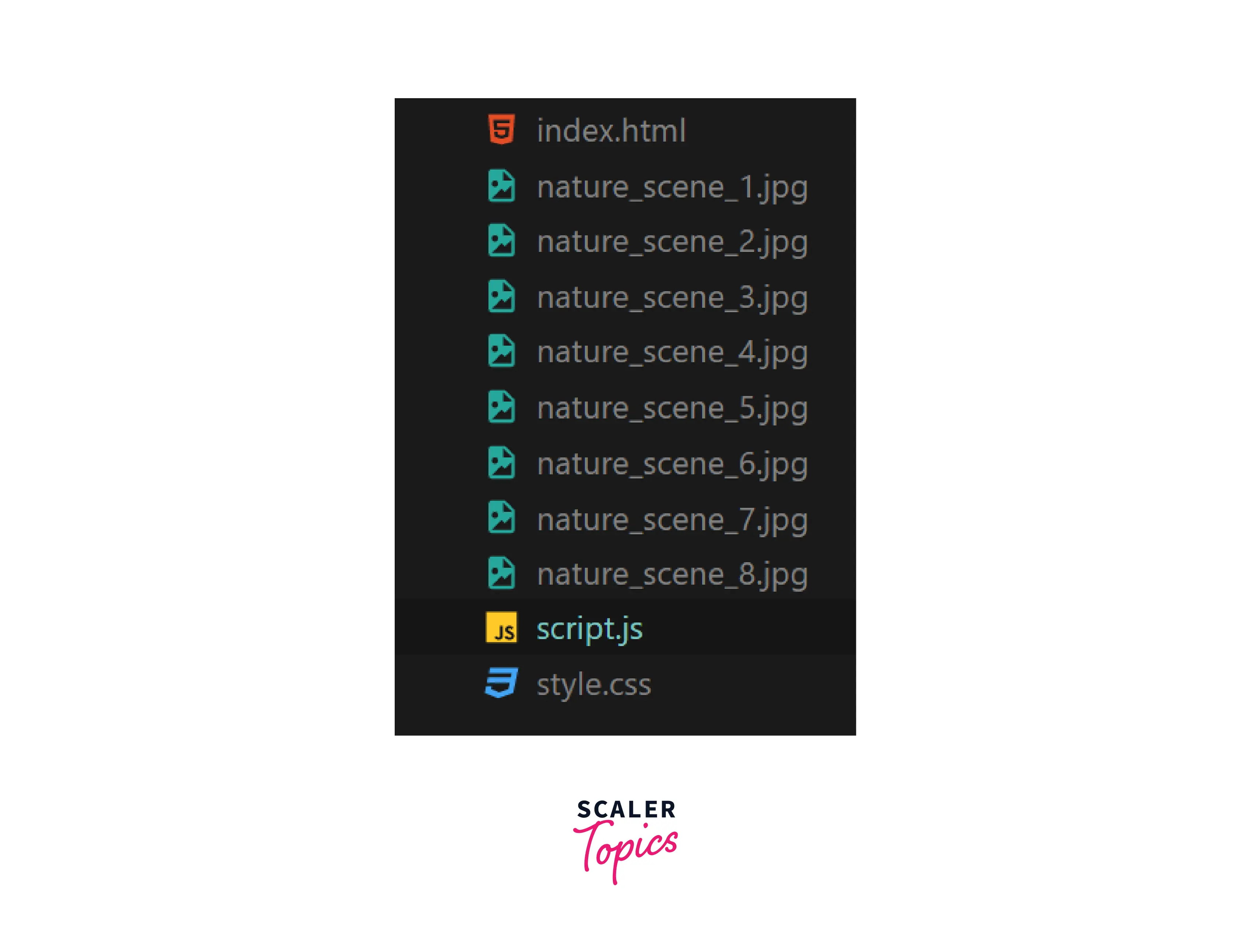
The above picture shows the folder structure of the automatic image slider.
Step 2: Create a Background for Slider
Create the background for the slider(i.e., I have created a box first using HTML and CSS). I have used the width of 90% and a Height 500px and I have given margin-top & bottom values of 20px and margin-left & right values auto, to have a space on four sides of the automatic image slider and also added a box-shadow effect to it. Next, I have created an image container with id img to hold all images that we are going to use in the automatic image slider and apply the height and width of its parent element(i.e., Slider), and the object-fit property is set to contain and it is used to retain the aspect ratio of the image and display the images with the specified dimensions.
How Scaler Transformed Careers in Different Fields
Scaler learners achieved 2.5x salary growth with average post-Scaler CTC reaching ₹23L.
 Google
 Amazon
 Microsoft
 Flipkart
 Adobe1200+ more
Step 3: Add an Image and Specify its Width and Height
Add the first image inside the image container using img tag in HTML and specify their height and width to 100%.

Add Javascript to Add Interactivity to the Image Slider:-
Step 4: Declare Variables
First, store the image container with id img inside the img variable and we are storing eight file names of images that we are going to use in the automatic image slider inside the slides variable in the array, and the start value is specified with the value 0.
Turn Learning into Career Growth
Step 5: Create a Slider Function
We will be giving if-else conditions. if the start value is less than the length of the slides (i.e., array) is true, it will increment the start value by 1, and the inner HTML Value of img variable(i.e., image container) with img tag in HTML and its attribute src is specified in the way to dynamically change the images using the logic(i.e., Slides[start-1]) it will take the start value and perform the calculation and at last src attribute will have the image URL which we are given inside the slides array and when the start value is greater than the length of the slides variable, it will set the start value to 1 and it will repeat again the procedure as we followed before.
Step 6: To Make the Image Slider Move Automatically
To call the slider function each time to change the image URL and to dynamically change the images we use a setInterval method to call the slider function every 2 Secs(i.e., 2000Milliseconds). We are changing the images dynamically every 2 Secs, by calling the slider function using SetInterval() Method.
setInterval(slider,2000);
Final Javascript Code:-
Automatic Image Slider Output:-

Conclusion:-
- In this article, we have seen the step-by-step procedure to build the automatic image slider using HTML, CSS, and Javascript.
- From declaring the HTML Boilerplate and creating a background for slider and image container with id img to hold the image to be displayed and a single image is given inside the image container and specified with height and width.
- Javascript code is added to make the image slider automatic and required variables are created and a slider function is also created to perform the operation to move the slider automatically.




