


Jumbotron in Bootstrap
A Bootstrap jumbotron is a prominent grey box with rounded corners, designed to highlight essential text on a webpage. Utilizing the .jumbotron class within a <div> element, it attracts attention and enables the inclusion of diverse HTML or other Bootstrap elements and classes, offering flexibility in presenting crucial information.
Steps to Add Jumbotron in Bootstrap
- Step-1 : Use a jumbotron class inside a div element.
- Step-2 : Write any text that your webpage recquire inside the div tag.
- Step-3 : Close the div element.
Build an AI-First Career, Master the Complete Skillset
Choose from our industry-leading programs designed for career success
Modern Software and AI Engineering Program
Master full-stack development with AI integration


 +1000 more
Modern Data Science and ML with specialisation in AI
Advanced data science techniques with AI specialization
+1000 moreAdvanced AIML with Specialisation in Agentic AI
Deep dive into AIML with focus on Agentic systems
+1000 moreDevOps, Cloud & AI Platform Engineering
Build and manage AI-powered cloud infrastructure
+1000 moreAI Engineering Advanced Certification by IIT-Roorkee
Premier AI engineering certification from IIT-Roorkee

AI Forward Deployed Engineer Program
Full-stack engineering, production AI and client-facing consulting
+1000 moreEfficient Ways to Apply the Jumbotron in Bootstrap:
In order to include noticeable element in our pages we just have to create a <div> with the class .jumbotron applied and eventually – .jumbotron-fluid next to make our jumbotron spread the whole viewport width to make our jumbotron look better – this is actually a new feature introduced in Bootatrap 4 – the previous version didn't have
.jumbotron-fluid class.
And as simple as that we have created our Jumbotron element – still empty so far. By default it gets styled with slightly rounded corners for friendlier appearance and a light grey background color - now all we need to do is wrapping some content like an appealing <h1> heading and some meaningful text wrapped in a <p> paragraph. This is the simplest approach possible since there is no direct limitation to the jumbotron's content.
Do have in mind though if a statement is supposed to be really powerful a good thing to do is making also simple short and understandable content – placing a bit more complicated content in a jumbotron might confuse the visitors bothering them instead of dragging their attention.
Syntax
Examples:
Example 1 : Jumbotron Inside Container

How Scaler Transformed Careers in Different Fields
Scaler learners achieved 2.5x salary growth with average post-Scaler CTC reaching ₹23L.
 Google
 Amazon
 Microsoft
 Flipkart
 Adobe1200+ more
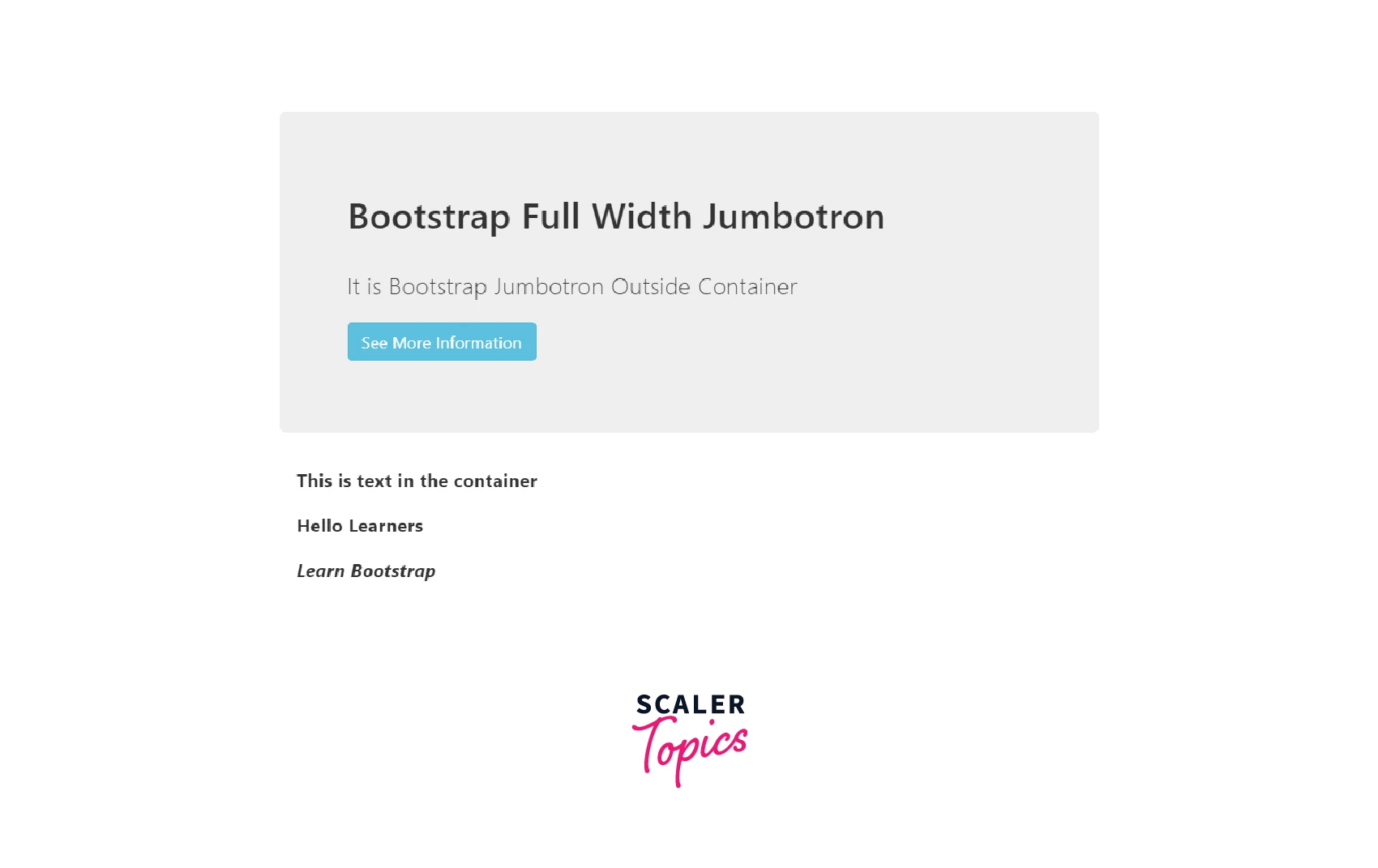
Example 2: Jumbotron Outside Container
Example 3: Jumbotron with Styles

Turn Learning into Career Growth
Full-Width Jumbotron
The .jumbotron-fluid and .container or .container-fluid classes is used to create a full-width jumbotron without rounded borders.
Example:

Supported Browsers
Bootstrap supports the latest, stable releases of all major browsers and platforms. On Windows, it support Internet Explorer 10-11 / Microsoft Edge.
Alternative browsers which use the latest version of WebKit, Blink, or Gecko, whether directly or via the platform’s web view API, are not explicitly supported. However, Bootstrap should (in most cases) display and function correctly in these browsers as well.
Conclusion
So now we know
- how to create a Jumbotron with Bootstrap 4
- and all the possible way it can affect our audience.
- We also figured out different variations of jumbotrons in bootstrao.
- We have seen varoius examples of using jumbotrons in bootstrap.




