


<caption> Tag in HTML
 FREE
FREE

Build an AI-First Career, Master the Complete Skillset
Choose from our industry-leading programs designed for career success
Modern Software and AI Engineering Program
Master full-stack development with AI integration


 +1000 more
Modern Data Science and ML with specialisation in AI
Advanced data science techniques with AI specialization
+1000 moreAdvanced AIML with Specialisation in Agentic AI
Deep dive into AIML with focus on Agentic systems
+1000 moreDevOps, Cloud & AI Platform Engineering
Build and manage AI-powered cloud infrastructure
+1000 moreAI Engineering Advanced Certification by IIT-Roorkee
Premier AI engineering certification from IIT-Roorkee

AI Forward Deployed Engineer Program
Full-stack engineering, production AI and client-facing consulting
+1000 moreOverview
The <caption> tag in HTML is used to define a caption to the <table> element in HTML. It represents the title of the table. The <caption> element can be useful when it's not clear about the data present in the table, so after defining the caption to the table element, one can specify the type of data in the table i.e. it provides some context for the data in the table.
There are various HTML tags available in the HTML. To learn more about such tags in HTML you can refer to Scaler Topics - HTML Tags.
Syntax
The caption tag in HTML is a block element and as shown in the above syntax, it is used to add a title to the table. The caption tag in HTML should be used inside the <table> element and it must be present just after the start of the table tag in HTML i.e the <caption> element must be the first child of the parent <table> element.
A table can contain only one <caption> element.
Attributes
The <caption> tag supports multiple attributes including the global attributes. The caption tag in HTML can be used with the global attributes, event attributes or common attributes that are available in the HTML.
The below given attribute was specifically used with the caption tag in HTML.
- align: This attribute was used to align the content of the caption tag in HTML. The values of the align attribute were: top, right, bottom, left.
The align attribute for the caption tag in HTML is deprecated and should not be used in HTML5.
:::
How to use Caption Tag in HTML?
The caption tag in HTML can be used with the table tag in HTML. It can be used with the global attributes as well as event attributes. The caption tag in HTML must be the first child of the parent <table> element.
You can also modify the caption tag in HTML. If you include the background-color to the table element then it will not include the same background color to the caption element. However, if you want to include the background color to the caption tag in HTML, you can apply directly to the caption tag.
The content of the caption tag i.e. title of the table is centre-aligned by default and it is present at the top of the table.
How Scaler Transformed Careers in Different Fields
Scaler learners achieved 2.5x salary growth with average post-Scaler CTC reaching ₹23L.
 Google
 Amazon
 Microsoft
 Flipkart
 Adobe1200+ more
Examples
Example 1:
In this example, a table is created and the caption tag is used to provide a title to the table as shown below:
Output
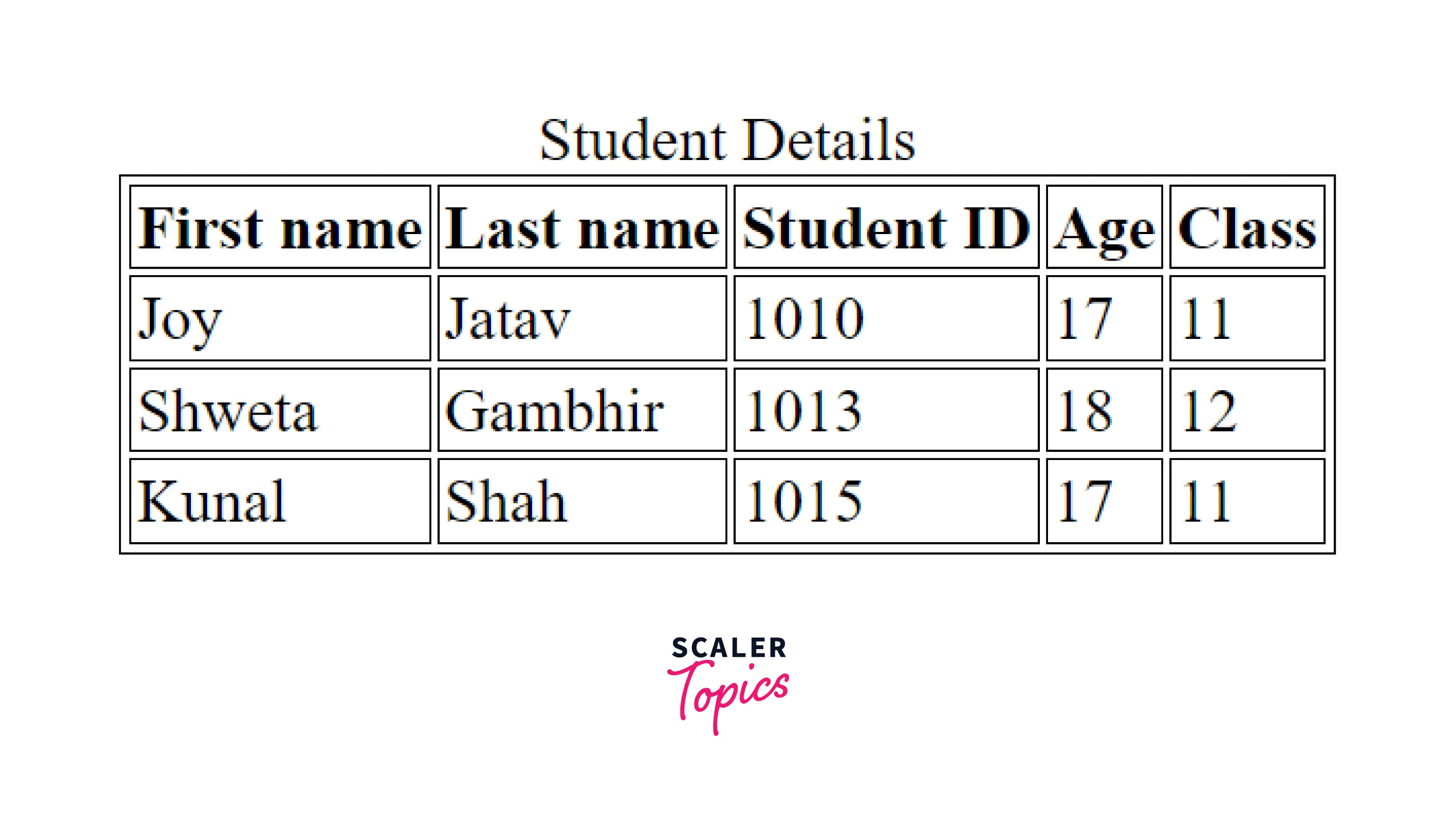
As shown in the above output image, the content of the caption tag is centre-aligned by default and itis present at the top of the table.
Example 2:
In this example, the content of the caption tag is left aligned with the help of CSS properties.
Output
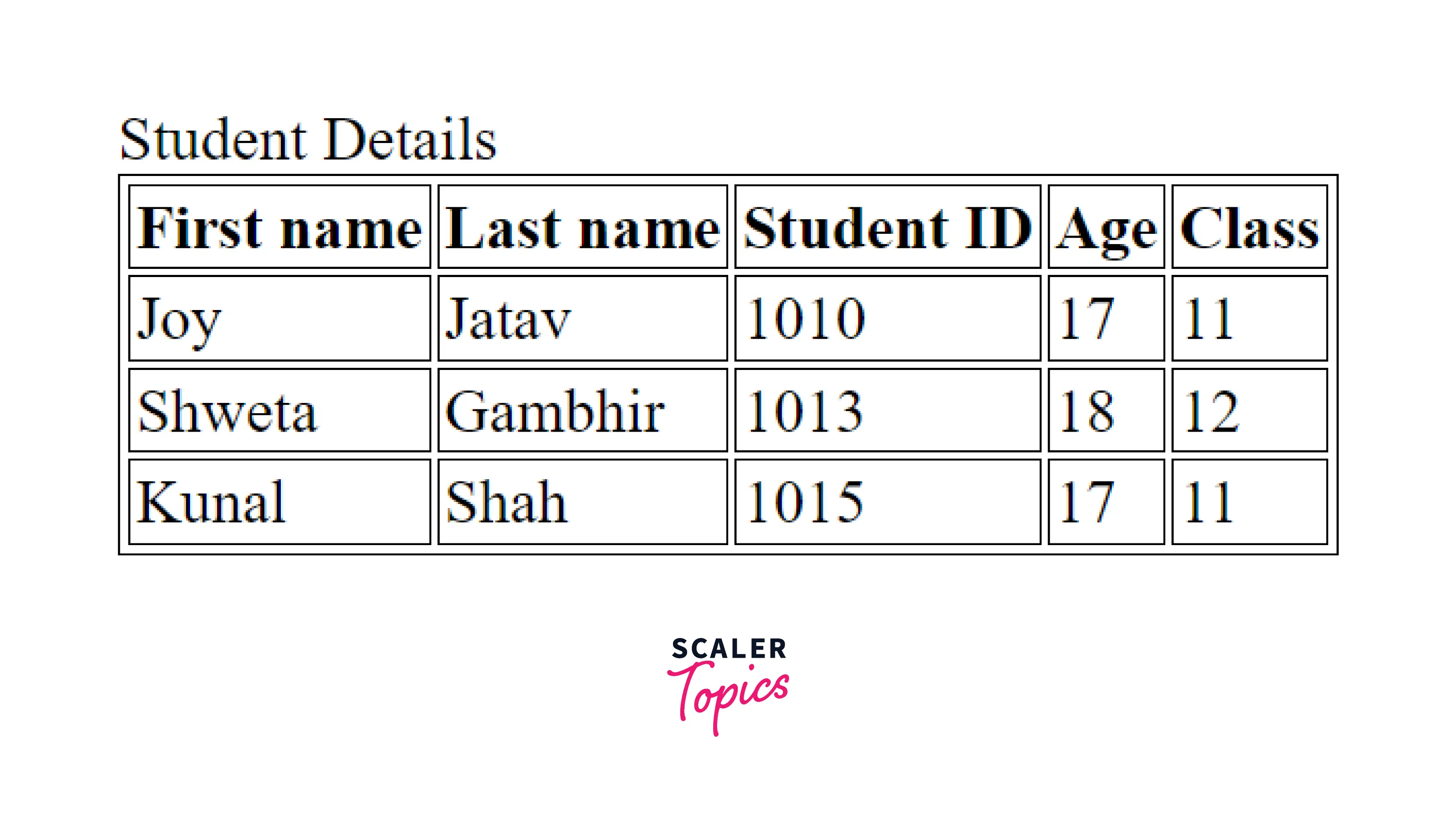
As shown in the above HTML code snippet, the align attribute is not used to set the alignment of the caption tag in HTML as this attribute is deprecated. So, to align the content of the caption tag in HTML you have to use relevant CSS properties.
Example:
In this example the content of the caption is right-aligned and some CSS properties are applied to it.
Output
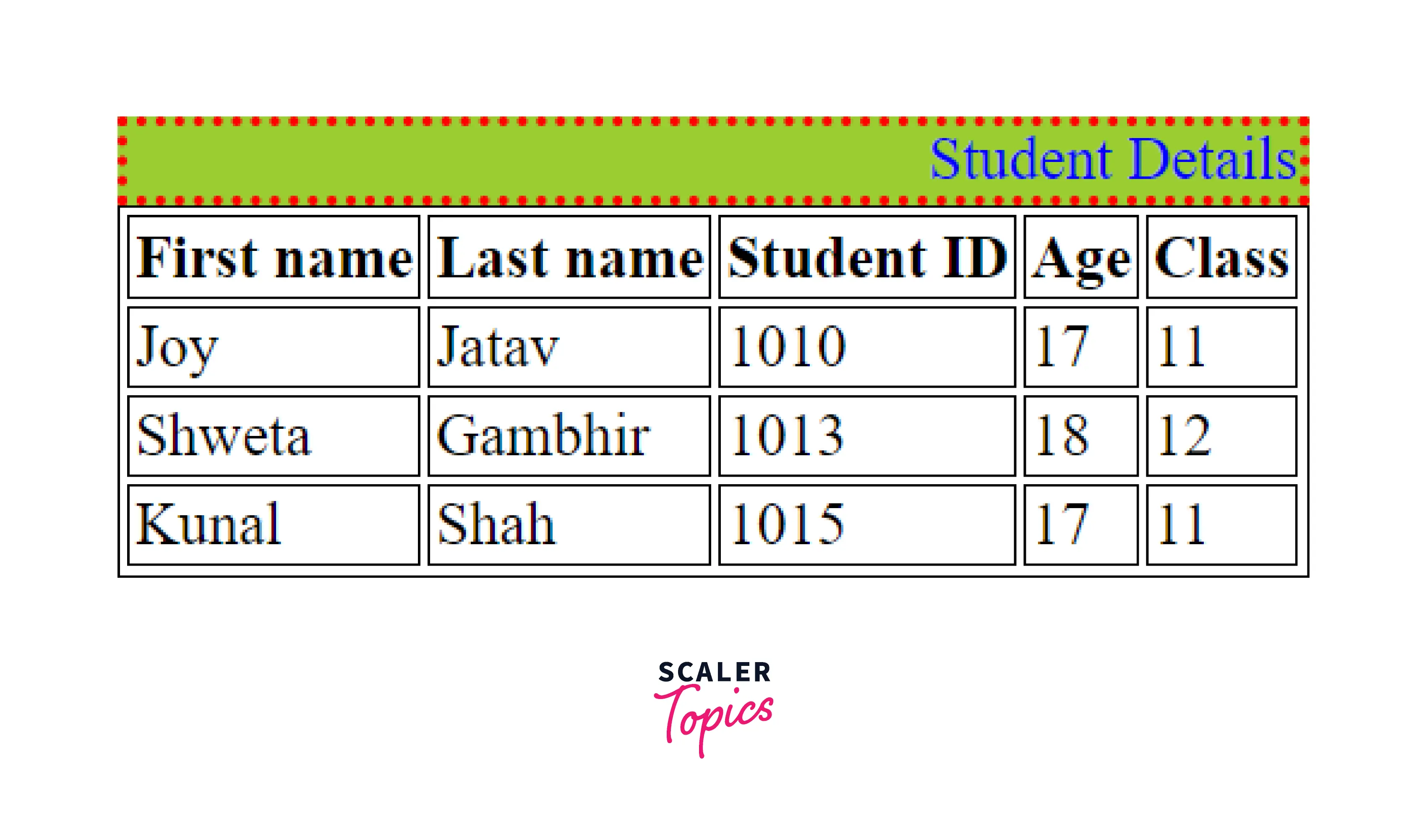
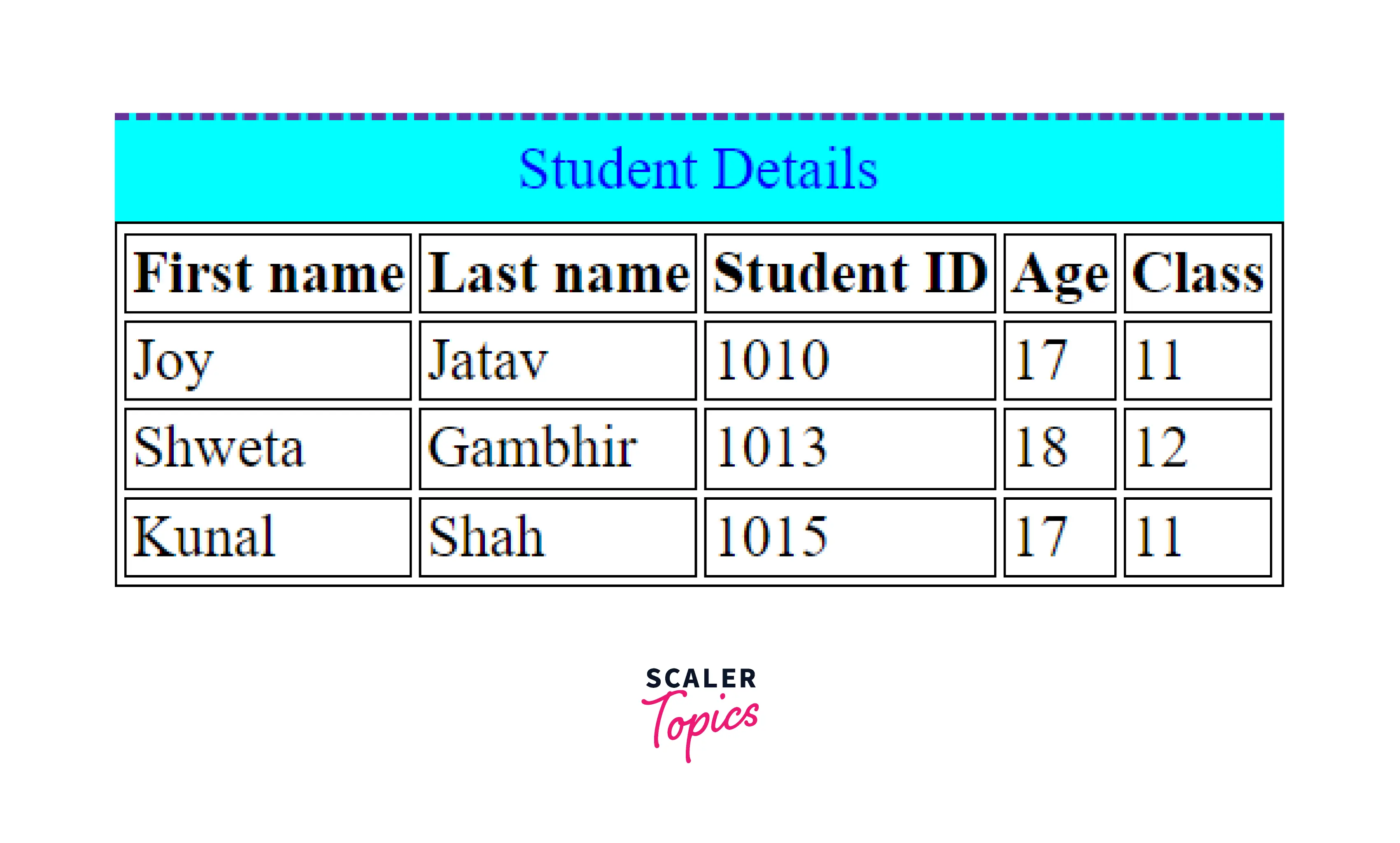
Example 3:
Output
Accessibility Concerns
A caption tag in the HTML works like a heading for a table. By using the caption tag for the HTML tables, the screen readers read out loud the content of the captions. Hence, you must use the caption tag to define a title for the table element.
With the help of the captions, a user is able to find a table and understand what the table is about and decide if they want to proceed with reading the table contents. The caption should be a short heading for the HTML table and it must be placed directly as the child of the parent <table> element.
Turn Learning into Career Growth
Browser Support
The below-given list of browsers supports the caption tag in HTML.
| Browser | Yes / No |
|---|---|
| Chrome | Yes |
| Edge | Yes |
| Firefox | Yes |
| Opera | Yes |
| Safari | Yes |
| Internet Explorer | Yes |
Conclusion
- The <caption> tag in HTML is used to define a caption to the <table> element in HTML.
- There must be one caption tag in the table element to provide a title to the table and for the accessibility purpose and it should be the first child of the parent <table> element.
- There should be a single caption tag in a table element in HTML.
- The caption tag in HTML is a block-level element.
- By default, the content of the caption tag in HTML is center-aligned.
- The align attribute of the caption element is deprecated and should not be used in HTML5.
- To apply styling to the caption tag in HTML or if you want to align the content of the caption tag, you can use CSS properties to achieve the desired results.
Related tags
- <figure> element
- figcaption element
- table element
- summary element
- details element




