


How to Create a Carousel Slider in Flutter
A Flutter carousel slider is a dynamic UI component for presenting items, like images or cards, in a scrollable horizontal or vertical layout. This element enables users to interactively navigate through a series of items, typically one at a time, using swipe gestures or tap controls. Widely used in Flutter, a popular mobile app development framework, carousel sliders enrich apps' visual and interactive experience, whether for showcasing products, news feeds, portfolios, or photo galleries.
Build an AI-First Career, Master the Complete Skillset
Choose from our industry-leading programs designed for career success
Modern Software and AI Engineering Program
Master full-stack development with AI integration


 +1000 more
Modern Data Science and ML with specialisation in AI
Advanced data science techniques with AI specialization
+1000 moreAdvanced AIML with Specialisation in Agentic AI
Deep dive into AIML with focus on Agentic systems
+1000 moreDevOps, Cloud & AI Platform Engineering
Build and manage AI-powered cloud infrastructure
+1000 moreAI Engineering Advanced Certification by IIT-Roorkee
Premier AI engineering certification from IIT-Roorkee

AI Forward Deployed Engineer Program
Full-stack engineering, production AI and client-facing consulting
+1000 moreIntroduction
A carousel slider flutter is a user interface (UI) element that enables you to design interesting and dynamic displays of things in a scrolling horizontal or vertical style, such as photographs or cards. With navigation features like swipe motions or tap events, it offers users an interactive way to browse through a collection of objects, usually displaying one item at a time. Several carousel slider libraries are available in Flutter, a well-liked cross-platform framework for creating mobile apps, making it simple to add and modify carousels to your project. A carousel in Flutter may be a potent tool for increasing the visual appeal and interaction of your app, regardless of whether you're making a product presentation, news feed, portfolio, or photo gallery.
Properties of Carousel Slider
Depending on the particular library or implementation used, the characteristics of a carousel slider in Flutter may differ, but some typical characteristics might include:
Items
In a carousel slider flutter Items are the various pieces of material that may be viewed and scrolled through. Items can be widgets, pictures, or any other kind of content that you want to present engagingly. Using the item builder callback function, which enables you to dynamically build each item based on your particular needs, you may also modify the look and behavior of each item in the carousel. This provides you the freedom to alter the information, design, and aesthetic of each item in the carousel.
How Scaler Transformed Careers in Different Fields
Scaler learners achieved 2.5x salary growth with average post-Scaler CTC reaching ₹23L.
 Google
 Amazon
 Microsoft
 Flipkart
 Adobe1200+ more
Options
| Options | Functionality |
|---|---|
| Height | To adjust the height of the carousel to different screen sizes, you can choose a fixed height or utilize a percentage or fraction of the available area. |
| Auto-play | The automated scrolling of the carousel's items can be turned on or off with this option. |
| Auto-play curve | Tocustomizee the acceleration and deceleration of the auto-play animation, you can select from a variety of predefined curves including linear, ease-in, ease-out, or custom curves. |
| AutoPlayAnimationDuration | The autoPlayAnimationDuration property determines the duration of the animation when the carousel automatically transitions between items. When the autoPlay feature is enabled, the carousel automatically moves to the next item after a certain period. |
| AspectRatio | The aspect ratio of each item in the carousel can becustomizedd using this option. This helps to maintain uniform item sizes throughout the carousel in the carousel Slider flutter. |
Using Carousel Slider in Flutter
-
Install the carousel_slider package in your Flutter project by adding it to your pubspec.yaml file and runningFlutterr pub get:
-
Import the carousel_slider package in your Flutter Dart file:
-
Make a list of the objects you wish to see in the carousel and show it. These things could be photos, widgets, or any other kind of widget for the carousel SliderFlutterr.
-
Use the CarouselSlider widget to create the carousel and pass the list of items as children:
-
Set the desired options in the CarouselOptions object to personalize the carousel. You can control the height, the auto-play curve, whether auto-play is enabled or disabled, the aspect ratio of each item, and more. For a complete list of available settings and how to utilize them, consult the documentation of the carousel_slider package.
Turn Learning into Career Growth
Example Application
Example to implement A carousel sliderflutee:
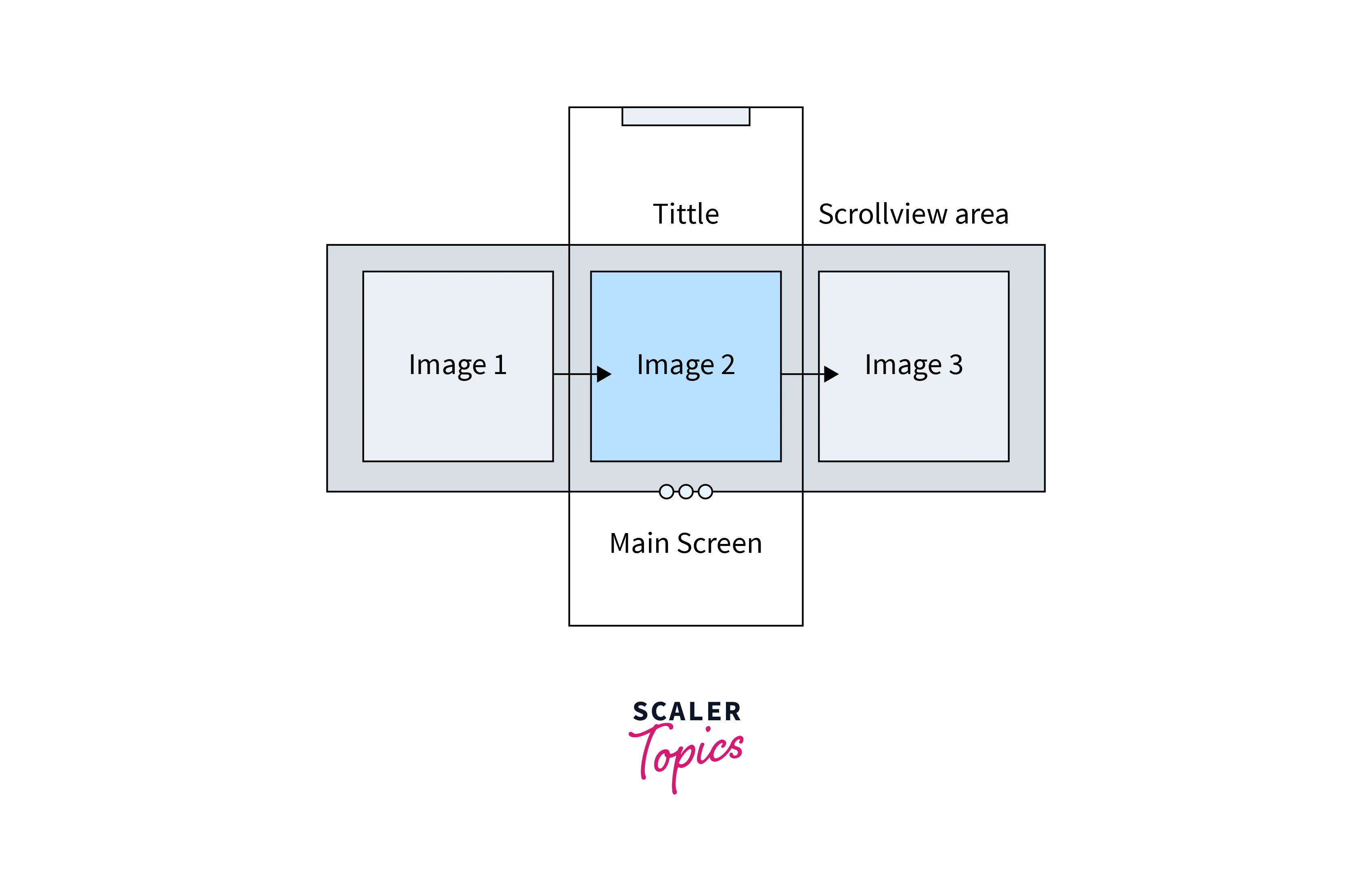
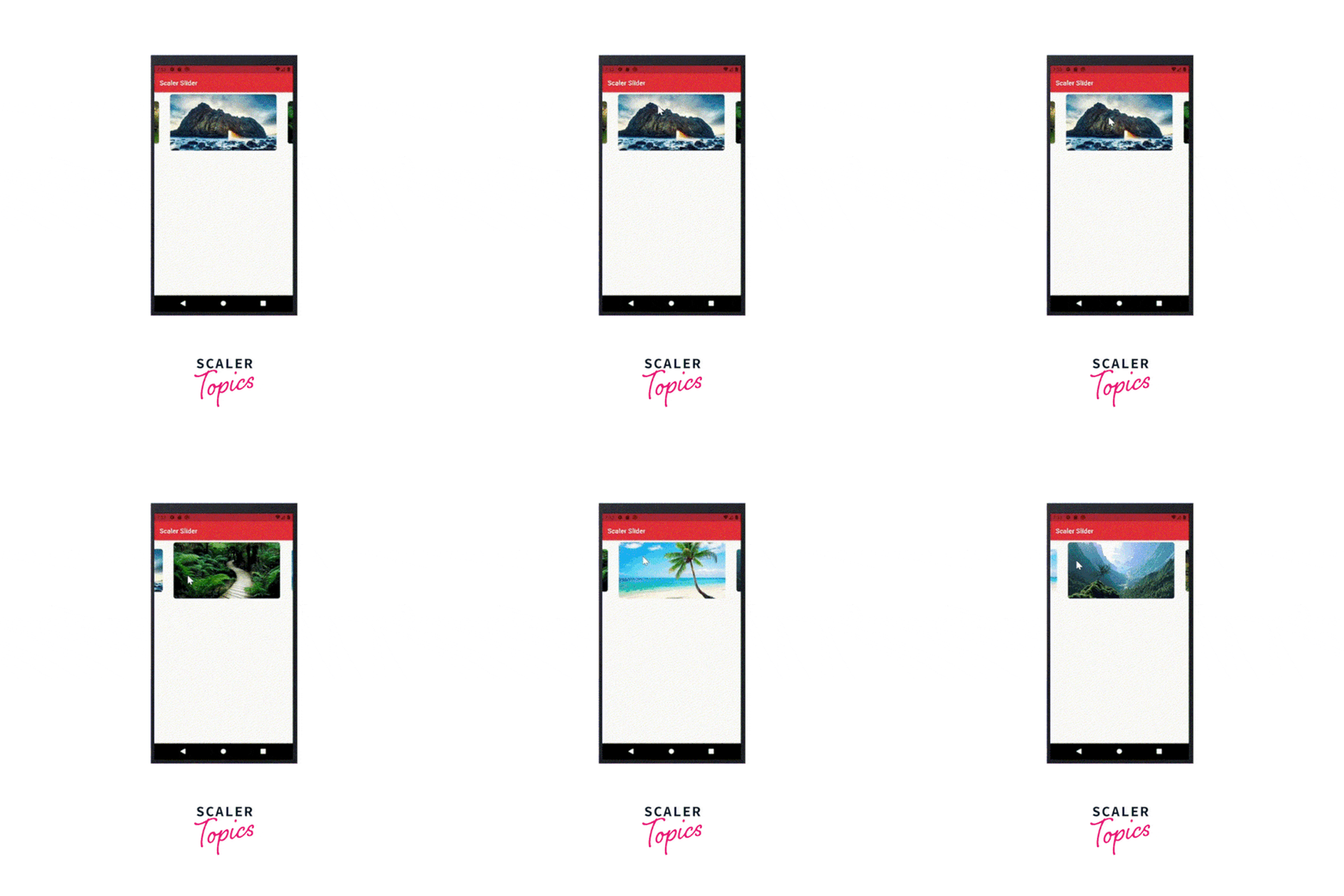
Every container offers the following image that should be smoothly transitioned after the preceding one. Image 2 follows Image 1 in sequence, and this pattern can be reversed as well.
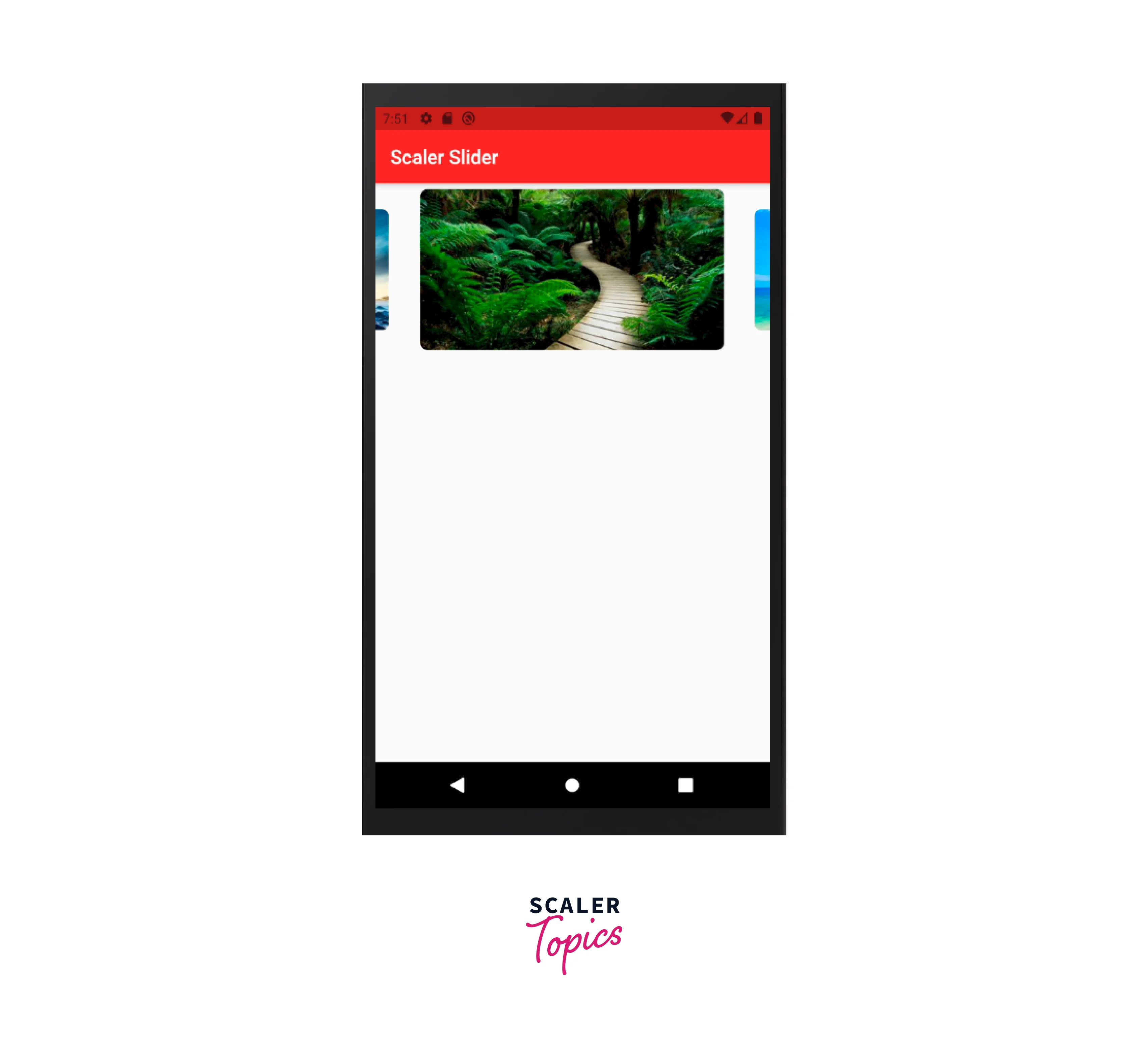
The result should look something like this :
FAQ
Q: How do you make a carouselfull-screen?
A: If you want to achieve a full-screen carousel sliderfluttere without using any external packages, you can modify the Height option by setting it to infinity and viewportFraction to 1 which is usually the default value.
Q: How can you disable the carousel slider flutter?
A: By setting the autoPlay property of the CarouselOptions to false in Flutter, you may make the carousel slider inactive. The carousel's ability to automatically scroll through its contents is controlled by the autoPlay attribute. When set to true, the autoPlayInterval and autoPlayAnimationDuration parameters will be used to determine how often the carousel will rotate through the items. The carousel won't scroll automatically when the value is false, thereby turning off the auto-play feature.
Conclusion
- Carousel Slider Flutter provides an appealing user experience by displaying the photos in a slider. You can see a variety of images and content in these sliders because they are automated.
- The Carousel can be customized according to the options given like the height, autoplay, and animation duration too.
- A Fullscreen Carousel can also be achieved by setting the height option to infinity.
- Carousel Flutter helps to build the slider features very easily and efficiently implemented rather than doing it from scratch.




