


What is Colspan in HTML?
 FREE
FREE

Colspan in HTML is an attribute that defines the number of columns a single cell can span in a table. The colspan attribute allows single table cells to occupy the width of one or more than one column or cells. It works the same way as the merge cell option in an excel spreadsheet. It describes the actual number of columns a row gets divided in.
Build an AI-First Career, Master the Complete Skillset
Choose from our industry-leading programs designed for career success
Modern Software and AI Engineering Program
Master full-stack development with AI integration


 +1000 more
Modern Data Science and ML with specialisation in AI
Advanced data science techniques with AI specialization
+1000 moreAdvanced AIML with Specialisation in Agentic AI
Deep dive into AIML with focus on Agentic systems
+1000 moreDevOps, Cloud & AI Platform Engineering
Build and manage AI-powered cloud infrastructure
+1000 moreAI Engineering Advanced Certification by IIT-Roorkee
Premier AI engineering certification from IIT-Roorkee

AI Forward Deployed Engineer Program
Full-stack engineering, production AI and client-facing consulting
+1000 moreSupported Elements
Colspan in HTML is supported by <td> and <th> elements of a table. <th> and <td> are the HTML elements used in an HTML table to represent cells. The <th> tag in the HTML represents the cell with the table header and the <td> tag represents the cell with the table data.
Syntax (with all <td>, <th> & <ElementName> elements)
<ElementName colspan="value">...........</ElementName>
Here, the ElementName is the name of the supporting HTML element. The variable value takes an integer defining the number of columns a cell can span. The integer value is always a positive integer. The colspan attribute has a default attribute of 1.
Following is the syntax of the colspan attribute with the td and th elements determining the number of columns a single cell should expand.
<td colspan="num"> or <th colspan="num">
Examples
The colspan attribute gets implemented in many different ways in HTML. Let,s explore a few of them.
How Scaler Transformed Careers in Different Fields
Scaler learners achieved 2.5x salary growth with average post-Scaler CTC reaching ₹23L.
 Google
 Amazon
 Microsoft
 Flipkart
 Adobe1200+ more
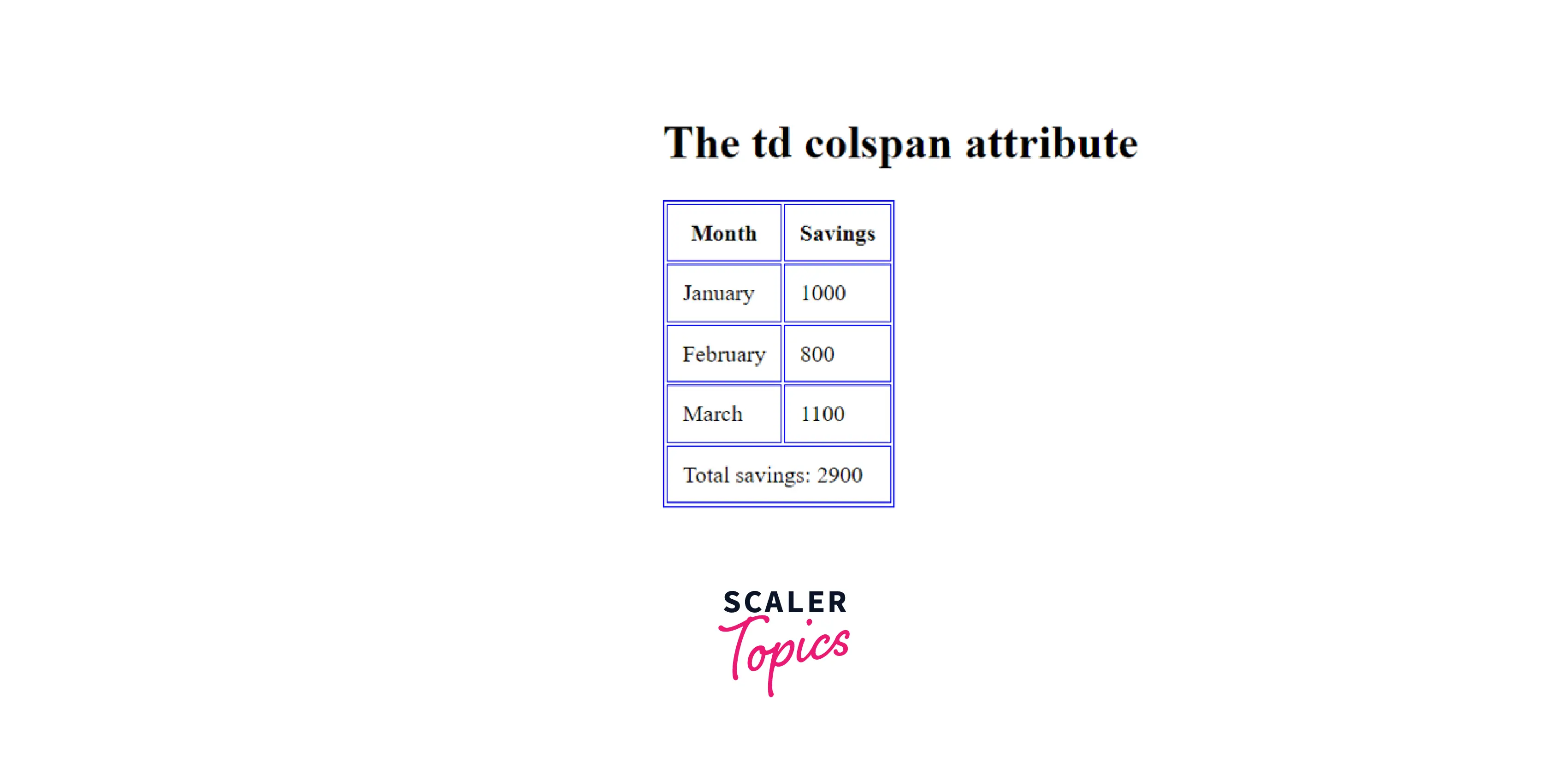
An HTML Table with a Table Cell that Spans Two Columns (<td> Example)
When used with the <td> tag, the colspan attribute determines the number of columns a data cell should span.
Output
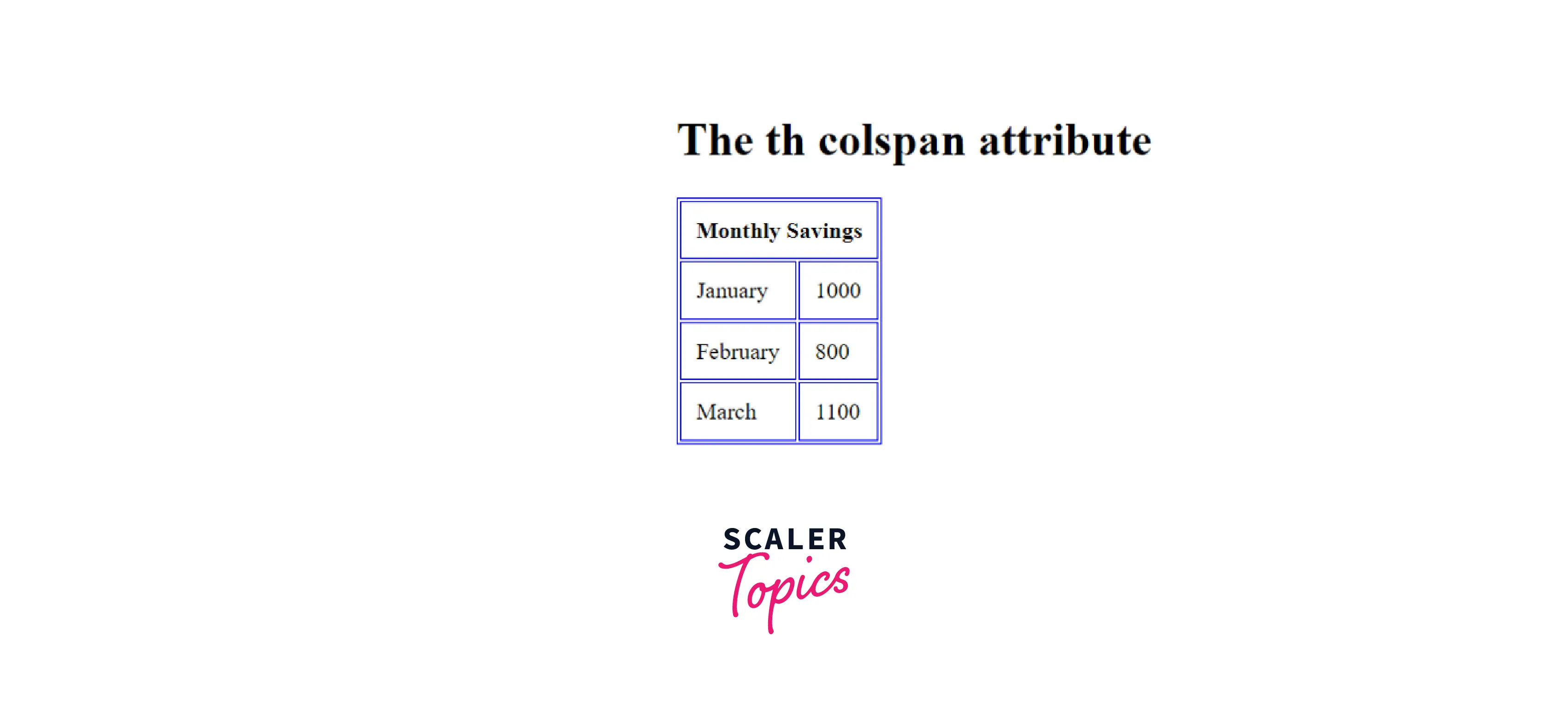
An HTML Table with a Header Cell that Spans Two Columns (<th> example)
When used with the <th> tag, the colspan attribute determines the number of columns a header cell should span.
Output
In the above two examples, we have seen the use of the colspan attribute in HTML to span a header cell or table cell into two columns separately. We can also use them together in a single table multiple times. Let's understand it better with the help of a few examples.
Example 1
The following example shows the application of the colspan attribute in HTML on multiple table data cells in a table. Let's see how it works.
Output
The above HTML code gives the following output:

Example 2
Seeing the above examples, you must have a question in mind. Can we only use colspan for a maximum of two columns, or can we accommodate more? The answer to this is that we can accommodate as many columns as we want in a single cell. Let's understand it with an example.
The above table shows the use of the colspan attribute on more than two columns.
Output

Turn Learning into Career Growth
Supported Browsers
Chrome, Microsoft Edge, Mozilla Firefox, Opera, and other browsers support the colspan attribute in HTML. They support both the <td> and <th> HTML elements.
| Browser Support | colspan |
|---|---|
| Safari | Yes |
| Chrome | Yes |
| Firefox | Yes |
| Microsoft Edge | Yes |
| Opera | Yes |
Firefox browser supports colspan value to be 0. The zero value with colspan in HTML means that the current cell expands from the first to the last column in the row defined.
Learn More
An HTML table consists of elements like tr, thead, tbody, and attributes, including bgcolor, border, and cell padding. You can learn more about them and other relevant articles on Scaler Topics.
Conclusion
- In HTML, the colspan attribute determines the number of parts a row gets divided in. It gives the count of columns a single cell can span in a table.
- This attribute is supported by two HTML elements namely - <td> and <th>.
- The value included with the colspan attribute in HTML is always a positive integer. The default value is 1.




