


How to Create Virtual Environment in Python?
 FREE
FREE

A virtual environment is an isolated environment for python projects. We can consider it to be like specific containers for specific projects.
We can have a global version installed, but from project to project, it may differ, or to make code work, we must have a specific version of python installed. To achieve these, we need virtual environments.
Why do We Need a Virtual Environment?
Python itself could be better at dependency management. If you’re not specific, then pip will place all the external packages you install in a folder called site-packages/ in your base Python installation. This may lead to several issues if all of your external packages land in the same folder.
We need a virtual environment for the following:
Build an AI-First Career, Master the Complete Skillset
Choose from our industry-leading programs designed for career success
Modern Software and AI Engineering Program
Master full-stack development with AI integration


 +1000 more
Modern Data Science and ML with specialisation in AI
Advanced data science techniques with AI specialization
+1000 moreAdvanced AIML with Specialisation in Agentic AI
Deep dive into AIML with focus on Agentic systems
+1000 moreDevOps, Cloud & AI Platform Engineering
Build and manage AI-powered cloud infrastructure
+1000 moreAI Engineering Advanced Certification by IIT-Roorkee
Premier AI engineering certification from IIT-Roorkee

AI Forward Deployed Engineer Program
Full-stack engineering, production AI and client-facing consulting
+1000 moreTo Avoid System Pollution
If you install packages to your operating system’s global Python, these packages will mix with the system-relevant packages. This mix-up could have unexpected side effects on tasks crucial to your operating system’s normal behavior.
To Sidestep Dependency Conflicts
One of your projects might require a different version of an external library than another one. If you have only one place to install packages, you can’t work with two different versions of the same library. This is one of the most common reasons for the recommendation to use a Python virtual environment.
Let's take an example where we are working on two projects named ProjectA and ProjectB. These projects use a different version of python. Let's say ProjectA uses V2.3 and ProjectB uses V3.0.
As it would be installed globally, there is no way to differentiate between them. If we installed them in our virtual environment, each project would use its specified version.
How does a Virtual Environment Work?
When we create a virtual environment, a module named virtualenv creates isolated python environments. This module creates folders and sub-folders that contain all the necessary executables to use the packages of a different version that a project may need.
Creating a Virtual Environment
To create a virtual Environment, we have first to install a module named virtualenv.To install virtualenv, we have to run the pip command :

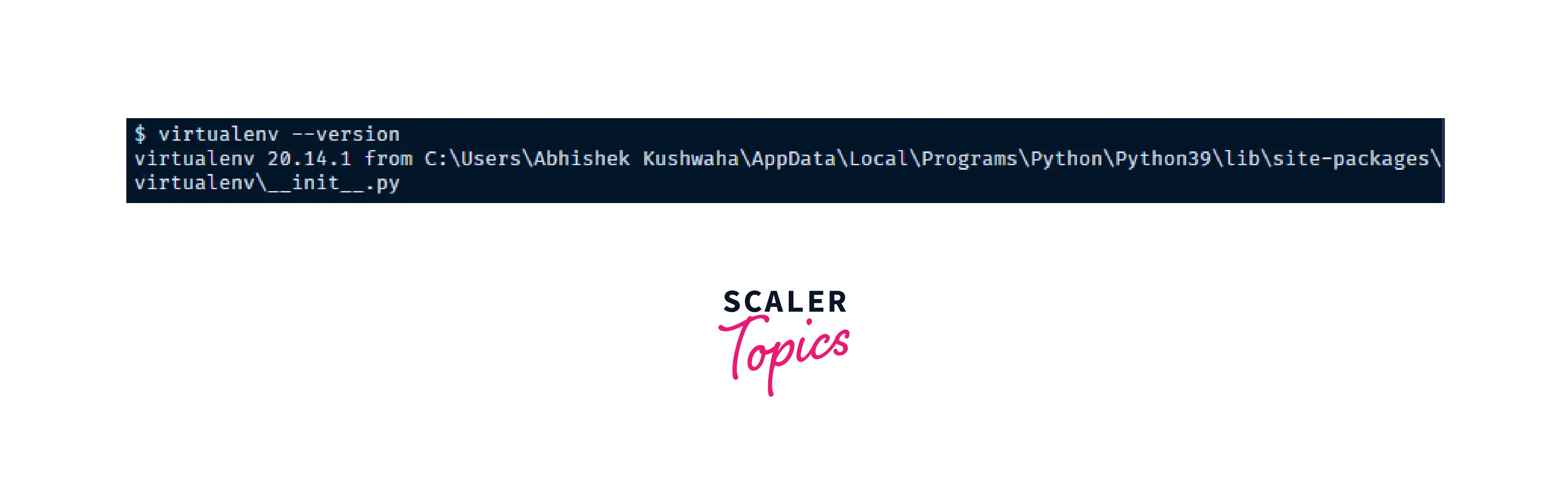
This installs the required module to create the virtual environment. We can check if the installation was good and if we are ready to work with the virtual environment.
Test your installation:
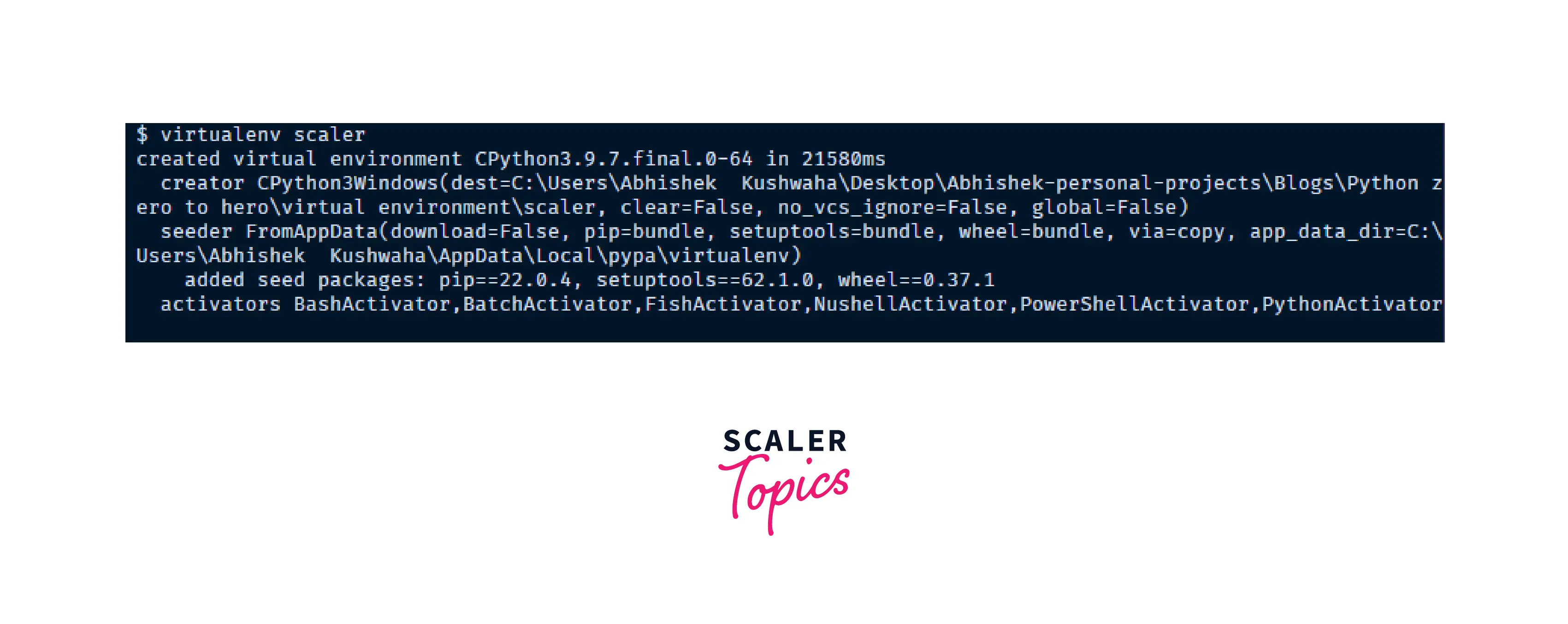
You can create a virtualenv using the following command:
After running this command, a directory named my_name will be created. This is the directory that contains all the necessary executables to use the packages that a Python project would need. This is where Python packages will be installed.
Sometimes we may need to specify the Python interpreter of our choice, for example, Python 3, it could be done using the following command:
or to create one with Python 2.7 we can use the following command:
Now, after creating a virtual environment, you need to activate it to make sure the packages are installed in the Virtual Environment. Remember to activate the relevant virtual environment every time you work on the project. This can be done using the following command:
Once the virtual environment is activated, the name of your virtual environment will appear on the left side of the terminal. This will let you know that the virtual environment is currently active.
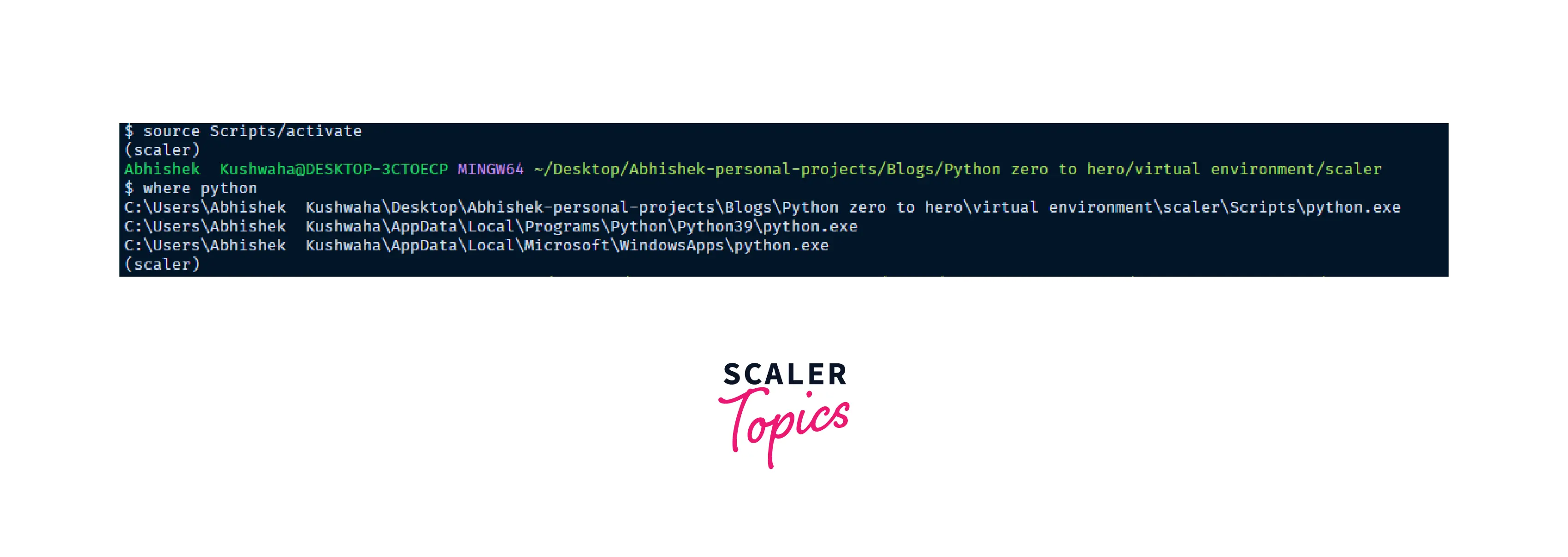
Now you can install dependencies related to the project in this virtual environment. For example, if you are using Fastapi for a project, you can install it like you install other packages.
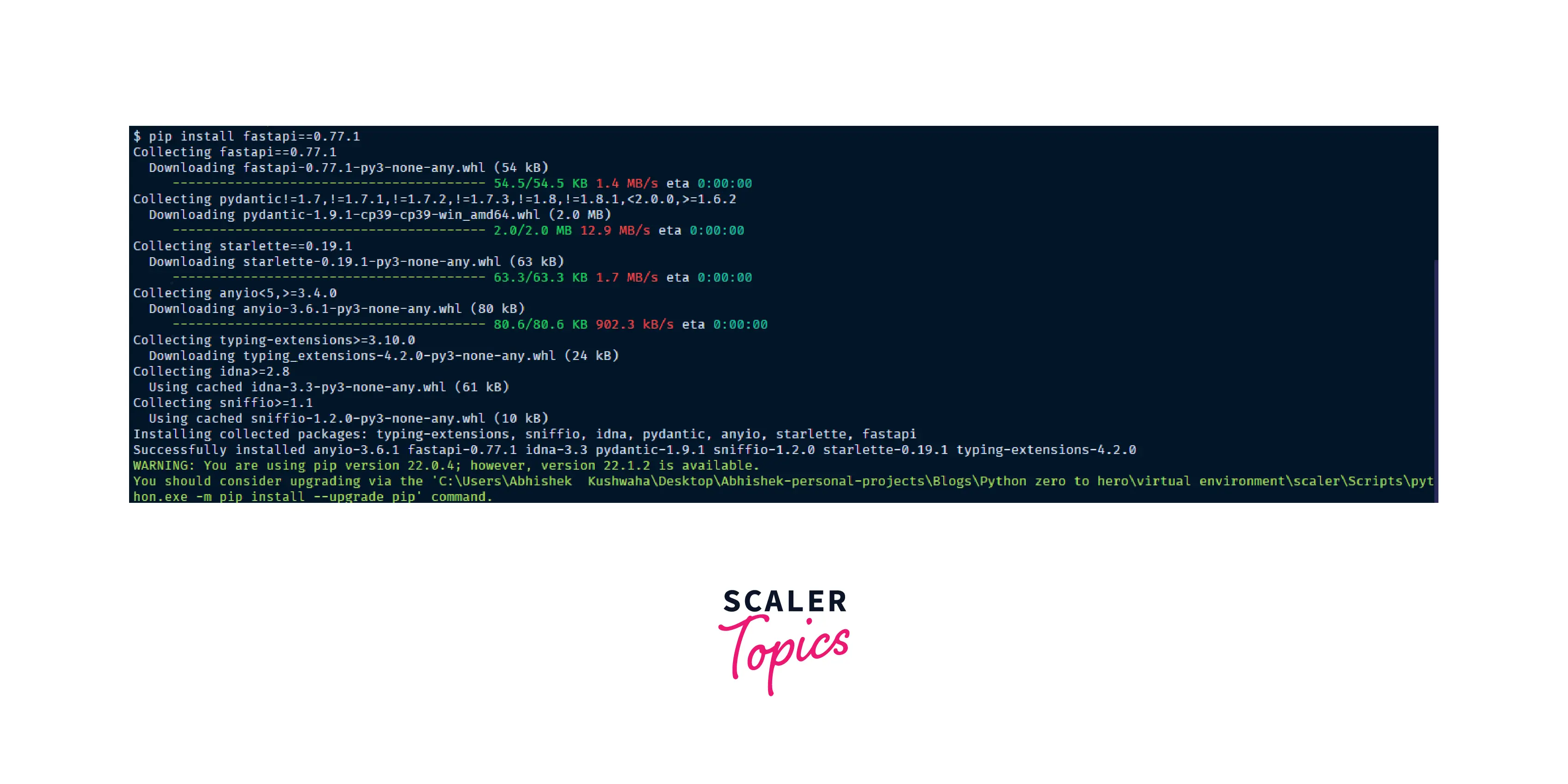
Using this command would place the Fastapi package in the virtualenv_name folder and will be isolated from the complete system. This makes only the specific project access the package fastapi for execution.
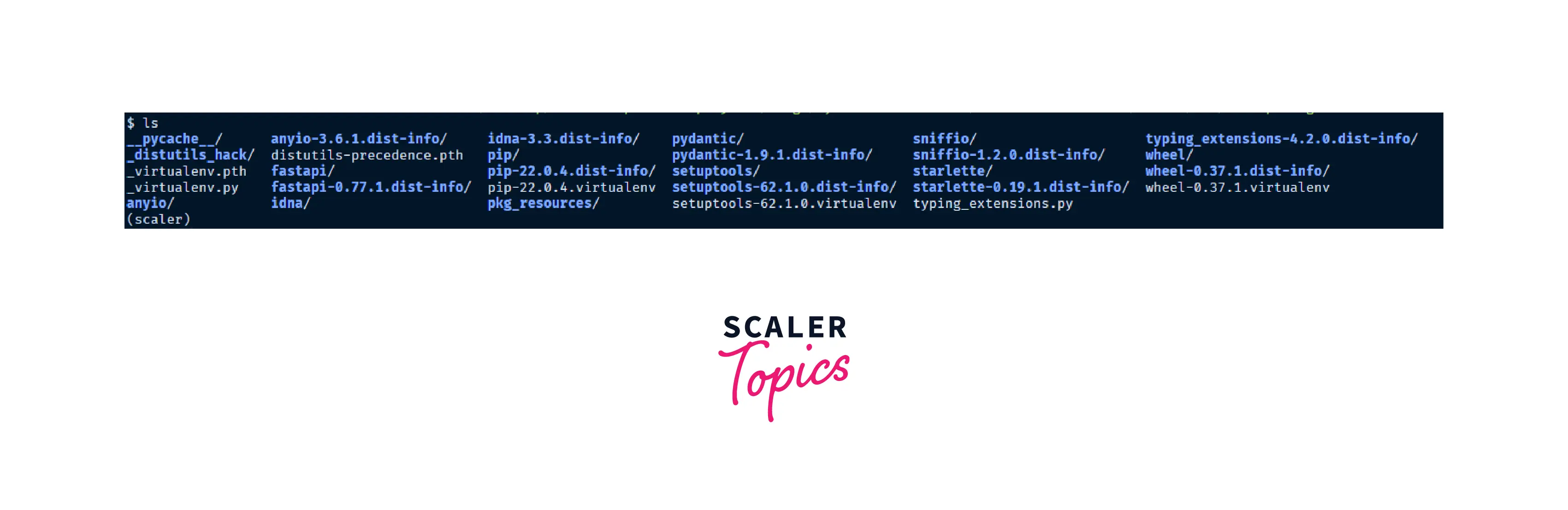
We can also deactivate the virtual environment and switch to the global environment by the following command:
How Scaler Transformed Careers in Different Fields
Scaler learners achieved 2.5x salary growth with average post-Scaler CTC reaching ₹23L.
 Google
 Amazon
 Microsoft
 Flipkart
 Adobe1200+ more
Managing Packages with pip
There is a bunch of option for managing the packages with the pip command.
Installing from Version Control Systems
pip can install packages directly from their version control system. For example, we can install directly from a git repository:
Turn Learning into Career Growth
Upgrading Packages
We can also upgrade packages in place using --upgrade flag. For example, we want to install the latest version of fastapi and all its dependencies.
Using Requirements Files
With a huge project, we tend to need many different packages. Instead of installing packages individually, pip allows you to declare all dependencies in a Requirements File. For example, you could create a requirements.txt file containing:
fastapi==0.77.1 google-auth==1.1.0 And tell pip to install all of the packages in this file using the -r flag:
Freezing Dependencies
Pip can export a list of all installed packages and their versions using the freeze command:
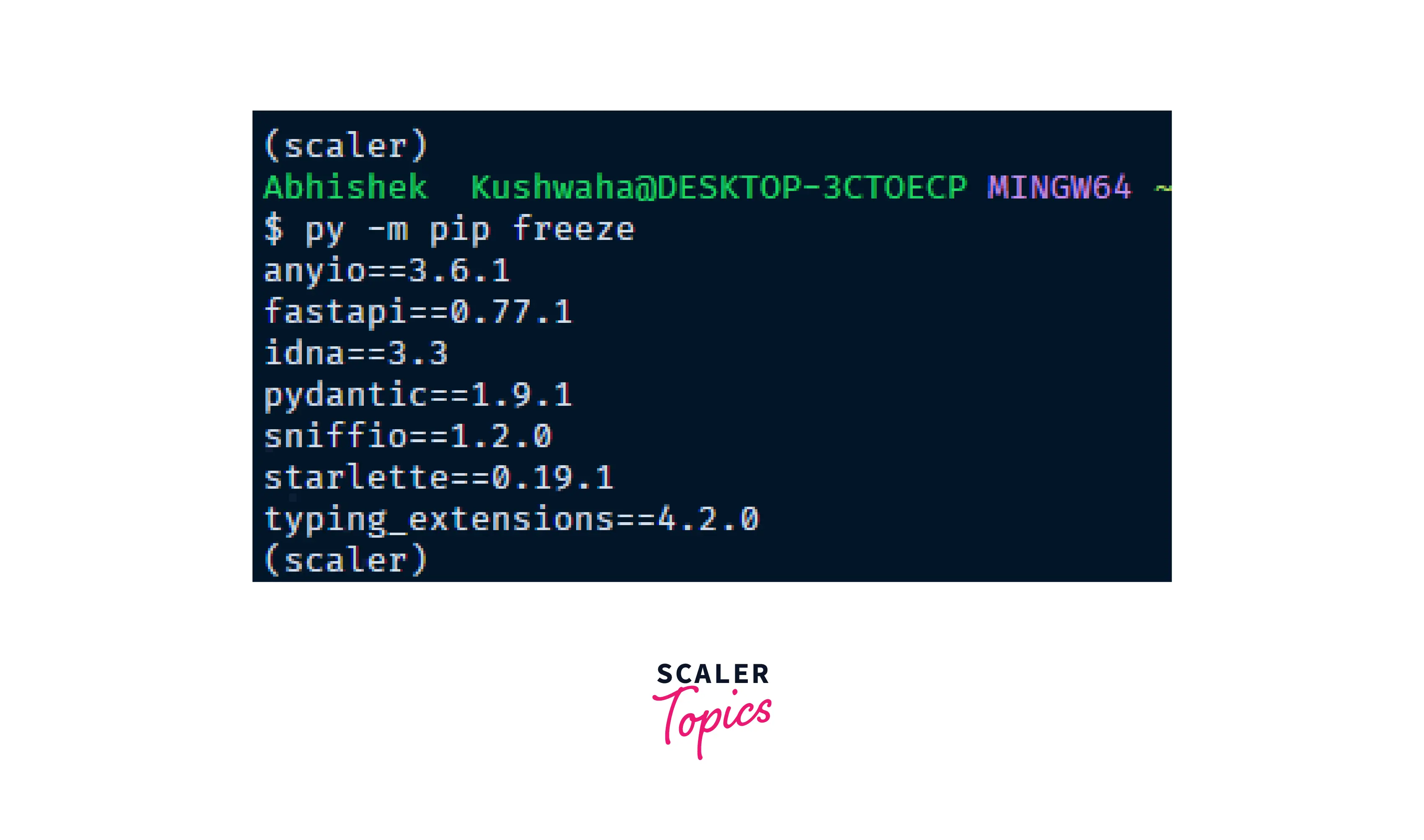
Which will output a list of package specifiers such as:
google-auth==1.1.1
ianyio==3.6.1
fastapi==0.77.1
idna==3.3
pydantic==1.9.1
sniffio==1.2.0
starlette==0.19.1
typing_extensions==4.2.0
Conclusion
-
Virtual environment is a tool that helps to keep dependencies required by different projects separate by creating isolated Python environments for them.
-
We need a virtual environment for downloading packages with a different configuration may be the version that we want to differentiate between projects.
-
virtualenv creates isolated python environments. This module creates folders and sub folders that contain all the necessary executables to use the packages of the different versions that a project may need.
-
We can also specify the Python interpreter version for a specific project environment.




