


List Style Type in CSS
 FREE
FREE

Overview
The "list-style-type" property in CSS specifies the appearance of the list item marker (such as a disc, character, or custom style). This article will discuss various list style type CSS values along with their syntax and examples.
Syntax
The syntax for the list style type CSS property is as follows :
Build an AI-First Career, Master the Complete Skillset
Choose from our industry-leading programs designed for career success
Modern Software and AI Engineering Program
Master full-stack development with AI integration


 +1000 more
Modern Data Science and ML with specialisation in AI
Advanced data science techniques with AI specialization
+1000 moreAdvanced AIML with Specialisation in Agentic AI
Deep dive into AIML with focus on Agentic systems
+1000 moreDevOps, Cloud & AI Platform Engineering
Build and manage AI-powered cloud infrastructure
+1000 moreAI Engineering Advanced Certification by IIT-Roorkee
Premier AI engineering certification from IIT-Roorkee

AI Forward Deployed Engineer Program
Full-stack engineering, production AI and client-facing consulting
+1000 morelist-style-type in CSS
The list style type CSS property can be defined using any of the following values :
1. <custom-ident>
The <custom-ident> is a data type in CSS that describes a custom identifier pre-defined by the user of the style sheet. It is an identifier similar to the value of a @counter-style or any of its pre-defined styles.
How to name <custom-ident> Values ?
A <custom-ident> can include the following characters :
- Any alphabetical character (A to Z, or a to z).
- Any decimal digit (0 to 9)
- A hyphen (-).
- An underscore (_).
- an escaped character preceded by a backslash ().
- A Unicode character (in the format of a backslash followed by one to six hexadecimal digits, representing its Unicode code point).
Rules to keep in mind while naming a <custom-ident> :
- We can not use a digit as the first character unless it is escaped.
- We cannot start with a hyphen which is then followed by a decimal digit.
- Cannot start with two hyphens.
- <custom-ident> is case-sensitive.
- Wide keywords in CSS are not valid <custom-ident>. Therefore, we cannot inherit, initial, or unset identifiers.
- The default keyword is not a valid <custom-ident>.
- Excluded keywords are excluded in all ASCII case permutations. So default, Default, and DEFAULT should not be used.
- We cannot wrap <custom-ident> within quotes. Otherwise, it will be interpreted as a string instead of an identifier.
Below is the implementation for <custom-ident> :
Output :

2. Disc
The disc is the default value for the property. The marker is a filled circle in this style type.
Syntax :
Example :
Output :

3. Circle
In this style type, the marker is a hollow circle.
Syntax :
Example :
Output :

4. Square
In this style type, the marker is a filled square.
Syntax :
Example :
Output :

5. Decimal
In this style type, a marker is a Decimal number beginning with 1.
Syntax :
Example :
Output :

6. lower-roman
In this style type, the marker is a lowercase roman numeral.
Syntax :
Example :
Output :

How Scaler Transformed Careers in Different Fields
Scaler learners achieved 2.5x salary growth with average post-Scaler CTC reaching ₹23L.
 Google
 Amazon
 Microsoft
 Flipkart
 Adobe1200+ more
7. upper-roman
In this style type, the marker is an uppercase Roman numeral.
Syntax :
Example :
Output :

8.lower-greek
In this style type, the marker is a lowercase classical Greek.
Syntax :
Example :
Output :

9. lower-latin
In this style type, the marker is a lowercase ASCII letter .
Syntax :
Example :
Output :

10. upper-latin
In this style type, the marker is an uppercase ASCII letter .
Syntax :
Example :
Output :

lower-alpha and upper-alpha are similar to lower-latin and upper-latin in Internet Explorer 7.
Now, let us look at some other types of CSS list styles in a tabulated manner :
| Value | Description |
|---|---|
| none | No marker is shown |
| decimal-leading-zero | decimal numbers with leading zeroes |
| arabic-indic | arabic Indic numbers |
| armenian | traditional Armenian numbers |
| bengali | Bengali numbering |
| cambodian/khmer | cambodian/Khmer numbers |
| devanagari | Devanagari numbers |
| ethiopic-numeric | Ethiopian numbers |
| gerogian | traditional Georgian number |
| gujrati | gujrati numbering |
| gurmukhi | gurmukhi numbering |
| hebrew | traditional Hebrew numbers |
| hiragana | dictionary order hiragana numbers |
| japanese-formal | Japanese formal numbers used in legal documents. |
| japanese-informal | Japanese informal numbers |
| kannada | Kannada numbering |
| katakana | Dictionary-order katakana lettering |
| korean-hangul-formal | korean hangul numbering |
| korean-hanja-informal | Korean informal numbering |
| lao | Latin numbering |
| lower-armenian | lowercase armenian numbers |
| malayalam | malyalam numbers |
| mongolian | Mongolian numbering |
| myanmar | Myanmar (Burmese) numbering |
| oriya | oriya numbering |
| persian | Persian numbers |
| simp-chinese-formal | simplified Chinese formal numbers |
| simp-chinese-informal | simplified Chinese informal numbers |
| tamil | Tamil numbering |
| telugu | Telugu numbering |
| thai | Thai numbers |
| tibetian | Tibetian numbering |
| trad-chinese-formal | traditional chinese formal numbering |
| trad-chinese-informal | traditional chinese formal numbering |
| upper-armenian | traditional uppercase Armenian numbering |
| disclosure-open | marker indicating a disclosure widget that is opened |
| disclosure-closed | marker indicating a disclosure widget that is closed |
Turn Learning into Career Growth
Examples
Now let us discuss the " list style type" CSS property with the help of examples and learn how to use this property in CSS.
Setting List Item Markers
In the above " list style type" CSS example, we chose to display uppercase roman numerals in front of each list item of the ordered list.
While for the unordered list, we removed the default disc marker from the front of each list item. The list items will still indent (unless overridden with CSS), but there will be nothing appearing before each list item.
Output :

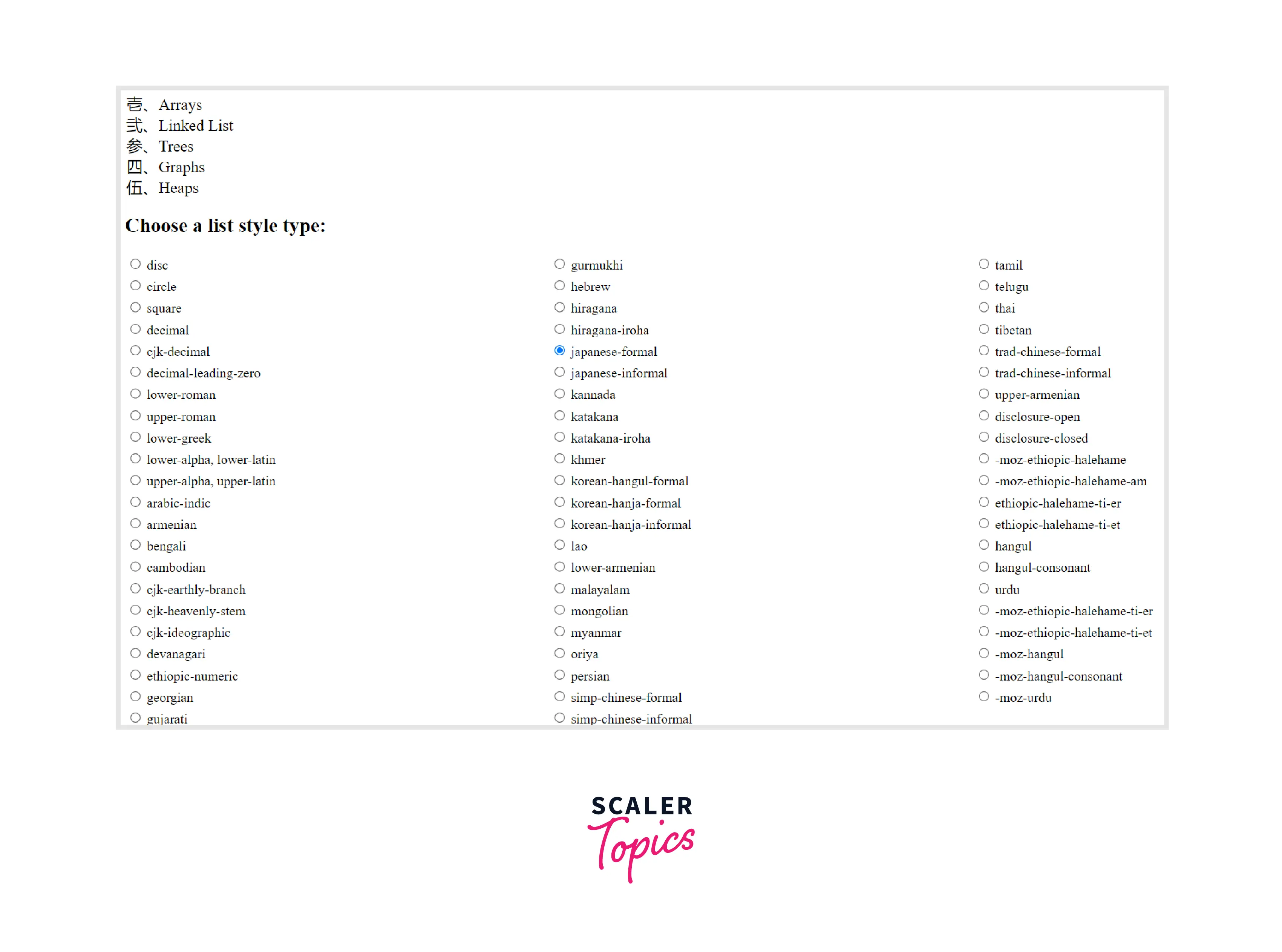
All List Style Types
In this example, we will implement all the list style types in CSS and choose the required one with the help of radio buttons.
Output :
Accessibility Concerns
Apple's VoiceOver screen reader faces an issue while working with unordered lists having a list-style-type value of none. As these lists won't be read out as a list, to address this issue, we have to add a zero-width space as pseudo content before each list item to ensure the list is read correctly.
The zero-width space character is encoded in Unicode as U+200B.
Browser Support
The following browsers support the "list style type" CSS property :
- Chrome
- Microsoft Edge
- Firefox
- Internet Explorer
- Opera
- Safari
- Chrome Android
- Firefox for Android
- Opera Android
- Safari on iOS
- Samsung Internet
- WebView Android
Conclusion
- The list style type CSS property sets the appearance of the style used in the marker for a list item.
- The list style type CSS property can be applied to <ol>, <ul>, or <li> tags and is used to elements with display: list-item.
- Internet Explorer 7 does not support lower-latin and upper-latin; therefore, we use lower-alpha and upper-alpha as a replacement.
- Alphabetical styles including lower-alpha and upper-alpha render undefined numbers after 26 item listing has been completed.
Related Properties
Also check out the list-style, list-style-image, and list-style-position CSS properties.




