


What is CSS scale() Function?
 FREE
FREE

Introduction
The CSS scale() function scales an element in two-dimensional space. The CSS scale property proportionally changes the width and height of an element. Therefore, scaling up by a value of 2 increases the dimensions of a 10-pixel element to a 20-pixel element. Similarly, a CSS scale value of 0.5 halves the dimension of the element to 5 pixels.
Transform Your Career
Choose from our industry-leading programs designed for career success
Modern Software and AI Engineering Program
Master full-stack development with AI integration


 +1000 more
Modern Data Science and ML with specialisation in AI
Advanced data science techniques with AI specialization
+1000 moreAdvanced AIML with Specialisation in Agentic AI
Deep dive into AIML with focus on Agentic systems
+1000 moreDevOps, Cloud & AI Platform Engineering
Build and manage AI-powered cloud infrastructure
+1000 moreAI Engineering Advanced Certification by IIT-Roorkee
Premier AI engineering certification from IIT-Roorkee

Syntax
Scale() accepts either one or two values representing the amount of scaling in each direction.
The general Syntax is expressed as:
The single parameter assigns the value evenly to both the X and Y axis.
Other syntax with two arguments
sx resizes the elements horizontally, and sy resizes the elements in the vertical plane.
Values of CSS scale() Function
| Value | Description |
|---|---|
| none | It represents no scaling and is the same as scale: 1 |
| sx | It is a number of a percentage that represents the abscissa of the scaling vector. |
| by | It is a number of a percentage that represents the ordinate of the scaling vector. |
| A number is either an integer or zero or more decimal digits. <number>{1,3} states that the property accepts up to three values used to multiply the element’s dimensions. |
Examples






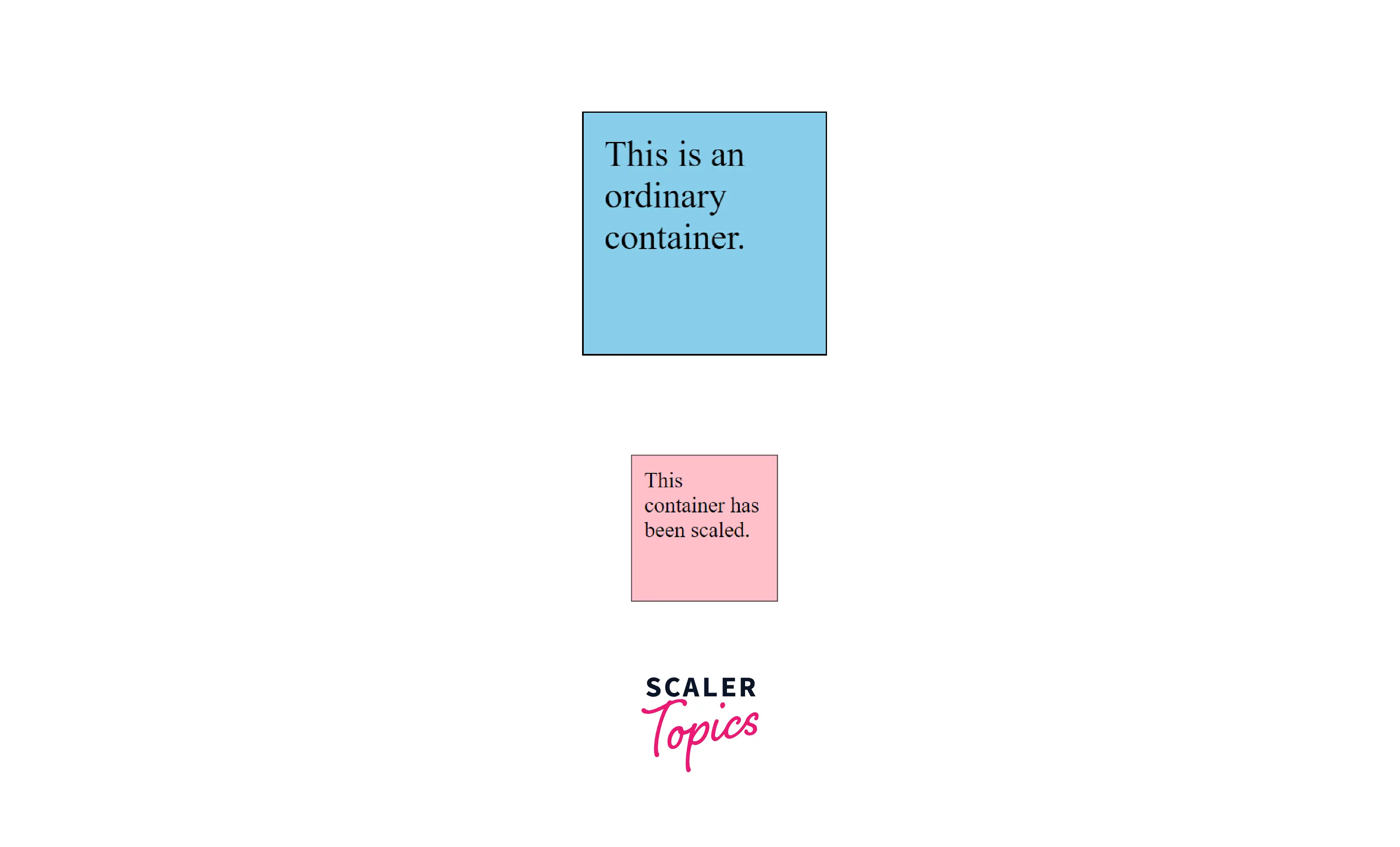
Example 1: Scaling the X and Y Dimensions Together
HTML
CSS
Output
Scaler Placement Report and Statistics
Scaler learners achieved 2.5x salary growth with average post-Scaler CTC reaching ₹23L.
 Google
 Amazon
 Microsoft
 Flipkart
 Adobe1200+ more
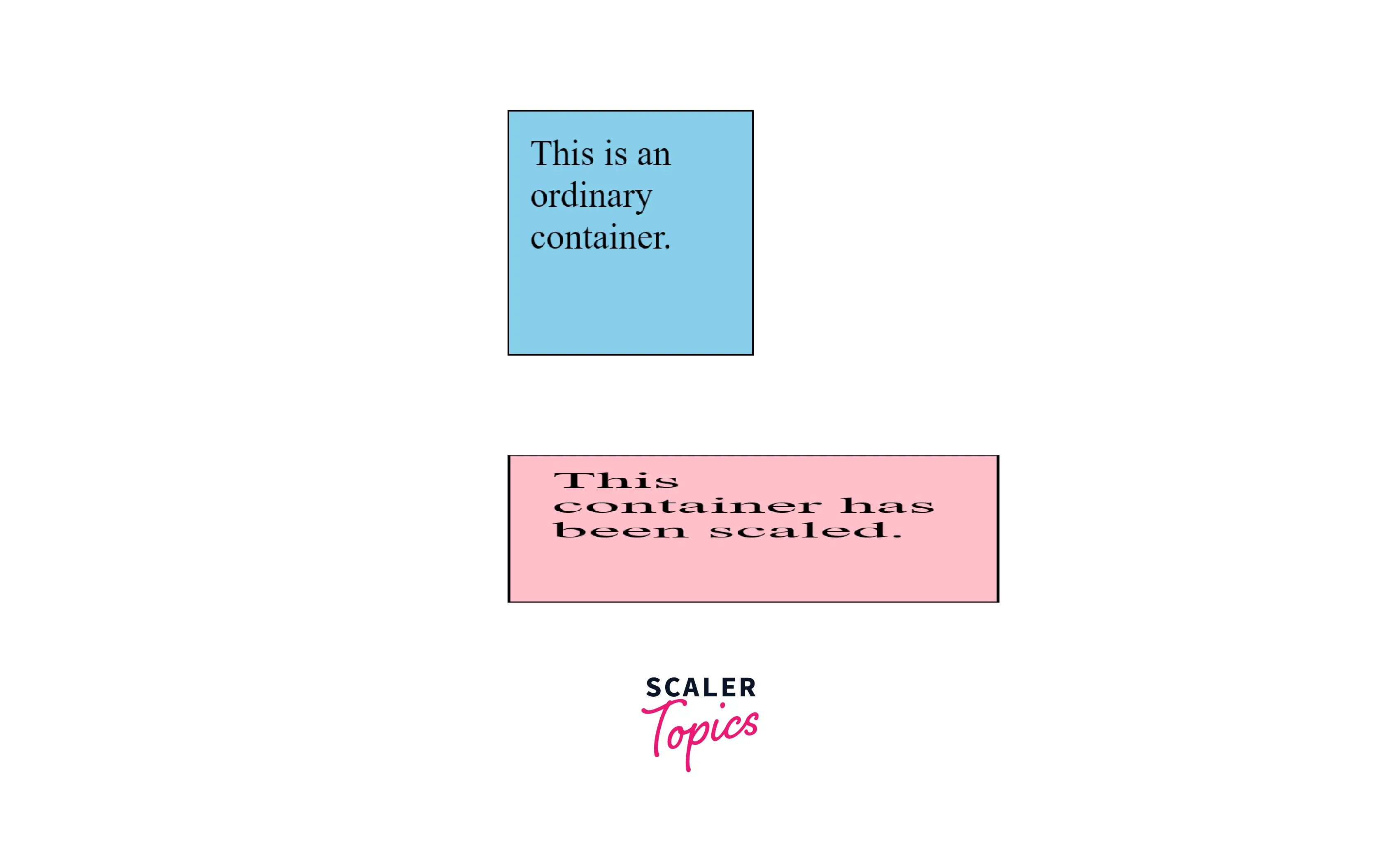
Example 2: Scaling X and Y Dimensions Separately, and Translating the Origin
HTML
CSS
Output
Scaling Does not Distort the Natural Layout Flow
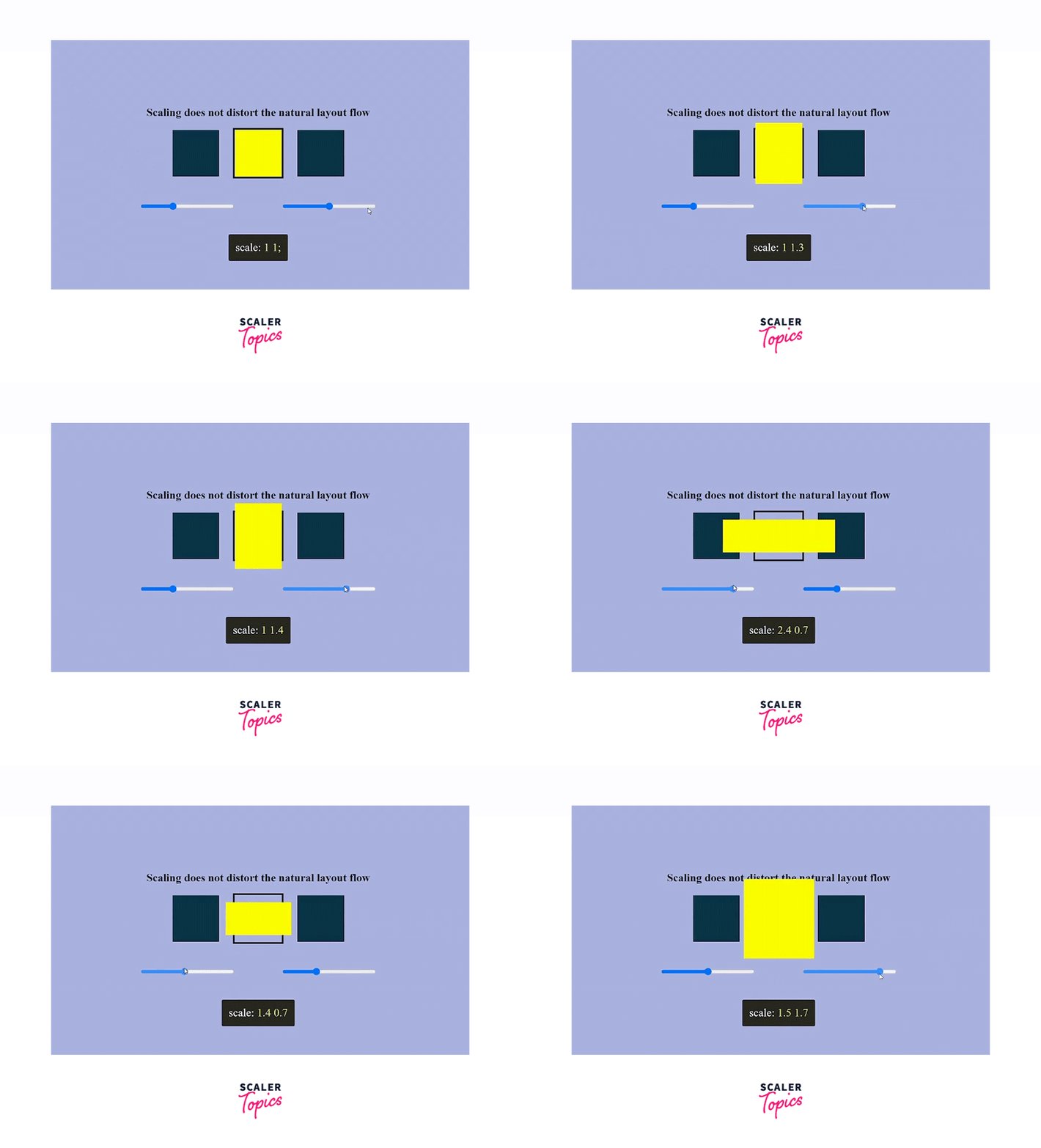
The scale property does not make other adjacent elements flow around it like the scale() transform function does. It does not cause the components surrounding it to reflow to create the extra (or less) space needed based on the scale of that element.
In the below example, we will scale the box in the center without affecting the layout of the adjacent elements.
HTML
- Here, we have a container with a class scale-box surrounded by two other boxes.
- A range slider to scale the middle box dynamically.
CSS
Javascript
- To scale the container using multiple values, we will use javascript.
- We will set the scale value to scale(1,1) as a default value.
- We will add an event listener and scale the box according to the range value.
Output
Turn Learning into Career Growth
Scaling Affects the Child and Descendent Elements
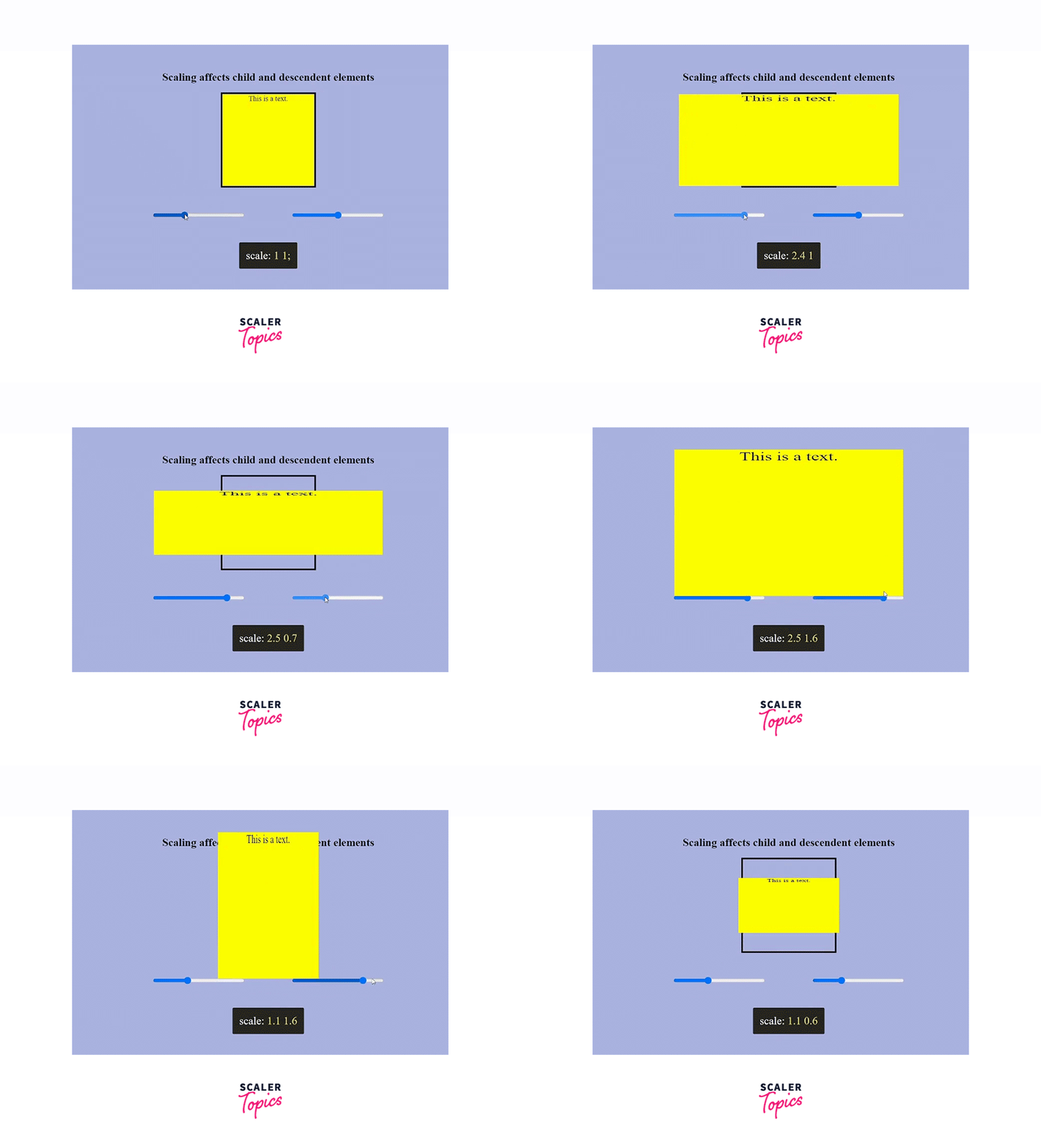
The scale property scales all of an element’s descendants. For example, let’s say we have text inside the element. If we change the elements scale, the scale property scales both the element and the text.
HTML
CSS
Javascript
Output
The text is a child element of the div scales with the container.
Fallbacks
Although almost all modern web browsers support the CSS scale and other independent transform properties, we can always check for fallbacks and support.
Example
Browser compatibility
The following browsers support the scale() in CSS:
| Browser | Version |
|---|---|
| Google Chrome | 1.0 |
| Safari | 3.1 |
| Mozilla Firefox | 1.0 |
| Microsoft Edge | 12.0 |
| Chrome Android | 18 |
| Firefox for Android | 4 |
| Opera Android | 11 |
| Safari on iOS | 3.2 |
| Samsung Internet | 1.0 |
| WebView Android | 2 |
Conclusion
- The CSS scale() function scales an element in two-dimensional space.
- Scale() accepts either one or two values representing the amount of scaling in each direction as scale(six) or scale(sx,sy),respectively.
- sx resizes the elements horizontally, and sy resizes the elements in the vertical plane.
- Scaling does not distort the natural layout flow
- The scale property scales all of an element’s descendants.