


CSS Top Property
 FREE
FREE

Overview
The CSS top property defines the position of the element according to its top edge with the help of the position property.
In this article, we will learn how to use the top CSS property with syntax and examples.
Build an AI-First Career, Master the Complete Skillset
Choose from our industry-leading programs designed for career success
Modern Software and AI Engineering Program
Master full-stack development with AI integration


 +1000 more
Modern Data Science and ML with specialisation in AI
Advanced data science techniques with AI specialization
+1000 moreAdvanced AIML with Specialisation in Agentic AI
Deep dive into AIML with focus on Agentic systems
+1000 moreDevOps, Cloud & AI Platform Engineering
Build and manage AI-powered cloud infrastructure
+1000 moreAI Engineering Advanced Certification by IIT-Roorkee
Premier AI engineering certification from IIT-Roorkee

AI Forward Deployed Engineer Program
Full-stack engineering, production AI and client-facing consulting
+1000 moreSyntax
We can define the top values with the help of length, percentage, keyword values, and global values.
Syntax: top: length | percentage | auto | inherit | initial | unset;
Top in CSS
The effect of top CSS property depends on how the element is positioned (i.e., the value of the position property):
- The top property has no impact when the position is static.
- The top property determines the space between an element's outer margin of the top edge and the inner border of the top edge of its contained block when the position is set to absolute or fixed.
- The top property determines how much the element's top edge is shifted downward when the position is set to relative.
- The top attribute is used to compute the sticky-constraint rectangle when the position is set to sticky.
Length
The length value can be positive, negative, or null.
- The length value represents the distance to the top edge of the containing block for absolutely positioned elements.
- The length value represents the distance that the element is moved below its normal position for relatively positioned elements.
Example:
Percentage
When the value of top is provided as a percentage, it is relative to the height of the containing block, i.e., a <percentage> of the containing block's height.
Example:
How Scaler Transformed Careers in Different Fields
Scaler learners achieved 2.5x salary growth with average post-Scaler CTC reaching ₹23L.
 Google
 Amazon
 Microsoft
 Flipkart
 Adobe1200+ more
Auto
It's the default value. When applied, the browser calculates the top position.
Example:
Inherit
When inherit is used, the top property inherits the property of its parent element. It may or may not be its containing block.
Once this value is inherited, it is handled as if it were a <length>, <percentage>, or the auto keyword.
Similar to inherit, we have some more properties like initial, revert, revert-layer, unset.
initial is used to set the value of the top property to its default value.
unset is used to unset the top property, and it is the default value.
Example:
Turn Learning into Career Growth
Examples
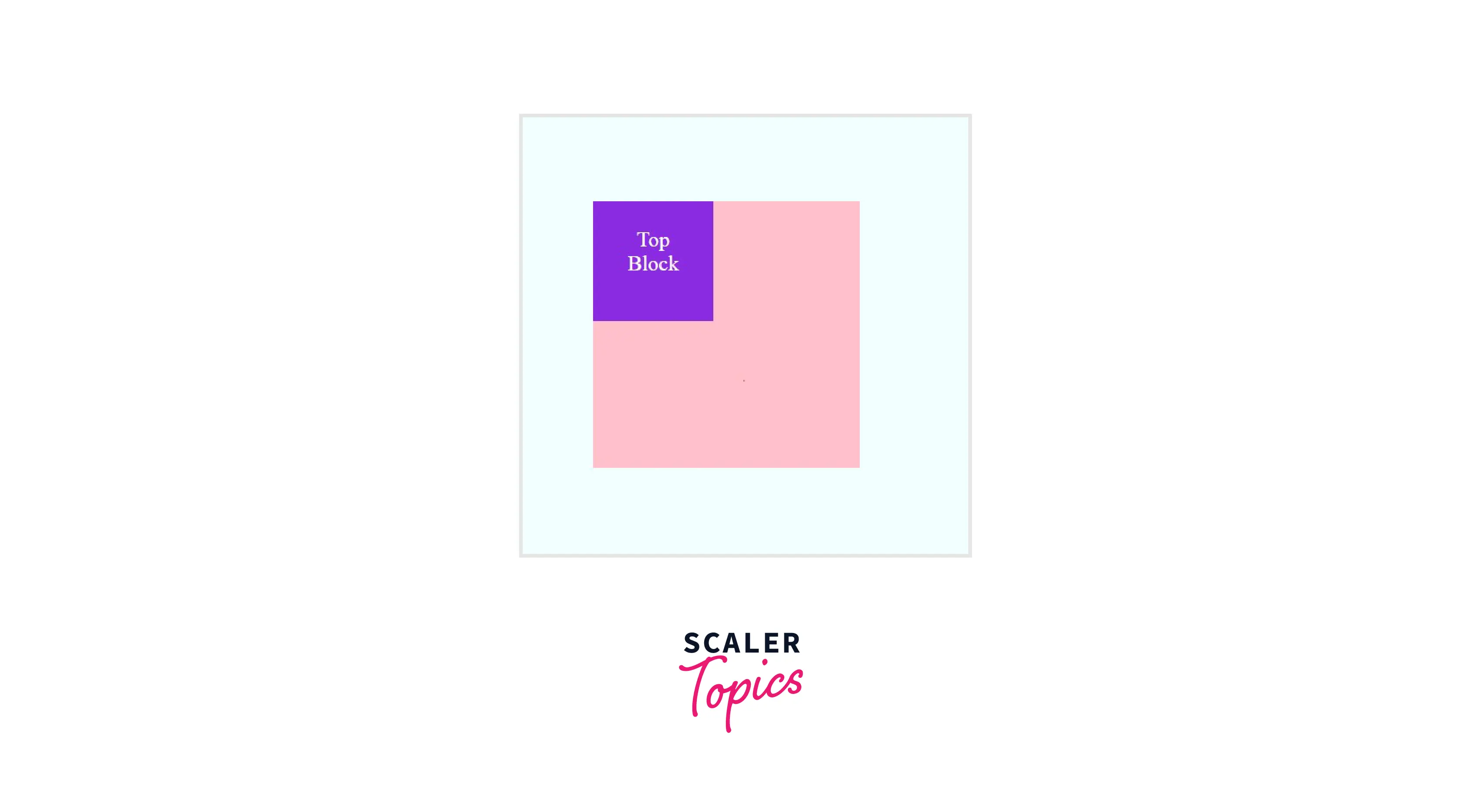
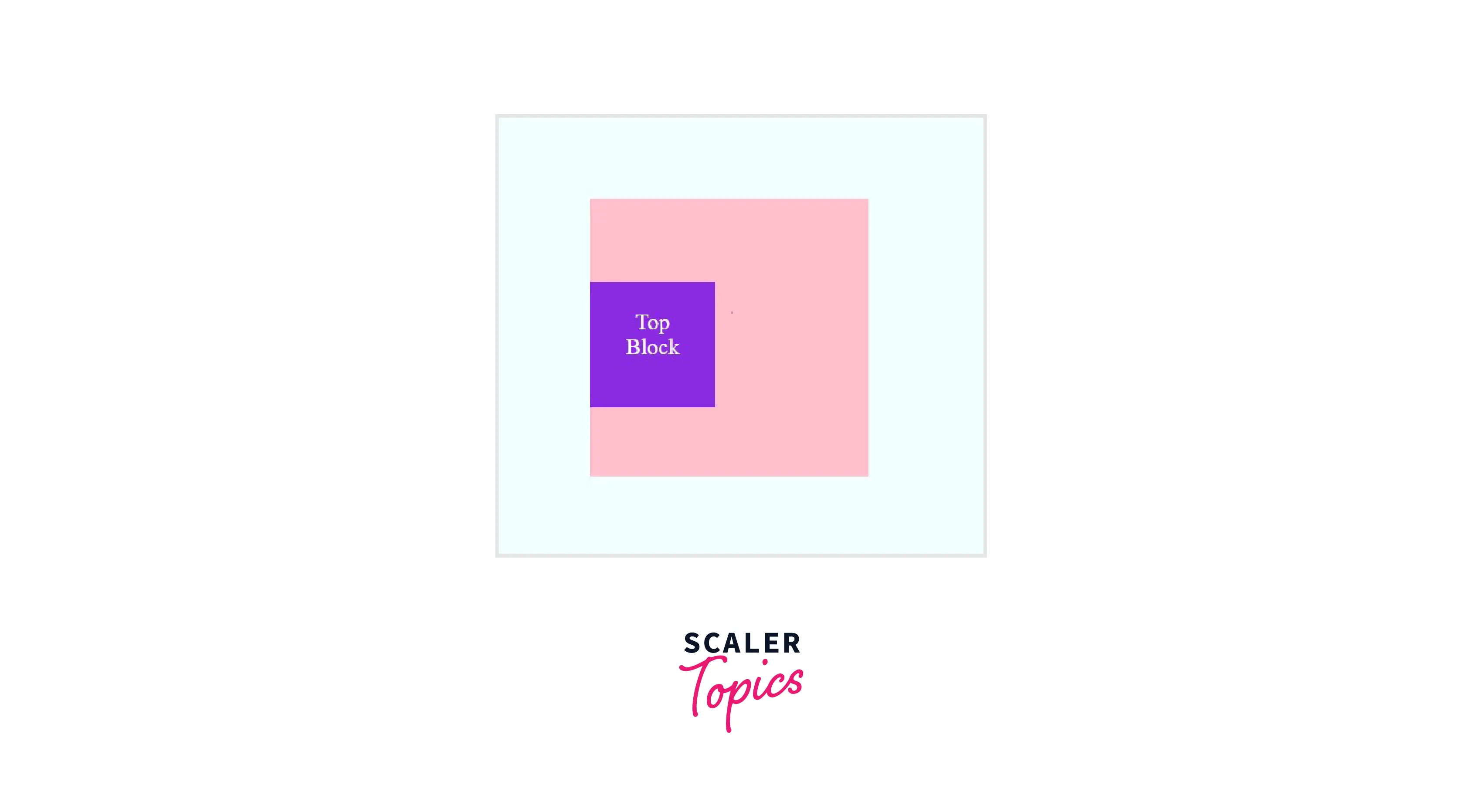
A Positioned Element Set as Percentage from the Top
Output:
A positioned element set as 0% from the top:
A positioned element set as 30% from the top:
A positioned element set as -20% from the top:

:::
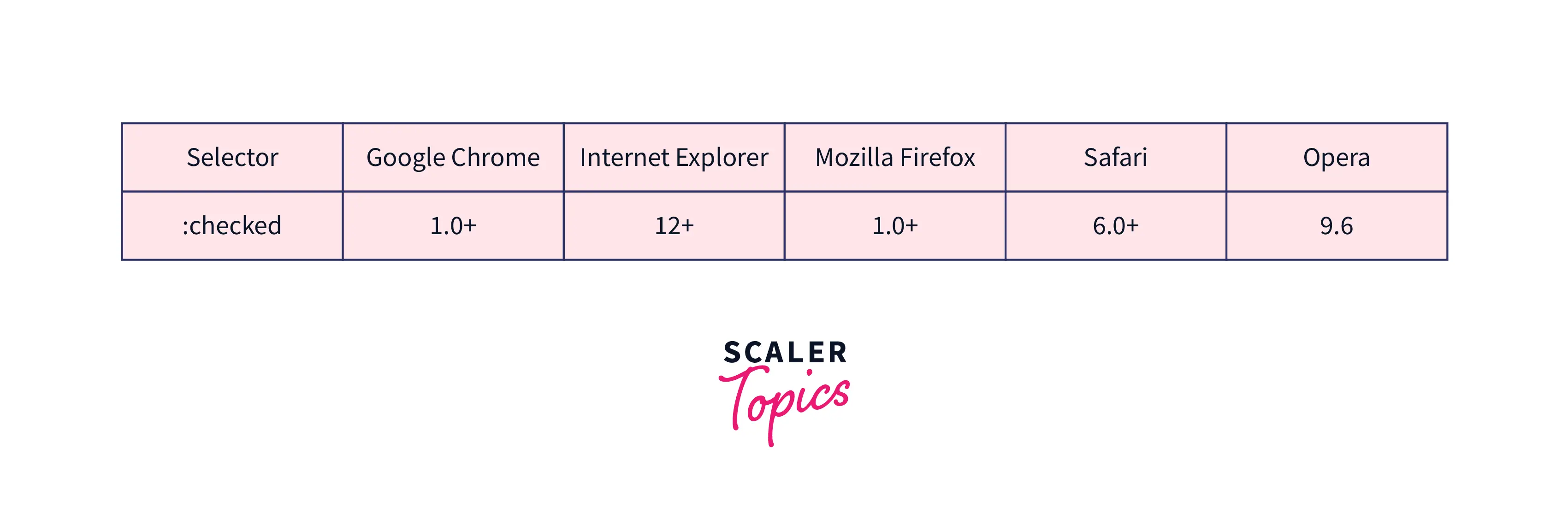
Browser Support
The following browsers fully supports the CSS top property:
Conclusion
- The top CSS property defines the position of the element according to its top edge with the help of the position property.
- The value for the top can be defined as length, percentage, keyword values, and global values.
- The effect of the top depends on how the element is positioned (i.e., the value of the position property).
Related Properties
Similar to top CSS property, you can check and read more about the following CSS topics:
- CSS Positioning
- bottom property
- left property
- right property
- HTML DOM reference: top property




