


How to Download and Install Cygwin?
Build an AI-First Career, Master the Complete Skillset
Choose from our industry-leading programs designed for career success
Modern Software and AI Engineering Program
Master full-stack development with AI integration


 +1000 more
Modern Data Science and ML with specialisation in AI
Advanced data science techniques with AI specialization
+1000 moreAdvanced AIML with Specialisation in Agentic AI
Deep dive into AIML with focus on Agentic systems
+1000 moreDevOps, Cloud & AI Platform Engineering
Build and manage AI-powered cloud infrastructure
+1000 moreAI Engineering Advanced Certification by IIT-Roorkee
Premier AI engineering certification from IIT-Roorkee

AI Forward Deployed Engineer Program
Full-stack engineering, production AI and client-facing consulting
+1000 moreOverview
In this article, we'll explore Cygwin and its role in bridging the gap between Windows and Linux. Cygwin helps Windows use tools that are similar to those found in Linux. We'll explore the advantages of using Cygwin, and we'll also cover the steps for Cygwin download and installation."
What is Cygwin?
Cygwin is like a bridge that lets Windows computers talk to Linux. It comes with tools that make Windows feel more like Linux. Inside Cygwin, there is a special piece called cygwin1.dll, this piece helps Windows understand Linux-style commands, and with Cygwin, you can use typical Linux tools either through its own bash shell or through the regular Windows Command Prompt.
We can imagine Cygwin as a box of tools having llvm (which has GCC compilers), Clang (with Clang compilers), GDB (a debugger for both compilers), make/cmake (tools for saying how to build C++ programs).
Note: Cygwin download and install takes up about 14 GB of space on your computer.
Advantages of Using Cygwin over Command Prompt or WSL
- Cygwin is a tool that lets Windows understand UNIX commands. It adds a "UNIX command center" to your Windows, allowing you to use handy tools from the UNIX/Linux world on your Windows computer.
- Cygwin saves you from installing a whole Linux system if you just want to use a few Linux tools on your Windows. It lets you use these tools directly within Windows.
- Cygwin is smart at using your computer's power. It's designed to work well with Windows, essentially creating a "make-believe Linux layer" on your Windows. This makes using Linux-like tools smooth and easy.
- Cygwin is great for tasks like testing or building projects with these special tools on your Windows.
- Cygwin is a great choice if you're on an older version of Windows.
How Scaler Transformed Careers in Different Fields
Scaler learners achieved 2.5x salary growth with average post-Scaler CTC reaching ₹23L.
 Google
 Amazon
 Microsoft
 Flipkart
 Adobe1200+ more
How to Download Cygwin?
- Go to the official Cygwin website https://www.cygwin.com/ and look for the "Install Cygwin" button.
- Click on the link to access the Cygwin download page.
- It's usually labeled as "setup-x86_64.exe" for 64-bit systems or "setup-x86.exe" for 32-bit systems).
- Choose a location on your computer to save the Cygwin download installer file.
- You have to remember this location, as you'll need to run the installer from here.
Installing Cygwin
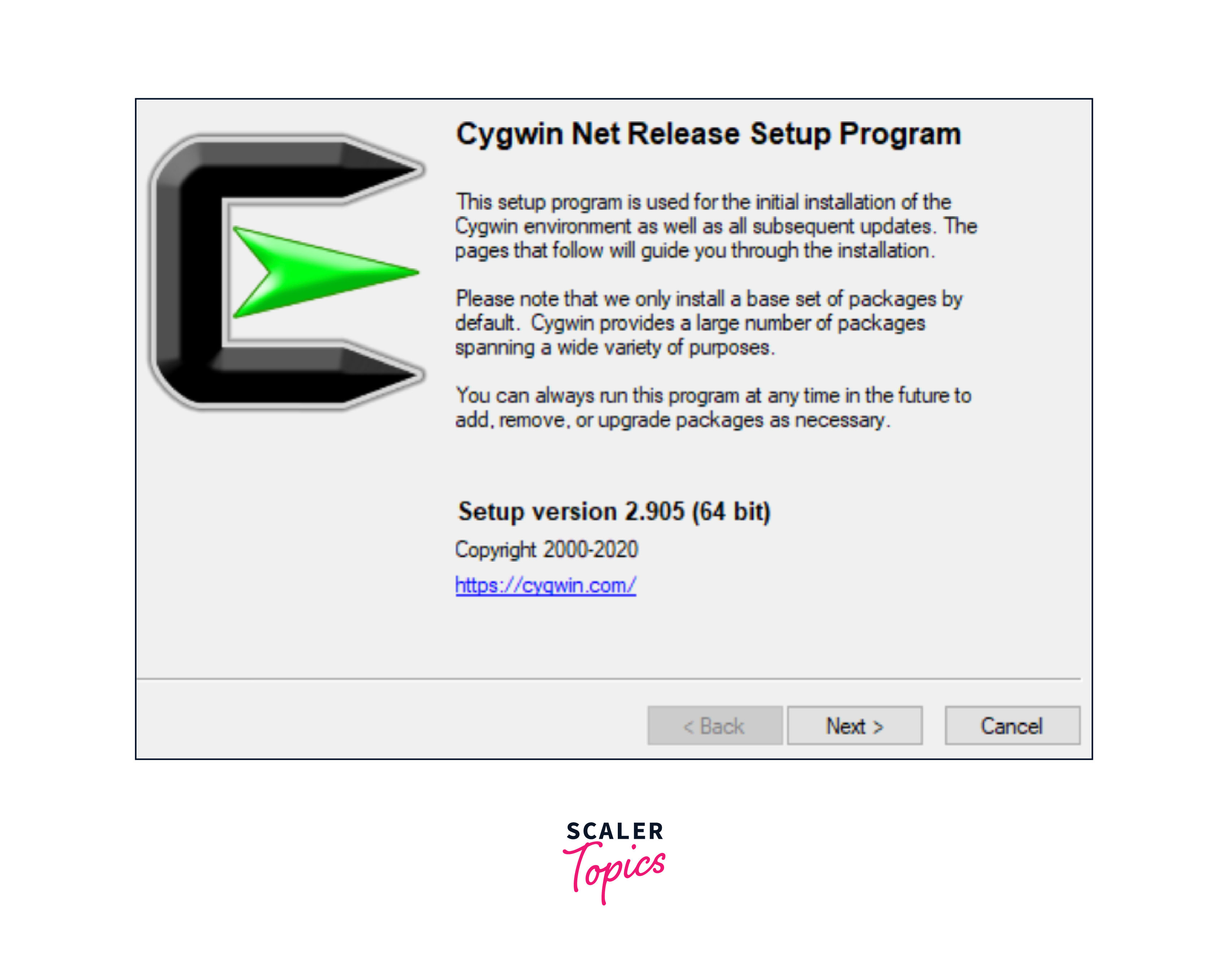
- Run the executable file you downloaded earlier. This will start the setup program, as you can see in the image below and just lick "Next" to move ahead.
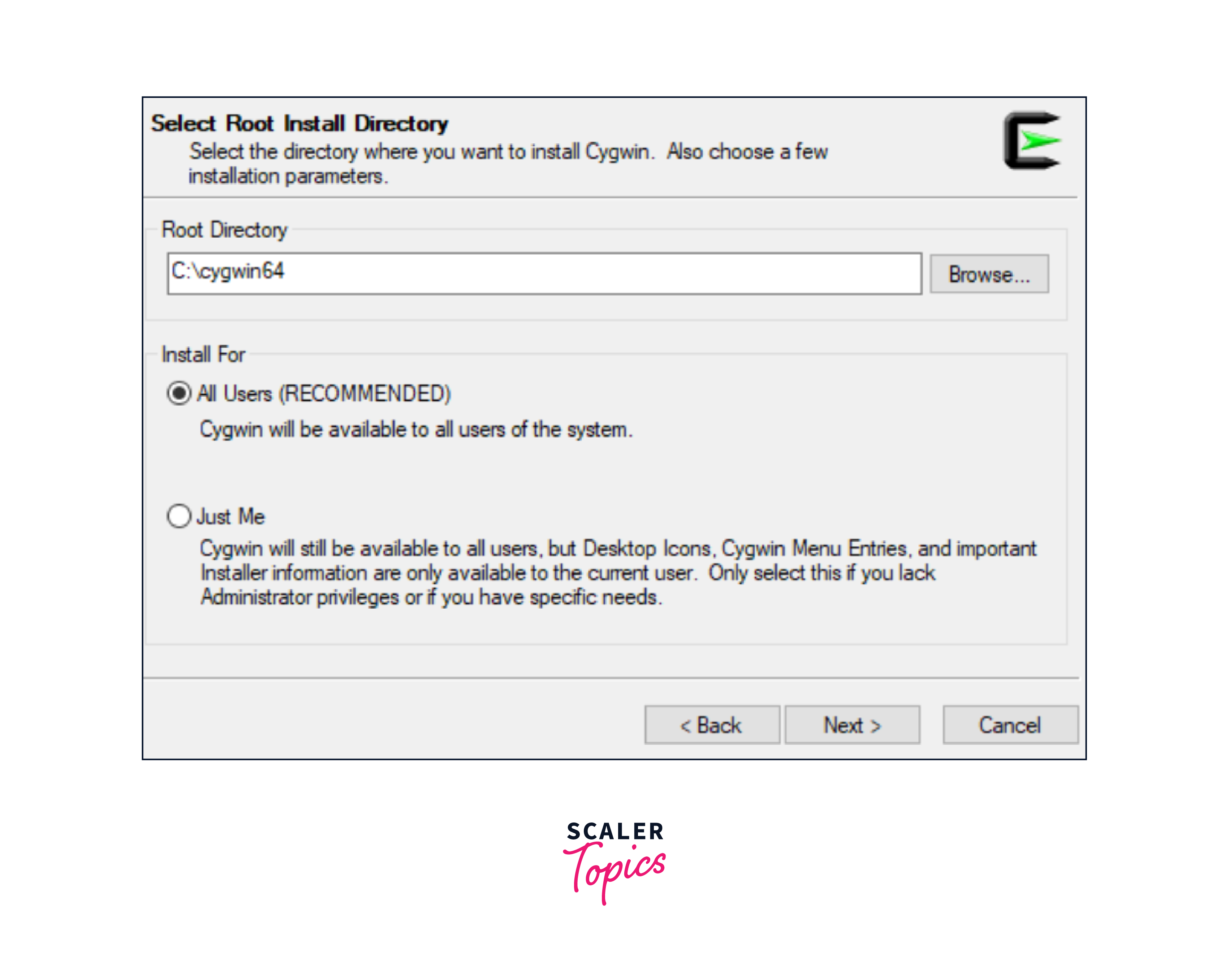
- You'll be asked about where to install Cygwin and whether it's for "All Users" or just you. Then, select "Next" to move forward.
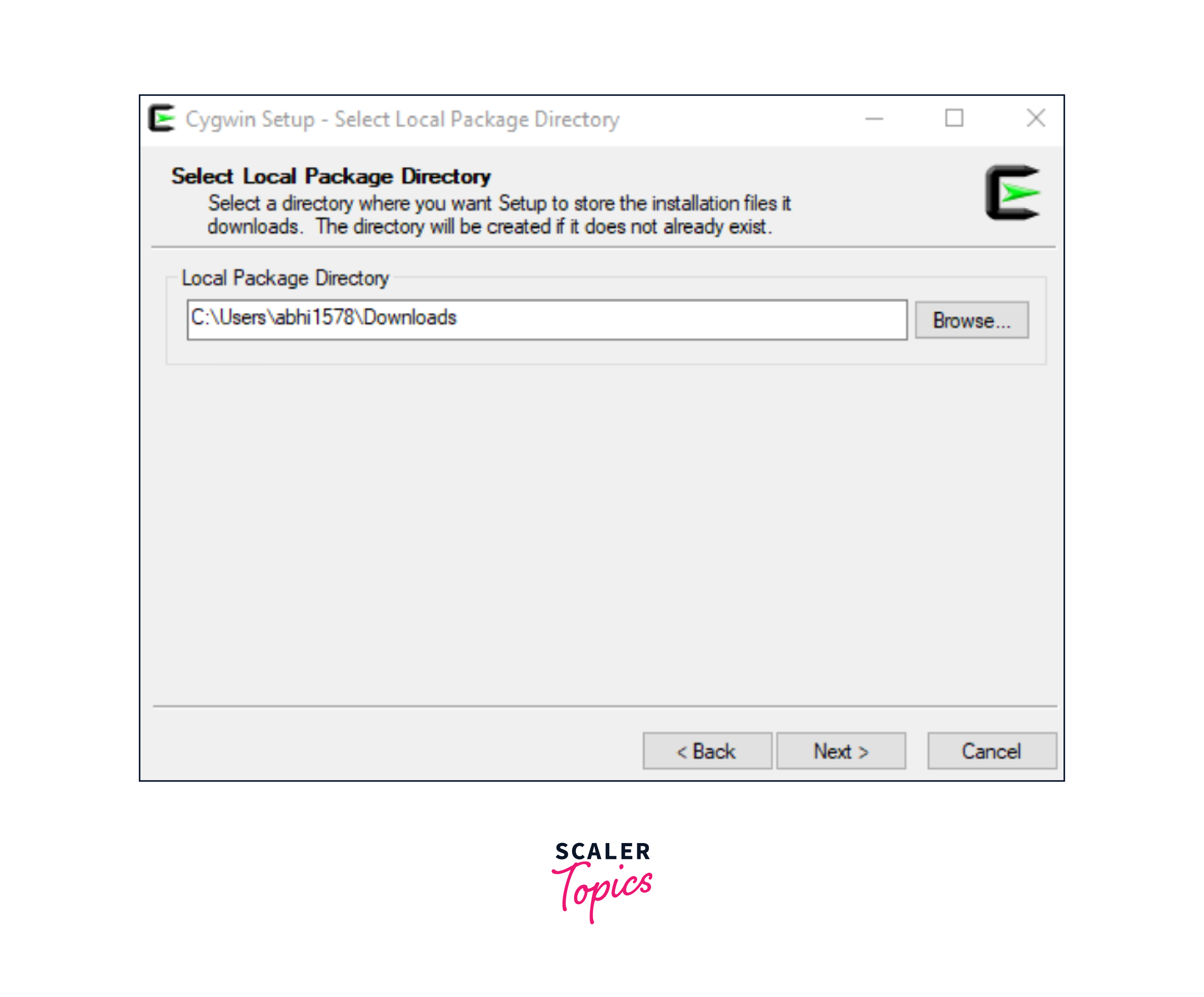
- Now, the setup will ask you where to put the package files you're going to download. By default, it points to your computer's "Download" folder. If you prefer a different location, you can specify it here. Subsequently, select "Next" to continue with the setup.
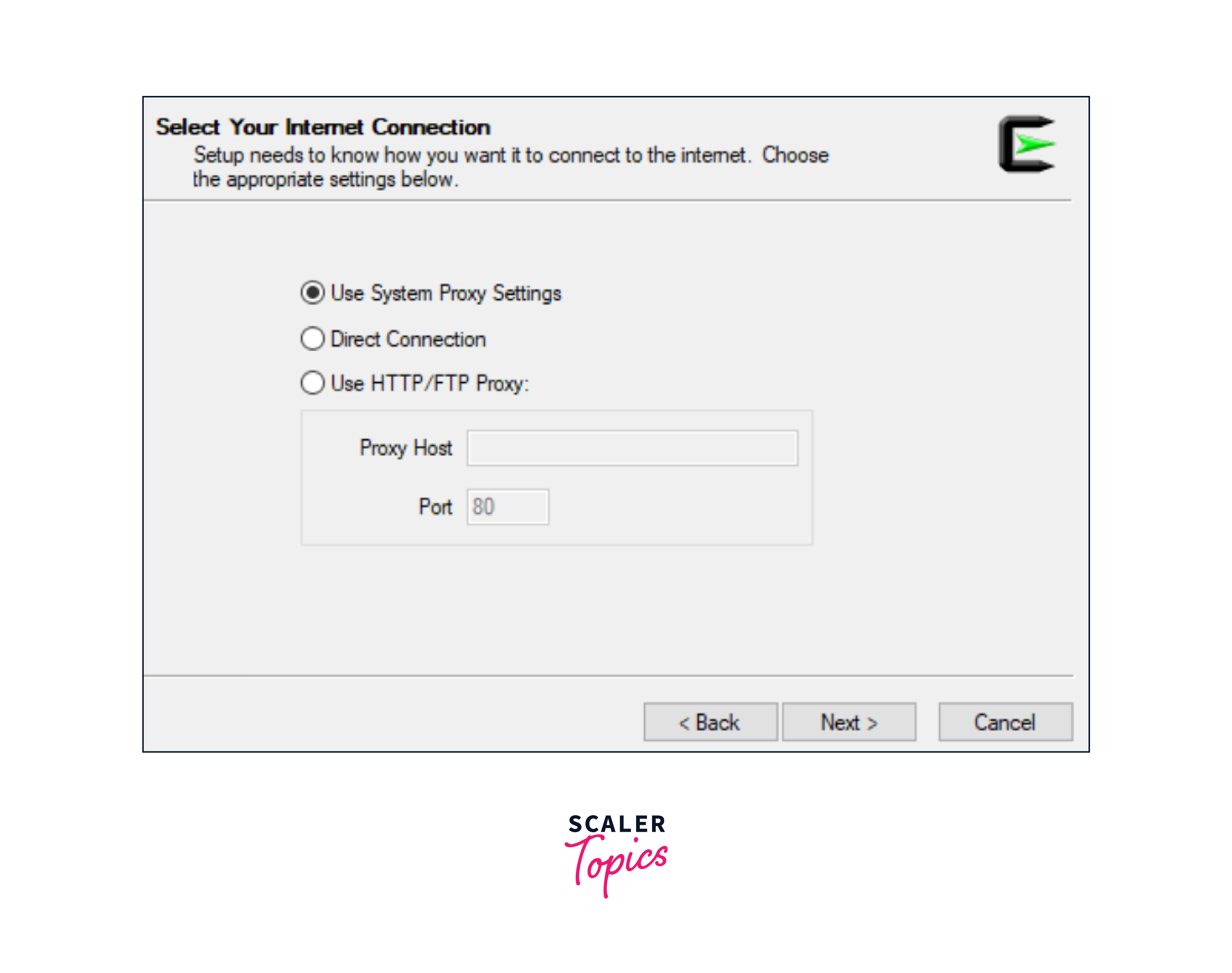
- For most situations, "Using System Proxy Settings" is good for downloading packages. But if you don't need a proxy and want to directly connect to the Internet, choose "Direct Connection." and just press the "Next" button to continue.
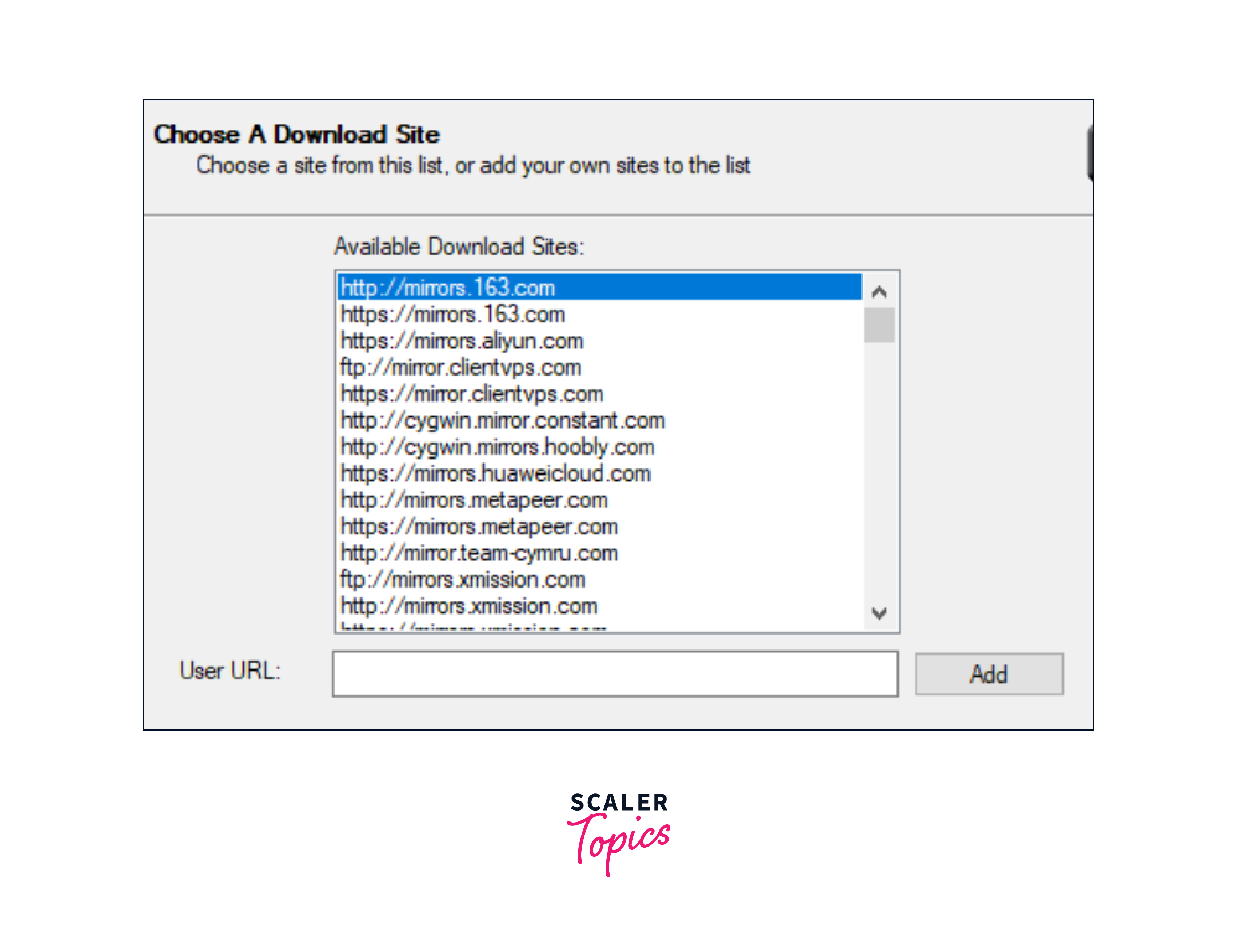
- Next, you'll be prompted to choose a mirror. This is where Cygwin will fetch its package files and if there's a mirror near your location that can provide a faster connection, select that. If you're not sure, any mirror from the list will work. Click "Next" to proceed.
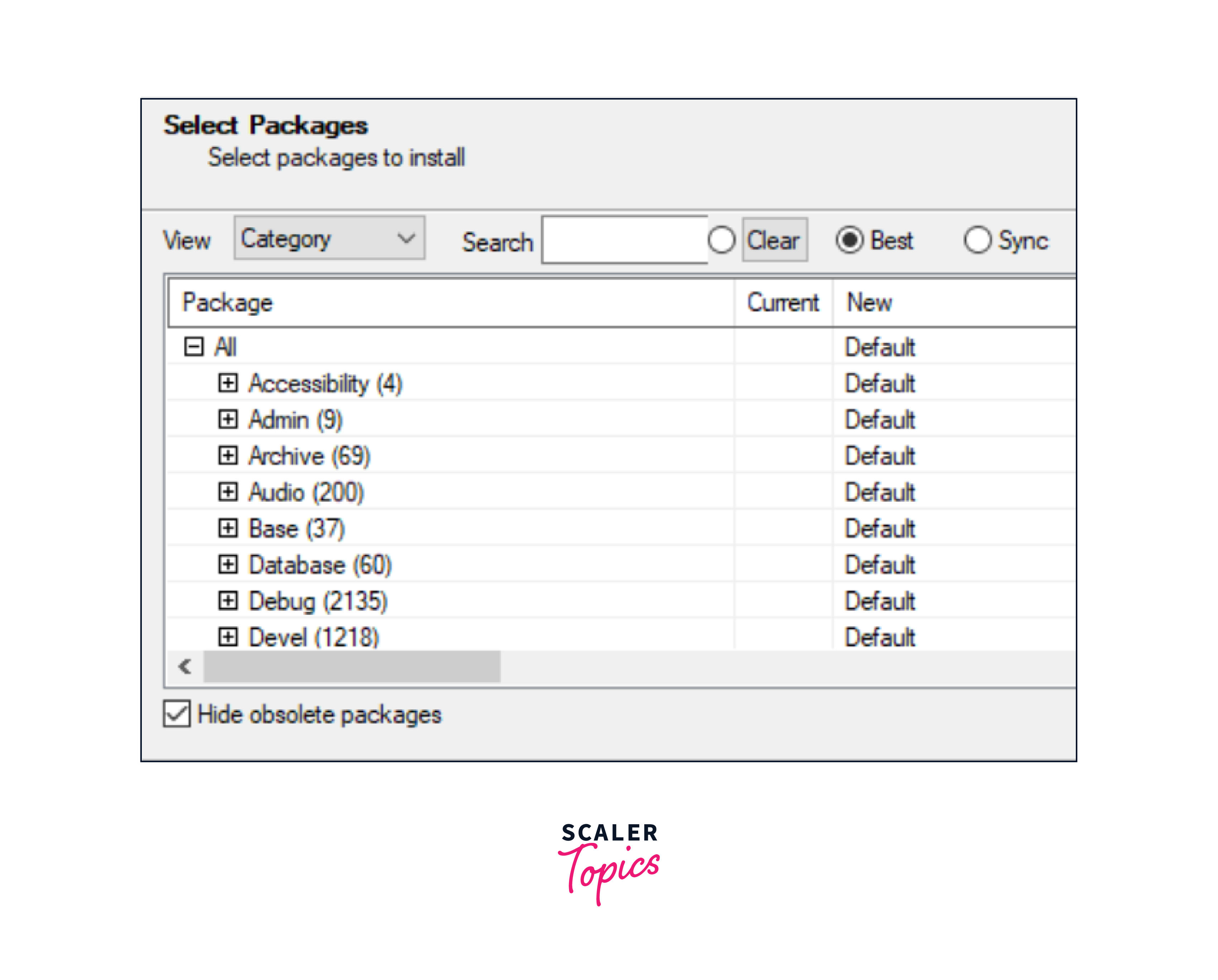
- Cygwin offers many UNIX/Linux tools for Windows. Not all of them are installed by default. Only the most important ones are included.
- In this step, you can customize your Cygwin setup by choosing which categories of tools you want. At a later point also, you can always add or remove packages.
- Now, if you have specific tools you need for your work, you can select them and continue by clicking "Next."
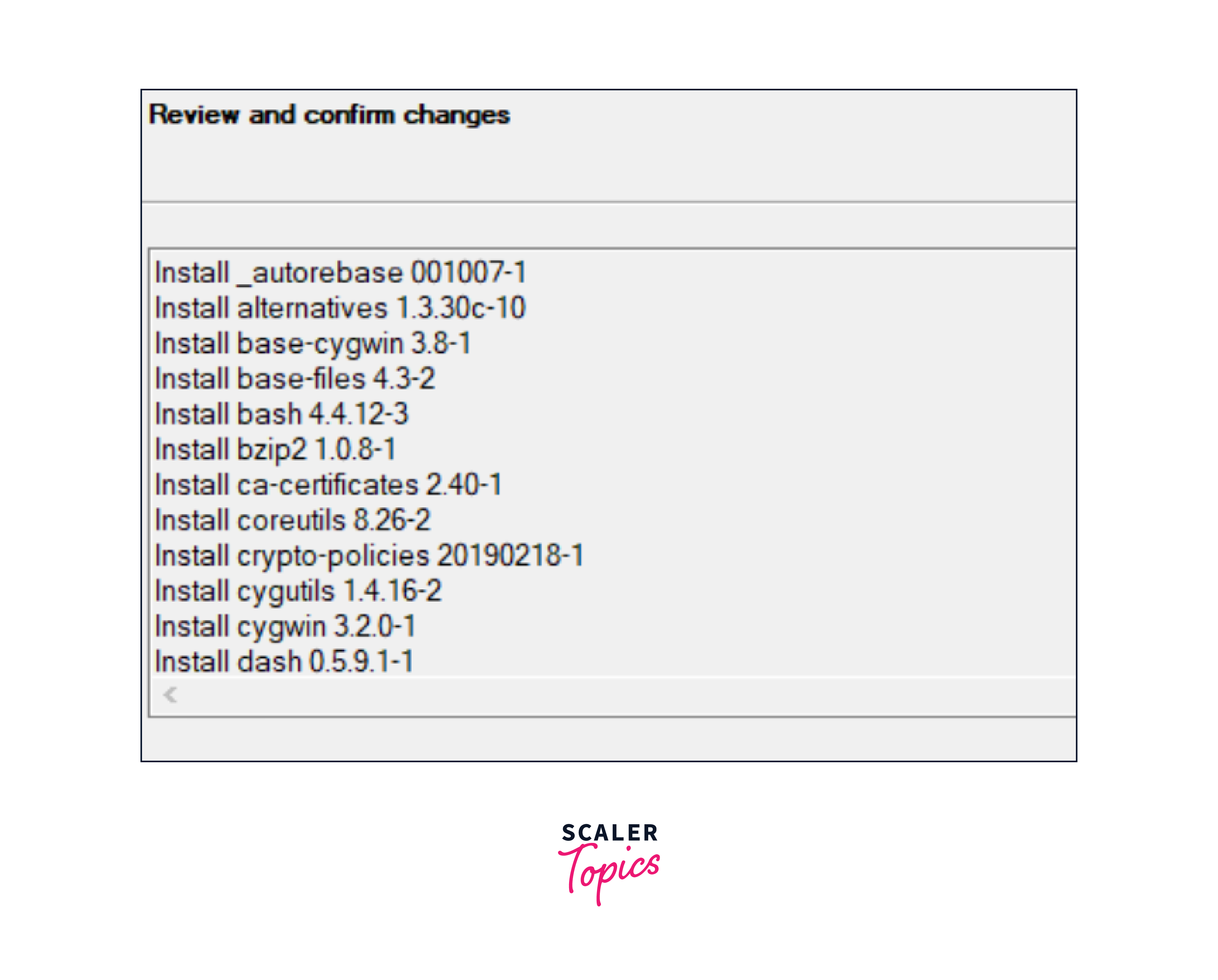
- The next screen shows the packages you've selected and asks you to Confirm and review them. After doing so, hit the "Next" button to proceed.
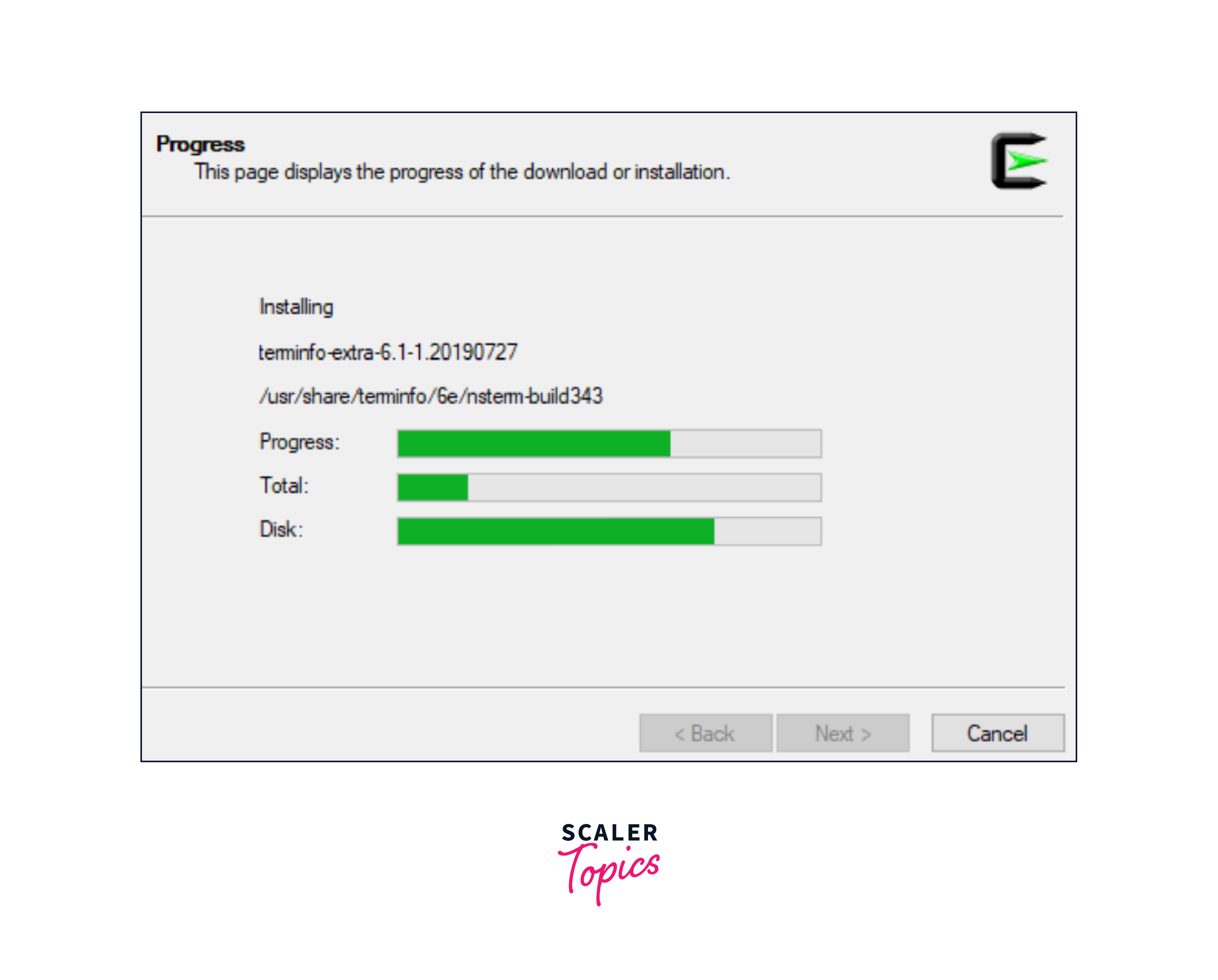
- The chosen packages will start downloading.
- After we have all the Cygwin download packages, the setup will start installing them.
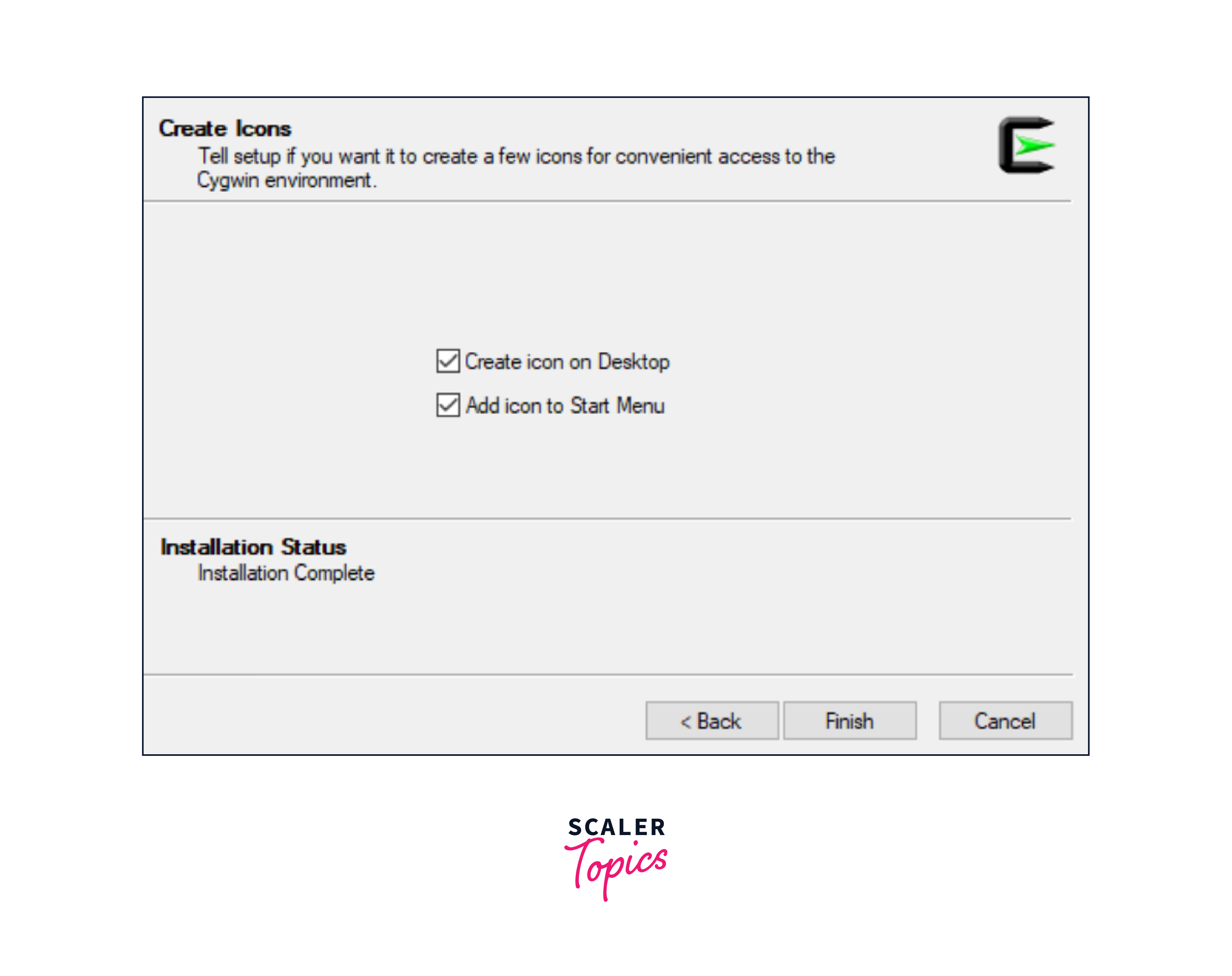
- When setup is complete, you’ll be shown the option to create icons on the Desktop and Start Menu for easy access. Click “Finish” when done to end the setup wizard.
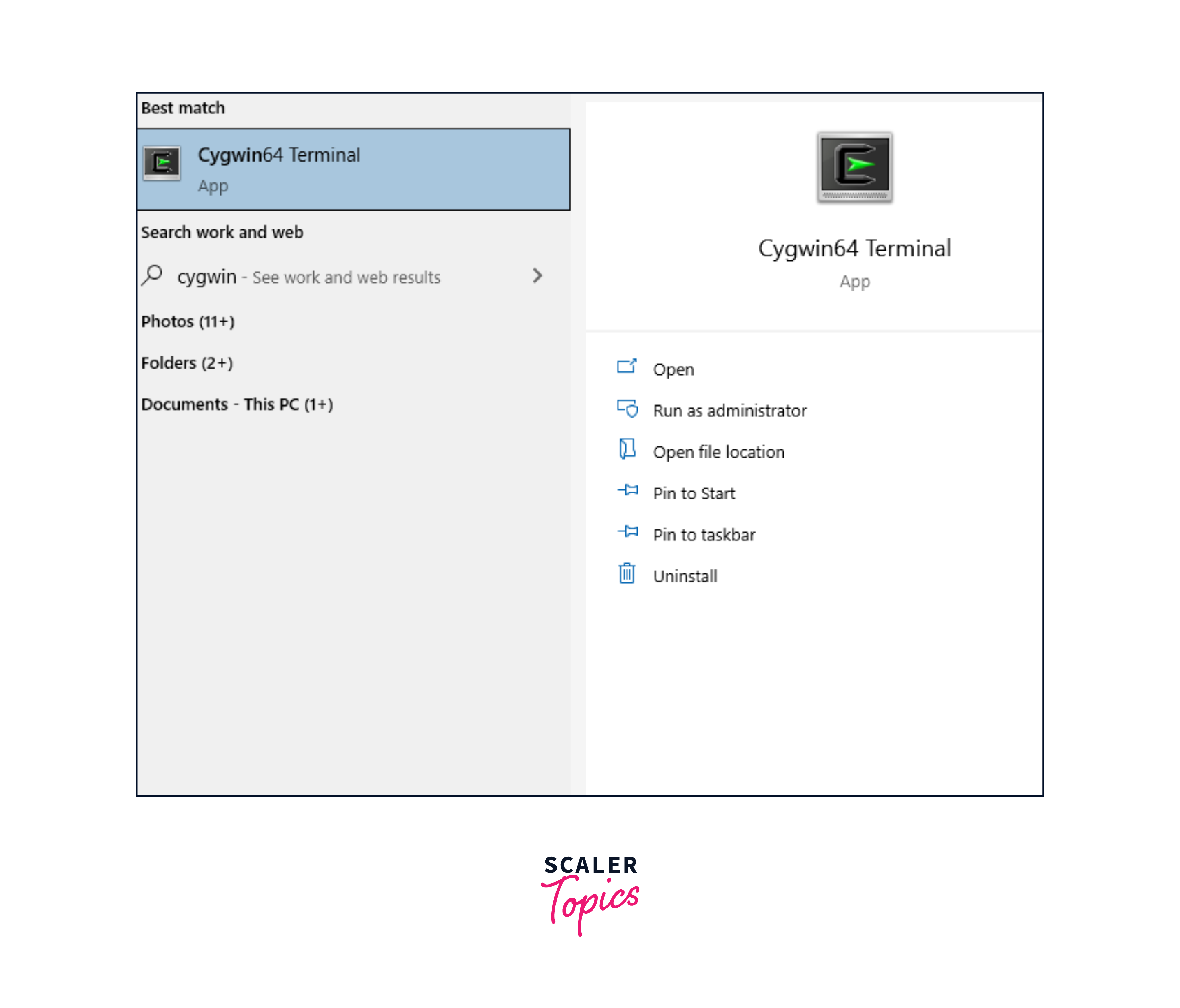
- You can now find and launch Cygwin by searching in the Start Menu, as shown below, or by double-clicking the Desktop icon if you created one during setup. This will open the Cygwin shell.
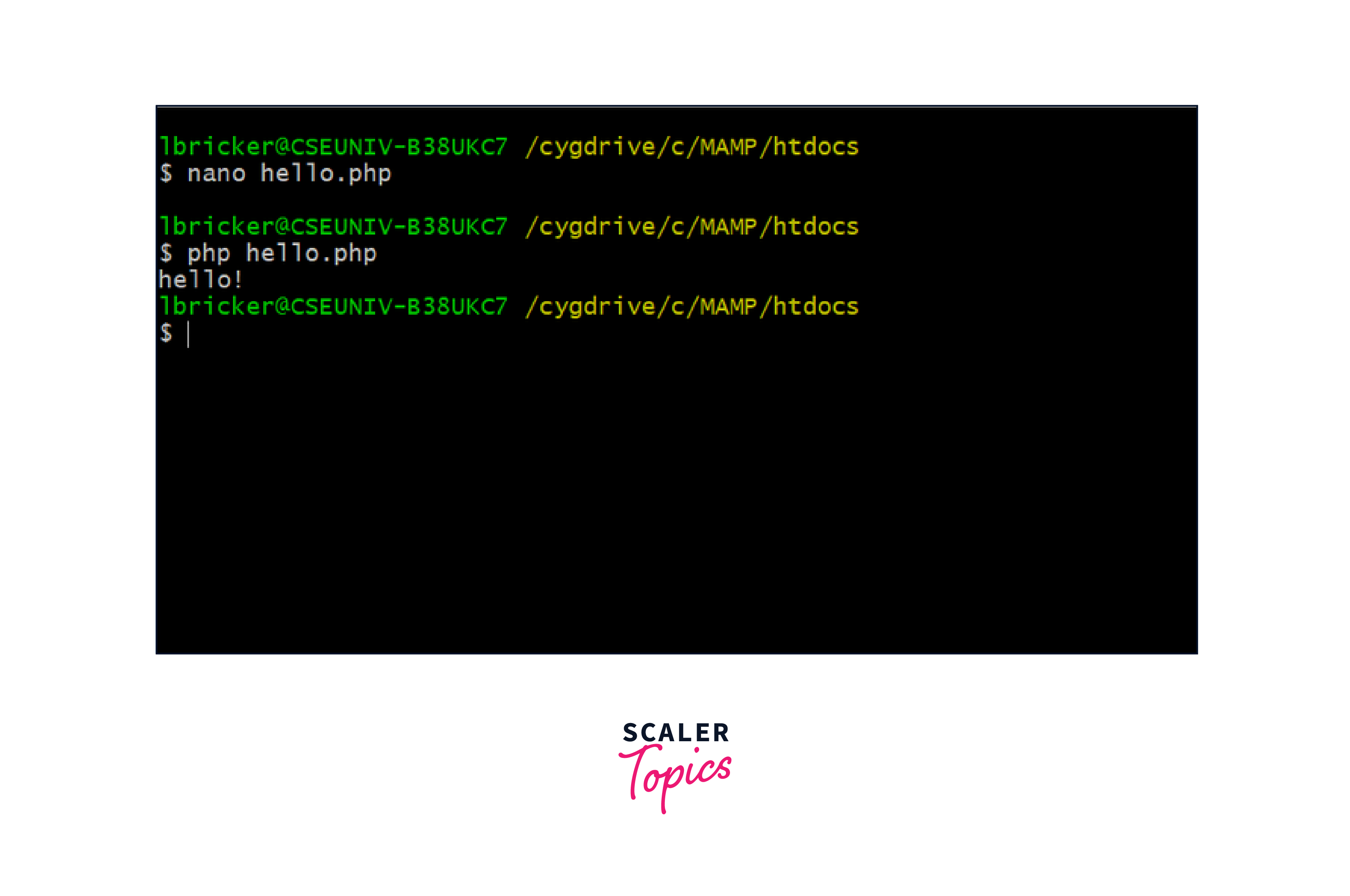
- The Cygwin shell lets you use UNIX/Linux commands just like you normally would. If you encounter a command that doesn't work, you can rerun the setup, select the missing package, and install it. Afterward, that command will work just like any other in the Cygwin shell.
Turn Learning into Career Growth
FAQs
Q. What is Cygwin and why is it useful?
A. Cygwin acts as a bridge between Windows and Linux, allowing Linux-like tools to be used on Windows systems, and enhancing development and testing capabilities.
Q. Does Cygwin require a full Linux installation?
A. No, Cygwin offers Linux-like utilities without the need to install an entire Linux system, making it efficient and user-friendly.
Q. What are the benefits of using Cygwin over Windows Subsystem for Linux (WSL)?
A. Cygwin offers compatibility with older Windows versions, while WSL is supported on newer versions only.
Q. Can I access Cygwin's tools from both its shell and the Windows Command Prompt?
A. Yes, you can use Linux-like tools through Cygwin's bash shell as well as the regular Windows Command Prompt.
Conclusion
- Cygwin serves as a crucial bridge connecting Windows and Linux worlds, allowing Linux-like tools to function on Windows.
- Its integration eliminates the need for a full Linux setup, offering the convenience of UNIX/Linux utilities within a Windows environment.
- Cygwin's resource-efficient design optimizes Windows resources for smooth operation.
- Its compatibility with older Windows versions, like Windows 7, ensures broader accessibility.
- Cygwin provides a practical solution for testing, development, and using UNIX/Linux tools seamlessly on Windows.




