


PostgreSQL DATEDIFF
Overview
Do you know How to find the differences between two tables in PostgreSQL? What is datediff in Postgresql?
The datediff in PostgreSQL plays an important role in Database Management Systems as datediff in PostgreSQL functions as a calendar that is very helpful to the users.
PostgreSQL "datediff" Function
The datediff in the Postgresql function is not available. However, alternative methods are there to calculate the difference between the two dates.
One common approach is to subtract one date from another using the subtraction operator (`-`). This operation returns the difference between the dates as an interval. The interval represents the time between the two dates, including the number of years, months, days, hours, minutes, and seconds.
To calculate differences in specific units such as days, months, or years, you can use the EXTRACT function. The EXTRACT function allows us to extract the specific component (for example, month, day, year) from a date or an interval. By subtracting the extracted components of the two dates, you can get the difference in the desired unit.
It is important to ensure that the dates that are used are of appropriate data type and format to perform accurate calculations. Handling time zones, leap years, and other factors affecting date calculations should also be taken into consideration.
The difference between the two tables in Postgresql can be found via the following methods:
- Using the EXCEPT operator:
The EXCEPT operator allows you to retrieve rows from one table that do not exist in the other. By applying this operator, you can identify the differing rows between the two tables. - Utilising joins:
Performing joins like LEFT JOIN or RIGHT JOIN can help identify unmatched rows between the tables based on a common column. This allows you to determine the rows that exist in one table but not in the other. - Comparing individual columns:
By comparing specific columns using conditions such as NOT EXISTS or <> (not equal), you can find differences between corresponding rows in the two tables.
Functions Related to Date and Time
Below are the functions related to datediff in Postgresql:
| Function Name | Description | Syntax |
|---|---|---|
| now() | The now() function returns the current date and time according to the system clock of the database server. It has no parameters | SELECT now(); |
| time of day() | The time of day() function returns the current local time in the format of hours:minutes:seconds. It has no parameters | SELECT time of day(); |
| quarter() | The quarter() function returns the quarter (1, 2, 3, or 4) of a given date. It takes a date or timestamp as a parameter | SELECT quarter(date_column) FROM your_table; |
| day of the year() | The day of the year() function returns the numeric day of the year (1 to 366) for a given date. It takes a date or timestamp as a parameter | SELECT extract(DOY FROM date_column) FROM your_table; |
| day of the week() | The day of the week() function returns the numeric day of the week (0 to 6) for a given date. It takes a date or timestamp as a parameter | SELECT extract(DOW FROM date_column) FROM your_table; |
| current month() | Although there is no direct current month() function, you can use the EXTRACT function to extract the month component from the current date. | SELECT extract(MONTH FROM current_date); |
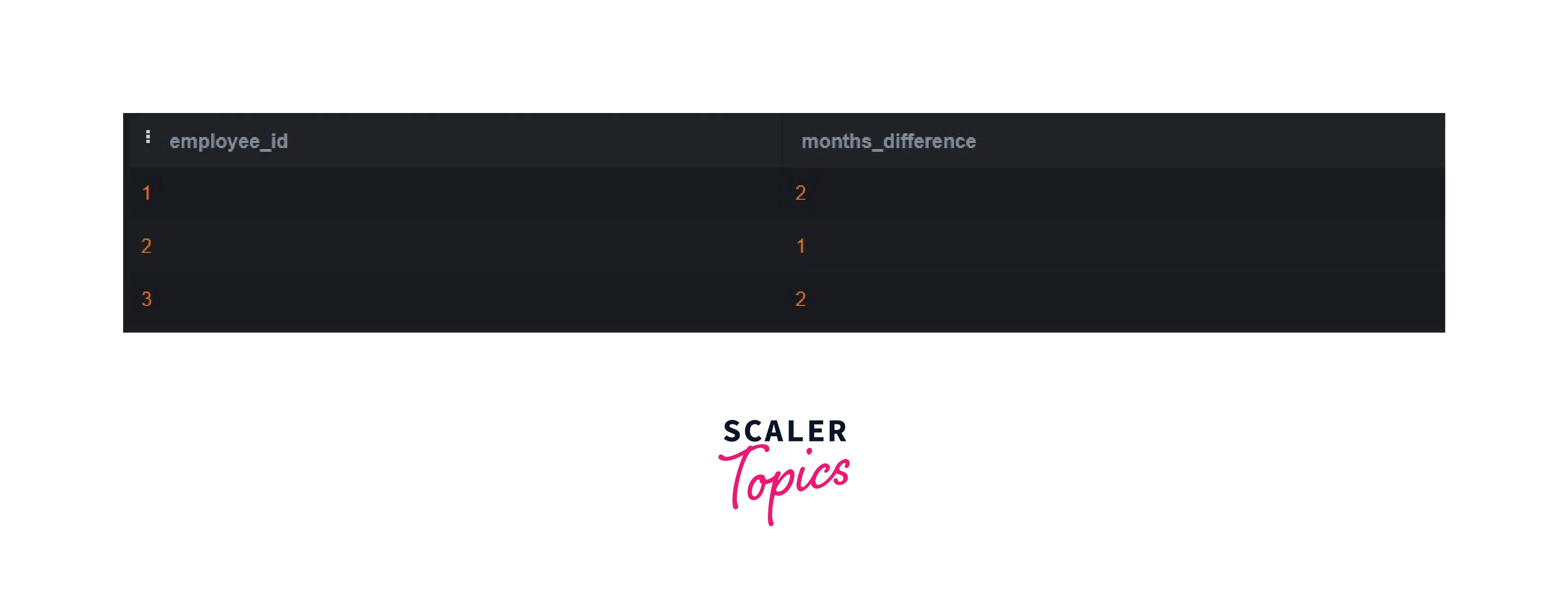
Consider now we are creating an employee table that has the following columns i.e., employee_id, hire_date, and birth_date.
Here's the employees table that we have created:
PostgreSQL - Date Difference in Years
To calculate the difference in years between the dates for each employee, you can use the DATE_PART function and subtract the birth year from the hire year from the above-created employee table.
Output:
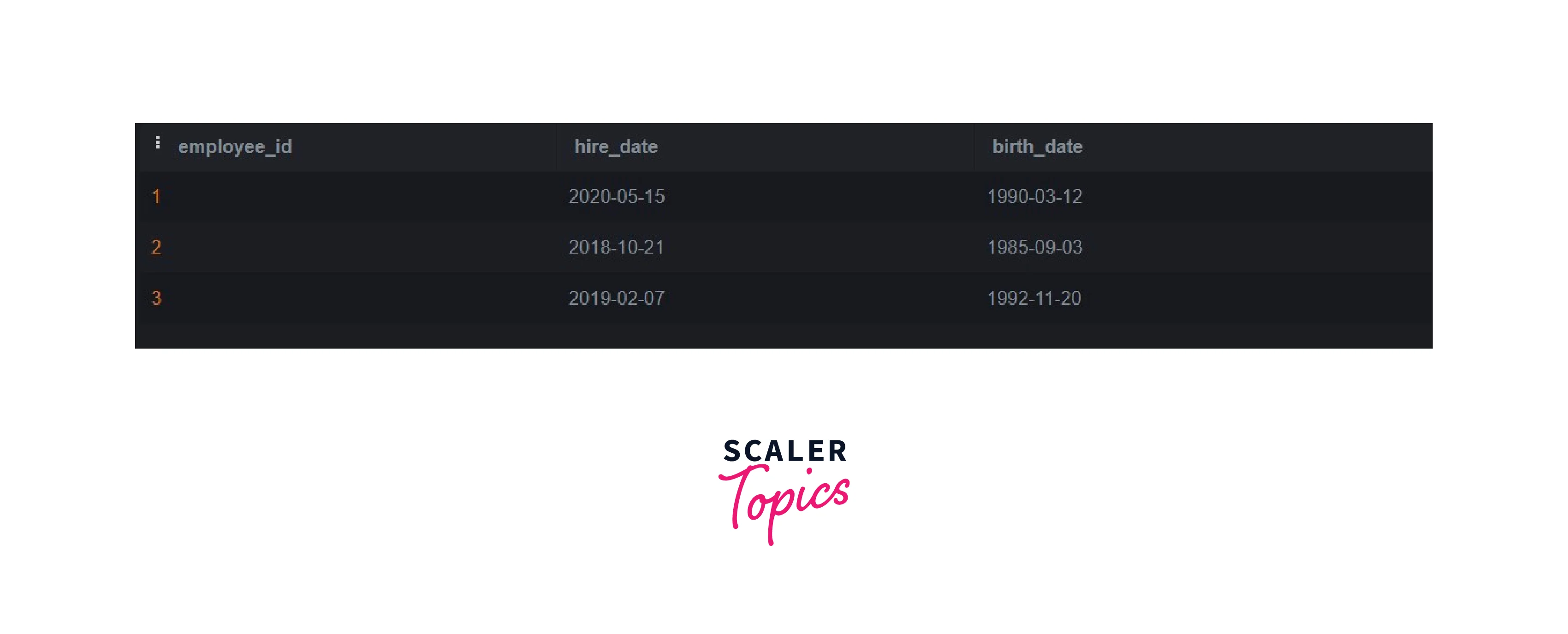
In this example, EXTRACT(YEAR FROM hire_date) retrieves the hire year, EXTRACT(YEAR FROM birth_date) retrieves the birth year, and subtracting the birth year from the hire year gives you the number of years of service for each employee.
PostgreSQL - Date Difference in Months
To calculate the months of service for each employee, we can utilize the AGE function and extract the months component:
Output:
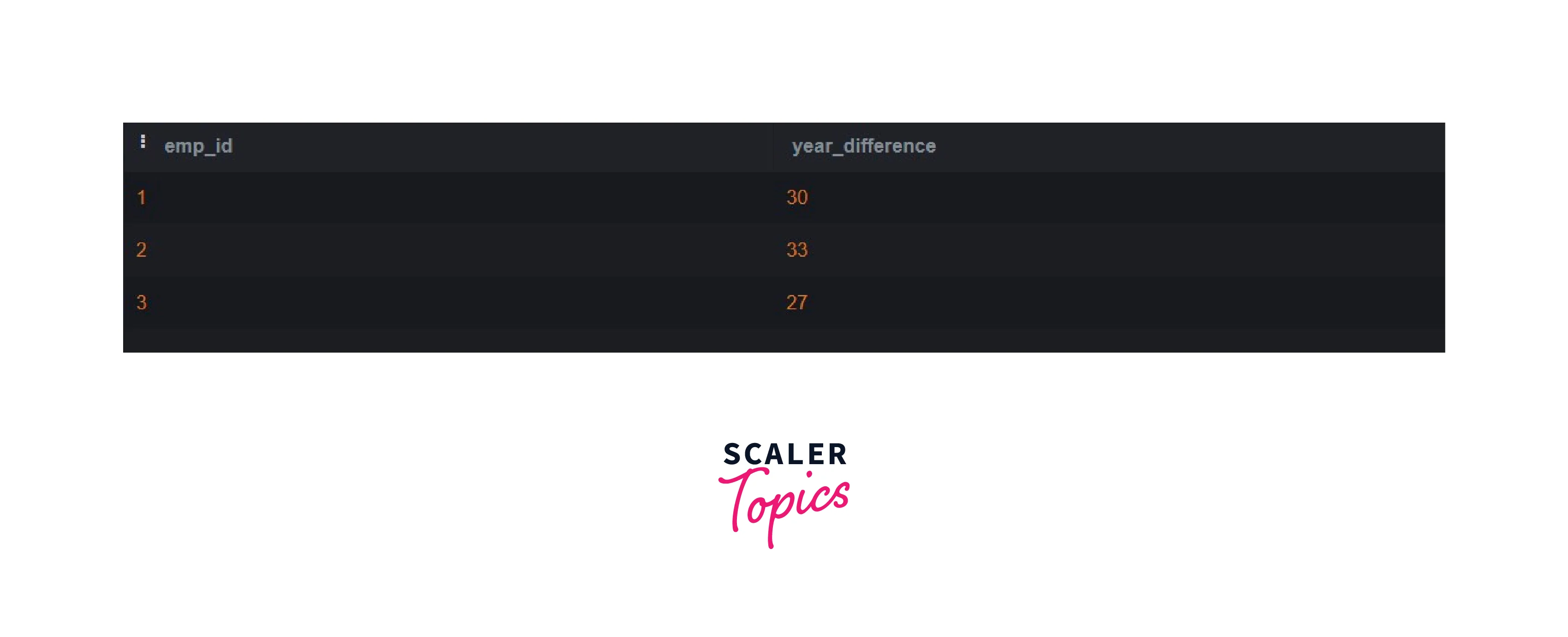
This query retrieves the employee ID and calculates the months of service by extracting the months component from the interval obtained using the AGE function between the hire date and birth date for each employee in the employee's table.
PostgreSQL - Date Difference in Days
To calculate the number of days between the hire date and birth date for each employee, you can use the subtraction operator (-) between the two dates:
Output:
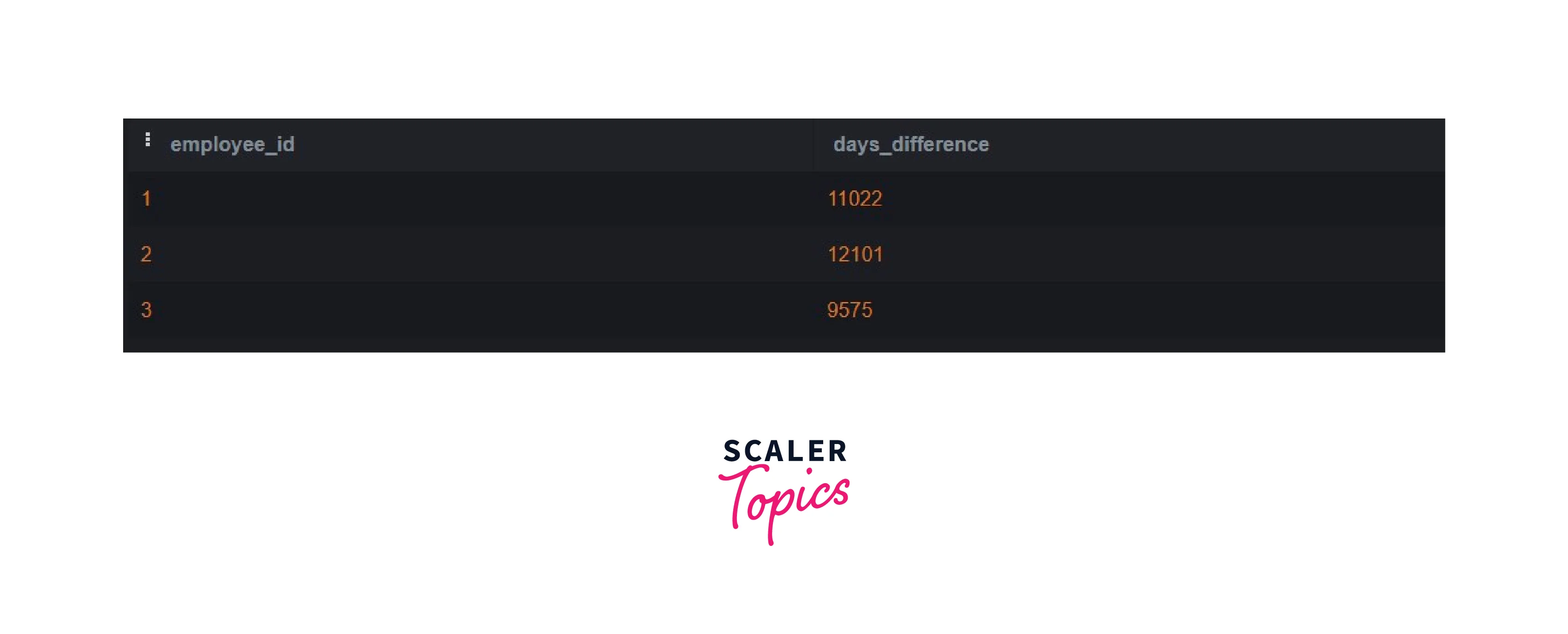
This query retrieves the employee ID and calculates the number of days of service by subtracting the birth date from the hire date for each employee in the employee's table.
PostgreSQL - Date Difference in Weeks
To calculate the number of weeks between the hire date and birth date for each employee, you can use the EXTRACT function to extract the days and divide it by 7:
Output:
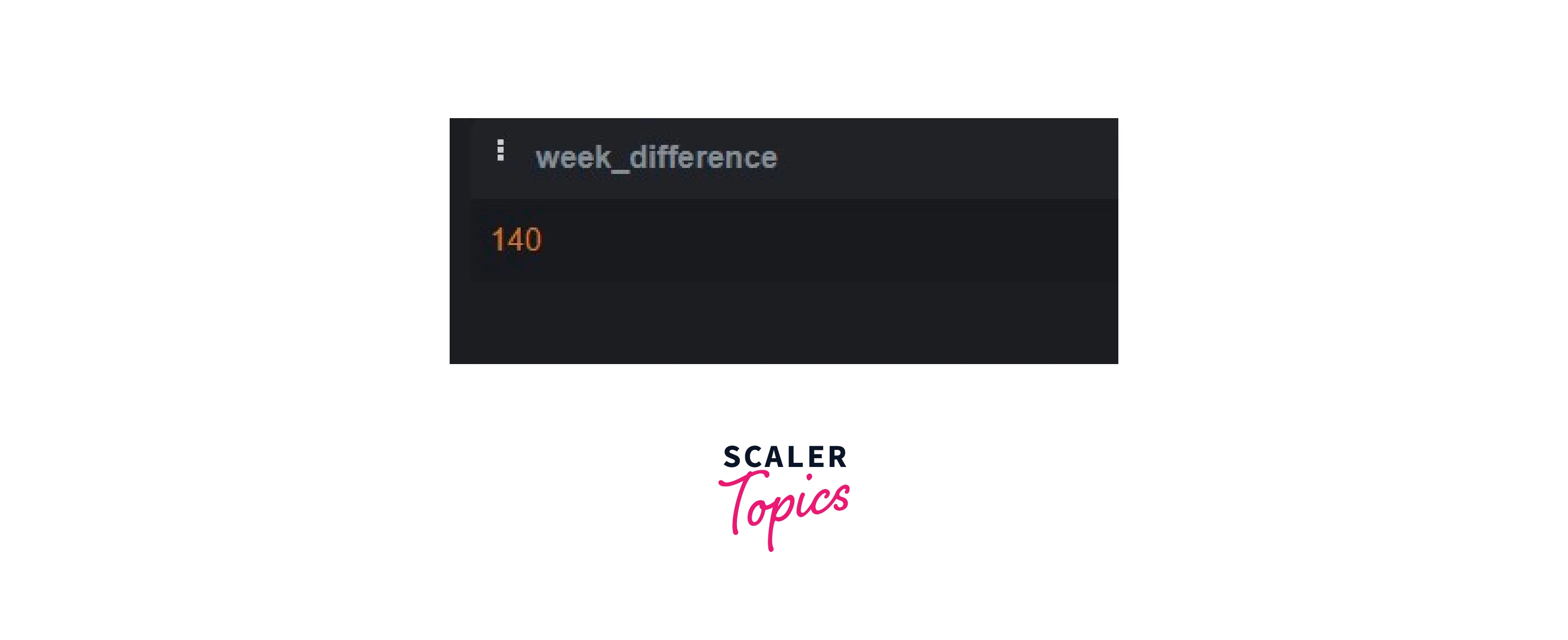
This query retrieves the employee ID and calculates the number of weeks of service by extracting the number of days between the hire date and birth date using the EXTRACT function and then dividing it by 7.
PostgreSQL - Datetime Difference in Hours
To calculate the number of hours between the hire date and birth date for each employee, you can use the EXTRACT function to extract the hours and multiply it by 24:
Output:
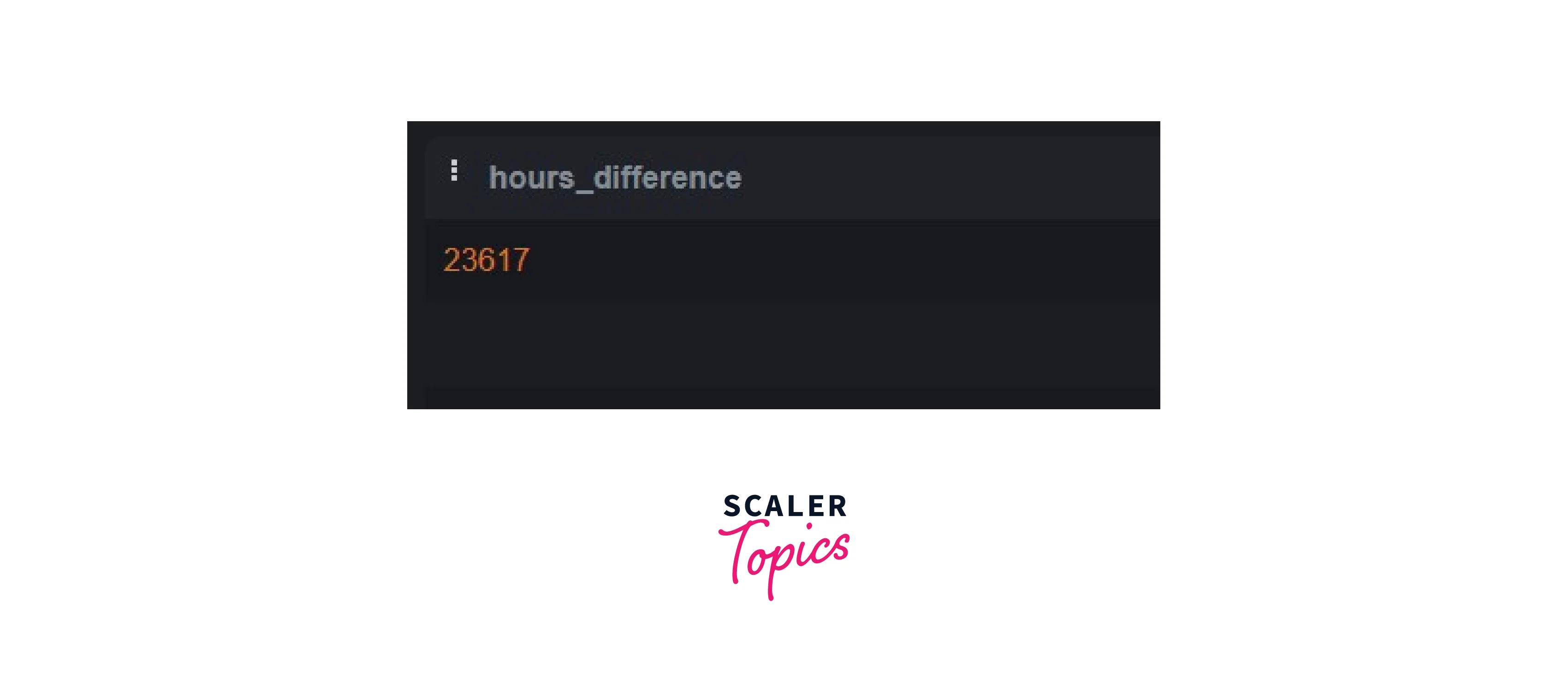
This query retrieves the employee ID and calculates the number of hours of service by extracting the number of hours between the hire date and birth date using the EXTRACT function and then multiplying it by 24.
PostgreSQL - Datetime Difference in Minutes
To calculate the number of minutes between the hire date and birth date for each employee, you can use the EXTRACT function to extract the minutes and multiply it by 60:
Output:
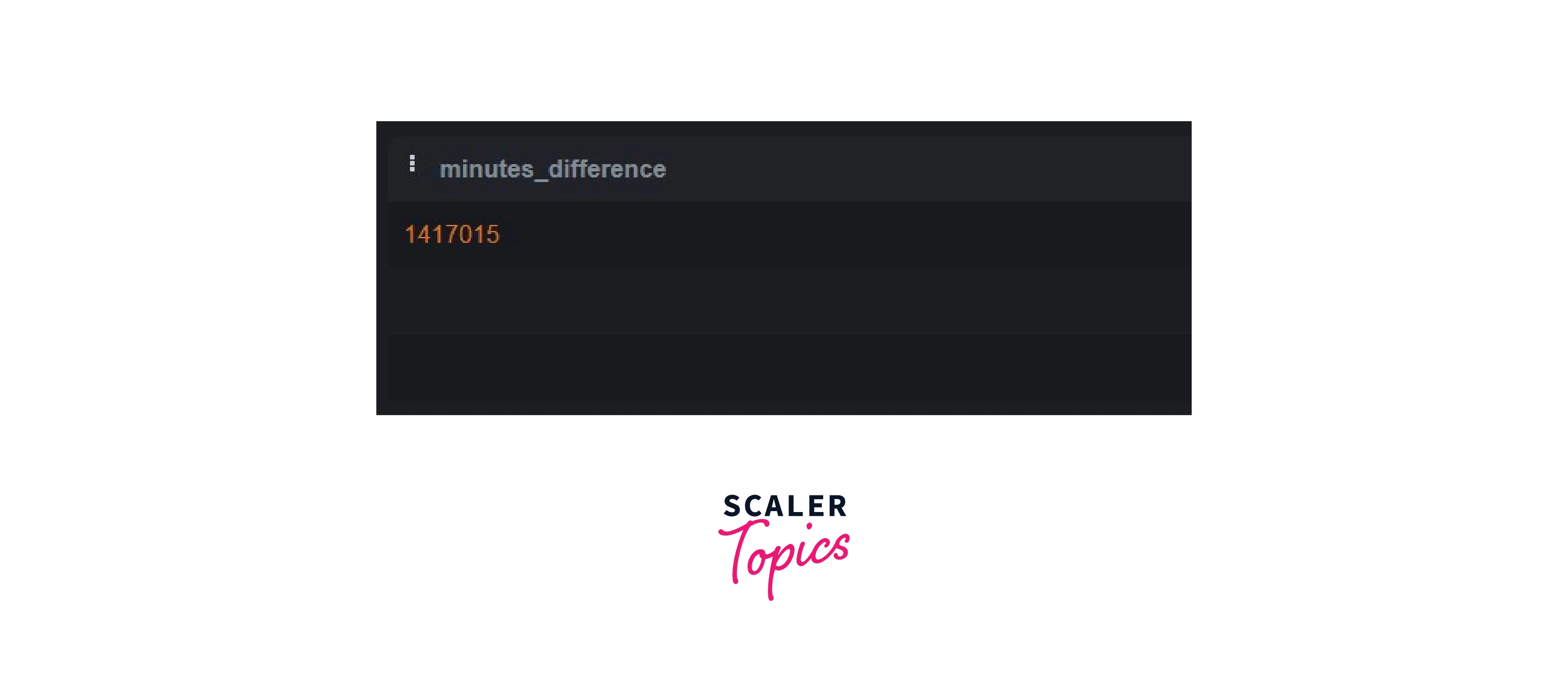
This query retrieves the employee ID and calculates the number of minutes of service by extracting the number of minutes between the hire date and birth date using the EXTRACT function and then multiplying it by 60.
PostgreSQL - Datetime Difference in Seconds
To calculate the number of seconds between the hire date and birth date for each employee, you can use the EXTRACT function to extract the seconds:
Output:
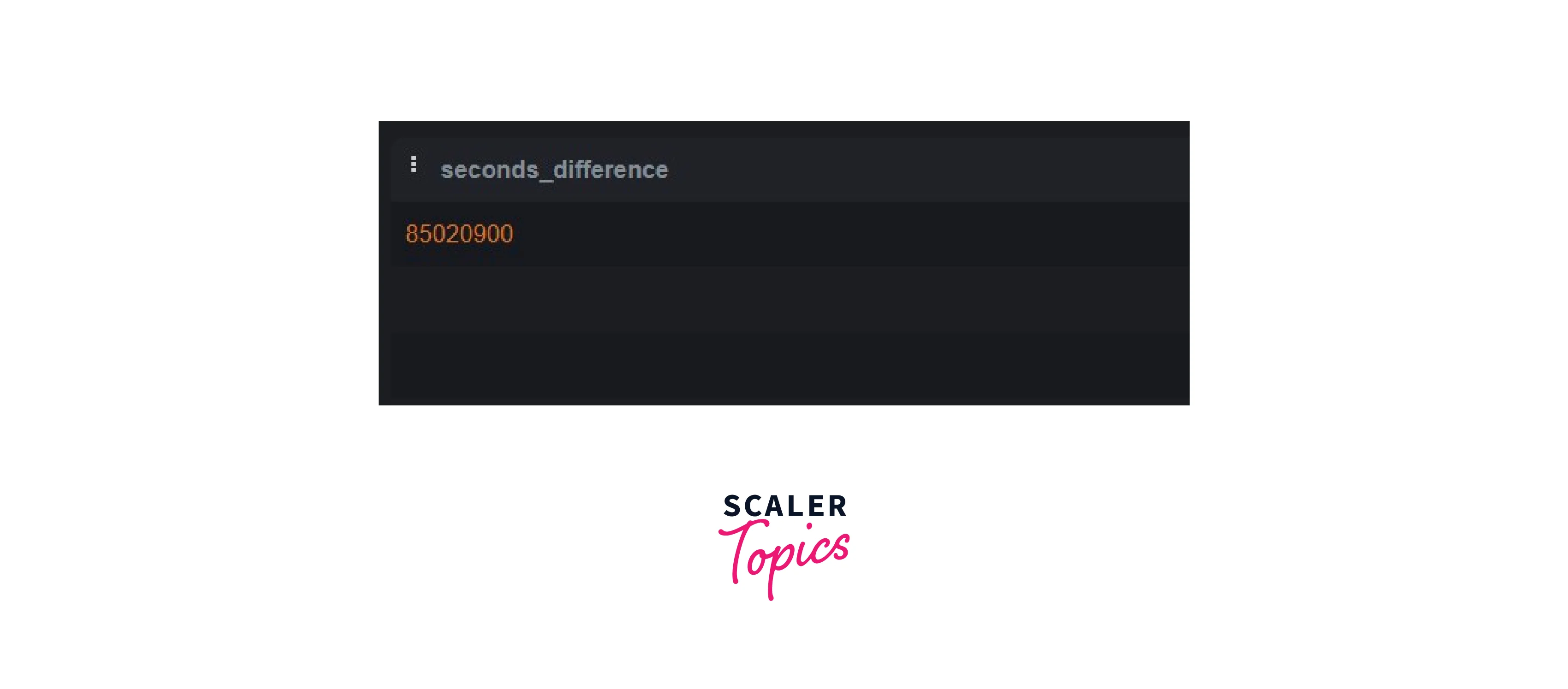
This query retrieves the employee ID and calculates the number of seconds of service by extracting the number of seconds between the hire date and birth date using the EXTRACT function.
Conclusion
- The datediff in the Postgresql function is not specified.
- datediff in PostgreSQL can be calculated using techniques such as subtraction (`-`) between dates or timestamps.
- The EXTRACT function is used to extract specific components (years, months, days, etc.) from dates or intervals.
- Arithmetic operations are performed on extracted components to calculate date differences in various units (years, months, days, hours, minutes, and seconds).
- It is important to handle factors like date formatting, data types, time zones, and leap years for accurate date calculations in PostgreSQL.