


Debugging in R
Overview
Debugging in R is an indispensable skill for programmers and data scientists working with this versatile language. In the realm of debugging in R, individuals focus on identifying and rectifying issues or errors within their code. This process ensures the smooth functioning of R scripts and enhances overall productivity. Debugging involves meticulous code inspection, the use of dedicated tools and techniques, and adhering to best practices. From dissecting complex problems to isolating errors in a modular fashion, the fundamentals of debugging empower developers to tackle issues systematically. Furthermore, R provides a robust arsenal of debugging functions, including traceback(), debug(), recover(), trace(), and browser(), which can be strategically employed to pinpoint and resolve issues efficiently.
What is Debugging in R?
Debugging in R is an essential process in the world of programming and data analysis. It involves identifying and resolving errors, glitches, or unexpected behavior in R code. When you work with R, which is renowned for its extensive statistical and data analysis capabilities, debugging becomes especially vital to ensure the accuracy of results. Debugging entails carefully examining your code, line by line if necessary, to spot issues that may cause your program to crash or produce incorrect output. These issues can range from syntax errors to logical mistakes or even problems stemming from interactions with external libraries and packages. Debugging in R is a skill that requires patience, attention to detail, and a good understanding of the language's nuances to effectively troubleshoot and enhance the reliability of your data analysis and statistical models.
Fundamentals of Debugging in R
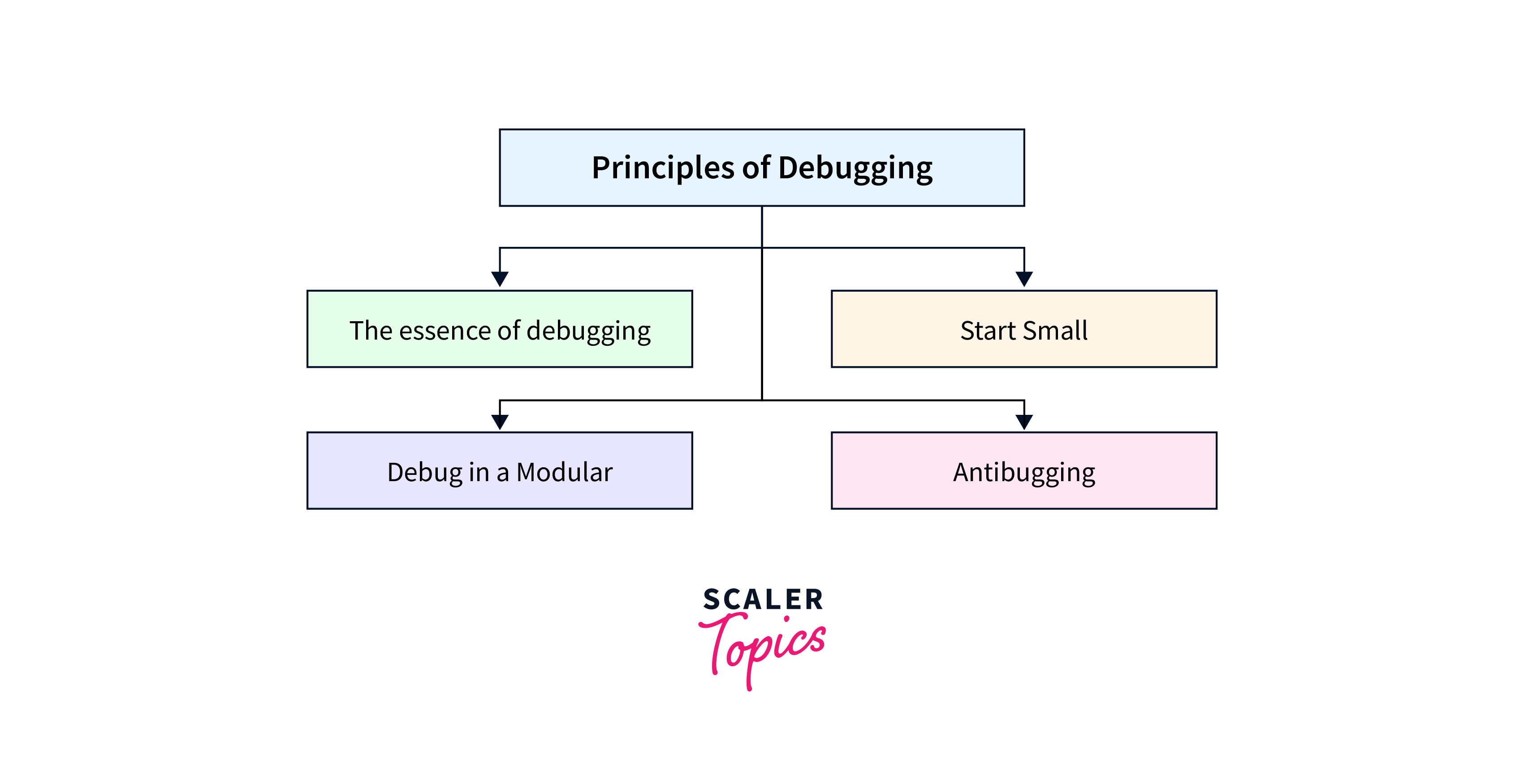
R programmers often discover that they allocate a significant portion of their time to debugging programs rather than the initial coding process. This emphasis on debugging can sometimes diminish the perceived value of debugging skills. However, in the realm of R programming, several guiding principles exist to assist programmers in minimizing the time spent on debugging. These principles aim to streamline the development process, enabling programmers to focus more on writing and coding rather than troubleshooting.
The Essence of Debugging
At the core of debugging in R is the essential notion that code is not always perfect, and identifying and rectifying issues is a fundamental part of the programming process. Errors, whether they are syntax-related or logic-based, are not signs of failure but rather opportunities for improvement. Debugging, in essence, is the art of problem-solving in the programming world. Embracing this mindset allows you to approach debugging as a constructive endeavor rather than a frustrating one. Remember that even experienced R programmers encounter errors, and the ability to debug effectively is what sets them apart.
Start Small
When confronted with an issue, it's tempting to comb through your entire codebase in search of the problem. However, a more efficient approach to debugging in R is to start small. Isolate the problem by breaking down your code into manageable segments. For instance, if you're working on a complex statistical model and suspect an error, begin by scrutinizing a specific function or block of code. Inserting print statements strategically can help you visualize the flow of your program and pinpoint the problematic area. This methodical approach not only makes debugging more manageable but also increases the likelihood of identifying and fixing the issue promptly.
Debug in a Modular Fashion
Breaking your code into modular components, such as functions, plays a pivotal role in efficient debugging in R. Each function should have a well-defined purpose and specific inputs and outputs. This modularity allows you to test and debug individual components separately, making it easier to locate and fix issues. It also fosters code reusability and maintainability. If an error arises within a function, you can focus your debugging efforts on that isolated part of the code without being overwhelmed by the entire program.
Antibugging
"Antibugging" is a proactive approach to debugging in R. It involves practices that help prevent errors before they occur and make debugging easier:
- Write Clear Comments: Document your code thoroughly. Explain the purpose of functions and variables, which can serve as valuable reference points during debugging sessions.
- Test Regularly: Instead of waiting until the entire project is complete, test your code incrementally as you develop it. This iterative testing approach allows you to catch and address errors early in the development process, reducing debugging time later on.
Debugging Functions in R
R offers a robust set of debugging functions and tools to assist programmers in identifying and resolving issues effectively. Let's explore these debugging tools:
Using traceback()
The traceback() function is a powerful tool for investigating errors in R. It displays the call stack, showing the sequence of function calls that led to the error. This can be immensely helpful in pinpointing the origin of the issue.
Example:
Output:
In some cases, you might encounter an output that says "No traceback available." This indicates that the call stack information is not accessible or applicable to the specific error. It's important to note that not all errors will provide a traceback, but when available, it can be a valuable resource for pinpointing the error's origin within your code.
Using debug()
The debug() function allows you to set breakpoints in your code, which pauses execution at specified locations. This enables you to inspect variables, evaluate expressions, and understand the flow of your code.
Example:
Output:
By using debug(), we set a breakpoint within my_function(). When the function is called, execution pauses at the breakpoint, allowing us to inspect variables and evaluate expressions to understand the code's behavior.
Using recover()
recover() is a handy function that enables you to enter a debugging session after an error occurs. It provides access to the environment where the error took place, allowing you to interactively investigate and fix issues.
Example:
Output:
When the error occurs in problematic_function(), recover() is activated. This provides an interactive debugging session, allowing you to explore the environment and diagnose the issue interactively.
Using trace()
The trace() function allows you to add custom debugging code to functions or methods. You can specify expressions to be evaluated each time the function is called, giving you insights into variable values and control flow.
Example:
Output:
trace() adds custom debugging code to my_function(). In this example, it prints the result variable each time the function is called. This helps monitor variable values and understand how the function behaves during execution.
Using browser()
The browser() function suspends code execution, providing an interactive environment for exploration. It's particularly useful when you want to interactively inspect variables and test code within a function.
Example:
Output:
The browser() function suspends code execution and creates an interactive debugging session at the specified location. This allows you to interactively inspect variables and test code within the function, aiding in debugging complex logic.
Debugging Installed Packages in R
When working with R, it's not uncommon to encounter errors stemming from installed packages. Here are several approaches to effectively resolve these issues:
- Activate Debugging Mode: Begin by configuring the debugging options with options(error = recover). This action allows you to enter a step-by-step debugging mode, executing the code line by line with the option to proceed using 'n'.
- Access Function Code: In intricate scenarios, it's beneficial to possess a copy of the problematic function's source code. In R, you can use the 'function_name' function to display the function's code, which can then be copied into a text editor for inspection. Additionally, you can load the function into the global workspace, enabling modifications and in-depth debugging.
- Retrieve Source Code: When encountering persistent issues, consider obtaining the source code of the problematic package. This can be done manually by accessing the package's repository or by utilizing the 'devtools' package. With devtools, functions like install() and load_all() expedite the process of downloading and loading the package's source code for more efficient troubleshooting.
Error Handling & Recovery in R
Error handling, also known as exception handling, is a vital process for responding to unexpected events or errors that disrupt the normal flow of code execution. In a general context, error handling involves defining a scope where exceptional conditions are captured and managed. In R, we have two essential functions for error handling: try() and tryCatch().
- try() Function: try() serves as a wrapper for tryCatch(). It primarily focuses on capturing errors, displaying them, and then allowing the code to continue execution. This function is useful for scenarios where you want to acknowledge errors but still proceed with the code.
- tryCatch() Function: In contrast, tryCatch() provides a higher level of control over error handling. It allows you to define custom error-handling functions and, optionally, control the flow of the program even after an error occurs. This function is suitable for situations where you need to take specific actions when an error is encountered.
Conclusion
- Embrace debugging as a constructive process, acknowledging that errors are opportunities for improvement in your code.
- When troubleshooting issues, break down your code into manageable segments and use print statements strategically to pinpoint problems.
- Adopt a modular approach by dividing your code into functions. This simplifies debugging by isolating issues to specific components.
- Implement "antibugging" strategies, including clear comments and regular testing, to prevent errors before they occur.
- Familiarize yourself with essential debugging functions in R, such as traceback(), debug(), recover(), trace(), and browser(), to effectively diagnose and resolve errors.
- Understand R's error handling mechanisms, such as try() and tryCatch(), to gracefully manage unexpected events and enhance code robustness.