


Deprecated Gradle Features were Used in This Build, Making it Incompatible with Gradle 8.0
Build an AI-First Career, Master the Complete Skillset
Choose from our industry-leading programs designed for career success
Modern Software and AI Engineering Program
Master full-stack development with AI integration


 +1000 more
Modern Data Science and ML with specialisation in AI
Advanced data science techniques with AI specialization
+1000 moreAdvanced AIML with Specialisation in Agentic AI
Deep dive into AIML with focus on Agentic systems
+1000 moreDevOps, Cloud & AI Platform Engineering
Build and manage AI-powered cloud infrastructure
+1000 moreAI Engineering Advanced Certification by IIT-Roorkee
Premier AI engineering certification from IIT-Roorkee

AI Forward Deployed Engineer Program
Full-stack engineering, production AI and client-facing consulting
+1000 moreOverview
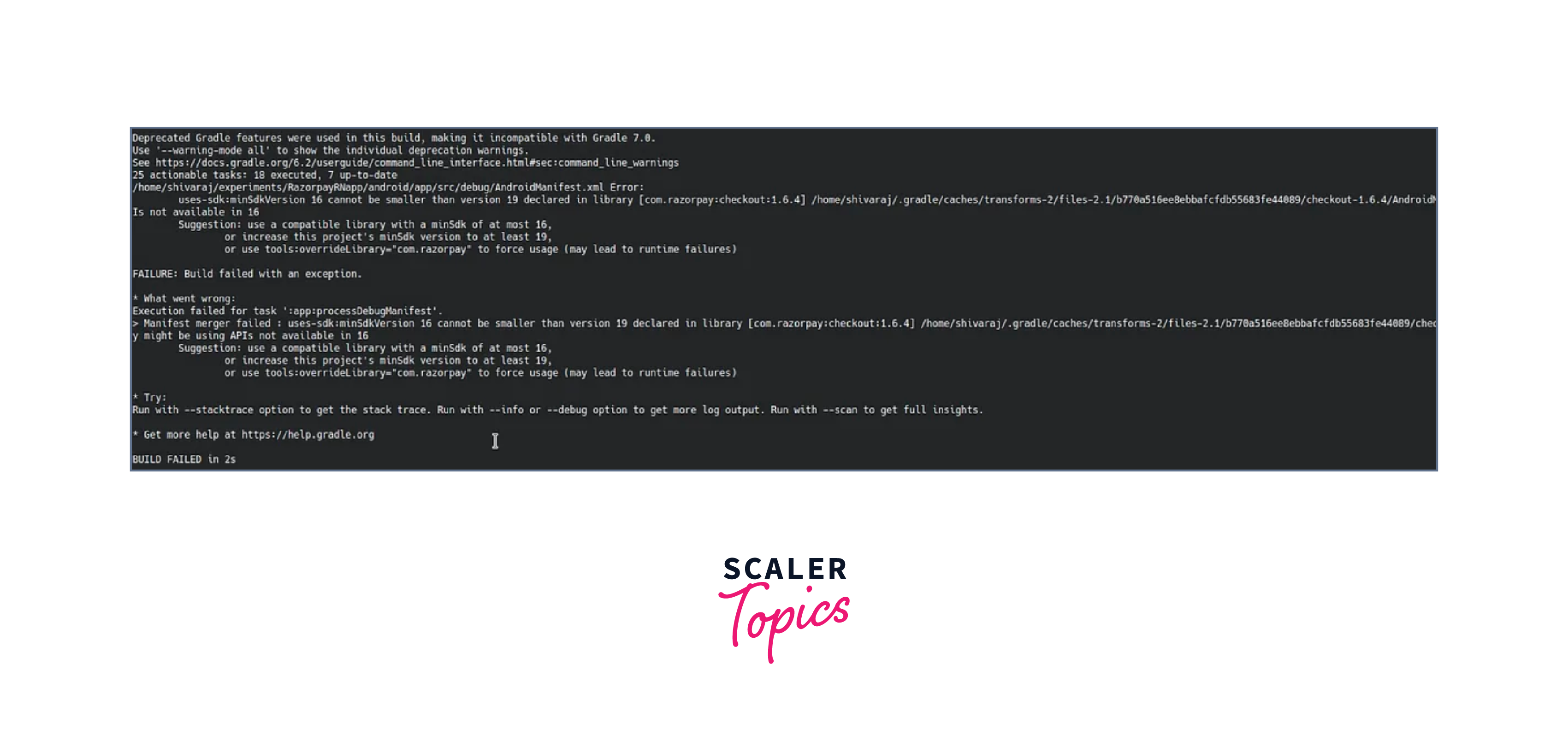
If you're a developer working with Gradle, you might encounter a common error message that says, "Deprecated Gradle features were used in this build, making it incompatible with Gradle 8.0". This error can be a bit puzzling, but fear not! In this blog, we will explore what this error means and discuss methods to resolve it.
What is This Error?
The error message, "Deprecated Gradle features were used in this build, making it incompatible with Gradle 8.0", indicates that your Gradle build script or configuration contains elements or settings that are no longer supported in Gradle 8.0. Gradle, like any other software, evolves, and sometimes certain features become obsolete or are replaced with better alternatives for various reasons, such as performance improvements, security enhancements, or simply better ways of doing things.
Versioning strategies for Gradle Wrapper and build scripts are crucial for maintaining clarity and consistency in your project's development and deployment process. These strategies help ensure that everyone working on the project understands which Gradle version to use and how to manage changes effectively.
- Gradle Wrapper Versioning Strategy:
The Gradle Wrapper is a tool that automatically downloads and manages a specific version of Gradle for your project. Versioning for the Gradle Wrapper typically involves specifying which Gradle version to use. - Build Script Versioning Strategy:
Versioning for build scripts (e.g., build.gradle) involves specifying the version of Gradle your project should use, as well as managing dependencies, plugins, and custom configurations.
Methods to Resolve the Error
Let's dive into two methods for resolving this error:
How Scaler Transformed Careers in Different Fields
Scaler learners achieved 2.5x salary growth with average post-Scaler CTC reaching ₹23L.
 Google
 Amazon
 Microsoft
 Flipkart
 Adobe1200+ more
Method - 1: Update Gradle Wrapper
The Gradle Wrapper is a script that helps you manage and execute Gradle builds consistently across different machines and environments. To resolve the error, you can update the Gradle Wrapper to use a version compatible with Gradle 8.0 or later. Here's how you can do it:
Open a terminal or command prompt in your project directory. Run the following command to update the Gradle Wrapper:
If you're on Windows, use gradlew.bat instead of ./gradlew.
Gradle will download and configure the specified version (8.0) for your project. Once the process is complete, you should be able to build your project without encountering the deprecated features error.
Method - 2: Update Build Script
Another way to resolve the error is by updating your project's build script to remove or replace the deprecated features. Here are the steps to follow:
- Identify the deprecated features or configurations causing the error. Gradle typically provides detailed error messages that point you to a specific issue.
- Consult the Gradle documentation and release notes to understand the recommended replacements for the deprecated features. Gradle often provides migration guides to help you update your build scripts.
- Modify your build.gradle or settings.gradle files to use the updated syntax or configurations as per Gradle's recommendations.
- After making the necessary changes, save the files and try building your project again. If you've correctly addressed the deprecated features, the error should no longer occur.
Turn Learning into Career Growth
Conclusion
- The error message "Deprecated Gradle features were used in this build, making it incompatible with Gradle 8.0" signals the presence of outdated or unsupported features in your Gradle build script.
- Resolving this issue is crucial to ensure compatibility with Gradle 8.0 and newer versions, which may offer performance improvements, security enhancements, and new features.
- To resolve this error, you can either update the Gradle Wrapper to use a version compatible with Gradle 8.0 or later, or you can modify your build script to eliminate the deprecated features.
- Keeping your Gradle build script up-to-date and following best practices for maintenance is crucial to avoid compatibility issues in the future.
- Ignoring this error can lead to potential build failures and hinder your ability to take advantage of the latest Gradle features and improvements.
- Overall, addressing deprecated Gradle features is a necessary step in maintaining a healthy and efficient build process for your projects.




