


Top Design Thinking Tools
Design thinking is a way to solve problems by really understanding what people need and then coming up with creative solutions. It's about listening to users, brainstorming ideas, making prototypes, and trying things out to see what works best. It's a hands-on approach that helps make things better for everyone.
What are Design Thinking Tools?
Design thinking is a human-centered problem-solving approach emphasizing empathy, collaboration, and iteration. Rooted in understanding user needs, its stages include empathizing, defining, ideating, prototyping, and testing. This methodology guides innovators to create solutions that truly address real-world challenges across diverse industries. Here are some design thinking tools commonly associated with design thinking:
-
Empathy Maps:
Empathy maps are visual tools used to understand user's needs, thoughts, behaviors, and emotions. These help teams understand and visualize the needs and experiences of users. They typically include sections for what users say, think, do, and feel. -
Persona Creation:
Developing detailed personas helps understand the target audience by creating fictional characters representing different user types. Provides human face to user data, helps teams empathize with target users, and guides design decisions by considering specific user needs and preferences. -
Journey Maps:
These illustrate the end-to-end experience of a user with a product or service, helping to identify pain points and opportunities for improvement. Identifies opportunities for improvement, highlights pain points and areas for innovation, and fosters a holistic understanding of the user experience. -
Mind Mapping:
A visual representation of ideas and concepts, often used during brainstorming sessions to explore possibilities and connections. Facilitates brainstorming and idea generation, encourages creative thinking, and helps identify relationships between concepts. -
Storyboarding:
Creating a sequence of images to represent a user's experience or a process, helping to visualize the flow of a solution. Visualizes the solution's flow, communicates design concepts effectively, and facilitates collaboration and alignment among team members. -
Prototyping Tools:
Software or physical tools that enable the creation of low-fidelity prototypes to test and iterate on ideas quickly. Examples include Adobe XD, Figma, or even simple paper prototypes. It allows for rapid iteration and testing, reduces the risk of costly mistakes, and encourages experimentation and innovation. -
Visualization Tools:
Diagrams, charts, and other visual aids to communicate ideas and concepts effectively within the team and with stakeholders. Enhances communication and understanding, simplifies complex information, and facilitates decision-making. -
SWOT (Strengths, Weaknesses, Opportunities, Threats) Analysis:
A planning instrument strategically employed to recognize the internal and external elements influencing a project. Provides a strategic overview, identifies areas for improvement and growth, and informs decision-making and risk management.
Top Design Thinking Tools
- Hotjar
-
Description:
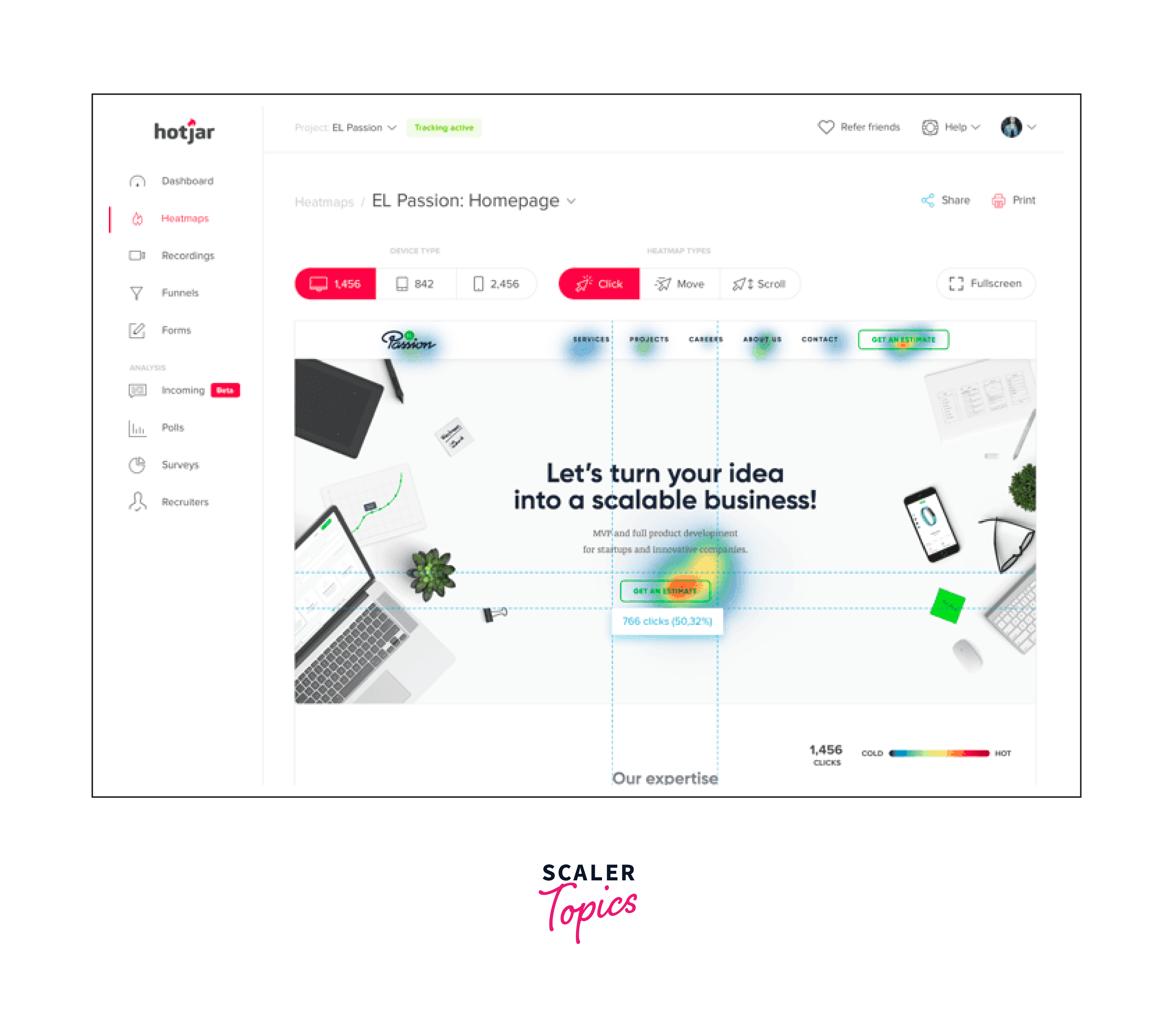
Hotjar is a powerful tool designed to reveal the online behavior and voice of a website's users. By combining both analysis and feedback tools, Hotjar offers a comprehensive understanding of how users interact with a website. This includes heatmaps, visitor recordings, conversion funnels, and surveys. It's particularly useful for UX designers, web developers, and digital marketers aiming to improve website usability, enhance user experience, and increase conversion rates. -
Key Features:
- Heatmaps:
Visual representations of where users click, scroll, and move on a page, highlighting areas of interest and potential improvements. - Visitor Recordings:
Recordings of user sessions to observe firsthand how users navigate and interact with a site, identifying usability issues and opportunities for optimization. - Conversion Funnels:
Analysis tools to identify at what stage users are dropping off, helping pinpoint barriers to conversion. - Feedback Polls and Surveys:
Direct feedback tools to gather insights from users about their experience and satisfaction, enabling targeted improvements. - Integration Capabilities:
Easily integrates with website management and analytics platforms, facilitating a seamless workflow and enhanced data analysis. - Real World Example (Improving E-commerce Website Performance):
An e-commerce company employs Hotjar to analyze customer behavior on its website. Using heatmaps, they identify that users are not scrolling down to view key product categories, leading to a redesign of the homepage to make these categories more prominent. Visitor recordings reveal that users are abandoning their carts due to a complicated checkout process.
- Heatmaps:
- UserZoom

-
Description:
UserZoom is a comprehensive user experience (UX) research and analytics platform that facilitates the gathering of insights to improve digital products. It offers a suite of tools for conducting usability testing, surveys, user interviews, and analytics to understand user behavior and preferences. Designed for UX researchers, product managers, and designers. -
Key Features:
- Remote Usability Testing:
Allows for the testing of websites and mobile applications with real users in their natural environment, providing authentic feedback on user experience. - Advanced Reporting and Insights:
Generates detailed reports and insights from user research activities, helping teams to understand findings and make informed decisions. - Integration Capabilities:
Integrates with UX/UI design tools like Sketch and Adobe XD. API support for custom integrations with other tools. - Real World Example (Enhancing a Banking App's User Experience):
A financial institution uses UserZoom to conduct a series of usability tests and interviews aimed at enhancing the user experience of its mobile banking application. By recruiting a targeted group of existing customers, the institution gathers actionable insights on how users interact with the app, identifying areas where users face difficulties in navigating or completing transactions.
- Remote Usability Testing:
- EnjoyHQ

-
Description:
EnjoyHQ is a sophisticated user research and customer feedback platform that helps organizations centralize, organize, and analyze user feedback and research data. It's designed to make it easier for product teams, UX researchers, and marketers to make informed decisions based on comprehensive insights gathered from various sources. EnjoyHQ integrates with numerous data collection tools, allowing teams to aggregate feedback from surveys, support tickets, usability tests, and more, in one centralized repository. -
Key Features:
- Centralized Research Repository:
Aggregates all user research and feedback into a single, searchable database, making it easy to access and analyze data from different sources. - Privacy and Compliance:
Ensures data is handled securely, with compliance features to protect user privacy and adhere to regulations such as GDPR. - Integration Capabilities:
Connects with user research tools, such as Lookback and Dovetail. Integrates with collaboration tools like Slack and Microsoft Teams. - Real World Example (Streamlining Customer Feedback for Product Improvement):
A SaaS company utilizes EnjoyHQ to streamline its process of collecting and analyzing customer feedback across multiple channels, including email support, social media, and in-app surveys. By integrating these sources into EnjoyHQ's centralized platform, the product and customer success teams can quickly identify common issues and areas for improvement.
- Centralized Research Repository:
- Miro
-
Description:
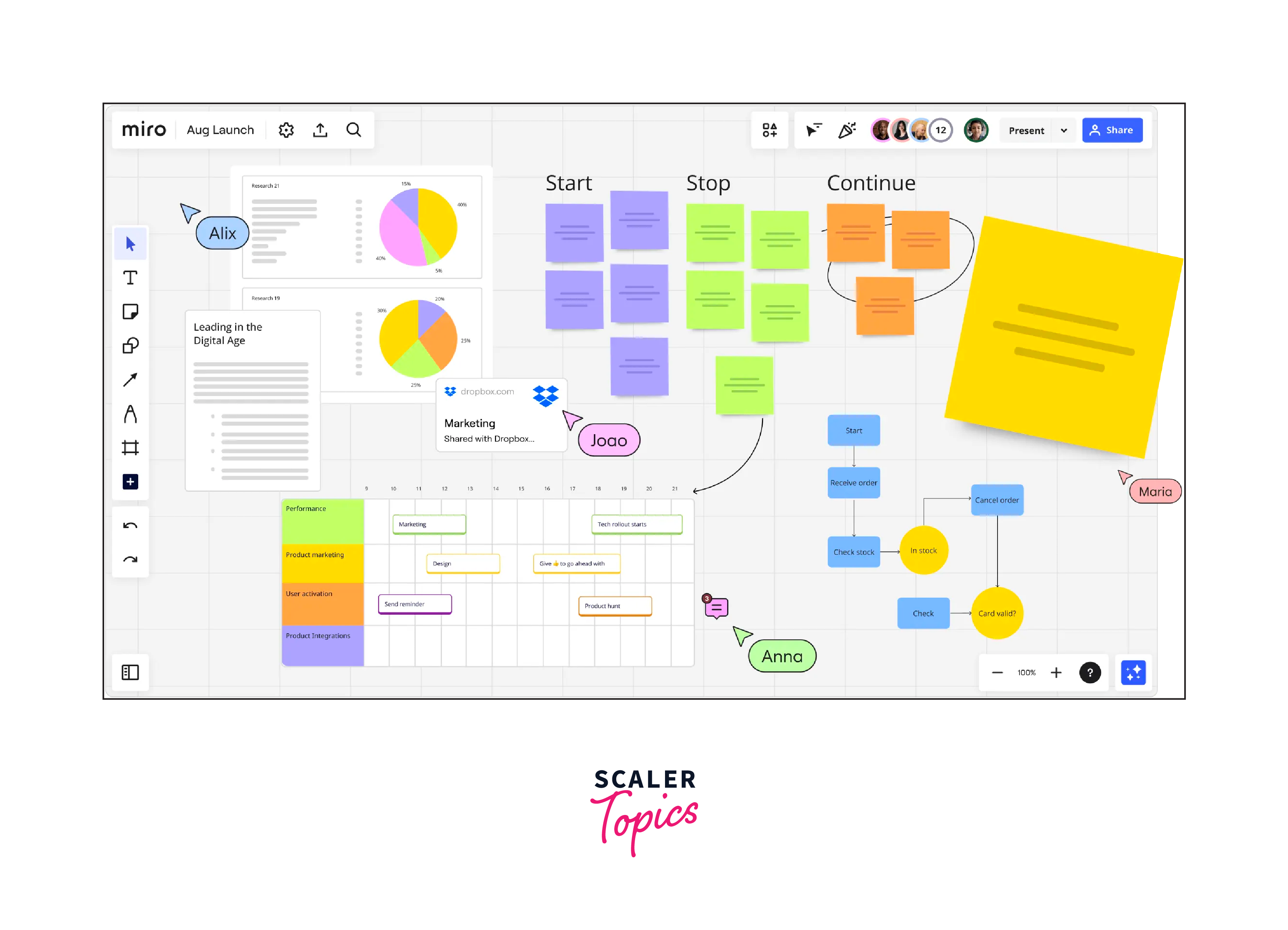
Miro is a flexible digital collaborative whiteboard platform enabling teams to generate ideas engage in brainstorming sessions, and collaborate in real time. It offers a wide range of templates, including empathy maps, user journey maps, and mind maps, making it suitable for various stages of the design thinking process. -
Key Features:
- Extensive template library:
Miro provides a rich collection of pre-built templates for different design thinking activities, saving time and effort. - Cross-Platform Accessibility:
Miro is accessible across multiple platforms, including web browsers, desktop applications, and mobile devices, allowing team members to collaborate seamlessly regardless of their preferred device or location. - Integration Capabilities:
Integrates with design and prototyping tools like Figma and Sketch. Seamless integration with project management tools. Plugin support for extending functionality within Miro. - Real-world Example (Design Sprint for a New Product Launch):
A tech startup's product design team utilizes Miro's collaborative whiteboard platform to conduct a design sprint for launching a new mobile application. They leverage Miro's real-time collaboration, extensive template library, integration capabilities, and secure infrastructure to define sprint goals, ideate features, and plan user testing sessions efficiently.
- Extensive template library:
- MindMeister
- Description:
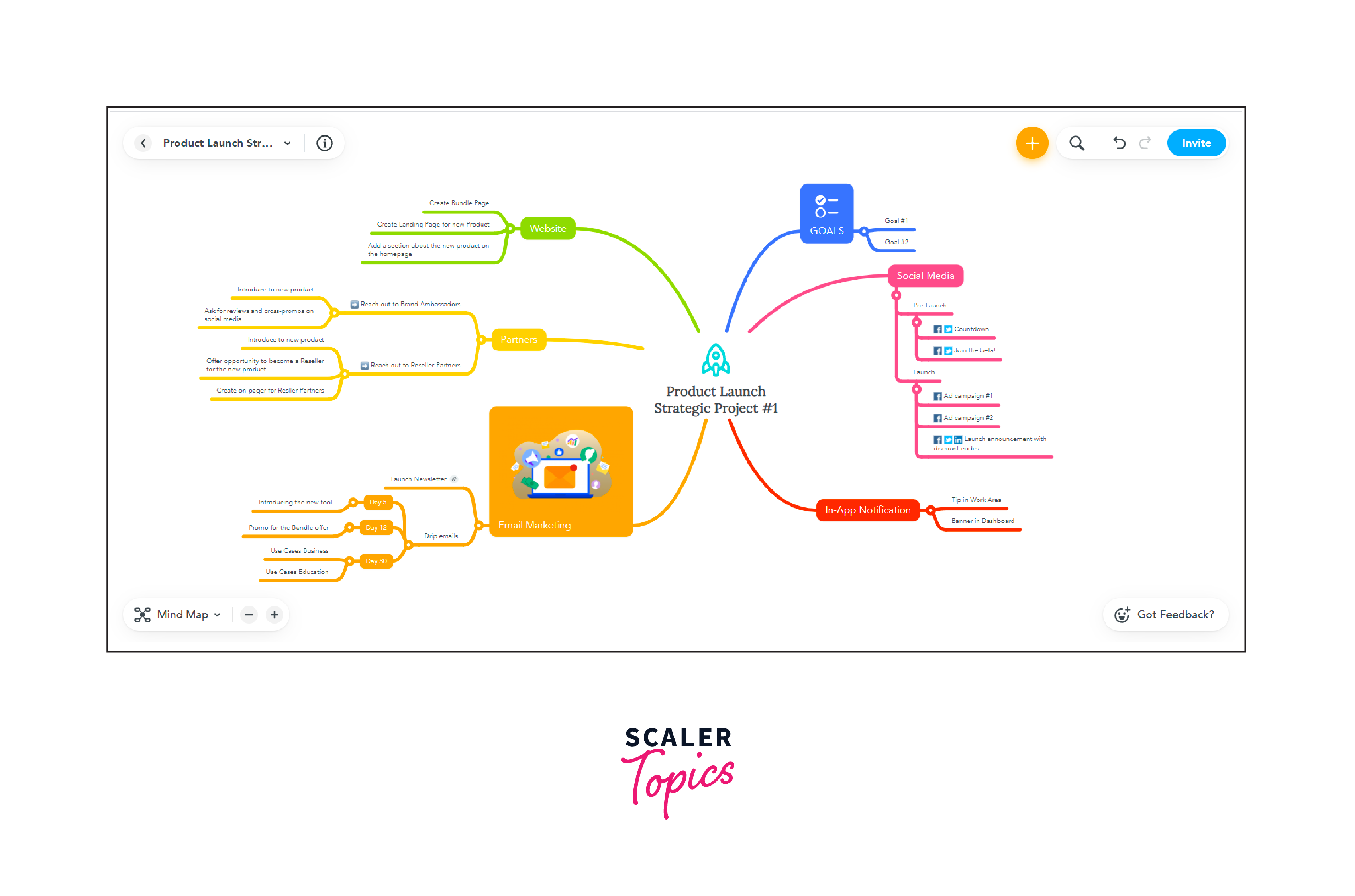
MindMeister is an online mind-mapping tool that facilitates visual brainstorming and idea organization. It allows teams to create, share, and collaboratively edit mind maps, making it an effective tool for ideation, concept visualization, and structuring thoughts.- Key Features:
- Collaborative Mind Mapping:
MindMeister Facilitates collaborative work in real-time, allowing multiple users to concurrently contribute to the same mind map. - Extensive Template Library:
The platform offers a variety of pre-designed templates for different purposes, including project planning, SWOT(Strengths, Weaknesses, Opportunities, Threats) analysis, and goal setting. - Integration Capabilities:
Integrates with popular project management platforms. Exports mind maps to various formats for sharing and integration. - Real-World Example (Strategic Planning for Team Retreat):
A management team at a corporate office uses MindMeister to plan their upcoming team retreat. Collaborating in real-time, they brainstorm agenda topics, team-building activities, and breakout session ideas. Leveraging MindMeister's project planning template, they organize tasks and assign responsibilities, seamlessly integrating with their preferred task management tool.
- Collaborative Mind Mapping:
- Key Features:
- Figma:

- Description:
Figma is a cloud-based design tool that enables collaborative prototyping, wireframing, and interface design. It allows multiple team members to work on the same design in real-time, making it ideal for collaborative design thinking sessions. - Key Features:
- Component-based design system:
Figma's component-based approach enables the creation of reusable design elements, ensuring consistency across designs and speeding up the design process. - Auto Layout:
Figma's Auto Layout feature simplifies the process of designing responsive interfaces by automatically adjusting elements based on their content and constraints. This helps designers create flexible and scalable designs for different screen sizes and devices. - Integration Capabilities:
Collaborative design platform with real-time editing and commenting. - Real-World Example (Designing a Collaborative Dashboard for a SaaS Company):
A SaaS company's design team collaborates on Figma to design a new dashboard. They iterate in real-time, create interactive prototypes for user testing, utilize a component-based design system for consistency, and leverage version history for tracking changes.
- Component-based design system:
- InVision:
- Description:
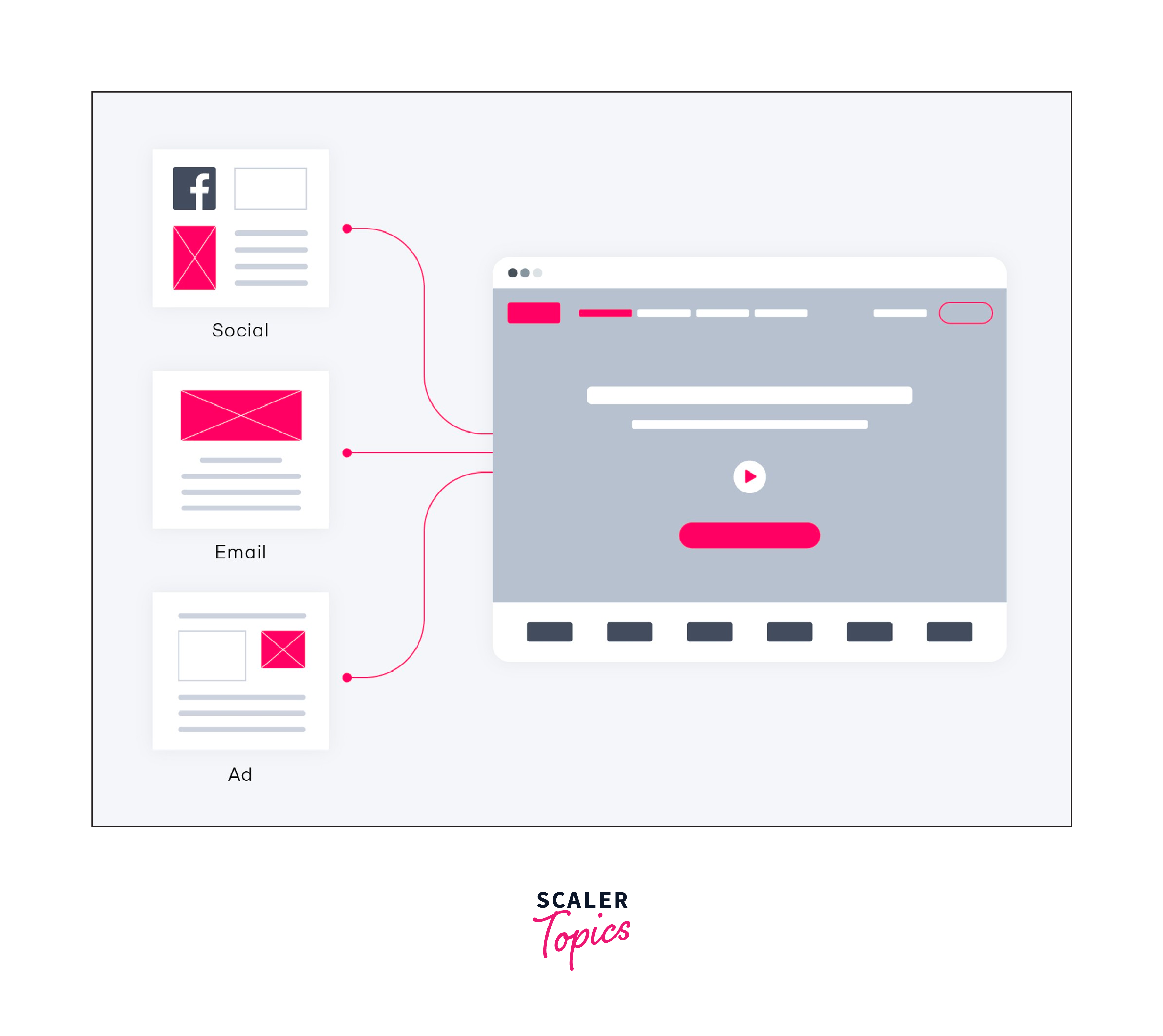
InVision is a prototyping and collaboration platform that enables designers to create interactive prototypes and gather feedback from stakeholders and users. It supports the entire design workflow, from ideation to user testing. - Key Features:
- Prototyping and animation:
InVision allows designers to create interactive prototypes with animations and transitions, providing a realistic user experience. - Design System Manager:
InVision provides a design system manager that allows teams to create and maintain a centralized repository of design assets, components, and guidelines. - Integration Capabilities:
Collaboration with project management tools for a unified workflow. Integrates with communication platforms for real-time feedback. - Real-World Example (Enhancing E-Commerce Checkout Experience):
A retail company's design team utilizes InVision to improve the checkout experience on their e-commerce platform. Collaborating seamlessly, they create interactive prototypes with animations and transitions to simulate user flow. User testing tools embedded in InVision help gather feedback directly within the prototype, enabling iterative improvements.
- Prototyping and animation:
- Balsamiq:
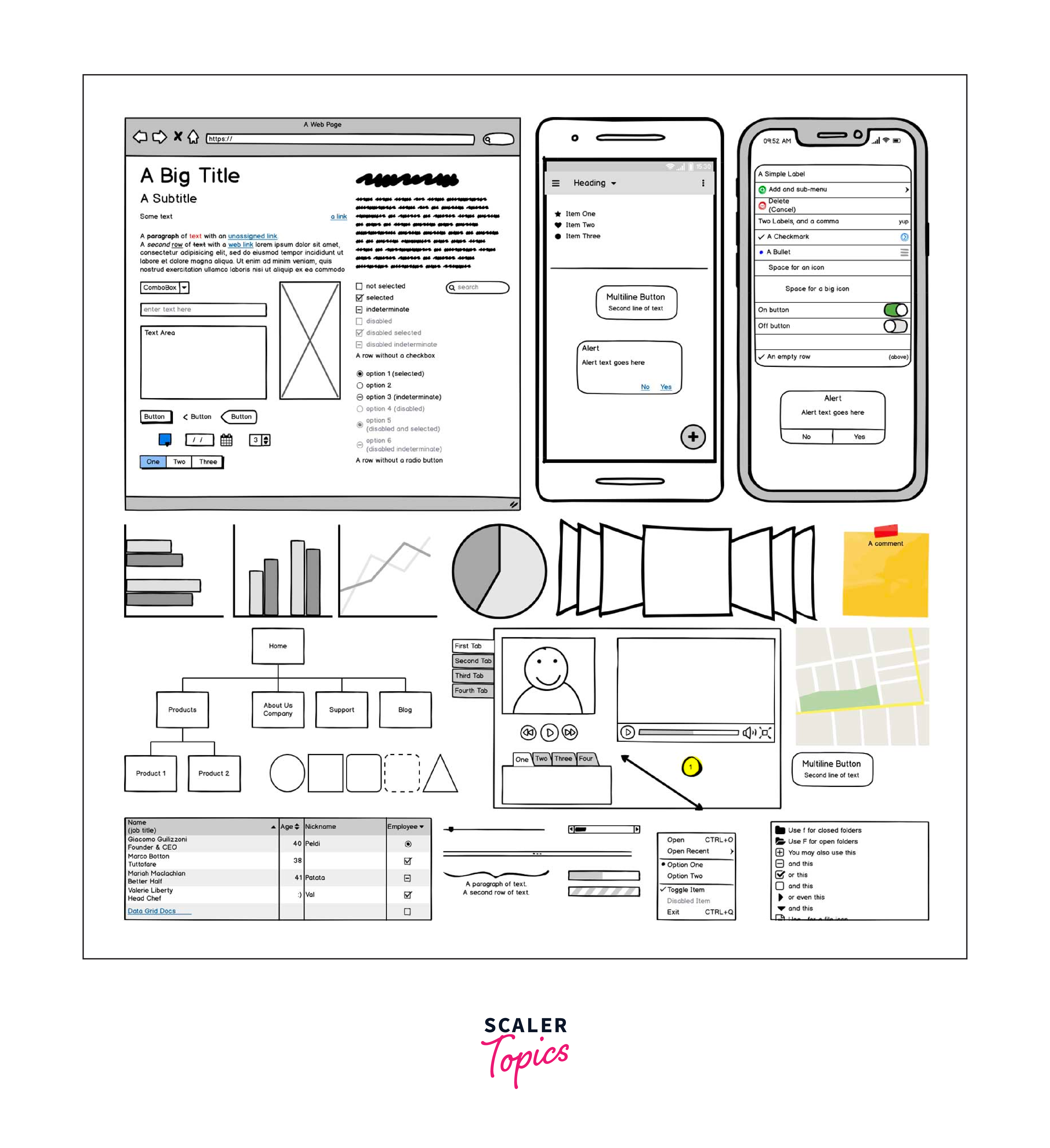
- Description:
Balsamiq is a rapid wireframing tool that allows designers to create low-fidelity wireframes quickly. It focuses on simplicity and speed, making it ideal for sketching out ideas and iterating on designs. - Key Features:
- Quick wireframing:
Balsamiq offers a simple drag-and-drop interface, allowing designers to create wireframes rapidly without getting bogged down by unnecessary details. - Customizable Sketching Tools:
Balsamiq offers a range of customizable sketching tools, including pencils, shapes, and text boxes, enabling designers to tailor the appearance of wireframes to their specific project needs. - Integration Capabilities:
Integrates with collaboration tools like Confluence and Jira. Compatible with various project management platforms. - Real-World Example (Streamlining Employee Onboarding Process):
A tech startup's HR team utilizes Balsamiq to streamline the employee onboarding process. With its quick wireframing capabilities, they sketch out low-fidelity layouts for the onboarding portal, focusing on functionality rather than visual details.
- Quick wireframing:
- Google Optimize

-
Description:
Google Optimize is an advanced web optimization tool that allows businesses to conduct A/B testing, multivariate testing, and personalization efforts to enhance the user experience on their websites. It provides insights into how different variations of web pages perform, enabling data-driven decisions to improve site effectiveness and conversion rates. -
Key Features:
-
A/B, Multivariate, and Redirect Testing:
Enables the testing of two or more versions of a webpage to see which performs best. Multivariate testing allows for testing multiple elements simultaneously. -
Personalization:
Tailor experiences to different segments of your audience based on their behavior, characteristics, or demographics. -
Advanced Targeting Options:
Test variations can be targeted to specific user segments, locations, devices, or even behaviors, ensuring that the most relevant content is shown to each user group. -
Integration Capabilities:
Integrates with Google Analytics for comprehensive data analysis. -
Real-World Example (Optimizing Online Retail Experience):
An online retail company uses Google Optimize to refine its website's user experience and increase sales. They conduct A/B testing to compare different layouts of their product pages, including variations in button colors, product descriptions, and image placements. By analyzing the performance of each variation through integration with Google Analytics, they identify the most effective design that significantly improves user engagement and conversion rates.
-
- UserTesting:

- Description:
UserTesting is a user research platform that enables designers to conduct remote usability testing and gather valuable insights from real users. It allows teams to observe and understand how users interact with prototypes, websites, or applications. - Key Features:
- Targeted Demographics:
Designers can select specific demographics for testing, ensuring that the feedback received is relevant to the target audience. - Iterative Testing:
Teams can conduct multiple rounds of testing, allowing for iterative improvements based on user feedback, a crucial aspect of the design thinking process. - Integration Capabilities:
API support for custom integrations with other systems. Compatibility with various testing and analytics platforms. - Real-World Example (Enhancing Mobile Banking App):
A leading bank's UX team leverages UserTesting to enhance their mobile banking app. They conduct remote usability testing with targeted demographics, observing real users interact with prototypes. Rich media capture, including video recordings and written comments, provides comprehensive insights into user experience. Iterative testing allows the team to refine features based on feedback, ensuring a user-friendly interface.
- Targeted Demographics:
- Maze:

- Description:
Maze is a user testing and usability testing platform that integrates with design tools like Figma and Sketch. It allows designers to test and validate designs through realistic user scenarios, providing actionable insights for improvement. - Key Features:
- Prototype Testing:
Maze supports testing of interactive prototypes, allowing designers to understand how users navigate and interact with different design elements. - A/B Testing:
Maze allows designers to conduct A/B testing to compare different design variations and determine which performs better in terms of user engagement, task completion, and other metrics. This feature helps in making data-driven design decisions and optimizing user experiences. - Integration Capabilities:
Integrates with design tools like Figma and Sketch, Seamless collaboration with project management tools. API for custom integration with other platforms. - Real-World Example (Improving E-Commerce Website Navigation):
A retail giant's UX team utilizes Maze to optimize their e-commerce website's navigation. By conducting scenario-based testing with Maze, they simulate real user journeys, observing how users interact with navigation menus and search functionalities. Heatmaps and metrics generated by Maze highlight areas of interest and user interactions, guiding the team's analysis.
- Prototype Testing:
- ClickUp

-
Description:
ClickUp is a cloud-based productivity tool that serves as an all-in-one workspace for teams. It combines task management, document sharing, goal setting, and time tracking features into a single platform, facilitating collaboration and efficiency across various project types and industries. ClickUp's customizable setup allows teams to tailor the platform to their specific needs, improving workflow and project management. -
Key Features:
-
Customizable Tasks and Projects:
Offers highly customizable options for tasks and projects, including statuses, priorities, and assignees, to fit different workflows and industries. -
Time Tracking and Reporting:
Features built-in time tracking and detailed reporting tools for monitoring project progress and productivity. -
Multiple Views:
Supports various project views like List, Board, Gantt, and Calendar, catering to different planning and tracking preferences. -
Integration Capabilities:
Supports integration with communication and collaboration platforms. API support for customizing workflows and connections. -
Real-World Example (Streamlining Marketing Campaigns):
A digital marketing agency adopts ClickUp to streamline its campaign planning and execution process. By customizing tasks and projects to match their workflow, the team efficiently collaborates on content creation, distribution, and analysis within a single platform. Goal-tracking features enable them to align individual tasks with campaign objectives, ensuring all efforts contribute to the desired outcomes.
-
FAQs
Q. What is design thinking?
A. Design thinking is a problem-solving methodology that emphasizes empathy for users, collaboration, and iterative prototyping to develop innovative solutions. It places a strong emphasis on understanding the needs and perspectives of end-users, challenging assumptions, and embracing failure as a means of learning and improvement.
Q. How can design thinking tools help the creative process?
A. Design thinking tools play a crucial role in facilitating and enhancing the creative process by providing structured frameworks for ideation, prototyping, and testing. These tools aid in:
- Understanding user needs and pain points.
- Visualizing ideas and concepts.
- Collaborating effectively within cross-functional teams.
- Iteratively prototyping and testing solutions.
- Analyzing and synthesizing data from user feedback.
- Enhancing communication and idea sharing.
Q. What are the 5 design thinking stages?
A. The design thinking process typically consists of five stages:
- Empathize:
Understand the needs, emotions, and experiences of the users. This involves conducting research, interviews, and observations. - Define:
Clearly articulate the problem based on insights gained from the empathize stage. Define the user's needs, challenges, and aspirations. - Ideate:
Produce a diverse array of imaginative concepts and possible solutions. Encourage brainstorming and exploration of diverse possibilities. - Prototype:
Build tangible representations of your ideas. These can range from low-fidelity sketches to high-fidelity prototypes for testing and feedback. - Test:
Gather feedback on prototypes from users and stakeholders. Use this feedback to refine and iterate on solutions, going back to earlier stages if necessary.
Q. What are the best design thinking tools for each stage?
A.
- Empathize:
- Tools:
User interviews, surveys, observation techniques, empathy maps.
- Tools:
- Define:
- Tools:
Persona creation tools, problem definition frameworks, customer journey maps.
- Tools:
- Ideate:
- Tools:
Brainstorming sessions, mind mapping tools (e.g., MindMeister), collaborative whiteboard tools (e.g., Miro).
- Tools:
- Prototype:
- Tools:
Prototyping software (e.g., Figma, InVision, Balsamiq), paper prototyping materials.
- Tools:
- Test:
- Tools:
User testing platforms (e.g., UserTesting, Maze), feedback collection tools.
- Tools:
Conclusion
-
Top design thinking tools offer a versatile range, from collaborative platforms like Miro to prototyping tools such as InVision and Balsamiq.
-
Emphasis on understanding user needs ensures the development of solutions that authentically address user pain points.
-
Collaborative features enhance teamwork, enabling real-time idea sharing among cross-functional teams.
-
Tools like InVision and Balsamiq facilitate quick and iterative testing, allowing for continuous refinement based on user feedback.
-
User testing platforms like UserTesting and Maze seamlessly integrate into the design process, providing valuable insights.
-
Visualization tools like MindMeister and Balsamiq improve communication within teams, fostering a shared understanding of design concepts.
-
Collectively, these tools support a holistic design thinking approach, enhancing creativity, collaboration, and user-centric problem-solving.