


Difference between forEach() and map() Loops in JavaScript
 FREE
FREE

Overview
JavaScript provides several methods for iterating through arrays, and two commonly used methods are forEach() and map(). While both are used to traverse arrays, they have distinct purposes and behaviors. In this article, we'll explore the differences between these two array iteration methods.
- map():
The map() method creates a new array by applying a provided function to each element in the original array and returns the results in a new array. It is used for transforming or mapping array elements.

- forEach():
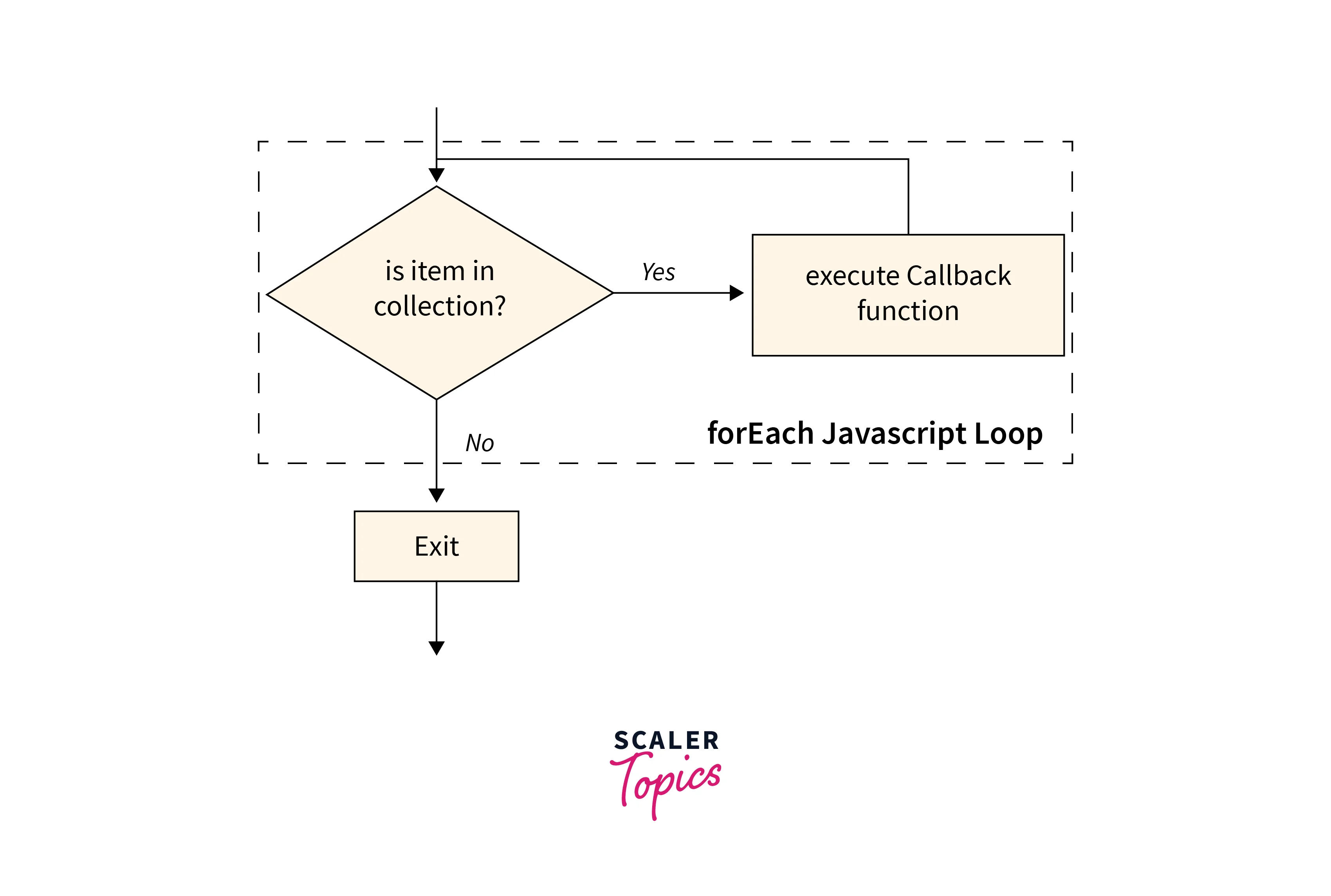
The forEach() method executes a provided function once for each array element but does not create a new array. It is typically used for performing actions on array elements without producing a new array.
Build an AI-First Career, Master the Complete Skillset
Choose from our industry-leading programs designed for career success
Modern Software and AI Engineering Program
Master full-stack development with AI integration


 +1000 more
Modern Data Science and ML with specialisation in AI
Advanced data science techniques with AI specialization
+1000 moreAdvanced AIML with Specialisation in Agentic AI
Deep dive into AIML with focus on Agentic systems
+1000 moreDevOps, Cloud & AI Platform Engineering
Build and manage AI-powered cloud infrastructure
+1000 moreAI Engineering Advanced Certification by IIT-Roorkee
Premier AI engineering certification from IIT-Roorkee

AI Forward Deployed Engineer Program
Full-stack engineering, production AI and client-facing consulting
+1000 moremap() vs. forEach(): Syntax and Parameters
map()
Syntax:
Parameters:
- element: The current element being processed.
- index: The index of the current element.
- array: The original array being traversed.
forEach()
Syntax:
Parameters:
- element: The current element being processed.
- index: The index of the current element.
- array: The original array being traversed.
Examples
How Scaler Transformed Careers in Different Fields
Scaler learners achieved 2.5x salary growth with average post-Scaler CTC reaching ₹23L.
 Google
 Amazon
 Microsoft
 Flipkart
 Adobe1200+ more
Example - 1: Calculating Square of Array Elements with forEach() and map()
In this example, we aim to calculate the square of each element within a given array. We demonstrate two distinct approaches: one employing the forEach() method and the other utilizing the map() method. Both strategies yield identical results. Inside the callback function, we access individual elements and their respective indices, subsequently updating each element with its squared value.
Code:
Output:
Explanation of the code:
In both approaches, we commence with two separate input arrays: arrayForSquaredElements and arrayMappedToSquaredElements, each containing elements [1, 2, 3, 4].
-
Using forEach() method:
We employ the forEach() method to iterate through the array elements. Within the callback function, element signifies the current element's value, while index denotes its position in the array. Subsequently, we modify the array by assigning the square of element to the same index. Finally, we log the updated arrayForSquaredElements, which now holds the squared values. -
Using map() method:
Similarly, we utilize the map() method to traverse the array. Within the callback function, we access each element and calculate its square directly, returning the squared value. The map() method then constructs a new array with these squared values. Finally, we log the modified arrayMappedToSquaredElements, which also contains the squared values.
Example - 2: Using forEach() and map() with Return Values
In this example, we perform the same functionality of calculating the square of each element in a given array. However, we focus on the different return values of the forEach() and map() methods. The forEach() method returns "undefined," while the map() method returns a new array containing the squared values.
Code for forEach():
Output for forEach():
Code for map():
Output for map():
Explanation of the code:
In both approaches, we start with the same input arrays: arrayForUndefinedReturn and arrayForArrayReturn, each containing elements [1, 2, 3, 4].
-
Using forEach() method with undefined return:
We use the forEach() method to iterate through the array elements. Inside the callback function, we calculate the square of each element but do not return any value. As a result, the return value of forEach() is "undefined," and the original arrayForUndefinedReturn remains unchanged. -
Using map() method with array return:
We employ the map() method to traverse the array and calculate the square of each element. The return value of the map() method is a new array (squaredArray) containing the squared values. The original arrayForArrayReturn remains unchanged.
Turn Learning into Career Growth
Example - 3: Chaining Array Methods with Different Return Values
In this example, we explore chaining array methods, where the return value of one method is operated upon by the next method. We demonstrate this concept using two scenarios. In the first scenario, the forEach() method is used, which returns undefined, and then the reverse() method is invoked, leading to a TypeError. In the second scenario, we use the map() method, which returns an array, and then we invoke the reverse() method, resulting in a reversed array.
Scenario - 1: Using forEach() and reverse():
Output:
Explanation:
In this scenario, we first attempt to chain the forEach() method with the reverse() method. However, the forEach() method returns undefined, and you cannot invoke reverse() on undefined, which results in a TypeError.
Scenario - 2: Using map() and reverse():
Output:
Explanation:
In this scenario, we chain the map() method with the reverse() method. The map() method returns an array containing the squared values [1, 4, 9, 16], and then we successfully invoke the reverse() method on this array. The result is the reversed array [16, 9, 4, 1].
map() vs. forEach()
| Criteria | map() | forEach() |
|---|---|---|
| Return Value | Returns a new array of results | Does not return a new array |
| Modifies Array | Does not modify the original | Does not modify the original |
| Use Case | Transforming array elements | Performing actions on elements |
| Chainable | Yes | No |
| Creating a New Array | Yes | No |
FAQs
Q. Can I use forEach() to transform array elements like map()?
A. No, forEach() is for iteration, not transformation. To transform array elements and create a new array, use map(). It applies a function to each element, returning a new array with the transformed values.
Q. Is map() faster than forEach()?
A. Performance-wise, they are similar. Use map() for creating a new array with transformed values, and forEach() for executing actions on array elements without creating a new array. Choose based on your intended operation and code clarity.
Q. Can I chain multiple map() or forEach() calls together?
A. You can chain map() calls to perform multiple transformations, but forEach() is not chainable.
Conclusion
- map() and forEach() are both valuable methods for working with arrays in JavaScript.
- map() is used for transforming array elements and creating a new array with the transformed values.
- forEach() is employed for performing actions on array elements without creating a new array.
- Neither method modifies the original array, ensuring data integrity.
- Chaining is possible with map() for multiple sequential transformations, while forEach() is not chainable in the same way.
- In terms of performance, differences between the two methods are usually negligible.
- When choosing between map() and forEach(), consider your intended operation and code clarity for effective array manipulation.




