


How to Check Django Version?
Overview
We can perform Django version checks in our system using terminal, IDLE, and pip. We can also check the version of Django installed in our system within a Python script. We can also upgrade and downgrade the versions of Django in our system.
Build an AI-First Career, Master the Complete Skillset
Choose from our industry-leading programs designed for career success
Modern Software and AI Engineering Program
Master full-stack development with AI integration


 +1000 more
Modern Data Science and ML with specialisation in AI
Advanced data science techniques with AI specialization
+1000 moreAdvanced AIML with Specialisation in Agentic AI
Deep dive into AIML with focus on Agentic systems
+1000 moreDevOps, Cloud & AI Platform Engineering
Build and manage AI-powered cloud infrastructure
+1000 moreAI Engineering Advanced Certification by IIT-Roorkee
Premier AI engineering certification from IIT-Roorkee

AI Forward Deployed Engineer Program
Full-stack engineering, production AI and client-facing consulting
+1000 moreCheck the Django Version Using the Terminal
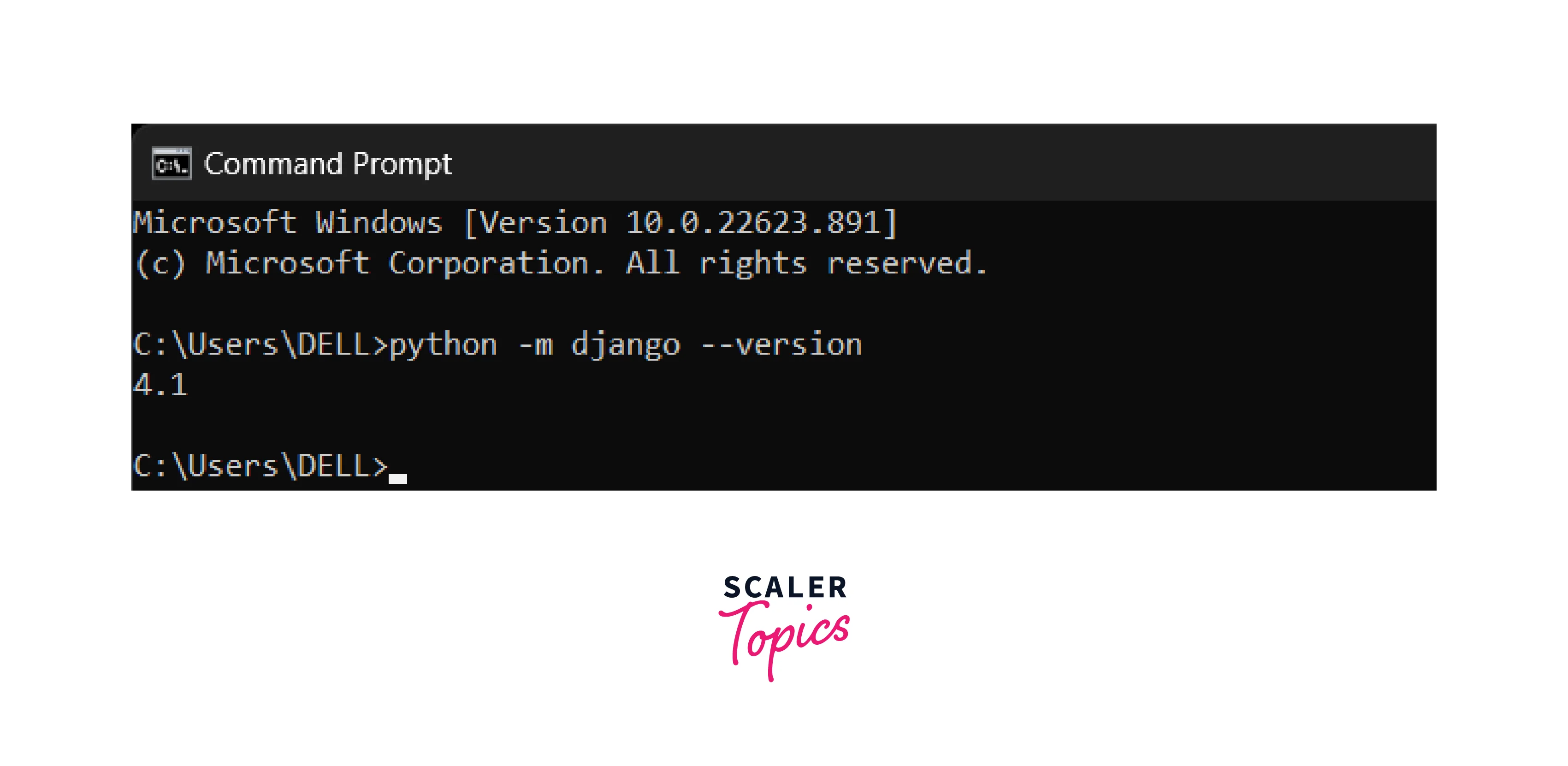
First Method
We have to first open the terminal for the Django version check and then write the command given below. The below-given command is used when we install Django globally in our system.
Second Method
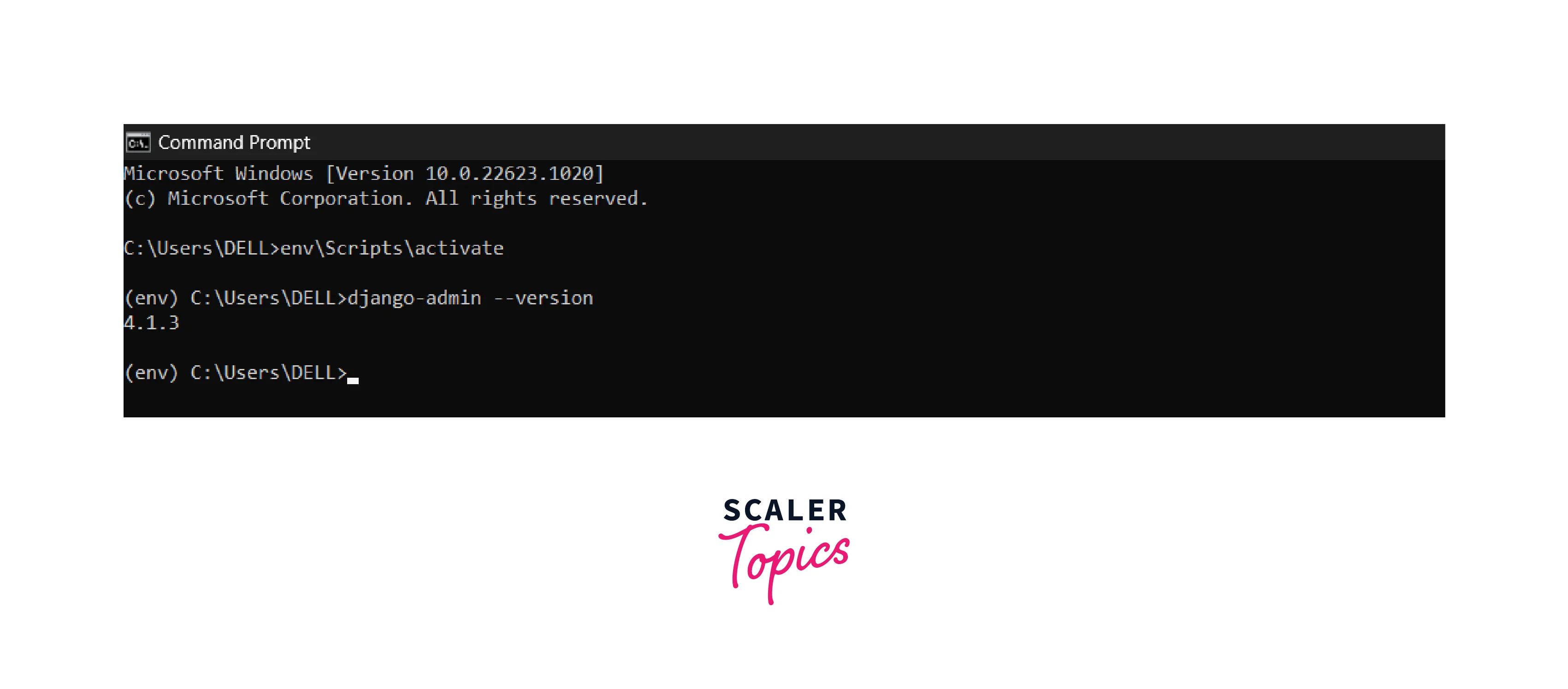
The command given below can also be used to find the Django version of Python3. The below-given command is used when Django is installed as a package in the Python environment. Before running the below command we need to activate the virtual environment for Python by env\Scripts\activate.
Third Method
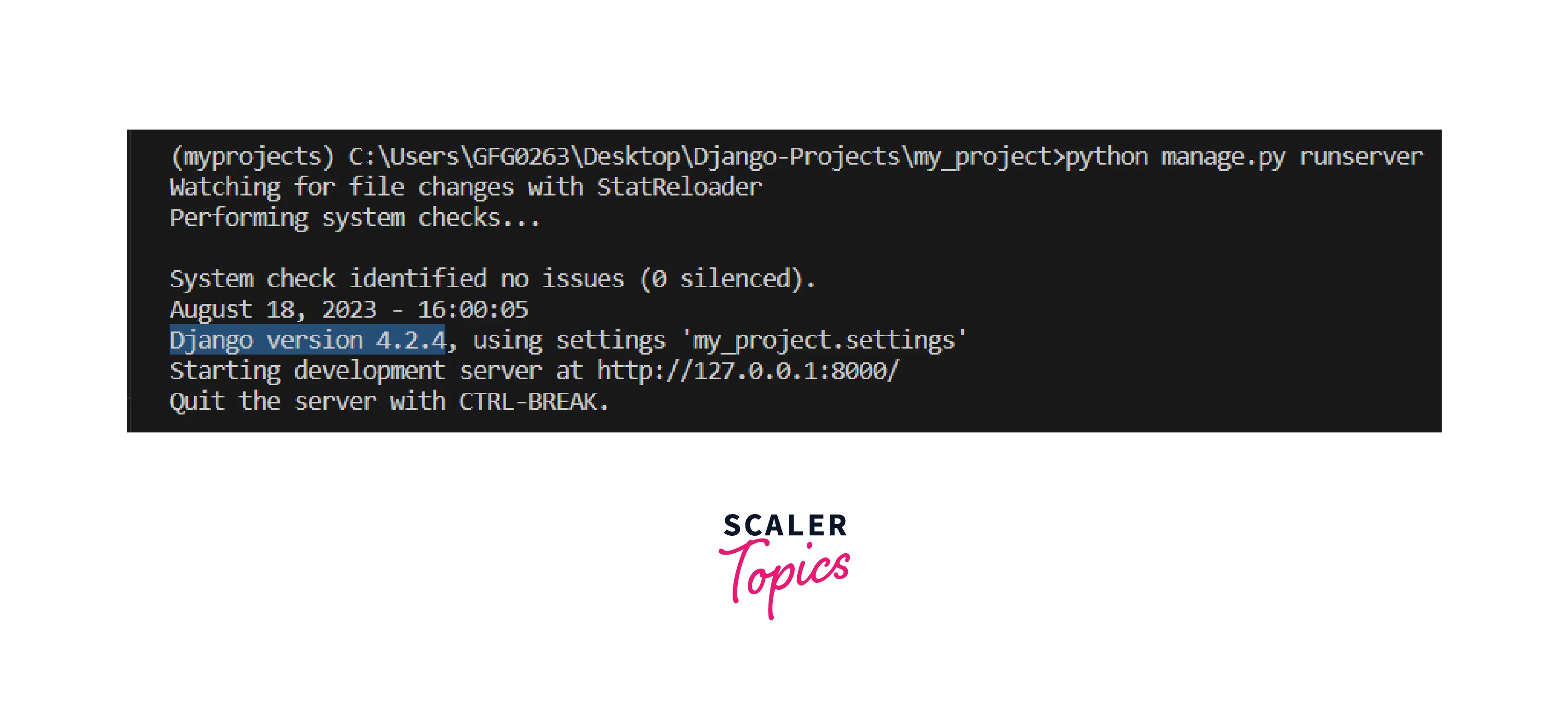
The Django version can also be checked when we are running the project.
How Scaler Transformed Careers in Different Fields
Scaler learners achieved 2.5x salary growth with average post-Scaler CTC reaching ₹23L.
 Google
 Amazon
 Microsoft
 Flipkart
 Adobe1200+ more
Check the Django Version Using IDLE
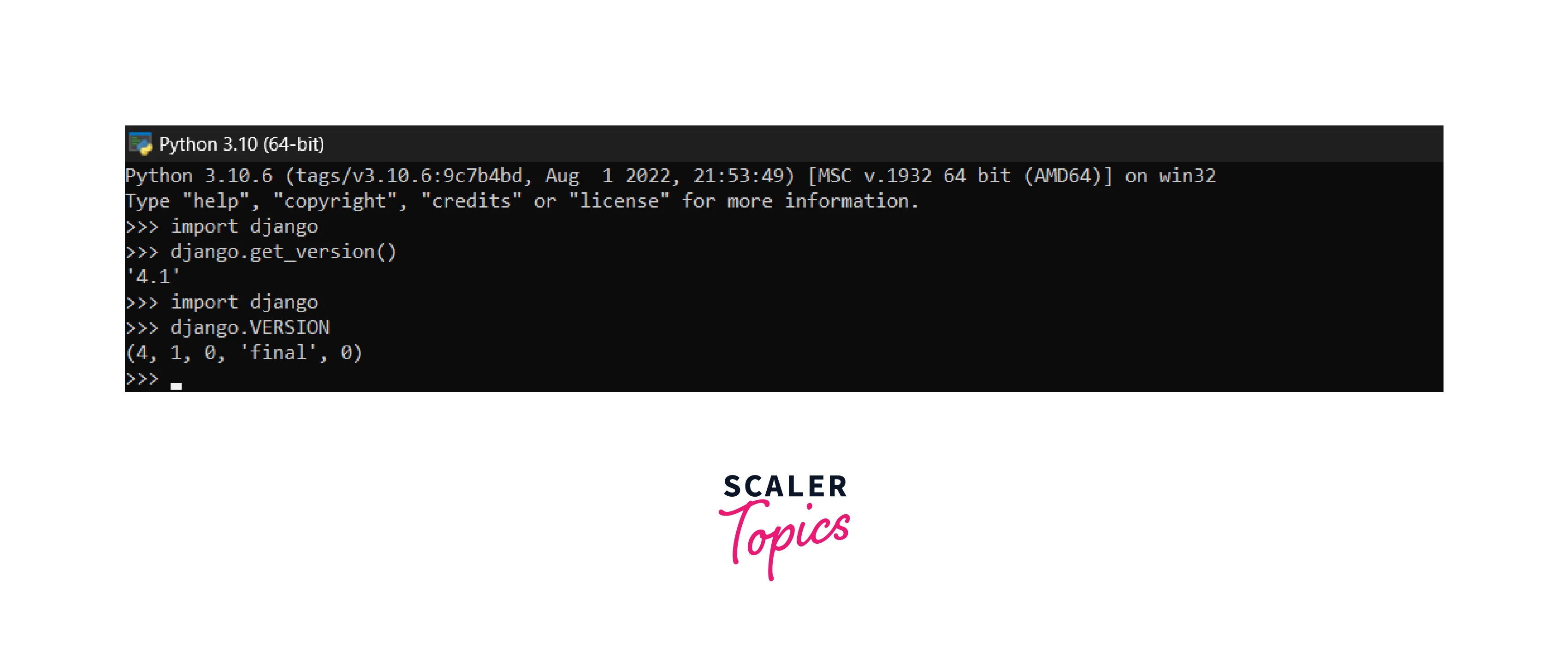
You have to open Python IDLE to check the Django version for Python 3. In your IDLE, write the line of code given below.
Check the Django Version Using the pip
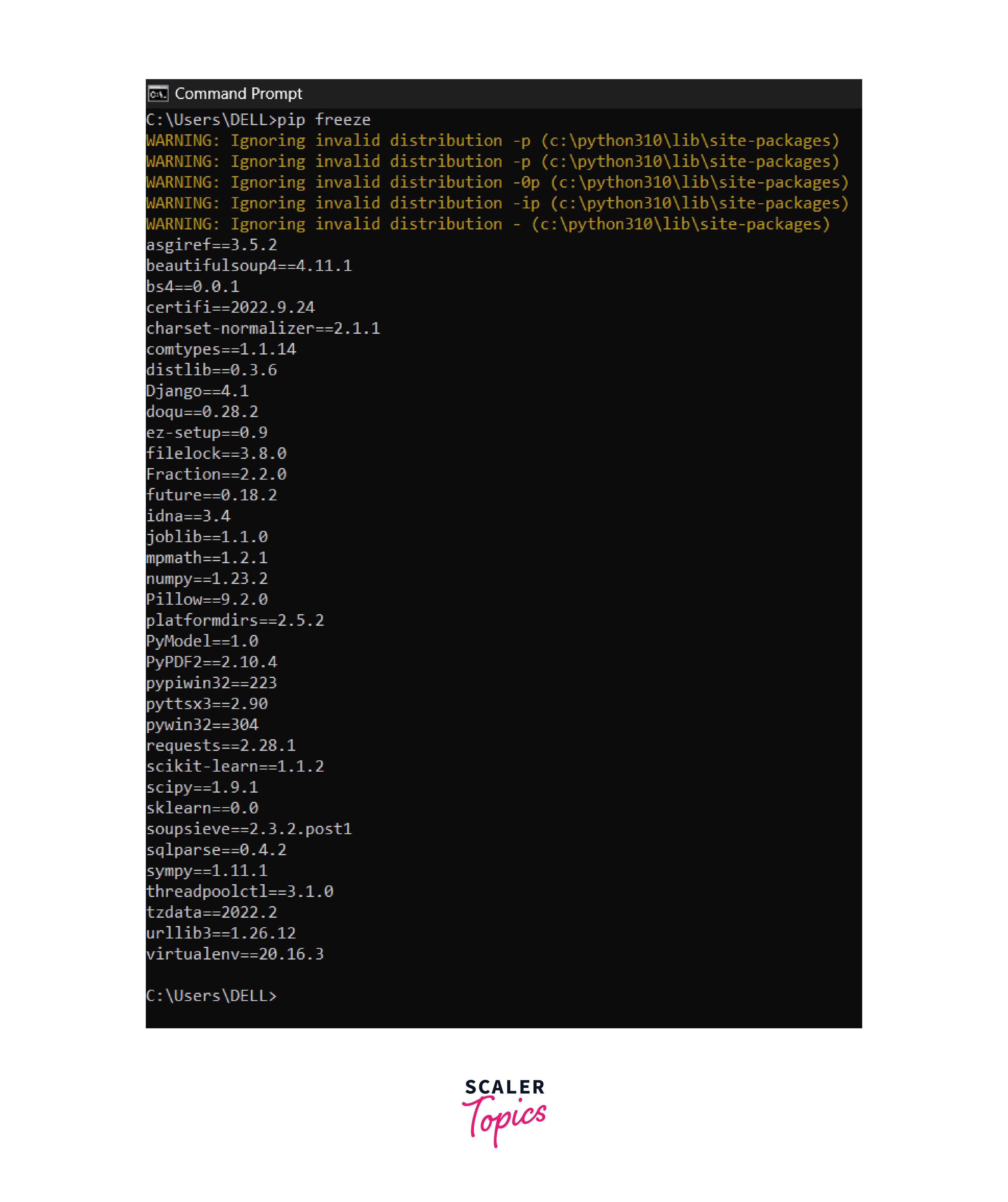
Pip can also be used for checking all the current versions of all the modules of Python that are installed in your system. You have to type the pip command on your terminal.
or
Execution of both commands gives information regarding all Python packages that are installed in your recent Python environment.
Turn Learning into Career Growth
Checking Django Version from Within a Python Script
Within the Python script, we can also do a Django version check. For that open the file "manager.py" present in the project directory in your code editor. Find the 'import django' in that code and this line is present at the top of your code. Add the code given below after the line 'import django'
save the file and open your terminal and then in your terminal run the command given below:
After executing this command, the Django version will be displayed in your terminal.
Update Django Version for Python
You have also provided an option to update the Django version, for this purpose you have to execute any of the one commands given below:
Upgrade or Downgrade Your Django version for Python
You can also define your specific version of Django so that you can work easily in your environment. Type the command given below and type the Django versions to upgrade or downgrade the version and execute it.
We can use this command to install the specific version of Django according to the requirements of the project.
Conclusion
- We can use the terminal for the Django version check.
- We can also perform the Django version check using the IDLE and pip commands.
- Within the Python script we can also check the Django version.
- We can also upgrade and downgrade our Django versions by executing commands.




