


Docker Jenkins
Overview
In software development, DevOps practices are crucial for efficient and reliable delivery. Jenkins, an open-source automation server, aids in these practices. Docker, a containerization platform, packages apps and their dependencies into containers. Docker Jenkins complements this as well as enhancing its capabilities. In this article, we'll delve into the Docker setup, operation, and optimization of Jenkins and several related ideas.
Setting Up Docker for Jenkins
Before diving into the specifics of Docker Jenkins, it's essential to have Docker installed on your system. Docker provides a unified platform for developing, shipping and running applications in containers. The official Docker documentation provides comprehensive instructions for installing Docker on various operating systems.
-
Docker Installation:
Follow Docker's official documentation guide to download the Docker on your Operating System.
-
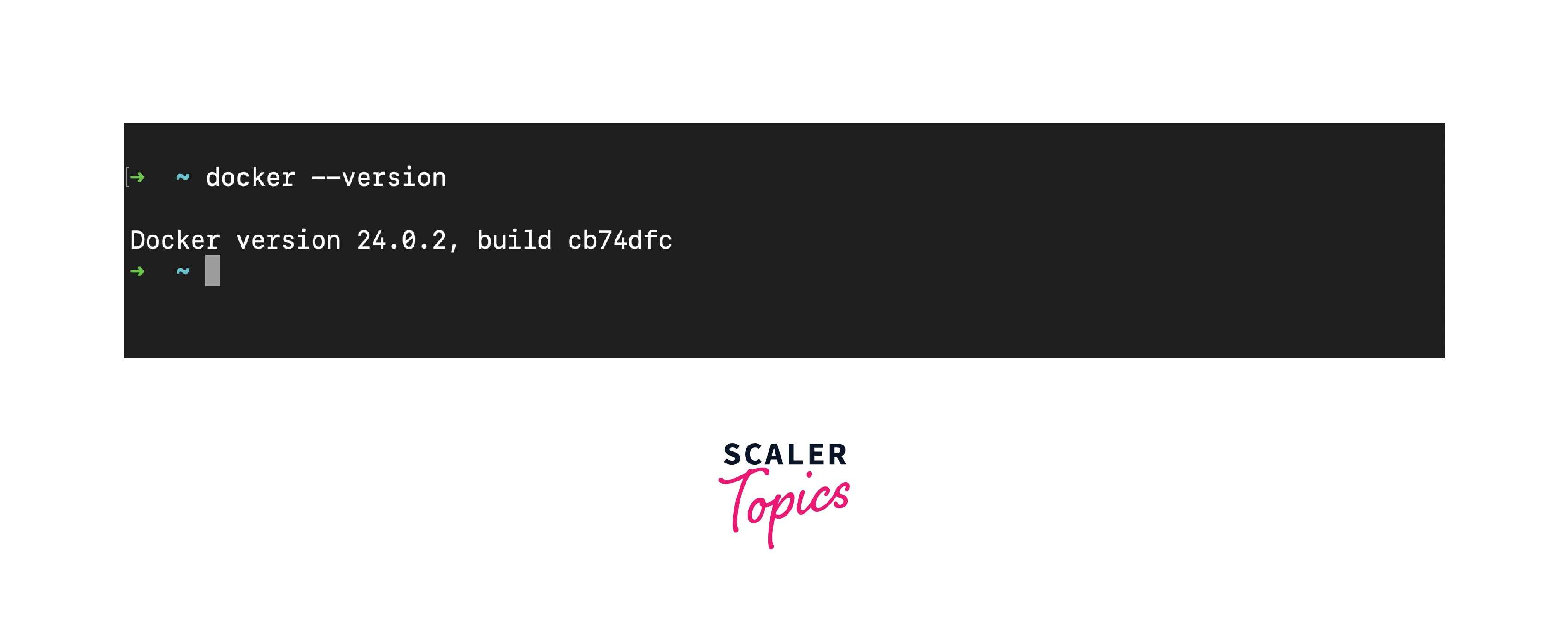
Verify Installation:
Once installation is finished on your CMD or terminal, use the following command:
Note: You should see an output displaying the installed Docker version, confirming that Docker is up and running on your system.
-
Configure Docker Preferences (macOS and Windows):
Docker Desktop offers preferences that allow you to customize resources like CPU and memory allocated to docker containers. Adjust these settings based on your system's capabilities and requirements.
-
Start Docker:
On macOS and Windows, the Docker Desktop can be started from the applications menu. On Linux, you might need to start the Docker service manually using the appropriate command.
Running Jenkins in a Docker Container
By encapsulating Jenkins within a Docker container, you gain agility, consistency, and simplicity in your automation workflows. Docker containers are self-contained environments that encapsulate applications and their dependencies. To set Jenkins using Docker here are some steps to follow:
-
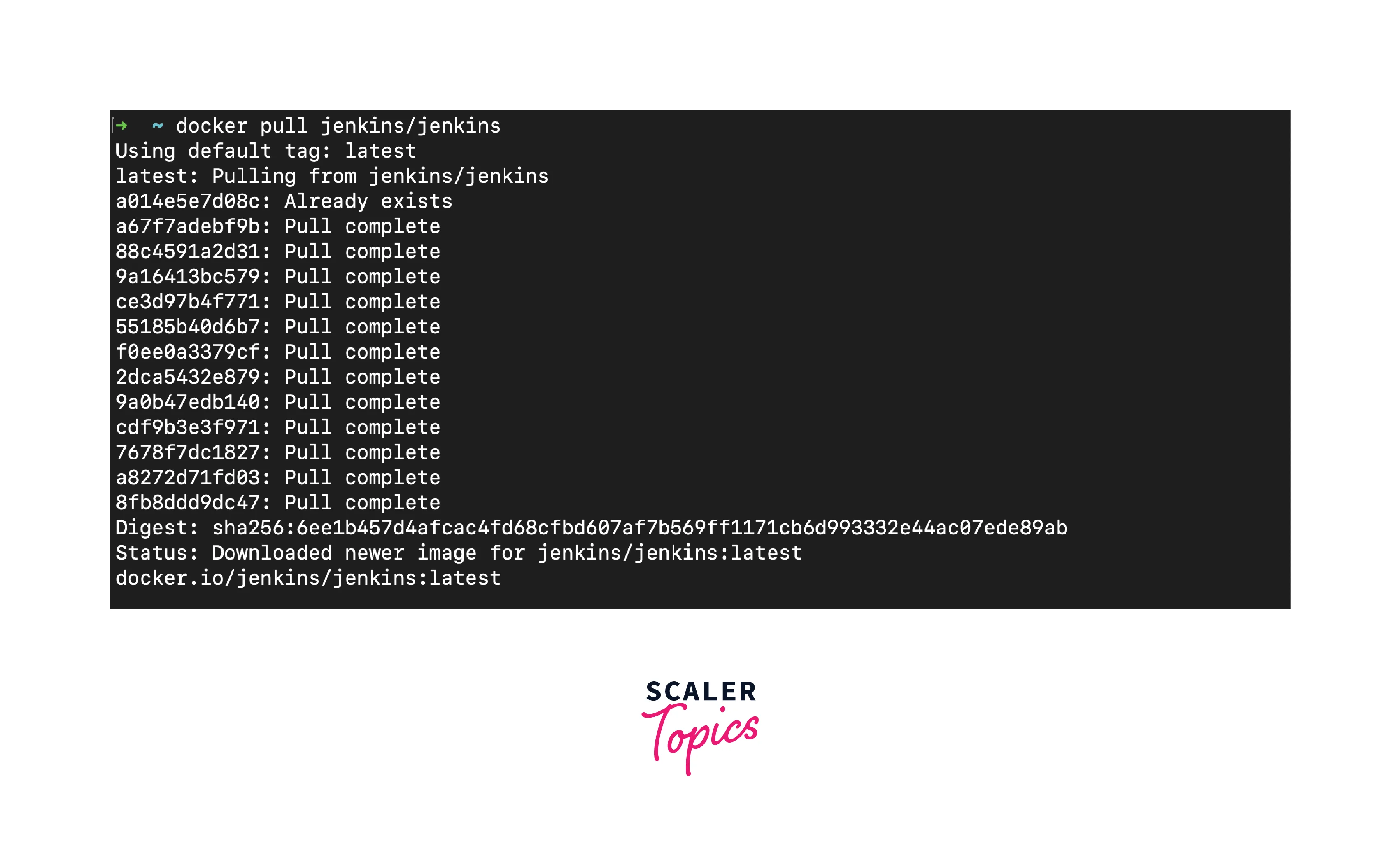
Pull the Official Jenkins Image:
In your terminal or command prompt write the following command.
-
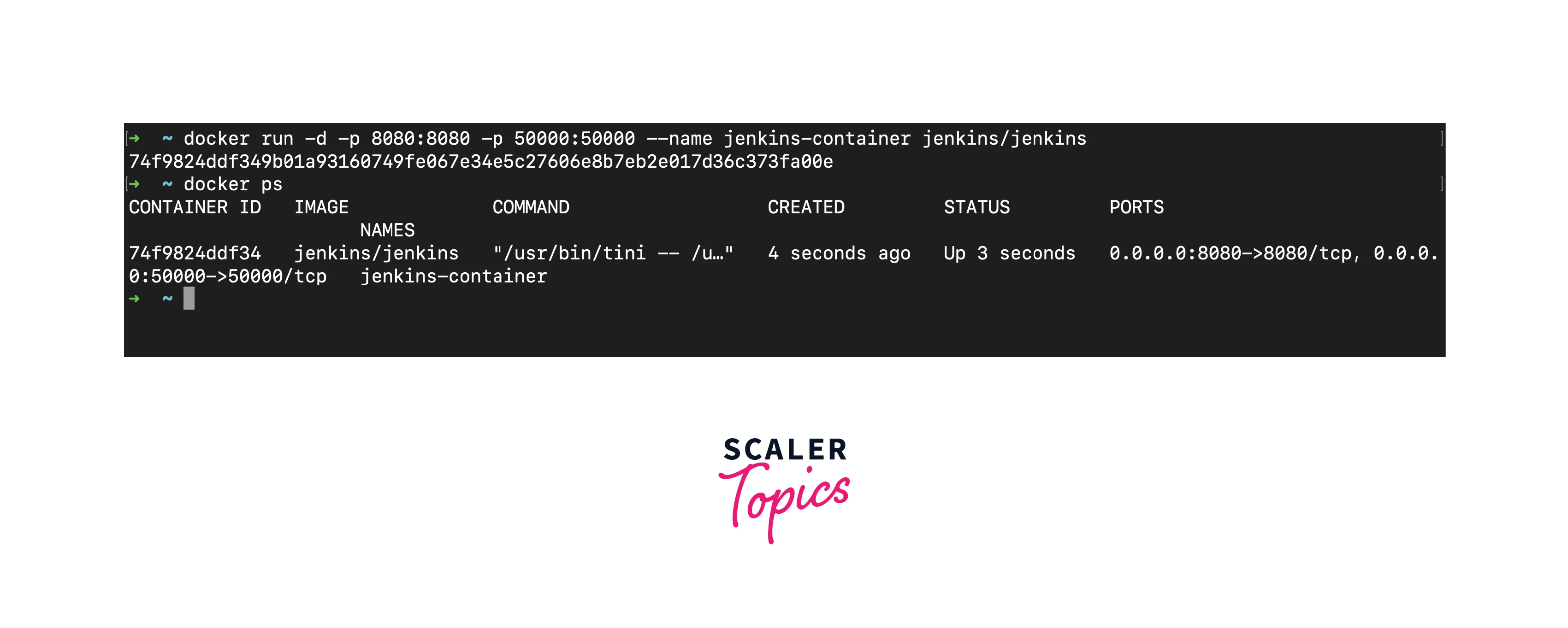
Once the image is downloaded, you can start a Jenkins container using the following command:
- The '-d' flags are used for running in detached mode.
- The '-p' flags translate the container's ports to host ports for agent communication and web access.
- The '--name' flag gives the container a name for simple management.
-
Access Jenkins Web Interface:
On your localhost http://localhost:8080 you will be prompted something like this. Which is prompted when you first start the Jenkins server.

To obtain the initial admin password, use the following command:
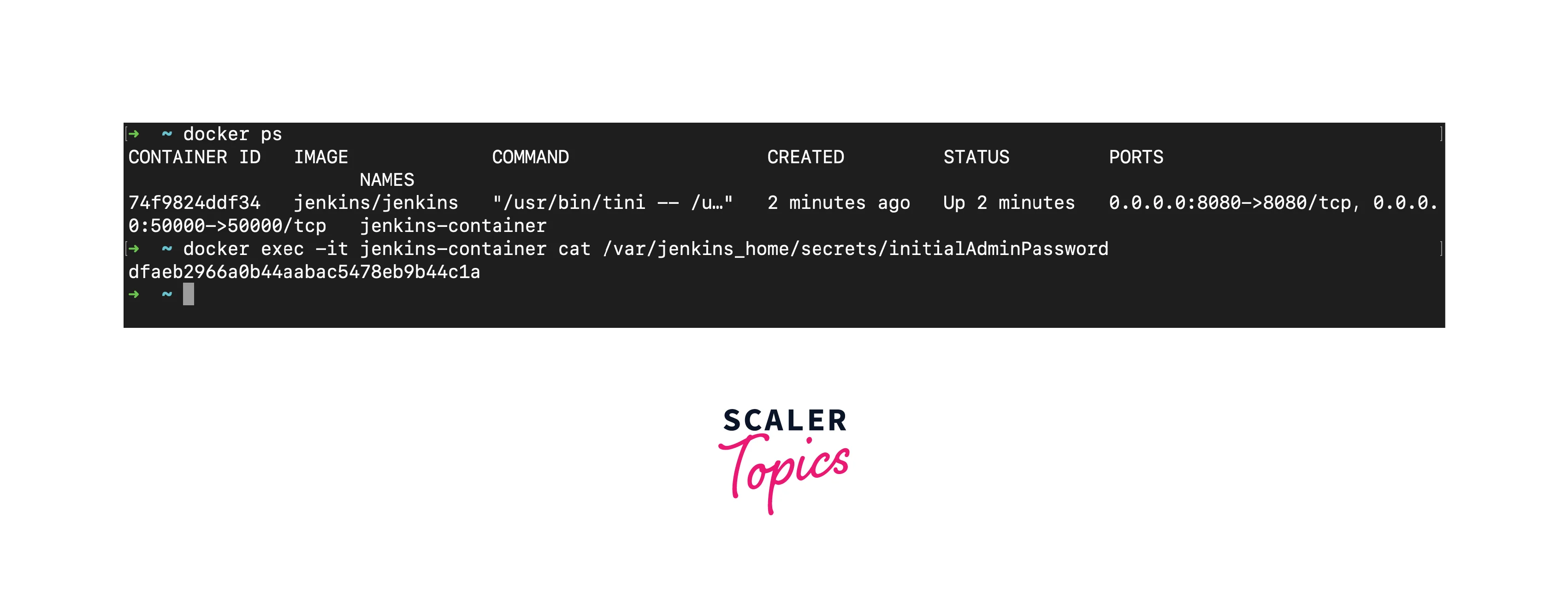
Copy and paste the provided password into the web interface to proceed.
-
Customize Jenkins Setup:
Follow the on-screen instructions to customize your Jenkins setup. You can choose to install recommended plugins or select specific ones based on your requirements.
-
Create an Admin User:
Set up an admin user account for Jenkins, providing essential credentials to access and manage your Jenkins instance.
Running Jenkins in a Docker container offers a streamlined and efficient approach to setting up and utilizing Jenkins for automation tasks. By encapsulating Jenkins within a container, you create an isolated and reproducible environment that simplifies deployment, configuration, and management. The process of running Jenkins in a Docker container paves the way for the next steps in our Dockerized Jenkins journey, including managing Jenkins data with Docker volumes, configuring Jenkins as code, and exploring advanced integration possibilities.
Docker containers are designed for swift changes, but Jenkins data housing vital configurations, build history, and plugins demands performance. Here's where Docker volumes emerge as the linchpin, harmonizing the container's evanescent nature with Jenkins data's durability.
-
Data Segregation:
Jenkins data finds sanctuary in dedicated volumes, cutting ties with container lifecycles. Even when containers renew, your data stands resilient.
-
Seamless Migration and Backup:
Docker volumes can easily back up, migrate, and restore. Shield your data from container mishaps or system turbulence.
-
Scale with Ease:
Docker Compose or tools like Docker Swarm orchestrate multiple Jenkins containers, united by shared volumes. Scale confidently, nurturing both growth and resilience.
Utilizing Docker Volumes for Jenkins Data
-
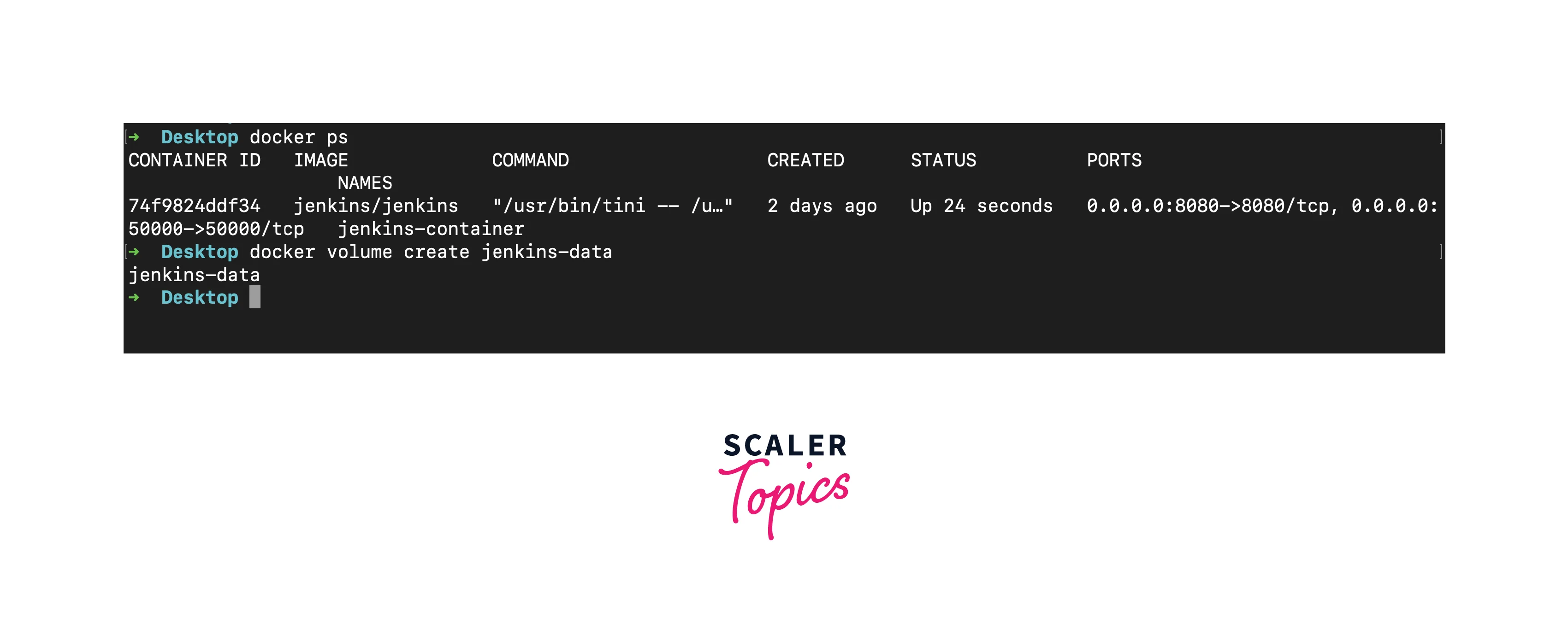
Create a Docker Volume:
You can create a named Docker volume specifically for storing Jenkins data using the following command:
-
Run Jenkins Container with Volumes:
When starting your Jenkins container, mount the created volume to the appropriate directory. Modify the docker run command as follows:
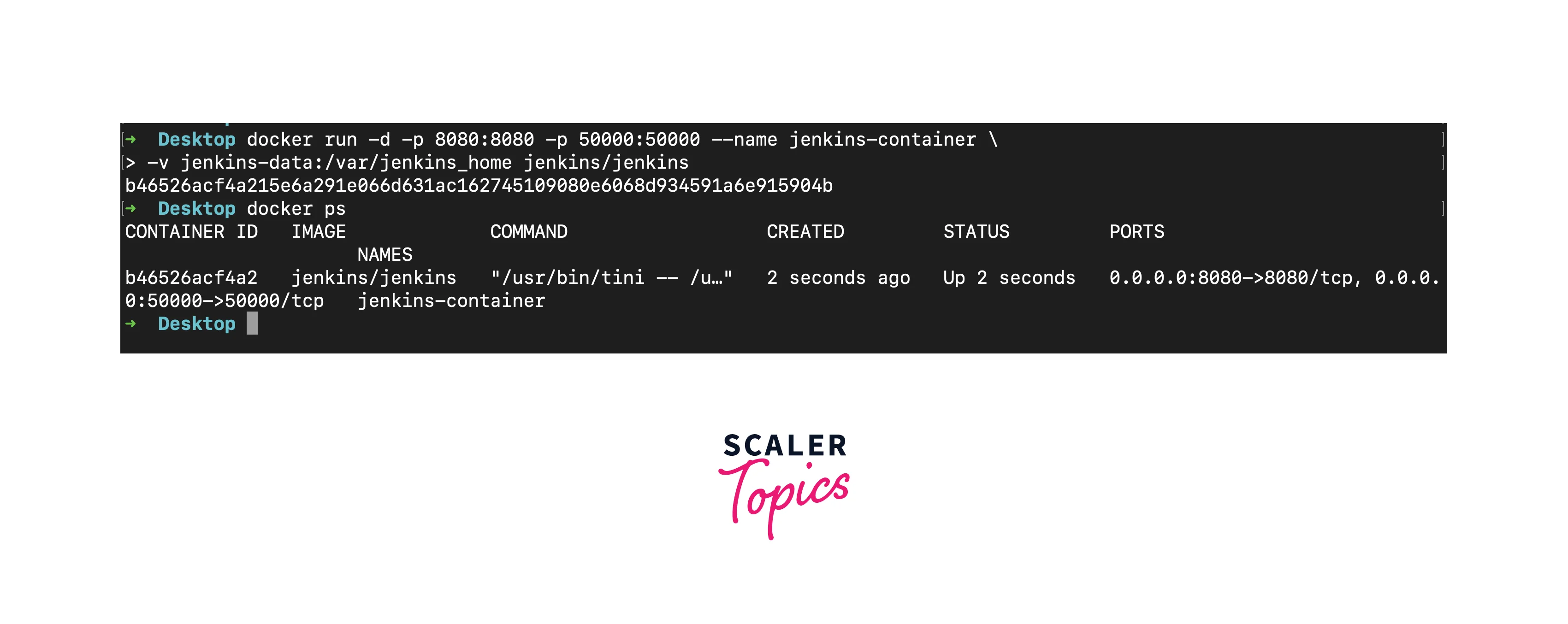
The -v flag specifies the volume to mount, ensuring that Jenkins data gets stored in the persistent volume.
-
Data Backup and Migration:
Docker volumes can be easily backed up by creating a tarball of the volume contents. If necessary, a backup can also be restored or moved to different environments.
Docker volumes are the glue that binds the ephemeral nature of containers with the persistent needs of Jenkins data. With volumes, you create a robust mechanism to ensure that your Jenkins configurations, plugins, and other essential data remain intact and available, even in the face of container failure.
Jenkins Configuration as Code (JCasC) with Docker
Jenkins Configuration as Code (JCasC) emerges as a conductor of harmony, enabling orchestrated management of Jenkins configurations. When used with Docker, this union transforms configuration into an art form, empowering you to use Jenkins setups with grace. Jenkins Configuration as Code provides helps in many ways:
-
Human-Readable Definitions:
JCasC leverages YAML files for configuration. This human-readable format simplifies understanding and collaboration.
-
Version-Controlled Harmony:
Treating configurations as code facilitates version control, allowing you to track changes, collaborate seamlessly, and revert to previous setups.
-
Reproducibility Across Environments:
JCasC bridges the gap between development, testing, and production environments by replicating consistent configurations.
To create Jenkins Configuration as a Code file follow the simple instructions.
-
Create JCasC YAML File:
Craft a YAML file outlining your Jenkins configuration. This file will encompass various aspects, from security settings to plugin configurations.
-
Mount JCasC File to Docker Container:
When launching your Jenkins container, include a command to mount the JCasC YAML file to the appropriate directory within the container:
This integration ensures that your JCasC configuration is linked to your Jenkins instance.
-
Effortless Replication:
With JCasC and Docker in tandem, your configurations become transportable and replicable. Whether it's deploying across testing environments or scaling in production, your configurations remain consistent.
Docker Compose for Jenkins Services
Docker Compose can be used for Jenkins service orchestration, transforming complexity into an orchestrated set of tasks. When multiple services – Jenkins, databases, and authentication providers are used, with the help of Docker Compose it produces these tasks effortlessly. Some benefits of using Docker compose are as follows:
-
Simplified Complexities:
Docker Compose unifies orchestration into a single dance for intricate Jenkins setups requiring diverse services. Think of Jenkins servers, databases, and authentication providers as a cohesive ensemble.
-
YAML as a code:
Docker Compose scripts a multi-container saga through a YAML file. Define services, networks, and volumes, rendering complex configurations comprehensible.
-
With just one command - docker-compose up - you could start or stop docker containers.
Creating a Docker-Compose File for Using Jenkins
-
Create a docker-compose file at the root directory named docker-comopose.yml.
-
In the docker-compose file you could specify various needs that could be required or what you want to configure while running your container like network bridges, databases etc.
- The Jenkins container uses a named volume (Jenkins-data) to persist its data.
- The MySQL container uses a named volume (mysql-data) to persist its data.
- The Jenkins container's JAVA_OPTS environment variable is set to disable the initial setup wizard.
- Ports 8080 and 50000 are mapped to allow web access and agent communication for Jenkins.
- The containers are connected to a common bridge network (Jenkins network).
As per your organization's needs and requirements add or remove certain parts from the docker-compose file.
-
Once done from the root of the directory or wherever your docker-compose file is present use the following command to start the container.
docker-compose up -
As we have mapped to port 8080 it would start on our localhost port 8080.
-
To stop the container you could use
Integrating Jenkins Agents in Docker
The introduction of Jenkins agents, empowered by Docker, ushers in a new era of dynamic scalability and resource isolation. The integration of Jenkins agents within Docker containers orchestrates simpler and more effective workflows. Some of the few benefits are:
-
Dynamic Scalability:
Docker agents provide the capability to scale and build resources on the fly, allowing your system to respond with agility to fluctuating workloads. This means you can efficiently allocate resources as needed, ensuring that your build processes run smoothly under varying demands.
-
Resource Isolation:
With Docker, each build job operates within its dedicated container, ensuring robust isolation and minimizing interference between different jobs. This isolation enhances reliability and stability by preventing one job from affecting or disrupting another.
-
Consistency Across Environments:
Docker agents contribute to maintaining uniformity in your DevOps environment. Build environments remain consistent from development through to production. This consistency simplifies the development pipeline, as you can be confident that the environment in which code is built and tested remains the same throughout the entire process.
To integrate with Docker agent collaboration, we will have to follow some simple steps:
-
Set Up a Docker Host:
Ensure you have a Docker host or a cluster available where your Docker agents can run. This host should have Docker installed and configured.
-
Create Docker Images:
Build Docker images that contain the necessary build tools and dependencies for your Jenkins jobs. These images can be customized to meet the specific requirements of your projects.
-
Configure Jenkins Nodes:
In the Jenkins configuration, set up nodes (or agents) that will run as Docker containers. Specify the Docker image to be used for each node, along with resource limits such as CPU and memory.
-
Job Configuration:
When creating or configuring Jenkins jobs, specify that they should run on Docker agents. Jenkins will automatically spin up Docker containers based on the defined images to execute the jobs.
-
Docker Compose Integration:
For more complex scenarios involving multiple services or containers, consider using Docker Compose to define and manage the composition of containers for your build environment.
-
Monitoring and Scaling:
Implement monitoring tools to keep track of resource usage and job performance within Docker containers. Use Docker's scaling capabilities to add or remove containers as needed to handle varying workloads.
-
Security Considerations:
Pay attention to security best practices when running Docker agents, including ensuring that containers are up-to-date with security patches and limiting container privileges.
-
Backup and Recovery:
Include Docker containers running Jenkins agents in your backup and disaster recovery plans to ensure data resilience.
By following these steps and considering the additional benefits, you can fully leverage Docker agents to enhance the scalability, reliability, and efficiency of your Jenkins-based DevOps processes.
Docker Swarm and Jenkins High Availability
Docker Swarm and Jenkins work in harmony to achieve synchronized high availability for mission-critical DevOps workflows. Docker Swarm, a robust container orchestration tool, takes center stage in orchestrating Jenkins High Availability (HA). Some key benefits of using Docker Swarm for Jenkins include:
-
Efficient Resource Utilization:
Docker Swarm optimizes the allocation of resources across the Jenkins cluster. It ensures that computing resources are used effectively, minimizing any waste and reducing operational costs.
-
Scalability on Demand:
Docker Swarm allows you to easily scale your Jenkins infrastructure up or down based on workload demands. Whether you need to handle a surge in builds or reduce resources during quieter periods, Docker Swarm's flexibility ensures your Jenkins environment is always right-sized.
-
Fault Tolerance:
Docker Swarm strengthens Jenkins' ability to handle failures by automatically redistributing tasks to operational nodes when a node experiences a hardware or software issue. This ensures that your Jenkins environment remains functional and resilient, minimizing disruptions in the event of unforeseen problems.
-
Streamlined Administration:
Docker Swarm offers an intuitive and user-friendly interface to oversee your Jenkins cluster. Tasks such as adding or removing nodes, monitoring cluster health, and conducting updates can be accomplished with ease and efficiency, simplifying the administrative process.
-
Enhanced Security:
Docker Swarm offers robust security features, including mutual TLS (Transport Layer Security) authentication, which ensures secure communication between Jenkins nodes. This helps safeguard your DevOps workflows and sensitive data.
-
High Availability for Critical Workflows:
For mission-critical applications and workflows, Docker Swarm's HA capabilities ensure that Jenkins is always available, minimizing downtime and disruptions.
-
Effortless Deployment:
Docker Swarm streamlines the process of deploying Jenkins and its related services, ensuring a hassle-free experience when it comes to maintaining and updating your Jenkins infrastructure as your requirements progress.
Incorporating Docker Swarm into your Jenkins environment not only enhances high availability but also streamlines management, improves scalability, and fortifies security. It's a valuable addition for organizations relying on Jenkins for their DevOps initiatives, ensuring that critical workflows can continue uninterrupted, even in challenging scenarios.
Docker Image Updates and Maintenance
In the realm of Dockerized Jenkins, maintaining and updating Docker images stand as vital pillars of sustained efficiency. Docker images, akin to blueprints, form the foundation of your Jenkins environment. To update Docker Images and maintain them for production use, there are some key steps one can follow:
-
Continuous Improvement:
Regularly updating Docker images is key to incorporating bug fixes, security patches, and new features. This practice ensures your Jenkins setup remains robust and up-to-date.
-
Version Management:
Utilize version tags for your Docker images, providing the capability to revert to previous versions if new updates introduce unforeseen problems.
-
Image Cleanup:
Prune unused images to free up storage space. Docker's built-in commands can help you manage and maintain a tidy image repository.
-
Regular Audits:
Routinely audit your image dependencies. This includes checking for vulnerabilities in base images and updating them accordingly.
-
Automate Updates:
Implement automated processes to regularly check for and apply image updates. This streamlines maintenance and keeps your environment secure.
-
Testing is Paramount:
Before deploying updated images to production, thoroughly test them in a staging environment. This minimizes the risk of unexpected disruptions.
By following these practices, one can have a steady and production-grade Docker image that is updated and maintained.
Backup and Disaster Recovery for Docker Jenkins
When setting up a Jenkins environment for production use where Jenkins will be used by various teams it's important to have a backup and disaster recovery. Having a strategy for data loss and being able to manage it would be important and necessary. Some of the benefits of having a plan are:
-
Data Resilience:
If anything goes wrong, like failure, or during unknown circumstances having a backup is a safety net.
-
Business Continuity:
A disaster recovery plan guarantees swift restoration, minimizing downtime and ensuring uninterrupted DevOps workflows.
While Crafting an Effective Backup and Recovery Strategy an organization will have to maintain
-
Regular Backups:
Schedule periodic backups of your Jenkins data, configurations, and Docker volumes. Automate this process to ensure consistency.
-
Off-Site Storage:
Store backups in secure, off-site locations to safeguard against physical disasters that might affect your primary environment.
To keep a Disaster Recovery in Action organizations
-
Test Your Plan:
Regularly simulate disaster scenarios to test your recovery plan's effectiveness. These tests refine your strategy and ensure readiness.
-
Document the Process:
Maintain comprehensive documentation of your disaster recovery plan. This knowledge repository aids in efficient execution during crisis moments.
In the intricate dance of Dockerized Jenkins, a well-crafted backup and disaster recovery plan is the safety guard that shields your DevOps processes from disruption.
Security Considerations for Docker Jenkins
In the dynamic landscape of Dockerized Jenkins, security becomes the anchor ensuring integrity and resilience in DevOps practices. To ensure proper function and comprehensive security, follow key practices, robust access controls, and monitoring. Here are the benefits and pointers:
-
Protecting Assets:
Safeguard sensitive data, credentials, and configurations to maintain Jenkins ecosystem integrity.
-
Ensuring Continuity:
Secure setups prevent cyberattacks, preserving seamless DevOps operations.
-
Container Isolation:
Configure containers with minimal privileges, isolating them from the host system.
-
Image Security:
Choose trusted base images, update regularly, and prioritize official images.
-
Network Segmentation:
Isolate Jenkins components with network segmentation, reducing attack surface.
-
Strengthen Credentials:
Enforce strict password policies, use SSH keys, and consider multi-factor authentication.
-
Role-Based Permissions:
Use role-based access control for precise user privilege management.
-
Intrusion Detection:
Implement intrusion detection systems for prompt breach detection and response.
-
Routine Audits:
Regularly audit for vulnerabilities, apply patches, and address potential risks proactively.
Jenkins Plugins and Docker
As your Dockerized Jenkins environment evolves, the fusion of Jenkins plugins and Docker becomes an intricate addition to your enhanced capabilities. Jenkins plugins, the building blocks of customization, align seamlessly with Docker's versatility. You could have a lot of functionalities and benefits by adding the Jenkins plugins; some of them are listed below:
-
Customization Galore:
Jenkins plugins extend functionality, enabling you to tailor your Jenkins environment to your unique needs.
- Plugins automate tasks, from code analysis to deployment, elevating efficiency and consistency.
-
Containerized Plugins:
Deploy Jenkins plugins within Docker containers, ensuring encapsulation and minimizing conflicts.
- Containerized plugins benefit from Docker's resource isolation, allowing seamless scaling of services without disruptions.
- Choose plugins that align with your Dockerized Jenkins environment, ensuring harmonious coexistence.
-
Containerized Integration Testing:
Employ Docker to facilitate integration testing of plugins, ensuring they perform optimally within your setup.
Conclusion
- In modern software development, Docker and Jenkins synergize for speed, scalability, and reliability. Docker containerizes Jenkins, simplifying installation, configuration, and ensuring consistency.
- This streamlines Jenkins, providing agility, scalability, and easier automation management.
- Docker Compose simplifies complex Jenkins setups, managing multiple services seamlessly.
- Dockerized Jenkins agents scale dynamically, ensuring efficiency amid varying workloads. Docker Swarm assures Jenkins HA, even during node failures.
- Regular Docker image updates uphold Jenkins efficiency and security. Robust backup and recovery plans sustain Jenkins through challenges.
- Security anchors Dockerized Jenkins, guarding DevOps processes and data. Dockerized Jenkins plugins enhance customization, efficiency, and scalability.