


How can You Make an Email Link in HTML?
 FREE
FREE

HTML email links, also known as mailto links, enable users to compose emails directly from the user's email clients. HTML email links allow the creation of a draft that already includes the subject line and body of the pre-written email. When users hit the Mailto link, their default email client launches and sends the message to the specified email address.
Transform Your Career
Choose from our industry-leading programs designed for career success
Modern Software and AI Engineering Program
Master full-stack development with AI integration


 +1000 more
Modern Data Science and ML with specialisation in AI
Advanced data science techniques with AI specialization
+1000 moreAdvanced AIML with Specialisation in Agentic AI
Deep dive into AIML with focus on Agentic systems
+1000 moreDevOps, Cloud & AI Platform Engineering
Build and manage AI-powered cloud infrastructure
+1000 moreAI Engineering Advanced Certification by IIT-Roorkee
Premier AI engineering certification from IIT-Roorkee

Basic Mailto Link Syntax
Use the HTML <a> tag with the href attribute and add a "mailto:" argument after it to create a Mailto link. For example:
Output
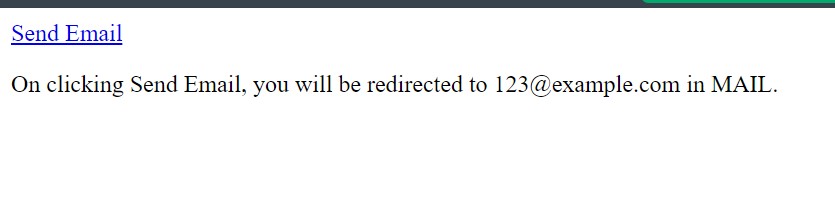
How to Create an Email Link in HTML?
Consider the following process for creating an HTML email link: Step 1: Choose where to place the email link in the HTML document after opening it.
Step 2: To display a link in your HTML code, add the anchor tag <a> and href.
Step 3: To send the link to an email address, put the "mailto:" element after the "=".
Step 4: Enter the email address after "mailto:". The mail will be sent to this email address.
Step 5: Add the text you wish to appear there, then close the anchor tag to indicate that it is your preferred display text for the included link.
Output

You can perform the following extra steps to make a more specific HTML email link:
- If you want the email to be sent to more than one email address, separate each one with a comma.
- Take into account other pre-written message fields you might wish to auto-fill. A CC and BCC can be included in this.
- Use a question mark to distinguish your "mailto:" text from each additional link segment.
- If you wish to CC someone, put "cc=" and then the email address or addresses you want to CC, separated by commas.
- Similarly, if you wish to BCC someone, put "bcc=" and then the email address or addresses you want to BCC, separated by commas.






Default Settings
In addition to the email address, users may also choose a default email subject and body. Here is an example of how to utilise the default subject and body.
Scaler Placement Report and Statistics
Scaler learners achieved 2.5x salary growth with average post-Scaler CTC reaching ₹23L.
 Google
 Amazon
 Microsoft
 Flipkart
 Adobe1200+ more
Benefits of Making an Email Link in HTML
Making an email link in HTML allows for direct communication and ensures that messages are sent to the desired individual. You can provide the following additional features in your email link:
- You can designate multiple receivers for the same kind of messages to be sent to. For instance, it could be beneficial to email the bank's branch manager, your financial advisor, and other departments involved if you have a question about an investment policy.
- You can send an email to one primary recipient and several carbon copy (CC) recipients. An investment policy inquiry can be submitted to the branch manager as the main email address with a CC to any other involved teams.
- Receivers who have received an email as a blind carbon copy (BCC) are unaware of the other recipients. This could be helpful when a third party is involved, such as your personal financial advisor.
Drawbacks of Making an Email Link in HTML
- Making an email link in HTML often has disadvantages, such as spam problems. Users can contact you or your business through the email links. However, some users might abuse this access by sending large numbers of improper messages.
- You may create various techniques to block or deflect these communications, including enabling only verified people to send messages or screening out messages containing specific keywords, links, or attachments to limit getting a bunch of spam emails in your mailbox.
Turn Learning into Career Growth
Conclusion
- When a person clicks an HTML mailto link, their email client launches immediately. A mailto link can be filled with details like a subject field, body, CC, or Bcc. The email address to which the message should be delivered must be included in the mailto link.
- We examined the process for including a mailto URL in an anchor tag. With this link, a user may click on an email on a website, and their default email client will open with the user's information already filled in.
- If you are sending out emails to several individuals you know, it is a smart option to utilise a mailto link.
- One drawback of utilising a mailto link is that people frequently see it as spam. Unfortunately, many spammers will utilise this feature to send people emails. So have it in mind while you employ it.