


PostgreSQL Foreign Key
Overview
In the realm of relational databases, data integrity is of paramount importance. The ability to establish and maintain relationships between tables is crucial for maintaining the accuracy and coherence of data. One of the fundamental mechanisms used to enforce these relationships is the foreign key in PostgreSQL. In this article, we will delve into the concept of foreign keys, their significance, and how they are implemented in PostgreSQL.
What is Foreign key in PostgreSQL?
Foreign key in PostgreSQL is a mechanism that ensures referential integrity between two related tables in a database. It establishes a link between a column or a set of columns in one table, known as the referencing table, and another column or set of columns in a different table, known as the referenced table. The foreign key constraint guarantees that the values present in the referencing table must exist in the referenced table, or they must be NULL.
The primary objective of using foreign key in PostgreSQL is to maintain consistency and avoid data inconsistencies or orphaned records in the database. By enforcing referential integrity, foreign key in PostgreSQL prevent the creation of relationships that point to non-existent or invalid data, ensuring that each data entry has a valid counterpart in the related table.
PostgreSQL Foreign Key Constraint Syntax
The syntax for defining a foreign key in PostgreSQL is straightforward and follows a specific pattern. The constraint is typically created when defining the table, specifying the relationship between the referencing and referenced table.
To illustrate the syntax, consider two hypothetical tables: Orders and Customers. We want to establish a relationship between the Orders table and the Customers table based on the customer_id column in both tables.
Below is the general syntax for creating a foreign key in PostgreSQL:
In the above example, the Orders table has a column customer_id, which is linked to the customer_id column in the Customers table. The CONSTRAINT keyword is used to name the foreign key constraint, and in this case, it is labeled as fk_customer. The FOREIGN KEY clause specifies the column in the Orders table that references the Customers table, and the REFERENCES clause identifies the referenced table and the corresponding column.
Additionally, the ON DELETE CASCADE and ON UPDATE CASCADE are optional clauses used to specify the action to be taken if the corresponding record in the referenced table is updated or deleted. In this example, if a customer record is deleted or updated, all the related records in the Orders table will be automatically updated or deleted, ensuring data consistency.
How to Create a Foreign Key in PostgreSQL
Creating a foreign key in PostgreSQL involves establishing a relationship between two tables, known as the referencing table and the referenced table. The referencing table contains the foreign key column(s) that will reference the primary key column(s) in the referenced table. We can create a foreign key in PostgreSQL at the time of table creation using the CREATE TABLE command or add it later using the ALTER TABLE command. Let's explore both methods in detail:
CREATE TABLE Command
When creating a new table that requires a foreign key constraint, we can define the foreign key directly in the CREATE TABLE command. The syntax for creating a foreign key constraint within the CREATE TABLE command is as follows:
Let's consider a practical example with two tables, Products and Categories, where we want to link the category_id column in the Products table to the category_id column in the Categories table using a foreign key constraint:
Relationship Diagram:
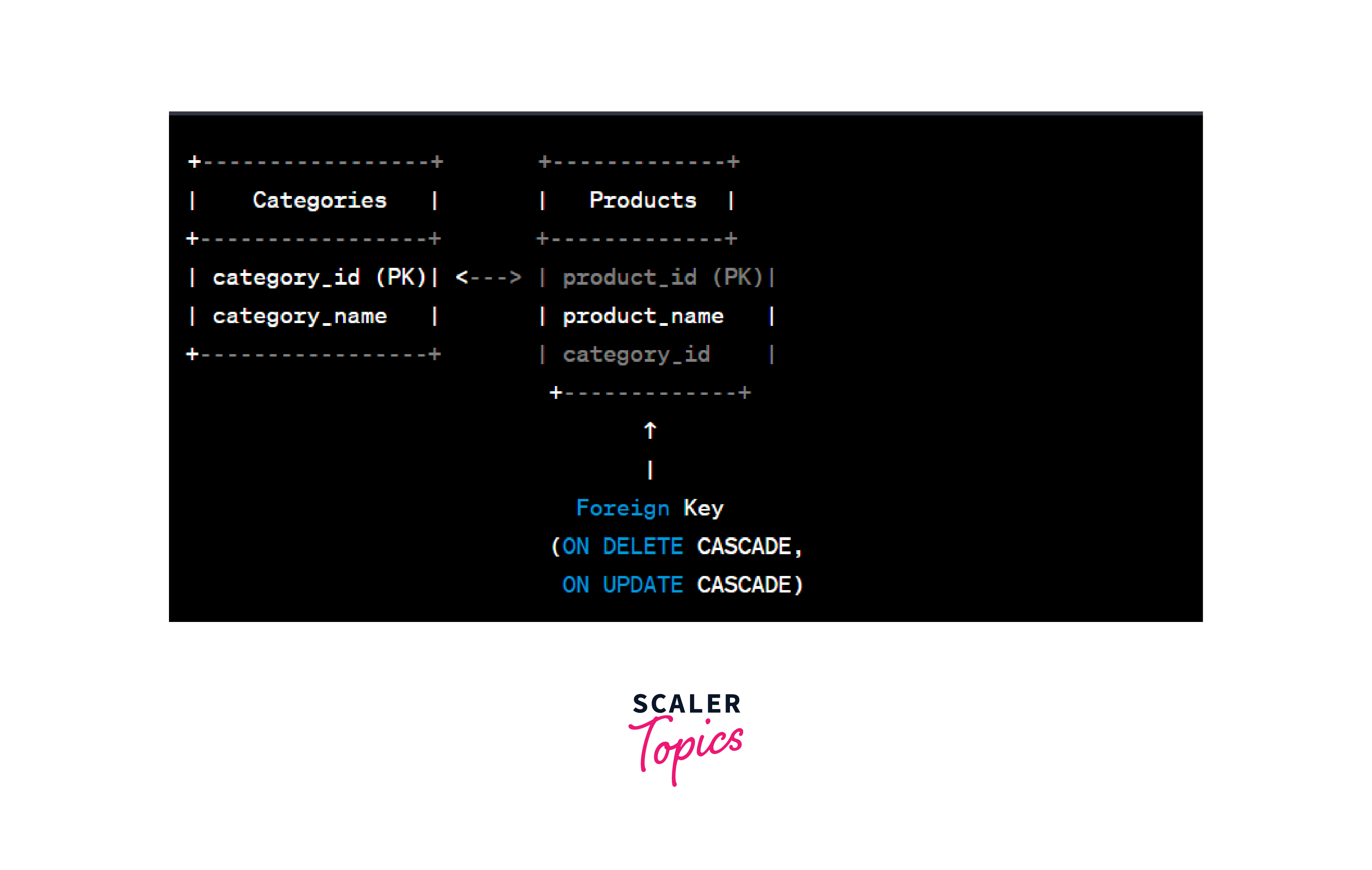
In the above example, the Products table has a foreign key column category_id that references the category_id column in the Categories table. The CONSTRAINT keyword is used to provide a name for the foreign key constraint, which is fk_category in this case. The REFERENCES clause indicates the referenced table "Categories" and the referenced column category_id.
ALTER TABLE Command
If we need to add a foreign key constraint to an existing table, we can use the ALTER TABLE command. This is particularly useful when modifying an existing database schema or when foreign key relationships were not defined during the initial table creation.
The syntax for adding a foreign key constraint using the ALTER TABLE command is as follows:
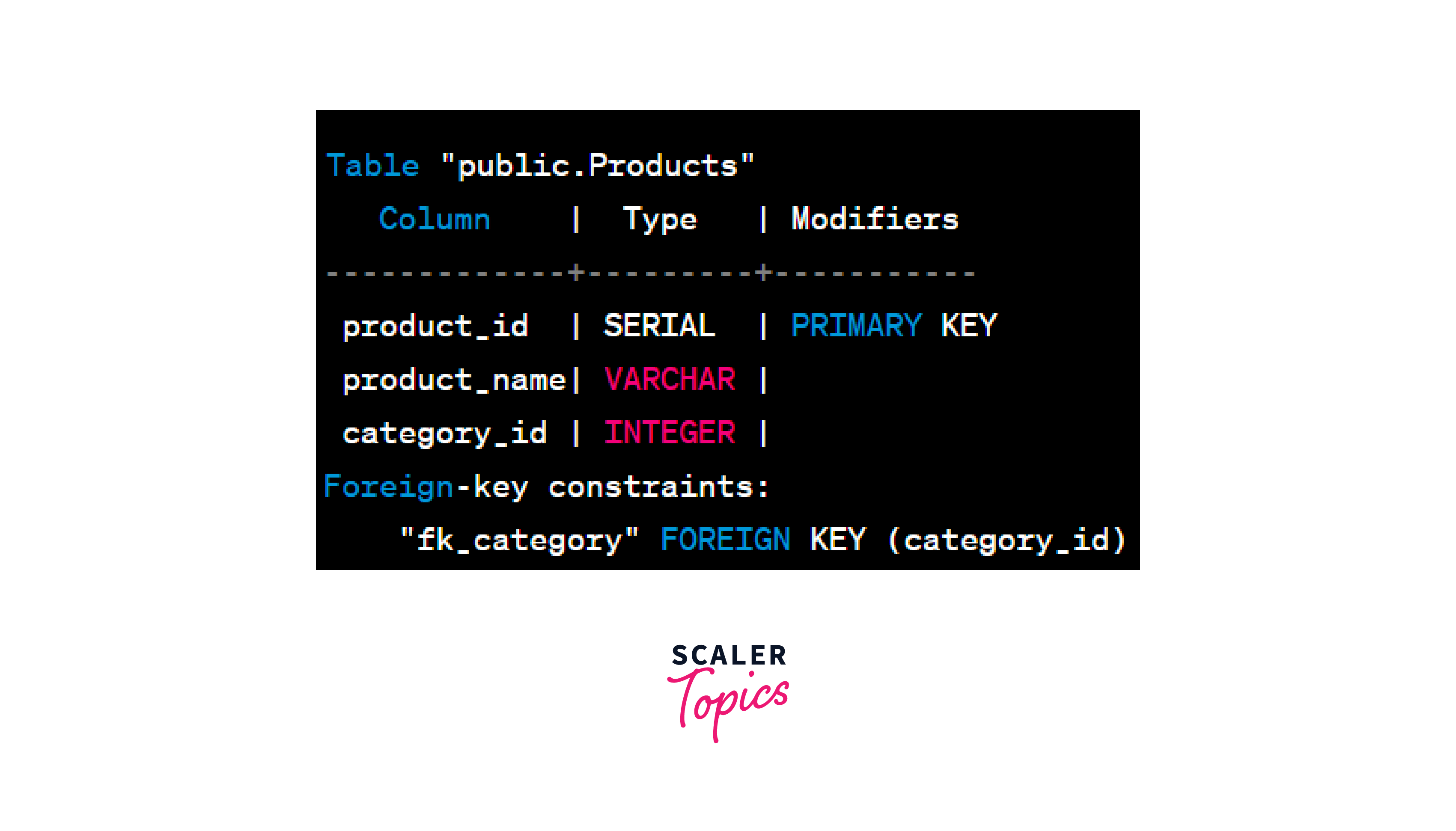
Let's use the same Products and Categories tables from the previous example and add a foreign key constraint using the ALTER TABLE command:
Output:
Relationship Diagram:
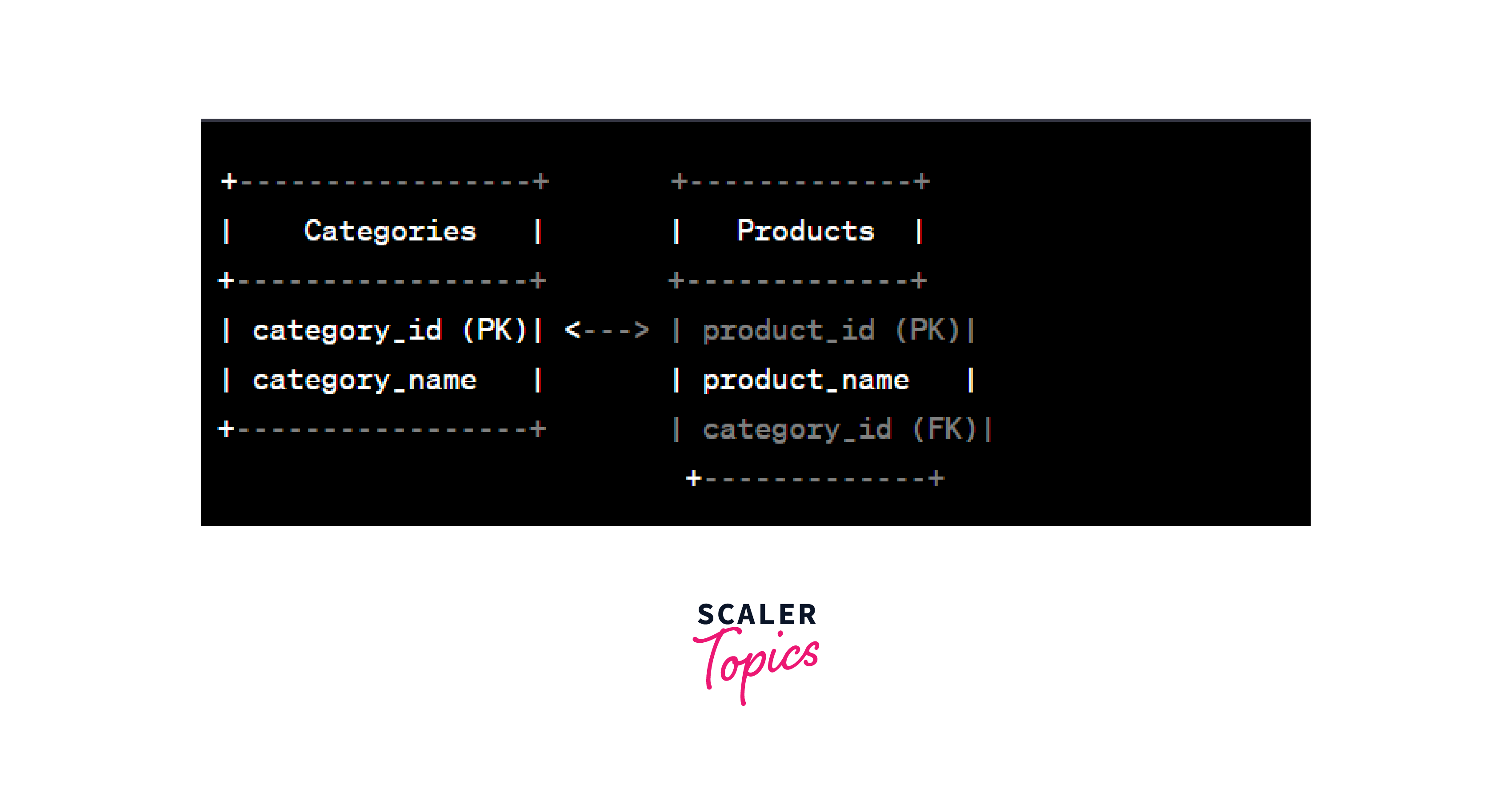
In this example, the ALTER TABLE command adds the foreign key constraint fk_category to the Products table, linking the category_id column to the category_id column in the Categories table, and specifying the cascading actions on update and delete.
By using either the CREATE TABLE or ALTER TABLE command, we can implement foreign key constraints in PostgreSQL effectively. These constraints play a crucial role in maintaining data integrity, managing relationships between tables, and ensuring that the database remains consistent and accurate.
PostgreSQL Foreign Key Constraint Examples
Foreign key in PostgreSQL play a vital role in maintaining referential integrity between tables. They ensure that data in the referencing table corresponds to existing data in the referenced table, preventing inconsistencies and orphans. Let's explore some practical examples of how foreign key constraints work in PostgreSQL.
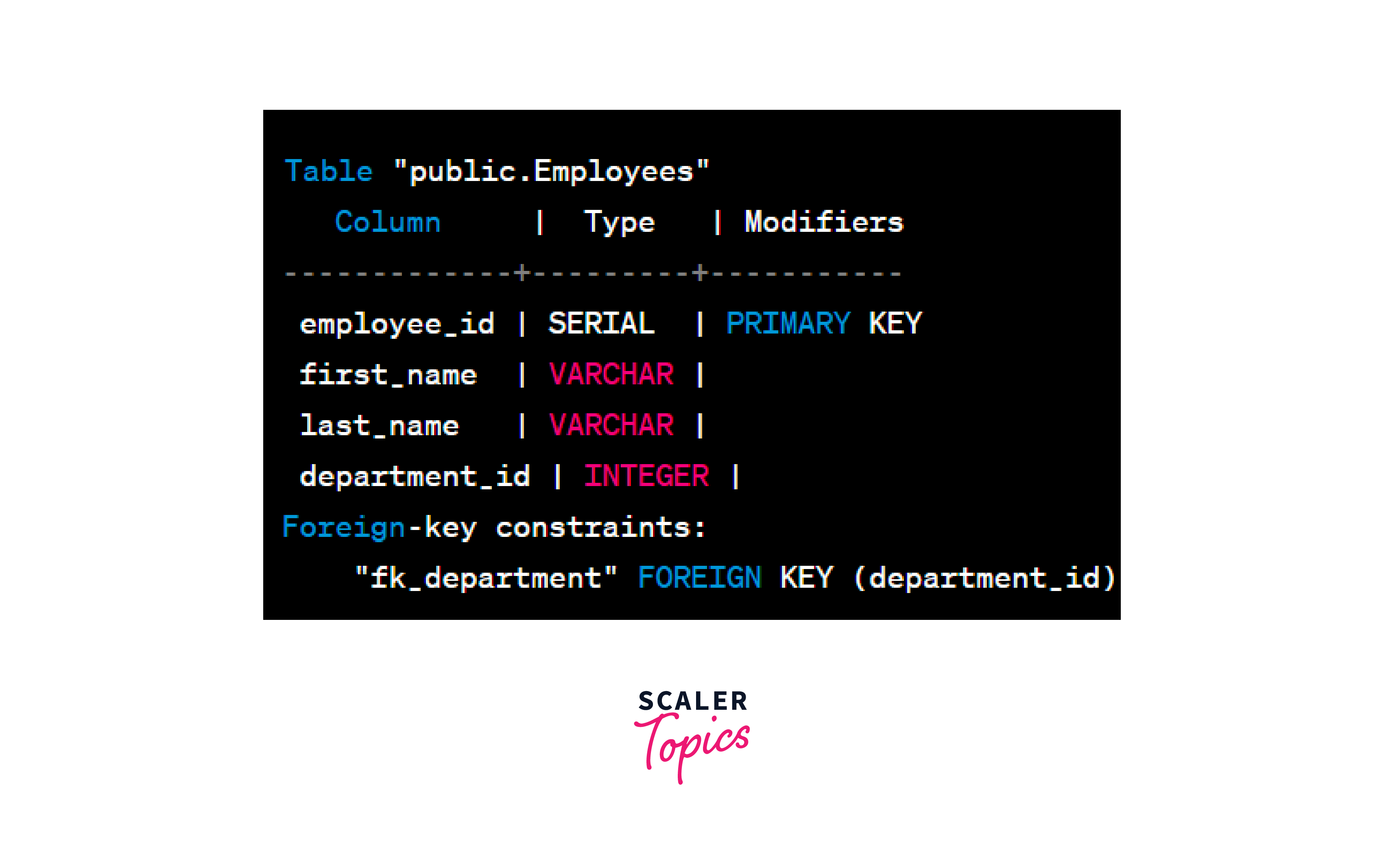
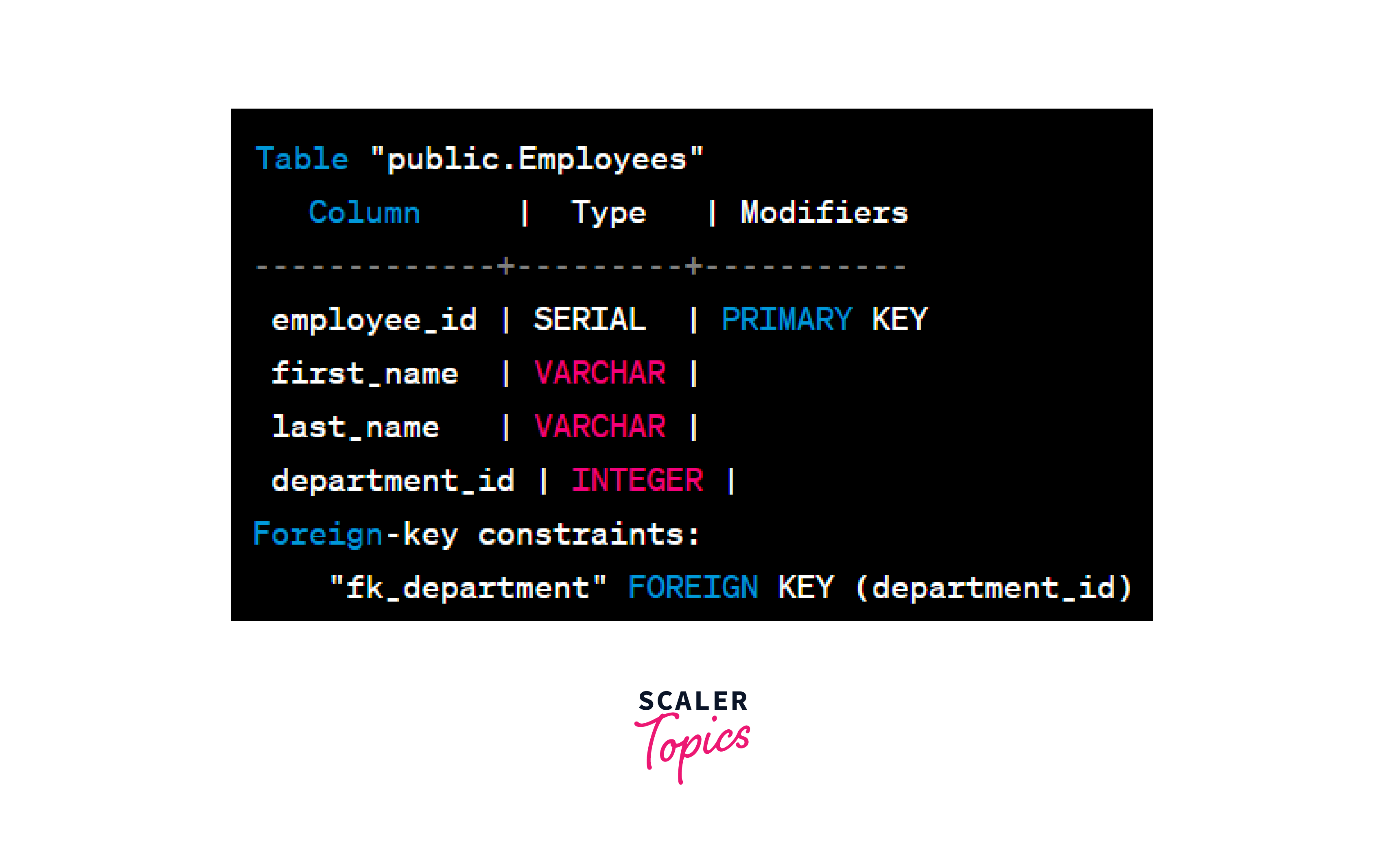
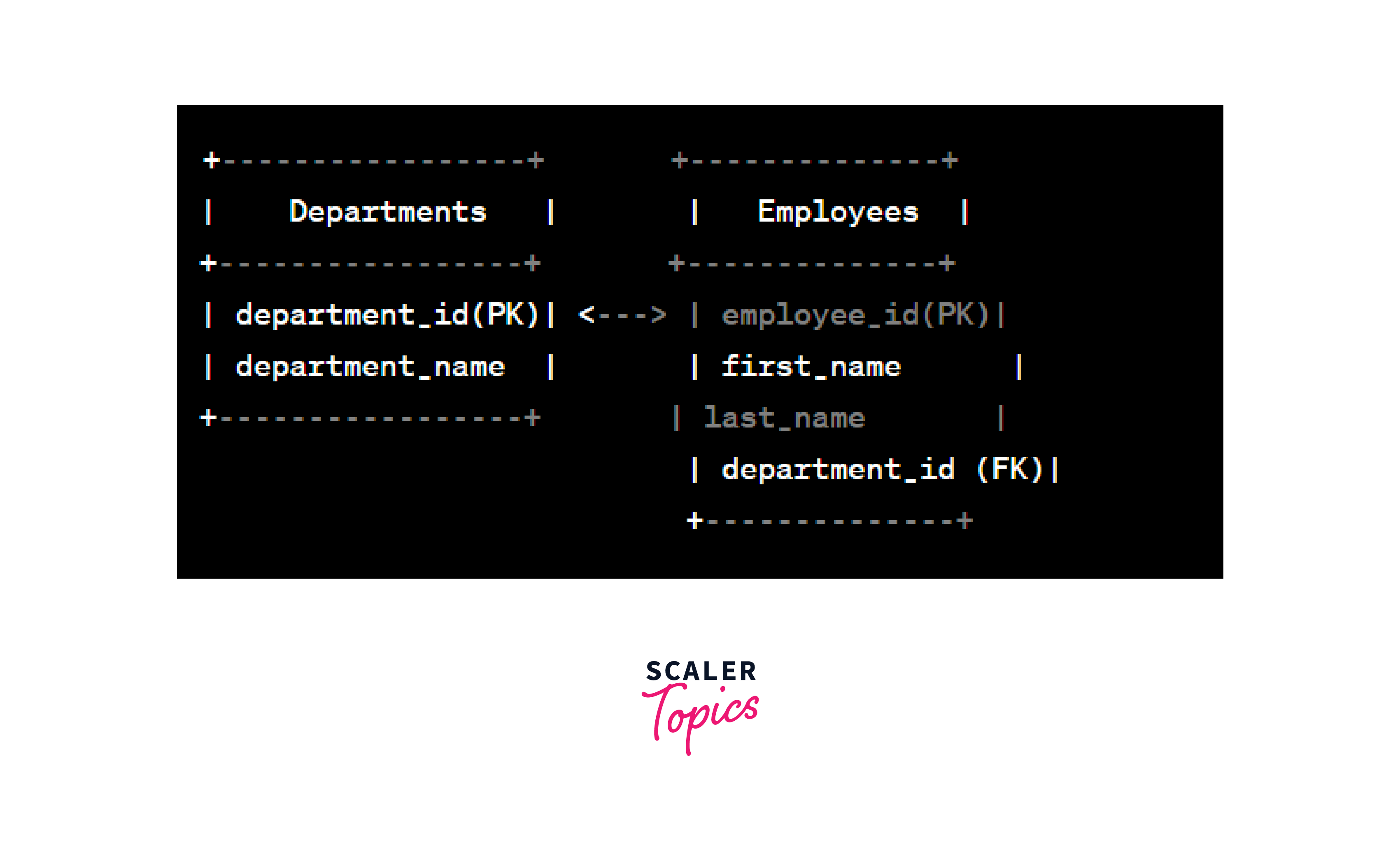
Consider two tables: Employees and Departments. We want to establish a relationship between the department_id column in the Employees table and the department_id column in the Departments table using a foreign key constraint.
Relationship diagram:
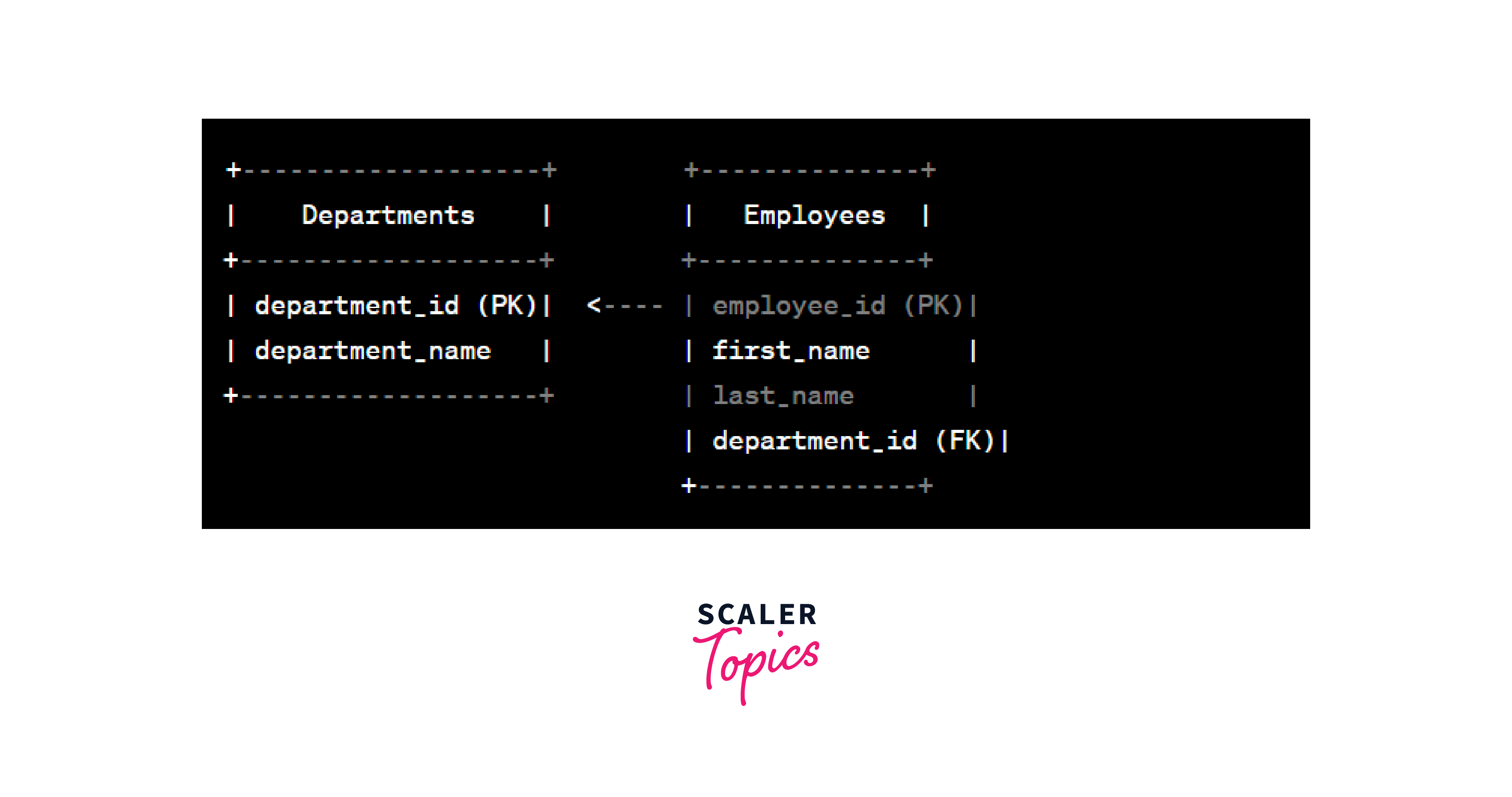
In the above example, the Employees table has a foreign key column department_id that references the department_id column in the Departments table. The CONSTRAINT keyword is used to name the foreign key constraint, which is fk_department in this case. The REFERENCES clause specifies the referenced table Departments and the referenced column department_id.
NO ACTION
When a foreign key constraint has the NO ACTION option, it means that no action is taken if an attempt is made to update or delete a referenced row in the parent table. This can lead to a potential violation of referential integrity, as it allows the referencing table to contain invalid references.
SET NULL
With the SET NULL option, if a referenced row in the parent table is deleted, the foreign key column(s) in the referencing table will be set to NULL. This is useful when you want to allow employees to exist without being associated with any specific department.
Output:
CASCADE
The CASCADE option ensures that if a referenced row in the parent table is deleted or updated, all related rows in the referencing table are automatically deleted or updated accordingly. This is an effective way to maintain data integrity across linked tables.
Output:
Relationship Diagram:
SET DEFAULT
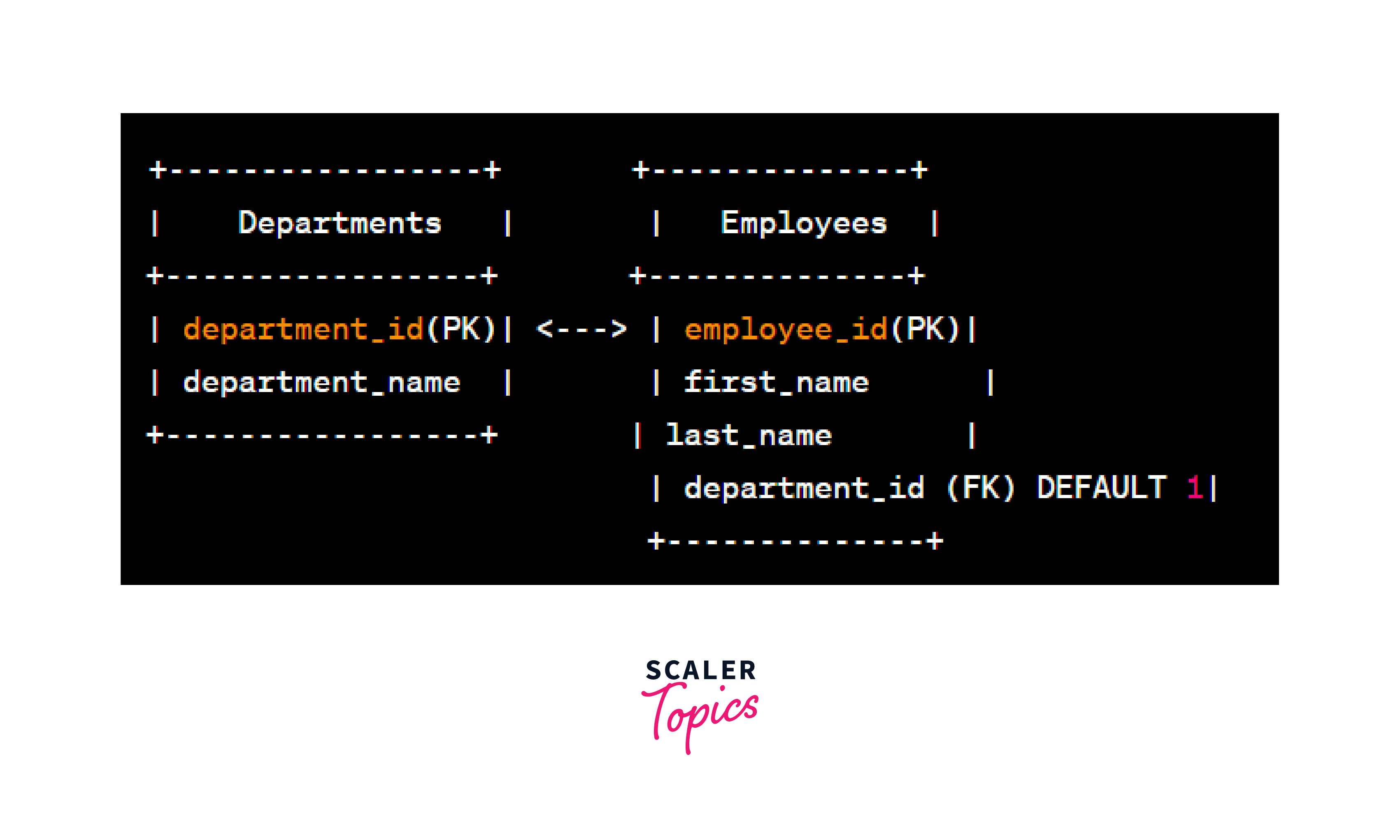
Using the SET DEFAULT option, if a referenced row in the parent table is deleted, the foreign key column(s) in the referencing table will be set to their default values (if defined). This allows you to provide a default value for the department in case it is removed from the Departments table.
Output:

Relationship diagram:
Re-creating the Tables
In some cases, you may need to re-create tables in PostgreSQL. This could be due to various reasons, such as modifying the table structure, altering the foreign key constraints, or restoring data from a backup. Re-creating tables with foreign key constraints requires careful consideration to maintain data integrity and ensure the relationships between tables remain intact. Let's explore the process of re-creating tables with foreign keys in PostgreSQL.
Assuming we have two tables, Customers and Orders, where the Orders table references the customer_id column of the Customers table using a foreign key constraint.
Dropping Existing Foreign Key Constraints
Before re-creating the tables, it's essential to drop any existing foreign key constraints. Otherwise, PostgreSQL will prevent you from re-creating the tables with the same foreign key relationships.
To drop an existing foreign key constraint, use the ALTER TABLE command with the DROP CONSTRAINT clause, as shown in the following example:
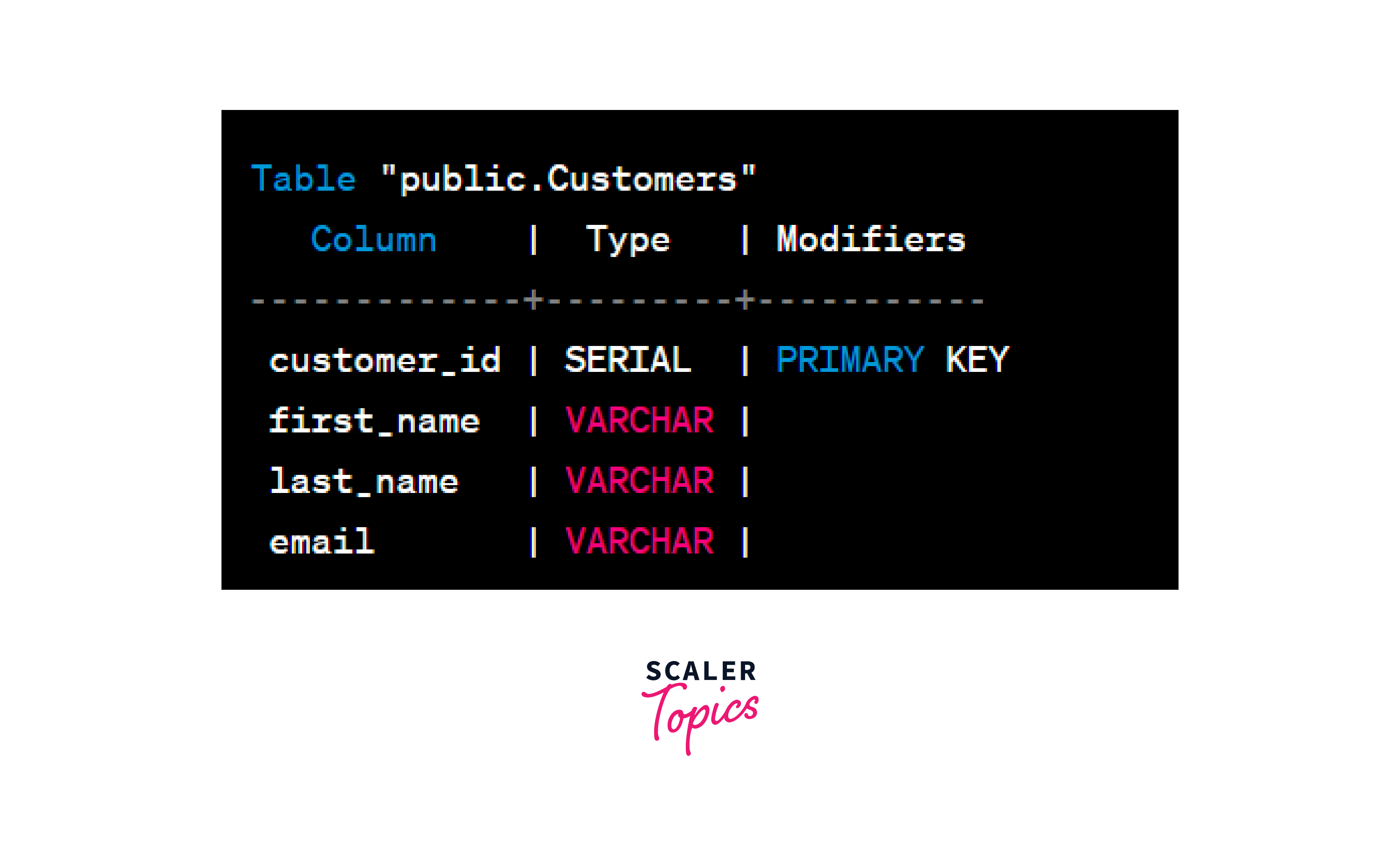
Re-creating the Customers Table
If you need to re-create the Customers table, use the CREATE TABLE command with the updated table structure. Make sure to include the primary key constraint (if applicable) and any other necessary constraints.
Output:
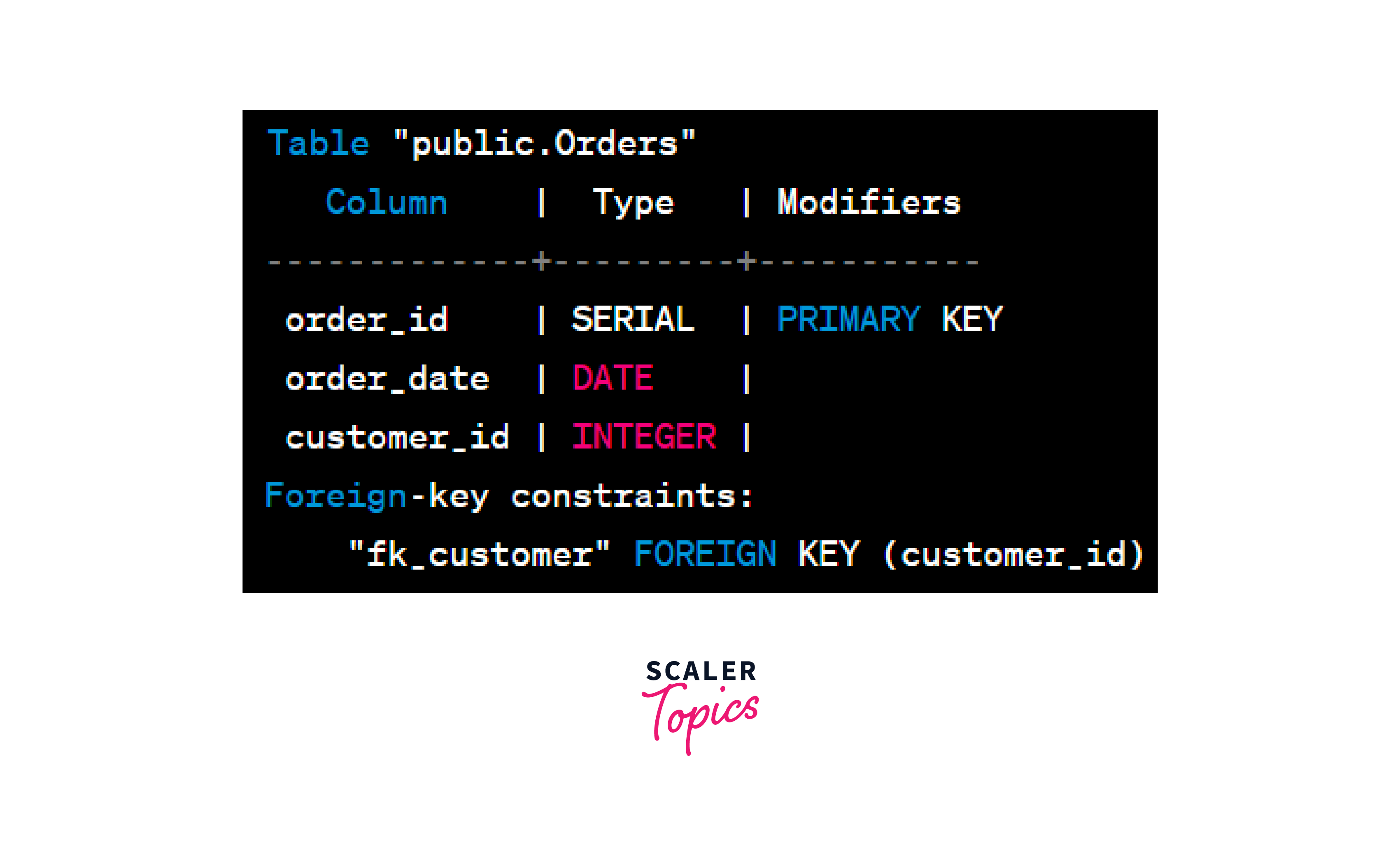
Re-creating the Orders Table
After re-creating the Customers table, proceed to re-create the Orders table. Ensure that the foreign key constraint is set up correctly to reference the new structure of the "Customers" table.
Output:
Relationship diagram:
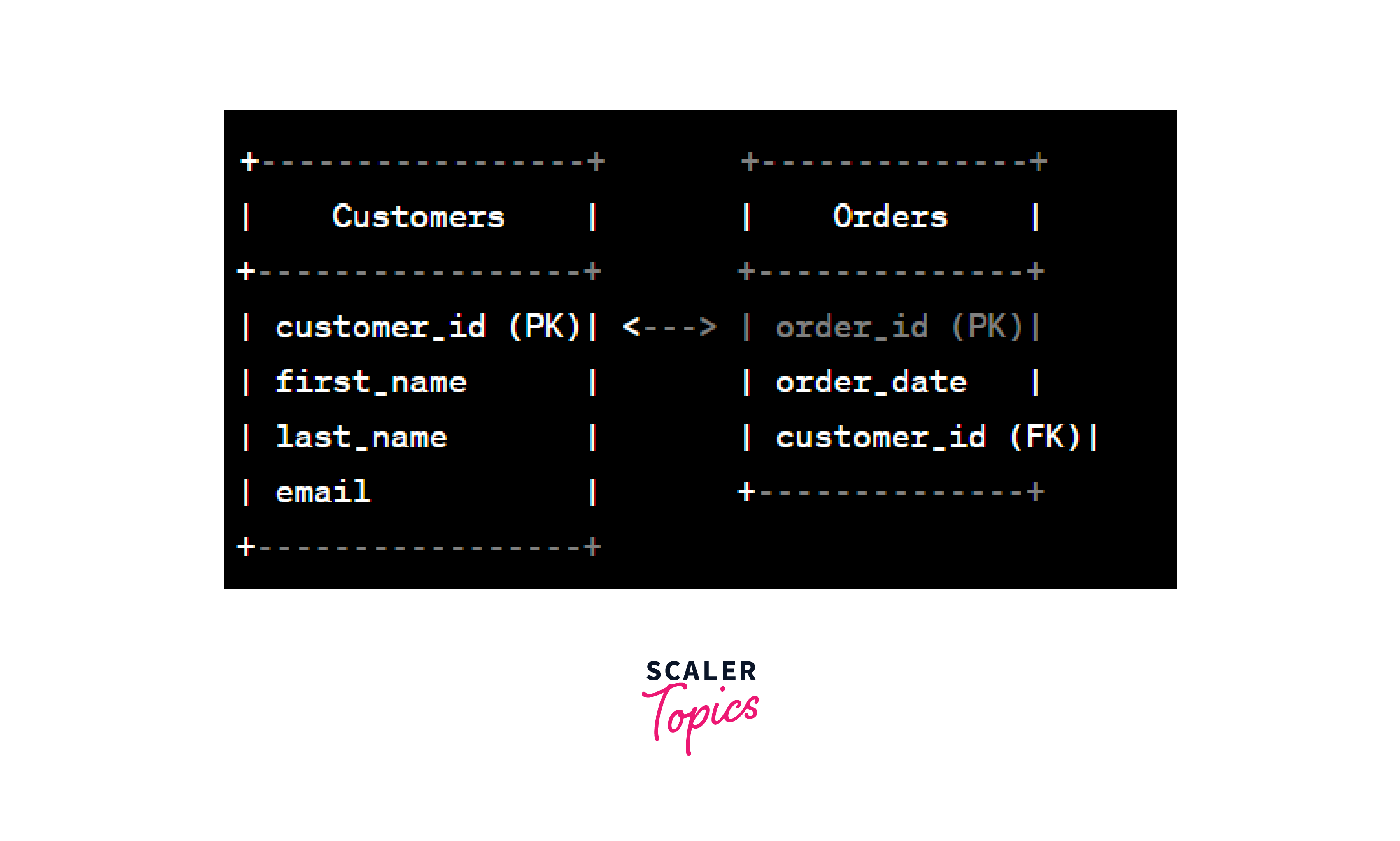
By following the steps above, you can successfully re-create the tables with foreign key in PostgreSQL. Remember that the order of re-creation matters, as the referencing table must be re-created after the referenced table to establish the foreign key relationship correctly.
Add a Foreign Key Constraint to an Existing Table
If you have an existing table without a foreign key in PostgreSQL and want to establish a relationship with another table, you can use the ALTER TABLE command to add the foreign key constraint. The process involves two main steps: adding the foreign key column to the table and defining the foreign key constraint.
Assuming we have two tables, Customers and Orders, and we want to add a foreign key constraint to the Orders table to link the customer_id column to the customer_id column in the Customers table.
Adding the Foreign Key Column
First, we need to add the foreign key column to the Orders table. Ensure that the data type of the foreign key column matches the data type of the referenced column in the Customers table.
Adding the Foreign Key Constraint
Next, we can add the foreign key constraint to enforce the relationship between the Orders and Customers tables.
In the example above, the ALTER TABLE command is used with the ADD COLUMN clause to add the customer_id column to the Orders table. Then, the ADD CONSTRAINT clause defines the foreign key constraint fk_customer, linking the customer_id column in the Orders table to the customer_id column in the Customers table.
Adding a foreign key in PostgreSQL to an existing table allows you to establish meaningful relationships between tables, promoting data consistency and integrity. Ensure that the data in the foreign key column aligns with the primary key column in the referenced table to avoid constraint violations.
Conclusion
- Foreign key in PostgreSQL are essential database constraints that establish relationships between tables, allowing data to be linked and referenced accurately.
- The CREATE TABLE command enables the creation of foreign key constraints during table creation, while the ALTER TABLE command allows us to add foreign key constraints to existing tables.
- Foreign key constraints can be configured with different actions such as NO ACTION, SET NULL, CASCADE, and SET DEFAULT, providing control over how data in the referencing table is affected when referenced data in the parent table changes or is deleted.
- When re-creating tables with foreign key constraints, it is crucial to drop existing constraints before making modifications and re-creating the tables in the correct order to ensure data integrity is maintained.
- Adding foreign key constraints to existing tables enhances data consistency and allows for the establishment of meaningful relationships between different entities within the database.