


Frame Tag in HTML
 FREE
FREE

Overview
In HTML4, the frame tag was used. It is used to divide the browser's window into multiple sections called "frames" where each section/frame can load separate HTML pages. A collection of frames in a browser is called a frameset. Frame tag is deprecated in HTML5 and it is recommended not to use it. More information on HTML tags can be found here -https://www.scaler.com/topics/html/html-tags/
Build an AI-First Career, Master the Complete Skillset
Choose from our industry-leading programs designed for career success
Modern Software and AI Engineering Program
Master full-stack development with AI integration


 +1000 more
Modern Data Science and ML with specialisation in AI
Advanced data science techniques with AI specialization
+1000 moreAdvanced AIML with Specialisation in Agentic AI
Deep dive into AIML with focus on Agentic systems
+1000 moreDevOps, Cloud & AI Platform Engineering
Build and manage AI-powered cloud infrastructure
+1000 moreAI Engineering Advanced Certification by IIT-Roorkee
Premier AI engineering certification from IIT-Roorkee

AI Forward Deployed Engineer Program
Full-stack engineering, production AI and client-facing consulting
+1000 moreSyntax
To use frames, use the frame tag in HTML along with the URL as the attribute.
Attributes
- src- This attribute is used to specify the URL that we want to embed in the frame.
- longdsec- It is used to specify the page which contains a long description of the content in the frame.
- scrolling- This defines the existence of a scrollbar. When needed, the browser adds the attribute of a scrollbar when necessary. The values of the attribute can be 'yes' or 'no'. When we provide the value 'yes', the scrollbar is added even when it is not needed. When we provide the value 'no', the scrollbar is not added even when it is needed.
- name- This is used to assign a name to our frame.
- noresize- As the name suggests, it prevents the resize of the frame by the user.
- marginheight- This defines the height of the margin between the frames.
- marginwidth- This defines the width of the margin between the frames.
- frameborder- This allows us to specify if we want to have a border around the frame or not. The default value is 1.
How To Use <frame> Tag In HTML?
The frame tag in HTML was used in HTML4. It is used to divide the browser's window into multiple sections called frames where each section/frame can load separate HTML pages. A collection of frames in a browser is called a frameset.
This feature of frame tag was valid in HTML4 but is deprecated in HTML5.
Examples
How Scaler Transformed Careers in Different Fields
Scaler learners achieved 2.5x salary growth with average post-Scaler CTC reaching ₹23L.
 Google
 Amazon
 Microsoft
 Flipkart
 Adobe1200+ more
Creating Frames
For creating frames, we use the frameset tag. This tag is used to define how we divide the browser. In order to define the horizontal frame, we use the rows attribute, whereas, to define the vertical frame, we use the cols attribute of the frame tag.
Example
Output
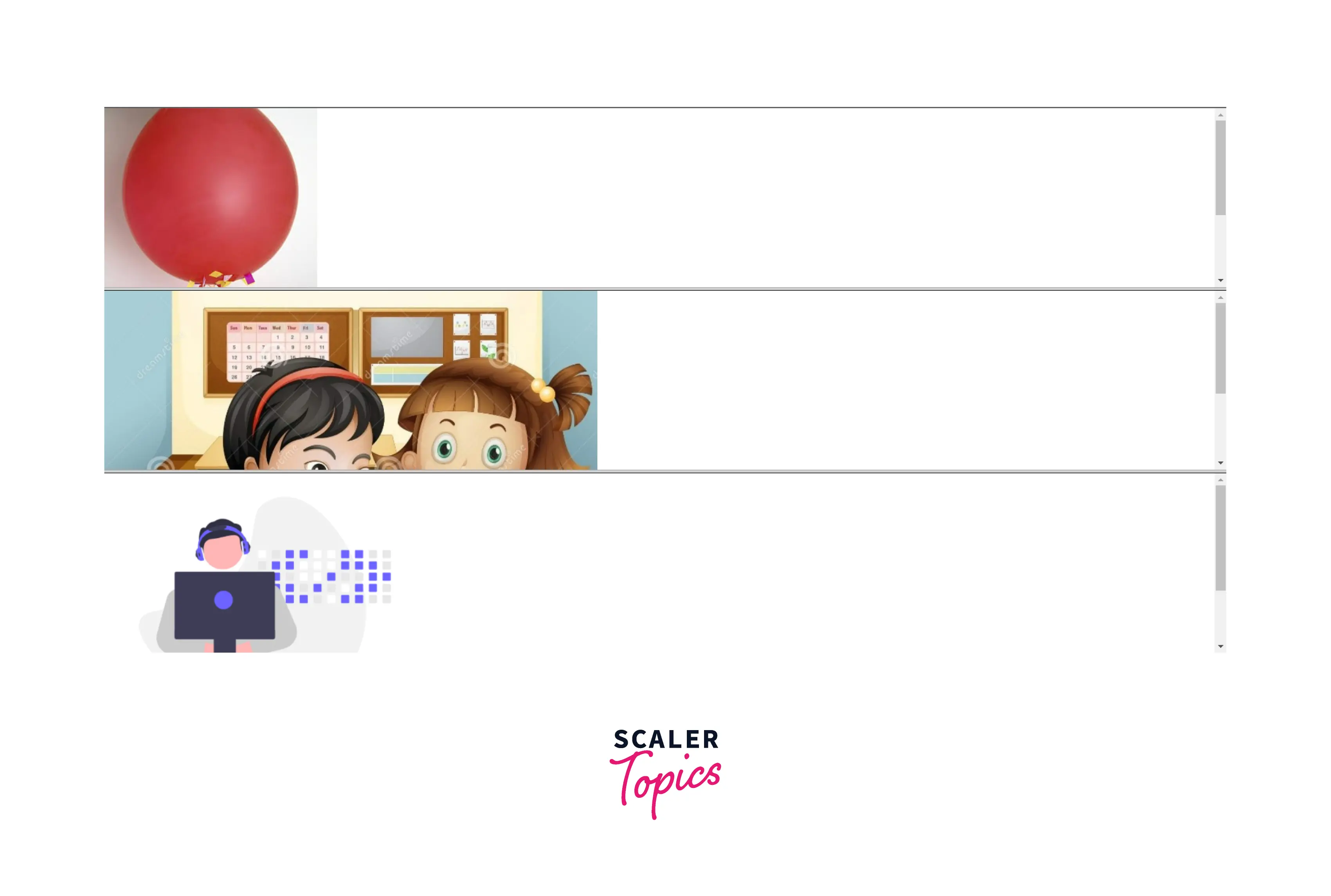
Here we have created 3 frames that are horizontal in nature. We have created them using the rows attribute of frameset.
Col Attribute Of Frameset Tag
To define the vertical frame, we use the cols attribute of the frame tag.
Example
Output

Here we have created 3 frames that are vertical in nature. We have created them using the cols attribute of frameset.
Turn Learning into Career Growth
Accessibility Concerns
Accessibility is to make the websites usable by as many people as we can in different ways like-
- tablets, mobile phones
- alternating browsing devices like TV, smartwatches
- phones using old browsers But, the usage of frames might not work well in the above scenarios. When frames are used, they can put a high load on the server and also they don't work on old browsers. So it is recommended not to use them.
Browser Support
Many browsers support the frame tag but some old browsers do not support the frame tag in HTML. Browsers that support the frame tag in HTML are-
- Google Chrome
- Edge
- Safari
- Mozilla Firefox
- Opera
- Internet Explorer
Conclusion
- Frame tag is used to divide the browser's window into multiple sections called frames where each section/frame can load separate HTML pages.
- A collection of frames in a browser is called a frameset.
- Frame tag is deprecated in HTML5 and it is recommended not to use it.
- When frames are used, they can put a high load on the server and also they don't work on old browsers. So it is recommended not to use them.
Related tags
- iframe
- frameset




