


How to Use go:embed in Go?
Overview
The golang embed is a new Go feature that allows you to directly embed the contents of a file into a variable. As a result, when compiling, go can read the contents of the file. The embed package is only available in Go 1.16 and later, so make sure your Go version is 1.16 or higher if you want to use it. In earlier versions of Go, you could achieve a similar effect by using the template.ParseFiles function.
Build an AI-First Career, Master the Complete Skillset
Choose from our industry-leading programs designed for career success
Modern Software and AI Engineering Program
Master full-stack development with AI integration


 +1000 more
Modern Data Science and ML with specialisation in AI
Advanced data science techniques with AI specialization
+1000 moreAdvanced AIML with Specialisation in Agentic AI
Deep dive into AIML with focus on Agentic systems
+1000 moreDevOps, Cloud & AI Platform Engineering
Build and manage AI-powered cloud infrastructure
+1000 moreAI Engineering Advanced Certification by IIT-Roorkee
Premier AI engineering certification from IIT-Roorkee

AI Forward Deployed Engineer Program
Full-stack engineering, production AI and client-facing consulting
+1000 moreIntroduction
The embed package is a compiler directive that allows programs to include arbitrary files and folders in the Go binary during the build time. The embed package is only available in Go 1.16 and later, so make sure your Go version is 1.16 or higher if you want to use it. You can achieve a similar effect in the earlier versions of Go by using the template.ParseFiles function. To check the Go version, you can use the go version command. This command will print the version number of the Go compiler to the terminal.
A Quick Look at How "go" Works
The golang embed (go:embed) compiler directive, along with the embed package, is used to include static assets in a Go binary. It is used by inserting the //go:embed comment above a variable declaration, as shown below:
When the Go compiler comes across this directive, it will search for a file or folder with the specified name (fileName) and include the contents of that folder or file in the resulting binary. The variable declared after the go:embed directive acts as a container for the embedded contents and can be of the types string, []byte, or embed.FS. When we embed resources with the embed.FS type, they are read-only and goroutine-safe.
Golang Support for "go"
Golang does not support directly embedding external files, such as images or other binary data, within Go source code. However, third-party packages such as "go-bindata" or "go-assets-builder" are available that provide this capability. These packages convert external files into Go source code, which may subsequently be converted into the final binary and accessed at runtime as string literals or byte arrays. This enables the distribution of a single binary including all essential assets.
Examples
How Scaler Transformed Careers in Different Fields
Scaler learners achieved 2.5x salary growth with average post-Scaler CTC reaching ₹23L.
 Google
 Amazon
 Microsoft
 Flipkart
 Adobe1200+ more
1. Go Embed a Text File
In this example, we embed the contents of a text file into a []byte.
The file below is a text file named test.txt. In this text file, we have inserted a list of fruits.
The following is a Go program that embeds a text file (test.txt) using the //go:embed directive and prints its contents.
Output:
2. Go Embed Multiple Files
In this example, we embed the contents of two text files.
The file below is a text file named test1.txt. In this text file, we have inserted a list of fruits.
The file below is a text file named test2.txt. In this text file, we have inserted a list of vegetables.
The following is a Go program that embeds two text files (test1.txt and test2.txt) and prints their contents. In this program, we use the * wildcard character to embed all files in the data directory.
Output:
Turn Learning into Career Growth
3. Go Embed Static Files
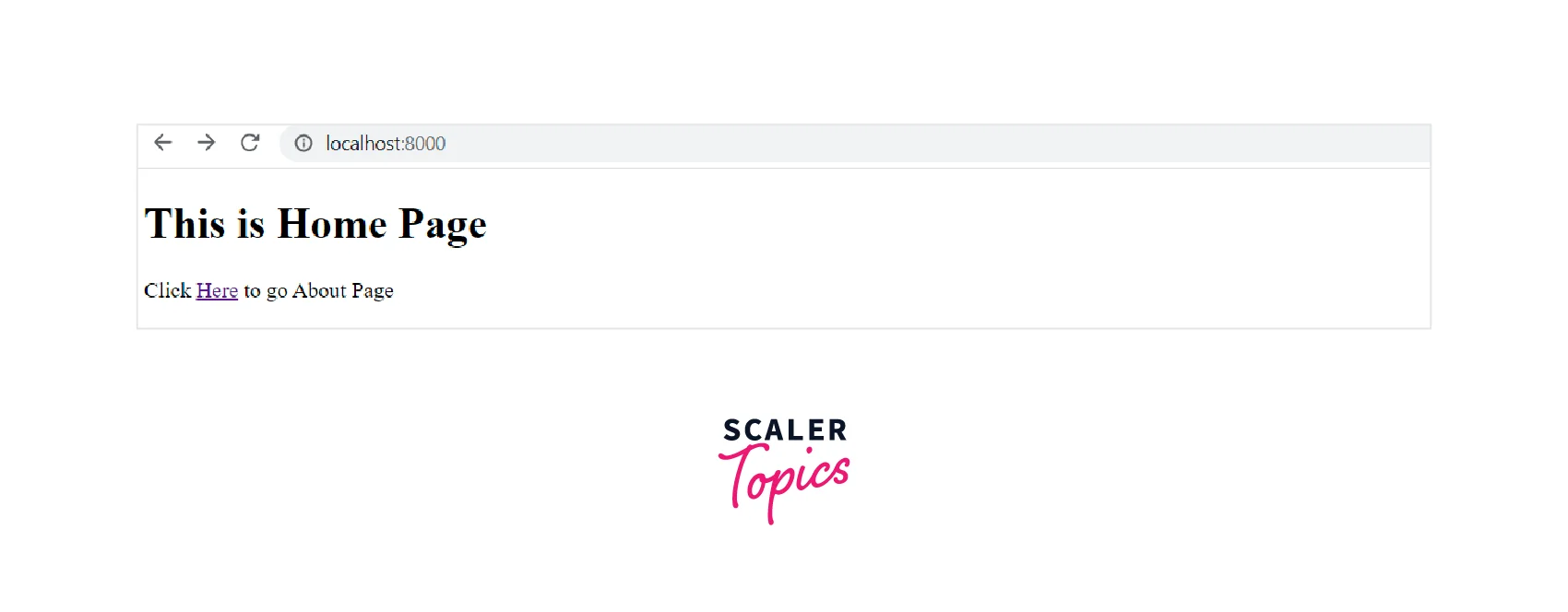
In this example, we embed the static files into a binary of a web application using the golang embed directive.
The file below is an HTML file named index.html. This is for the website's home page.
The file below is an HTML file named about.html. This is for the website's about page.
The Go program below runs a server that serves two static files. Here we use //go:embed static_file to embed a whole directory. In the program, the embed.FS lets you embed a tree of files, and the handler function serves static files from the public directory.
Output:
Path Matcher
Instead of manually adding embeds one by one, you can use Path Matcher to read Multiple Files. If you have a pattern of file type, this method is ideal. See the below code to understand how to add Path Matcher.
If you want to use Path Matcher, place all of the files you want to embed in a single folder. The previous example embeds all files in the files/ folder.
Compile Embedded File
After compiling your go application, the embedded file becomes permanent and is saved in the go binary file. It means that go is not reading the file from outside the go binary.
Limitations
The go:embed has the following limitations:
- The files must be small in size since go:embed is not designed to handle large files because it keeps the whole contents of the file in memory.
- The files must be text since go:embed only works with text files. If you need to incorporate binary files, you must use an alternative approach, such as encoding the binary data as a string.
- Because the files are integrated directly into the binary, they are impossible to modify once the program has been built.
- The files must be part of the build process since go:embed works by generating Go code, which is then built alongside your program.
Conclusion
- The embed package is a compiler directive that allows programs to include arbitrary files and folders in the Go binary during the build time.
- The embed package is only available in Go 1.16 and later, so make sure your Go version is 1.16 or higher if you want to use it.
- To check the Go version, you can use the go version command. This command will print the version number of the Go compiler to the terminal.
- When we embed resources with the embed.FS type, they are read-only and goroutine-safe.
- Path Matcher can be used to read multiple files rather than manually adding embeds one by one.




