


Top Hadoop HDFS Commands
HDFS, a pivotal component of the Hadoop ecosystem, serves as the primary storage for vast structured or unstructured datasets across nodes, maintaining metadata in log files. To initiate Hadoop services, use a specific command. Hadoop HDFS, a distributed file system, ensures redundant storage for massive files ranging from terabytes to petabytes, offering reliability.
Hadoop HDFS Commands
Let's learn about some commonly used Hadoop HDFS commands:
Build an AI-First Career, Master the Complete Skillset
Choose from our industry-leading programs designed for career success
Modern Software and AI Engineering Program
Master full-stack development with AI integration


 +1000 more
Modern Data Science and ML with specialisation in AI
Advanced data science techniques with AI specialization
+1000 moreAdvanced AIML with Specialisation in Agentic AI
Deep dive into AIML with focus on Agentic systems
+1000 moreDevOps, Cloud & AI Platform Engineering
Build and manage AI-powered cloud infrastructure
+1000 moreAI Engineering Advanced Certification by IIT-Roorkee
Premier AI engineering certification from IIT-Roorkee

AI Forward Deployed Engineer Program
Full-stack engineering, production AI and client-facing consulting
+1000 morea. Version
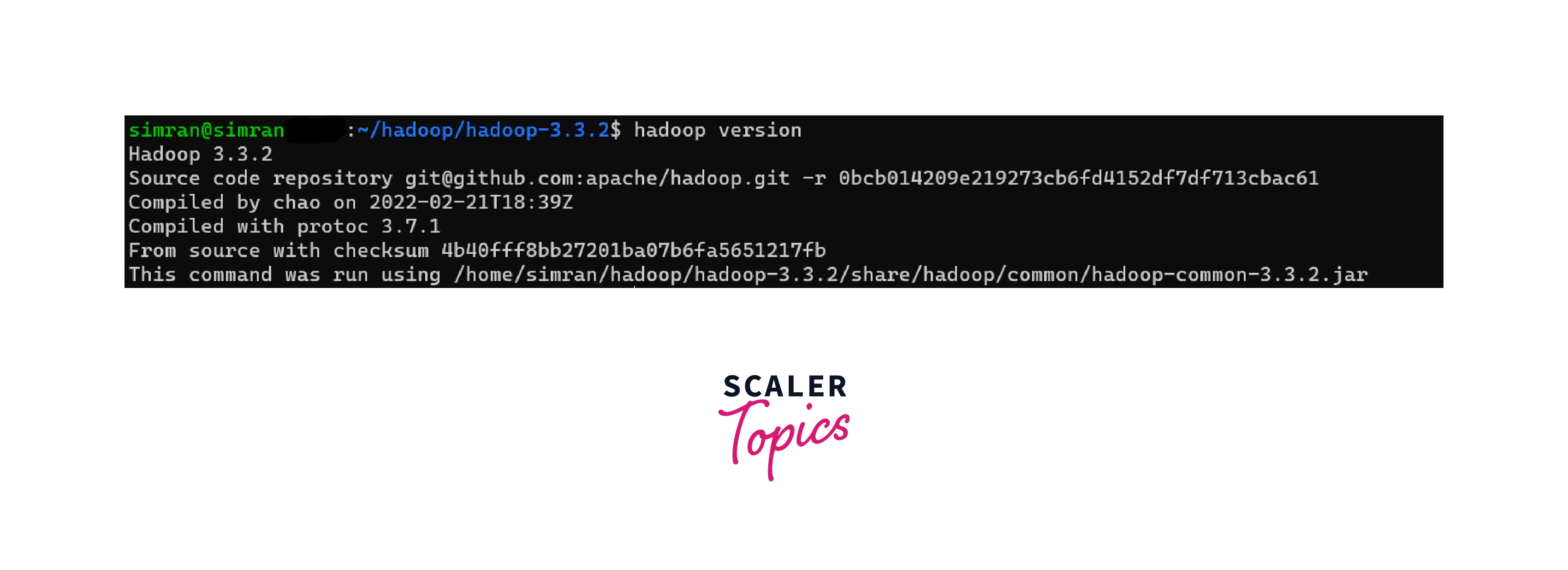
- The version command displays the version information of the HDFS client and server. It provides details such as the Hadoop version number, build date, and the user who compiled it.
- Syntax: hadoop version
- Example: hadoop version
- Output: Displays the Hadoop version information, including the version number and build details.
b. mkdir
- The mkdir command is used to create a new directory in HDFS. It takes the path of the directory as an argument and creates the specified directory if it does not already exist.
- Syntax: hadoop fs -mkdir <directory_path>
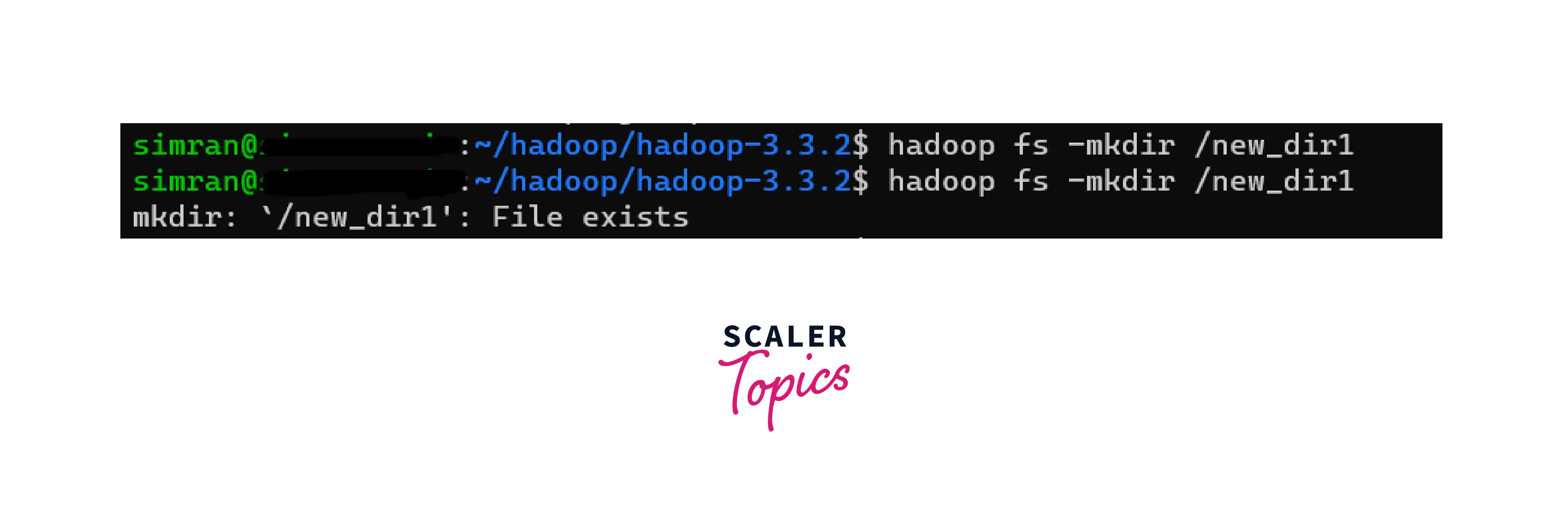
- Example: hadoop fs -mkdir /new_dir1
- Output: As such, no output gets displayed if execution is successful. Since a directory with the same name cannot be created twice, an error is thrown the second time.
c. ls
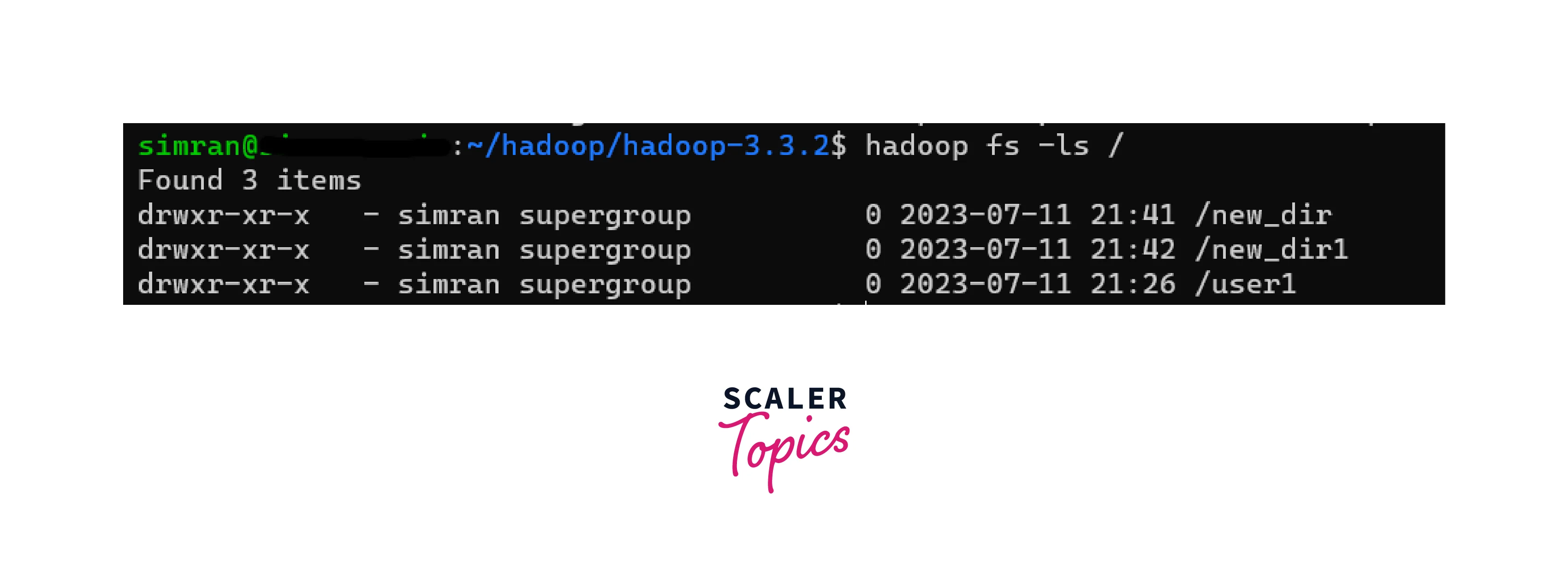
- The ls command lists the files and directories in a given directory of HDFS. It displays information such as the file / directory permissions, owner, size, and modification time.
- Syntax: hadoop fs -ls <directory_path>
- Example: hadoop fs -ls /
- Output: Displays the file and directory names within the specified directory in HDFS.
d. put
- The put command is used to copy files from the local file system to HDFS. It takes two arguments: the source file in the local file system and the destination path in HDFS.
- Syntax: hadoop fs -put <local_path> <hdfs_path>
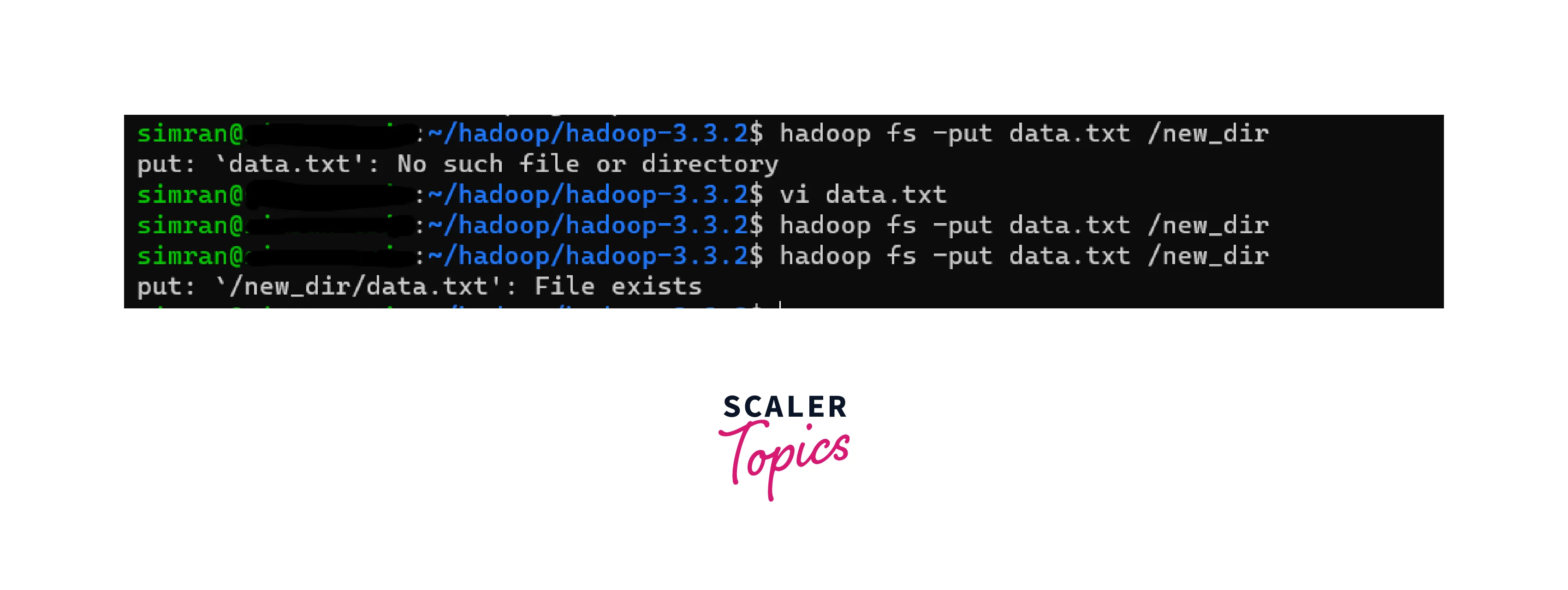
- Example: hadoop fs -put data.txt /new_dir
- Output: As such no output gets displayed if execution is successful. Here we can see an error is thrown if the same file is copied twice as no two files with the same name can exist in one folder.
e. copyFromLocal
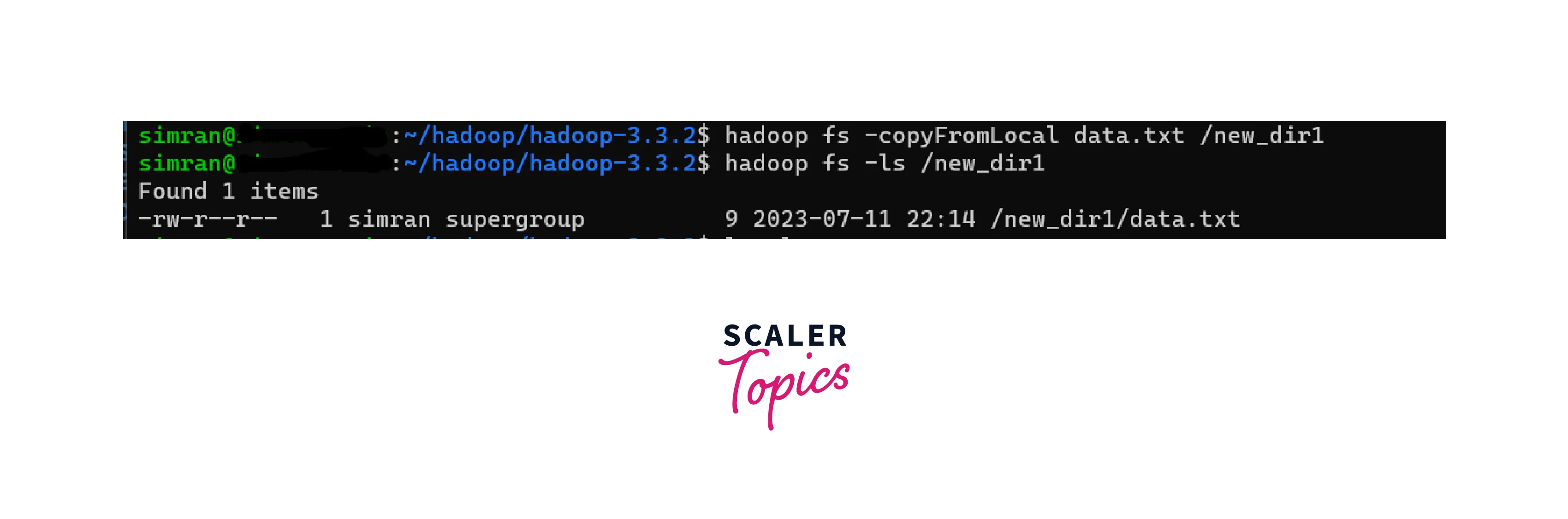
- The copyFromLocal command is similar to put and is used to copy files from the local file system to HDFS. It also takes two arguments: the source file in the local file system and the destination path in HDFS.
- It is similar to put with the only exception being that the copyFromLocal command helps to copy the file only from a local LFS (Linux File System) based file whereas put can copy from anywhere (local or network).
- Syntax: hadoop fs -copyFromLocal <local_path> <hdfs_path>
- Example: hadoop fs -copyFromLocal data.txt /user1
- Output: No output gets displayed if execution is successful. On running the ls command, we can check that the file is copied.
How Scaler Transformed Careers in Different Fields
Scaler learners achieved 2.5x salary growth with average post-Scaler CTC reaching ₹23L.
 Google
 Amazon
 Microsoft
 Flipkart
 Adobe1200+ more
f. get
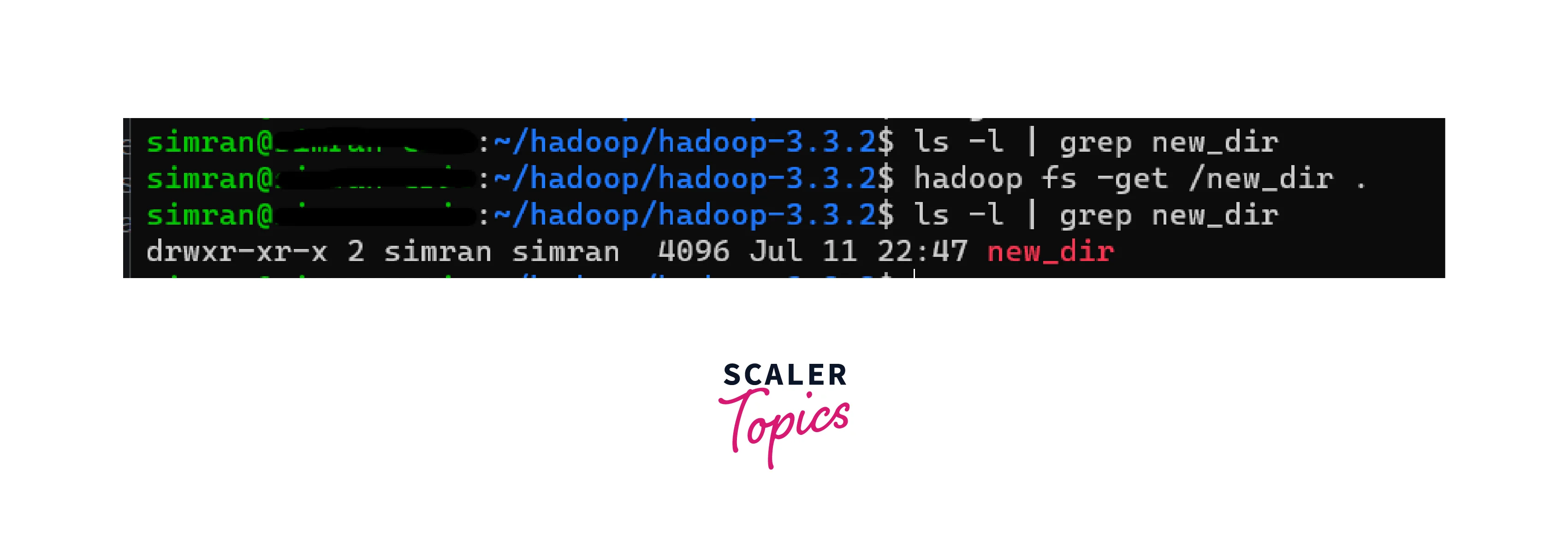
- The get command is used to copy files from HDFS to the local file system. It takes two arguments: the source file in HDFS and the destination path in the local file system.
- Syntax: hadoop fs -get <hdfs_path> <local_path>
- Example: hadoop fs -get /new_dir .
- Output: The new_dir directory does not exist initially, but on using the get command, new_dir gets copied to the local repository.
g. copyToLocal
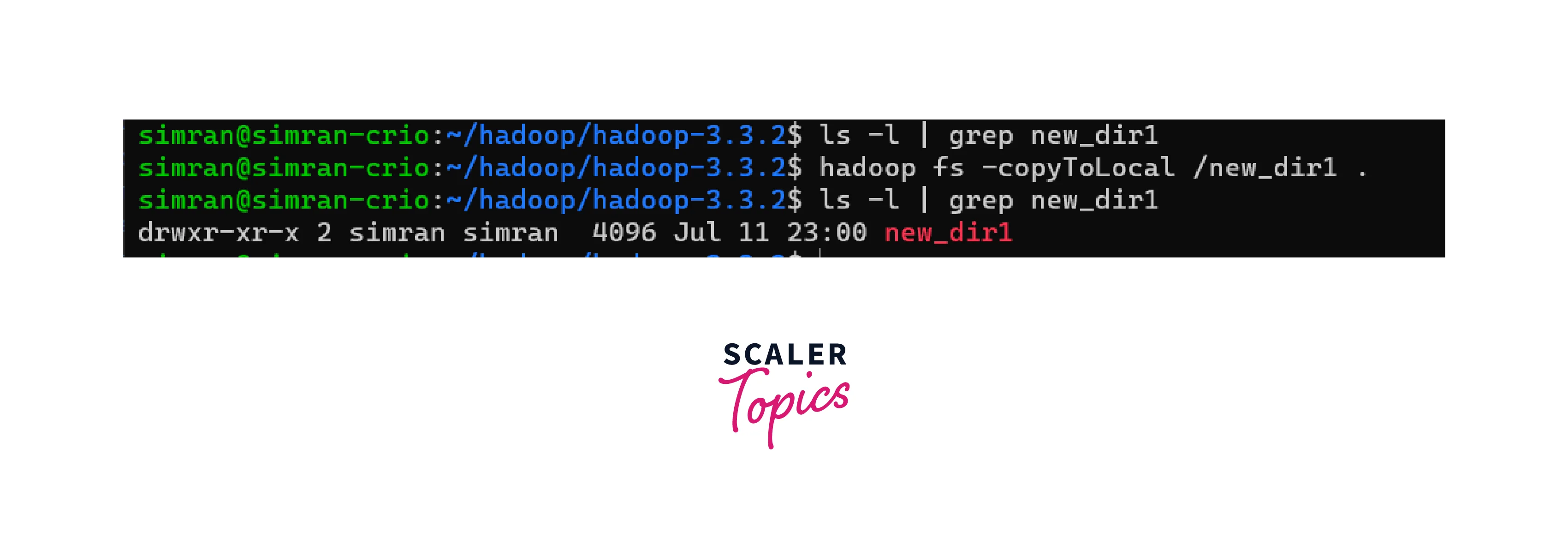
- The copyToLocal command is similar to get and is used to copy files from HDFS to the local file system. It also takes two arguments: the source file in HDFS and the destination path in the local file system.
- It is similar to get with the only exception being that the copyToLocal command can only copy to a local LFS (Linux File System) based file.
- Syntax: hadoop fs -copyToLocal <hdfs_path> <local_path>
- Example: hadoop fs -copyToLocal /new_dir1 .
- Output: The new_dir1 directory does not exist initially, but on using the copyToLocal command, new_dir1 gets copied to the local repository.
Turn Learning into Career Growth
h. cat
- The cat command displays the contents of a file in HDFS. It takes the path of the file as an argument and prints the content to the console.
- Syntax: hadoop fs -cat <file_path>
- Example: hadoop fs -cat /new_dir/file1.txt
- Output: Prints the content of the specified file in HDFS to the console. Here, the content of the file file1.txt gets printed.

i. mv
- The mv command is used to move or rename files/directories within HDFS. It takes two arguments: the source path and the destination path. If the destination path does not exist, the source file/directory is renamed/moved to the new location. Otherwise, if the destination path exists and is a directory, the source file/directory is moved into that directory.
- Syntax: hadoop fs -mv <source_path> <destination_path>
- Example: hadoop fs -mv /new_dir /new_dir1
- Output: The mv command is used to move or rename a file or directory in HDFS. It can be used for both moving files within HDFS and renaming them.

j. cp
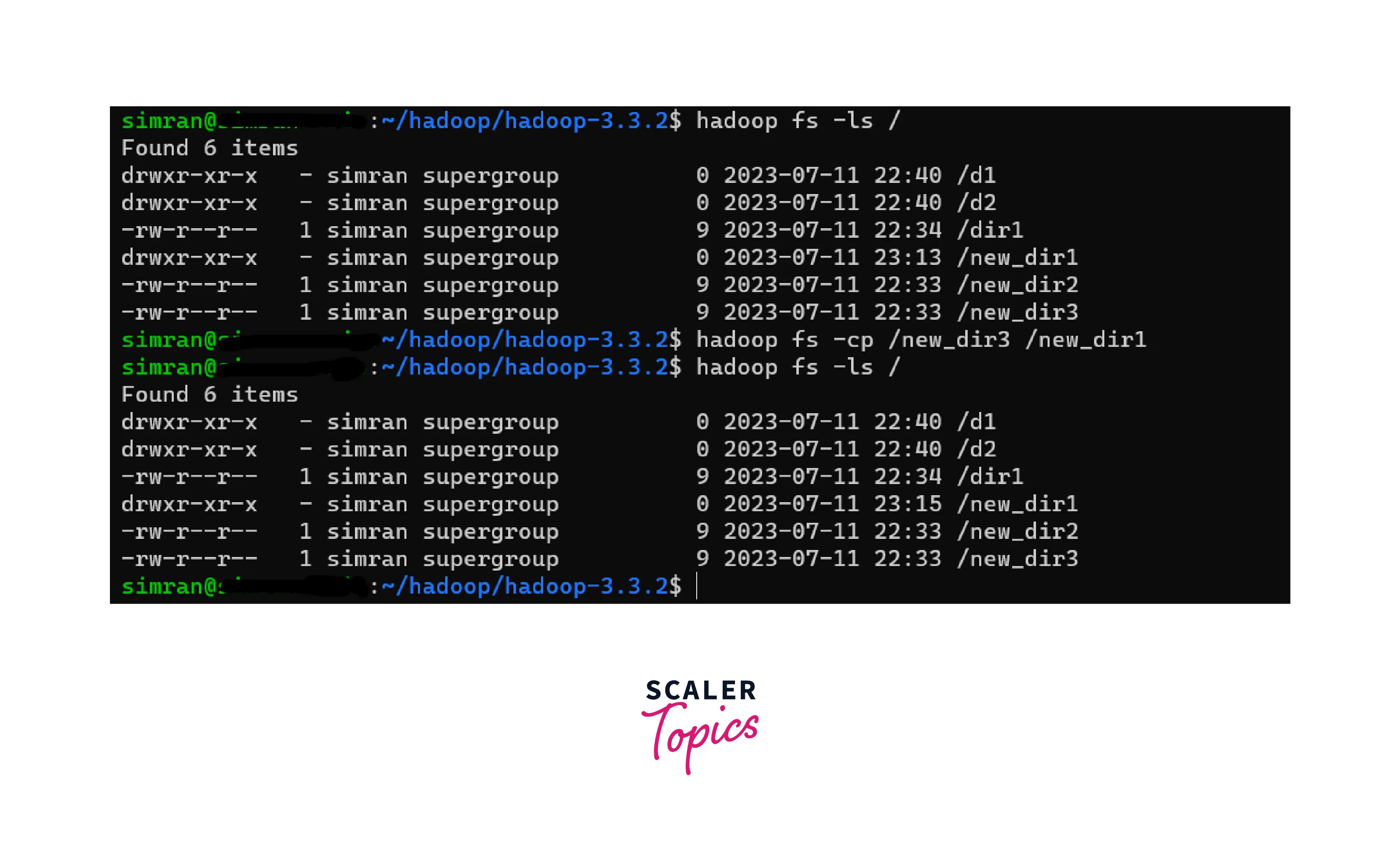
- The cp command is used to copy files/directories within HDFS. It takes two arguments: the source path and the destination path. It creates a new copy of the source file/directory at the destination path.
- Syntax: hadoop fs -cp <source_path> <destination_path>
- Example: hadoop fs -cp /user/data/file.txt /user/backup/file.txt
- Output: It allows you to duplicate data within HDFS while preserving the source.
Conclusion
Some common Hadoop HDFS commands include:
- version: Displays the Hadoop Distributed File System (HDFS) version.
- mkdir: Creates a new directory in HDFS.
- ls: Lists the contents of a directory in HDFS.
- put: Uploads a file or directory from the local file system to HDFS.
- copyFromLocal: Copies a file or directory from the local file system to HDFS.
- get: Downloads a file or directory from HDFS to the local file system.
- copyToLocal: Copies a file or directory from HDFS to the local file system.
- cat: Displays the contents of a file in HDFS.
- mv: Moves or renames a file or directory within HDFS.
- cp: Copies a file or directory within HDFS.




