


jQuery hasClass() Method
 FREE
FREE

Build an AI-First Career, Master the Complete Skillset
Choose from our industry-leading programs designed for career success
Modern Software and AI Engineering Program
Master full-stack development with AI integration


 +1000 more
Modern Data Science and ML with specialisation in AI
Advanced data science techniques with AI specialization
+1000 moreAdvanced AIML with Specialisation in Agentic AI
Deep dive into AIML with focus on Agentic systems
+1000 moreDevOps, Cloud & AI Platform Engineering
Build and manage AI-powered cloud infrastructure
+1000 moreAI Engineering Advanced Certification by IIT-Roorkee
Premier AI engineering certification from IIT-Roorkee

AI Forward Deployed Engineer Program
Full-stack engineering, production AI and client-facing consulting
+1000 moreOverview
In jQuery, the hasClass() method is used to check if a selected element has a specific CSS class applied to it or not. jQuery is a popular JavaScript library that simplifies HTML document traversal, event handling, and manipulation.
The hasClass() method is particularly useful when you want to perform conditional actions based on whether an element has a certain class assigned to it. It helps us determine if a specific class exists within the set of classes applied to an HTML element.
Syntax
Certainly, here's the syntax for the hasClass() method in jQuery.
The $() function in jQuery is a versatile selector used to manipulate DOM elements using various selection criteria. It grants access to the jQuery library and returns a jQuery object representing selected element(s). With this object, the hasClass() method can be employed to determine if the chosen element(s) possess a particular CSS class. The method takes a class name as a string input, devoid of a preceding dot, and evaluates whether the class is present among the element's classes.
Return Value: Boolean
The hasClass() method returns a boolean value (true or false) based on whether the selected element(s) have the specified class.
If any of the selected elements have the class we're checking for, the method returns true. If none of the selected elements have the class, the method returns false.
Parameters
The hasClass() method takes a single parameter, which is the name of the CSS class we want to check for on the selected element(s). Here's a more detailed breakdown of the parameters.
-
className (required)
The className parameter is a string value that should match the name of the CSS class exactly. It's important to note that you provide the class name without a leading dot (.). The method will then check whether the selected element(s) have this class applied.
Here's an example of how the hasClass() method is used with its parameter.
Suppose we have an HTML element like this
We can use the hasClass() method to check if the element has the class "highlight" using the following code.
Explanation:
The $("#myElement") selector targets the element with the ID "myElement". The hasClass("highlight") method checks if the element has the class "highlight". Depending on the result, the appropriate message will be logged to the console.
How Scaler Transformed Careers in Different Fields
Scaler learners achieved 2.5x salary growth with average post-Scaler CTC reaching ₹23L.
 Google
 Amazon
 Microsoft
 Flipkart
 Adobe1200+ more
Examples
Here are some basic examples of using the hasClass() method in jQuery with simple code snippets and their expected outputs.
Example 1: Check if an Element has a Class
Code:
Output:
Explanation:
The above code demonstrates how to use jQuery's hasClass() method to determine if a specific HTML element has a particular CSS class. It creates a <div> element with the class "highlight" and then uses jQuery to check if it contains the class. The script logs a message confirming whether the element has the "highlight" class. In this case, since the class is applied, the output indicates that the element indeed has the 'highlight' class.
Turn Learning into Career Growth
Example 2: Toggle Class on Button Click
Output:
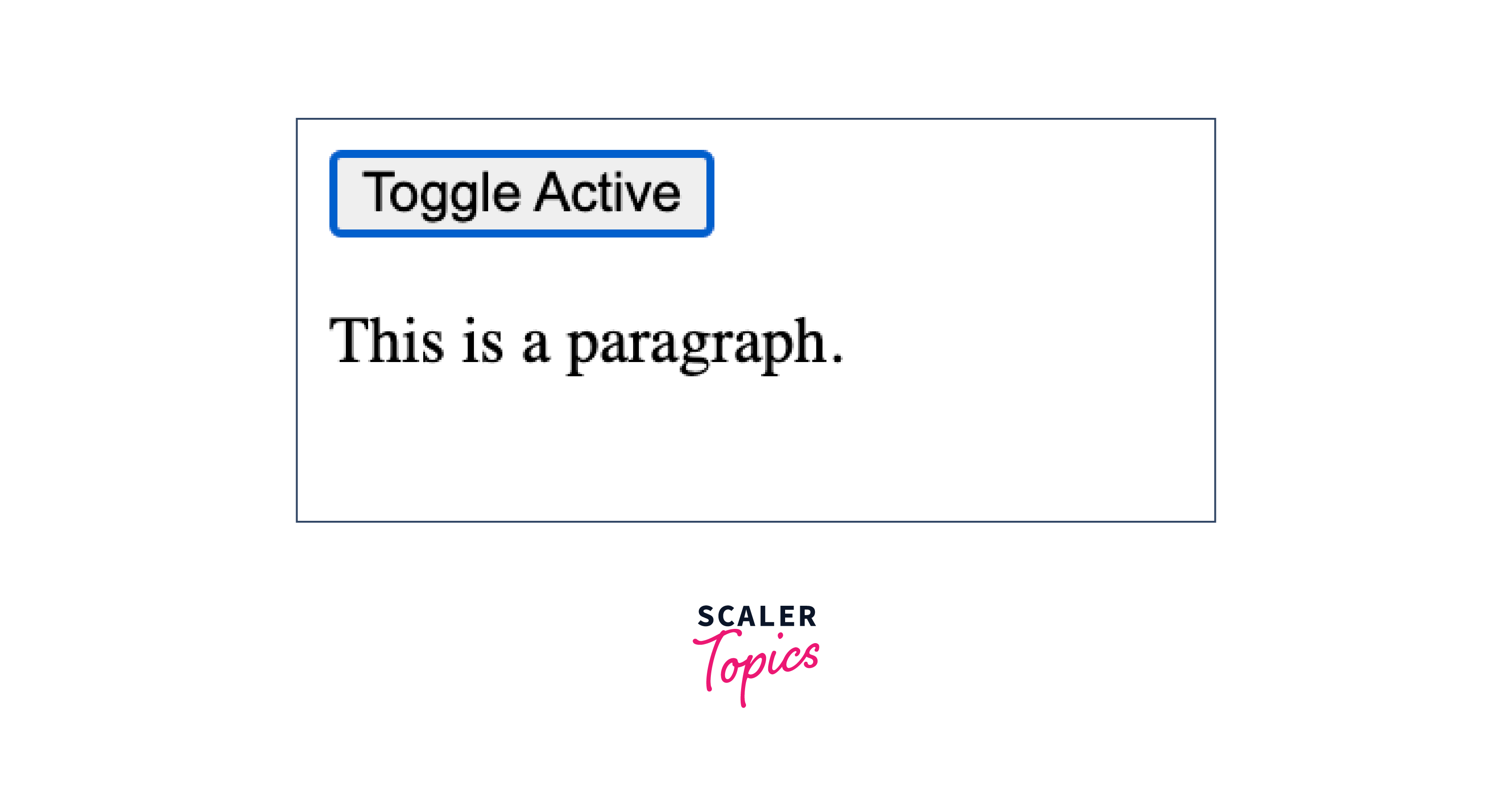
Before:
After:
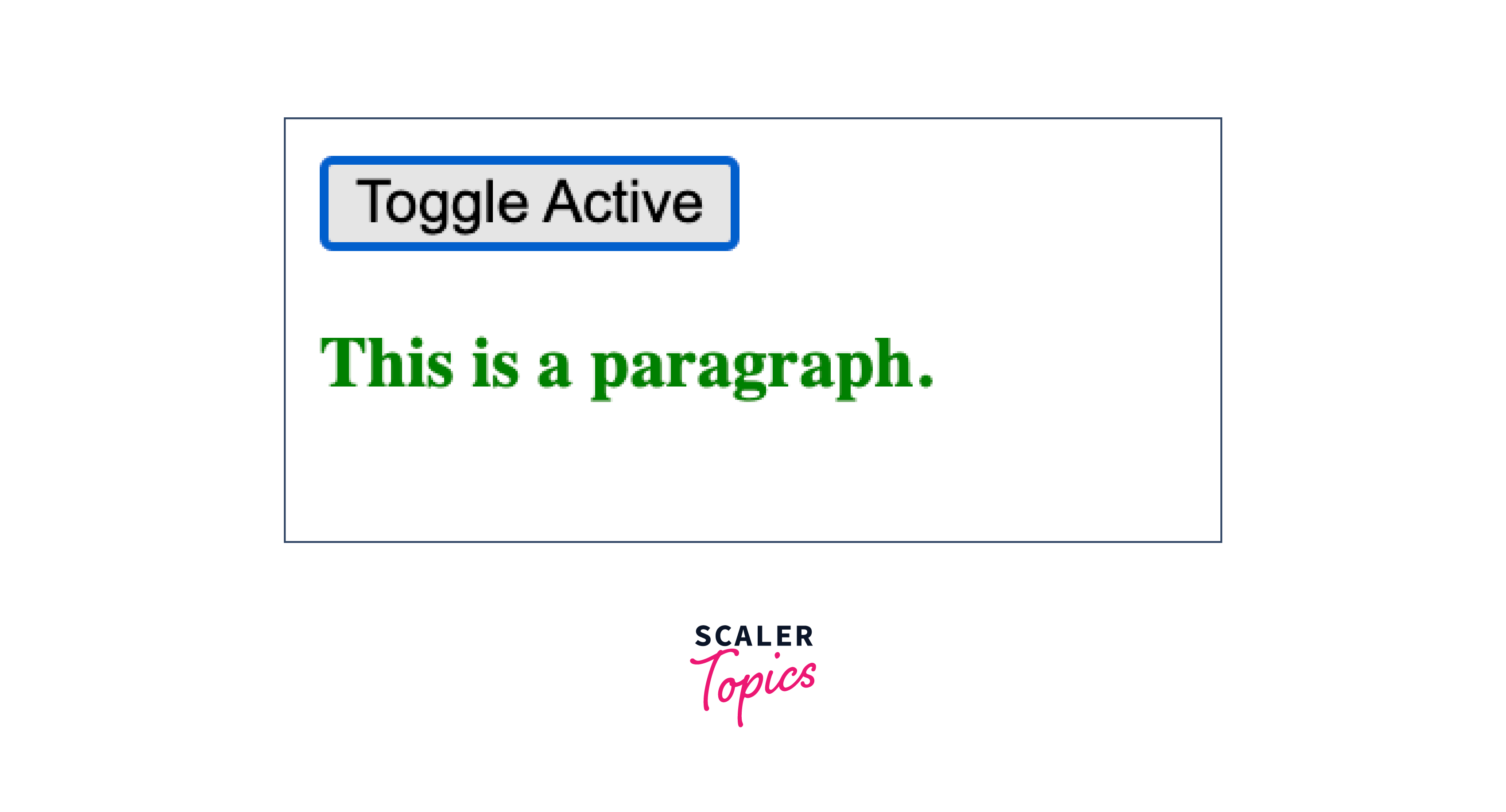
Similar to the previous jQuery example, when the "Toggle Active" button is clicked, the paragraph's font weight changes to bold and its color to green. Clicking the button again removes these styles.
Explanation:
The code showcases how to replicate the behavior of jQuery's toggleClass() using pure JavaScript. A button labeled "Toggle Active" and some paragraphs are present in the HTML. When the button is clicked, the active class is alternated on the paragraphs. JavaScript's addEventListener() is used to attach a click event to the button. Upon clicking, the script iterates through the paragraphs and toggles the active class using classList.toggle(), leading to the toggling of font weight and color styles. This provides a similar outcome to jQuery's class toggling.
Conclusion
-
The hasClass() method in jQuery is used to check if an HTML element has a specific CSS class applied to it. It's often used for conditional actions or styling based on the presence or absence of a class.
-
The hasClass() method helps in dynamically manipulating and styling elements based on their class status.
-
The hasClass() method takes one parameter: the name of the class to be checked. The class name is provided as a string without the leading dot (.).




