


How to Fix java.lang.OutOfMemoryError: GC Overhead Limit Exceeded?
 FREE
FREE

When JVM is no longer using the objects, it frees up the space, this process is called garbage collection. The GC Overhead Limit Exceeded error arises from the java.lang.OutOfMemoryError family, indicating memory exhaustion. The best solution for this error is to check if there is any problem with the application by examining its code for memory leakage. While finding the errors, ask these questions:
- Which objects in the code or application require significant heap memory?
- Where are these objects initialized or allocated in the code or program?
Code That throws java.lang.OutOfMemoryError
For example java -Xmx1024m com.xyz.TheClassName The above code allocates 1GB of heap space for the Java applications.
The -Xmx option specifies the maximum heap size for a Java application. In your example, -Xmx1024m sets the maximum heap size to 1GB (1024 megabytes). Java Virtual Machine (JVM) will allocate up to 1GB of memory for the application to use for objects and other data that need to be stored in memory.
The com.xyz.TheClassName part of the command specifies the fully qualified name of the class containing the Java application's main method. The JVM will execute this class when the application is launched.
Example:
When this code is executed, a parallel garbage collector is used to throw the GC overhead limit exceeded error. java -Xmx100m -XX:+UseParallelGC Main.java
Solving GC Overhead Limit Exceeded Error
Automated tools such as JConsole, which is a graphical tool, can be used to detect if there are performance problems in code, including the error, java.lang.OutOfMemoryErrors.
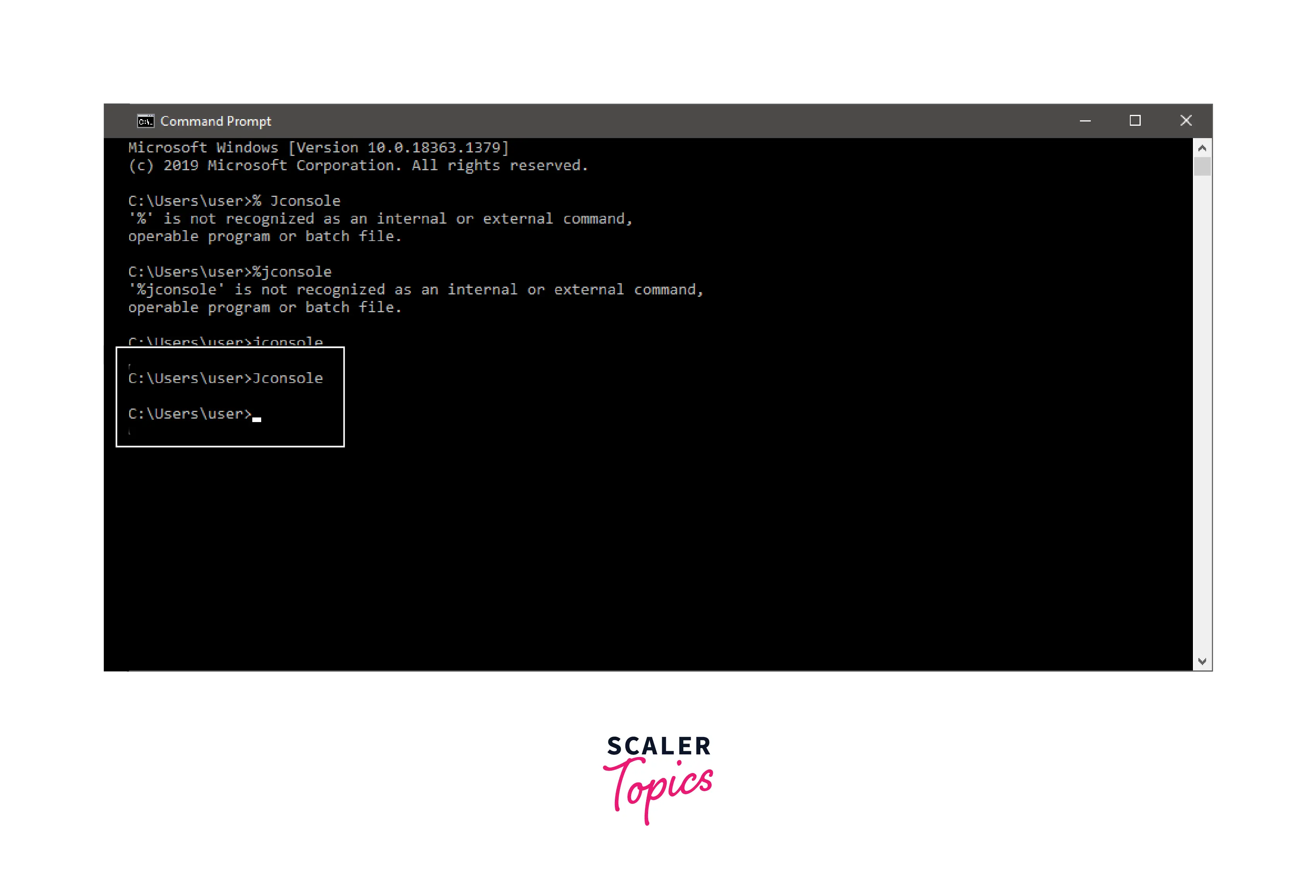
To use JConsole, open the command prompt and type JConsole as shown.
 If it is available, it will be opened as Java Monitoring & Management Console, as seen below
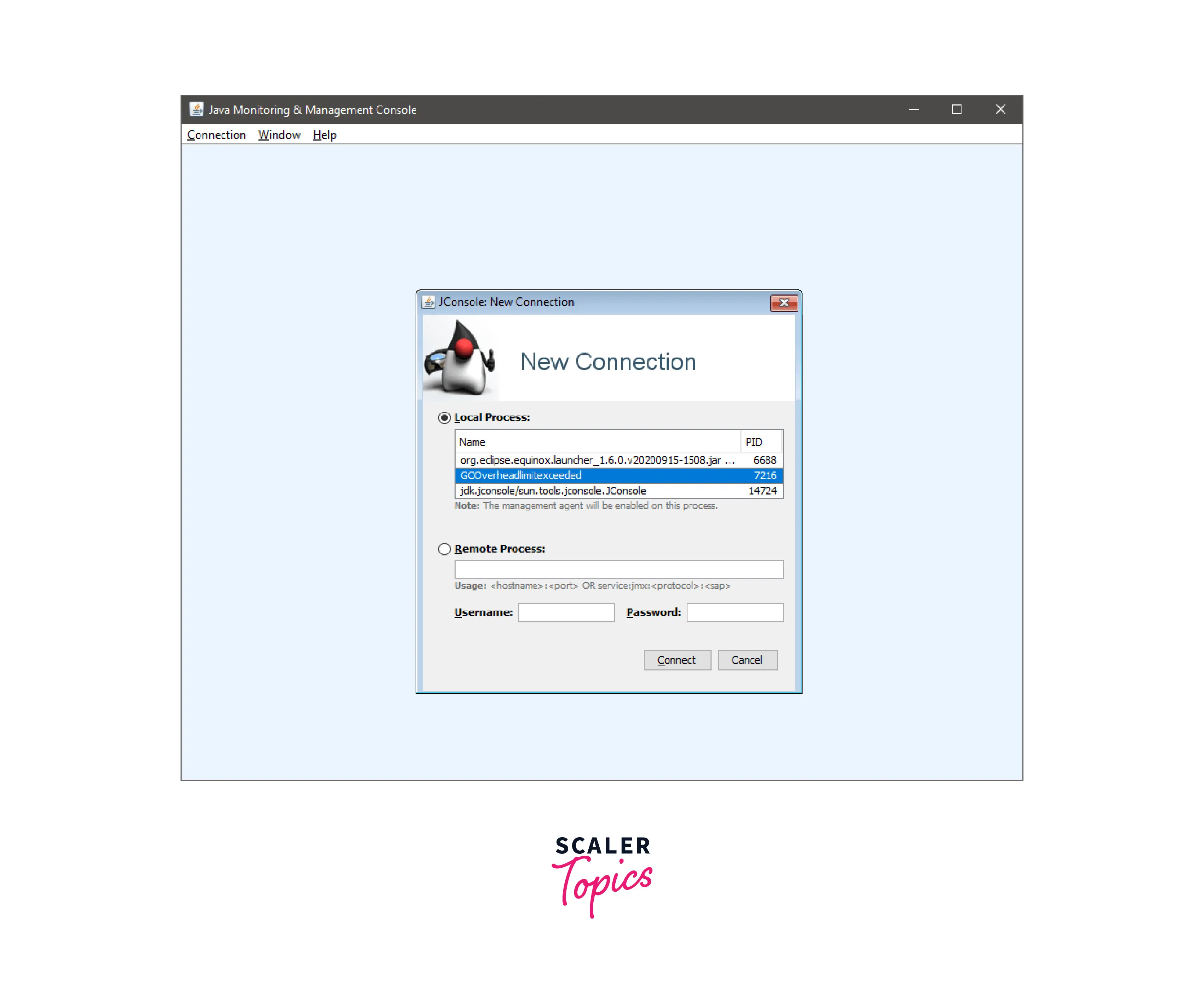
Now, there are two ways in which JConsole can be used: first, by selecting the name of the java program by using a local process; second is if the <hostname> and <port> values are known to check the remote process and local process option as the name of java program.
Click on Connect
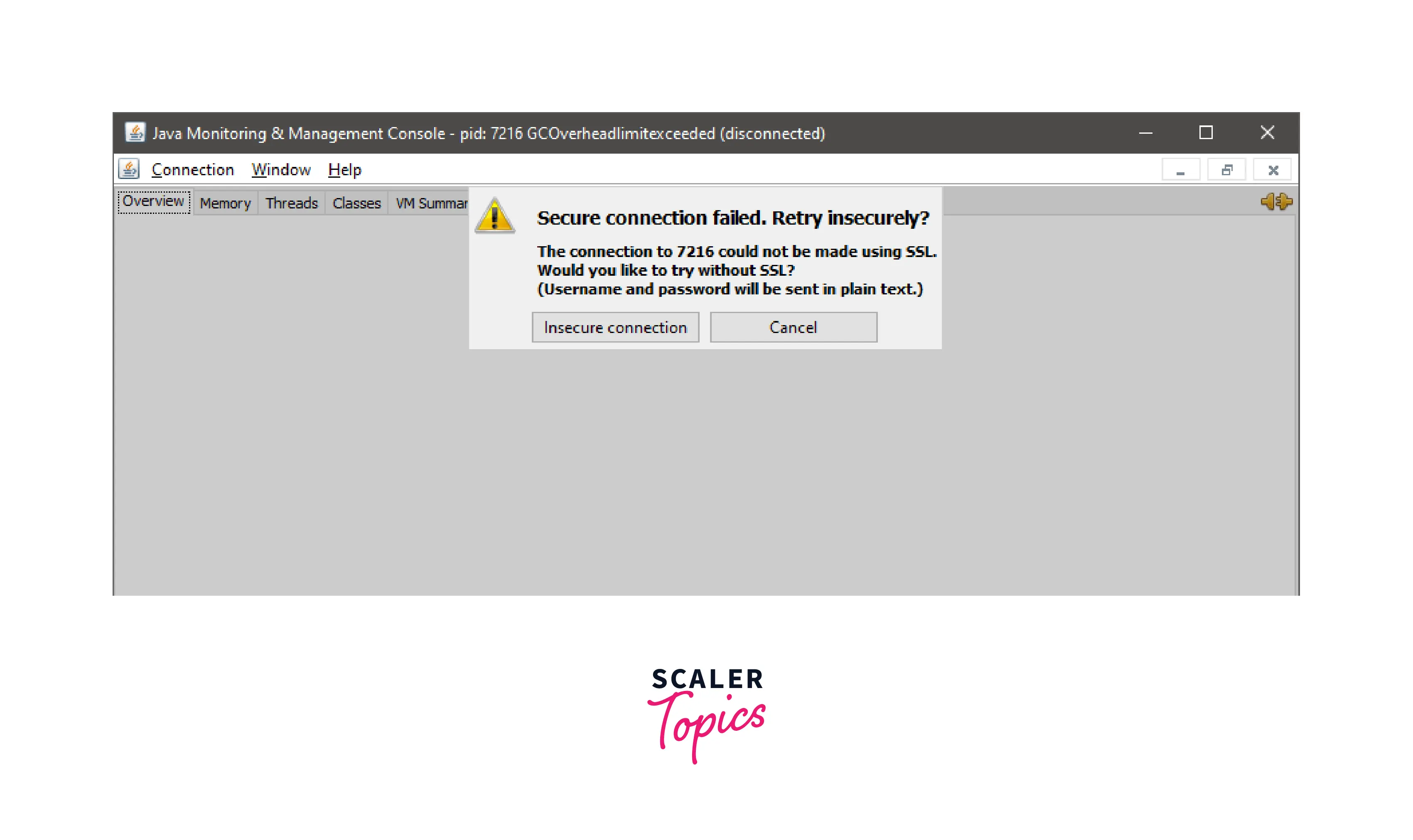 You can skip the above step, and a window like the one below will appear.
 You can see the memory usage in the graphics depicted.
Other Solutions
To fix java.lang.OutOfMemoryError, you can try the following solutions:
-
Increase the heap size: One way to resolve the GC overhead limit exceeded error is to increase the heap size by setting the -Xmx flag higher. This will give the GC more space to work with and reduce the frequency of garbage collection cycles.
-
Analyze memory usage: You can use a profiling tool like Java VisualVM to analyze your application's memory usage and identify any memory leaks or inefficient code that might be causing the issue. Fixing these issues can help reduce your application's memory usage and prevent the GC overhead limit exceeded error.
-
Reduce object creation: Creating too many objects can cause excessive garbage collection and lead to the GC overhead limit exceeding error. You can try reducing the number of objects created by reusing objects where possible or by using primitive data types instead of objects.
-
Disable GC overhead limit check: This solution is not recommended unless you have ruled out all other options. However, you can disable the GC overhead limit check by using the -XX:-UseGCOverheadLimit flag. However, this can lead to other performance issues and should only be used as a last resort.
-
Use a different garbage collector: You can try using a different garbage collector like G1GC or CMS that might be better suited to your application's memory usage pattern and help reduce the GC overhead limit exceeded error.
It's important to note that the above solutions are not mutually exclusive. Depending on your specific application and memory usage pattern, you may need to try a combination of these solutions to resolve the issue.
Conclusion
- When the objects are no longer being used by JVM, it frees up the space; this process is called garbage collection.
- The GC Overhead Limit Exceeded error arises from the java.lang.OutOfMemoryError family, which is an indication of memory exhaustion.
- The best solution for this error is to check if there is any problem with the application by examining its code for memory leakage. While finding the errors, ask these questions:
- What all objects in code or in the application require or are occupying a large portion of the heap memory?
- In what part of the program or code are these objects initialized or allocated.