


JavaScript Array join()
 FREE
FREE

Overview
As the name suggests, the join() method in JavaScript is used to join all the elements of an array to a string and return that resultant string, i.e., a new string is returned. If a separator has been provided, the elements of the array are then separated using the separator, or else, a comma acts as a default separator for join in JavaScript.
Build an AI-First Career, Master the Complete Skillset
Choose from our industry-leading programs designed for career success
Modern Software and AI Engineering Program
Master full-stack development with AI integration


 +1000 more
Modern Data Science and ML with specialisation in AI
Advanced data science techniques with AI specialization
+1000 moreAdvanced AIML with Specialisation in Agentic AI
Deep dive into AIML with focus on Agentic systems
+1000 moreDevOps, Cloud & AI Platform Engineering
Build and manage AI-powered cloud infrastructure
+1000 moreAI Engineering Advanced Certification by IIT-Roorkee
Premier AI engineering certification from IIT-Roorkee

AI Forward Deployed Engineer Program
Full-stack engineering, production AI and client-facing consulting
+1000 moreSyntax of Array join() in JavaScript
The following is the syntax of Array join() in JavaScript:
The input is an array and the output is a string. It doesn't change the original array.
Parameters of Array join() in JavaScript
The following is the parameter of Array join() in javascript:
- Separator(optional): The separator is an optional parameter. It specifies a string that is used to separate the elements of the array and return the string. The default separator is a comma(,).
Return Value of Array join() in JavaScript
Return Type: string
The join method in JavaScript returns a string with all the elements joined. If the size of the input array is 0, an empty string is returned. If the array is null or undefined, an error will be thrown- Cannot read properties of undefined or Cannot read properties of null for the input array whose value is set as undefined or null, respectively.
Example
Let us now join an array using the join() function.
Code
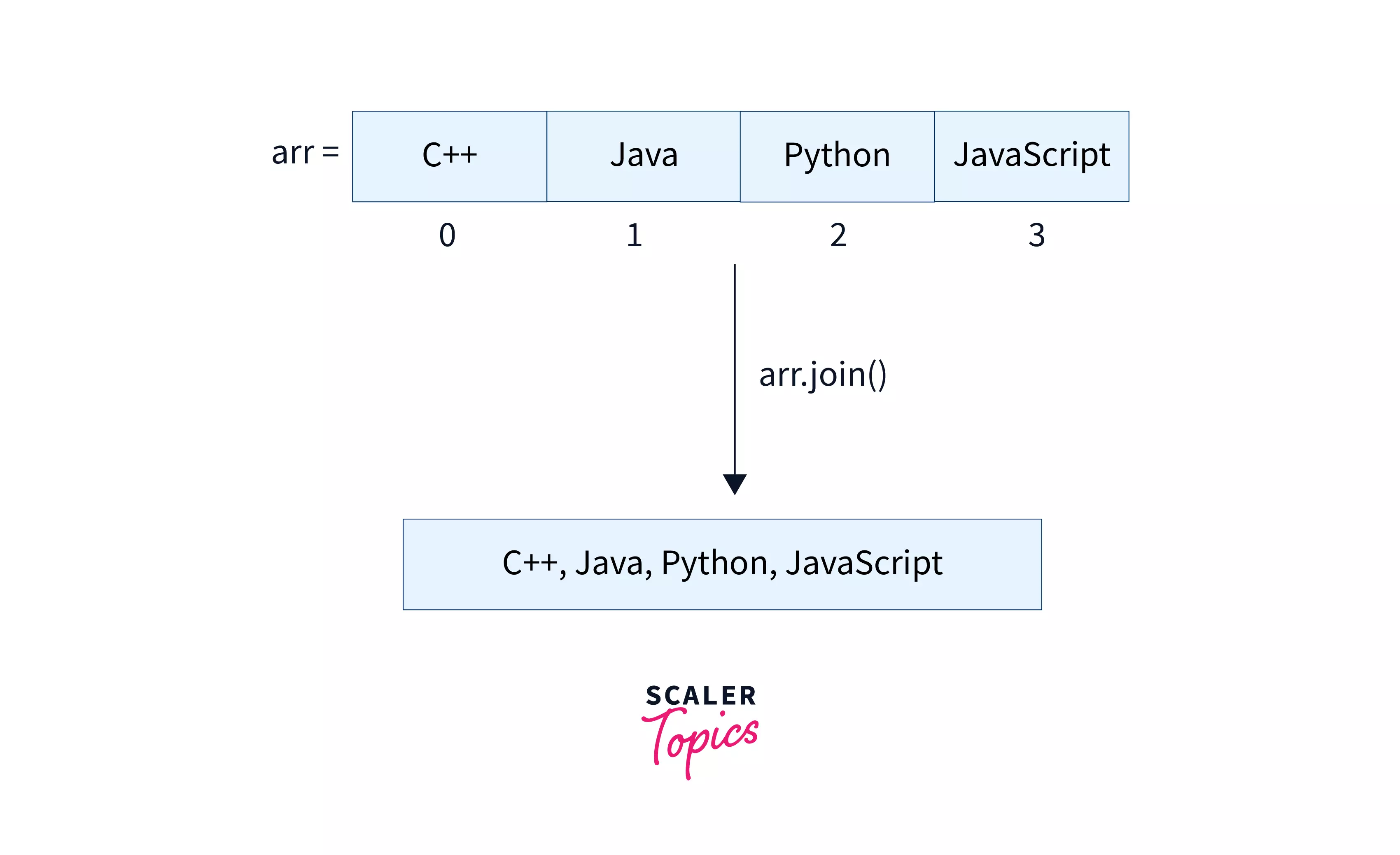
The image shows the representation of the array join() function in JavaScript.
Output
Explanation
In the above code, we can see that the array has been joined using the JavaScript array join function, and since we haven't provided any separator, the default separator is a comma.
How Scaler Transformed Careers in Different Fields
Scaler learners achieved 2.5x salary growth with average post-Scaler CTC reaching ₹23L.
 Google
 Amazon
 Microsoft
 Flipkart
 Adobe1200+ more
What is Array join() in JavaScript?
As a programmer, many times, we have to return the elements of the array together in the form of a string instead of an array. At that time, the join() function plays a significant role.
The JavaScript array join() is a function provided by JavaScript which takes an array as an input and returns a string that consists of all the elements of the array joined by a separator. The separator is an optional parameter as the default value is a comma(,). All the elements present in the array will be joined. Using this method, we cannot join specific elements in the array.
The join in JavaScript doesn't change the input array, it only returns the string form of the input array.
More Examples
Turn Learning into Career Growth
1. Joining an Array Four Different Ways
Let us create an array and join it using four different ways.
Output
Explanation: We have used four different ways to join the array, i.e., using the default separator, using an empty string, using plus symbol, and using a comma followed by a space.
2. Joining an Array-like Object
In JavaScript array join, we can join an array-like object(arguments) by calling Function.prototype.call on Array.prototype.join. The elements in the nested array are also joined.
Output
Explanation: As we can see in the above example, the elements in both the nested array are also joined.
Browser compatibility
The join method in javascript is supported by all the browsers such as Chrome, Edge, Safari, Opera, etc.
Conclusion
- The join() method in JavaScript is used to join the elements of an array to a string and return that resultant string.
- The input is an array and the output is a string. It doesn't change the original array.
- If a separator has been provided, the elements of the array are then separated using the separator, or else, a comma acts as a default separator for join in JavaScript.




