


Javascript Format Number
 FREE
FREE

Overview
In JavaScript, all types of numbers, including integers, floats, and decimal values, are considered primitive data types. Number manipulating methods are available in javascript, but they all work with objects. Even though these methods cannot be used on primitive data types, we can use javascript's number manipulation functions on primitive datatypes of numbers because this language treats each fundamental datatype as an object in javascript format number.
Build an AI-First Career, Master the Complete Skillset
Choose from our industry-leading programs designed for career success
Modern Software and AI Engineering Program
Master full-stack development with AI integration


 +1000 more
Modern Data Science and ML with specialisation in AI
Advanced data science techniques with AI specialization
+1000 moreAdvanced AIML with Specialisation in Agentic AI
Deep dive into AIML with focus on Agentic systems
+1000 moreDevOps, Cloud & AI Platform Engineering
Build and manage AI-powered cloud infrastructure
+1000 moreAI Engineering Advanced Certification by IIT-Roorkee
Premier AI engineering certification from IIT-Roorkee

AI Forward Deployed Engineer Program
Full-stack engineering, production AI and client-facing consulting
+1000 moreIntroduction
In comparison to Java, C, and C++, JavaScript does not have integer, float, or double data types for numbers. JavaScript instead makes use of a Number data type, which is double by default. Numeric values are represented by the number data type. It can be applied to both floating-point and integer numbers in javascript number format.
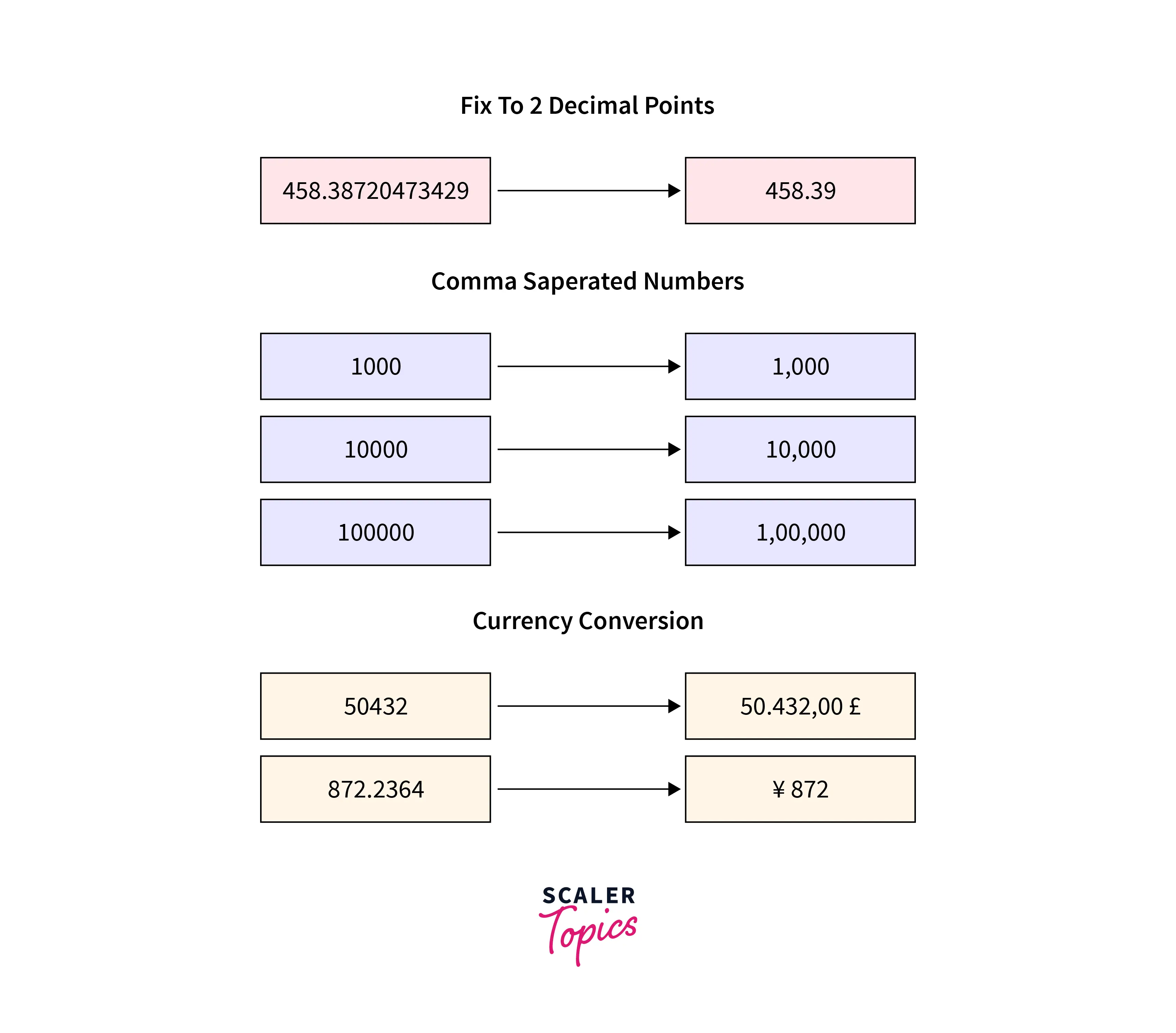
In most cases, converting a long float value to a precision of 2 or 3 comes up while programming. Like 3.141592 => 3.14. Additionally, you may need to convert a number to another unit of currency, such as 100 to $100, or to a general big number into a comma-separated number, such as 1000000000 to 1,000,000,000.
The image below shows these problems, which can be resolved by formatting the numbers.
Syntax
The syntax of javascript format number for a number with up to two decimal places using the toFixed() method is as follows:
Parameters
- Locale (optional): If ignored, the host environment's current locale will be used by the method (e.g., default browser language)
- Options (optional): Formatting options for the object
Limit to Two Significant Digits
Use Default Locale and Custom Number Formatting
In javascript number format, To use the browser's default locale set the first parameter to undefined.
How Scaler Transformed Careers in Different Fields
Scaler learners achieved 2.5x salary growth with average post-Scaler CTC reaching ₹23L.
 Google
 Amazon
 Microsoft
 Flipkart
 Adobe1200+ more
Change Formatting Style
There are three possible values for a style property in javascript format number:
- percent
- currency
- unit
Style: Percentages
In some languages, percentage localization is a challenging task. Not all languages put the percentage sign after a number. For example, in Arabic languages.
Style: Currencies
To format a number into a string, use the style property in the options object with the value currency.
To change currency formatting using javascript format number, you can change the currencyDisplay property. These are possible values:
- symbol (default)
- code
- name
Turn Learning into Career Growth
Style: Units
One of the most understated locale features in javascript is units style. You can format numbers into any widely used units with the appropriate formatting for a given locale. for example:
List of JavaScript Number Locale Units
You can check all of the unit property's values in the javascript number format below.
| unit value | unit value | unit value |
|---|---|---|
| acre | gigabit | minute |
| byte | hour | minute |
| bit | hectare | ounce |
| centimeter | inch | petabyte |
| celsius | kilobyte | percent |
| degree | kilobit | pound |
| day | kilometer | pound |
| fahrenheit | liter | second |
| foot | megabit | terabyte |
| fluid-ounce | megabyte | terabit |
| gigabyte | mile | week |
| gallon | meter | year |
| gram | mile-scandinavian | yard |
Kilometer Per Hour
The keyword per can be used to combine two values, such as X-per-Y. such as kilometers per hour. JavaScript will format this compound unit using the most appropriate localized pattern.
Terabyte Per Gram
Any combination is acceptable for the unit property in javascript number format. The unit property doesn't have to make any sense.
Conclusion
- In JavaScript, all types of numbers, including integers, floats, and decimal values, are considered primitive data types.
- Number manipulating methods are available in javascript, but they all work with objects.
- In comparison to Java, C, and C++, JavaScript does not have integer, float, or double data types for numbers.
- Numeric values are represented by the number data type. It can be applied to both floating-point and integer numbers in javascript number format.
- In some languages, percentage localization is a challenging task. Not all languages put the percentage sign after a number.
- The keyword per can be used to combine two values, such as X-per-Y. such as kilometers per hour.




