


Jenkins Best Practices
Overview
This article is a simple guide to Jenkins best practices. It covers essential tips for using Jenkins effectively. We'll talk about how to organize your work, make Jenkins more secure, and make it run faster. Plus, we'll explore how to connect Jenkins with other tools, keep it safe, and more. By the end, you'll be better at using Jenkins for your work.
Organizing Jenkins Jobs and Pipelines
Efficiently managing your Jenkins jobs and pipelines is crucial for maintaining a smooth development process. Here are several key practices to follow:
Create Separate Jobs for Branches
When you create unique jobs or projects for each new maintenance or development branch, you enable parallel development and effective bug detection. This minimizes risks and boosts developer productivity. Having individual jobs for different branches ensures that changes made to one branch do not impact others.
Automate Test Distribution
Distributing tests evenly among different jobs or nodes can help reduce the overall execution time. To achieve this, the tests can be divided into smaller, roughly equal-sized units based on their past execution times. This approach ensures a balanced workload across the testing infrastructure.
Manage Test Exclusion
Handling exclusion lists for testing is crucial to streamline your testing process. Create XML files that adhere to the JUnit standard and accept files containing test-exclusion lists. Make sure to integrate these files with your build process to ensure that the correct tests are skipped or included as needed.
Resource Collision Avoidance
Preventing resource collisions among parallel jobs is essential to maintain a stable Jenkins environment. When multiple jobs require exclusive access to a resource, such as a database, allocate separate ports for each job to avoid conflicts. The Throttle Parallel Builds Plugin is a helpful tool for managing resources that need to be locked.
Use Labels and Categories
Organize your Jenkins agents by assigning labels or categories based on their capabilities. This way, you can ensure that jobs are executed on appropriate agents with the required tools and environments. Labels enable you to distribute work effectively and avoid resource contention.
Jenkins Job Configuration
Configuring Jenkins jobs effectively is an essential part of embracing Jenkins best practices. By setting up your jobs in the right way, you pave the path for smoother development, efficient automation, and successful continuous integration. Let's explore some key considerations for optimal job configuration.
Consistent Naming for Clear Identification
One of the foundational Jenkins best practices is to establish a naming convention that's both standardized and descriptive. This convention makes it easy for you and your team to quickly understand the purpose and role of each job. Using meaningful names devoid of special characters enhances readability and prevents confusion.
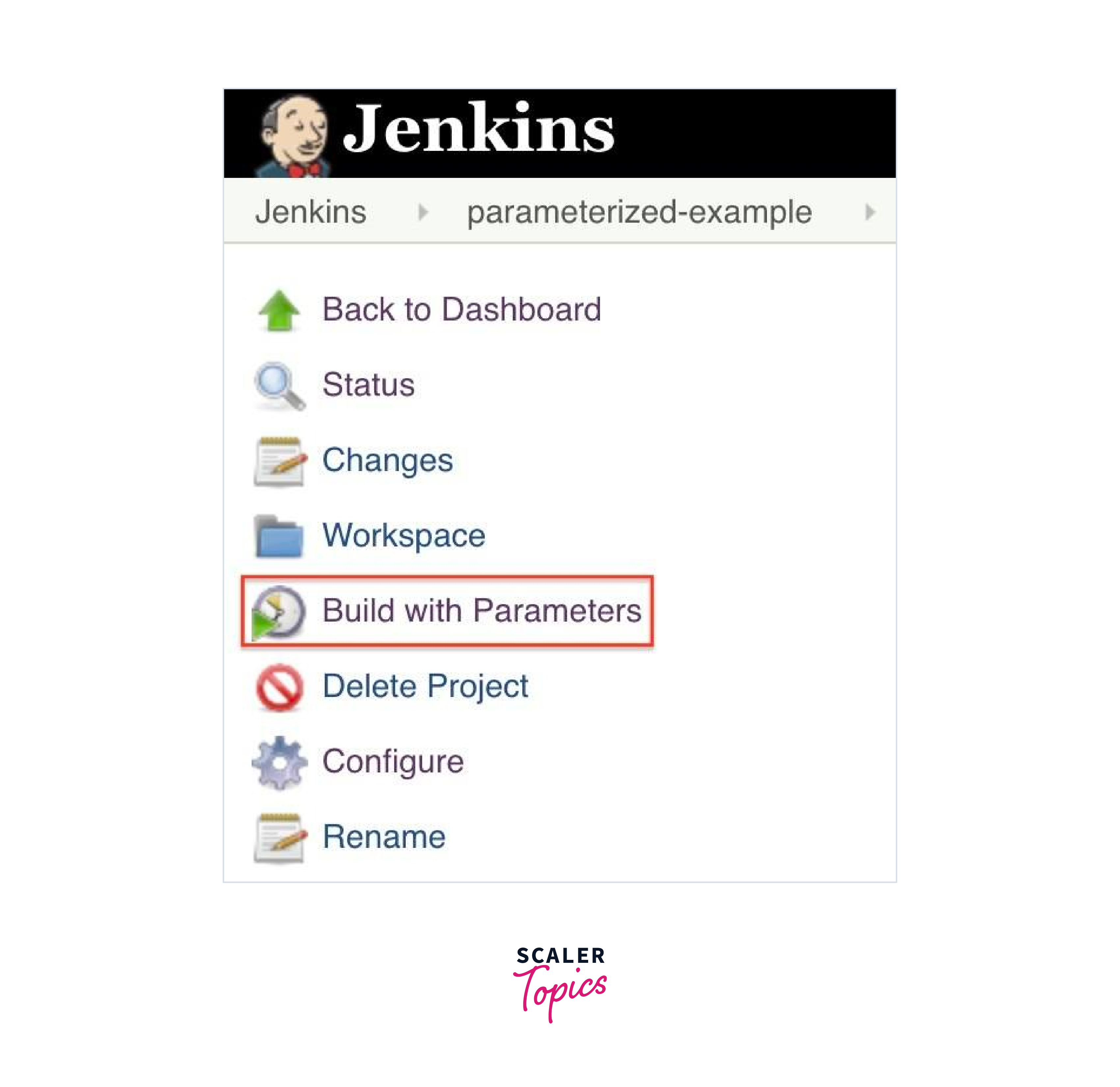
Flexibility with Parameterized Builds
Empower your Jenkins environment by implementing parameterized builds. This approach allows you to input variables when triggering a build.
Whether it's a version number, deployment environment, or other customizable aspect, parameterized builds bring flexibility to your processes. This practice saves time and minimizes the need for duplicate jobs.
Integration with Source Code Management
For seamless development workflows, Jenkins best practices dictate integrating your jobs with source code repositories such as Git or SVN. This integration ensures that your builds are automatically triggered whenever changes are made to the repository. Syncing your source code with the build process guarantees consistency and up-to-date results.
Preserving Artifacts through Archiving
After a successful build, it's crucial to preserve the build artifacts. Archiving generated outputs like binaries and documentation ensures easy access to historical build results. This practice aids version tracking and facilitates troubleshooting.
Scheduled Builds for Regularity
Keep your development cycle on track by scheduling builds at specific times or intervals. Scheduled builds automate routine tasks, leading to a consistent release cycle. This predictability contributes to smoother collaboration and deployment.
Efficient Use of Jenkins Agents
Effectively utilizing Jenkins agents is a cornerstone of Jenkins best practices. Agents, also known as nodes, play a vital role in distributing and executing tasks within your Jenkins environment. Employing these agents wisely ensures seamless integration, optimal performance, and a streamlined development workflow. Let's delve into key strategies for making the most of your Jenkins agents.
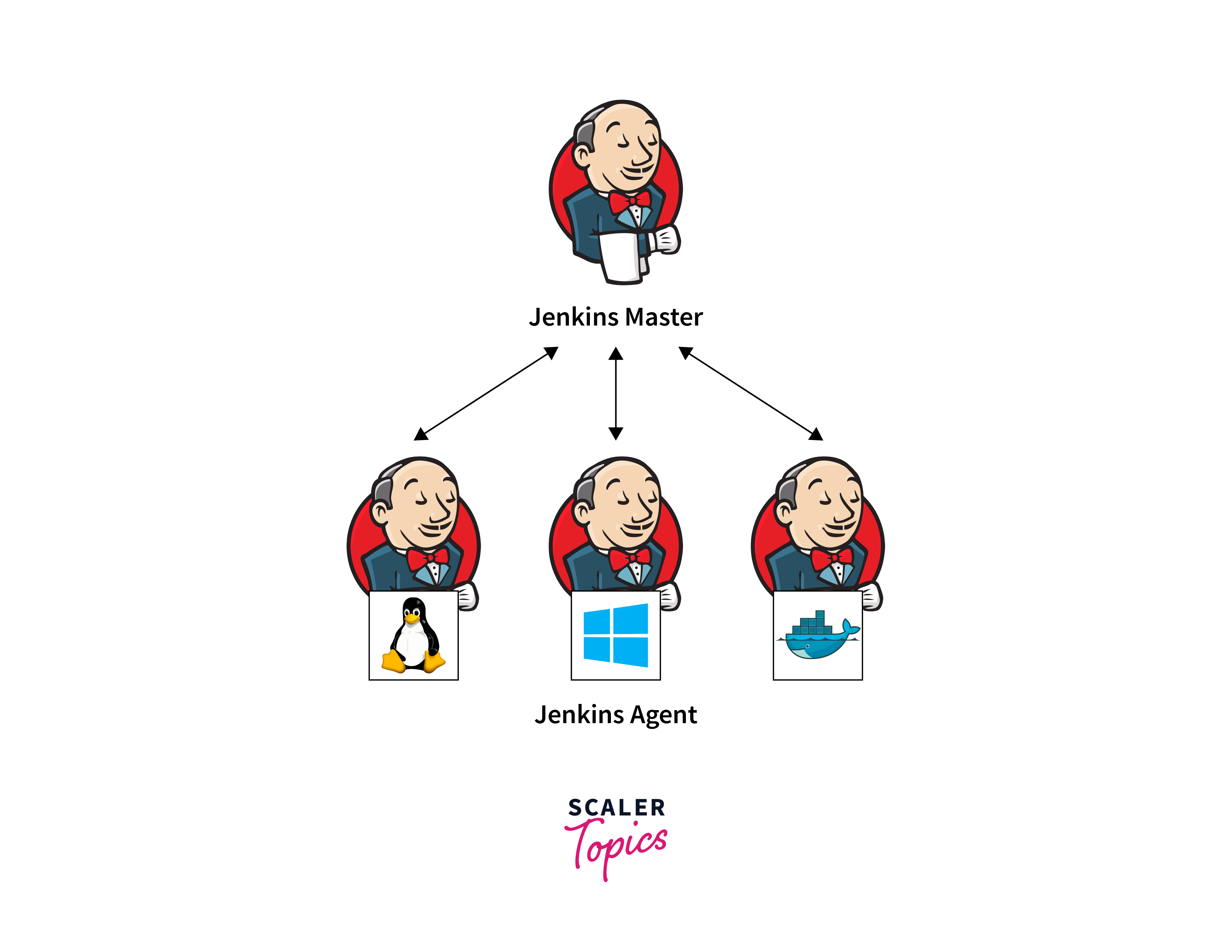
Categorizing Agents with Labels
To allocate tasks intelligently, assign labels or categories to your agents. These labels indicate the capabilities of each agent, such as operating system, software, or hardware configurations. By using labels, you can direct jobs to agents that possess the required tools and resources. This approach promotes efficient workload distribution and minimizes contention.
Dynamic Agent Provisioning
Embrace the concept of dynamic agent provisioning to automatically scale your Jenkins environment based on workload demands. Plugins like the Kubernetes Plugin or Amazon EC2 Plugin allow you to create agents on-the-fly when needed. This scalability optimizes resource utilization and prevents resource bottlenecks during peak periods.
Agent Management and Monitoring
Regularly monitor the health and performance of your agents. Utilize monitoring tools and plugins to ensure that agents are functioning correctly. Monitoring helps in identifying and resolving issues promptly, reducing downtime and maintaining the reliability of your Jenkins setup.
Capacity Planning for Agents
Accurately assess the workload and resource requirements of your projects to plan your agent capacity effectively. A well-calibrated agent pool prevents overutilization or underutilization of resources, contributing to faster build and deployment cycles.
Implementing Agent Reservation
In scenarios where specific agents are required for critical tasks, implement agent reservation. This practice ensures that designated agents are available when needed, preventing conflicts and maintaining job continuity.
Configuring Agent Connection Strategies
Choose the appropriate connection strategy for agents. While some agents may be connected permanently, others can be set up to connect on-demand, reducing resource consumption when idle.
Cleanup and Recycling
Periodically clean up and recycle agents to prevent resource wastage. Releasing unused or idle agents back into the pool frees up resources for other tasks. This practice helps in maintaining an optimal agent pool and efficient resource utilization.
Pipeline Best Practices
Harnessing the power of pipelines is central to adopting Jenkins best practices. Pipelines offer a structured and automated approach to orchestrating your entire software delivery process. By following these pipeline best practices, you can streamline your workflows, increase visibility, and achieve consistent and reliable results.
Embrace "Pipeline as Code"
Approach your pipelines as code, allowing you to define, version, and manage them just like your source code. This practice, often referred to as "Pipeline as Code," ensures that your pipeline configurations are under version control. This promotes collaboration, traceability, and easy replication.
Modularize Pipelines
Break down your pipelines into smaller, modular stages. This promotes reusability and maintainability. Each stage should have a specific purpose, making it easier to troubleshoot and enhance individual parts without disrupting the entire pipeline.
Source Code Integration
Integrate your pipeline with your source code repository. When changes are made to your source code, your pipeline should automatically trigger, ensuring that each code change undergoes the same automated process.

Automated Testing at Every Stage
Incorporate automated testing into each stage of your pipeline. This includes unit tests, integration tests, and even performance tests. Automated testing ensures that issues are caught early in the development process, minimizing defects downstream.
Parallelization for Efficiency
Leverage parallelization to run tasks concurrently, reducing overall execution time. For instance, if you have tests that can run independently, executing them in parallel speeds up your pipeline.
Code Review and Approval Gates
Integrate code reviews and approval gates into your pipeline. Before changes are merged or deployed, they should pass through these checkpoints, ensuring quality and adherence to your team's standards.
Continuous Feedback Loop
Set up feedback mechanisms to provide timely information about the status of your pipeline. This includes notifications for failed builds, successful deployments, and other significant events.
Infrastructure as Code
Utilize infrastructure as code (IaC) principles to define and provision necessary environments for your pipeline stages. This practice ensures consistency between development, testing, and production environments.
Incremental Deployment
Adopt an incremental deployment strategy. Instead of deploying everything at once, deploy small changes incrementally. This minimizes risk and allows you to catch and address issues sooner.
By adhering to these Jenkins best practices for pipelines, you lay the groundwork for a robust and automated software delivery process. Pipelines enhance collaboration, enable consistent practices, and expedite the journey from code to deployment.
Security Best Practices
Implementing robust security measures is paramount when adhering to Jenkins best practices. Protecting your Jenkins environment against vulnerabilities and unauthorized access ensures the integrity of your software development and delivery processes. Let's explore key security practices that safeguard your Jenkins instance and sensitive data.
Role-Based Access Control (RBAC)
Utilize Jenkins' RBAC feature to assign specific roles and permissions to users and groups. Limit access to only what's necessary for each individual's responsibilities. This practice prevents unauthorized users from making critical changes.
Strong Password Policies
Enforce strong password policies for all users accessing Jenkins. Require a combination of uppercase and lowercase letters, numbers, and special characters. Regularly update passwords to minimize the risk of unauthorized access.
Two-Factor Authentication (2FA)
Enable two-factor authentication to add an extra layer of security to user accounts. This practice requires users to provide a second authentication factor beyond their password, such as a code sent to their mobile device.
Regular Security Updates
Keep Jenkins and its plugins up to date with the latest security patches. Regularly check for updates and apply them promptly to mitigate known vulnerabilities.
Secure Plugin Usage
Only install and use trusted plugins from reputable sources. Unused or outdated plugins should be removed to reduce the potential attack surface.
Jenkins Hardening
Implement server hardening practices to secure the underlying operating system. This includes disabling unnecessary services, using firewalls, and applying OS-level security configurations.
Secure Credentials Management
Utilize Jenkins' built-in credentials management system to securely store sensitive information, such as API keys and passwords. Avoid hardcoding credentials directly into pipeline scripts or configuration files.
Continuous Vulnerability Scanning
Implement regular vulnerability scanning of your Jenkins environment using security tools. These scans identify potential weaknesses and allow you to address them proactively.
Sandboxing and Isolation
Isolate Jenkins pipelines and jobs using Docker or other containerization technologies. Sandboxing prevents unauthorized access to critical resources while enabling safe testing and experimentation.
By following these Jenkins best practices for security, you create a fortified environment for your development and deployment processes. Secure practices protect sensitive data, prevent unauthorized access, and bolster the reliability of your Jenkins setup.
Performance Optimization
Optimizing the performance of your Jenkins environment is a key aspect of embracing Jenkins best practices. A well-optimized Jenkins setup ensures that your development and delivery processes run smoothly and efficiently, contributing to faster builds and deployments. Let's explore strategies to enhance the performance of your Jenkins instance.
Hardware Allocation and Sizing
Dedicate appropriate hardware resources to your Jenkins master and agents. Ensure that your servers have sufficient memory, CPU, and storage to handle your workload. Properly sizing your hardware prevents resource bottlenecks and slowdowns.
Distributed Builds
Leverage distributed builds by using multiple agents to share the load. Distributing tasks across agents reduces the load on a single machine and speeds up build and test processes.
Minimize Plugin Usage
While plugins extend Jenkins functionality, excessive plugin usage can impact performance. Only install and activate plugins that are essential for your workflows. Regularly review and remove unused plugins to reduce overhead.
Pipeline Optimization
Streamline your pipeline scripts to optimize execution time. Avoid unnecessary steps, parallelize tasks when possible, and minimize wait times between stages. Efficient pipelines contribute to quicker software delivery.
Workspace Cleanup
Implement regular workspace cleanup to remove temporary files and artifacts generated during builds. Cleaning up workspaces prevents disk space consumption and improves build performance.
Caching Dependencies
Utilize dependency caching to store and reuse dependencies between builds. This reduces the need to download dependencies every time and accelerates build times.
JVM Tuning
Fine-tune the Java Virtual Machine (JVM) settings of your Jenkins instance. Adjusting memory allocation and garbage collection parameters can significantly impact Jenkins performance.
Build Isolation
Isolate builds from one another to prevent interference. Each build should have its own workspace and resources to avoid contention and maintain consistent performance.
Monitoring and Analysis
Regularly monitor Jenkins performance using built-in monitoring tools or third-party solutions. Analyze performance metrics to identify bottlenecks and areas for improvement.
Maintain Plugin Updates
Keep your plugins up to date with the latest versions. Plugin updates often include performance improvements and bug fixes that can positively impact Jenkins performance.
Artifact Archiving Strategy
Optimize your artifact archiving strategy by archiving only essential artifacts. Storing unnecessary artifacts consumes storage space and can lead to slower performance.
Load Balancing
Implement load balancing for your Jenkins environment, distributing incoming requests across multiple Jenkins masters. Load balancing enhances both performance and reliability.
Regular Maintenance
Perform routine maintenance tasks, such as database cleanup and log rotation. Regular maintenance prevents performance degradation over time.
Jenkins Backup and Recovery
Ensuring the safety of your Jenkins environment is a critical aspect of Jenkins best practices. By implementing a reliable backup and recovery strategy, you safeguard your configurations, jobs, and data against unforeseen events. Let's explore key practices to ensure the continuity of your Jenkins operations.
Regular Automated Backups
Perform regular automated backups of your Jenkins instance. This includes the Jenkins home directory, job configurations, plugins, and build artifacts. Automated backups reduce the risk of data loss due to hardware failures or other disruptions.
Offsite Storage
Store your backups in an offsite location or cloud storage. This ensures that your data remains safe even in the event of physical damage or disasters affecting your primary location.
Backup Frequency
Determine the appropriate backup frequency based on your project's criticality. For highly active environments, frequent backups may be necessary, while less frequent backups may suffice for less dynamic setups.
Document Backup Procedures
Document your backup procedures thoroughly. This documentation should include information on how backups are performed, where they are stored, and how to restore from them. Clear documentation streamlines the recovery process.
Continuous Integration and Testing
Adopting Jenkins best practices for continuous integration and testing is pivotal in ensuring the quality and reliability of your software. Continuous integration (CI) involves frequently merging code changes into a shared repository, while automated testing validates these changes. Let's explore the key principles that drive successful CI and testing using Jenkins.
Frequent Code Integration
Regularly integrate code changes into the main repository, avoiding long periods of isolated development. This practice minimizes integration conflicts and ensures that code remains compatible.
Automated Testing Suites
Set up automated testing suites that encompass unit, integration, and functional tests. These automated tests validate your code's behavior and ensure that new changes do not introduce regressions.
Fast and Isolated Testing
Design tests to be fast and isolated. This ensures quick feedback to developers and prevents long testing delays that can hinder productivity.
Pre-Commit and Post-Commit Hooks
Implement pre-commit and post-commit hooks that trigger automated tests before and after code commits. This practice prevents faulty code from entering the repository and detects issues early in the development process.
Monitoring and Metrics
Constantly tracking the health and performance of your Jenkins environment provides valuable insights and ensures optimal functioning.
Real-Time Monitoring
Implement real-time monitoring tools to keep a watchful eye on your Jenkins instance. These tools provide instant alerts for critical issues such as server downtime, memory spikes, or resource bottlenecks. Real-time monitoring enables rapid response to potential problems.
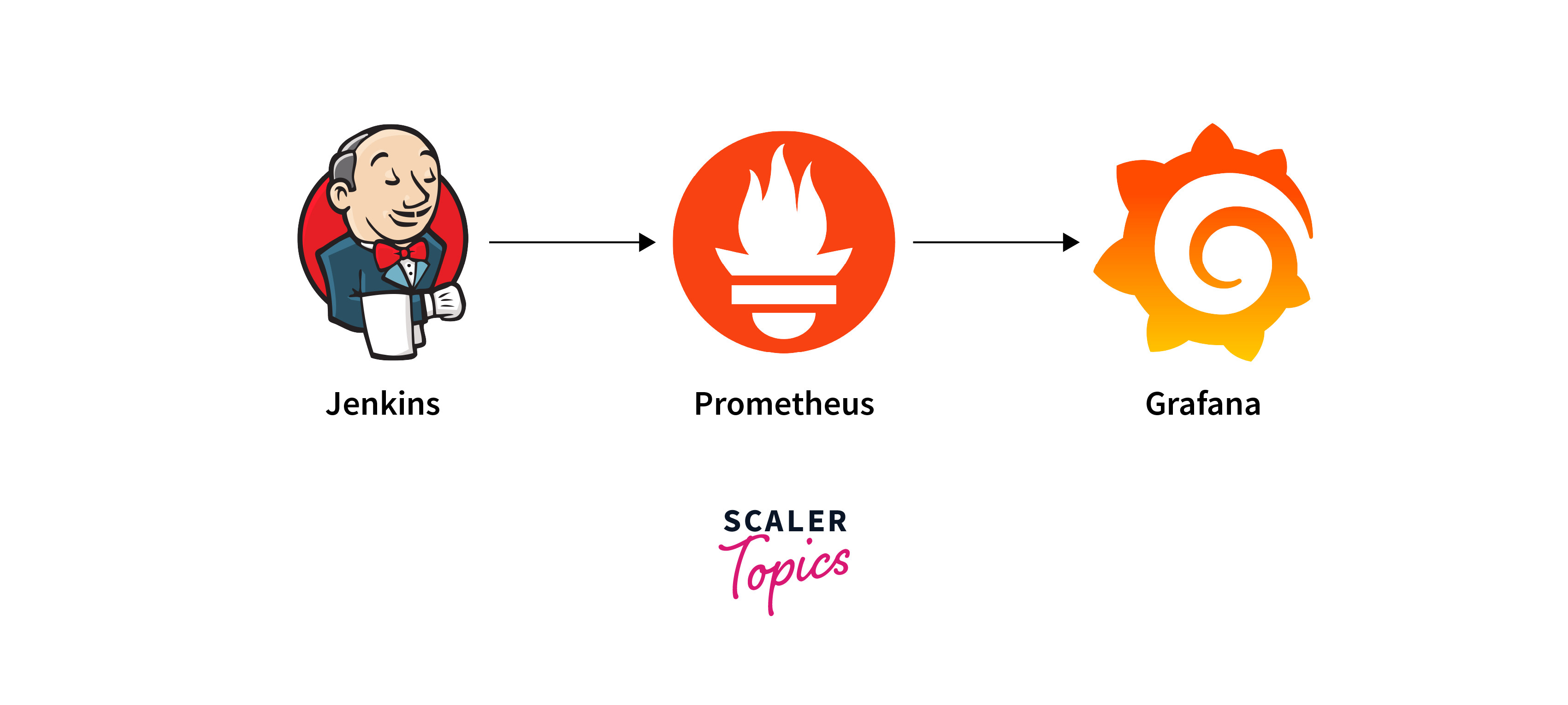
Resource Utilization Metrics
Monitor key metrics such as CPU usage, memory consumption, and disk space utilization. Keeping an eye on these metrics helps you detect resource constraints early and prevent performance degradation.
Job Execution Monitoring
Track the execution status and timing of your Jenkins jobs and pipelines. Monitoring job run times and success rates helps identify performance bottlenecks and areas for optimization.
Upgrading Jenkins
Regularly upgrading your Jenkins instance is a critical step in adhering to Jenkins best practices. Upgrades bring improved features, security enhancements, and bug fixes that contribute to a stable and efficient development environment.
Backup Before Upgrading
Before initiating an upgrade, create a comprehensive backup of your Jenkins configuration and data. This ensures that you can restore your environment in case anything goes wrong during the upgrade process.
Check Compatibility
Ensure that your current plugins, integrations, and configurations are compatible with the target version of Jenkins. Incompatible components can lead to unexpected issues after the upgrade.
Review Release Notes
Thoroughly review the release notes of the target Jenkins version. This provides insights into new features, changes, and potential compatibility concerns. Being well-informed prepares you for any adjustments needed post-upgrade.
Test in a Sandbox
Before upgrading your production environment, test the upgrade in a sandbox or testing environment. This helps identify and address any issues or conflicts that might arise during the upgrade.
Jenkins Plugin Management
Efficiently managing plugins is a crucial aspect of embracing Jenkins best practices. Plugins extend the functionality of your Jenkins environment, offering a range of features and integrations.
Selecting Trusted Plugins
When selecting plugins for your Jenkins instance, prioritize those developed by reputable sources. Trusted plugins are more likely to be well-maintained and regularly updated to address security vulnerabilities.
Regular Plugin Updates
Keep your plugins up to date by regularly checking for updates. Outdated plugins might contain known vulnerabilities that could be exploited by attackers. By updating plugins promptly, you ensure the security and stability of your Jenkins environment.
Limit Plugin Usage
While plugins offer valuable features, avoid installing unnecessary ones. Each additional plugin adds complexity and potential security risks. Only install plugins that are essential for your workflows to minimize the attack surface.
Conclusion
- Implement Jenkins best practices to streamline workflows, from organizing jobs and pipelines to ensuring security and performance.
- Optimize Jenkins agent usage through labels, dynamic provisioning, and effective management for smoother operations.
- Embrace "Pipeline as Code," modularization, and automated testing for consistent and efficient software delivery.
- Safeguard your Jenkins environment with RBAC, strong passwords, regular updates, and secure plugin usage.
- Choose trusted plugins, update regularly, and monitor activity to enhance functionality while minimizing risks.
- Embrace continuous improvement, document processes, and adapt your practices to ensure ongoing success in Jenkins automation.