


Jenkins Configuration
Build an AI-First Career, Master the Complete Skillset
Choose from our industry-leading programs designed for career success
Modern Software and AI Engineering Program
Master full-stack development with AI integration


 +1000 more
Modern Data Science and ML with specialisation in AI
Advanced data science techniques with AI specialization
+1000 moreAdvanced AIML with Specialisation in Agentic AI
Deep dive into AIML with focus on Agentic systems
+1000 moreDevOps, Cloud & AI Platform Engineering
Build and manage AI-powered cloud infrastructure
+1000 moreAI Engineering Advanced Certification by IIT-Roorkee
Premier AI engineering certification from IIT-Roorkee

AI Forward Deployed Engineer Program
Full-stack engineering, production AI and client-facing consulting
+1000 moreOverview
Jenkins, an open-source automation server, has become a staple in modern software development workflows. Understanding and correctly setting up its many settings is one of the essential components of maximizing its potential. The fundamentals of Jenkins configuration, from the home directory to email notifications, will be covered in detail in this article.
Jenkins Home Directory
The Jenkins Home Directory is more than just a repository for files; it's a repository of your organization's automation. Every configuration tweak, job definition, and plugin installation is stored within this directory. This means that proper management and safeguarding of this directory are imperative. Regular backups are necessary, against data loss due to hardware failures, software glitches, or accidental misconfigurations. Some contents which can be found in Jenkins Home Directory includes Configuration files, Plugis, Logs and Build history, Job Configurations, System Files etc.
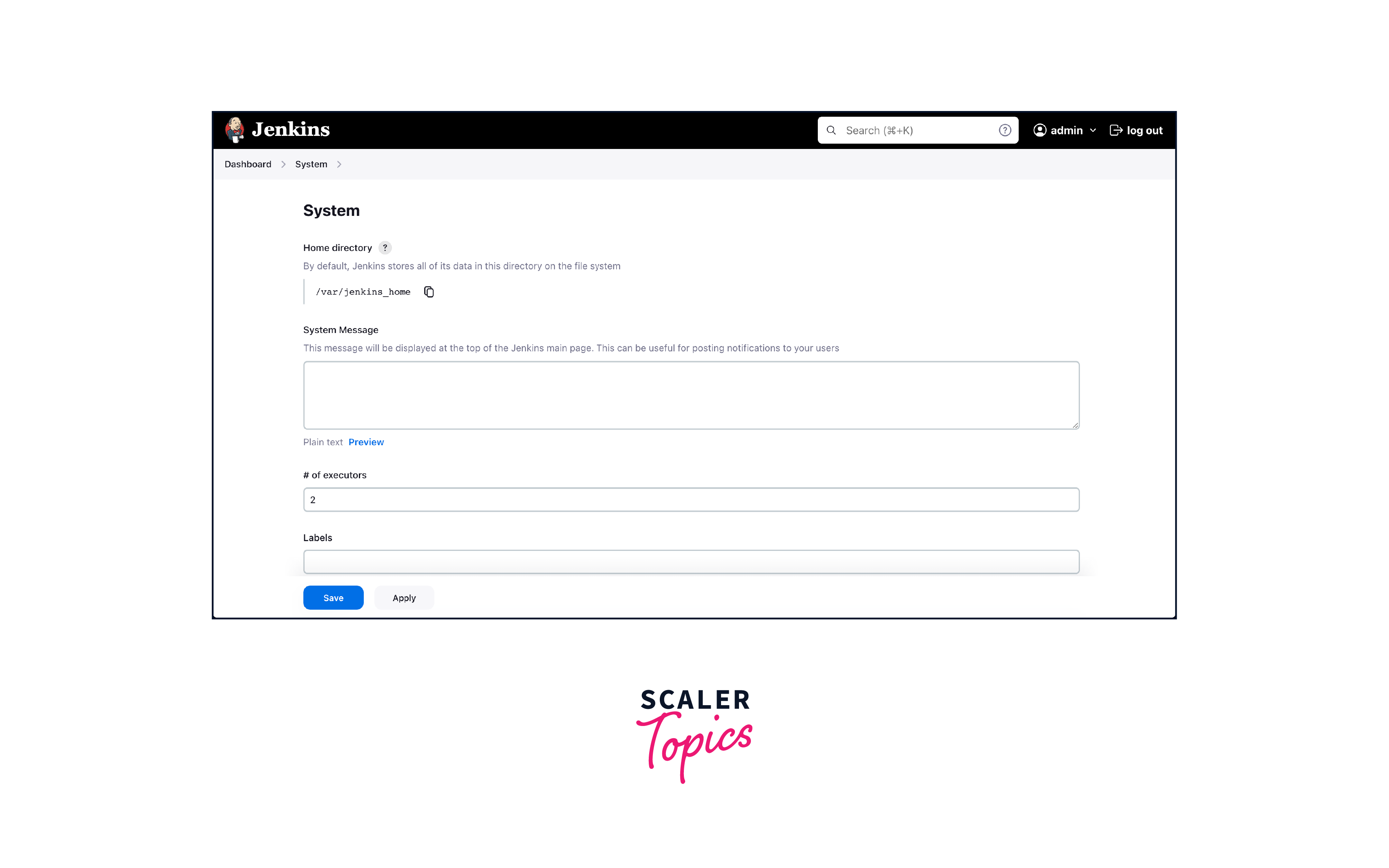
By default, the Jenkins home directory location will be initially stored within your user profile or if started using Docker can be found in /var/jenkins_home.
To check your home directory you can go to /configure and under "System -> Home Directory" you can see where it's located.
No of executors
Executors are like worker bees in Jenkins they carry out tasks like building jobs, tests, and other tasks. Think of them as the hands that execute the actions defined in your pipeline. The more executors you have, the more tasks can be worked on simultaneously, akin to having multiple hands assembling products. The decision of how many executors to allocate depends on several factors. Firstly, consider your hardware resources. If your Jenkins server is running on a robust machine with ample CPU cores and memory, you can afford to allocate a higher number of executors.
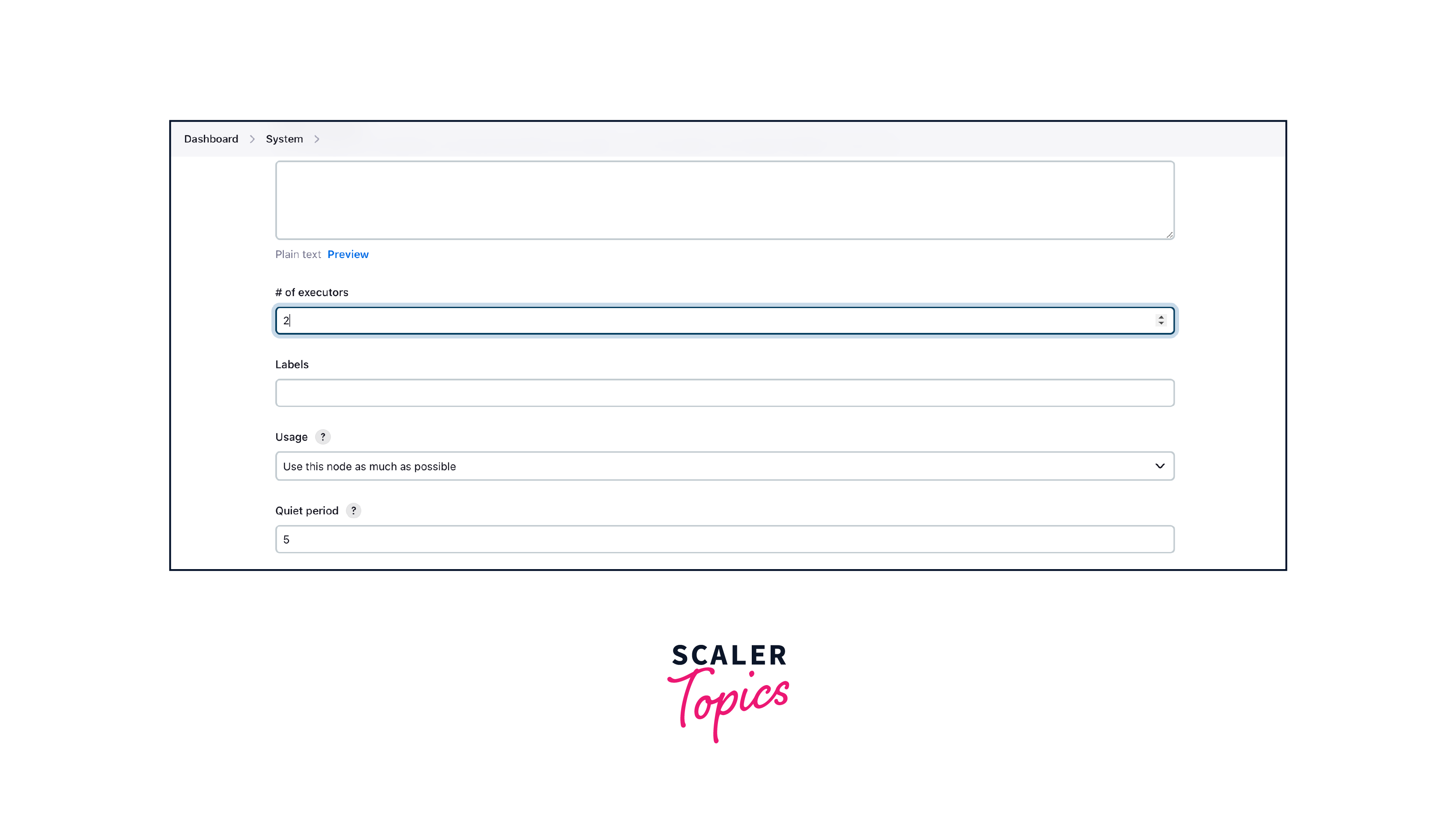
Sometimes the recommendation is to keep this number the same as the number of CPUs on the machines for better performance.
How Scaler Transformed Careers in Different Fields
Scaler learners achieved 2.5x salary growth with average post-Scaler CTC reaching ₹23L.
 Google
 Amazon
 Microsoft
 Flipkart
 Adobe1200+ more
Environment Variables
Environment variables are like hidden notes that carry valuable information your jobs need. These notes hold data such as API keys, credentials, URLs, and configuration settings. Rather than hardcoding these sensitive details directly into your scripts or job configurations, you use environment variables as placeholders.
Advantages of Environment Variables:
- Security: By abstracting sensitive data, you minimize the risk of exposing critical information.
- Flexibility: Environment variables allow you to create adaptable pipelines that can seamlessly transition across different environments – from development to production – without manual adjustments.
- Maintainability: Managing variables from a central location is more efficient than updating each job configuration individually. This reduces the chances of errors creeping in during updates.
for most part we use Jenkins plugin named Environment varible injector

Naming convention for environment variables:
- Use UPPERCASE letters.
- Separate words with UNDERSCORES for readability.
- Be DESCRIPTIVE to convey purpose.
- Avoid SPECIAL CHARACTERS and spaces.
- for eg. Consider environment-specific names (e.g., DB_PROD_HOST).
Jenkins URL
The Jenkins URL is the web address where your Jenkins instance can be accessed. It's like the front door to your automated home. This URL is crucial not only for internal team members but also for tools, services, and integrations that interact with Jenkins via APIs and webhooks.
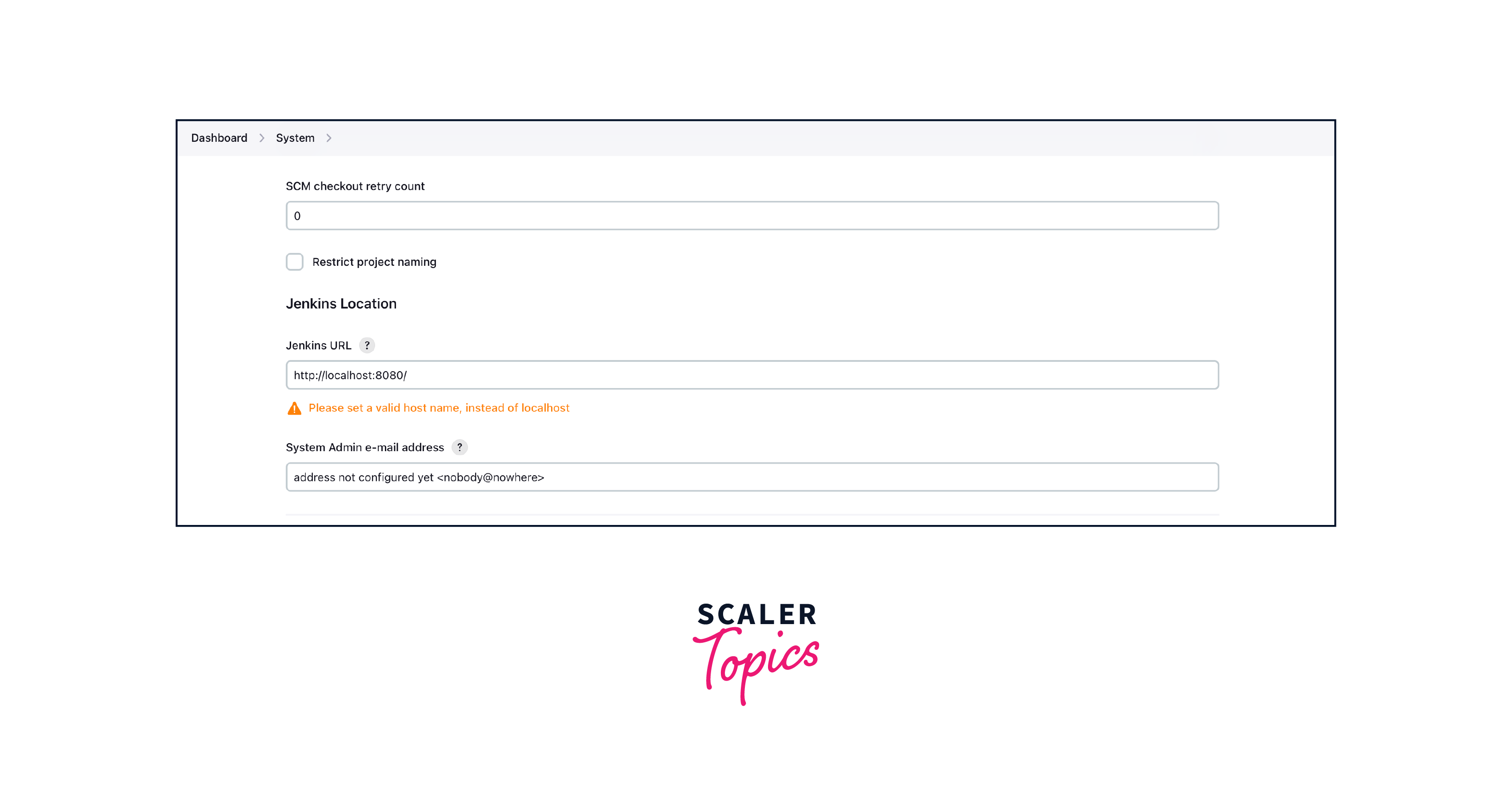
By default, it points towards localhost if you have a domain name specified for your machine you can change it to that.
Turn Learning into Career Growth
Email Notification
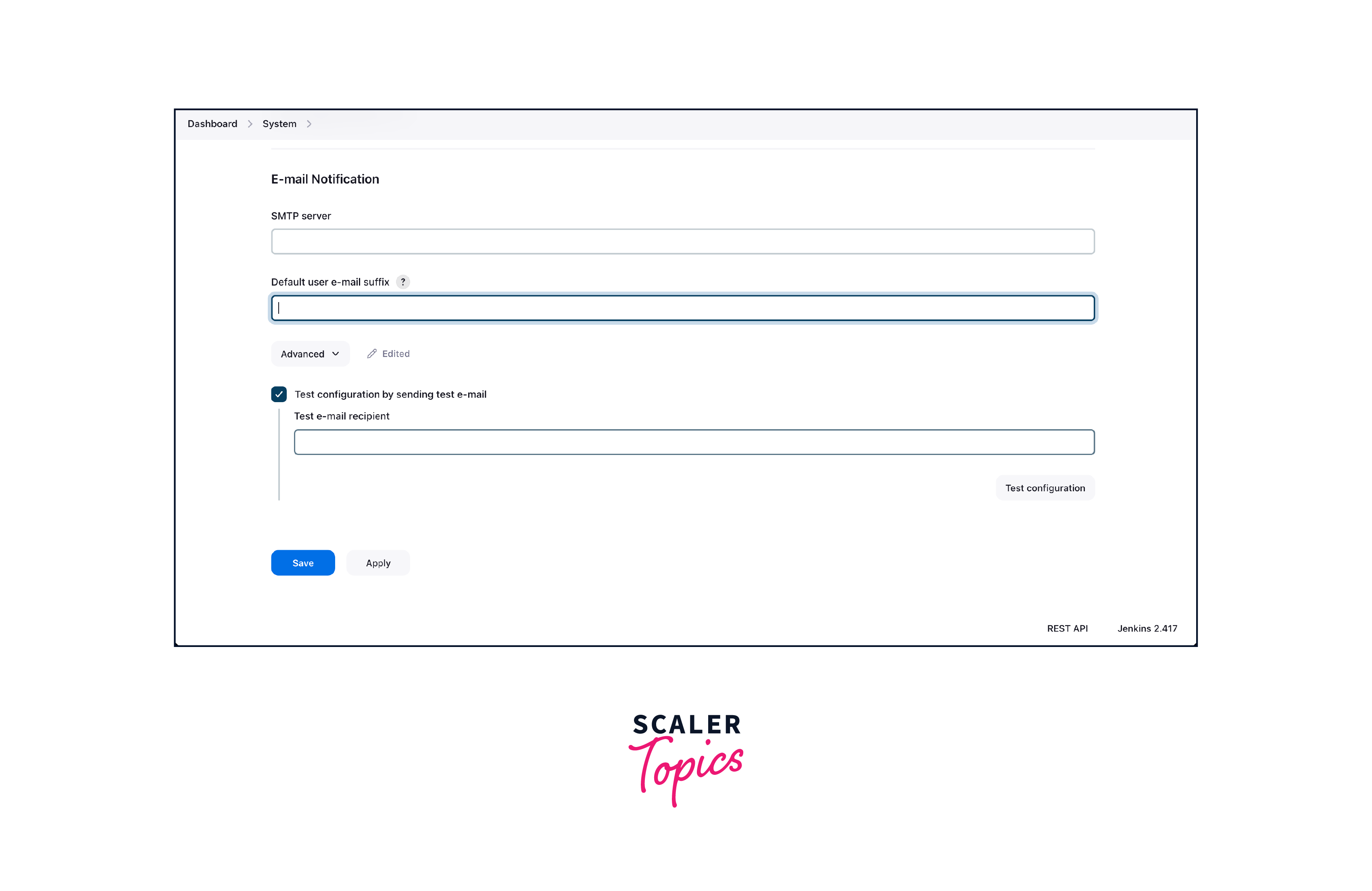
Email notifications are like virtual postmen who deliver updates right to your team's inbox. Whenever a build completes, a test fails, or a deployment succeeds, Jenkins can be configured to send out automated emails to relevant team members, providing real-time information on the state of your pipeline.
Conclusion
To sum up, mastering Jenkins configuration is an essential step in optimizing your automation workflow, let's recap the key takeaways:
- Jenkins Home Directory: Treat it as the heart of your Jenkins setup. Regular backups are essential to prevent data loss and ensure reliability.
- Number of Executors: Adjust this based on hardware capabilities and workload to optimize job execution.
- Environment Variables: Safely manage sensitive data and ensure consistent behavior across different pipeline stages.
- Jenkins URL: Configure it accurately to facilitate seamless navigation and integration.
- Email Notification: Keep the team informed through timely notifications, but configure them wisely.




