


jQuery slideUp() Method
 FREE
FREE

Build an AI-First Career, Master the Complete Skillset
Choose from our industry-leading programs designed for career success
Modern Software and AI Engineering Program
Master full-stack development with AI integration


 +1000 more
Modern Data Science and ML with specialisation in AI
Advanced data science techniques with AI specialization
+1000 moreAdvanced AIML with Specialisation in Agentic AI
Deep dive into AIML with focus on Agentic systems
+1000 moreDevOps, Cloud & AI Platform Engineering
Build and manage AI-powered cloud infrastructure
+1000 moreAI Engineering Advanced Certification by IIT-Roorkee
Premier AI engineering certification from IIT-Roorkee

AI Forward Deployed Engineer Program
Full-stack engineering, production AI and client-facing consulting
+1000 moreOverview
slideUp() is a jQuery method that is used to create a smooth, animated upward slide effect on selected elements in a web page. It smoothly animates selected elements by sliding them upward, providing a visually appealing way to hide or collapse content. As part of jQuery's animation toolkit, it simplifies the creation of seamless transitions. Frequently used with slideDown(), it's a valuable tool for building expandable sections and enhancing user interactions in web applications.
Syntax
selector specifies the HTML element(s) to which you want to apply the slideUp() animation.
Parameter
- Speed(Optional): It accepts an optional parameter “speed” which determines how quickly the sliding animation occurs. You can set it using predefined values like "slow" or "fast" for common speeds, or you can specify a numeric value in milliseconds for a custom duration. For example, "slow" makes it slower (600 milliseconds), "fast" makes it faster (200 milliseconds), and 1000 would make it last for 1 second.
- Easing (Optional): Define animation acceleration using "swing" (default) or custom easing functions.
- Callback (Optional): Execute functions after animation completion for advanced interactions.
How Scaler Transformed Careers in Different Fields
Scaler learners achieved 2.5x salary growth with average post-Scaler CTC reaching ₹23L.
 Google
 Amazon
 Microsoft
 Flipkart
 Adobe1200+ more
Example
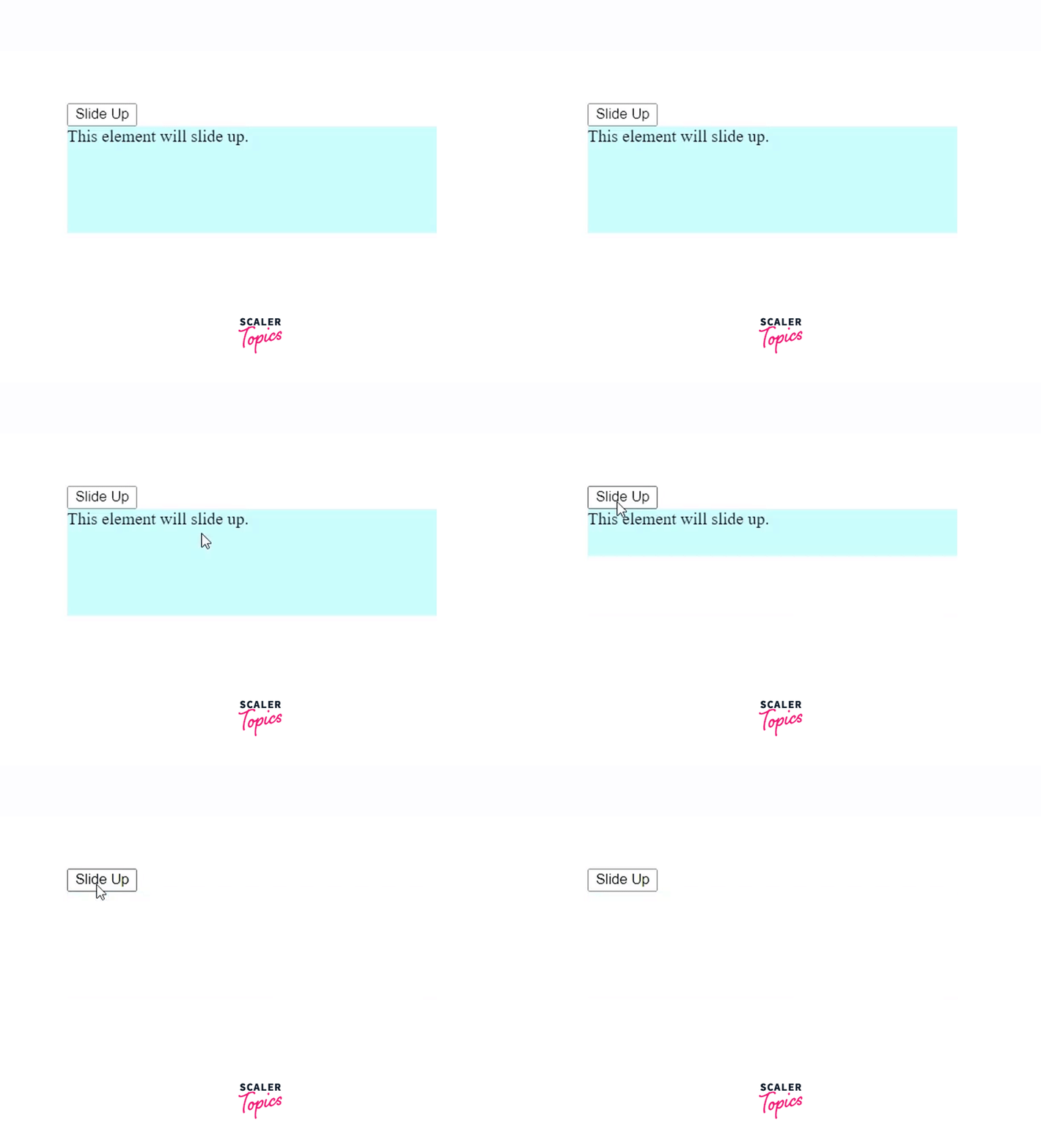
1. Smooth Slide-Up Animations
Output:
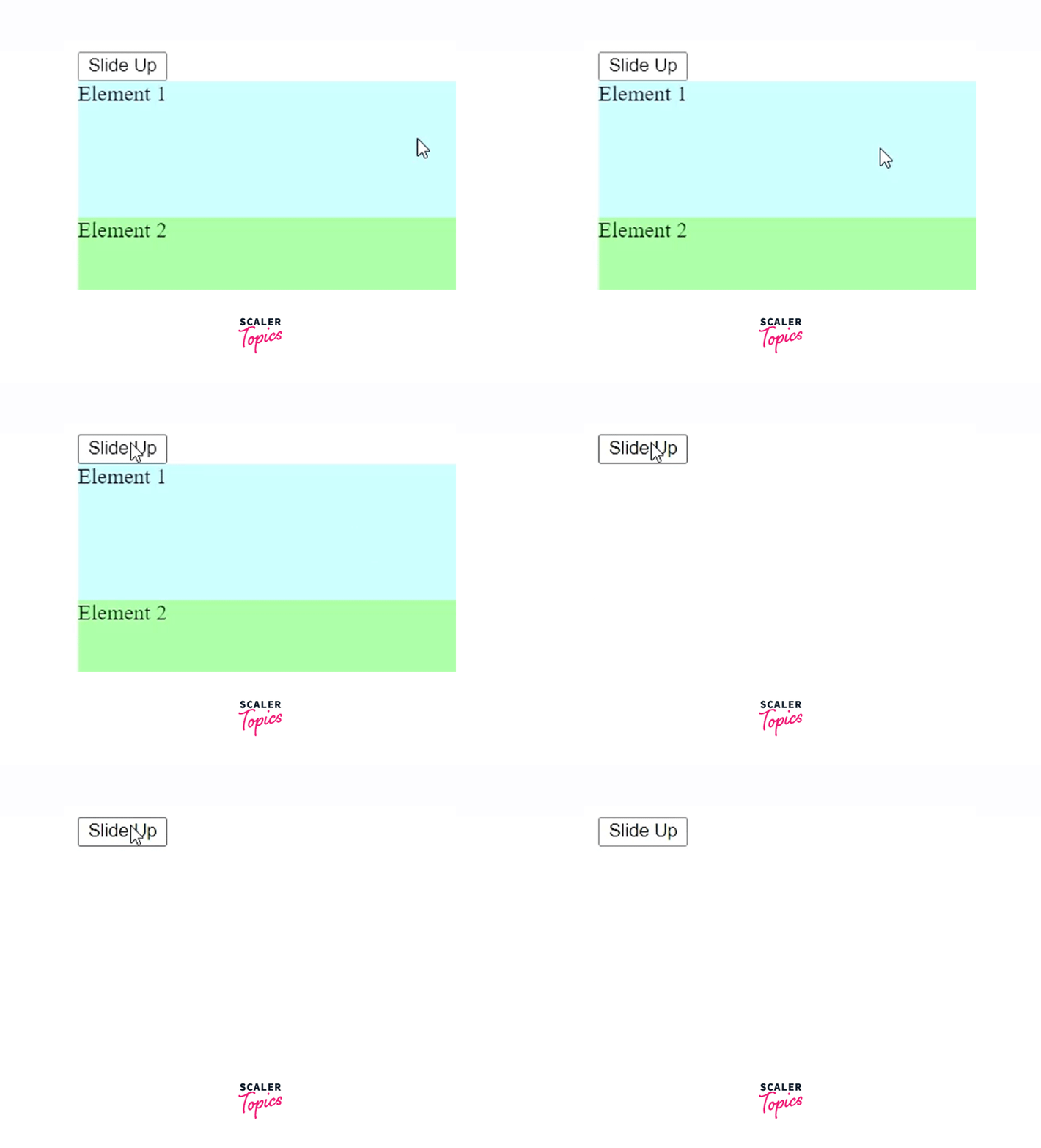
2. Sliding Multiple Elements
Output:
Conclusion
- slideUp() is a versatile jQuery method that allows developers to create visually engaging and user-friendly web animations.
- Developers can control the animation speed with options like "slow," "fast," or specific durations in milliseconds, tailoring it to their design goals.
- The optional easing parameter offers customization of acceleration and deceleration, enabling developers to create unique animation curves.
- The ability to include a callback function opens up possibilities for chaining animations or executing post-animation actions, enhancing interactivity.




