


CSS Line-Height Property
 FREE
FREE

Overview
The CSS line-height property sets the height of a line box. It sets the distance between lines of text.
- It specifies the minimum height of line boxes within the element on the block-level elements.
- On non-replaced inline elements, the line height property represents the height used to calculate the line box height.
- The purpose of the line height CSS property is to define a readable line spacing for our text.
- The opening and closing tags of the non-replaced components, such as a <p>... </p>, provide the content that is actually displayed.
- A replaced element, on the other hand, retrieves its content from an external source, like an iframe or an image.
Build an AI-First Career, Master the Complete Skillset
Choose from our industry-leading programs designed for career success
Modern Software and AI Engineering Program
Master full-stack development with AI integration


 +1000 more
Modern Data Science and ML with specialisation in AI
Advanced data science techniques with AI specialization
+1000 moreAdvanced AIML with Specialisation in Agentic AI
Deep dive into AIML with focus on Agentic systems
+1000 moreDevOps, Cloud & AI Platform Engineering
Build and manage AI-powered cloud infrastructure
+1000 moreAI Engineering Advanced Certification by IIT-Roorkee
Premier AI engineering certification from IIT-Roorkee

AI Forward Deployed Engineer Program
Full-stack engineering, production AI and client-facing consulting
+1000 moreSyntax
The line height CSS property accepts keyword and unitless values to control the spacing between the lines of text.
- It is recommended to define line height as a number value, referred to as a unitless line height.
- The percentage value is relative to the font size of the element.
- No negative values are allowed.
In the further sections of the article, we will discuss the values that the line height CSS property supports in more detail.
Line Height in CSS
Property Values
| Value | Description | Syntax |
|---|---|---|
| normal | A normal value is the default value, which depends on the user agent. Depending on the font family of the element, desktop browsers (including Firefox) use a default value of around 1.2. | line-height |
| number(unitless) | The <number> value is a unitless value multiplied by the element's own font size. | line-height:<number> example : line-height : 4.5 ; |
| length | The <length> value specifies a fixed line height in px, em, etc. | line-height:<length> example: line-height: 3em; |
| percentage | A percentage value is relative to the element's font size. The computed value is this <percentage> multiplied by the element's font size. | line-height:<percentage> example: line-height:150%; |
Note: We must use a number value, also known as a unitless value, to indicate the line-height because child elements will inherit the raw number value rather than the computed values. It helps us avoid unexpected results.
Examples
How Scaler Transformed Careers in Different Fields
Scaler learners achieved 2.5x salary growth with average post-Scaler CTC reaching ₹23L.
 Google
 Amazon
 Microsoft
 Flipkart
 Adobe1200+ more
a) Basic Example
In this example, we'll set the line height using the values supported by the line height CSS property.
HTML:
CSS:
Output:
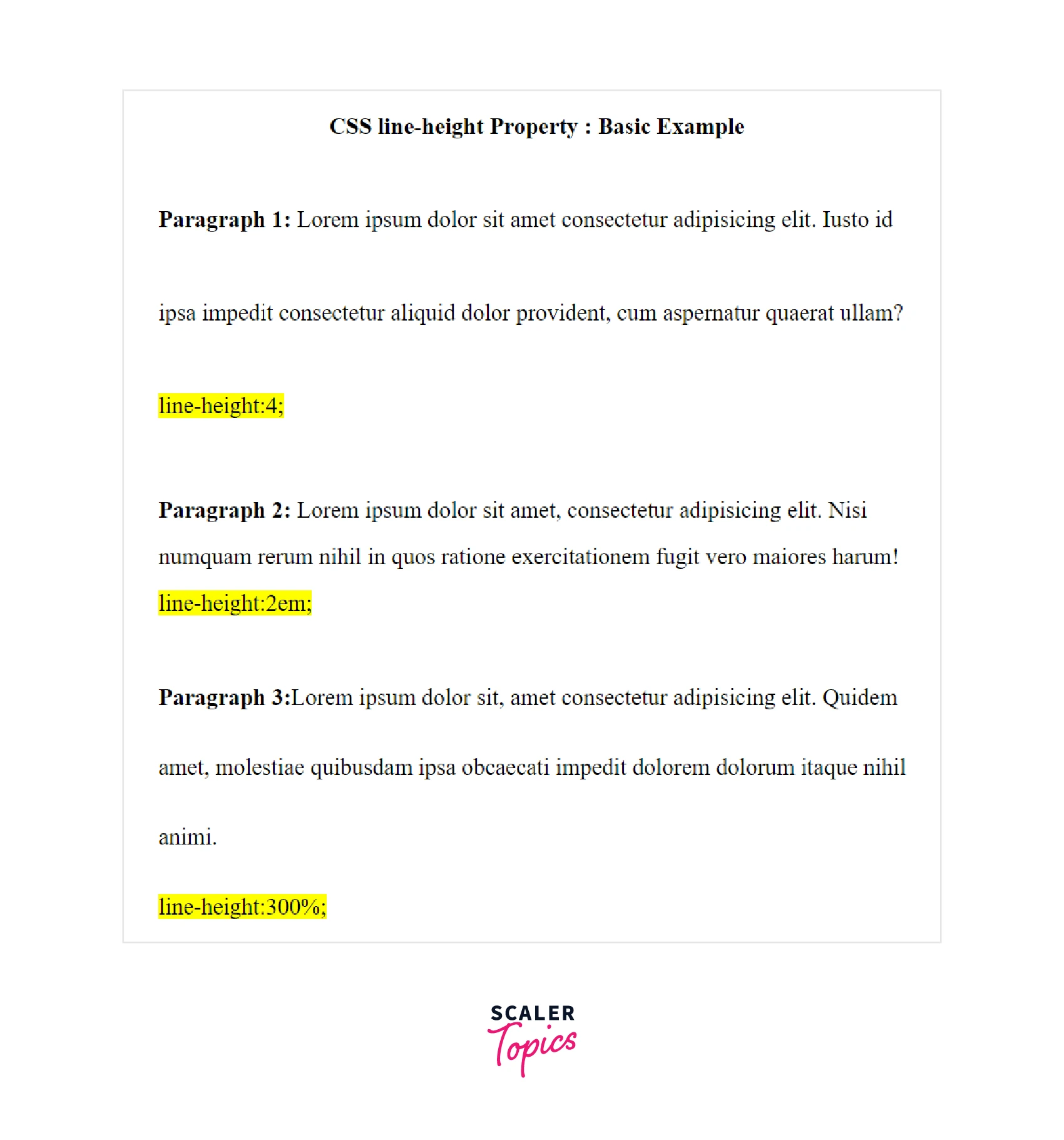
b) Prefer Unitless Numbers for Line-height Values
The following example shows why we should prefer <number> values instead of <length> values. We will use two div containers with respective unitless and <length> values for line height.
HTML:
CSS:
Output:
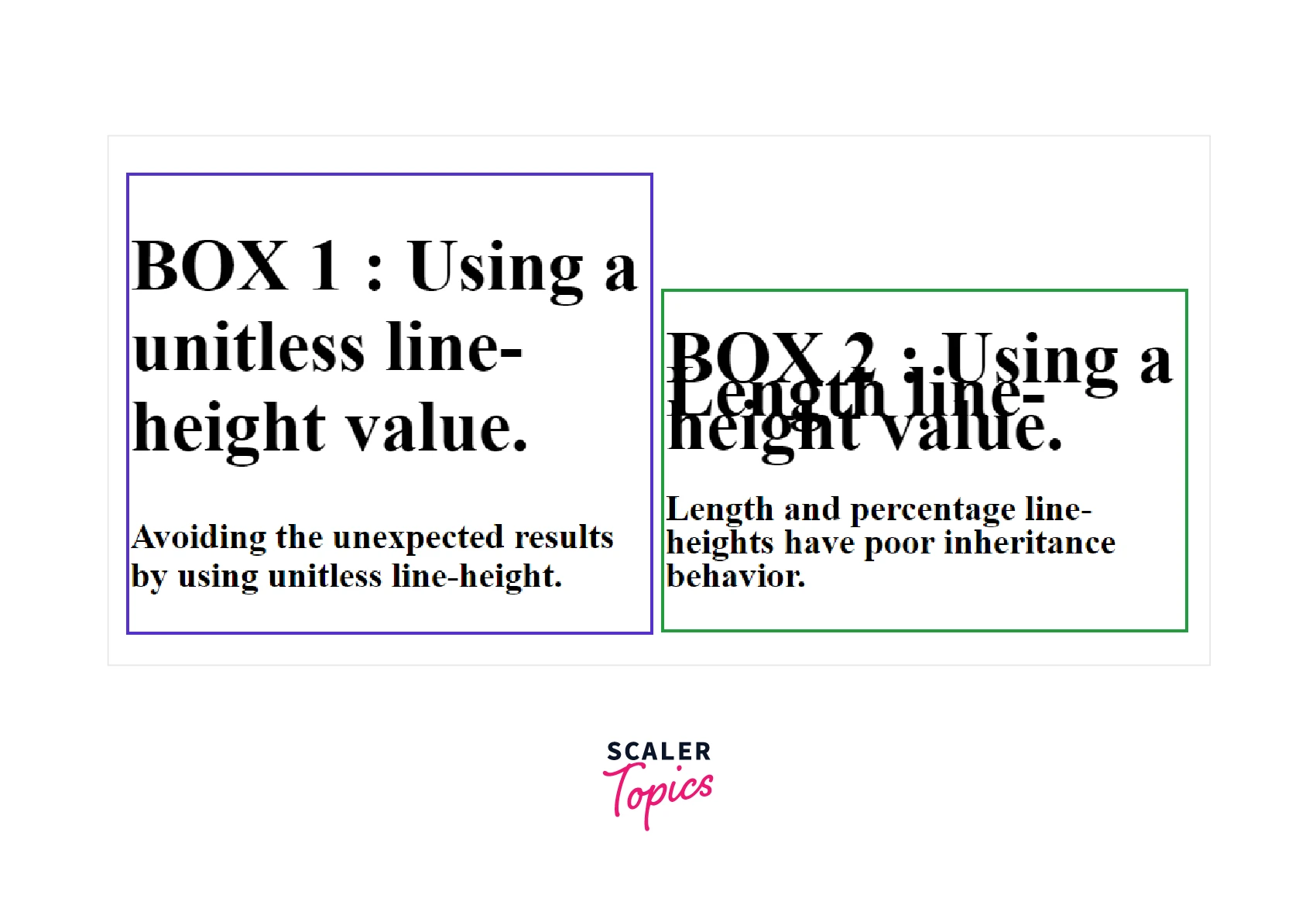
- Here, box1 uses unitless values, whereas box2 uses length values for specifying the line height.
- The first <h1> line-height is calculated from its own font-size (36px × 1.1) = 39.6px.
- The second <h1> line-height results from the green div's font-size (15px × 1.1) = 16.5px, which is quite undesirable.
- By using a unitless value, a child element's line-height can be calculated based on its computed font size, rather than inheriting arbitrary values from a parent.
Turn Learning into Career Growth
Accessibility Concerns
We should use a minimum value of 1.5 for line height to help people experience low vision conditions. It also helps people with cognitive concerns such as dyslexia. We should use a unitless value to ensure that the line height scales proportionately on zooming the page to increase the size of the text.
Browser Support
The following browsers support the line height CSS property:
| Browser | Version |
|---|---|
| Google Chrome | 1.0 |
| Safari | 1.0 |
| Mozilla Firefox | 1.0 |
| Microsoft Edge | 12.0 |
| Opera | 7 |
| Chrome Android | 18 |
| Firefox for Android | 4 |
| Opera Android | 10.1 |
| Safari on iOS | 1 |
| Samsung Internet | 1.0 |
| WebView Android | 4.4 |
Conclusion
- The line-height CSS property sets the distance between lines of text.
- The purpose of the line height is to define a readable line spacing for our text.
- The line-height property accepts keyword and unitless values to control the spacing between the lines of text.
- We must use a number value, also known as a unitless value, to indicate the line height.
- By using a unitless value, a child element's line-height can be calculated based on its computed font size, rather than inheriting arbitrary values from a parent.




