


How to Perform I/O Redirection in Linux?
I/O (Input-Output) redirection in Linux is a feature supported by shells that allow us to redirect the outputs and inputs of commands to files, folders, or even different commands.
To redirect Linux I/O streams, we make use of the > and < operators to control the direction of the I/O streams.
In Linux, redirection can also be done for just stdin, stdout, or stderr using file descriptors.
As we discussed earlier, we perform Linux redirection of I/O streams using < and >.
To perform a redirection of the output of a command to a file, we can do:
Build an AI-First Career, Master the Complete Skillset
Choose from our industry-leading programs designed for career success
Modern Software and AI Engineering Program
Master full-stack development with AI integration


 +1000 more
Modern Data Science and ML with specialisation in AI
Advanced data science techniques with AI specialization
+1000 moreAdvanced AIML with Specialisation in Agentic AI
Deep dive into AIML with focus on Agentic systems
+1000 moreDevOps, Cloud & AI Platform Engineering
Build and manage AI-powered cloud infrastructure
+1000 moreAI Engineering Advanced Certification by IIT-Roorkee
Premier AI engineering certification from IIT-Roorkee

AI Forward Deployed Engineer Program
Full-stack engineering, production AI and client-facing consulting
+1000 more1. Output Redirection
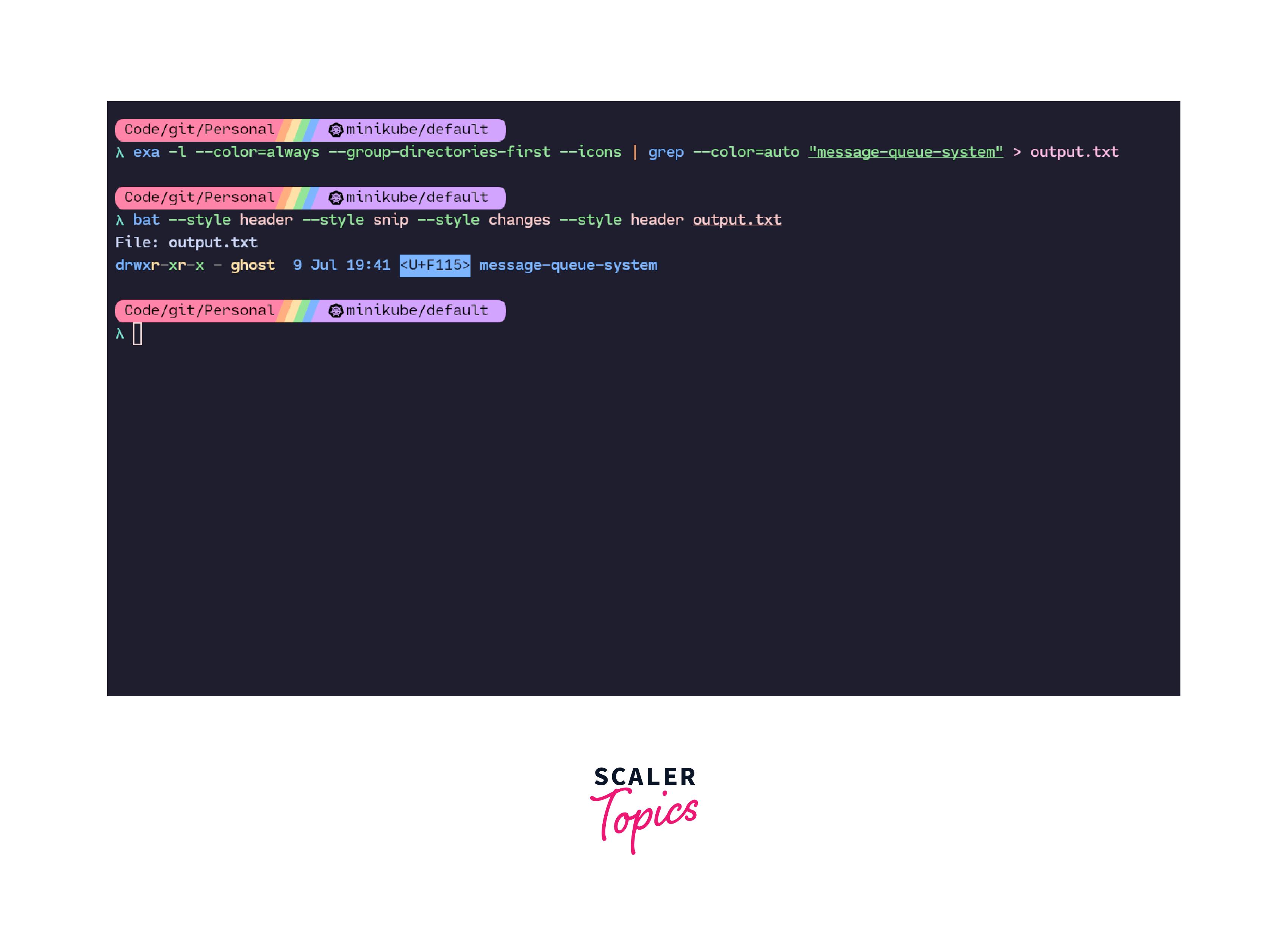
We can redirect the output of a command to a file using the > operator. Output redirection is used to control the flow of stdout from the terminal to a file.
Example:
transfers the output of ls -la to a file named file.txt.
We need to be wary of redirections like this because the > operator will overwrite file.txt if it already exists. If we want to append to an existing file, we need to use the >> operator in place of the> operator.
2. Input Redirection
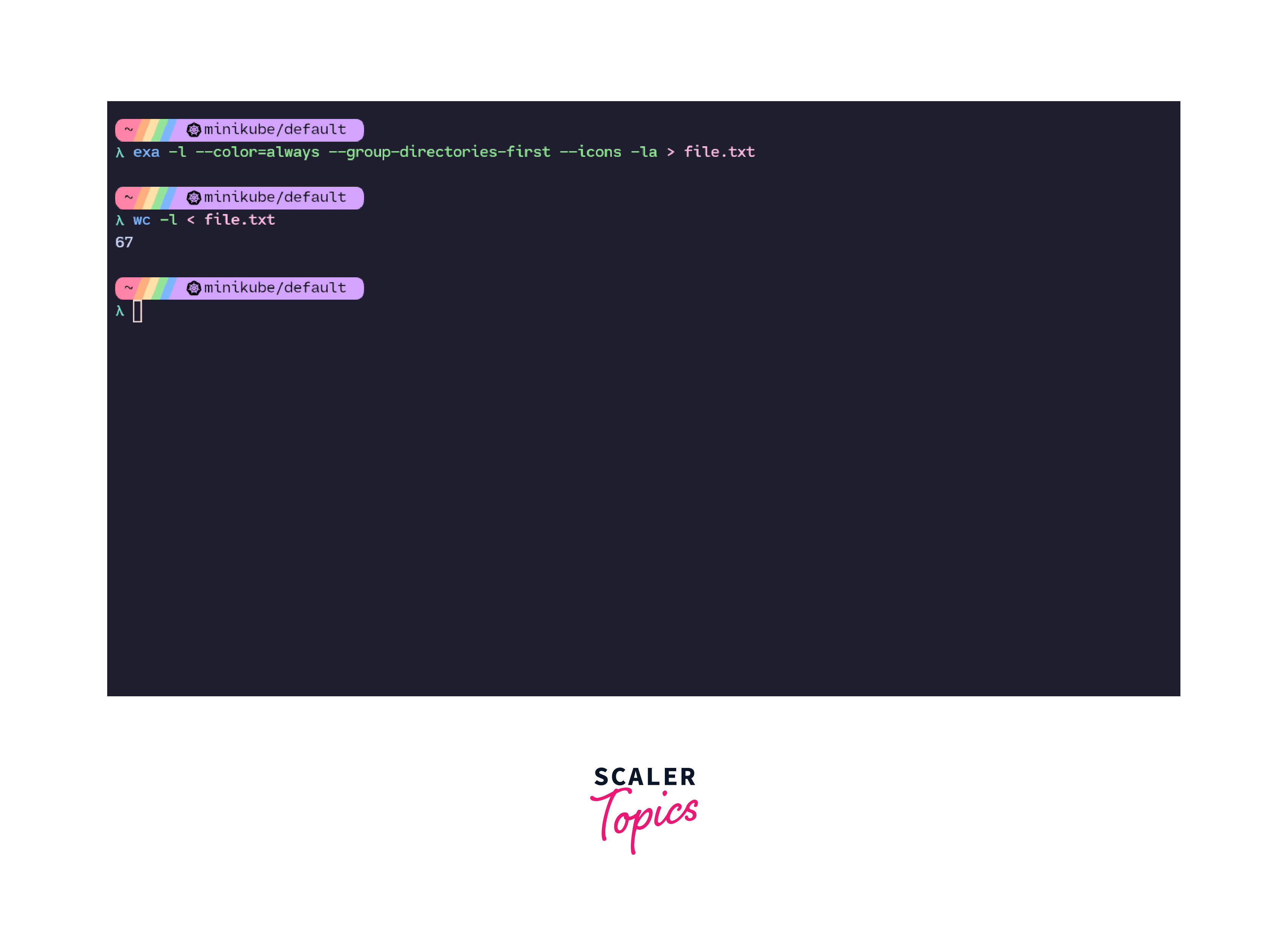
We can pass in our arguments to a program that expects input from stdin using the < operator. Input redirection is used to move the flow of stdin from the terminal to a user-provided input format.
Example:
Here, we are using the command line tool wc to count the number of lines that are added to file.txt when we used the output redirection. The wc tool is a command line program that stands for word count. The wc -l command returns the number of lines that are present in the file that we pass into the command. In wc -l, the input to the program goes from a file using input redirection instead of being sent from the terminal.
3. Error Redirection
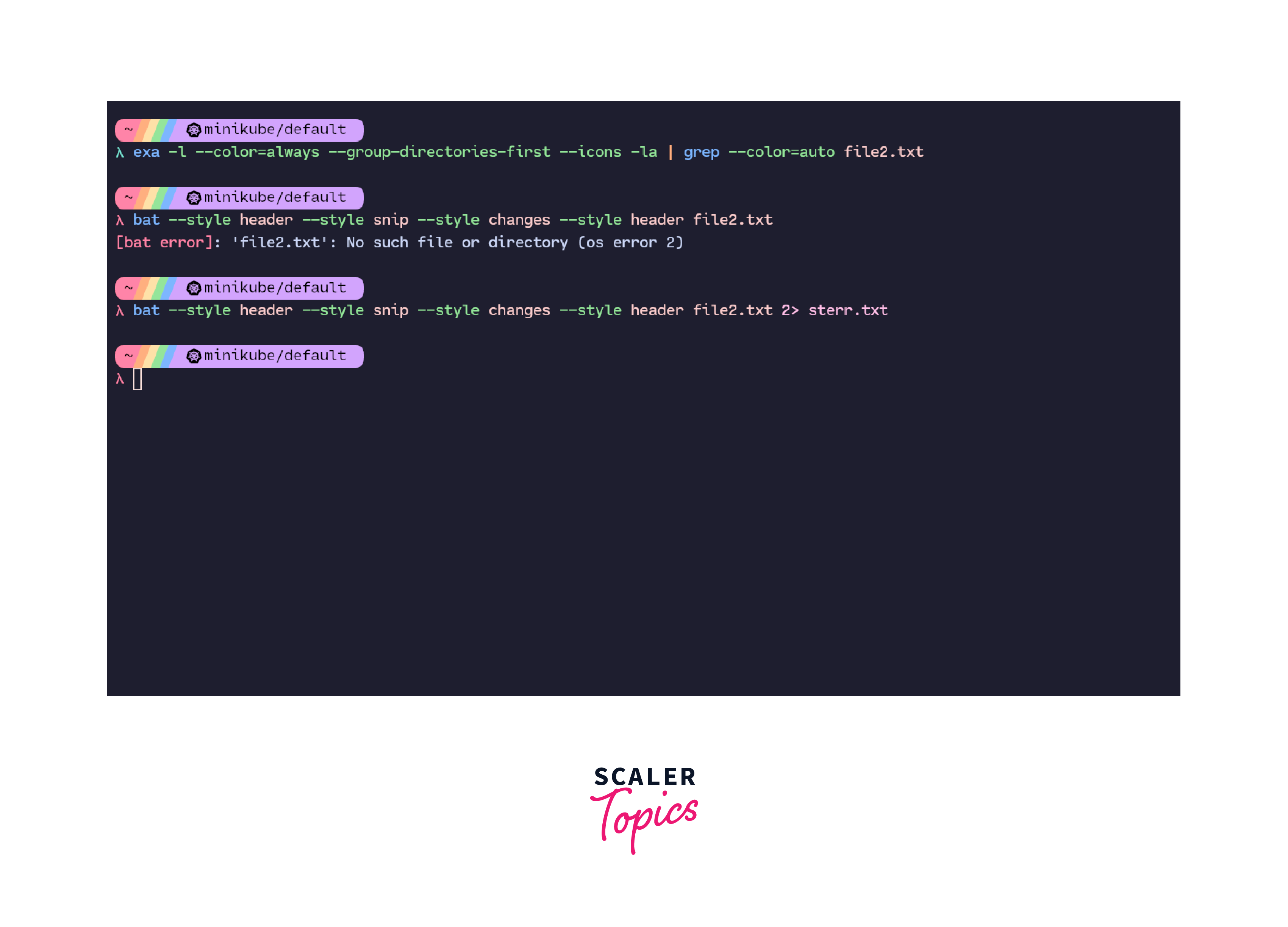
We can not only redirect stdin and stdout but we can redirect Linux stderr state as well. To do that, we use the 2> operator. Here, 2 is the file descriptor used for stderr.
Example:
Here, the file2.txt does not exist. Hence, this throws an error. In the image below, We can redirect this error to an external file using the 2> operator.
How Scaler Transformed Careers in Different Fields
Scaler learners achieved 2.5x salary growth with average post-Scaler CTC reaching ₹23L.
 Google
 Amazon
 Microsoft
 Flipkart
 Adobe1200+ more
Types of Redirection
There are multiple ways to redirect Linux I/O streams. These are:
1. Overwrite Redirection
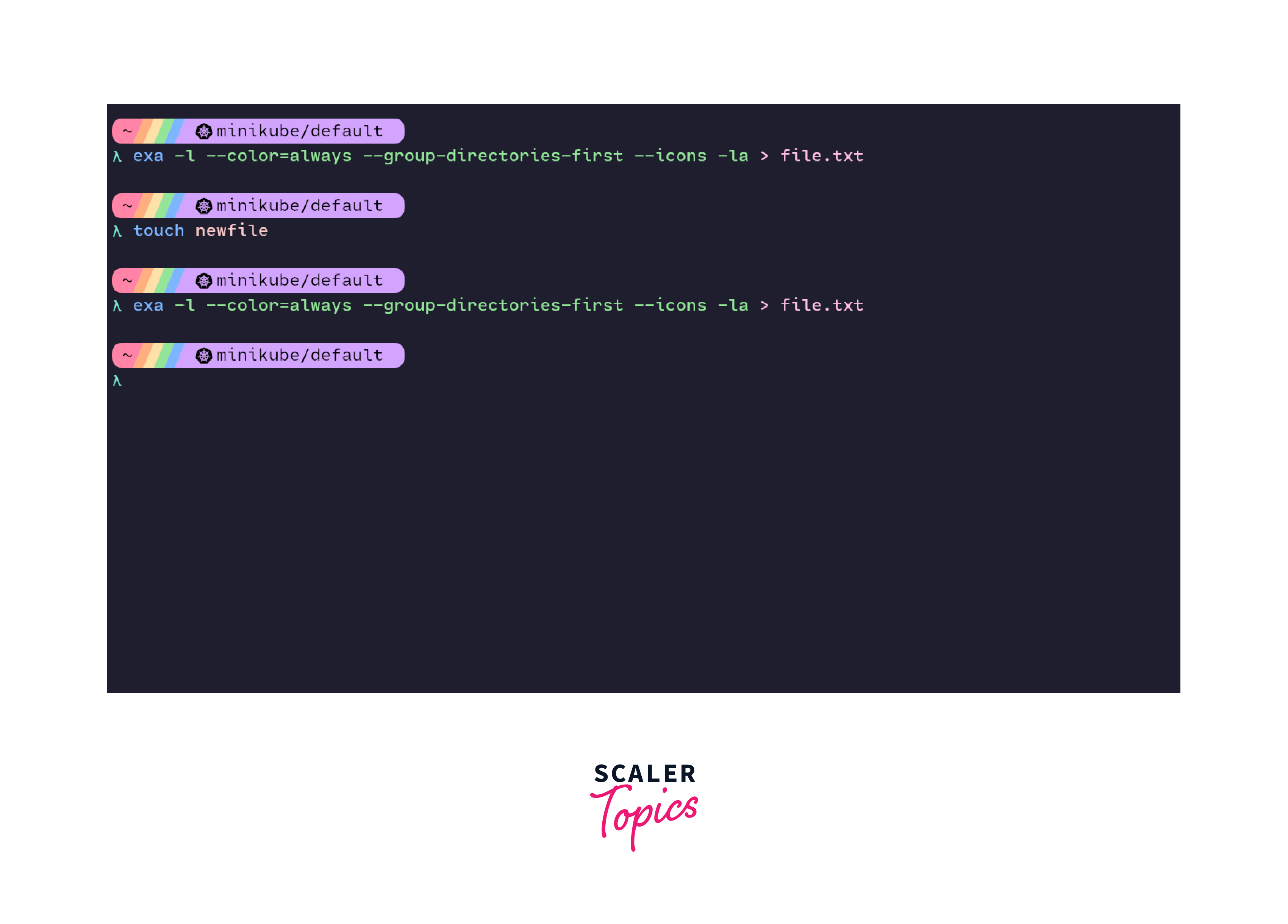
Overwrite redirection is used when we want to overwrite the contents of an existing file with newer contents using Linux redirection of I/O streams. For overwrite redirection, we use the > or < operators. Overwrite redirection is useful when we want to run a command that returns an updated value of the output that we wish to save in a file that already exists.
Example:
Here, we are updating the contents of file.txt after adding a new file in the current directory using overwrite redirection.
Turn Learning into Career Growth
2. Append Redirection
Append redirection is used when we want to append data to the contents of an already existing file without losing the old data or overwriting it. For append redirections, we use the >> and << operators, depending on the use case. If we wish to append the redirection of stdin then we use the << operator and when we wish to append the redirection of stdout, we use the >> operator. Append redirection is useful when we want to run a command that returns an updated value of the output but we wish to append this new data to an already existing file without losing the original contents of the file.
Example:
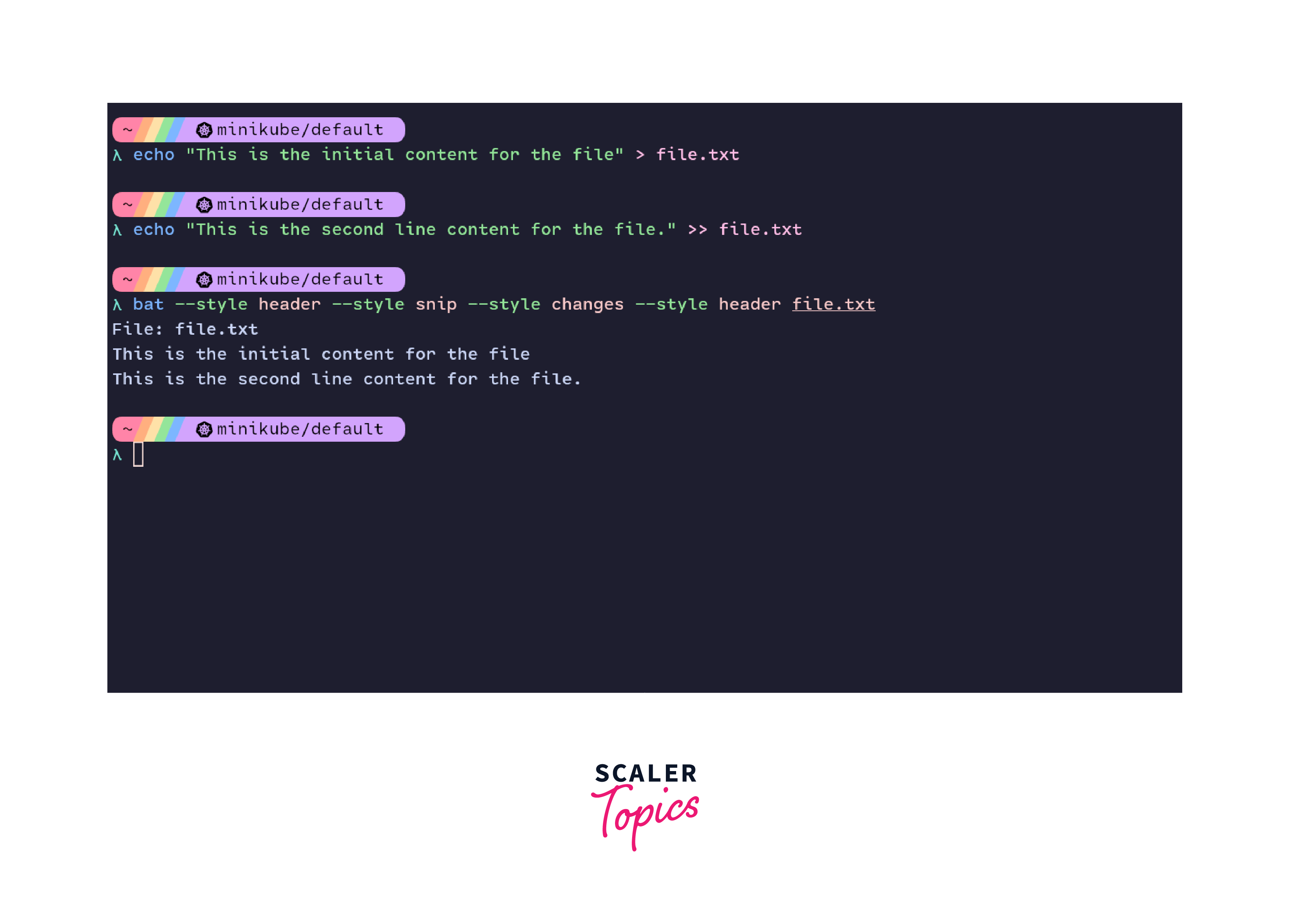
Here, we are populating a file with some strings. Now, we wish to append more data to this file without losing the existing data. In this case, we redirect the Linux I/O stream using the append redirection method to update our existing file.
Append redirection is also used in here documents. Here documents are special-purpose code blocks that are used to input a command list to an interactive command line tool.
The format of a here document looks like this:
Here documents are useful in scenarios where we need to input multiple lines to a program from the terminal itself or say we need to create a bash script from the terminal without opening a text editor.
Example:
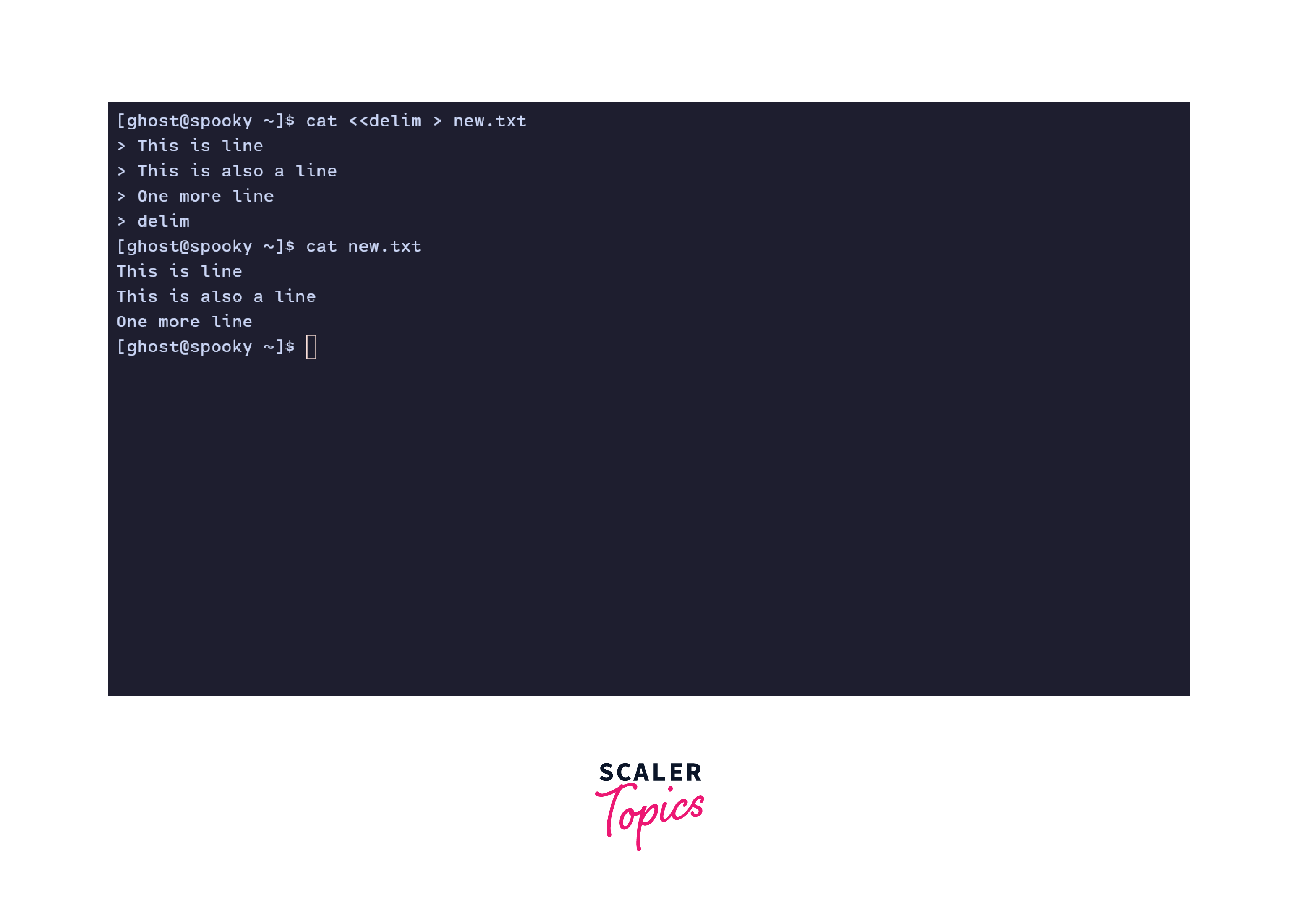
In this example, we are using append redirection along with a delimiter, 'delim' to input multiple lines into the cat command. The input to the cat command is being redirected to a file named 'new.txt'.
3. Merge Redirection
We can redirect Linux I/O streams and merge the output into specific file descriptors instead of standard output. We use the >& or <& operators followed by the file descriptor number for merge redirection.
Example:
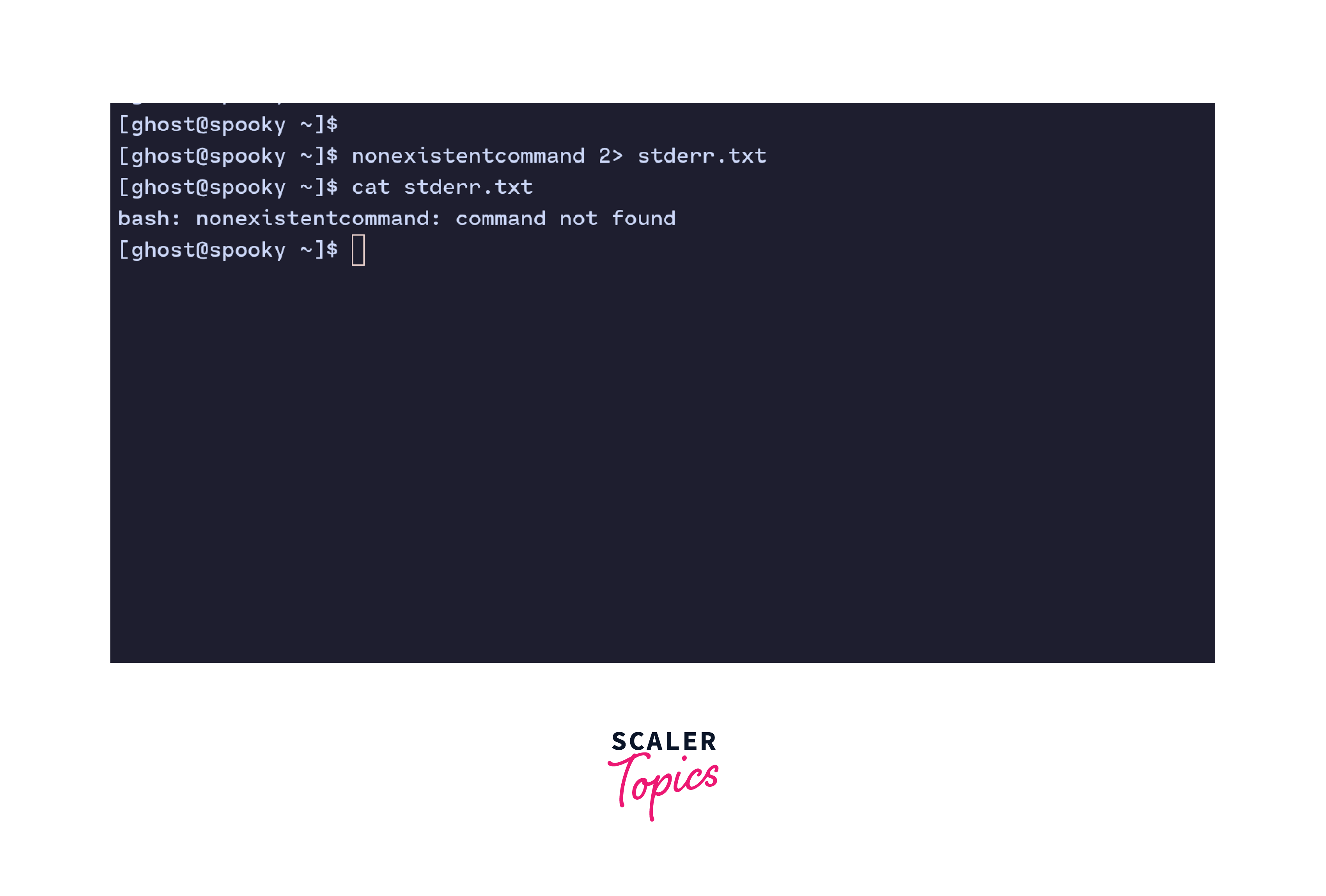
Here, we enter something random in the terminal. This is interpreted as a command. Since this command does not exist, we get an error on the file descriptor 2 which is used for standard error. Instead of showing the error on the standard output, we use the 2> operator to redirect the error to a file. This error can then be seen with the help of the cat command.
Conclusion
- Linux redirection of I/O stream is a feature of Linux shells that allows us to redirect the outputs and inputs of commands to files, folders, or even different commands. Depending on how we are redirecting I/O streams, we can have input and output redirections.
- We use the > and < operators to perform Linux redirection of I/O streams.
- We can redirect Linux I/O streams using 3 methods: Overwrtie redirection, append redirection and merge redirection.
- In overwrite redirection, we overwrite the contents of an existing file with newer contents by I/O redirection.
- In append redirection, we update the contents of an existing file with the newer contents by I/O redirection.
- Merge redirection allows us to redirect the output of a command or program to specific file descriptors instead of standard output.




