


Using Lottie for Animations in React Native
Overview
Animation is an integral part of any application because it gives the user an interactive and visually appealing experience. React Native provides a unified way to create animations that work consistently across different platforms.
However, we might think it's a smooth process, but it's not. It's worth noting that complex or heavy animations can potentially impact the performance of the JavaScript thread, as it needs to perform calculations and updates within a limited time frame.
To improve performance, it's advised to implement techniques such as grouping updates and reducing unnecessary re-renders. Moreover, utilising third-party libraries like Reanimated can provide more advanced animation features by executing animations directly on the native side, bypassing the JavaScript thread entirely.
Who cares about these processes? Ultimately, we need something that can handle animation easily, and development should take less time. For that, lottie-react-native comes into the picture.
Let's see how Lottie reacts natively working behind the scenes.
What is Lottie in React Native?
Lottie is a software library that allows us to use animations created in Adobe After Effects on Android, iOS, Web, and Windows platforms.
This lottie-react-native library is a huge push for react-native developers to build animation that can support every platform React Native supports.
lottie-react-native does this by parsing animations exported as JSON using a tool called Bodymovin and rendering them directly within mobile apps or web pages. This means we can bring After Effects animations to life seamlessly across different devices and platforms!
What is lottie-react-native?
Lottie react native is a library for react native that can be used in both Android and iOS. Integrating with React Native will not be a headache for the developer because of the simplicity of installation, and adding this lottie-react-native library will be easy.
So, even a designer can create and ship the animation without professional development.
As Lottie suggests, we can use LottieFiles free animation products to get different motion design animations in the form of.json (which we are mostly going to use in this article),.mp4, and dotLottie. In later examples, we are going to use these.JSON animation files in our Lottie react native app
a. Installation: pointed out to be noted before building a Lottie react native application
- Ensure Node.js is installed on the system.
- must have installed Android Studio(Android App development) or Xcode (for iOS app development).
- Java Development Kit(JDK), react-native relies on Java for Android development.
Create a React Native application by following the command:
Install lottie-react-native lastest package and lottie-ios@version_name.
Note: The version of lottie-ios depends on React Native version and the Lottie react native version. So, you need to follow the next versioning table for more installation information.
Install both packages:
or,
Yahoo! Now we are good to go for building an app with lottie-react-native
b. Versioning:
Versioning in Lottie react native explains the version of lottie-ios that supports both lottie-react-native and react-native. It will be helpful in the time of development, as we discussed before that we are using @3.2.3 for lottie-ios. So, if the react native version is different, then we can change to the Lottie version.
| React Native version | lottie-react-native version | lottie-ios version |
|---|---|---|
| >= 0.59 | 3.0.2 | 3.0.3 |
| >= 0.60 | 4.0.2 | 3.2.3 |
| >= 0.63 | 4.0.3 | 3.2.3 |
| >= 0.64 | 4.1.3 | 3.2.3 |
| >= 0.66 | latest version | 3.2.3 |
So that we can follow the above version table to implement the next React native Lottie project.
c. Use Cases:
The Lottie Library is a powerful tool that provides numerous opportunities for creating captivating and interactive animations.
There are a variety of use cases and scenarios, like:
With Lottie, we can bring the mobile app to life through onboarding screens, loading indicators, animated icons, and more. It also enables data visualisation, splash screens, micro-interactions, and animated illustrations, enhancing the overall user experience. Lottie is a valuable asset for creating animated ads, educational content, and gaming interfaces. Its versatility and ability to integrate seamlessly make it a popular choice for developers aiming to create rich and engaging animations for their applications.
d. APIs:
Furthermore, Lottie react native offers additional props to control various aspects of the animation, such as autoplay, looping, and speed, allowing us to customise the animation's behaviour.
-
Source (❗mandatory):
The source API in Lottie react native allows us to load and show animations created with the Lottie library within our React Native app.By using the source API in lottie-react-native, we can specify the animation file we want to display. This can be a local file within our app's assets, a remote file accessible via a URL, or an asset key when using an asset library. Once we provide the animation source, Lottie react native handles the loading and rendering of the animation in our React Native application using native capabilities to ensure smooth and performant playback.
-
Load Local File:
- Load Remote File:
-
Style:
This Lottie react native API is a standard styling in React Native. style API in lottie-react-native enables us to apply custom styling to our React Native project when using the Lottie library. With this API, we can customise the appearance of Lottie animations to seamlessly integrate them into the app's design.By utilising the style API in lottie-react-native, we can modify various visual aspects of the animation, such as size, position, background color, and opacity. This allows us to align the Lottie animations with the overall style and layout of our Lottie react native application.
-
Loop:
The loop API in lottie-react-native allows us to implement looped animations in our React Native project using the Lottie library. This feature enables animations to repeat continuously, creating an ongoing visual effect.By utilising the loop API, we can control the looping behaviour of Lottie animations, ensuring a seamless and continuous visual experience for users within the Lottie react native application.
-
autoPlay:
A boolean flag indicates whether or not the animation should start automatically when mounted. This only affects the imperative API.The value type must be a Boolean of loop and autoPlay
- colorFilters:
The colorFilters API in Lottie react native allows us to apply color filters to Lottie animations in our React Native project. These filters enable dynamic changes in the colors of specific parts or elements within the animation.
As the documentation suggests, these are the APIs available in Lottie react native.
So now we can implement Lottie react native in our React Native project.
How to Implement lottie-react-native for Animations?
After the installation of React native lottie, we can follow the steps to create the first Lottie react native animation.
Add the Lottie react native library to our project.
or,
We might think of using the Lottie react native library, but it's the same library and works the same.
Adding Lottie Animations to React Native App
Implementing an animation using Lottie react native follows a different method of implementation.
The Declarative Approach: It involves defining Lottie animations in a declarative manner, similar to how to define other components in React Native. In this approach, typically, you create a separate component that represents the Lottie animation and pass props to configure its behaviour.
Example - 1:
The Imperative Approach: It involves using imperative code to control the Lottie animation programmatically in our Lottie react native application. Instead of defining the animation as a separate component, we can directly use the LottieView component and interact with it through its imperative API.
Example - 2:
This imperative approach allows us to have more control over the animation and trigger it based on specific events or user interactions.
Both approaches have their benefits and usage scenarios. The declarative approach is typically used when we want to define the animation as a reusable component, while the imperative approach is useful when we need more programmatic control over the animation's behaviour.
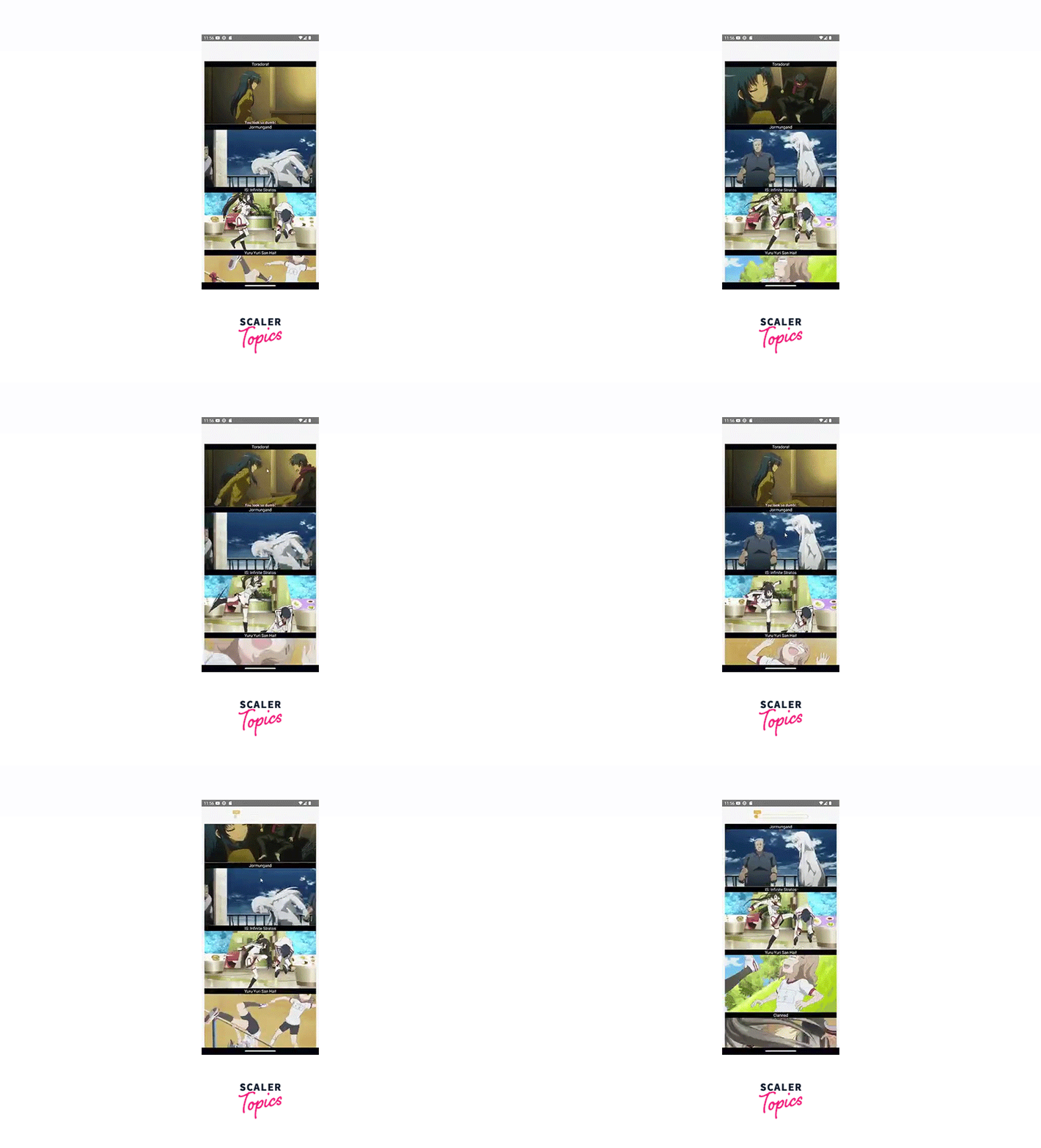
Scroll Progress Indicator Animation
A scroll progress indicator is a visual element that shows the user how far they have scrolled within a scrollable component. The scroll progress indicator can only be applied to Flatlist, ScrollView, etc.
Now we are going to build a scroll progress indicator that gives a progress bar with percentages in our Lottie react native application. Here we use Nekos API to fetch all GIF image data to make a great experience.
Note: Adding modules in android/app/build.gradle for support of GIF images in applications
Example - 3:
-
In Lottie react native application, the state variables data and loading are managed using the useState hook. data holds the fetched data, and loading is a flag indicating whether the data is being loaded.
-
The position variable is created using the useRef hook and the new Animated.Value(0). It is used to track the scroll position of the FlatList.
-
The handleScroll function is called when the FlatList is scrolled. It calculates the scroll position based on the contentOffset and adjusts the value of the position.
-
The fetchData function is an asynchronous function that fetches data from the endpoint. It updates the data state with the fetched results and sets loading to false when the data is fetched. Within the return statement, there is conditional rendering based on the loading state. If loading is true, it displays a "Loading..." text. Otherwise, it renders the FlatList.
-
Inside the FlatList component, various props are used to configure its behaviour. It receives the data state as the data source, the renderItem function to render each item, and a keyExtractor function to provide a unique key for each item. The renderItem contains the Lottie react native LottieView.
-
The LottieView component is used to display the loading animation. It receives the position value to control the animation progress, a JSON animation file (loading.json), and colour filters to modify the animation's appearance in the Lottie react native application.
Output:
Like and Unlike Animations
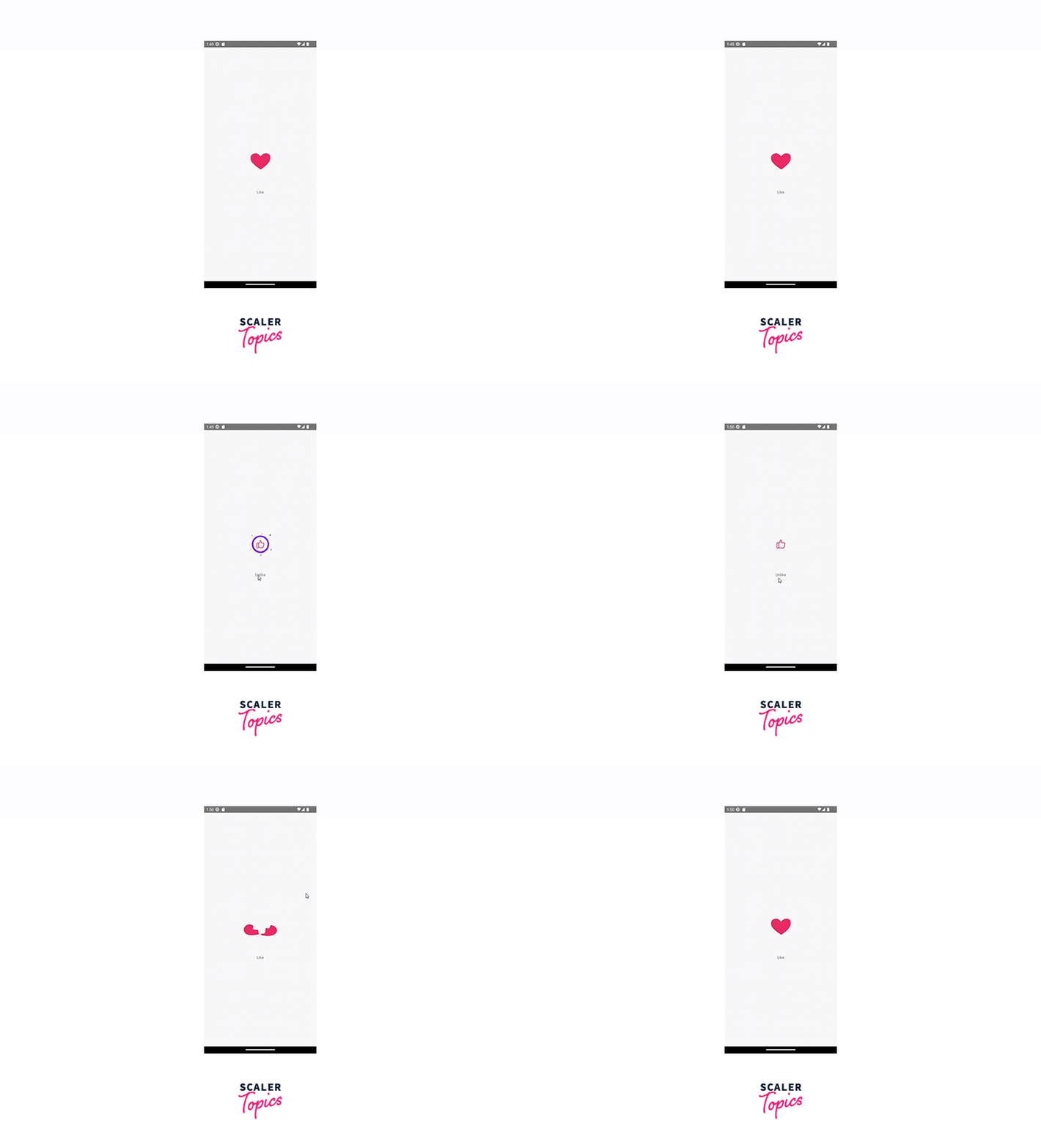
In this example, we are building a Like and Unlike animation in our Lottie react native App to provide a visual enhancement for the user. These animations are commonly used in social media apps, dating apps, or any application where users can interact with content by liking or disliking it.
Example - 4:
Output:
FAQs
Q. How can we customize a Lottie animation in React Native?
A. Lottie animations can be customised by applying various props to the LottieView component. These props include adjusting the size, position, opacity, and transform of the animation, as well as applying colour filters to specific elements within the animation using the colorFilters prop in lottie-react-native.
Conclusion
-
We finally end the section of our Lottie react native animation. Using Lottie animation in a React Native project offers a range of benefits and possibilities for enhancing the visual appeal and interactivity of Lottie react native application.
-
Here are a few key points to consider Those are high-quality animation, cross-platform compatibility, efficient performance, easy integration, interactivity, customization, community support, and resources.
-
By leveraging the power of Lottie animation in the Lottie react native project, we can create visually stunning and immersive experiences for the users. Whether it's adding delightful loading spinners, intricate illustrations, or engaging onboarding animations, Lottie empowers developers to bring the app to life with captivating visuals and seamless animations.