


Nested Table HTML
 FREE
FREE

Overview
A nested table in HTML is a table inside another table. An HTML table is a structure that consists of rows and columns. The creation of a nested table is supported by HTML which helps in creating more large and complex tables.
Transform Your Career
Choose from our industry-leading programs designed for career success
Modern Software and AI Engineering Program
Master full-stack development with AI integration


 +1000 more
Modern Data Science and ML with specialisation in AI
Advanced data science techniques with AI specialization
+1000 moreAdvanced AIML with Specialisation in Agentic AI
Deep dive into AIML with focus on Agentic systems
+1000 moreDevOps, Cloud & AI Platform Engineering
Build and manage AI-powered cloud infrastructure
+1000 moreAI Engineering Advanced Certification by IIT-Roorkee
Premier AI engineering certification from IIT-Roorkee

Pre-requisites
In order to know more about Nested table HTML, it is important to know about tables in HTML. To know more about tables in HTML, visit HTML Tables.
What are We Creating?
We are creating a nested table in HTML. A nested table HTML is a table within a table. While creating nested tables, begin and end the nesting tables within the same cell. The table which contains another table is called the outer table and the table which is inside another table(nested) is called the inner table.
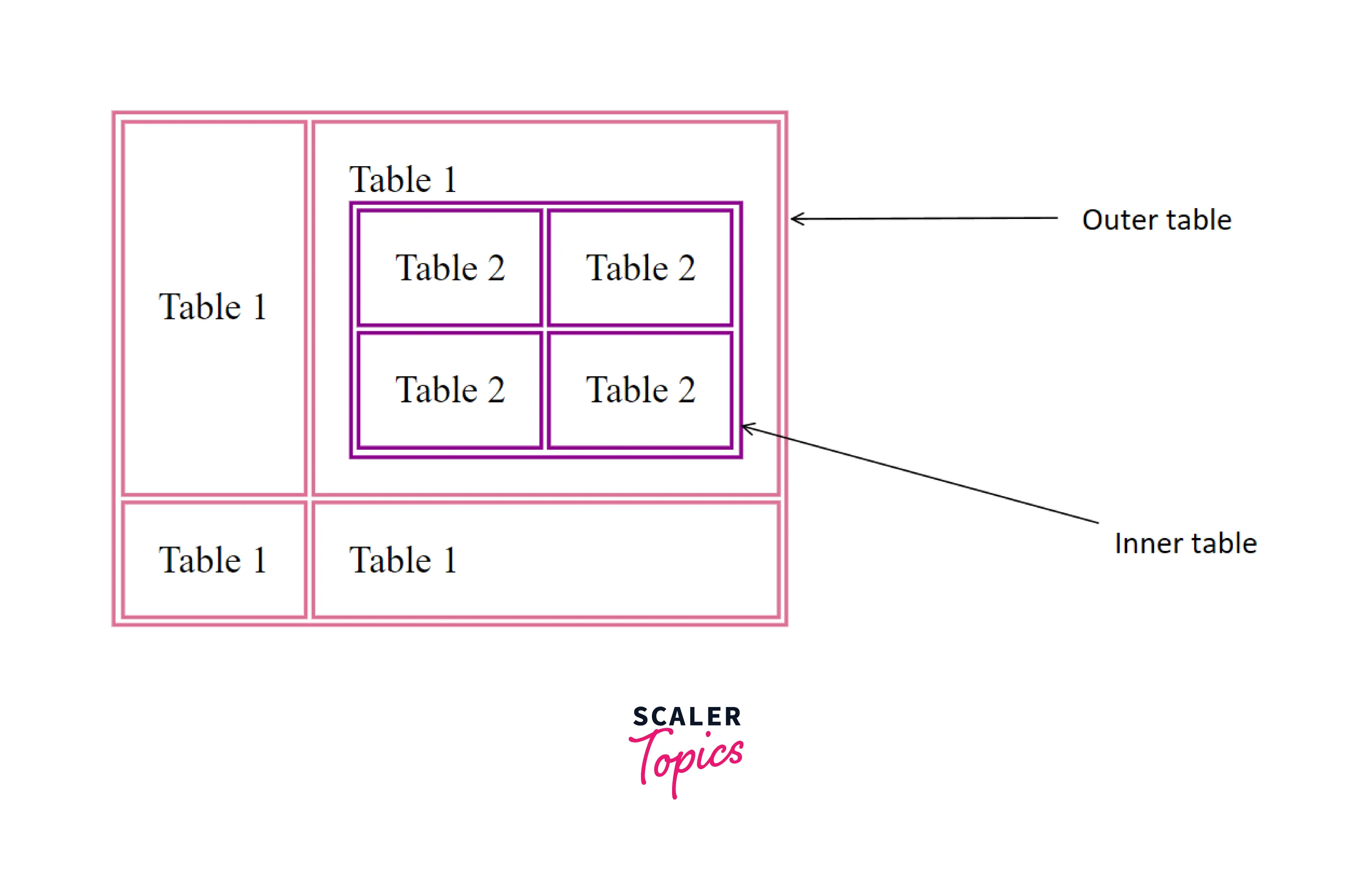
As you can see, the inner table and outer table are shown with an arrow. This represents nested table HTML.
First, we create an outer table. Then inside a particular cell, we create another table. This forms our nested table in HTML. Let us know the approach in depth in the following section.






How to Create a Nested Table in HTML?
For creating a nested table HTML, we should follow some predefined steps which are as follows-
- Step 1- Create an outer table and define data cell elements using the td tag for each row.
HTML
Output (The output is customised using CSS)
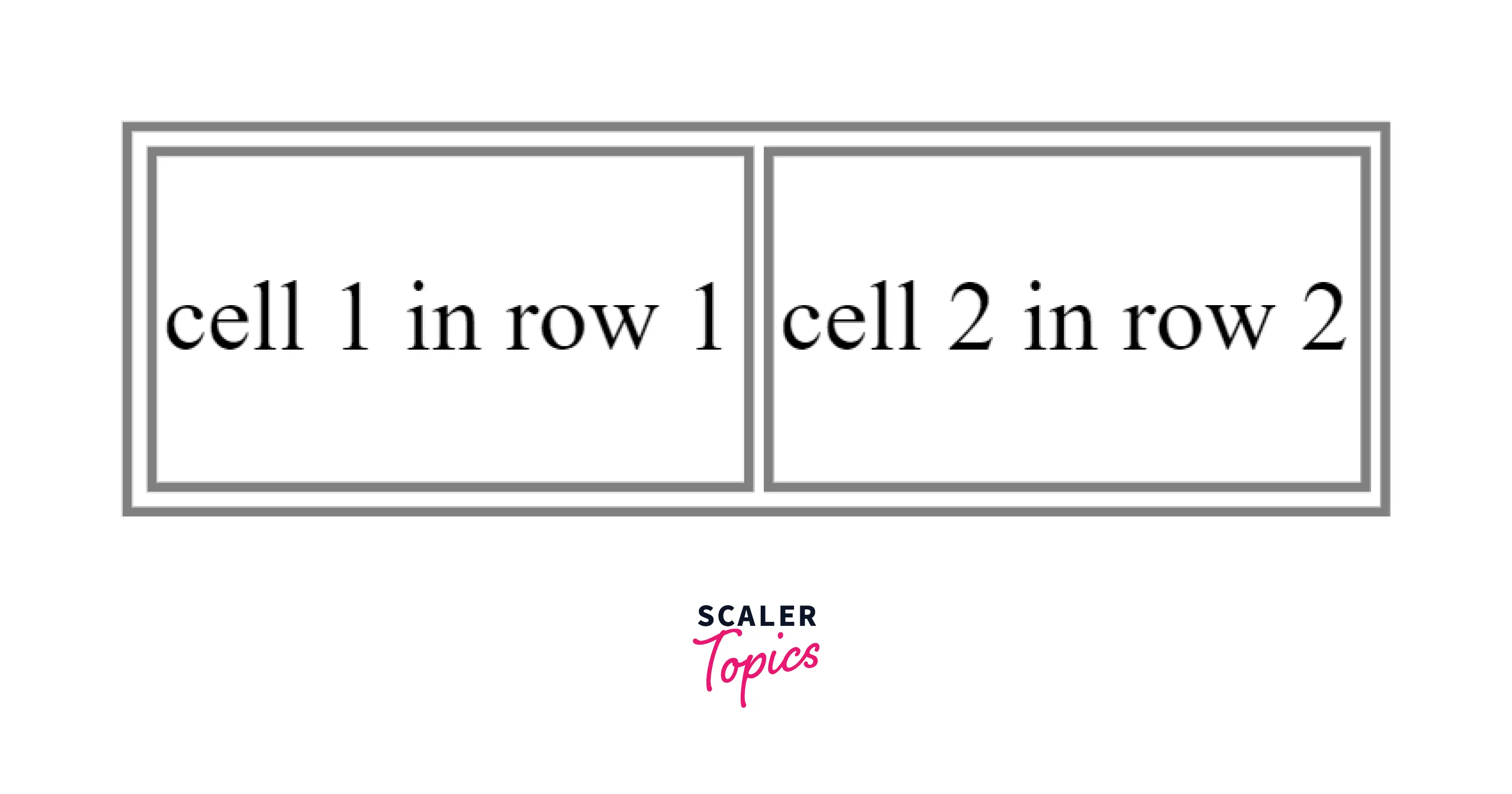
- Step 2- Select a particular cell where you want to create a nested table. Here, the inner table should be placed inside the <td> tag of the outer table.
HTML
CSS
Output
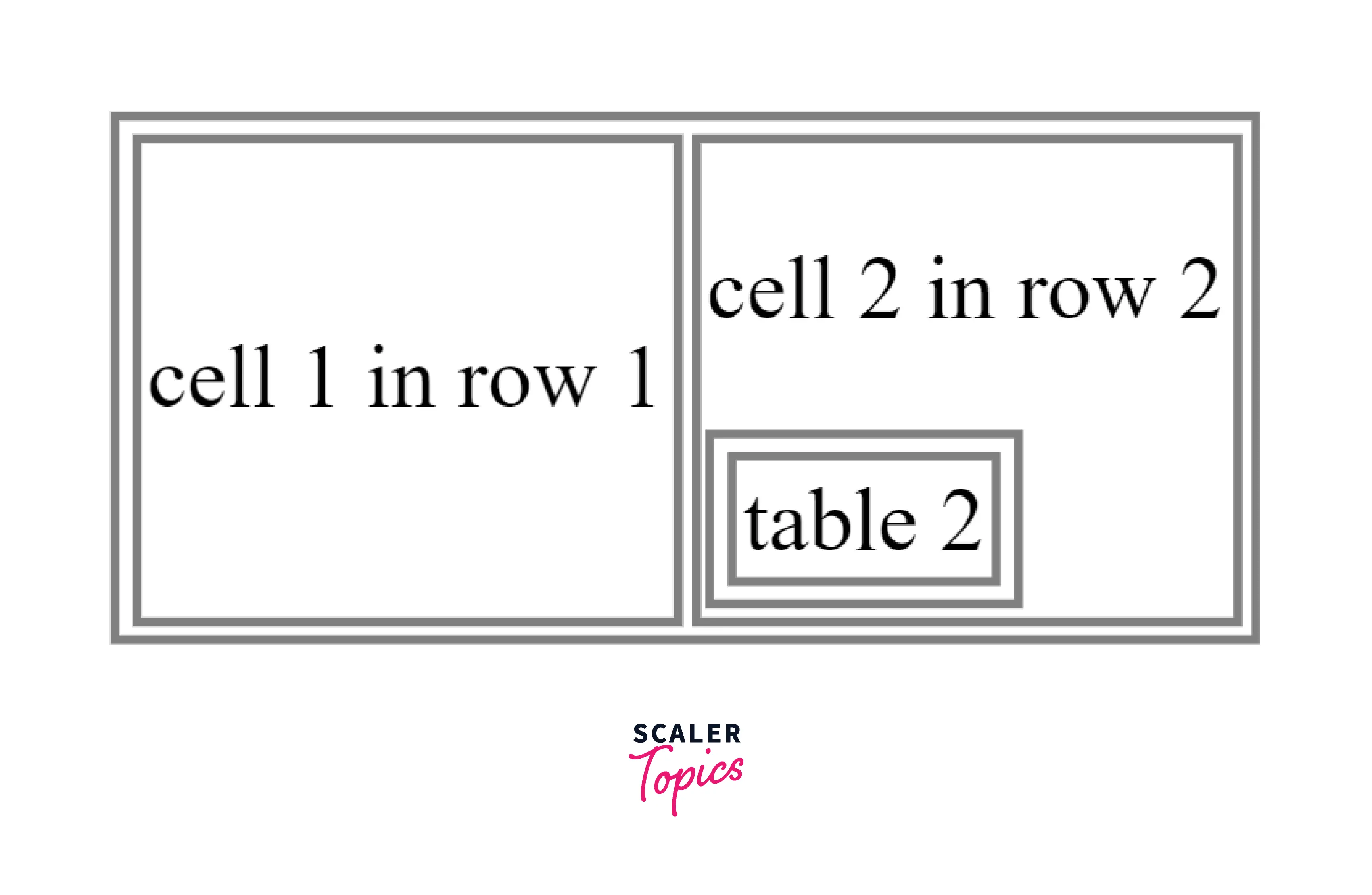
In short, the hierarchy should be-
Scaler Placement Report and Statistics
Scaler learners achieved 2.5x salary growth with average post-Scaler CTC reaching ₹23L.
 Google
 Amazon
 Microsoft
 Flipkart
 Adobe1200+ more
Example of a Nested Table in HTML
Example 1: Creating Simple Nested Table
To create a nested table HTML, We will first create an inner table. We use the <table> tag for creating a table. We then set the table rows using the <tr> tag. The cell in each row is set using the <td> tag. Then we choose a cell where we want to nest another table. There are 2 points that must be kept in mind while creating a nested table HTML-
- While creating nested tables, begin and end the nesting tables within the same cell.
- The inner table should be placed inside the <td> tag of the outer table.
After doing so, we create another table and define its row and cell elements in the same way. We also have added a list inside a table. The outer table is represented by palevioletred color and the inner table is represented by a magenta color. This can help us distinguish between the two tables.
Code
Output

Turn Learning into Career Growth
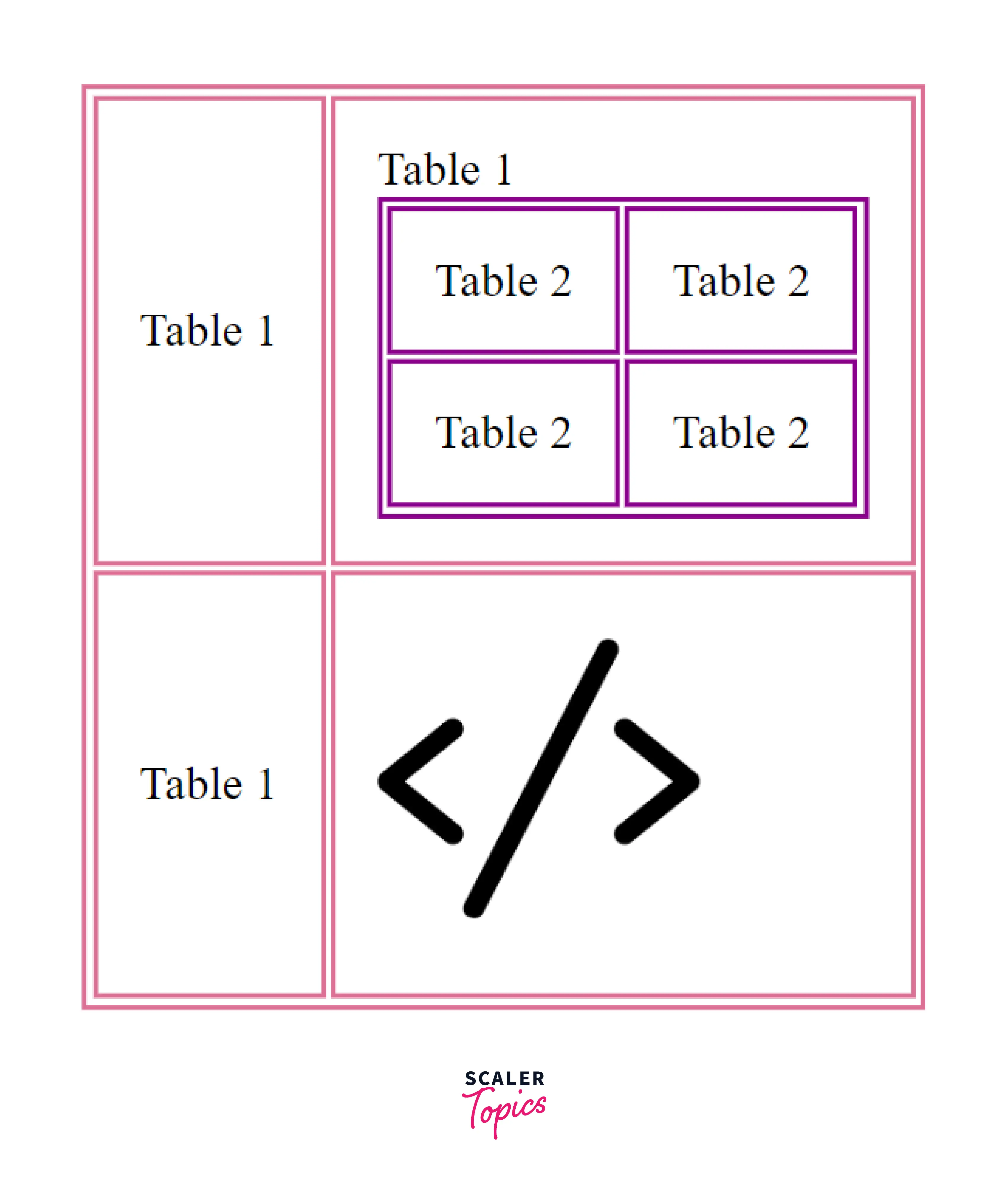
Example 2: Adding Image Link in Table
In this code, we will follow all the previous steps to create a nested table HTML and then add image links to a table cell.
Code
Output-
Disadvantage of Nested Table
- Nested tables are slow to load and prevent a functional and flexible website.
- Also, they are not usually recommended from the SEO's point of view.
Conclusion
- A nested table HTML is a table within a table.
- While creating nested tables, begin and end the nesting tables within the same cell.
- The table which contains another table is called the outer table and the table which is inside another table(nested) is called the inner table.
- The inner table should be placed inside the <td> tag of the outer table.
- Nested table HTML is not usually recommended from the SEO's point of view as they are slow to load and prevent a functional and flexible website.




