


How does numpy.square() work?
NumPy is a high-functioning Python library that provides a lot of tools for array manipulation. It makes our lives as developers a whole lot easier.
The NumPy square() function is a function in the NumPy package that helps us to calculate the square value of every element in a NumPy array/list. Apart from calculating squares of array elements, we can calculate squares of other data structures too.
In this article, we will go over the basics of NumPy square(), as well as some examples in which we use NumPy square() to generate squares of array elements.
Build an AI-First Career, Master the Complete Skillset
Choose from our industry-leading programs designed for career success
Modern Software and AI Engineering Program
Master full-stack development with AI integration


 +1000 more
Modern Data Science and ML with specialisation in AI
Advanced data science techniques with AI specialization
+1000 moreAdvanced AIML with Specialisation in Agentic AI
Deep dive into AIML with focus on Agentic systems
+1000 moreDevOps, Cloud & AI Platform Engineering
Build and manage AI-powered cloud infrastructure
+1000 moreAI Engineering Advanced Certification by IIT-Roorkee
Premier AI engineering certification from IIT-Roorkee

AI Forward Deployed Engineer Program
Full-stack engineering, production AI and client-facing consulting
+1000 moreSyntax for NumPy square()
The syntax for NumPy square() function is:
numpy.square(arr, out=None, where=True, dtype=None)
Parameters for NumPy square()
The parameters for NumPy square() function are:
- arr: This mandatory parameter represents the input data.
- out: This optional parameter represents the location in memory where the result will be stored.
- where: This optional parameter represents the condition that is applied to the input data.
- dtype: This optional parameter represents the data type of the input data.
Return Type for NumPy square()
The NumPy square() function returns an array with the square value of each element of the input array.
How Scaler Transformed Careers in Different Fields
Scaler learners achieved 2.5x salary growth with average post-Scaler CTC reaching ₹23L.
 Google
 Amazon
 Microsoft
 Flipkart
 Adobe1200+ more
Examples
To understand the working of the NumPy square() function in a better sense, let's go through some practical examples:
Using NumPy square() Function to Get Single Element
With the help of the NumPy square() function, we can calculate the square of a single element as input. To perform this, we need to pass an array with a single element as the number, of which we need to find the square.
Output
Using NumPy square() Function to Floating-Point Array
Just for an array, we can find the squares of every element in a floating-point array.
Output
Using NumPy square() Function with Negative Numbers
We can find the square value of all the negative elements in an array using the NumPy square() function.
Output
Using NumPy square() to Get Squares of Multiple Elements of an Array
With the help of the NumPy square() function, we are able to calculate the squares of every element of an array.
Output
Using NumPy square() Function to get Square Value of an Empty Array
When we use the NumPy square() function on an empty array, an empty array is returned.
Output
Using NumPy square() Function to Get Squares of Complex Numbers
We can use the NumPy square() function to calculate square values of complex numbers. Complex numbers are numbers that are represented by a+bj format. (a and b being integers).
Output
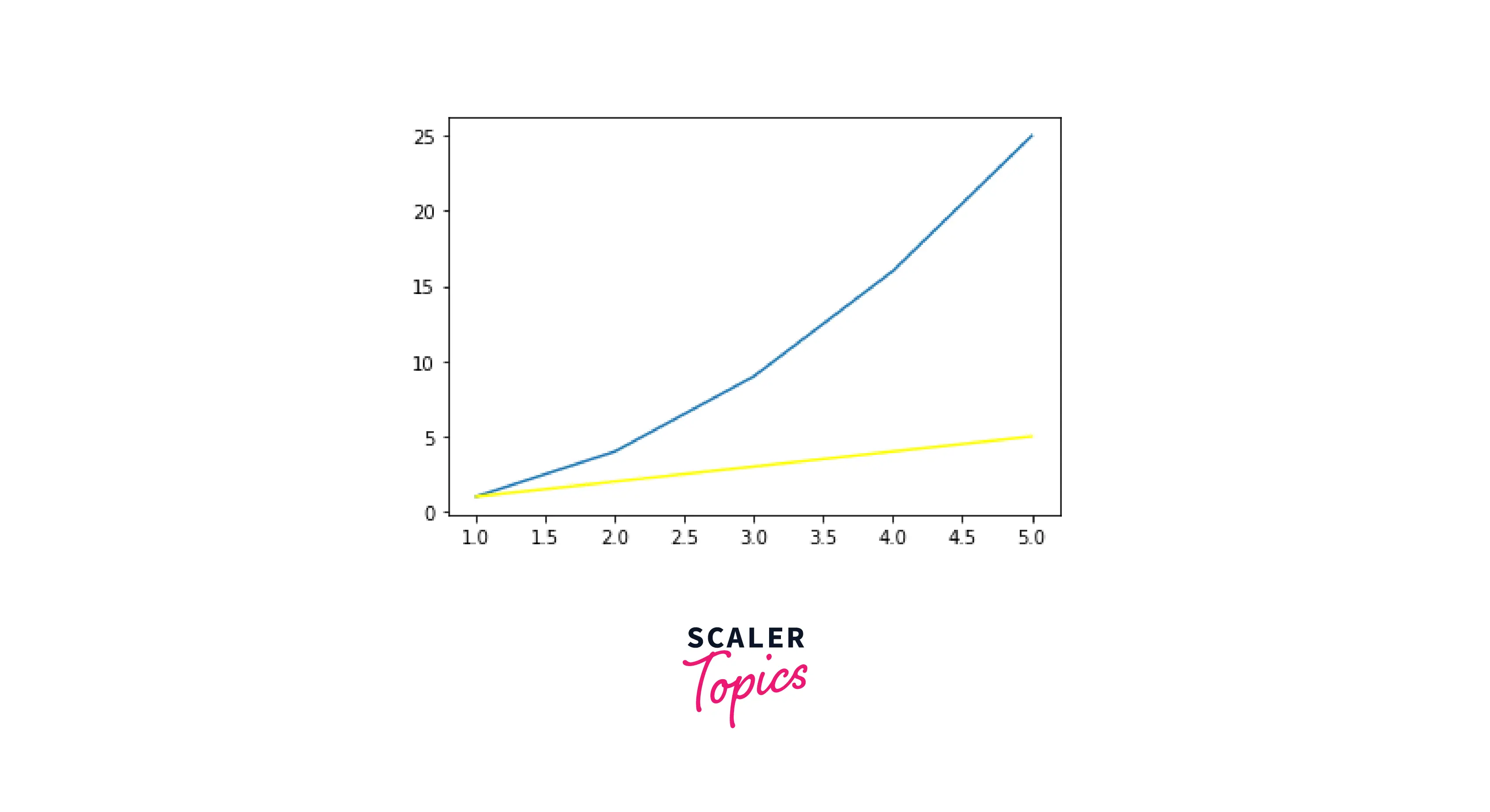
Visualizing NumPy square() Function Graphically
Matplotlib is a very powerful graphic library in Python, which allows us to create illustrative and exemplary graphs and plots. Using this library, we can easily visualize the NumPy square() function.
Output
Conclusion
- In this article, we learned about NumPy square(), a function used to calculate the square of a number or elements of an array.
- With the help of various examples, we were able to calculate squares of integers, floating-point numbers, negative numbers, and other types of numbers using the Numpy square() function.




