


OL Tag in HTML
 FREE
FREE

Overview
The ol tag in HTML is used to create an ordered list that displays the elements according to the format specified by the user. The format can either be numeric format or alphabetical format. Inside the ol tag, the li tag is used to define each individual list element. Read more about HTML tags.
Build an AI-First Career, Master the Complete Skillset
Choose from our industry-leading programs designed for career success
Modern Software and AI Engineering Program
Master full-stack development with AI integration


 +1000 more
Modern Data Science and ML with specialisation in AI
Advanced data science techniques with AI specialization
+1000 moreAdvanced AIML with Specialisation in Agentic AI
Deep dive into AIML with focus on Agentic systems
+1000 moreDevOps, Cloud & AI Platform Engineering
Build and manage AI-powered cloud infrastructure
+1000 moreAI Engineering Advanced Certification by IIT-Roorkee
Premier AI engineering certification from IIT-Roorkee

AI Forward Deployed Engineer Program
Full-stack engineering, production AI and client-facing consulting
+1000 moreSyntax
To define an ordered list, we use the ol tag which comes in pairs. We define the list items using the <li> tag between the <ol> opening tag and </ol> closing tag.
Attributes
There are various attributes associated with the ol tag in HTML-
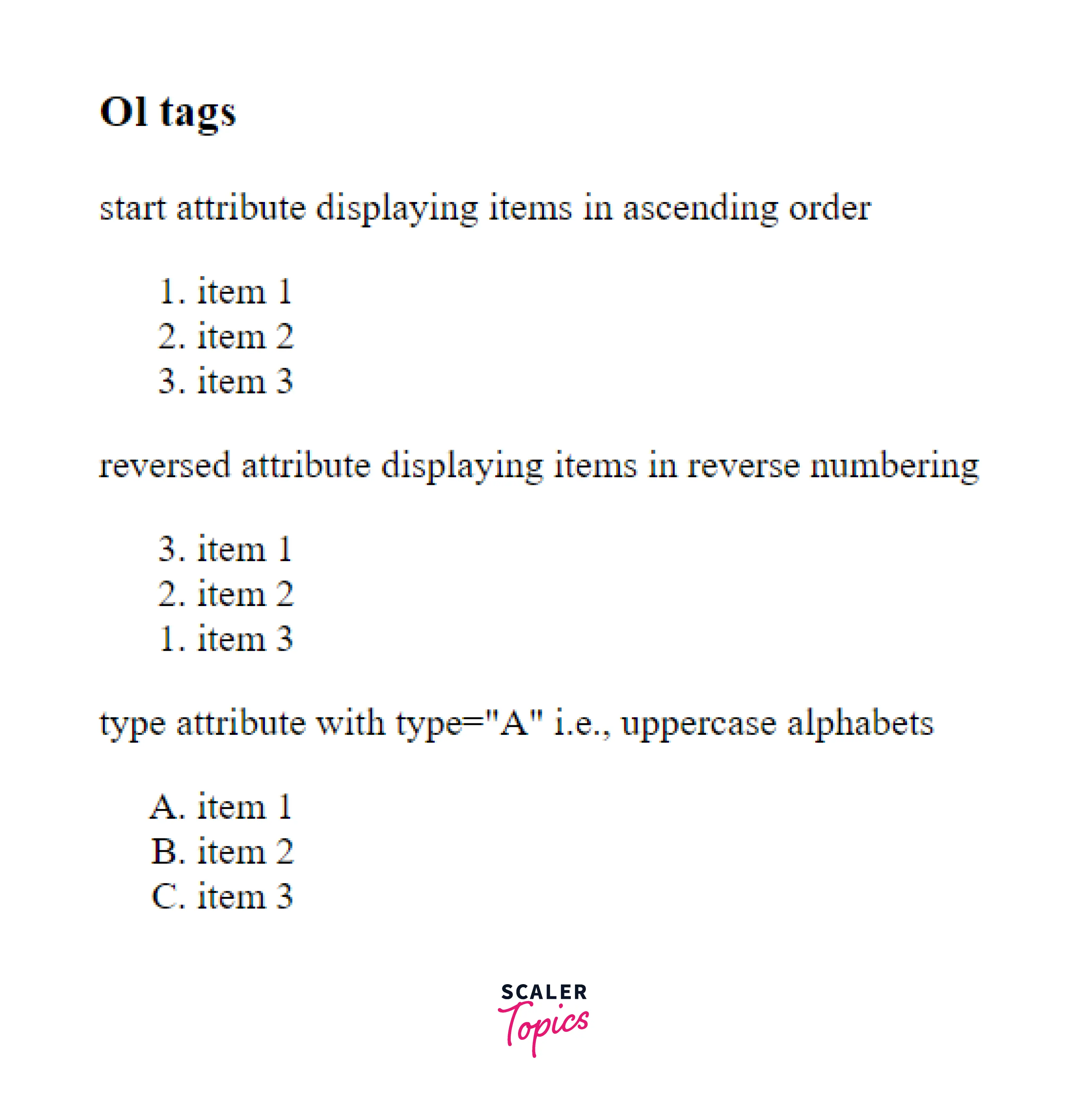
- reversed- As the name suggests, the items will be in reverse order, starting from high to low as specified by the user.
- start- It is used to specify the start value of a number from where the numbering of the list begins.
- type- It is used to set the type of numbering. Its values are as follows-
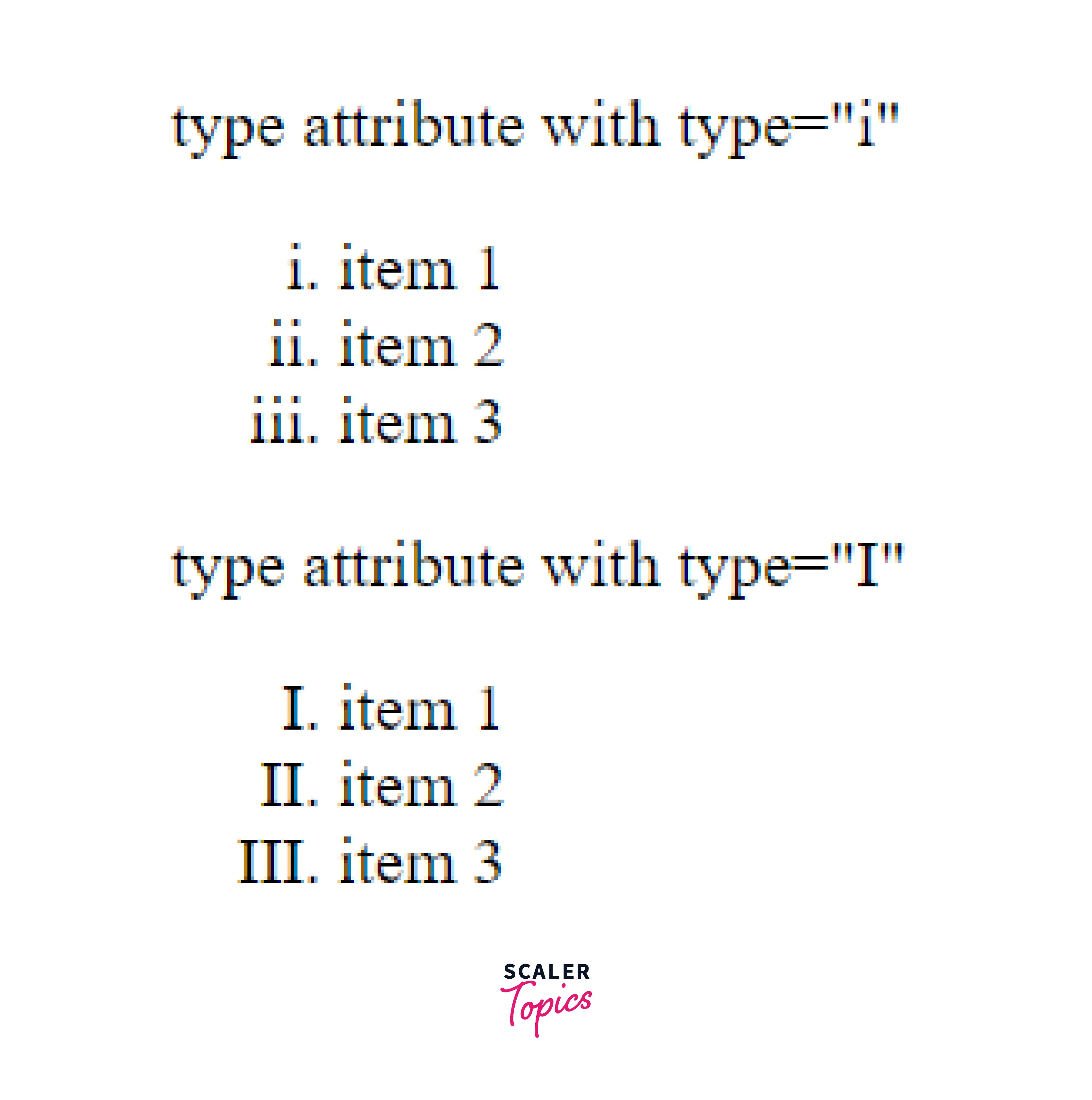
- "i"- The list items are numbered in the form of lowercase Roman numbers.
- "I"- The list items are numbered in the form of uppercase Roman numbers.
- "a"- The list items are numbered in the form of lowercase letters.
- "A"-The list items are numbered in the form of uppercase letters.
- "1"-The list items are numbered in the form of numbers. The type "1" is the default type.
How To Use <ol> Tag In HTML?
The ol tag in HTML is used to create an ordered list that displays the elements according to the format specified by the user. The format can either be numeric format or alphabetical format. Inside the ol tag, the li tag is used to define each individual list element.
Basically, when you want to display the items in a list, you have two options either use the ol(ordered list) tag or the ul(unordered list) tag. The ul tag is preferred when the list items only need a normal bullet point and need not follow some sequential order. The ol tag in HTML is preferred when the list items have to be in a sequential order preceded by the step number. The various types of ol tag type values include numbers and alphabet numbering in both lowercase and uppercase.
Examples
Ordered List By Specifying The Different Attributes & Their Values
In this given example, we will be creating 3 different lists using the ol tag in HTML using attributes like reversed, start and type.
Example
Output
How Scaler Transformed Careers in Different Fields
Scaler learners achieved 2.5x salary growth with average post-Scaler CTC reaching ₹23L.
 Google
 Amazon
 Microsoft
 Flipkart
 Adobe1200+ more
Using Roman Numeral Type
In this example, we will create a list using the ol tag in HTML with the numbering as Roman numeral type. As discussed above, we use the attribute "type" and value "I" and "i" for uppercase and lowercase Roman Numerals respectively.
Example
Output
Using The Start Attribute
It is used to specify the start value of a number from where the numbering of the list begins.
Example
Output
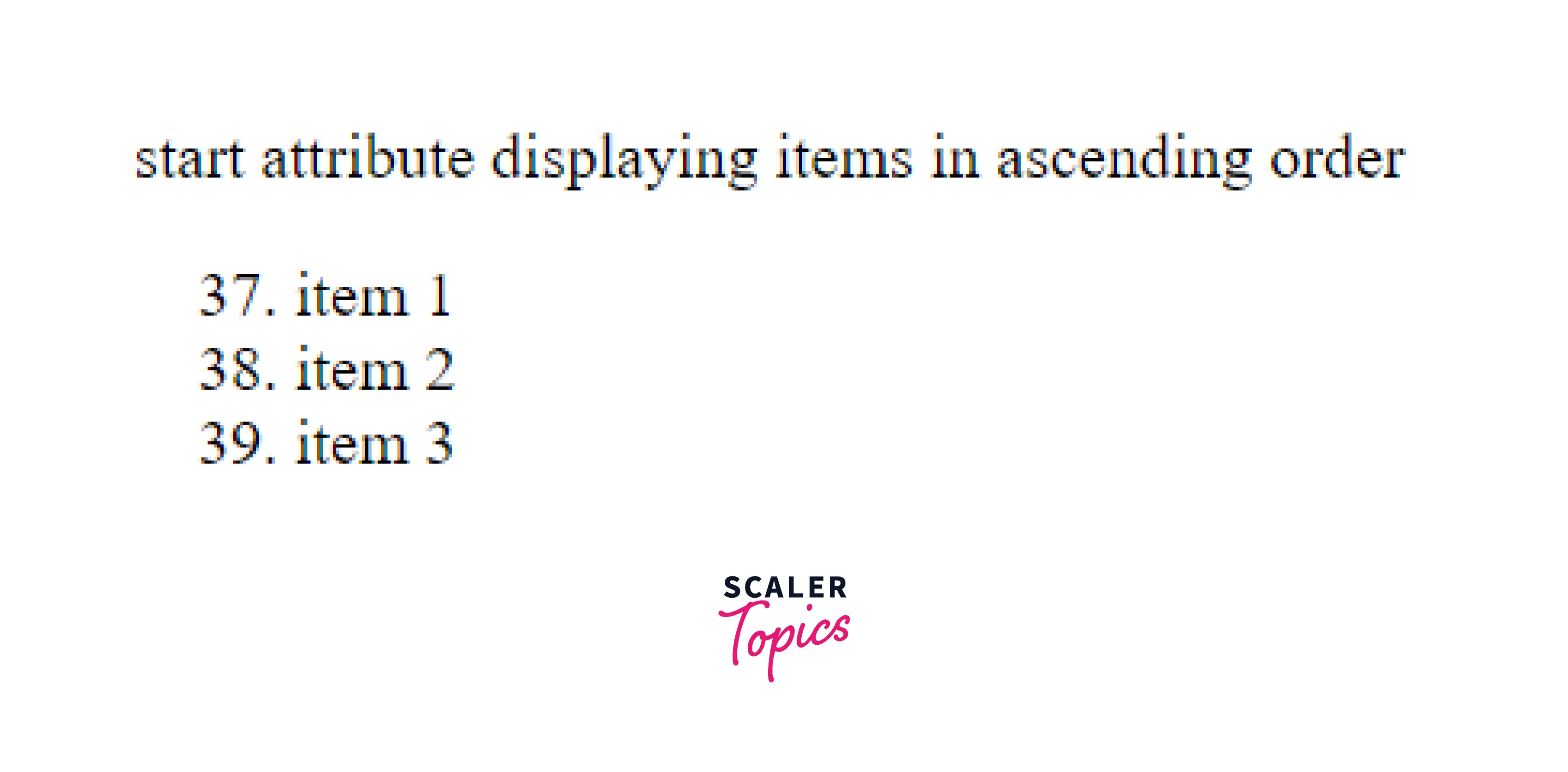
Here we have specified the start position as 37, so the numbering starts from 37.
Turn Learning into Career Growth
Nesting Lists
In the nesting list, we have a list inside a list.
Example
Output

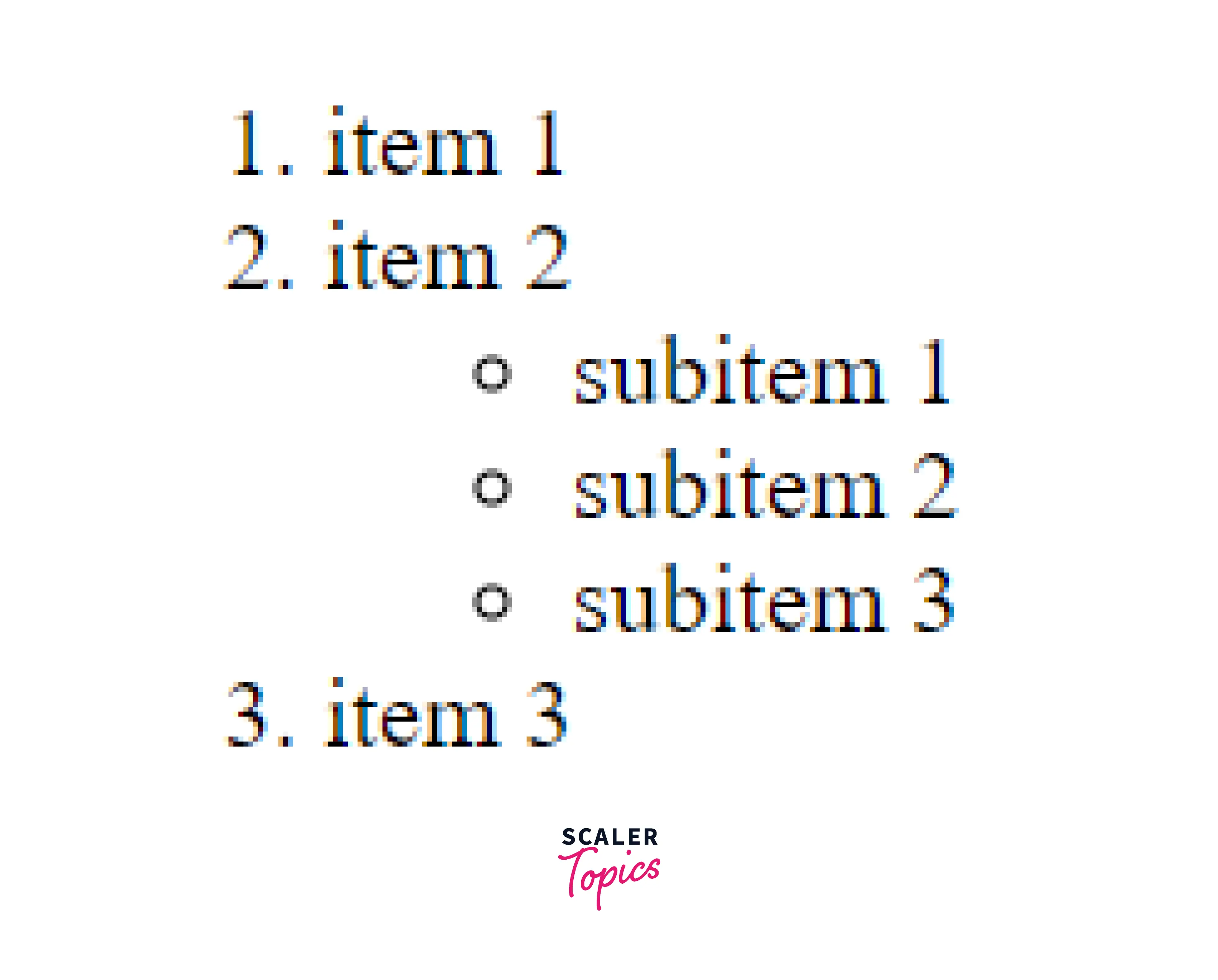
Unordered List Inside An Ordered List
Here we will be creating an unordered list using the ul tag inside an ordered list using the ol tag.
Example
Output
Accessibility Concerns
Accessibility is to make the websites usable by as many people as we can in different ways like-
- tablets, mobile phones
- alternating browsing devices like TV, smartwatches
- phones using old browsers
The usage of ol tag in HTML does not cause any accessibility concerns overall.
Browser Support
The ol tag in HTML is supported by the following browsers-
- Google Chrome
- Microsoft Edge
- Safari
- Opera
- Mozilla Firefox
Conclusion
- The ol tag in HTML is used to create an ordered list that displays the elements according to the format specified by the user.
- The format can either be numeric format or alphabetical format.
- Inside the ol tag, the li tag is used to define each individual list element.
- The various attributes associated with the ol tag are- start, reversed and type.
- The usage of ol tag in HTML does not cause any accessibility concerns overall.
- The ol tag in HTML is supported by all major browsers.




