


Onchange Event in JavaScript
 FREE
FREE

Overview
The onchange is an event attribute. We can listen to the change event to perform the operation based on any change and the onchange attribute is used to associate the functionality for this event. The event is triggered whenever the value of the HTML element changes. The term value differs for several elements like, for input element the value is entered text, for select element the value is selected option, etc.
Build an AI-First Career, Master the Complete Skillset
Choose from our industry-leading programs designed for career success
Modern Software and AI Engineering Program
Master full-stack development with AI integration


 +1000 more
Modern Data Science and ML with specialisation in AI
Advanced data science techniques with AI specialization
+1000 moreAdvanced AIML with Specialisation in Agentic AI
Deep dive into AIML with focus on Agentic systems
+1000 moreDevOps, Cloud & AI Platform Engineering
Build and manage AI-powered cloud infrastructure
+1000 moreAI Engineering Advanced Certification by IIT-Roorkee
Premier AI engineering certification from IIT-Roorkee

AI Forward Deployed Engineer Program
Full-stack engineering, production AI and client-facing consulting
+1000 moreSyntax of Onchange Event in JavaScript
There are three main ways to specify this event in syntax. We'll go through each in turn.
Writing Onchange Event Attribute
Association of Events with the HTML Element
Select Element Object and then Attach Function to onchange Property
How Scaler Transformed Careers in Different Fields
Scaler learners achieved 2.5x salary growth with average post-Scaler CTC reaching ₹23L.
 Google
 Amazon
 Microsoft
 Flipkart
 Adobe1200+ more
How does Onchange event in JavaScript work?
The onchange in javascript is an event attribute, and we write it inside the tag of the HTML element. The change in the value of an element triggers the change event, and subsequently, a function associated with the event gets executed in which we can perform some state manipulation to reflect the corresponding changes in the Document Object Model according to the last user interaction.
This event attribute falls into the category of Form Events. That's why onchange is used with form controls, like input, select, checkbox, radio buttons, etc. The Javascript listens for user input and fires this event whenever a value gets updated.
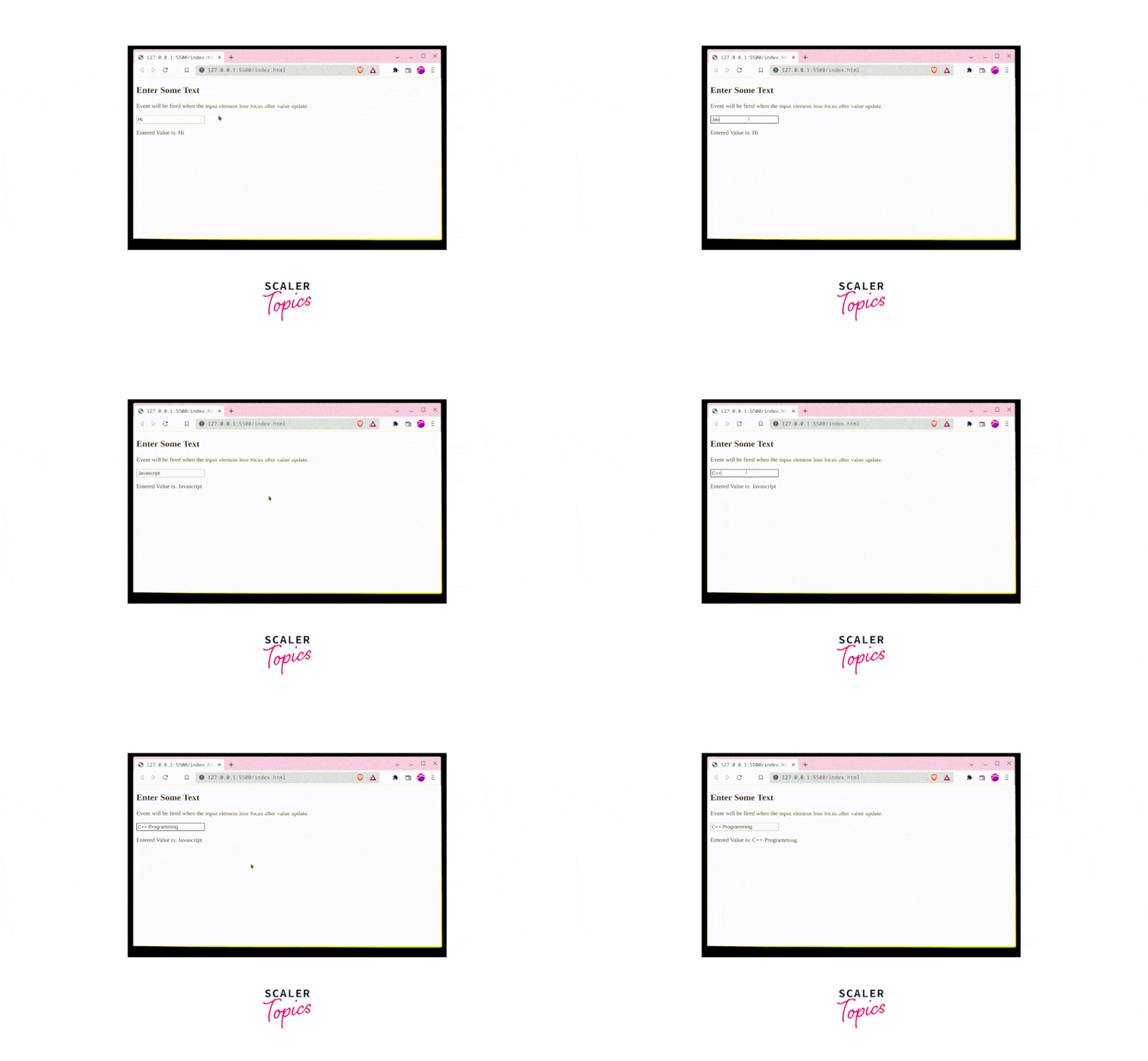
The onchange event attribute fires the event when the element loses focus.
Note: If there is a need to fire an event immediately after the change, then we should use the oninput event attribute.
Examples
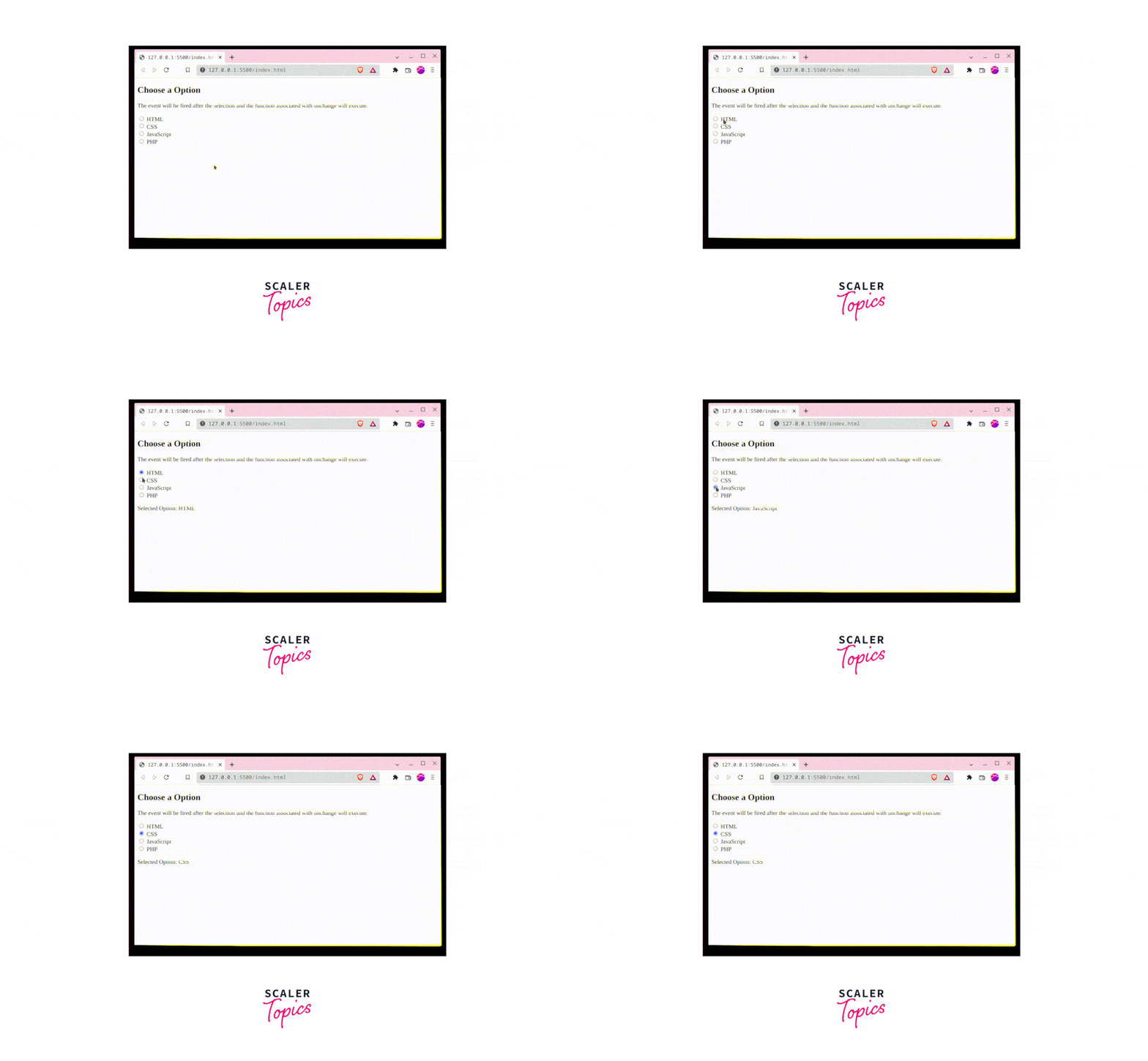
In these examples, we are associating a function with the onchange event attribute. When the element's value is updated, and the element loses focus, the change event is fired, and subsequently, onchange triggers the execution of corresponding functionality.
Turn Learning into Career Growth
Onchange with Text Input Element
Output:
Onchange with Select Element
Output:

Onchange with Radio Buttons
Output:
Browser Compatibility
The onchange event attribute is supported by all major browsers like Chrome, Internet Explorer, Firefox, Safari, Opera, Edge, etc.
Conclusion
- onchange is an event attribute.
- It is used to associate functionality with being executed whenever the change event occurs.
- A point worth noticing is, the event only gets fired when the element loses focus.




