


HTML <output> Tag
 FREE
FREE

Overview
The <output> tag in HTML is a versatile and often underutilized element that allows developers to dynamically display the results of calculations or scripts directly within the document. It provides an efficient and semantic way to show the outcome of user interactions or computations, enhancing the overall user experience. It is a self-closing tag, meaning it doesn't require a closing tag, and can be placed within forms, math-related content, or any section of the document where dynamic output needs to be presented. Please refer to HTML tags for more details.
Build an AI-First Career, Master the Complete Skillset
Choose from our industry-leading programs designed for career success
Modern Software and AI Engineering Program
Master full-stack development with AI integration


 +1000 more
Modern Data Science and ML with specialisation in AI
Advanced data science techniques with AI specialization
+1000 moreAdvanced AIML with Specialisation in Agentic AI
Deep dive into AIML with focus on Agentic systems
+1000 moreDevOps, Cloud & AI Platform Engineering
Build and manage AI-powered cloud infrastructure
+1000 moreAI Engineering Advanced Certification by IIT-Roorkee
Premier AI engineering certification from IIT-Roorkee

AI Forward Deployed Engineer Program
Full-stack engineering, production AI and client-facing consulting
+1000 moreSyntax of <output> Tag in HTML
The basic syntax of the <output> tag is straightforward:
The for attribute is used to associate the <output> with an input element, typically an <input> or <select>. This connection enables the <output> to display the results of the associated input's value or the outcome of a calculation based on that input.
Attributes of <output> Tag
- for: Indicates the ID of the input element with which the output is linked.
- form: Indicates the ID of the form element connected to the output. This is especially beneficial when managing multiple forms on a single page.
- name: Designates a name for the output element.
How to Use <output> Tag in HTML? (Usage Notes)
The <output> tag is particularly useful in scenarios where you want to instantly display the results of calculations or provide feedback to users without the need for additional JavaScript. It can be employed in various contexts, including:
- Calculators: Display the results of mathematical calculations as users input values.
- Forms: Show the selected option from a dropdown or the calculated results based on user inputs.
- Interactive Applications: Provide immediate feedback or results within web applications.
Examples
Performing a Calculation and Displaying the Result
In this example, we will demonstrate how to use the <output> tag to perform a simple calculation based on user input and display the result within the output element.
Code:
Output:
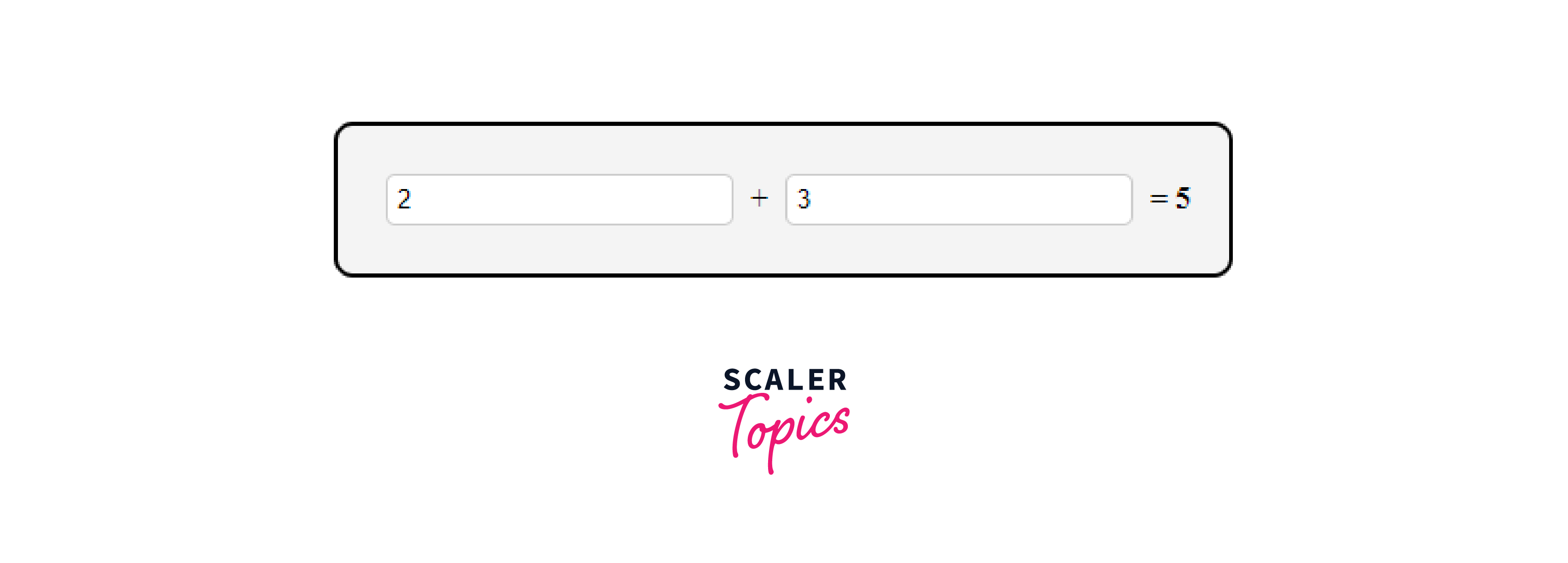
Explanation:
In this example, a <form> contains two number <input> fields (a and b). Using the oninput attribute, the sum of these values is calculated and displayed dynamically in the linked <output> element named "result".
How Scaler Transformed Careers in Different Fields
Scaler learners achieved 2.5x salary growth with average post-Scaler CTC reaching ₹23L.
 Google
 Amazon
 Microsoft
 Flipkart
 Adobe1200+ more
Associating <output> with Form Elements
In this example, we will illustrate how to use the form attribute in conjunction with the <output> tag to associate it with form elements and display their values.
Code:
Output:
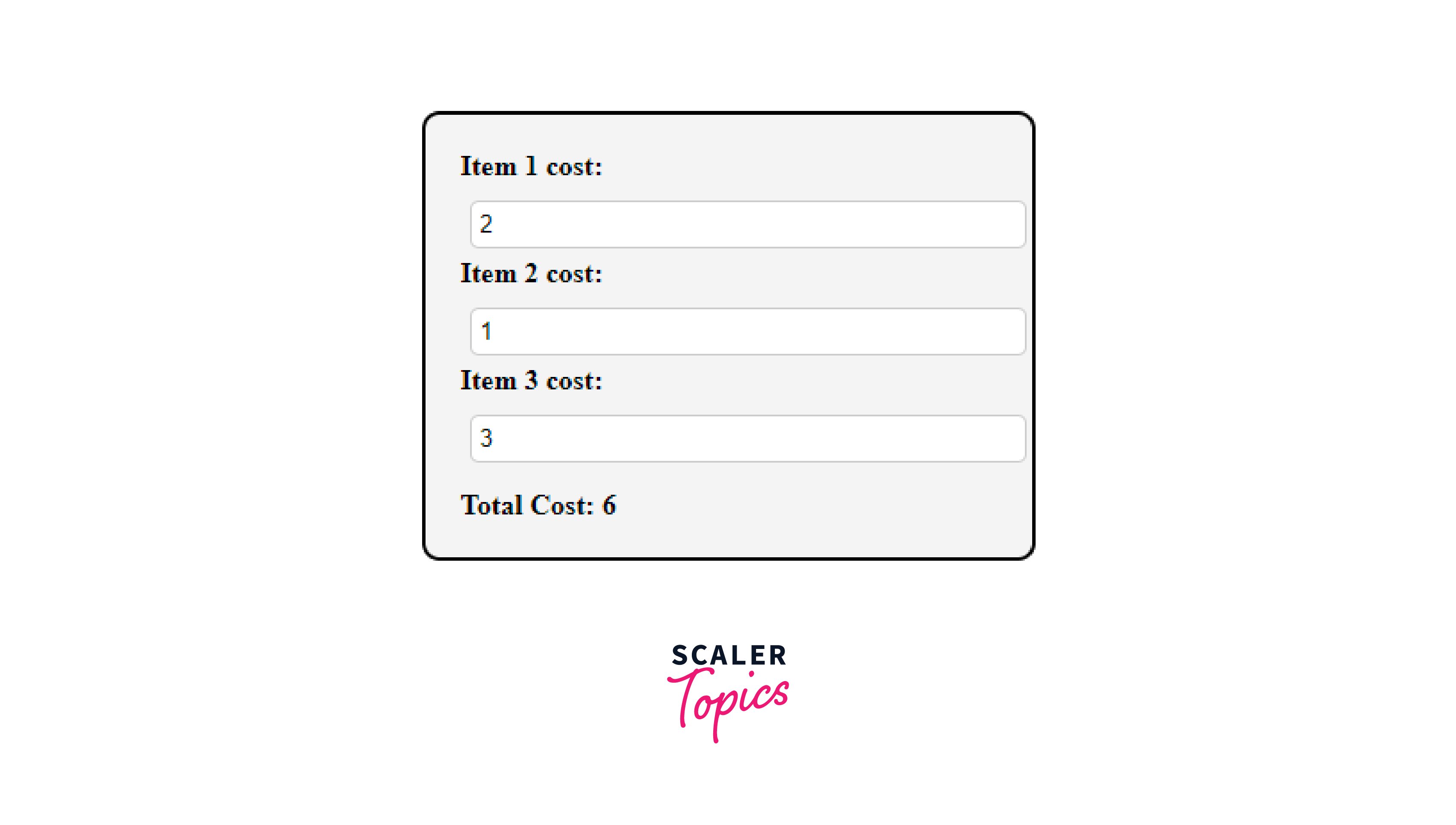
Explanation:
The provided HTML code features a form with three input fields for item costs. Each input corresponds to an item's cost, set initially at. An output element linked to these inputs displays the total cost. As users enter values, the output updates automatically via the 'for' attribute, simplifying total cost calculation without JavaScript.
Default CSS Settings
The default setting for the <output> tag in terms of its display behaviour is inline. This means that the <output> element will be displayed within the flow of text, alongside other inline elements.
By default, when no specific display value is assigned in CSS, the <output> tag behaves as an inline element, making it suitable for displaying results or outputs within the context of text or other inline content.
Turn Learning into Career Growth
Accessibility Concerns
Following are some of the accessibility concerns while using the <output> tag:
- Labeling: Provide a clear and meaningful label or text description for the <output> element so that screen readers can convey its purpose to users with visual impairments.
- ARIA Roles and Attributes: Use ARIA (Accessible Rich Internet Applications) attributes like aria-live to indicate that the content within the <output> should be announced as it changes dynamically. This is crucial for users who rely on screen readers to interact with the content.
- Contrast and Styling: Ensure that the text colour and background colour of the <output> element has sufficient contrast for users with low vision. Proper styling can enhance readability and user experience.
- Keyboard Navigation: Test the form with keyboard navigation to ensure that users can access the <output> element and its associated inputs easily, without any keyboard traps or issues.
- Testing with Screen Readers: Regularly test your implementation using various screen readers to verify that the dynamic content within the <output> element is read aloud accurately and provides a comprehensible experience.
Browser Support
The <output> tag is supported by all modern browsers, including Chrome, Firefox, Safari, Edge, and others. Here is a table showing browser support of <output> tag
| Browser | Chrome | Firefox | Safari | Edge | Opera | Internet Explorer |
|---|---|---|---|---|---|---|
| Version | 4.0 | 4.0 | 5.1 | 10 | 10.5 | N/A |
Learn More
To dive deeper into HTML and related concepts, consider exploring the following tags and topics:
Conclusion
- The <output> tag provides a straightforward method to display dynamic content and calculated results directly within HTML documents.
- Understanding the syntax and attributes of the <output> tag enables developers to create more engaging and responsive web applications.
- By utilizing the <output> tag, developers can offer instant feedback to users without the need for extensive JavaScript code.
- Proper utilization of styling and accessibility considerations enhances user experience and ensures content is presented in an accessible manner.
- Leveraging the <output> tag, along with associated best practices, contributes to the creation of a more user-friendly and interactive online environment.
- The <output> tag is a valuable addition to the HTML toolbox, simplifying the display of calculated outputs and interactions while reducing development complexity.
- Incorporating the <output> tag into web projects fosters better user engagement by providing real-time feedback and enhancing the overall interactivity of the application.
Related Tags
- <input>
- <form>
- <select>
- <button>
- <datalist>




